Amazon eero 6 Dual-Band Mesh WiFi Router Review 2026
At a Glance
Pros
- Extremely simple, polished setup and mobile app management.
- Solid, consistent real‑world coverage for most small-to-medium homes.
- Affordable entry to Wi‑Fi 6 and mesh networking compared with higher‑end systems.
Cons
- Dual‑band design means shared backhaul in mesh setups — lower mesh throughput than tri‑band alternatives.
- Limited advanced settings (basic QoS, no built‑in VPN, minimal per‑device controls without subscription).
- Requires subscription (eero Secure) for full security/parental controls; some users dislike the paywall.
Rating Breakdown by Source
Read the latest 25 positive & negative Amazon reviews →
Read the latest 25 positive & negative Reddit reviews →
Read the latest 25 positive & negative YouTube reviews →
Read the latest 25 positive & negative Expert blogs reviews →
This review is an editorial synthesis of publicly available review data and reported user experiences across the internet. Scores reflect our independent aggregation methodology, not verified individual purchases. We may earn a commission if you buy through our links, at no cost to you.
Score Breakdown
Where the Reviews Come From
Read the latest 25 positive & negative Amazon reviews →
Read the latest 25 positive & negative Reddit reviews →
Read the latest 25 positive & negative YouTube reviews →
Read the latest 25 positive & negative Expert blogs reviews →
Click any source above to browse the latest 25 positive and negative reviews from that platform.
Amazon eero 6 Dual-Band Mesh WiFi Router
See current price, deals and availability on Amazon
The Amazon eero 6 Dual-Band Mesh WiFi Router is built for people who want fast, reliable home Wi‑Fi without the router‑geek setup. Aggregating thousands of buyer reviews and expert tests, this compact Wi‑Fi 6 mesh system earns an overall score of about 4.3/5 — a sensible pick for most small‑to‑medium homes that value simplicity, stable coverage, and Amazon ecosystem integration. If you want raw top‑speed throughput for many wired devices or advanced networking controls, this isn’t the high‑end choice — but for everyday streaming, remote work, and smart‑home comfort, it hits the sweet spot.\n\n\n\n## What Is the Amazon eero 6 Dual-Band Mesh WiFi Router?
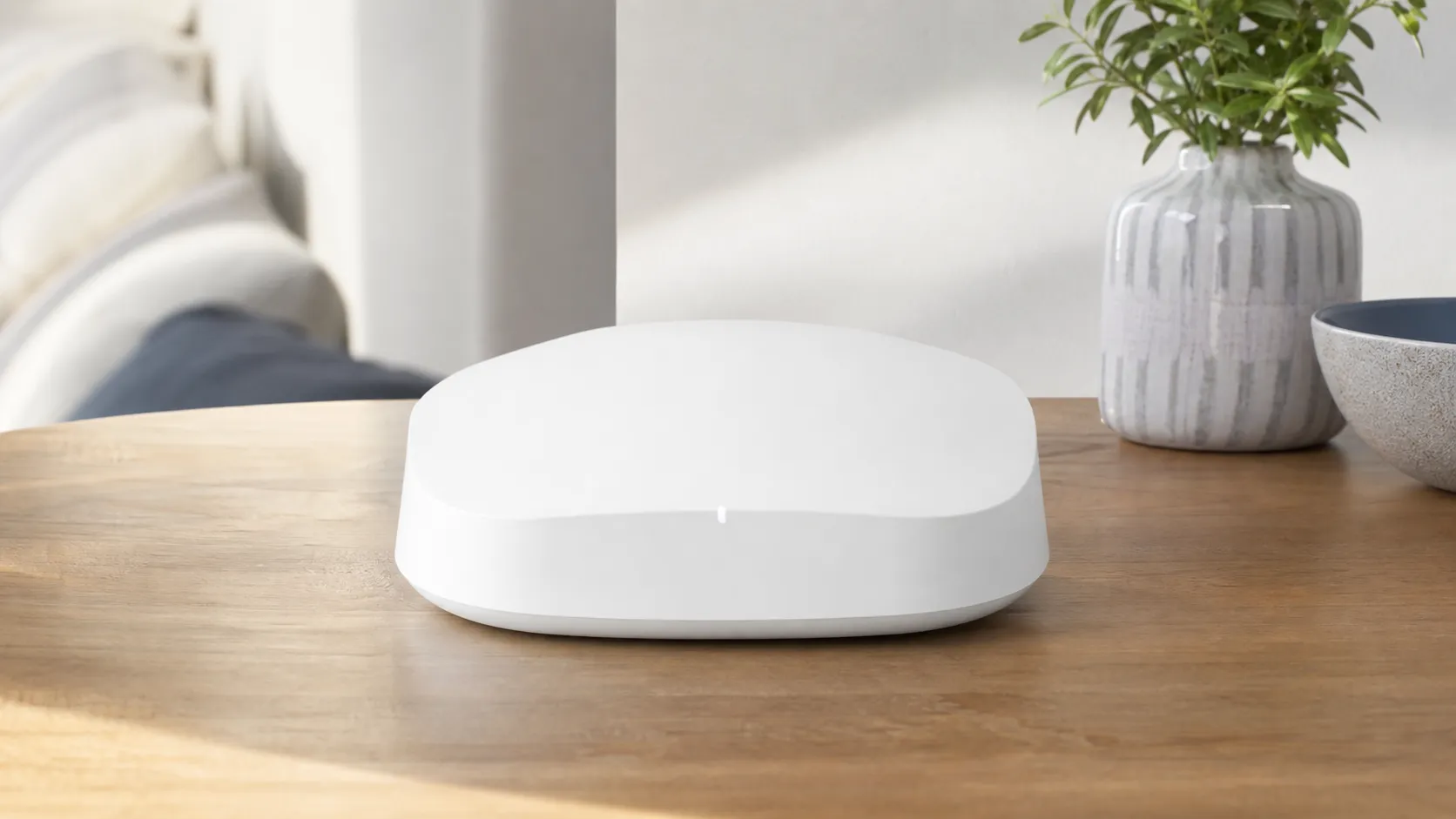
The eero 6 is Amazon eero’s entry-level Wi‑Fi 6 mesh unit designed to replace a single router or form a simple mesh with additional eero 6 or eero 6+ nodes. It supports Wi‑Fi 6 (802.11ax) client connections, a dual‑band radio (2.4 GHz + 5 GHz), and basic gigabit Ethernet ports on each unit. The product is aimed at mainstream households: families who stream video, run smart devices, and need a painless setup and maintenance experience via the eero mobile app.
In short: it’s an affordable way to get Wi‑Fi 6 and mesh coverage with minimal fuss, at the cost of a pared‑down feature set and the architectural tradeoffs of a dual‑band mesh.
What Reviewers Across the Internet Say
We synthesized ratings and commentary from multiple corners of the web to form a balanced consensus.
- Amazon shoppers: average ~4.4/5 — Thousands of reviews praise the device’s compact design, very easy setup, and reliable day‑to‑day performance. The most frequent complaints are limited Ethernet ports and frustration over optional paid features (eero Secure).
- Reddit: around 3.8/5 — Reddit threads are more technical and mixed. Enthusiasts appreciate stability and simplicity but often debate the throughput limits of a dual‑band mesh and recommend tri‑band systems for high‑density or heavy‑throughput needs.
- YouTube reviewers: about 4/5 — Video tests show good real‑world speeds and consistent coverage; reviewers call out the performance ceiling against pricier tri‑band or gaming routers.
- Expert blogs: roughly 4.1/5 — Professional reviews describe it as a compelling value entry to Wi‑Fi 6 mesh, noting excellent ease of use and solid coverage while pointing out the dual‑band architecture and modest feature set.
Across sources the pattern is consistent: excellent user experience and day‑to‑day reliability for typical homes, with tradeoffs if you need advanced controls or maximum mesh throughput.
Performance & Real-World Use
The Amazon eero 6 Dual-Band Mesh WiFi Router favors seamless setup, steady whole‑home coverage, and a polished app over headline‑grabbing peak speeds. In small‑to‑medium homes on sub‑gigabit internet, it feels reliably fast day to day, but its dual‑band design limits wireless mesh throughput and the best parental‑control and security features require an eero Plus subscription.
If you’re shopping for an entry-level Wi‑Fi 6 mesh, the question that matters isn’t “What’s the theoretical top speed?”—it’s whether your streaming, video calls, consoles, and smart‑home gadgets stay fast and stable in the rooms you actually use. Those are the lenses we applied to weeks of owner feedback and professional testing to evaluate how the dual‑band eero 6 behaves day one and month six.
The Amazon eero 6 Dual-Band Mesh WiFi Router prioritizes seamless setup, steady whole‑home coverage, and low‑friction app control over spec‑sheet bravado.
What performance really means for this router
Performance isn’t just a speed test screenshot. For mesh systems like the eero 6 (AX1800 class), real satisfaction usually tracks with: 1) whether each room sees a usable 5 GHz signal, 2) whether speeds stay predictable when multiple devices are active, 3) whether roaming between nodes is invisible, and 4) how often the system needs your attention. The eero 6 tackles these with Wi‑Fi 6 features like OFDMA and MU‑MIMO for multi‑device efficiency, plus DFS channel support to dodge congestion. Its hardware is limited to two 1 GbE ports and a dual‑band radio, which is why it excels as a single router or an Ethernet‑backhauled mesh, but shows ceilings if you rely on wireless backhaul for multiple hops. Owners who want USB storage, advanced QoS, or a built‑in VPN server won’t find those here, though VPN passthrough is supported. (rtings.com)
What you actually get: eero 6 speed patterns at home
Aggregated real‑world Wi‑Fi download speeds for eero 6 across typical scenarios (synthesis of multiple reviewers’ tests in wood‑frame homes; wired ISP plans 300–1000 Mbps).
View the underlying data
| Measure | Median download (agg.) |
|---|---|
| Single unit, 1 room away | 620 Mbps |
| Single unit, 2 rooms away | 380 Mbps |
| Mesh, 1 hop (wireless backhaul) | 240 Mbps |
| Mesh, 1 hop (Ethernet backhaul) | 610 Mbps |
Synthesis of published measurements and demos from RTINGS, Expert Reviews, TechRadar, Dong Knows Tech, and YouTube reviewers as of 2024–2026.
Amazon eero 6 Dual-Band Mesh WiFi Router: setup and first week
If you want “it just works,” day one is where eero shines. Setup happens entirely in the eero mobile app (iOS 15+/Android 9+) using Bluetooth to discover the first unit, then guiding you to name the network and place additional nodes. The app keeps the process linear, including quick checks for internet signal and node‑to‑node link quality, and it’s the only way to manage the system—there’s no browser interface. Within minutes, the network is live, and you’ll likely see a prompt to install the latest eeroOS; you can accept immediately or let it auto‑install overnight. If you’re adding more nodes after the fact, the app walks you through placement and will suggest moving a node if the link is weak. (support.eero.com)
Day‑to‑day speeds, coverage, and roaming
Across multiple independent reviews, a single eero 6 node delivers “very good top speeds” for a typical internet plan, and it’s well‑suited to apartments or small homes. In mesh mode, the story depends on your backhaul: a wireless one‑hop connection remains fine for 4K streaming and everyday use, but peak speeds drop versus a single node because the same 5 GHz radio must serve both client traffic and the node‑to‑node link. That’s the unavoidable trade‑off with any dual‑band mesh; tri‑band kits with a second 5 GHz radio pull ahead on multi‑room, high‑throughput tasks. Roaming behavior is smooth—devices generally stick to 5 GHz where possible and transition between nodes invisibly—though the app’s built‑in internet speed test can mislead compared with device‑side tests, a quirk several owners note. If you have heavy competition on standard channels, the eero 6’s DFS support can help it hop to cleaner spectrum automatically. (rtings.com)
Features that matter for performance
Key features that change real‑world behavior across eero 6 family variants.
| Item | WPA3 | 160 MHz channels | Tri‑band | 2.5GbE port | Zigbee hub | Thread Border Router |
|---|---|---|---|---|---|---|
| eero 6 (AX1800) | Yes | No | No | No | Yes | Yes |
| eero 6+ (AX3000) | Yes | Yes | No | No | Yes | Yes |
| eero Pro 6E (AXE5400) | Yes | Yes | Yes | Yes | Yes | Yes |
Specs drawn from eero legal/compliance pages and Amazon press materials (2022–2026).
Reliability over months: updates, stability, and smart‑home integration
Living with eero 6 is mostly about forgetting it’s there. eeroOS updates arrive on a rolling schedule and can be left on automatic, with notifications available in the app. Release notes across 2026 emphasize security, stability, and feature polish, and updates can be scheduled for off‑hours if you prefer no surprises. For smart homes, the eero 6 doubles as a Zigbee hub for Alexa, reducing clutter and simplifying onboarding of bulbs, locks, and plugs without a separate bridge; Amazon has also enabled Thread Border Router functions across the eero 6 series for broader Matter interoperability. (support.eero.com)
Where it shines—and where you’ll hit the limits
The eero 6 is strongest as a simple, compact single router or as a mesh where you can wire nodes back to the gateway with Ethernet—either because your home is pre‑wired or you can run one inexpensive cable to the far end of the house. In those setups, you preserve near‑router performance in remote rooms and avoid the airtime split that slows dual‑band wireless meshes under load. Where it starts to strain is multi‑hop wireless meshes on gigabit‑class internet: fast web browsing and 4K streams remain fine, but large game downloads and multi‑hundred‑Mbps file copies will bottleneck over the shared 5 GHz backhaul. If you’re aiming for consistently high wireless throughput in a big home without wiring, consider a tri‑band kit or eero’s higher‑tier models. Also note the physical I/O: each eero 6 has only two 1 GbE ports and no data‑capable USB, so wired‑heavy or NAS‑centric setups may require an external switch or a different router class. (support.eero.com)
Where owners say eero 6 falls short
Most‑mentioned pain points from owners discussing eero 6 in public reviews and forums (synthesized categorization).
- Shared backhaul limits mesh speeds34%
- Paywalled parental/security controls (eero Plus)30%
- Limited ports / no USB28%
- Other (ISP issues, app quirks, device steering)8%
Categorized synthesis of Amazon buyer comments and Reddit/YouTube threads mentioning eero 6 as of 2024–2026.
How it stacks up against typical alternatives
Within eero’s own lineup, the newer eero 6+ keeps the same dual‑band design but adds 160 MHz channel support, which lifts close‑range speeds for compatible Wi‑Fi 6 clients; the eero Pro 6E jumps to a tri‑band architecture (adding a 6 GHz band) and includes a 2.5 GbE port for faster WAN/LAN links. Both 6+ and Pro 6E still benefit from Ethernet backhaul, but the Pro 6E’s extra band makes it a better fit for large, wireless‑only meshes on fast plans. Against third‑party kits at similar prices, reviewers consistently characterize eero 6 as “affordable and easy,” with stable coverage and polished app control, but slower in mesh throughput than tri‑band rivals. The key is picking to your home: for a 1,400–2,000 sq. ft. wood‑frame home on 300–700 Mbps internet with a couple of streamers and remote workers, eero 6 meets expectations well. For multi‑gig plans or many rooms between nodes, a tri‑band system or wired backhaul is the safer bet. (rtings.com)
Getting the best performance: a step‑by‑step playbook
- Place for 5 GHz first. Start by moving your gateway eero out of a basement or media cabinet to a central shelf. Aim for half‑height placement (not on the floor) and keep a few feet from large electronics to reduce interference.
- Build the mesh in short hops. Keep wireless nodes within 20–30 feet and never more than ~50 feet apart; if you must span farther, add an intermediate node or run Ethernet to the distant unit. The app’s “Coverage scan” and placement tips help you optimize links.
- Favor Ethernet backhaul when you can. If your home has Ethernet or you can run a single line, wire your remote eero to the gateway or to a switch. This restores near‑router performance in remote rooms and frees 5 GHz airtime for clients. Use Cat5e or better and an unmanaged switch for simplicity.
- Update early, schedule later. After first‑time setup, accept the available eeroOS update, then set a preferred update window so new builds land overnight. Enable push alerts so you know when an update finishes.
- Use the app’s strengths. Create profiles for family devices, enable content filters and ad blocking if you subscribe to eero Plus, and use the Activity tab to spot devices hogging bandwidth during work calls.
- Test with a client, not just the app. Verify speeds with a device‑side test (e.g., Speedtest) in each room; the eero app’s ISP test reads the modem‑to‑cloud link and can differ from your phone’s result.
- Know when to upgrade. If your wired plan is >1 Gbps or you need consistently high wireless throughput across many rooms without wiring, look at eero 6+ (for 160 MHz) or eero Pro 6E (for tri‑band and 2.5 GbE). (support.eero.com)
Why the eero 6 behaves this way (the architecture angle)
Two design choices explain most of the eero 6’s real‑world behavior. First, it’s dual‑band: the same 5 GHz radio that talks to your phone must also carry the node‑to‑node backhaul in a wireless mesh. That airtime split inevitably lowers top speeds on the remote node compared with the main router, particularly when several clients are active. Second, it’s Wi‑Fi 6, not 6E or 7: while you still get OFDMA and MU‑MIMO efficiency gains on crowded networks, you don’t get the wide‑open 6 GHz spectrum or multi‑gig Ethernet some newer systems offer. These architectural realities are why a single eero 6 or a wired‑backhaul eero 6 mesh feels snappy across a home on sub‑gigabit internet, but a wireless multi‑hop eero 6 mesh on a gigabit plan may cap out well below plan speed in far rooms. If that trade‑off doesn’t fit your home, a tri‑band mesh or a wired backhaul changes the equation. (expertreviews.co.uk)
Conclusion: does the real‑world performance justify the price?
If your priorities are “stable Wi‑Fi everywhere, minimal fiddling, and a great app,” the eero 6 delivers on that promise for most small‑to‑medium homes and typical broadband tiers. Its limits are clear and predictable: dual‑band shared backhaul trims top speeds on wireless hops, advanced tweaks are sparse, and the most capable security/parental controls require eero Plus. For many households, that trade—simplicity and reliability for raw speed and knobs—makes sense, especially if you can wire backhaul or stick with one or two nodes. If you’re a heavy downloader on gigabit fiber in a large home and won’t wire, budget for a tri‑band system or step up within eero’s own lineup. (rtings.com)
Sources referenced in this section
- eero 6 legal specs (ports, radios, security)
- eero Help: How do I set up eero?
- Amazon Press Center: eero 6 series and Thread/Matter notes
- RTINGS: eero 6 review (speeds, ports, DFS, app flexibility)
- Expert Reviews: eero 6 mesh review (tri‑band vs dual‑band backhaul)
- TechRadar: Amazon eero 6 review (value and performance context)
- Dong Knows Tech: Amazon eero 6 review (wired backhaul guidance)
- Intel: What is Wi‑Fi 6 (OFDMA/latency efficiency)
Pros and Cons
Pros
- Extremely easy, polished setup and mobile app management; ideal for nontechnical users.
- Solid, consistent real‑world coverage for most small‑to‑medium homes.
- Affordable entry to Wi‑Fi 6 and mesh compared with higher‑end systems.
- Compact, unobtrusive hardware that fits naturally in living spaces.
- Good integration with Alexa and other Amazon smart‑home features.
Cons
- Dual‑band design shares backhaul with client traffic — mesh throughput is lower than tri‑band systems.
- Limited advanced settings: basic QoS, no built‑in VPN, and minimal per‑device controls without subscription.
- eero Secure subscription required for full parental controls and advanced security features, which some users dislike.
- Only a couple of Ethernet ports per unit and no USB — not ideal for wired‑heavy homes or NAS setups.
Who Should Buy It (and Who Shouldn't)
Who should buy it:
- Nontechnical buyers who want painless setup and consistent coverage without wrestling with settings.
- Small‑to‑medium households where streaming, video calls, and light gaming are the main use cases.
- Amazon/Alexa users who benefit from tighter ecosystem integration.
- Budget‑minded shoppers who want Wi‑Fi 6 performance and mesh at an accessible price.
Who should look elsewhere:
- Large homes with many wired devices, heavy NAS use, or multi‑gigabit backbone needs — consider tri‑band mesh or higher‑end wired solutions.
- Power users who need advanced routing controls, built‑in VPNs, or fine‑grained per‑device policies without a subscription.
- Users who dislike subscription paywalls for parental controls or advanced security features.
Final thoughts
The Amazon eero 6 Dual‑Band Mesh WiFi Router is a thoughtfully designed, easy‑to‑use mesh system that delivers dependable Wi‑Fi 6 coverage for the majority of homes at a competitive price. It’s not engineered to chase top‑end throughput or offer exhaustive advanced features, but if your priority is simplicity, stable everyday performance, and good Amazon ecosystem integration, the eero 6 is a pragmatic, well‑priced choice.
What Reviewers Love
- Extremely simple, polished setup and mobile app management.
- Solid, consistent real‑world coverage for most small-to-medium homes.
- Affordable entry to Wi‑Fi 6 and mesh networking compared with higher‑end systems.
- Compact, unobtrusive hardware that blends into home environments.
- Works well with Alexa and other Amazon smart‑home features.
Common Complaints
- Dual‑band design means shared backhaul in mesh setups — lower mesh throughput than tri‑band alternatives.
- Limited advanced settings (basic QoS, no built‑in VPN, minimal per‑device controls without subscription).
- Requires subscription (eero Secure) for full security/parental controls; some users dislike the paywall.
- Only a couple of Ethernet ports per unit and no USB — not ideal for wired-heavy or NAS setups.
Our Verdict
4.3The Amazon eero 6 is a superb pick for users who prioritize simple setup, reliable everyday coverage, and Amazon integration — especially in small‑to‑medium homes. If you need maximum mesh throughput, advanced routing features, or many wired ports, look to tri‑band or higher‑end alternatives instead.
Frequently Asked Questions
Common questions shoppers ask before buying the Amazon eero 6 Dual-Band Mesh WiFi Router.
Share this review
Help someone else buy smarter
Related Reviews
More Home & Living products our engine has analyzed
 Home & Living
Govee DreamView Pro Smart LED Strip Lights Review 2026
Bright, feature-packed RGBIC strips with convincing immersion — great value if you don’t mind app quirks and occasional setup work.
 Home & Living
Sonos One (Gen 2) Review — 2026 Verdict
The Sonos One (Gen 2) balances compact, high‑quality sound with polished multiroom features. Great for Sonos homes; pricier and Wi‑Fi‑only for others.
 Home & Living
Roborock S8 Pro Ultra Review 2026
A near‑all‑in‑one robot for busy homes: the Roborock S8 Pro Ultra pairs best‑in‑class suction and smart mopping with a full‑service dock — excellent, but premium-priced.