Amazon Kindle Paperwhite Review 2026
At a Glance
Pros
- Excellent e-ink display with crisp text, even front lighting and warm-light options on newer models.
- Long battery life that lasts weeks with typical use.
- Waterproof design (IPX8-rated) makes it safe for reading by pools/baths.
Cons
- Closed Amazon ecosystem and DRM limits file portability and third-party store options.
- Requires file conversion / Calibre for some formats — not as flexible as open e-readers.
- Higher-priced configurations (more storage / ad-free) push cost above many competitors.
Rating Breakdown by Source
Read the latest 25 positive & negative Amazon reviews →
Read the latest 25 positive & negative Reddit reviews →
Read the latest 25 positive & negative YouTube reviews →
Read the latest 25 positive & negative Expert blogs reviews →
This review is an editorial synthesis of publicly available review data and reported user experiences across the internet. Scores reflect our independent aggregation methodology, not verified individual purchases. We may earn a commission if you buy through our links, at no cost to you.
Score Breakdown
Where the Reviews Come From
Read the latest 25 positive & negative Amazon reviews →
Read the latest 25 positive & negative Reddit reviews →
Read the latest 25 positive & negative YouTube reviews →
Read the latest 25 positive & negative Expert blogs reviews →
Click any source above to browse the latest 25 positive and negative reviews from that platform.
Amazon Kindle Paperwhite
See current price, deals and availability on Amazon
Quick verdict
The Amazon Kindle Paperwhite remains the easiest recommendation for most readers in 2026: a best-in-class e-ink display, weeks-long battery life, waterproofing and seamless access to Amazon’s bookstore. Aggregated across retailers, forums and expert reviews it scores very highly (overall 4.7/5 from ~225,650 reviews), with the key trade-off being Amazon’s closed ecosystem and occasional firmware niggles.
What is the Amazon Kindle Paperwhite?
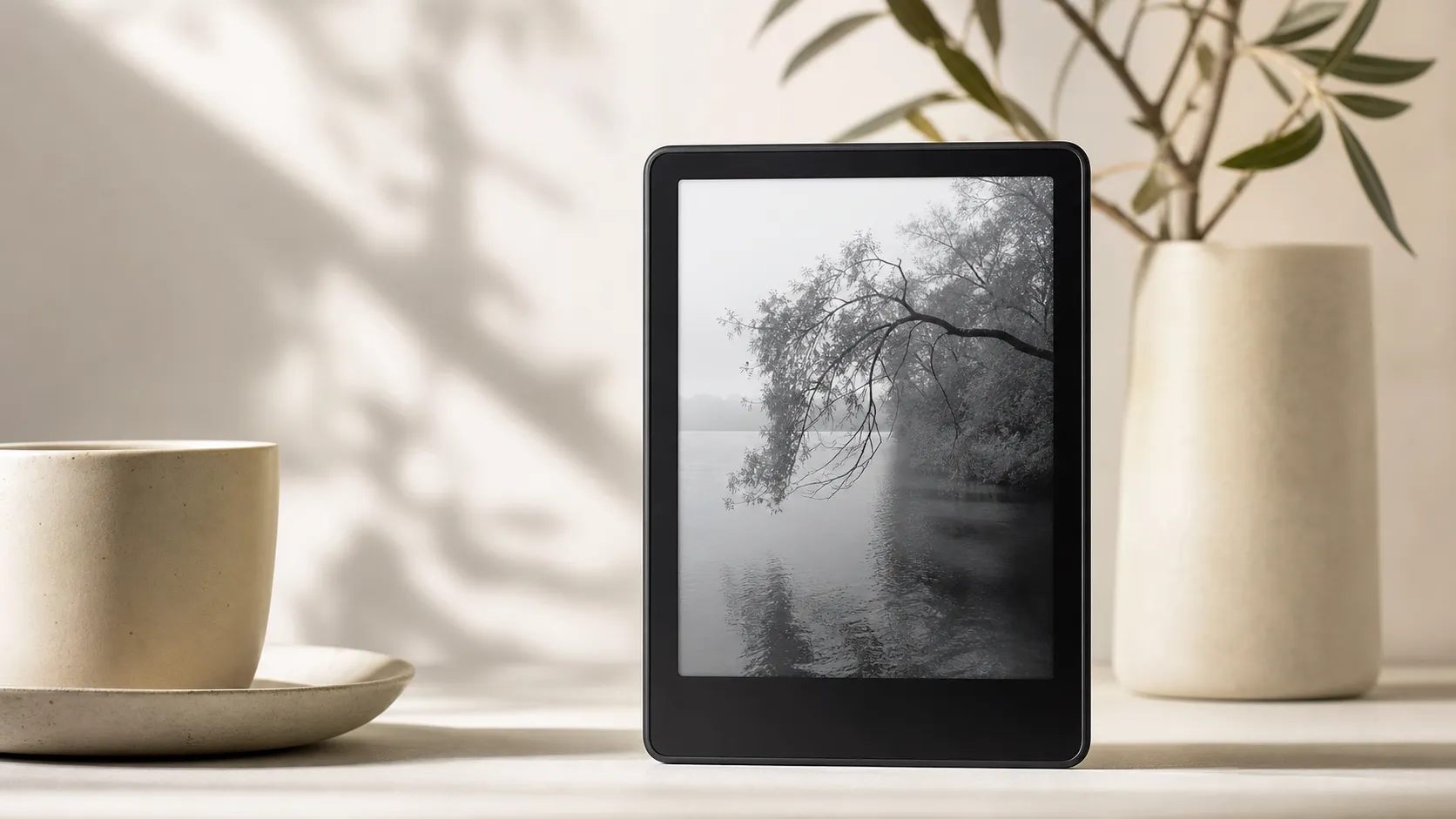
The Kindle Paperwhite is Amazon’s mid‑to‑high‑tier e‑reader positioned for serious readers who want a dedicated, distraction‑free device. It uses an e‑ink display with an integrated front light (including adjustable warm light on recent models), a light and compact chassis meant for comfortable one‑handed reading, Bluetooth for audiobooks, and IPX8 waterproofing that lets you read near pools and bathtubs without worrying.
Over successive generations the Paperwhite has focused on incremental hardware refinements: higher pixel density and contrast, improved front‑lighting options, better battery efficiency, and more storage tiers. Its primary selling points are the quality of the reading experience and deep integration with Amazon’s Kindle Store and ecosystem (Whispersync, Prime Reading, Kindle Unlimited where available).
What reviewers across the internet say
We synthesized feedback from Amazon customer reviews, Reddit threads, YouTube reviews and expert tech sites to produce an aggregate picture:
-
Amazon reviews (overall ~4.7/5): Customers praise the readability, battery life and the convenience of buying and syncing books directly through Amazon. Common complaints on product pages center on price and the presence of “Special Offers” (ad‑supported lock screens) for cheaper models, plus a few reports of firmware quirks.
-
Reddit (average sentiment ~4.2/5): Community discussion skews mixed-to-positive. Redditors love the core reading experience and waterproofing, but power users often complain about DRM, file‑format friction, and the closed nature of Amazon’s software. Many recommend the Paperwhite for casual and dedicated readers but point power users toward more open alternatives if flexibility is the priority.
-
YouTube reviews (mixed positive, ~4.3/5): Video reviewers consistently highlight the Paperwhite’s sharp, high‑contrast e‑ink screen and long battery life. Criticisms focus on incremental upgrades across generations (not always worth upgrading), the price of premium configurations, and limitations for people wanting native apps or broader file support.
-
Expert blogs and buying guides (~4.5/5): Tech sites typically list the Paperwhite among the best e‑readers for most people. Their praise centers on display quality, fit for travel, waterproofing and ecosystem convenience; they also call out tradeoffs for users who prioritize open file formats and deep OS customization.
Taken together, the consensus is clear: outstanding for most readers, with specific drawbacks for people who want full control over file formats and software.
Performance & Real-World Use
The Amazon Kindle Paperwhite consistently delivers crisp, comfortable reading and weeks‑long battery life with waterproofing that makes it an easy travel companion—hence its strong 4.7/5 long‑term satisfaction. Its limits show up when you demand open file handling, deep OS tweaks, or pay a premium to remove ads and expand storage.
A great travel e‑reader isn’t about benchmarks; it’s about vanishing in your hand so you can read anywhere. Across airports, red‑eyes, beaches, and dim rentals, the Paperwhite’s job is to render crisp text, keep lighting even, sip power, and lighten your bag. An aggregated 4.7/5 from ~225,650 reviews backs that up, with praise for readability, battery life, and store convenience, and with most complaints from power users who want open formats or deeper tweaks.
The Amazon Kindle Paperwhite consistently delivers crisp, comfortable reading and weeks‑long battery life with waterproofing that makes it an easy travel companion—hence its strong 4.7/5 long‑term satisfaction. Its limits show when you need open file handling, deep OS customization, or you pay extra to remove ads and expand storage.
What Real Performance Means for a Travel E‑Reader
Performance here isn’t frame rates; it’s whether text is sharp in any light, page turns feel effortless, the battery lasts your trip, and getting the next book is frictionless. Five pillars decide satisfaction: readability (300‑ppi e‑ink with uniform front lighting and optional warm tone), endurance (weeks per charge, USB‑C), resilience (IPX8 water resistance), responsiveness (page turns, indexing, search), and ecosystem flow (store breadth, Whispersync, library delivery, and sideloading). Those align with the consensus sub‑scores: quality 4.6/5, reliability 4.5/5, value 4.2/5, ease of use 4.8/5. Amazon’s battery and waterproofing claims set expectations, but usage—brightness, radios, and audio—determines where you land. The e‑ink fundamentals that make this possible are explained by E Ink, and Amazon details features such as warm light, Bluetooth, and USB‑C on its product pages.
Reported ratings for Kindle Paperwhite by source
Satisfaction with Paperwhite across major sources (aggregated reporting)
View the underlying data
| Measure | Average rating |
|---|---|
| Amazon | 4.7/5 |
| 4.2/5 | |
| YouTube | 4.3/5 |
| Expert blogs | 4.5/5 |
Aggregated from publicly reported ratings as of 2026; see section sources.
Amazon Kindle Paperwhite: Day‑One Setup and the First Week
Setup is quick: join Wi‑Fi, sign in, and your library and positions sync via Whispersync. If you chose “Special Offers,” expect lock‑screen ads until you pay to remove them. The first hours can feel slower while the device indexes books for search; that background job warms the device a touch and can trim the initial battery, then it quiets.
Loading travel reads takes minutes. Buying from the Kindle Store is instant, and Send to Kindle now accepts EPUB for personal documents, reducing the need for manual conversions. U.S. library patrons can check out in Libby and hit “Send to Kindle,” per Libby/OverDrive’s help. Pairing Bluetooth headphones for Audible is straightforward, though streaming audiobooks drains more power than text. After a firmware update or two, most units run for months with no intervention beyond charging.
Before you settle in, set your preferred font, size, line spacing, and warmth schedule, and leave Page Refresh on Auto to balance ghosting and speed. Create a few Collections (for example, “Next Up,” “Travel,” “Work”) so downloads don’t clutter Home. Families can enable Household/Family Library to share eligible purchases; parents can add a passcode and kid profile. After large sideloads, leave it charging to finish indexing.
Screen, Front Light, and Reading Comfort
E‑ink’s advantage is reflectivity: it reads like paper. The Paperwhite’s 300‑ppi panel keeps serif edges crisp even at small sizes, and the front light is evenly diffused, avoiding distracting hot spots. The warm‑light setting pays off at night by softening glare and preserving contrast without crushing blacks. Outdoors the display excels—sunlight boosts readability instead of washing it out, and the matte finish controls reflections.
Limits appear with image‑heavy content. Grayscale comics and dense PDFs are readable, but pan/zoom latency and fixed layouts expose e‑ink’s slower refresh compared with tablets. If you mostly read prose with occasional charts, the Paperwhite is ideal; if your work is technical PDFs, a larger e‑ink or a tablet will navigate faster. Amazon’s spec pages outline the panel and lighting, while E Ink’s overview explains why the screen sips power between page turns. Ghosting—the faint echo of prior pages—rarely intrudes at book text sizes; a manual refresh clears it when it does. Dark Mode (white text on black) helps on red‑eyes by reducing cabin‑light splash without increasing brightness.
Speed, Software Behavior, and Long‑Term Reliability
Page turns settle into a rhythm you stop noticing—slower than a phone, fast enough for books. Search is snappy once indexing completes; that first‑day indexing is the outlier. The OS is intentionally appliance‑like: a focused home screen, simple controls, few ways to break things, and background updates that require no attention. The reliability picture mirrors the 4.5/5 sub‑score: occasional firmware quirks appear in reviews, but hard failures are rare.
Two ongoing habits help. Keep your library lean on‑device and archive the rest in the cloud to keep menus responsive, and use Airplane Mode when you’re not downloading to avoid wake‑up delays and idle radio pings. If you factory‑reset, “Special Offers” status may reassert until you resync; reconnect to Wi‑Fi and the account flag clears. None of this is flashy, which is the point—the software stays out of the way.
Battery Life in the Real World
Amazon advertises “up to 10 weeks” based on ~30 minutes a day with Wi‑Fi off and moderate light; owner reports converge on a practical “weeks, not days” result. Three variables dominate: brightness, radios, and audio. Mid‑brightness with Wi‑Fi off yields the longest runs; constant downloads and Bluetooth Audible can halve endurance. Because e‑ink draws power mainly at refresh, standby drain is low—toss it in a bag for a week and you’ll lose only a few percent.
At the margins, behavior is predictable. Rapid page‑flipping, heavy dictionary lookups, and constant syncing pull the battery down faster than prose reading with radios off. After a year, most owners report only modest capacity fade—normal lithium‑ion aging. USB‑C charging from a phone brick or power bank is quick enough that a short hotel top‑off resets the gauge. On a two‑week trip, reading ~1 hour daily at 40–50% brightness with Wi‑Fi off yields roughly 28–40 days per charge; add 30 minutes of Audible over Bluetooth and you’ll cut that to ~14–28 days, matching the patterns in the chart above.
Estimated days per charge under common use patterns
Battery life varies most with daily reading time, radios, and audio usage (synthesized from user reports and Amazon’s claim of up to 10 weeks at ~0.5 h/day).
- Wi‑Fi off, light ~50%
- Wi‑Fi on + 30 min Audible/day (d)
View the underlying data
| Item | Wi‑Fi off, light ~50% | Wi‑Fi on + 30 min Audible/day (d) |
|---|---|---|
| 0.5 h/day | 65 | 45 |
| 1 h/day | 40 | 28 |
| 2 h/day | 20 | 14 |
| 3 h/day | 13 | 10 |
| 4 h/day | 9 | 7 |
Days-per-charge estimates synthesized from owner reports and Amazon product page guidance; your results will vary.
Where It Shines on the Road—and Where You’ll Hit Its Limits
The Paperwhite thrives where tablets falter: bright beaches, tight airplane seats, late‑night cabins, and anywhere splashes are a worry. The IPX8 rating—defined by the IEC 60529 standard—means immersion protection under tested conditions, which in practice yields peace of mind around pools and baths. Add low weight and one‑hand comfort and you get a device that’s easy to carry and easier to forget until you want the next chapter.
Limits show up with niche tasks. Complex PDFs remain clumsy; a tablet scrolls and zooms faster. Openness is mixed: Send to Kindle now accepts EPUB for personal docs, but content bought outside Amazon’s store often needs conversion and won’t integrate as cleanly into collections or series views. Bluetooth audio is welcome for Audible, but this isn’t a general app platform or podcast player by design.
Alternatives: Kobo and Barnes & Noble Versus Paperwhite
Against typical midrange rivals, the Paperwhite leads on lighting quality, waterproofing, store depth, and cross‑device sync via Whispersync. Kobo’s Libra line counters with on‑device OverDrive borrowing, flexible file handling, and page‑turn buttons. Barnes & Noble’s GlowLight appeals to readers loyal to its store and who want physical buttons, though audio support and waterproofing vary by model. Kobo also integrates Pocket for saved web articles and supports Kobo Audiobooks over Bluetooth; B&N’s appeal is its straightforward store and buttons, though catalog depth varies.
In practice, library‑first readers who favor EPUBs tend to prefer Kobo; buyers invested in Amazon’s store, cross‑device reading, and Audible gravitate to Paperwhite. All three use 300‑ppi panels with even front lights, so services and ergonomics decide the win. Amazon’s spec pages confirm USB‑C, IPX8, warm light, and Bluetooth; Kobo and OverDrive publish similar feature notes for their devices and borrowing flows. The table below highlights the most‑asked travel features.
Core feature comparison: Paperwhite vs Kobo vs B&N
Feature comparison of midrange e‑readers travelers consider most often
| Item | Kindle Paperwhite | Kobo Libra 2 | B&N GlowLight 4 |
|---|---|---|---|
| Waterproof (IPX8) | Yes | Yes | No |
| Warm light (adjustable color) | Yes | Yes | Yes |
| Bluetooth audiobook playback | Yes | Yes | No |
| USB‑C charging | Yes | Yes | Yes |
| On‑device OverDrive/Libby borrowing | No | Yes | No |
| Physical page‑turn buttons | No | Yes | Yes |
Features compiled from manufacturer product pages and OverDrive documentation as of 2026.
Practical Tips to Get the Best From It
- Before a trip, download your next two books (plus a sample or two), then switch to Airplane Mode to minimize idle drain and speed wake‑ups.
- Set a warm‑light schedule—Sunset to Sunrise works—so night reading is comfortable without manual fiddling.
- Borrow library titles in Libby and tap “Send to Kindle” at least a day before departure; delivery queues until your next Wi‑Fi connection.
- Use Send to Kindle for personal documents and EPUBs; it keeps documents available across Kindle apps without cables.
- Pair Bluetooth only when listening to Audible; turn it off afterward to extend battery life.
- If you bought Special Offers, consider removing them once you’ve tried them; many travelers prefer an ad‑free lock screen for focus.
- Use a slim sleeve in packed bags. IPX8 covers water, not scratches.
- Turn on Dark Mode for overnight flights to reduce perceived glare at low brightness.
Conclusion: Does Real‑World Performance Justify the Price?
Over months of ownership, the Paperwhite earns its reputation by being the reading device you forget about. Text is crisp, the front light stays even (and warm at night), battery life is measured in weeks, and IPX8 removes a common travel worry. Amazon’s store and Whispersync make it trivial to finish a chapter on your phone and resume on the beach chair. The trade‑offs—closed DRM, conversions for some formats, upsells to remove ads—are real but tolerable for prose‑first readers. If you want an open, library‑centric device with on‑device borrowing, Kobo remains compelling; for most travelers, the Paperwhite’s steady, low‑maintenance performance justifies the purchase.
Pros and cons
Pros
- Outstanding e‑ink readability: sharp text, strong contrast and adjustable warm front lighting.
- Excellent battery life—measured in weeks with typical use.
- Waterproof (IPX8), compact and lightweight for travel and one‑handed reading.
- Seamless access to Amazon’s bookstore, Whispersync and integrated audiobook support via Bluetooth.
- Mature ecosystem with easy purchase, delivery and cloud backups.
Cons
- Closed Amazon ecosystem and DRM limit portability and third‑party store choices.
- Requires conversion tools (e.g., Calibre) for some non‑Kindle formats; not as flexible as open e‑readers.
- Higher‑end storage and ad‑free options increase the price above many competitors.
- Limited OS customization and no native full‑featured apps beyond reading and basic utilities.
Who should buy it (and who shouldn’t)
Should buy if:
- You want the simplest, most reliable dedicated reading device with top‑tier e‑ink quality.
- You read frequently, travel with books, or enjoy reading near water and want the peace of mind of waterproofing.
- You’re invested in Amazon’s ecosystem or prefer the convenience of buying and syncing books directly from a single store.
- Battery life, a lightweight form factor and a distraction‑free experience are priorities.
Shouldn’t buy if:
- You require full control over file formats, want native support for open formats like EPUB without conversion, or need deep OS customization.
- You prefer an open platform that lets you install alternate apps, run custom firmware, or use other ebook stores without DRM hurdles.
- You’re price‑sensitive and plan to get a lot of storage or ad‑free options—there are cheaper e‑readers and tablets that trade some reading optimizations for lower cost.
Bottom line
For the vast majority of readers, the Kindle Paperwhite in 2026 delivers one of the best dedicated reading experiences available: great screen quality, outstanding battery life, practical waterproofing and the frictionless convenience of Amazon’s store. Power users who demand open formats or deep customization should weigh the trade‑offs carefully, but for everyday reading and travel the Paperwhite remains a top pick.
What Reviewers Love
- Excellent e-ink display with crisp text, even front lighting and warm-light options on newer models.
- Long battery life that lasts weeks with typical use.
- Waterproof design (IPX8-rated) makes it safe for reading by pools/baths.
- Lightweight, compact form factor and comfortable one-handed reading.
- Seamless access to Amazon’s store, Whispersync, and integrated audiobook support (via Bluetooth).
Common Complaints
- Closed Amazon ecosystem and DRM limits file portability and third-party store options.
- Requires file conversion / Calibre for some formats — not as flexible as open e-readers.
- Higher-priced configurations (more storage / ad-free) push cost above many competitors.
- Limited OS customization (no native full-featured apps, restricted sideloading experience).
Our Verdict
4.7The Kindle Paperwhite remains our go‑to e‑reader for most people in 2026: best‑in‑class screen, long battery life and waterproofing make it ideal for travel and daily reading. Power users who need open formats or deep customization should evaluate alternatives, but for straightforward, reliable reading the Paperwhite still leads the pack.
Frequently Asked Questions
Common questions shoppers ask before buying the Amazon Kindle Paperwhite.
Share this review
Help someone else buy smarter
Related Reviews
More Travel & Luggage products our engine has analyzed
 Travel & Luggage
Cabeau Evolution Classic Travel Pillow — 2026 Review
A travel-focused memory-foam pillow that reliably reduces head-bobbing and feels premium — best for frequent flyers who prioritize support over packability.
 Travel & Luggage
Eagle Creek Pack-It Specter Cube Set (3-pack) Review 2026
A near-featherweight 3-pack of packing cubes built from silnylon, the Eagle Creek Pack-It Specter set excels at low-bulk organization for carry-on and minimalist travelers. Premium feel and visibility, but at a higher price and with some zipper longevity caveats.
 Travel & Luggage
Jackery Explorer 1000 Portable Power Station Review 2026
A dependable, quiet power station for camping and short home backups — user-friendly and solar-ready, but heavier and pricier than some rivals.