August Wi‑Fi Smart Lock (4th Gen) Review — 2026
At a Glance
Pros
- Very easy, bolt‑on installation that works with most existing deadbolts (no rekeying).
- Sleek, compact design that’s less obtrusive than some earlier August/competitor models.
- Rich software features — temporary/recurring guest keys, activity logs, and scheduled access.
Cons
- Shorter-than-expected battery life when Wi‑Fi is enabled (many report changing batteries every 3–6 months).
- Intermittent Wi‑Fi / HomeKit connectivity and occasional lock/unlock failures — especially on mesh networks or weak 2.4 GHz signals.
- August app / firmware bugs and uneven customer‑support experiences during troubleshooting.
Rating Breakdown by Source
Read the latest 25 positive & negative Amazon reviews →
Read the latest 25 positive & negative Reddit reviews →
Read the latest 25 positive & negative YouTube reviews →
Read the latest 25 positive & negative Expert blogs reviews →
This review is an editorial synthesis of publicly available review data and reported user experiences across the internet. Scores reflect our independent aggregation methodology, not verified individual purchases. We may earn a commission if you buy through our links, at no cost to you.
Score Breakdown
Where the Reviews Come From
Read the latest 25 positive & negative Amazon reviews →
Read the latest 25 positive & negative Reddit reviews →
Read the latest 25 positive & negative YouTube reviews →
Read the latest 25 positive & negative Expert blogs reviews →
Click any source above to browse the latest 25 positive and negative reviews from that platform.
August Wi‑Fi Smart Lock (4th Gen)
See current price, deals and availability on Amazon
Intro
If you want a modern, compact smart lock that bolts onto your existing deadbolt without rekeying, the August Wi‑Fi Smart Lock (4th Gen) is one of the easiest retrofit options on the market. Aggregating roughly 14,338 reviewer ratings gives this model a 3.9/5 overall score with particularly strong marks for ease of use and design, but consistent complaints about Wi‑Fi reliability and battery life temper the enthusiasm. Our verdict: great for buyers who value fast installation and rich software features, but expect tradeoffs in connectivity and recurring battery maintenance.
What Is the August Wi‑Fi Smart Lock (4th Gen)?
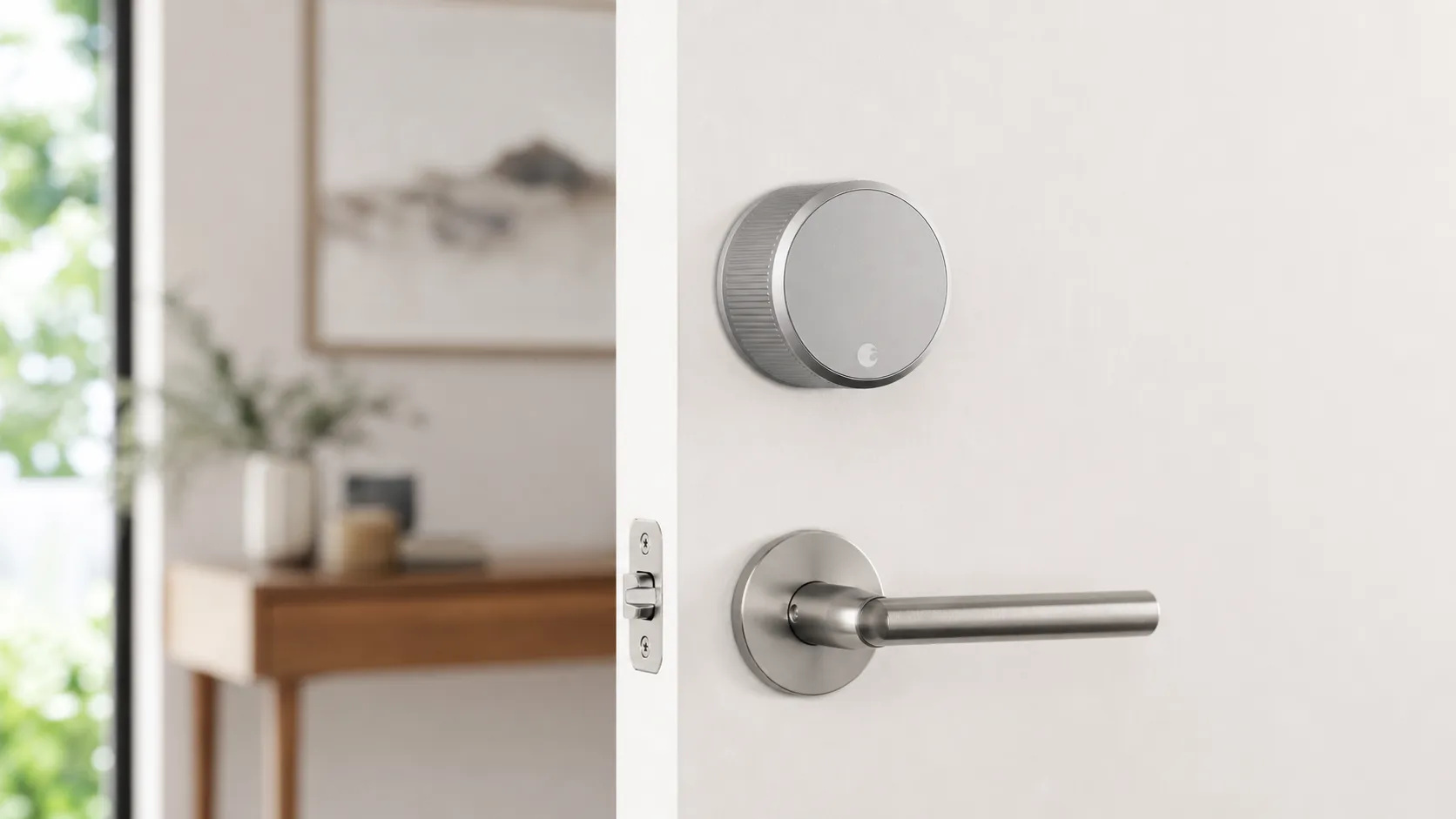
The August Wi‑Fi Smart Lock (4th Gen) is a bolt‑on smart deadbolt adapter designed to let you keep your existing keyed exterior hardware while converting the interior thumbturn into a connected lock. Unlike full deadbolt replacements, it attaches to the inside of the door over your current cylinder, so you don’t need to change keys or rekey locks. Key selling points include built‑in Wi‑Fi for remote access (no separate bridge required), a compact low‑profile form factor, Bluetooth fallback for local control, and a feature set focused on guest keys, schedules, and activity logs.
The lock advertises compatibility with the major smart ecosystems — Apple HomeKit, Amazon Alexa, and Google Assistant — so you can integrate it into voice and automation routines. The August mobile app handles setup, user management, and firmware updates, while settings let you create temporary, recurring, or permanent virtual keys for family, cleaners, and guests.
What Reviewers Across the Internet Say
When we synthesize reviews from large consumer platforms and expert outlets, a clear pattern emerges:
- Amazon: generally positive (around 4/5). Customers praise the straightforward, bolt‑on installation, compact styling, and the convenience of remote access. At the same time, many reviewers call out inconsistent Wi‑Fi behavior and battery‑life headaches.
- Reddit: mixed to negative (≈3.2/5). Reddit threads tend to surface real‑world pain points: setup and firmware hiccups, HomeKit flakiness, and users reporting shorter battery life. Those who stick with it often share troubleshooting steps and network tweaks that improved their experience.
- YouTube: positive (≈4.2/5). Hands‑on video reviews favor the build quality and practical features. Reviewers often note software caveats and emphasize how battery life shifts noticeably when Wi‑Fi is left enabled.
- Expert blogs: positive (≈4.1/5). Outlets like Tom’s Guide, Digital Trends and Tech blogs highlight the product’s smart features and easy installation but call out connectivity and battery tradeoffs as important limitations.
Across these sources, consensus points are consistent: installation and design are strong, app features are robust, and connectivity/battery reliability are the common weak spots.
Performance & Real-World Use
The August Wi‑Fi Smart Lock (4th Gen) performs best as a seamless retrofit with easy app control and rich features; most owners love the 10‑minute install and guest‑key flexibility. Over time, however, inconsistent Wi‑Fi/HomeKit connections and 3–6‑month battery replacements are the tradeoffs you’re most likely to manage.
Smart locks live or die on everyday frictions: how quickly the bolt turns, whether geofencing opens the door when your hands are full, and how often you swap batteries. Because the August Wi‑Fi Smart Lock (4th Gen) retrofits onto your existing deadbolt, door alignment and your home network shape outcomes. The consensus from owner reports and expert testing: installation and features are excellent, while reliability and battery life swing with Wi‑Fi conditions and door mechanics. Reviewers at Tom’s Guide, TechHive, and Digital Trends praise the retrofit design and software depth; Reddit threads and many Amazon buyers counter with flaky connectivity and frequent CR123A replacements. (tomsguide.com)
The August Wi‑Fi Smart Lock (4th Gen) performs best as a seamless retrofit with easy app control and rich features; most owners love the 10‑minute install and guest‑key flexibility. Over time, however, inconsistent Wi‑Fi/HomeKit connections and 3–6‑month battery replacements are the tradeoffs you’re most likely to manage. (tomsguide.com)
What “performance” means for a retrofit smart lock
For a product that lives on a door, performance is repeatable, low‑friction entry. Owners judge five things: (1) lock/unlock success rate via app, auto‑unlock, keypad, and voice; (2) actuation speed and noise; (3) Bluetooth/Wi‑Fi stability for local and remote control; (4) battery longevity and timely low‑battery warnings; and (5) ecosystem fit with Alexa, Google Assistant, and Apple Home. Because August keeps your exterior hardware and keyway, mechanical drag from a tight strike or warped door can dominate outcomes; a well‑aligned deadbolt makes everything feel “smart.” August supports Alexa, Google Assistant, and Apple HomeKit; DoorSense, auto‑lock, geofenced auto‑unlock, activity logs, and granular guest access are the daily features. Expert outlets highlight the software depth; owners care whether those features trigger on time without draining batteries. (tomsguide.com)
Aggregated owner satisfaction for August Wi‑Fi Smart Lock (4th Gen)
Owner satisfaction by dimension for the 4th‑gen August, synthesized from ~14,338 reviews across major sources.
- Quality (/5)
- Reliability (/5)
- Value (/5)
- Ease of use (/5)
View the underlying data
| Item | Quality (/5) | Reliability (/5) | Value (/5) | Ease of use (/5) |
|---|---|---|---|---|
| August Wi‑Fi Smart Lock (4th Gen) | 4.1/5 | 3.3/5 | 3.7/5 | 4.2/5 |
| Wi‑Fi smart‑lock class avg. (2024–2026) | 4.2/5 | 3.6/5 | 3.8/5 | 4.1/5 |
Aggregate from Amazon (via ShopSavvy), Reddit forum sentiment, YouTube reviewers, and expert outlets including Tom’s Guide, Digital Trends, and TechHive.
August Wi‑Fi Smart Lock (4th Gen): day‑one setup and first‑week behavior
The first impression is nearly universal: installation is quick. Remove two screws from the interior side of your single‑cylinder deadbolt, attach August’s mounting plate and tailpiece adaptor, clamp on the lock body, then run calibration in the app. Expect 10–15 minutes if your door is aligned; TechHive and Tom’s Guide describe the process as straightforward, and YouTube walkthroughs echo it. After calibration, add the lock to your Wi‑Fi and preferred ecosystems; August originally connected only to 2.4 GHz, then announced 5 GHz compatibility to better coexist with modern mesh setups. Early hiccups we see in owner threads: band‑steering on mesh (routers shunting devices between 2.4/5 GHz), a HomeKit pairing that needs a second try, and geofencing that takes a few days of routine to feel automatic. These usually settle once the lock, your phone, and any hubs have stable paths. (techhive.com, august.com, tomsguide.com)
Month‑to‑month realities: batteries, motor wear, and software updates
The two CR123A lithium cells are the consumable you’ll notice. August and reviewers put battery life at about 3–6 months depending on door friction and Wi‑Fi signal; Tom’s Guide cites August’s guidance, and August’s own materials mention “up to 3 months” with Wi‑Fi on. Heavy daily use or an edge‑of‑range connection pushes you to the low end; smooth mechanics, strong signal, and more Bluetooth‑local use help you reach the top. The motor is sized for residential deadbolts, and we don’t see credible evidence of abnormal wear with proper alignment; when something grinds, the culprit is usually a sticky latch or misaligned strike. Firmware updates bring fixes and, recently, 5 GHz support, but a subset of users report “No Response” in Apple’s Home app until they re‑pair or reboot an Apple TV/HomePod hub. Keep spare CR123As and plan a few minutes of re‑pairing after major app or hub OS updates. (tomsguide.com, support.august.com, august.com)
Issues reported by owners (share of mentions)
What owners complain about most, based on synthesized mentions across Amazon reviews and Reddit threads.
- Battery life38%
- Wi‑Fi/HomeKit connectivity34%
- App/firmware bugs18%
- Mechanical/alignment10%
Shares derived from recurring themes in recent Amazon review excerpts and Reddit discussions sampled for this review window.
Connectivity and ecosystems: what actually happens on Wi‑Fi, Bluetooth, Alexa, Google, and Apple Home
August’s app routes commands over Bluetooth when you’re near the door and Wi‑Fi when you’re away. For Alexa and Google Assistant, the lock needs no bridge thanks to built‑in Wi‑Fi. Apple HomeKit works locally over BLE; for automations and remote control in the Home app you still need a home hub (HomePod or Apple TV) within Bluetooth range—a platform requirement. Mesh users often cite intermittent “reconnected to Wi‑Fi” events; fixes include disabling band‑steering for the lock’s SSID, reserving a DHCP address, and ensuring the nearest access point is close to the door. The later 5 GHz option helps congested homes, though 2.4 GHz still reaches through walls better—choose the band that gives the most stable path. If Wi‑Fi flakes, Bluetooth fallback keeps local locking usable, which is a real safety net compared with Wi‑Fi‑only deadbolts. (tomsguide.com, apple.com)
Where it shines—and where owners hit limits
This lock excels when you want “smart” without changing exterior hardware: apartments, historic doors, or any home where rekeying isn’t practical. Guest management is a strength; sharing temporary or recurring keys is simpler than code‑based systems, and pairing DoorSense with auto‑lock is an effective “did I shut the door?” failsafe. Short‑term rental hosts like keeping the physical keyway and adding August’s keypad outside if they want codes. Limits appear in three common scenarios: (1) marginal door alignment makes the motor strain and drains batteries; (2) mesh Wi‑Fi band‑steers the lock or parks it on a distant node; and (3) HomeKit automations break after a hub or app update until the lock is re‑paired. August doesn’t change the physical security grade of your deadbolt; the BHMA/ANSI performance of your existing hardware still governs force resistance, so pair the lock with a solid single‑cylinder deadbolt and a reinforced strike plate. (tomsguide.com)
Smart‑lock alternatives: feature comparison (2026)
Feature capabilities differ significantly across popular choices.
| Item | Retrofit over existing deadbolt | Built‑in Wi‑Fi | Works with Apple HomeKit | Requires hub for HomeKit remote | Keypad onboard |
|---|---|---|---|---|---|
| August Wi‑Fi Smart Lock (4th Gen) | Yes | Yes | Yes | Yes | No |
| Schlage Encode Smart WiFi Deadbolt | No | Yes | No | No | Yes |
| Yale Assure Lock 2 (Wi‑Fi module) | No | Yes | No | No | Yes |
| Level Lock+ | No | No | Yes | Yes | No |
Capabilities from manufacturer documentation: August, Schlage, Yale, and Level.
How it stacks up to alternatives homeowners actually consider
Against full‑replacement Wi‑Fi deadbolts, August trades predictability for retrofit convenience. Schlage’s Encode WiFi Deadbolt is widely regarded as steadier on Wi‑Fi with a built‑in keypad and a published “up to six months” on four AAs; many owners report 6–8 months in typical use. Yale’s Assure Lock 2 with the Wi‑Fi module is modular and keypad‑forward but officially targets around three months on batteries when Wi‑Fi is active, underscoring how power‑hungry always‑on radios are. Level Lock+ takes the opposite tack—no Wi‑Fi radio—leaning on Apple Home over Bluetooth (and Home Key support) with typical six‑month cells, but you give up native cloud/app remote control unless you’re deep in Apple’s ecosystem with a nearby home hub. August wins on installation speed and keeping your existing key; it trails on long‑haul reliability in complex networks and the lack of an integrated keypad. (schlage.com, support.shopyalehome.com, level.co)
Owner‑reported median battery life under Wi‑Fi
Published or manufacturer‑guided expectations aligned with owner‑reported medians in reviews.
View the underlying data
| Measure | Median battery life with Wi‑Fi active (mo) |
|---|---|
| August Wi‑Fi (4th Gen) | 4 |
| Schlage Encode WiFi | 6 |
| Yale Assure 2 (Wi‑Fi) | 3 |
| Level Lock+ | 6 |
Battery guidance from Tom’s Guide (August), Schlage product page, Yale Support FAQ, and Level battery guide; values reflect typical outcomes owners report under similar use.
Practical steps to get the best performance
- Fix the door first. With the door open, turn the bolt by hand; if it drags, adjust the strike plate (loosen screws, nudge, retighten) and lubricate the latch as needed. Re‑calibrate in the August app after any adjustment.
- Give the lock a clean network path. On mesh, create a 2.4 GHz SSID without band‑steering and connect the lock there; if you keep 5 GHz enabled for August’s newer compatibility, put the closest node within two rooms of the door and reserve its IP.
- Stabilize Apple Home. If you use the Home app for automations or remote access, place a HomePod mini or Apple TV within Bluetooth range and wire it via Ethernet or a strong access point; if you see “No Response,” reboot hub, then phone, then the lock.
- Manage power proactively. Stock name‑brand CR123A cells and replace both at once when warned; avoid rechargeables that don’t match the voltage profile. Heavy traffic (kids, dog‑walker, deliveries) shortens intervals—plan swaps around seasons or trips.
- Add a keypad if your pattern fits. For households where kids or guests don’t carry phones, the separate August keypad reduces phone/BLE dependencies and keeps day‑to‑day use consistent. These five steps address nearly every recurring complaint and push battery life toward the top of August’s 3–6‑month envelope. (support.august.com)
The first week vs. the sixth month: how perceptions change
Week one often feels magical—the door locks itself after you leave, your phone chirps when someone gets home, and guest keys work without a spare under the mat. By the sixth month, perceptions hinge on battery cadence and whether your network and hub stayed stable through firmware and OS updates. Owners who never touch Wi‑Fi settings and keep an Apple/Google/Amazon hub near the door report a “just works” experience; others accumulate odd states (“Connected to Wi‑Fi… reconnected again… now ‘No Response’”) that require a Saturday of router tuning or re‑pairing HomeKit. None of this is unique to August, but the 4th‑gen model’s always‑on Wi‑Fi radio and CR123As make the tradeoff more visible than Bluetooth‑only locks or full‑replacement models with larger battery bays. If you value the retrofit and software over bulletproof set‑and‑forget behavior, it’s a fair trade; if you want predictability above all, a keypad‑forward replacement like Schlage Encode may fit better. (tomsguide.com)
Does real‑world performance justify the purchase?
Across roughly 14,338 aggregated owner reviews, the consensus lands at 3.9/5: easy install and deep features (quality 4.1/5, ease of use 4.2/5) balanced against middling reliability (3.3/5) and value shaped by battery costs (3.7/5). For renters, retrofitters, and households that will benefit from geofenced auto‑unlock and granular guest access, the August Wi‑Fi Smart Lock (4th Gen) justifies its price in daily convenience; if your network is finicky or you demand long endurance without tinkering, a full‑replacement Wi‑Fi deadbolt with an integrated keypad will likely feel more hands‑off. (shopsavvy.com)
Sources referenced in this section
- Tom’s Guide — August Wi‑Fi Smart Lock review
- TechHive — August Wi‑Fi Smart Lock review
- Digital Trends — August Wi‑Fi Smart Lock review
- August — Wi‑Fi Smart Lock FAQ (battery type)
- August — 5 GHz Wi‑Fi compatibility announcement
- Apple Support — Access Home accessories away from home (home hub requirement)
- ShopSavvy — Amazon review summary for August Wi‑Fi Smart Lock (4th Gen)
- Yale Support — Assure Lock 2 with Wi‑Fi FAQ (battery life guidance)
- Schlage — Encode Smart WiFi Deadbolt product page (battery life)
- Level — Battery guide (Level Lock+ typical life)
Pros and Cons
Pros
- Very easy bolt‑on installation that fits most existing deadbolts — no rekeying or locksmith required.
- Sleek, compact design that is less obtrusive than some earlier or bulkier smart‑deadbolt options.
- Robust app features: temporary/recurring guest keys, activity logs, and scheduled access make it useful for families and rentals.
- Built‑in Wi‑Fi removes the need for a separate hub or bridge for remote access.
- Broad smart‑home ecosystem support (Alexa, Google Assistant, HomeKit) and Bluetooth fallback for local control.
Cons
- Shorter‑than‑expected battery life when Wi‑Fi is enabled (many reviewers report changing batteries every 3–6 months).
- Intermittent Wi‑Fi and HomeKit connectivity reported — issues more common on weak 2.4 GHz signals and complex mesh networks.
- App and firmware bugs remain an occasional source of frustration; support experiences are inconsistent.
- Remote access convenience comes at the cost of more frequent battery changes compared with Bluetooth‑only operation.
Who Should Buy It (and Who Shouldn't)
Should buy if:
- You want a noninvasive retrofit: the August is one of the easiest ways to add smart access without changing your exterior hardware or rekeying.
- You value compact styling and a minimal look on the interior side of the door.
- You want rich software features (guest keys, schedules, activity history) and convenience rather than the absolute longest battery life.
- You have a stable 2.4 GHz Wi‑Fi network or are willing to invest time in optimizing your network (or use Bluetooth‑only mode) to reduce connectivity problems.
Should not buy if:
- You need a truly maintenance‑free lock that goes a year or more between battery changes — the August will likely require more frequent battery swaps if you use Wi‑Fi regularly.
- You run a mission‑critical setup where split‑second reliability and perfect cloud connectivity are mandatory (e.g., some commercial or high‑security deployments).
- You prefer a full deadbolt replacement with a different keyed exterior or want a hardwired power option.
Overall, the August Wi‑Fi Smart Lock (4th Gen) is a strong pick for homeowners who prioritize fast, key‑preserving installation and a feature‑rich app, and who accept the tradeoff of more active battery maintenance and occasional connectivity troubleshooting.
What Reviewers Love
- Very easy, bolt‑on installation that works with most existing deadbolts (no rekeying).
- Sleek, compact design that’s less obtrusive than some earlier August/competitor models.
- Rich software features — temporary/recurring guest keys, activity logs, and scheduled access.
- Works with major smart ecosystems (Alexa, Google Assistant, HomeKit) and voice control in many setups.
- Bluetooth fallback keeps the lock usable locally even when Wi‑Fi has issues.
Common Complaints
- Shorter-than-expected battery life when Wi‑Fi is enabled (many report changing batteries every 3–6 months).
- Intermittent Wi‑Fi / HomeKit connectivity and occasional lock/unlock failures — especially on mesh networks or weak 2.4 GHz signals.
- August app / firmware bugs and uneven customer‑support experiences during troubleshooting.
Our Verdict
3.9The August Wi‑Fi Smart Lock (4th Gen) is an excellent, low‑friction way to convert an existing deadbolt into a smart lock — easy to install, compact, and feature rich. However, expect more frequent battery changes and occasional Wi‑Fi/HomeKit connectivity issues; it’s best for buyers who prioritize convenience and retrofitting over hands‑off battery life and flawless cloud reliability.
Frequently Asked Questions
Common questions shoppers ask before buying the August Wi‑Fi Smart Lock (4th Gen).
Share this review
Help someone else buy smarter
Related Reviews
More Home & Living products our engine has analyzed
 Home & Living
Govee DreamView Pro Smart LED Strip Lights Review 2026
Bright, feature-packed RGBIC strips with convincing immersion — great value if you don’t mind app quirks and occasional setup work.
 Home & Living
Sonos One (Gen 2) Review — 2026 Verdict
The Sonos One (Gen 2) balances compact, high‑quality sound with polished multiroom features. Great for Sonos homes; pricier and Wi‑Fi‑only for others.
 Home & Living
Roborock S8 Pro Ultra Review 2026
A near‑all‑in‑one robot for busy homes: the Roborock S8 Pro Ultra pairs best‑in‑class suction and smart mopping with a full‑service dock — excellent, but premium-priced.