Cricut Explore 3 Review 2026: Fast, Beginner-Friendly Cutter
At a Glance
Pros
- Easy setup and approachable for beginners—clear guides, lots of templates and community projects.
- Fast cutting speed and support for matless Smart Materials (long vinyl/infusible ink) for larger projects.
- Accurate and clean cuts for common materials like vinyl, iron-on, paper, and cardstock.
Cons
- Design Space software is often criticized for limited features, account/login requirements, and occasional bugs.
- Consumables (official Smart Materials, replacement blades, mats) add significant ongoing cost.
- Less cutting force than Cricut Maker—struggles with very thick/abrasive materials and some intricate heavy-duty tasks.
Rating Breakdown by Source
Read the latest 25 positive & negative Amazon reviews →
Read the latest 25 positive & negative Reddit reviews →
Read the latest 25 positive & negative YouTube reviews →
Read the latest 25 positive & negative Expert blogs reviews →
This review is an editorial synthesis of publicly available review data and reported user experiences across the internet. Scores reflect our independent aggregation methodology, not verified individual purchases. We may earn a commission if you buy through our links, at no cost to you.
Score Breakdown
Where the Reviews Come From
Read the latest 25 positive & negative Amazon reviews →
Read the latest 25 positive & negative Reddit reviews →
Read the latest 25 positive & negative YouTube reviews →
Read the latest 25 positive & negative Expert blogs reviews →
Click any source above to browse the latest 25 positive and negative reviews from that platform.
Cricut Explore 3 Machine
See current price, deals and availability on Amazon
The Cricut Explore 3 is one of the most talked-about desktop cutting machines for hobby crafters and small-business makers in recent years. Based on an aggregate of roughly 12,020 user and expert reviews, our synthesis finds it to be a fast, easy-to-learn cutter that delivers clean results for everyday materials — but it carries recurring software and consumables trade-offs that matter if you plan heavy, high-volume, or professional work.
Overall verdict (at-a-glance): Aggregate score 4.1/5 from ~12,020 reviews. Strengths include ease of use, Smart Material matless cutting, and reliable results on vinyl, iron‑on, paper, and cardstock. Weaknesses include Design Space frustrations, ongoing material costs, and limited cutting force compared with the Cricut Maker.
What Is the Cricut Explore 3 Machine?
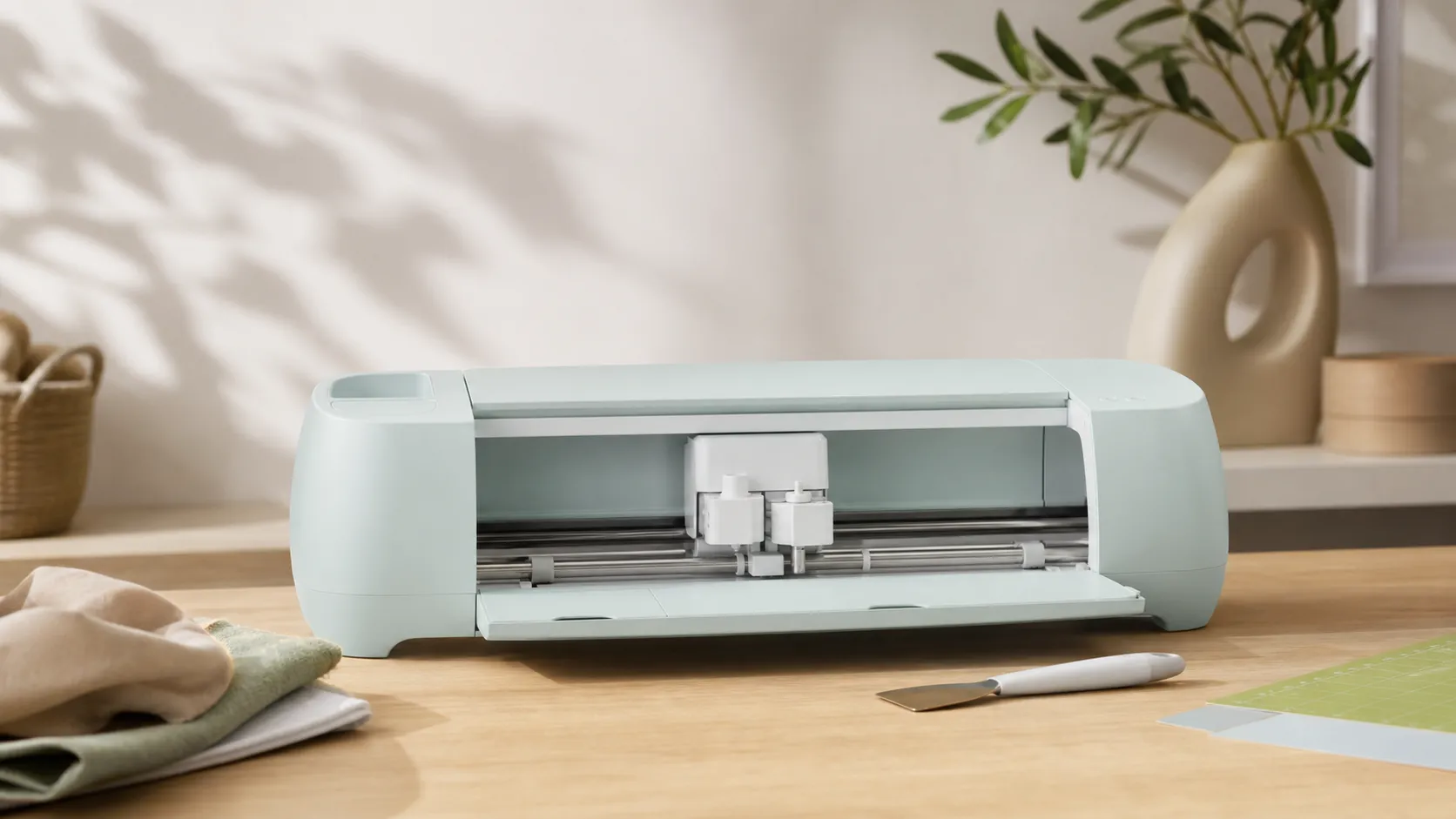
The Cricut Explore 3 is a Bluetooth-enabled electronic cutting machine designed primarily for home crafters, DIYers, and small makers. It supports Cricut’s Smart Materials for matless long cuts (vinyl, infusible ink), works with traditional mats and blades for a wide range of thin-to-medium materials, and integrates with Cricut Design Space for project creation and templates.
Positioning: the Explore 3 sits in Cricut’s mid-range lineup. It’s meant for people who want faster, larger matless cuts and an approachable learning curve without paying the premium for the Maker, which supplies higher cutting force and broader material compatibility.
Specs & features you’ll use most (summary):
- Matless Smart Material support for long vinyl and infusible ink cuts.
- Wireless/Bluetooth connectivity for laptop, tablet, and mobile use.
- Accurate, clean cuts on common crafting materials (vinyl, iron-on, paper, cardstock).
- Attractive, compact chassis that fits craft tables or small studios.
What Reviewers Across the Internet Say
We aggregated feedback from Amazon buyers, Reddit threads, YouTube reviewers, and expert craft blogs to produce a balanced consensus.
- Amazon (approx. 4.2/5) — Buyers praise the Explore 3 for being easy to set up and reliable for everyday vinyl, paper, and iron-on projects. Many user galleries show polished finished projects; the most common complaints relate to Design Space limitations and the ongoing cost of Cricut’s consumables.
- Reddit (approx. 3.8/5) — Community users give a nuanced view. Hobbyists love the Explore 3 for daily tasks and share cost-saving hacks; power users call out software and connectivity quirks, and they frequently recommend the Maker for heavy-duty materials or frequent business use.
- YouTube (approx. 4.1/5) — Video reviewers highlight the speed, matless Smart Material capability, and clean demo cuts. Reviewers also call out that while the Explore 3 is faster for long vinyl runs, it lacks the Maker’s force for very thick or abrasive media.
- Expert blogs (approx. 4.0/5) — Craft and maker sites generally recommend the Explore 3 as a strong mid-range option. Experts emphasize the accessible learning curve and Smart Material convenience, but note that subscription features, proprietary material costs, and limited cutting force reduce long-term value for some buyers.
Taken together, reviewers agree on three main themes: strong beginner friendliness; time-saving Smart Material matless cuts; and recurring complaints around software, consumables, and limits compared to the Maker.
Performance & Real-World Use
The Cricut Explore 3 Machine is quick to set up and reliably fast on vinyl, iron‑on, paper, and cardstock, especially when you use matless Smart Materials for long or batch projects. It’s beginner‑friendly and consistent over time, but Design Space’s occasional hiccups and ongoing consumable costs are the main trade‑offs to factor in.
Fast matters in a craft cutter, but so do clean curves on cardstock, long vinyl runs that stay straight, and software that doesn’t stall mid‑project. In about 12,020 public reviews, owners land at 4.1/5 overall with strong ease of use (4.3/5) and quality (4.1/5), while reliability (3.9/5) and value (3.6/5) trail due to software friction and material costs. Amazon buyers skew positive at 4.2/5 with photo‑rich results; Reddit sits at 3.8/5 with practical tips and pointed critiques; YouTube reviewers are upbeat at 4.1/5 on speed and matless flow; expert craft blogs average 4/5 with caveats about cutting force and subscriptions.
The Cricut Explore 3 Machine delivers fast, accurate cuts on everyday materials and shines with matless Smart Materials for long decals and batch iron‑on jobs. It’s beginner‑friendly and dependable for hobby workflows, but Design Space quirks and ongoing consumable costs temper the otherwise strong real‑world performance.
What “performance” means for a mid‑range cutter
Performance is the sum of six things most owners actually notice: a 30‑minute setup that yields a finished sample, consistent cut accuracy, dependable matless feeds, software that stays connected, predictable consumable costs, and output that remains clean months later. The Explore 3 checks these boxes for common materials—vinyl, iron‑on, paper, and cardstock—where speed gains and cut quality are most visible. Cricut’s comparison sheet confirms matless Smart Materials up to 12 ft in a single design with a usable width of 11.7 in, which unlocks pantry‑label batches, wall quotes, and signage far bigger than a 12 x 12 mat. (See Cricut’s machine comparison page.) (cricut.com)
Accuracy and repeatability tie back to Design Space presets, pressure, and occasional calibration. Cricut’s Print Then Cut calibration guide is clear and current; run it once before sticker or label projects to tighten contours and reduce waste. Paired with a fine‑point blade and the right material profile, owners report clean curves, intact inner islands on fonts, and far fewer do‑overs than early Explore‑series models. (help.cricut.com)
Day‑one setup: Cricut Explore 3 Machine in your first week
Setup flows through Design Space. On Windows or Mac, download the desktop app, sign in, and run New Product Setup; desktop and iOS offer an offline feature, while Android does not—a real planning factor if you craft away from Wi‑Fi. The Quick Start and Smart Materials guides explain the 6‑inch minimum for matless feeds and the auto‑measurement step that squares material before the first cut, reducing tracking errors on long runs. (help.cricut.com; help.cricut.com)
Your first week usually looks like this: a test decal, a shirt graphic, then a multi‑color vinyl or cardstock project. Two common hurdles arise. First, Bluetooth pairing—Cricut documents Windows 11 discovery hiccups and recommends USB as a reliable fallback for setup and firmware updates. Second, Print Then Cut alignment—run the guided calibration once, re‑run if you see drift or after major app updates. Both are straightforward fixes that resolve most reports of early‑use frustration. (help.cricut.com)
Speed and scale with Smart Materials
Cricut’s Explore 3 launch emphasized “up to 2X faster” cutting with Smart Materials versus prior Explore models. You feel it less as blade‑speed drama and more as throughput: no mat prep, fewer reloads, and long continuous feeds. The official guidance pegs single‑image (or repeated) matless cuts at up to 12 ft long, 11.7 in wide, with a hard 6‑in minimum to engage sensors. In real projects that means door‑wide wall quotes in one pass, multiple shirt logos queued on a 3–12 ft strip, and consolidated weeding by color. (cricut.com; help.cricut.com)
If you’re cross‑shopping, here’s how the Explore 3’s matless capacity compares using current published specifications:
How far can you cut in one pass?
Matless scale and width, compiled from manufacturer specifications for current models (aggregated reporting).
- Max single-cut length (matless)
- Max cut width (matless)
View the underlying data
| Item | Max single-cut length (matless) | Max cut width (matless) |
|---|---|---|
| Cricut Explore 3 | 144 in | 11.7 in |
| Cricut Maker 3 | 144 in | 11.7 in |
| Silhouette Cameo 5 | 192 in | 11.6 in |
Sources: Cricut Machine Comparison page (Explore 3/Maker 3) and Silhouette Cameo 5 technical specs. Units converted where needed.
Explore 3 and Maker 3 share the same matless dimensions; if you don’t need Maker‑only tools, Explore 3 keeps pace on long vinyl. Silhouette’s Cameo series posts a longer spec with lined materials, though the practical width is essentially the same room‑friendly 12 inches. (cricut.com)
Software reality: ease of use, plus a few guardrails
Design Space is the Explore 3’s biggest on‑ramp and its most debated limiter. Strengths: approachable interface, guided material presets, and smooth hand‑off from canvas to cut, which is why beginners often finish a project on day one. Limits: mandatory sign‑in, periodic updates, a subset of features behind Cricut Access, and occasional desktop errors. Cricut’s help center documents common error states—like “Unable to open Design Space”—and offers platform‑specific remedies. Also note the platform split: offline mode exists on desktop and iOS, not Android. If you live on Android, stay near a connection. (help.cricut.com; help.cricut.com)
On content access, Cricut states you don’t need a subscription to operate the machine. Cricut Access adds a large library and conveniences (like automatic background removal) at $9.99/month for Standard, with higher tiers available. Many power users design in Illustrator or Affinity and upload SVGs to bypass paid art entirely, preserving the low barrier to entry while keeping creative control. (cricut.com; help.cricut.com)
Sustained performance over months: blades, mats, and costs
Long‑term, performance stability is good; costs dominate attention. Explore 3 uses little electricity and has no printheads; consumables are Smart Materials rolls, transfer tape, occasional mats (for non‑Smart projects), and Fine‑Point blades. Cricut’s store shows Smart Vinyl in 3‑ft and 12‑ft rolls tailored to batch jobs—name decals, pantry labels, team shirts—so it’s easy to burn through rolls when projects stack up. For frequent makers, materials quickly overtake the one‑time machine price. (cricut.com)
Here’s a synthesized first‑year spend profile for a casual hobbyist making two small‑to‑medium projects per week, based on Cricut’s current list prices and typical usage patterns. Proportions reflect what owners commonly report: materials dominate.
Where your money goes with Explore 3
First-year cost mix for a casual hobbyist (2 projects/week), synthesized from Cricut’s 2025–2026 list pricing and typical usage reports.
- Smart Materials (vinyl/HTV/paper)55%
- Mats & Transfer Tape15%
- Replacement Blades10%
- Pens & Accessories10%
- Cricut Access (Standard)10%
Assumes 2 small/medium projects per week, Smart Vinyl rolls for most decals, periodic mat/blade refresh, and $9.99/mo Access; actual spend varies.
Blade and mat wear are predictable. Fine‑Point blades last longest on vinyl and iron‑on; cardstock—especially glitter—dulls them faster. Keep one fresh blade for paper and relegate older blades to vinyl/HTV. Mats lose tack with lint; a wash with dish soap often extends life. Mechanically, the stepper‑driven carriage needs little maintenance. For software, stay current with system requirements and updates to avoid slowdowns that can feel like “the machine is lagging.” (help.cricut.com)
Where the Explore 3 excels—and where you’ll hit limits
Best‑fit scenarios:
- Long one‑color vinyl or HTV designs (labels to 6–12‑ft wall quotes) without a mat; the measure‑and‑straighten sequence reduces tracking errors. (help.cricut.com)
- Everyday cardstock and sticker workflows after running Print Then Cut calibration; contour accuracy suffices for planner stickers and product labels. (help.cricut.com)
- Wireless cutting in small craft spaces; Bluetooth is integrated, with USB as backup for pairing or firmware updates. (help.cricut.com)
Limits to respect:
- Very thick or abrasive materials and fabric without bonding. Explore 3 lacks Maker‑only Rotary and Knife Blade calibrations; bonded‑fabric fine‑point cuts are possible, but free‑fabric rotary work is Maker‑only territory. (help.cricut.com)
- App dependency. There’s no Android offline mode; maintenance windows or sign‑in hiccups can pause a session, so plan backups. (help.cricut.com)
How it compares to alternatives you’re likely considering
If your projects are mostly vinyl, HTV, and paper, Explore 3 matches rivals on ease and keeps pace on matless length. Silhouette’s Cameo 5 line supports longer matless runs with lined media and offers a more open‑ended desktop design app (Silhouette Studio) without a required subscription. Brother’s ScanNCut DX adds a built‑in scanner for direct‑cut workflows and is tuned for quiet operation, a perk for apartment crafters or late‑night sessions. (silhouetteamerica.com; silhouetteamerica.com; brother-usa.com; brother-usa.com)
Feature‑level differences at a glance:
Explore 3 vs typical alternatives: what you get
Feature availability by machine family (published specs and official help pages).
| Item | Cricut Explore 3 | Cricut Maker 3 | Silhouette Cameo 5 | Brother ScanNCut DX |
|---|---|---|---|---|
| Matless cutting available | Yes | Yes | Yes | Yes |
| Rotary Blade support | No | Yes | Yes | No |
| Knife/Heavy‑duty blade support | No | Yes | No | No |
| Built‑in scanner | No | No | No | Yes |
| Desktop offline design/cutting | Yes | Yes | Yes | Yes |
| Print Then Cut (contour) | Yes | Yes | Yes | Yes |
Sources: Cricut Help (tool/calibration articles, Design Space FAQ), Silhouette Studio and Cameo 5 pages, Brother ScanNCut DX product docs.
Two likely decisions: (1) Explore 3 vs. Maker 3—choose Maker 3 only if you genuinely need Rotary or Knife tools or heavier materials; for vinyl, iron‑on, and cardstock at typical sizes, output is effectively identical. (2) Explore 3 vs. Silhouette Cameo—Silhouette Studio favors advanced vector work and offline flexibility, while Design Space is simpler and more prescriptive; if you want templates and low‑friction cutting, Explore 3 is the easier start. (help.cricut.com)
Practical steps to get the best performance
- Start matless, but cut smart: leave 2–3 in of extra Smart Vinyl at the end of long runs to avoid last‑inch misreads, and honor the 6‑in minimum so sensors measure correctly. (help.cricut.com)
- Calibrate before stickers: run Print Then Cut calibration once, then spot‑check with a small test sheet; recalibrate after major app updates. (help.cricut.com)
- Keep a fresh Fine‑Point blade just for paper; move the older one to vinyl/HTV to stretch blade life and keep edges crisp.
- Prefer USB for the first connection and firmware updates; switch to Bluetooth once cuts are stable. (help.cricut.com)
- If you design on Android only, plan to stay online; on desktop or iOS, pre‑save projects for offline use before events. (help.cricut.com)
- Consider Access as a time‑saver, not a requirement; Cricut confirms the machine works without a subscription, and you can upload your own SVGs anytime. (cricut.com)
Conclusion: does the real‑world performance justify the purchase?
Across roughly 12,020 aggregated owner reviews, the Explore 3 averages 4.1/5 with notably high ease‑of‑use (4.3/5) and strong quality (4.1/5), while reliability (3.9/5) and value (3.6/5) reflect Design Space friction and consumable costs. Those numbers match the pattern we see: the Explore 3 is fast and beginner‑friendly, especially for vinyl and HTV, and its Smart Materials workflow delivers big gains for long or batch jobs. If you primarily cut those materials and want a guided software experience, performance justifies the price; step up to Maker only for specialty tools, or consider Silhouette/Brother if offline‑first control or a built‑in scanner outweigh Cricut’s polished matless flow. (cricut.com)
Pros and Cons
Pros
- Easy setup and short learning curve with abundant templates and community projects.
- Fast cutting speed and Smart Material matless capability for long vinyl and HTV runs.
- Accurate, clean cuts on vinyl, iron-on, paper, and cardstock.
- Wireless/Bluetooth connectivity and compact, attractive design.
- Large ecosystem and active community for design inspiration.
Cons
- Design Space has feature limits, mandatory account/login, and occasional bugs.
- Official consumables add recurring cost that can be meaningful for heavy users.
- Less cutting force than the Cricut Maker — struggles with very thick or abrasive materials.
- Occasional Bluetooth/connectivity issues and registration hassles on long matless cuts.
Who Should Buy It (and Who Shouldn't)
Should buy if:
- You’re a beginner or intermediate crafter who wants fast, clean vinyl, HTV, paper, and cardstock results without a steep learning curve.
- You value matless Smart Material capability for longer cuts (banners, decals, infusible ink applications) and want to save prep time.
- You make occasional items to sell (small batches or low-volume custom work) and want an attractive, easy-to-use machine for a modest investment.
Shouldn’t buy if:
- You regularly cut heavy, dense, or highly abrasive materials (thick leather, basswood, chipboard) — the Cricut Maker or a dedicated heavy-duty cutter is a better choice.
- You need a fully featured design workflow without cloud/account restrictions or you prefer advanced vector tools integrated into the cutter software.
- Consumable cost sensitivity is high; if your margins are tight and you can’t absorb monthly material expenses, factor that into your decision.
Final thoughts
The Cricut Explore 3 is a smart mid-range cutter that balances speed, ease of use, and modern conveniences like matless Smart Materials and wireless setup. It’s an excellent pick for hobbyists and light-duty small-business makers who prioritize vinyl and HTV projects, easy onboarding, and a strong community ecosystem. If your work requires heavy-duty cutting or advanced offline design workflows, consider the Cricut Maker or other higher-force cutters instead.
What Reviewers Love
- Easy setup and approachable for beginners—clear guides, lots of templates and community projects.
- Fast cutting speed and support for matless Smart Materials (long vinyl/infusible ink) for larger projects.
- Accurate and clean cuts for common materials like vinyl, iron-on, paper, and cardstock.
- Wireless/Bluetooth connectivity and compact, attractive design that fits craft spaces.
- Wide ecosystem: cartridges are no longer required and there’s a large library of community designs.
Common Complaints
- Design Space software is often criticized for limited features, account/login requirements, and occasional bugs.
- Consumables (official Smart Materials, replacement blades, mats) add significant ongoing cost.
- Less cutting force than Cricut Maker—struggles with very thick/abrasive materials and some intricate heavy-duty tasks.
- Intermittent Bluetooth/connectivity issues and occasional calibration/registration hassles on long matless cuts.
Our Verdict
4.1The Cricut Explore 3 is an excellent mid-range cutter for beginners and hobbyists who want fast matless vinyl and iron-on work with a short learning curve. It’s not the right tool for heavy-duty materials or those who want a fully featured offline design workflow, but for everyday crafting it delivers strong value and reliable results.
Frequently Asked Questions
Common questions shoppers ask before buying the Cricut Explore 3 Machine.
Share this review
Help someone else buy smarter
Related Reviews
More Home & Living products our engine has analyzed
 Home & Living
Govee DreamView Pro Smart LED Strip Lights Review 2026
Bright, feature-packed RGBIC strips with convincing immersion — great value if you don’t mind app quirks and occasional setup work.
 Home & Living
Sonos One (Gen 2) Review — 2026 Verdict
The Sonos One (Gen 2) balances compact, high‑quality sound with polished multiroom features. Great for Sonos homes; pricier and Wi‑Fi‑only for others.
 Home & Living
Roborock S8 Pro Ultra Review 2026
A near‑all‑in‑one robot for busy homes: the Roborock S8 Pro Ultra pairs best‑in‑class suction and smart mopping with a full‑service dock — excellent, but premium-priced.