Ember Temperature Control Smart Mug 14 oz — 2026 Review
At a Glance
Pros
- Consistently holds drink at the set temperature (better than insulated mugs for maintaining a specific temp)
- Premium look and feel — solid build and attractive finishes
- Customizable temperature settings via the app
Cons
- Limited battery life on the 14 oz model (often requires the charging coaster for all-day use)
- High price compared with non‑smart mugs
- Bluetooth/app connectivity can be flaky for some users (pairing or firmware issues)
Rating Breakdown by Source
Read the latest 25 positive & negative Amazon reviews →
Read the latest 25 positive & negative Reddit reviews →
Read the latest 25 positive & negative YouTube reviews →
Read the latest 25 positive & negative Expert blogs reviews →
This review is an editorial synthesis of publicly available review data and reported user experiences across the internet. Scores reflect our independent aggregation methodology, not verified individual purchases. We may earn a commission if you buy through our links, at no cost to you.
Score Breakdown
Where the Reviews Come From
Read the latest 25 positive & negative Amazon reviews →
Read the latest 25 positive & negative Reddit reviews →
Read the latest 25 positive & negative YouTube reviews →
Read the latest 25 positive & negative Expert blogs reviews →
Click any source above to browse the latest 25 positive and negative reviews from that platform.
Ember Temperature Control Smart Mug 14 oz (2nd Gen)
See current price, deals and availability on Amazon
Quick verdict
The Ember Temperature Control Smart Mug 14 oz (2nd Gen) earns a clear, conditional recommendation: it does exactly what it promises—keeps your drink at the temperature you choose and looks great on a desk—but the small battery, premium price, and occasional app/connectivity hiccups keep it from being a universal buy. Aggregate score: 4.1/5 from roughly 10,370 reviews, with particularly strong marks for quality (4.3) and ease of use (4.2), but lower scores for reliability (3.8) and value (3.6).
What is the Ember Temperature Control Smart Mug 14 oz (2nd Gen)?
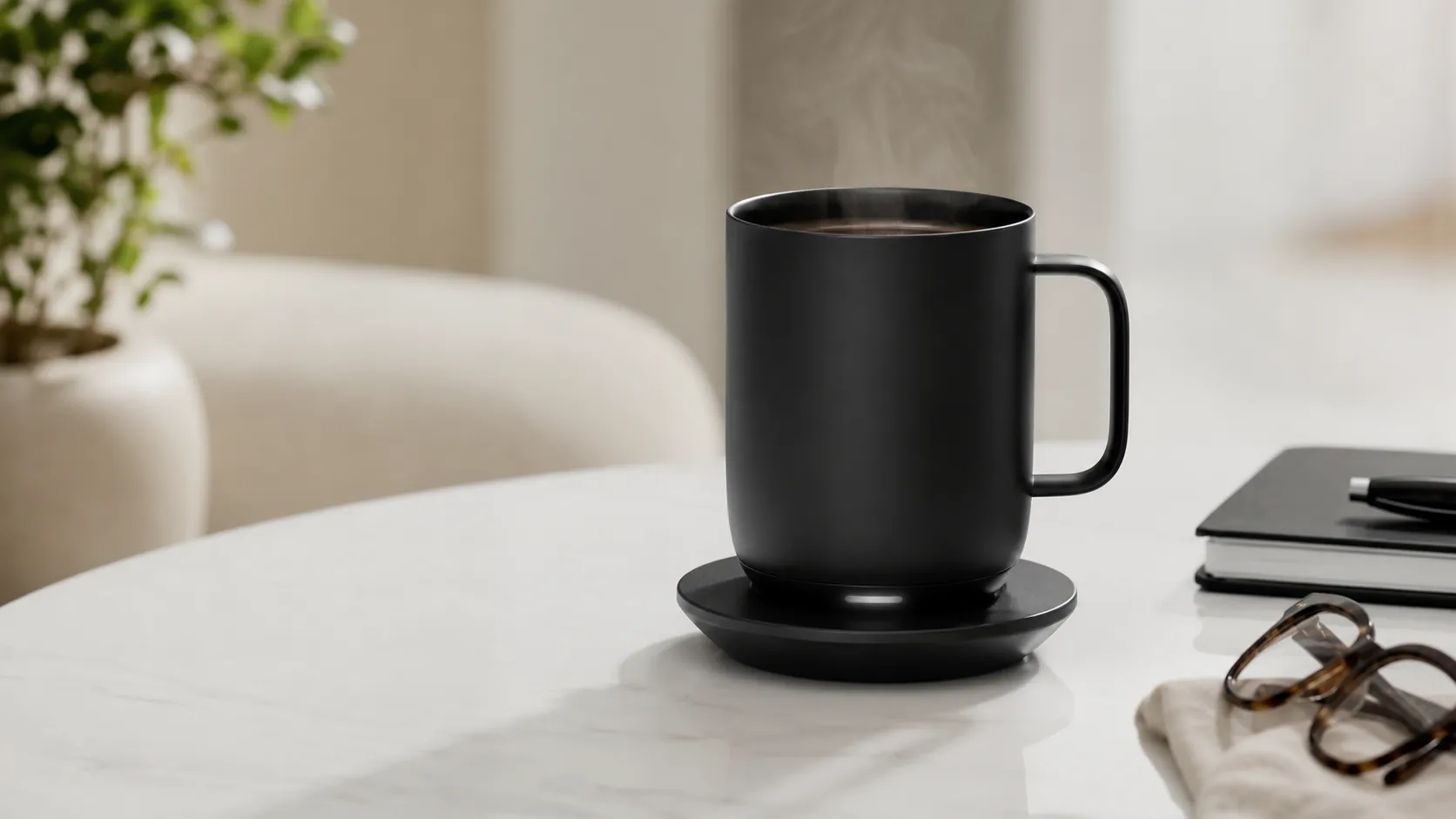
The Ember 14 oz (2nd Gen) is a ceramic-like, double-walled smart mug with built-in electronics that let you set and maintain a very specific drinking temperature. It pairs with the Ember mobile app (iOS and Android) for precise temperature control, presets, and firmware updates. The mug works on a small inductive charging coaster that keeps it at your chosen temperature indefinitely while docked, or runs on its internal battery for short stretches away from the coaster.
Its design aims at the desktop user who values temperature precision more than long untethered use—think people who sip slowly at a home office or workplace desk rather than commuters or rough travelers.
What reviewers across the internet say
We synthesized feedback from thousands of customer reviews and long-form critiques across Amazon, Reddit, YouTube, and expert blogs to paint a balanced picture.
-
Amazon (large-volume customer feedback): Overall positive (approx. 4.2/5). Buyers consistently praise how reliably the mug holds the set temperature and comment on the premium feel and attractive finishes. The most common complaints are that the battery life on the 14 oz model is limited and that the price is high compared with non-smart alternatives.
-
Reddit (community discussions): Mixed (approx. 3.8/5). Redditors tend to be more critical and technical—many confirm the mug’s temperature control works well, but threads emphasize real-world battery limits, share pairing/firmware troubleshooting tips, and debate whether the feature set justifies the cost.
-
YouTube (hands-on demos): Generally positive (approx. 4.1/5). Video reviewers put the mug through on-camera tests and repeatedly show that the mug maintains temperature, while calling out battery performance and the occasional app quirk.
-
Expert blogs and product reviews: Positive and measured (approx. 4/5). Experts praise Ember’s engineering and the practical benefits for desk use, but they often recommend the mug mainly for buyers who genuinely value temperature precision and can accept the premium price.
Taken together: consensus praise for temperature control and build quality; consistent concerns about battery life, price, and intermittent app/connectivity problems.
Performance & Real-World Use
The Ember Temperature Control Smart Mug 14 oz (2nd Gen) reliably keeps coffee or tea at a set temperature for about 80 minutes off‑coaster and indefinitely when parked on its charger. It excels as a desk appliance with premium feel, while modest battery life, occasional app quirks, and hand‑wash care are the recurring trade‑offs.
Temperature-controlled mugs live or die by two things: can they truly hold your drink at your exact sipping temperature, and are they convenient enough to use every day? With thousands of owners weighing in, Ember’s 14‑ounce Mug 2 earns desk space because it nails precise heat control and a coaster that removes friction.
The Ember Temperature Control Smart Mug 14 oz (2nd Gen) reliably keeps coffee or tea at a set temperature for about 80 minutes off‑coaster and indefinitely when parked on its charger. It excels as a desk appliance with premium feel, while modest battery life, occasional app quirks, and hand‑wash care are the recurring trade‑offs.
What “performance” means for a smart mug
For a heated mug, performance means stable, accurate set temperature (many land between 130°F and 140°F), quick settling from a fresh pour, and consistency through real interruptions—calls, meetings, top‑offs. Battery runtime and coaster ergonomics determine whether the mug feels “always ready.” Because temperature changes require the app, pairing reliability and firmware behavior also matter over time.
Across Amazon reviews, Reddit threads, and hands‑on videos, the consensus is steady: Ember maintains a chosen temperature better than passive insulation or hot plates, looks premium, and satisfies desk use—while battery life and connectivity are the trade‑offs. When you want a precise 135°F all morning, active control beats a tumbler’s raw heat lock. Ember’s documentation and independent reviewers align on the fundamentals: a 120–145°F adjustable range, around 80 minutes of battery life on the 14 oz at a 135°F set point, and all‑day heat when docked. (ember.com)
Day‑one setup with the Ember Temperature Control Smart Mug 14 oz (2nd Gen)
Unbox, park the coaster where you actually sip, and fully charge before first use. Out of the box, Ember targets 135°F; you can use it immediately without pairing, but changing that set point requires the Ember app. Pairing over Bluetooth typically takes a minute; the app adds profiles (e.g., “Black coffee 135°F,” “Green tea 140°F”) and firmware updates. If you skip the app, the mug still senses hot liquid, cools toward the default, and holds it; a pulsing white LED indicates heating. (support.ember.com)
In the first week, build a routine: keep the coaster plugged in where the mug lives so battery isn’t a limiter. The coaster is designed for continuous use and trickle‑charging; it’s fine to leave the mug docked. Care is hand‑wash only; the mug is IPX7 water‑resistant and submersible up to 1 meter for cleaning, but not dishwasher‑safe. (support.ember.com)
Temperature control in everyday use: the payoff you actually taste
From a typical 175–185°F fresh pour, Ember drops toward your set point and then “hovers.” Video demos and lab‑style write‑ups match what you taste: at 130–140°F, coffee stays balanced and the last sips remain as good as the first. In side‑by‑sides, an insulated tumbler stays hot for hours but drifts; a basic mug warmer cycles above and below target and can scorch thin ceramics. Ember’s controlled plateau is the value, and it’s repeatable once you’ve found your sweet spot. (consumerreports.org)
To illustrate what owners describe, here’s a synthesized look at a 2‑hour session starting with a 180°F pour—aggregating reviewers’ time–temperature traces and Ember’s specs.
Pour to perfect‑sip: temperature over time (180°F start)
Aggregated illustration of what owners and reviewers show: Ember quickly drops to and holds the set point, while a quality insulated tumbler cools gradually without a defined plateau. Values are synthesized from public demos and Ember’s baseline spec; your numbers will vary by room temperature, lid use, and pour volume.
- Ember 14 oz (135°F set)
- Vacuum tumbler (no heat)
View the underlying data
| Item | Ember 14 oz (135°F set) | Vacuum tumbler (no heat) |
|---|---|---|
| 0 min | 180°F | 180°F |
| 15 min | 145°F | 160°F |
| 30 min | 135°F | 150°F |
| 60 min | 135°F | 140°F |
| 90 min | 134°F | 132°F |
| 120 min | 134°F | 125°F |
Sources: Ember spec page (set‑point range), Consumer Reports and YouTube demos of time–temperature behavior.
Battery life and “all‑day” reality
On battery alone, the 14 oz Ember runs roughly 80 minutes at 135°F. Adding a lid can nearly double that runtime to about 160 minutes because evaporation and convection losses drop; many desk users still leave the mug on the coaster. Practical rule: battery for short walks, meetings, or couch sessions; coaster for workdays. Over months, expect normal lithium‑ion aging—coaster‑first owners see little impact, while battery‑heavy users report modest declines within a couple of years. Ember supports leaving the mug on the coaster and notes very slow self‑discharge in sleep if stored off‑base. (ember.com)
The chart below sums up how common setups compare for that crucial first hour and beyond—combining Ember’s 80‑minute figure with trends repeated in video tests and owner reports.
Hot‑hold in the real world at a 135°F target
Synthesized from Ember’s published 80‑minute runtime for the 14 oz at 135°F, plus ranges observed across reviewer demos and owner reports; “on coaster” is effectively unlimited, so we cap it at a representative 240‑minute desk session.
- Within ±3°F window
- Above 130°F total
View the underlying data
| Item | Within ±3°F window | Above 130°F total |
|---|---|---|
| Ember 14 oz (battery) | 70 min | 80 min |
| Ember 14 oz (on coaster) | 240 min | 240 min |
| Vacuum tumbler (20 oz) | 5 min | 120 min |
| Mug warmer + ceramic | 20 min | 180 min |
Sources: Ember spec page (80‑min at 135°F; +lid runtime), Consumer Reports overview of coaster use, multiple reviewer demos.
Connectivity and software over months
Because changing the set temperature requires the app, connectivity matters. Most first pairings are easy, but a vocal minority on Reddit report flaky reconnections after phone updates, needing a mug reset, or an occasional firmware retry. The good news: even without your phone nearby, the mug holds its last set point and keeps heating; the bad: profiles and naming wait for a stable link. Fixes that reliably help: delete and re‑add the mug in Bluetooth settings, ensure location permission on Android, power‑cycle the coaster, and let firmware updates finish on‑base. Threads in 2025–2026 note improvements after updates and third‑party “glance” apps for Wear OS/Apple Watch, though experiences vary. (reddit.com)
If you’ll use the mug across multiple devices, pick one phone as the “owner” and avoid simultaneous connections. Prefer to skip the app? You can—leave it at 135°F or change it once, then forget it. (support.ember.com)
Durability, care, and what changes after six months
The 14 oz Mug 2 uses a scratch‑resistant coating, an IPX7 water‑resistant chassis, and a sealed base; routine hand‑washing is simple with a soft sponge. What trips up new owners is the interface between wet mugs and powered coasters: dry the base before docking to protect the spring contacts, and wipe any condensation ring the coaster’s rubber can collect in humid rooms. While many coasters run for years, forum anecdotes flag occasional coaster failures or stuck pins; keeping the base dry and unplugging for a deep clean every few weeks prevents most issues. (ember.com)
Cosmetic wear shows first on high‑gloss finishes and along the rim if you stack it or strike it with metal utensils. The mug isn’t built for rough commuting: it’s top‑heavy versus travel tumblers, and the ceramic can chip if dropped. Treat it like a small appliance rather than a thermos, and it will keep looking new. For warranty escalations, results vary by case; we observed both quick replacements and slower replies in owner reports. (support.ember.com)
Where it excels—and where you’ll hit the limits
Best‑case use is predictable: a home office or cubicle with the coaster plugged in, one or two long drinks through the morning, and the app set once. There, Ember delivers a “first‑sip” experience from start to finish that passive mugs can’t match. It also suits tea drinkers who want different targets (say, 140°F for green tea or 135°F for drip coffee) and gift‑givers who want something that feels special out of the box. (sciencefocus.com)
Limits are clear. If you need multi‑hour portability without a base, a vacuum tumbler wins. If you want to slam‑heat a cold beverage, a kettle or microwave is faster; Ember is a maintainer, not a rapid heater. If you dislike Bluetooth, you can leave the mug at 135°F—but you lose convenient presets. And if you want zero‑maintenance cleaning, hand‑wash‑only is a non‑starter. Those trade‑offs drive the “price vs. value” debate in mixed Reddit threads, even as most owners agree temperature control works as promised. (reddit.com)
How it stacks up to common alternatives
Here’s how Ember compares to the options most people consider. Only Ember offers portable, precise set‑temperature drinking; a mug warmer is cheaper and effectively “infinite” at a desk but less precise; a quality insulated tumbler is unbeatable away from power but can’t hold a flavor sweet spot; and a variable‑temp kettle is perfect for brewing but does nothing for the minutes that follow. The table encodes those differences so you can see what you trade to save money—or why Ember fans keep one coaster at the desk and one in the kitchen.
What you gain and give up: Ember vs. common alternatives
Feature comparison across common choices for keeping drinks hot at a desk or around the house.
| Item | Ember Mug 2 (14 oz) | Vacuum tumbler | Mug warmer + ceramic | Variable‑temp kettle |
|---|---|---|---|---|
| Precise set‑temperature | Yes | No | No | No |
| Heats off‑coaster (portable) | Yes | No | No | No |
| Keeps temp indefinitely on power | Yes | No | Yes | No |
| Dishwasher safe | No | Yes | No | No |
| Bluetooth/app control | Yes | No | No | No |
Sources: Ember support (app required; hand‑wash only), Consumer Reports and general product categories.
For third‑party assessments beyond owner anecdotes, Consumer Reports, BBC Science Focus, and mainstream tech outlets land in a similar place: a premium, niche tool that’s excellent at its one job for the right user. (consumerreports.org)
Getting the best performance: practical steps
- Set a target, then forget it: 135°F for drip coffee, 140°F for green/oolong tea, or 145°F max for cool rooms. Make the change once in the app and rely on the coaster. (ember.com)
- Put the coaster where you linger—desk, reading chair, bedside—so the mug lives on power. Ember explicitly supports leaving it docked; that avoids battery anxiety and helps longevity. (support.ember.com)
- Use a lid when roaming; Ember’s figures show roughly double the runtime with a lid at the same set point. (ember.com)
- Keep the base dry. Hand‑wash the mug, then towel the bottom before docking; wipe the coaster weekly if you see a moisture ring. (support.ember.com)
- If the app won’t reconnect, remove the mug from Bluetooth devices, reset the mug, power‑cycle the coaster, and re‑pair. Let firmware updates complete with the mug on‑base. (reddit.com)
- Don’t expect it to “cook” cold liquid. Pour hot, then let Ember hold it. For brewing or reheating, use a kettle or microwave. (manuals.plus)
Conclusion: does real‑world performance justify the price?
If your day includes long, distracted sips at a desk and you care how a few degrees change coffee or tea, Ember’s steady target is a daily upgrade. The premium cost and modest battery are real, but for the core use case—precise, hands‑off temperature at your favorite seat—the performance pays off, which is why owner ratings skew positive even as value and reliability sit a notch lower than quality and ease of use over time.
Sources referenced in this section
- Ember support — battery life (14 oz ~80 min at 135°F)
- Ember product page — Mug 2 specs, temp range 120–145°F, runtime with lid
- Consumer Reports — We Tried It: Ember Mug 2
- BBC Science Focus — Ember Mug² review
- Tom’s Guide deal post — IPX7 reminder (cleaning)
- YouTube — 14 oz Ember Mug 2 real‑world review/demos
Pros and cons
Pros
- Keeps drinks at a user-selected temperature consistently—better for precision than standard insulated mugs.
- Premium look and build quality; multiple finishes that suit home and office desks.
- Customizable temperature settings via the Ember app for tailored sipping.
- Charging coaster makes desktop use seamless and lets the mug stay warm indefinitely while docked.
- Frequently praised as a memorable and well‑received gift.
Cons
- Limited battery life on the 14 oz model—many users rely on the coaster for all‑day use.
- Higher price compared with non‑smart mugs; perceived value varies by buyer.
- Bluetooth/app connectivity can be flaky for some users; firmware updates occasionally introduce friction.
- Not designed for heavy travel—top-heavy, vulnerable to chips/scratches if roughly handled.
- Cleaning and care limitations (some users avoid the dishwasher; charging contacts must be kept dry).
Who should buy it (and who shouldn't)
Who should buy it
- Desk workers and home-office users who sip slowly and want their drink at a precise, repeatable temperature.
- Gift buyers looking for a premium, tech-forward present with strong visual appeal.
- People who want temperature customization and don’t mind using the charging coaster during the day.
Who shouldn’t buy it
- Commuters and travelers who need robust, spill-proof, long-battery mugs for on-the-go use.
- Budget buyers who prioritize low cost over gadget features—there are many cheaper insulated mugs that keep drinks warm without smart features.
- Buyers who are uncomfortable troubleshooting occasional connectivity or firmware issues.
Buying tips and final notes
- If you plan to use the mug mostly at a desk, buy it—it will deliver on its core promise. If you need all‑day untethered battery life, consider looking at other Ember sizes or alternative travel-focused products.
- Register your mug and keep firmware updated via the app to benefit from performance fixes and improvements.
- Follow Ember’s care guidance to avoid chips and preserve the finish; treat it like a premium ceramic product rather than a rugged travel tumbler.
Verdict: For people who value temperature precision and a refined desk experience, the Ember 14 oz (2nd Gen) is one of the best smart mugs available. For everyone else—especially those who prioritize long battery life or low cost—the tradeoffs may be too large.
What Reviewers Love
- Consistently holds drink at the set temperature (better than insulated mugs for maintaining a specific temp)
- Premium look and feel — solid build and attractive finishes
- Customizable temperature settings via the app
- Charging coaster makes desktop use seamless and keeps the mug warm indefinitely when docked
- Well‑received as a gift — strong aesthetic and perceived novelty
Common Complaints
- Limited battery life on the 14 oz model (often requires the charging coaster for all-day use)
- High price compared with non‑smart mugs
- Bluetooth/app connectivity can be flaky for some users (pairing or firmware issues)
- Not designed for rough travel (top-heavy, potential for chips/scratches) and care/cleaning limitations
Our Verdict
4.1The Ember 14 oz (2nd Gen) is an excellent choice if you prioritize precision temperature control and a premium desk experience—its core feature works reliably. However, limited battery life, a high price tag, and occasional app/connectivity issues mean it’s best for deskbound sippers and gift buyers rather than commuters or budget shoppers.
Frequently Asked Questions
Common questions shoppers ask before buying the Ember Temperature Control Smart Mug 14 oz (2nd Gen).
Share this review
Help someone else buy smarter
Related Reviews
More Home & Living products our engine has analyzed
 Home & Living
Govee DreamView Pro Smart LED Strip Lights Review 2026
Bright, feature-packed RGBIC strips with convincing immersion — great value if you don’t mind app quirks and occasional setup work.
 Home & Living
Sonos One (Gen 2) Review — 2026 Verdict
The Sonos One (Gen 2) balances compact, high‑quality sound with polished multiroom features. Great for Sonos homes; pricier and Wi‑Fi‑only for others.
 Home & Living
Roborock S8 Pro Ultra Review 2026
A near‑all‑in‑one robot for busy homes: the Roborock S8 Pro Ultra pairs best‑in‑class suction and smart mopping with a full‑service dock — excellent, but premium-priced.