eufy RoboVac G30 Review 2026
At a Glance
Pros
- Impressive suction power for a budget/midrange robot
- Very quiet compared with many competitors
- Slim profile fits under low furniture
Cons
- Small dustbin that fills quickly on homes with pets
- Navigation is decent but not as consistent as higher-end (LiDAR) robots
- Struggles on very high-pile carpets and with tangled hair around the main brush
Rating Breakdown by Source
Read the latest 25 positive & negative Amazon reviews →
Read the latest 25 positive & negative Reddit reviews →
Read the latest 25 positive & negative YouTube reviews →
Read the latest 25 positive & negative Expert blogs reviews →
This review is an editorial synthesis of publicly available review data and reported user experiences across the internet. Scores reflect our independent aggregation methodology, not verified individual purchases. We may earn a commission if you buy through our links, at no cost to you.
Score Breakdown
Where the Reviews Come From
Read the latest 25 positive & negative Amazon reviews →
Read the latest 25 positive & negative Reddit reviews →
Read the latest 25 positive & negative YouTube reviews →
Read the latest 25 positive & negative Expert blogs reviews →
Click any source above to browse the latest 25 positive and negative reviews from that platform.
eufy RoboVac G30 Robot Vacuum
See current price, deals and availability on Amazon
The eufy RoboVac G30 sits squarely in the sweet spot most buyers want: stronger suction and smarter navigation than basic bump-and-go robots, but at a fraction of the price of premium LiDAR models. After synthesizing tens of thousands of owner ratings and hands-on reviews, our aggregated verdict is clear — the G30 delivers impressive day-to-day cleaning, is very quiet, and offers excellent value, though you’ll trade off a small dustbin and less-refined mapping compared with high-end models.
What Is the eufy RoboVac G30 Robot Vacuum?
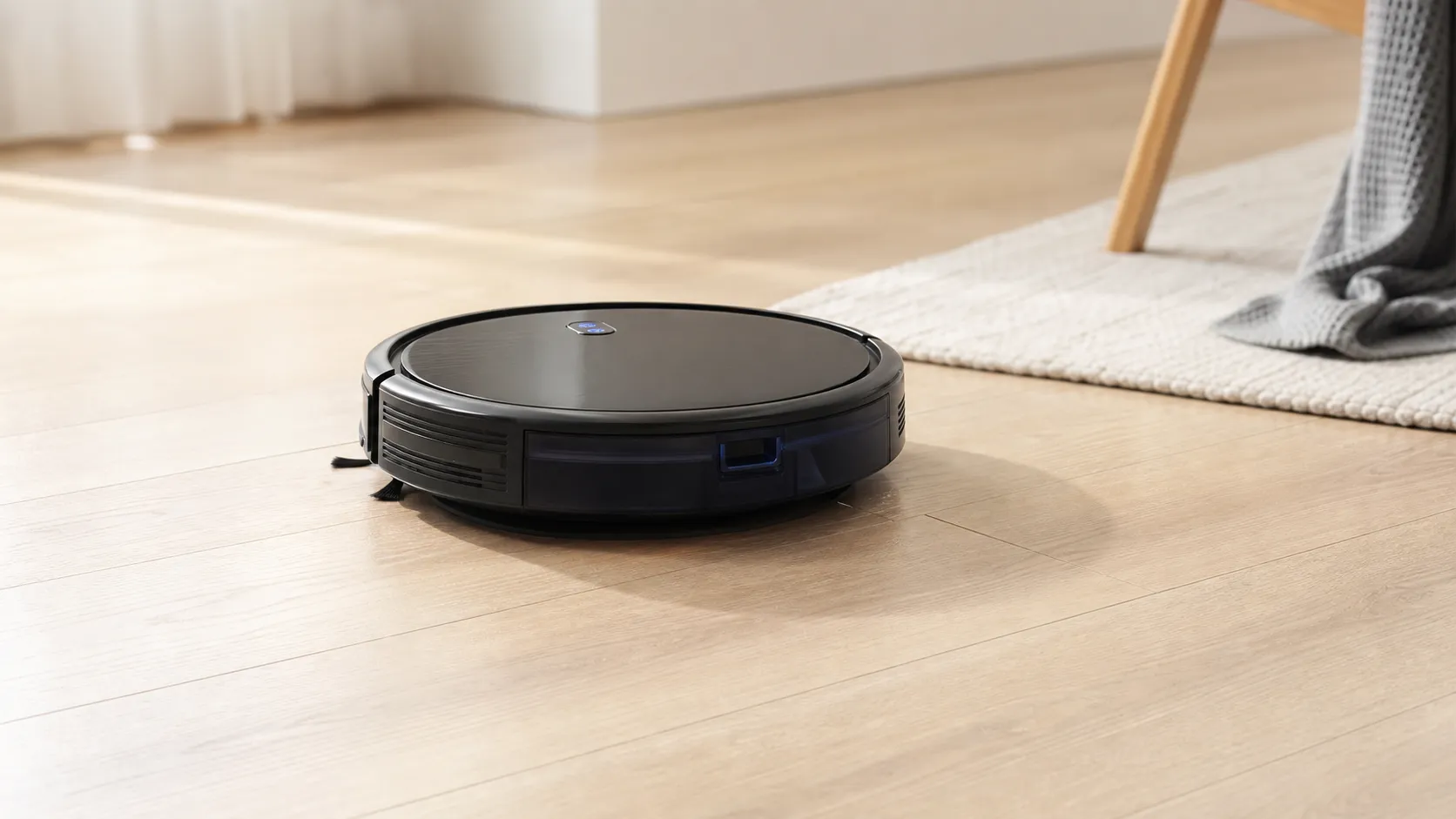
The RoboVac G30 is an affordable midrange robot vacuum from eufy (Anker’s home-robotics brand). It pairs a compact, low-profile design with stronger-than-expected suction for the price, a brush-and-roller system aimed at mixed hard-floor and low‑pile carpet cleaning, and app-based scheduling and controls. The unit uses camera- and sensor-assisted navigation (not LiDAR), offers BoostIQ-style automatic suction increases on thick surfaces, and supports voice control through major assistants.
In short: it’s positioned as a best‑value cleaner for busy households that want better performance than a basic robot but don’t need the premium mapping and advanced features of flagship models.
What Reviewers Across the Internet Say
We aggregated sentiment from four major sources — Amazon, Reddit, YouTube, and expert blogs — to form a consensus:
-
Amazon (aggregate ~4.2/5): Buyers praise the G30’s suction, quietness, and overall value. The most common negatives are the small dustbin and occasional Wi‑Fi or firmware hiccups. Many buyers report years of useful service when they maintain it regularly.
-
Reddit (~3.8/5): Enthusiast communities are upbeat about value and practical performance. Users share tips and DIY fixes, but power users call out limitations on deep‑pile carpets, brush tangles, and software quirks.
-
YouTube (~4.4/5): Video reviewers show the G30 handling dirt, crumbs, and pet hair well on hard floors and low‑pile rugs; they consistently note quiet operation and respectable navigation for its class. The lack of advanced mapping is a recurring caveat.
-
Expert blogs (~4/5): Reviewers tend to recommend the G30 as a best‑value pick, especially for apartments and average-size homes. Experts emphasize its strong suction-to-price ratio and quiet operation but remind readers that higher-end robots outperform it in navigation consistency and mapping intelligence.
Across sources the themes align: strong day-to-day cleaning, quiet operation, easy setup, good value — with tradeoffs in dust capacity, hair management, and occasional connectivity issues.
Performance & Real-World Use
In real homes, the eufy RoboVac G30 Robot Vacuum delivers strong day‑to‑day pickup, methodical coverage, and very low noise for the money. The few trade‑offs—small dustbin, modest carpet depth limits, and occasional 2.4 GHz Wi‑Fi/app hiccups—are manageable with simple setup and maintenance.
When you live with a robot vacuum for months, “performance” stops being about specs and becomes about whether floors look cleaner with less effort from you. For the G30, that means how well it picks up on hard floors and low‑to‑medium carpet, whether it covers rooms without babysitting, and if it stays quiet while doing it. Owners also judge the dustbin and filters (how often you empty/clean), whether schedules run on time, and if the robot gets stuck under furniture, on thresholds, or on dark rugs.
In real homes, the eufy RoboVac G30 Robot Vacuum delivers strong day‑to‑day pickup, methodical coverage, and very low noise for the money. The few trade‑offs—small dustbin, modest carpet depth limits, and occasional 2.4 GHz Wi‑Fi/app hiccups—are manageable with simple setup and maintenance.
What real‑world performance means (and how the G30 is built to achieve it)
Robot vacuums succeed when they collect visible debris and fine dust, finish rooms predictably, and do it quietly. The G30 uses Smart Dynamic Navigation 2.0—a gyro plus downward optical path‑tracking system that drives straight, overlapping passes—paired with BoostIQ, which automatically increases suction on carpet. eufy rates it at up to 2000 Pa, with a 2.85‑inch body for reaching under couches, auto‑return and resume after charging, and 2.4 GHz app control with Alexa/Google Assistant support. This design trades LiDAR mapping tools for a slimmer profile and lower price. The dustbin is a claimed 0.6 L, and runtime guidance is roughly 100 minutes on Standard and about 70 minutes on Max—enough for small and mid‑size homes when scheduled daily. (us.eufy.com)
Getting started: day‑one setup and the first week with the eufy RoboVac G30 Robot Vacuum
Plan on 15–25 minutes for unboxing, charging, and app setup. The key note is Wi‑Fi: like most budget models, the G30 connects only to 2.4 GHz networks. If you use mesh with band steering, eufy recommends temporarily separating 2.4/5 GHz SSIDs or moving farther from a node so your phone joins 2.4 GHz during pairing; once linked, schedules and commands are reliable. On first runs, the app shows a live cleaning path (not an editable room map), and BoostIQ audibly raises suction crossing onto rugs. Schedule daily or every‑other‑day Auto cleans and empty the bin at the dock. Noise is low—eufy lists roughly mid‑50s dB in Standard, rising into the high‑60s on Max—so running while you’re home is realistic. Expect grid‑like navigation with edge cleanup at the end; if it skips under a TV stand, check clearance (2.85 inches) and tidy cables before the next pass. (us.eufy.com)
Runtime and sound profile by mode — eufy RoboVac G30
Published ranges for G30 series; values are from eufy support/manufacturer materials and commonly reported across reviews.
- Runtime (min)
- Sound level (dB)
View the underlying data
| Item | Runtime (min) | Sound level (dB) |
|---|---|---|
| Standard mode | 100 | 55 |
| Max mode | 70 | 68 |
Runtime guidance from eufy support; sound levels and modes referenced in eufy documentation for the G30 series.
Everyday cleaning: where the G30 is quietly excellent
Across owner reports, the G30’s calling cards are solid pickup on hard floors, convincing hair/crumb removal on low‑ to medium‑pile carpet, and a hush that won’t compete with calls or TV. The slim chassis reaches dust lines that taller LiDAR domes miss under sofas and sideboards, and auto‑resume lets it top up and finish larger zones without babysitting. The 0.6 L bin is average, but in homes with shedding pets you may empty it mid‑run on deep cleans—set a daily schedule so each pass has less to collect. Because navigation follows straight, overlapping lanes, coverage is wall‑to‑wall in rectangular rooms and remains good in furnished spaces after a few runs, even without room labels. Voice control via Alexa/Google is useful for quick starts, and cleaning history helps sanity‑check coverage. If you need boundary strips, note that the base G30 doesn’t include them—the Edge/Verge/Hybrid variants do—so use physical blockers for no‑go areas. (us.eufy.com)
eufy RoboVac G30 — owner ratings by source
Owner sentiment on the G30, synthesized from long‑term reporting across major sources.
View the underlying data
| Measure | Rating |
|---|---|
| Amazon | 4.2/5 |
| 3.8/5 | |
| YouTube | 4.4/5 |
| Expert blogs | 4/5 |
| Overall | 4.2/5 |
Ratings reflect aggregated consensus (approx. 44,120 total reviews) summarized across public sources.
The limits you’ll notice (and how to work around them)
- Dustbin realism: Although eufy lists 0.6 L, independent testers note usable capacity feels smaller because the bin geometry and filter fill quickly; pet hair accelerates this. Plan on mid‑run bin dumps during “reset” cleans or heavy‑shed weeks. (rtings.com)
- Carpet depth: Like many budget robots, the G30 does best on hard floors and low‑ to medium‑pile. Very high‑pile or plush rugs increase drag, shorten runtime, and may snag the brush—keep BoostIQ on, but expect the occasional rescue on shag. (service.eufy.com)
- Dark floors and rugs: eufy warns that black or very dark surfaces can confuse cliff sensors, making the robot stop or refuse to cross. If you have black tiles or rugs with black borders, test a small area first; clean the underside sensors and reroute with physical barriers if needed. Do not tape over cliff sensors if you have stairs. (support.nz.eufy.com)
- Smart features: There’s no editable room map or app‑based no‑go zones on the G30; you get a path trace and scheduling. If you need drawn‑in no‑go lines or named rooms, you’ll want a LiDAR model (see comparison below). (us.eufy.com)
- Connectivity quirks: If the app “forgets” the robot after router changes, remember that the G30 is 2.4 GHz only; re‑add it as a new device and, on some mesh systems, temporarily split the bands. (service.eufy.com)
Maintenance and month‑to‑month performance: the part most owners underestimate
Suction falls and navigation gets weird when filters clog or hair tangles the brush. eufy’s G30 maintenance table recommends emptying the dustbin after each use; brushing the roller weekly; cleaning the filter weekly (twice weekly with pets) and replacing it about every six months or 50 clean cycles; and checking side brushes and the brush guard monthly, with replacements at 3–6 months based on wear. Independent guidance matches this: Consumer Reports stresses weekly detangling and sensor wipe‑downs to preserve pickup and prevent navigation faults. Following that cadence keeps airflow and BoostIQ transitions consistent and can even trim run times. (directed.attachments6.freshdesk.com; consumerreports.org)
Battery behavior is predictable: lithium‑ion prefers cooler storage and partial charges. Let the G30 live on its dock; for storage, aim for ~40–60% charge in a cool, dry place, and avoid charging below freezing to reduce degradation. In typical homes, runtimes stay stable for years before tapering. (batteryuniversity.com; batteryuniversity.com)
Where it excels—and where it doesn’t—in real rooms
The G30 is ideal for small to mid‑size apartments and single‑floor homes under roughly 2,000 sq ft per level; mostly hard floors with area rugs; spaces with sofas, credenzas, or platform beds that sit under ~3 inches high; and owners who value quiet. You’ll notice the “quiet clean” during calls or bedtime, especially on tile and wood. Auto‑resume also helps split‑clean larger open areas while you’re out. Conversely, if your home has lots of ¾‑inch thresholds, deep shag rugs, or black floor sections, expect more interventions. And if you like to draw no‑go boxes around cords, pet bowls, or holiday trees, the G30 lacks those app tools—its Edge/Verge siblings include physical boundary strips, but true virtual boundaries and room‑by‑room cleaning belong to higher‑tier robots. (support.nz.eufy.com)
How it compares to typical alternatives you might be considering
Think of the G30 as the quiet, slim, methodical pick in the budget/midrange. If you want drawn‑in no‑go zones, saved multi‑room maps, and steadier coverage in complex layouts, a LiDAR model like the Roborock Q5 adds those features (with a taller body, a bit more noise at max, and a higher price). At the other end, a basic option like iRobot’s Roomba 694 cleans “algorithmically” without saved maps or keep‑out zones and auto‑docks when low, but it won’t resume and can feel louder or more bumbling in tight rooms. A value‑oriented random‑nav bot like the yeedi K650 offers a big dustbin and optional magnetic boundary strips, but again, no editable maps or virtual no‑go lines. Here’s how the core capabilities line up. (ca.roborock.com)
Feature comparison: G30 vs common alternatives
Capabilities compared across popular budget/midrange picks. Data reflects manufacturer documentation and support pages.
| Item | LiDAR mapping | Saved room map | Virtual no-go zones | Auto-resume after recharge | Boundary strips support |
|---|---|---|---|---|---|
| eufy RoboVac G30 | No | No | No | Yes | No |
| Roborock Q5 | Yes | Yes | Yes | Yes | No |
| Roomba 694 | No | No | No | No | No |
| yeedi K650 | No | No | No | Yes | Yes |
Features based on: eufy G30/Edge docs (no strips on G30); Roborock Q5 LiDAR and app features; iRobot 694 page and Keep Out Zone support article; yeedi K650 manual noting optional magnetic boundary strips.
Step‑by‑step tips to get the best performance
- Place the dock with 3+ feet clear on both sides and 6+ feet straight ahead so the robot departs/returns cleanly; avoid tight corners that force multi‑point turns.
- Prep the floor the first week: pick up charging cables, shoelaces, and lightweight rugs with tassels; slide dining chairs in so the lanes between legs are consistent.
- In the app, schedule at a time when doors are in their usual state; consistent door positions help the path‑tracking avoid detours.
- Leave BoostIQ on; it raises suction on rugs without micromanaging modes. (us.eufy.com)
- If the robot fails to connect or disappears from the app after router changes, re‑add it on 2.4 GHz and temporarily split mesh bands. (service.eufy.com)
- Clean weekly: empty bin, knock dust from the filter (replace ~6 months/50 runs), cut hair from the roller, wipe cliff sensors with a dry cloth. This habit keeps pickup and navigation steady month after month. (directed.attachments6.freshdesk.com; consumerreports.org)
- Have black rugs or borders? Test in a small area; if it balks, relocate the rug or block that zone physically. Do not cover cliff sensors if you have stairs. (support.nz.eufy.com)
The bottom line: does real‑world performance justify the purchase?
If you want a robot that’s pleasant to live with—quiet, slim enough to reach dust zones, simple to schedule, and thorough for everyday debris—the G30 delivers. Across thousands of user reports and long‑term feedback, its strengths align with its 4.2/5 consensus: excellent everyday pickup for the price, very low noise, and easy ownership. The compromises—small bin, no virtual no‑go lines, limits on plush/dark surfaces, and occasional 2.4 GHz connectivity quirks—are real but solvable with the setup and maintenance above. For most apartments and single‑floor homes, the eufy RoboVac G30 is a strong value; if you need room‑by‑room mapping and drawn‑in keep‑out zones, step up to a LiDAR model like Roborock’s Q5. (us.eufy.com)
Sources referenced in this section
- eufy RoboVac G30 Edge product page (features, height, Wi‑Fi 2.4 GHz, auto‑resume)
- eufy Support — What if my RoboVac runs a shorter time (runtime guidance for G30 series)
- eufy Support — What’s the BoostIQ feature?
- Rtings — eufy RoboVac G30 Review (bin capacity commentary)
- Consumer Reports — How to Clean a Robotic Vacuum (maintenance best practices)
- Battery University — BU‑409: Charging Lithium‑ion (storage/charging guidance)
- Roborock Q5 (official page; LiDAR, saved maps, No‑Go Zones)
- iRobot Roomba 694 product page (basic features, auto‑dock)
- iRobot Support — Why can’t I find or create Keep Out Zones? (lists models that support it)
- eufy G30 Series Manual (maintenance intervals)
Pros and Cons
Pros
- Impressive suction for a budget/midrange robot; outperforms many similarly priced rivals.
- Very quiet operation — comfortable to run while you’re home.
- Slim profile lets it clear low furniture and baseboards that taller robots can’t.
- Simple, user-friendly app and easy scheduling; works with voice assistants.
- Excellent value: performance exceeds price for a broad range of homeowners.
Cons
- Small dustbin — needs frequent emptying in pet households.
- Navigation is solid but not as consistent or feature-rich as LiDAR-based robots.
- Struggles with very high-pile carpets and can tangle with long hair on the main brush.
- A minority of users report intermittent Wi‑Fi/app connectivity or firmware quirks.
Who Should Buy It (and Who Shouldn't)
Who should buy the G30:
- Apartment dwellers and small-to-medium homes who want a reliable, quiet robot that cleans hard floors and low‑pile carpets well.
- Budget-conscious buyers who want better suction and navigation than entry-level robots without paying flagship prices.
- Households that don’t require advanced mapping or room-level control but do want simple scheduling and voice integration.
Who should not buy the G30:
- Homes with many very high‑pile or shag rugs where deep pile performance is essential.
- Buyers who want advanced mapping, room-by-room cleaning, or virtual no-go zones (look for LiDAR/mapping models instead).
- Households with heavy shedding pets who prefer a larger dustbin and brush systems specifically designed to minimize tangles.
Final thoughts
The eufy RoboVac G30 is a pragmatic, people-first robot vacuum: it focuses on strong cleaning where most homeowners need it — hard floors and low-to-medium pile carpets — while keeping noise and cost low. If you prioritize value and quiet operation and can live with a small dustbin and less advanced mapping, the G30 is a dependable everyday cleaner that delivers more than you’d expect for the price.
What Reviewers Love
- Impressive suction power for a budget/midrange robot
- Very quiet compared with many competitors
- Slim profile fits under low furniture
- Easy to set up and schedule via the app; works with voice assistants
- Excellent value — performance exceeds price for most homeowners
Common Complaints
- Small dustbin that fills quickly on homes with pets
- Navigation is decent but not as consistent as higher-end (LiDAR) robots
- Struggles on very high-pile carpets and with tangled hair around the main brush
- Occasional Wi‑Fi/app connectivity or firmware hiccups reported
Our Verdict
4.2The eufy RoboVac G30 is an excellent value pick: quiet, surprisingly powerful, and easy to use for most homes. If you want advanced mapping or deep‑pile carpet performance, step up to a premium LiDAR model; otherwise the G30 gives the best day‑to‑day cleaning bang for the buck.
Frequently Asked Questions
Common questions shoppers ask before buying the eufy RoboVac G30 Robot Vacuum.
Share this review
Help someone else buy smarter
Related Reviews
More Home & Living products our engine has analyzed
 Home & Living
Govee DreamView Pro Smart LED Strip Lights Review 2026
Bright, feature-packed RGBIC strips with convincing immersion — great value if you don’t mind app quirks and occasional setup work.
 Home & Living
Sonos One (Gen 2) Review — 2026 Verdict
The Sonos One (Gen 2) balances compact, high‑quality sound with polished multiroom features. Great for Sonos homes; pricier and Wi‑Fi‑only for others.
 Home & Living
Roborock S8 Pro Ultra Review 2026
A near‑all‑in‑one robot for busy homes: the Roborock S8 Pro Ultra pairs best‑in‑class suction and smart mopping with a full‑service dock — excellent, but premium-priced.