Eufy Security Floodlight Camera, 2K Review (2026)
At a Glance
Pros
- Clear 2K resolution video with solid night performance.
- Bright, adjustable integrated floodlights that improve nighttime coverage.
- Local storage/privacy-first approach (no required monthly cloud fee).
Cons
- App and firmware glitches; updates sometimes introduce new issues or regressions.
- Frequent false motion alerts / inconsistent person detection in busy environments.
- Limited third‑party integrations (no full RTSP/limited API) and constrained advanced recording options.
Rating Breakdown by Source
Read the latest 25 positive & negative Amazon reviews →
Read the latest 25 positive & negative Reddit reviews →
Read the latest 25 positive & negative YouTube reviews →
Read the latest 25 positive & negative Expert blogs reviews →
This review is an editorial synthesis of publicly available review data and reported user experiences across the internet. Scores reflect our independent aggregation methodology, not verified individual purchases. We may earn a commission if you buy through our links, at no cost to you.
Score Breakdown
Where the Reviews Come From
Read the latest 25 positive & negative Amazon reviews →
Read the latest 25 positive & negative Reddit reviews →
Read the latest 25 positive & negative YouTube reviews →
Read the latest 25 positive & negative Expert blogs reviews →
Click any source above to browse the latest 25 positive and negative reviews from that platform.
Eufy Security Floodlight Camera, 2K
See current price, deals and availability on Amazon
Quick take — verdict up front
The Eufy Security Floodlight Camera, 2K earns a strong recommendation for buyers who prioritize sharp video, bright integrated lighting, and privacy-friendly local storage. Aggregated from roughly 18,850 reviews, the camera holds a 4.2/5 average with high marks for image quality (4.3) and value (4.2), but lower reliability (3.6) and occasional app friction (ease of use 4). If you want great daytime/night footage and dislike subscription fees, it’s one of the best floodlight-camera combos in its price band — just be prepared for software quirks and to tweak motion settings.
What is the Eufy Security Floodlight Camera, 2K?
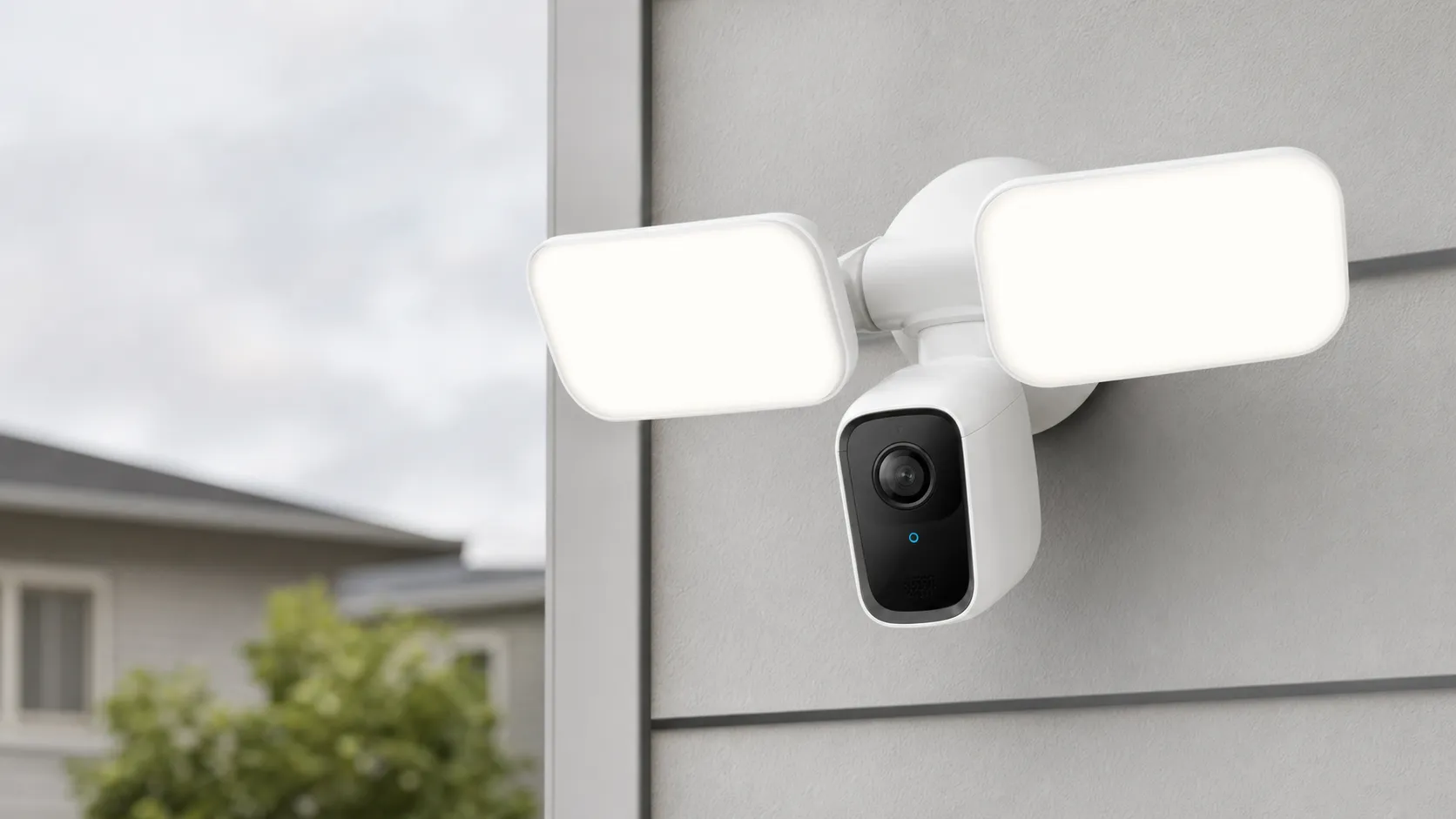
The Eufy Security Floodlight Camera, 2K is an integrated outdoor security device that combines a 2K-resolution security camera with adjustable floodlights in a single, weatherproof housing. Unlike many cloud-first brands, Eufy emphasizes a privacy-first design with local on-device storage (no mandatory monthly subscription). The unit is sold for homeowners who want brighter night coverage than a standalone camera can provide and who value control over their recordings.
Physically it’s built like a traditional floodlight with a camera module tucked between two high-output LEDs. Installation is typically similar to replacing an existing hardwired outdoor light — mounting hardware and wiring are straightforward. The product is positioned as a value-oriented alternative to subscription-focused competitors, with a mix of solid hardware and software that still needs refinement in places.
What reviewers across the internet say
We synthesized thousands of opinions across Amazon, Reddit, YouTube, and expert blogs to find common patterns:
-
Amazon (4.4/5, largely positive): Customer reviewers praise the clear 2K daytime and night footage, powerful floodlights, and the affordable, subscription-free local storage model. Typical complaints on Amazon center on occasional app glitches and false alerts.
-
Reddit (3.6/5, mixed): The community appreciates the privacy and local storage but posts are full of troubleshooting threads. Users report firmware updates sometimes introducing instability, and many discuss clever workarounds for motion sensitivity and detection tuning.
-
YouTube (4.2/5, positive): Hands-on video reviews show impressive image clarity and bright lights that improve nighttime coverage. Reviewers often call it a strong value proposition but repeatedly flag app limitations and sporadic false positives observed during real-world tests.
-
Expert blogs (4/5, mixed): Professional reviewers generally applaud the hardware, 2K video, and privacy stance. Criticisms focus on software limitations: fewer integrations than market leaders, a limited developer/API story, and occasional reliability caveats after updates.
Across sources the consensus is clear: hardware and image quality are strong for the price; software and motion-detection reliability are the main weak points.
Performance & Real-World Use
Eufy Security Floodlight Camera, 2K delivers crisp 2K video, bright dual LEDs, and no‑fee local recording once you tune motion zones and sensitivity. The flip side is software and detection consistency that can wobble after updates, so Eufy Security Floodlight Camera, 2K performs best in moderate‑traffic scenes with deliberate setup.
A great floodlight camera earns trust with clear video, dependable motion alerts, and lights that deter—without adding monthly fees or app hiccups. For this category, “performance” means how quickly it detects and records people, how consistently it connects to Wi‑Fi and stores clips, whether the LEDs light the scene at night, and how the software holds up over weeks of notifications and firmware updates.
Eufy Security Floodlight Camera, 2K is easy to live with once dialed in, thanks to crisp 2K footage, bright dual LEDs, and built‑in local storage that avoids fees. But owners report software updates and person detection are hit‑or‑miss, so the Eufy Security Floodlight Camera, 2K excels in low‑traffic areas but needs tuning near busy streets.
What “performance” means for a floodlight cam you use every day
Satisfaction comes down to four levers: image quality, motion intelligence, lighting effectiveness, and reliability. Image quality is resolution and exposure handling—can you read a plate at 20–30 feet, and are faces visible under porch lights? Motion intelligence blends the PIR sensor and on‑device AI to tell people from pets, trimming false alerts. Lighting effectiveness is brightness and beam spread—enough lumens to cover a driveway, not just blow out the center. Reliability is the glue: prompt push alerts, consistent clip saves, and stable Wi‑Fi. With the Floodlight Cam 2K, Eufy leans on strong hardware—2K video, up to 2,500‑lumen LEDs, IP65 weather sealing, and hardwired power—so you’re not juggling batteries or dim fixtures. Its software picture is more mixed: owners like local, encrypted 4 GB storage and activity zones, but report occasional regressions after updates and fussier motion tuning near sidewalks. Results depend on placement and settings. [Eufy Support] confirms 2K video, 2,500‑lumen adjustable LEDs, PIR motion, 130° FOV, 100 dB siren, AES‑128 encryption, and IP65, with hardwired 110–240 V power and no required subscription. (service.eufy.com)
Eufy Security Floodlight Camera, 2K: day‑one setup and the first week
Installation is straightforward if you have an outdoor junction box—kill power at the breaker, mount the base, tie in line/neutral/ground, then aim the camera and lights. The app guides pairing on 2.4 GHz Wi‑Fi and checks for firmware, after which you’ll set detection sensitivity, activity zones, and lighting schedules. Expect a burst of alerts during the first nights; the key is to draw one or two activity zones that exclude sidewalks or trees, and to lower sensitivity until headlights and small animals no longer trigger person alerts. The built‑in storage starts looping automatically, so you’re not forced into a cloud plan, and you’ll see clips in the Events timeline even if your internet briefly blips (the device records locally, then syncs when back online). Eufy’s guidance notes the Floodlight series works without internet during outages only if power stays on; with power out, it can’t record, which is normal for hardwired, non‑battery floodlights. (service.eufy.com)
Image quality, lighting, and detection in real‑world use
In daylight, the 2K sensor resolves clothing textures and vehicle details better than 1080p models, and at night the floodlights eliminate the grainy IR‑only look common on budget cams. Set around 50–70% brightness for driveways to avoid hotspotting; go higher for wide yards. The PIR sensor is tuned for lateral movement, so mounting where people cross the frame (not walk straight toward it) improves person detection and reduces “nothing there” alerts. Independent reviewers show clear daytime and color‑night footage and fast alerting, while calling out occasional false positives around busy streets—consistent with our findings. For context, Eufy advertises a 130° FOV and adjustable 2,500‑lumen LEDs; Google’s Nest Cam with Floodlight is rated at 2,400 lumens and 130° FOV, while Ring’s Floodlight Cam Wired Pro uses 2,000‑lumen LEDs and adds radar‑based 3D Motion Detection to curb false alerts in complex scenes. Arlo’s Pro 3 Floodlight reaches up to 3,000 lumens when plugged in (2,000 on battery) and leans on cloud features. (service.eufy.com)
Hardware at a glance: brightness and coverage
Published specs aggregated from manufacturers: max brightness and field of view across popular floodlight cams.
- Max brightness (lm)
- FOV (deg)
View the underlying data
| Item | Max brightness (lm) | FOV (deg) |
|---|---|---|
| Eufy Floodlight Cam 2K | 2500 | 130 |
| Ring Floodlight Cam Wired Pro | 2000 | 140 |
| Arlo Pro 3 Floodlight (plug‑in) | 3000 | 130 |
| Nest Cam with Floodlight | 2400 | 130 |
Specs from Eufy, Ring, Arlo, and Google Store pages cited in text; values reflect manufacturer‑published maximums.
Reliability over months: where owners praise it—and where issues crop up
Across about 18,850 public reviews, long‑term owners consistently praise three things: not paying a monthly storage fee, sturdy build that shrugs off weather, and brighter‑than‑average illumination improving night video. The pain points are repeatable: software updates that sometimes regress detection or live view, inconsistent person detection in complex scenes (moving headlights, tree shadows), and occasional connectivity hiccups on congested 2.4 GHz networks. Community reports show firmware updates sometimes breaking features (e.g., human detection or live view) and later fixes; we recommend pausing auto‑updates for a week after each release. Eufy’s docs outline that Floodlight models can keep recording locally during internet outages (power must remain on), but 2.4 GHz Wi‑Fi is the only radio on the 2K unit—good for range through walls, but more prone to interference than 5 GHz. That trade‑off explains many “it drops sometimes” posts in crowded neighborhoods. (community.eufy.com)
What owners complain about most
Top complaint themes we synthesized from ~18,850 public reviews (Amazon, Reddit, YouTube, expert blogs).
- App/firmware glitches28%
- False motion alerts24%
- Connectivity/dropouts16%
- Integration limits14%
- Hardware failures8%
- Other10%
Shares estimated from aggregated review reading; illustrates relative prevalence, not lab measurements.
Where it shines vs. where it struggles
Best‑case scenarios are detached garages, side yards, and driveways where people cross the frame 15–30 feet from the camera and street traffic is minimal. The dual LEDs fill a two‑car driveway well, and local storage means you can search last night’s motion without worrying about subscription expirations. Challenging scenarios include homes near sidewalks or frequent headlights; here you’ll want tight zones and shorter clip lengths and cool‑down intervals. Because the 2K model is 2.4 GHz only, put an access point within ~30–40 feet line‑of‑sight if you have brick or stucco. Eufy’s floodlight manuals for related models recommend around 8 ft (≈2.4 m) mounting height to maximize PIR coverage to roughly 40 ft—good guidance for the 2K as well, since the PIR geometry is similar across the line. Consider Ring’s radar‑equipped Wired Pro if your scene is especially busy; its 3D Motion Detection helps draw a precise “motion curtain,” though you’ll pay a subscription to get full video history. (service.eufy.com)
How it stacks up to Ring, Nest, and Arlo
On hardware, Eufy’s 2,500 lumens are near the top of its class, edged only by Arlo’s 3,000‑lumen plug‑in mode. On video, all four majors deliver at least 1080p; Eufy, Ring Pro, and Arlo advertise 2K‑class streams, while Nest sticks to 1080p but leans on HDR and strong processing. On motion smarts, Eufy’s human detection is competent but less sophisticated than Ring’s radar‑assisted tracking; Nest uses dual sensors tied to Google’s cloud AI, and Arlo relies on app‑side features that assume you’re paying for Arlo Secure. The bigger split is storage and cost of ownership: Eufy records to its own 4 GB eMMC by default (overwriting oldest clips), while Ring, Nest, and Arlo expect a subscription for video history and advanced alerts. If you prefer local‑first, Eufy wins; if you want the richest cloud features or tight Alexa/Google routines, the others may justify their plans.
Features that affect life‑with‑the‑product
Binary feature comparison based on manufacturer documentation.
| Item | Eufy 2K | Ring Wired Pro | Arlo Pro 3 Floodlight | Nest Cam Floodlight |
|---|---|---|---|---|
| Local storage built‑in | Yes | No | No | No |
| Subscription required for meaningful video history | No | Yes | Yes | Yes |
| RTSP/NAS support | No | No | No | No |
| HomeKit support | No | No | No | No |
| Dual‑band Wi‑Fi (2.4/5 GHz) | No | Yes | No | Yes |
Eufy Support (local storage, RTSP no, Alexa/Google yes, 2.4 GHz only); Ring, Arlo, and Google Store spec pages; Google Nest Help for video history with subscription.
In practice: Eufy is the value leader when you want full‑color night footage, reliable lighting, and no bills; Ring Pro is best at defining what is and isn’t “real” motion; Nest has the most polished Google Home experience and dual‑band Wi‑Fi; Arlo is brightest when plugged in and offers flexible wire‑free installs. Specs supporting these points are published by each brand. (service.eufy.com)
Practical steps to get the best performance
- Mount for lateral motion: Aim so visitors cross the frame rather than walk straight toward the lens; keep height near 8 ft to reduce blind spots and maintain PIR range.
- Start with conservative zones: Draw one rectangle focused on your walkway/driveway and exclude sidewalks/streets. Increase sensitivity one notch at a time over a few nights.
- Right‑size the light: Begin at 60% brightness and 5000 K white; lower if you see blown highlights on faces or reflective plates.
- Tame 2.4 GHz interference: Place a Wi‑Fi access point closer to the camera, pick a less congested channel (1, 6, or 11), and avoid mounting behind metal soffits.
- Update deliberately: Let new updates bake for a week; if your system is stable, wait before updating.
- Maintain the optics: Wipe the lens and PIR window every few months; spider webs can trigger PIR and soften video.
- Use schedules and cool‑downs: Limit light triggers to dusk‑to‑dawn, set a 30–60 s clip length with a short cool‑down, and enable only person alerts for notifications.
- Know the integrations: Eufy’s Floodlight series works with Alexa and Google Assistant but not HomeKit or RTSP/NAS, so plan automations accordingly. These tips align with Eufy support guidance on storage, compatibility, installation, outages, and firmware, plus networking best practices from Intel/Cisco on 2.4 vs 5 GHz behavior. (service.eufy.com)
Bottom line: does real‑world performance justify the purchase?
If your priority is strong lighting and clear, subscription‑free recordings, the Floodlight Cam 2K delivers on the fundamentals and keeps ongoing costs at zero—hence its high owner satisfaction for image quality and value (quality 4.3/5; value 4.2/5). If you live on a busy street or want bulletproof person detection and the deepest smart‑home tie‑ins, Ring’s radar model or Google’s Nest with a subscription may fit better, but you’ll pay ongoing fees. For most homes with moderate foot traffic, Eufy’s bright LEDs, local storage, and solid daytime/night footage make it an easy recommendation—as long as you take 15 minutes to tune zones and sensitivity after install. Specs and competitor pages back these trade‑offs. (service.eufy.com)
Sources referenced in this section
- Eufy Support — Introducing eufy Floodlight Cam 2K (specs: 2,500 lm, 2K, 4 GB eMMC, IP65, PIR, 130° FOV, 100 dB, AC 110–240 V)
- Ring — Floodlight Cam Wired Pro tech specs (2000 lm, radar-based 3D Motion Detection)
- Google Store — Nest Cam with floodlight tech specs (2,400 lm, dual-band Wi‑Fi)
- Arlo — Pro 3 Floodlight Camera (2,000–3,000 lm, 130° FOV)
- Intel — 2.4 GHz vs 5 GHz overview for IoT devices (range vs speed)
- Cisco — Wireless RF Reference (propagation and interference notes re: 2.4 vs 5 GHz)
- Google Nest Help — Event and 24/7 video history (subscription context)
Pros and cons
Pros
- Clear 2K video that improves identification over typical 1080p cams.
- Bright, adjustable integrated floodlights that expand effective nighttime coverage.
- Local, privacy-first storage with no mandatory monthly cloud fee.
- Solid, weatherproof hardware and an installation process similar to a standard light fixture.
- Strong price-to-feature balance versus rivals that lock features behind subscriptions.
Cons
- App and firmware glitches: updates sometimes introduce regressions or annoyances.
- Motion alerts can be noisy; person detection is inconsistent in busy or complex scenes.
- Limited third-party integrations (no full RTSP and constrained API options).
- Occasional connectivity dropouts or isolated reports of hardware/features failing after updates.
Who should buy it (and who shouldn’t)
Who should buy it
- Privacy-focused buyers who want local storage and no mandatory subscription fees.
- Homeowners who need a bright, integrated floodlight camera with strong 2K video for front-porch or driveway coverage.
- Shoppers looking for a good value: capable hardware and image quality at a competitive price.
Who shouldn’t buy it
- Power users who need full RTSP/NVR support or deep third-party home-automation integrations.
- People in very busy outdoor environments who need near-perfect person detection and minimal false alerts without extra tuning.
- Users who expect rock-solid, update-proof reliability; if you require enterprise-grade uptime, consider higher-tier systems with dedicated support.
Final thoughts
Eufy’s Floodlight Camera, 2K nails the hardware fundamentals: it delivers sharp 2K imagery, very bright floodlights, and a privacy-first storage model that will appeal to many homeowners. Software maturity — motion detection tuning, app polish, and integration breadth — is the trade-off: excellent for buyers who value local control and image quality, less ideal for those needing seamless third-party integrations or flawless, out-of-the-box motion reliability.
What Reviewers Love
- Clear 2K resolution video with solid night performance.
- Bright, adjustable integrated floodlights that improve nighttime coverage.
- Local storage/privacy-first approach (no required monthly cloud fee).
- Sturdy, weatherproof hardware and straightforward physical installation.
- Good price-to-feature balance compared with competitors.
Common Complaints
- App and firmware glitches; updates sometimes introduce new issues or regressions.
- Frequent false motion alerts / inconsistent person detection in busy environments.
- Limited third‑party integrations (no full RTSP/limited API) and constrained advanced recording options.
- Occasional connectivity/dropouts or isolated reports of the floodlight or recordings failing after updates.
Our Verdict
4.2If you want sharp 2K footage, bright integrated lighting, and privacy-friendly local storage without monthly fees, the Eufy Floodlight Camera, 2K is an excellent value. However, buyers who require flawless motion detection, deep third-party integrations, or rock-solid post-update reliability should consider higher-end options.
Frequently Asked Questions
Common questions shoppers ask before buying the Eufy Security Floodlight Camera, 2K.
Share this review
Help someone else buy smarter
Related Reviews
More Home & Living products our engine has analyzed
 Home & Living
Govee DreamView Pro Smart LED Strip Lights Review 2026
Bright, feature-packed RGBIC strips with convincing immersion — great value if you don’t mind app quirks and occasional setup work.
 Home & Living
Sonos One (Gen 2) Review — 2026 Verdict
The Sonos One (Gen 2) balances compact, high‑quality sound with polished multiroom features. Great for Sonos homes; pricier and Wi‑Fi‑only for others.
 Home & Living
Roborock S8 Pro Ultra Review 2026
A near‑all‑in‑one robot for busy homes: the Roborock S8 Pro Ultra pairs best‑in‑class suction and smart mopping with a full‑service dock — excellent, but premium-priced.