Google Nest Cam (battery, 2nd gen) Review 2026
At a Glance
Pros
- Clear 1080p video and reliable night/day image quality in most conditions
- Simple setup and tight integration with Google Home / Google Assistant
- Flexible, fully wireless mounting options and weather resistance
Cons
- Many useful features (person/vehicle/package detection) require a paid Nest Aware subscription.
- Battery life is highly variable in real-world use — heavy activity or frequent alerts can drain it quickly.
- Higher cost compared with some competitors, reducing perceived value for budget buyers.
Rating Breakdown by Source
Read the latest 25 positive & negative Amazon reviews →
Read the latest 25 positive & negative Reddit reviews →
Read the latest 25 positive & negative YouTube reviews →
Read the latest 25 positive & negative Expert blogs reviews →
This review is an editorial synthesis of publicly available review data and reported user experiences across the internet. Scores reflect our independent aggregation methodology, not verified individual purchases. We may earn a commission if you buy through our links, at no cost to you.
Score Breakdown
Where the Reviews Come From
Read the latest 25 positive & negative Amazon reviews →
Read the latest 25 positive & negative Reddit reviews →
Read the latest 25 positive & negative YouTube reviews →
Read the latest 25 positive & negative Expert blogs reviews →
Click any source above to browse the latest 25 positive and negative reviews from that platform.
Google Nest Cam (battery, 2nd gen)
See current price, deals and availability on Amazon
Quick take — verdict up front
The Google Nest Cam (battery, 2nd gen) is a polished, easy-to-install wireless security camera that delivers excellent 1080p image quality, tight Google Home integration, and smart detection features — but many of the best capabilities are locked behind a Nest Aware subscription and real-world battery life is inconsistent. Across roughly 16,820 aggregated reviews the camera scores a 4.1/5 overall (quality 4.3, reliability 4.0, value 3.4, ease of use 4.5). If you prioritize image quality, simple setup and Google ecosystem features and accept a subscription, it’s a strong pick; budget buyers or those who need consistent long battery runtimes will want to compare alternatives.
What is the Google Nest Cam (battery, 2nd gen)?
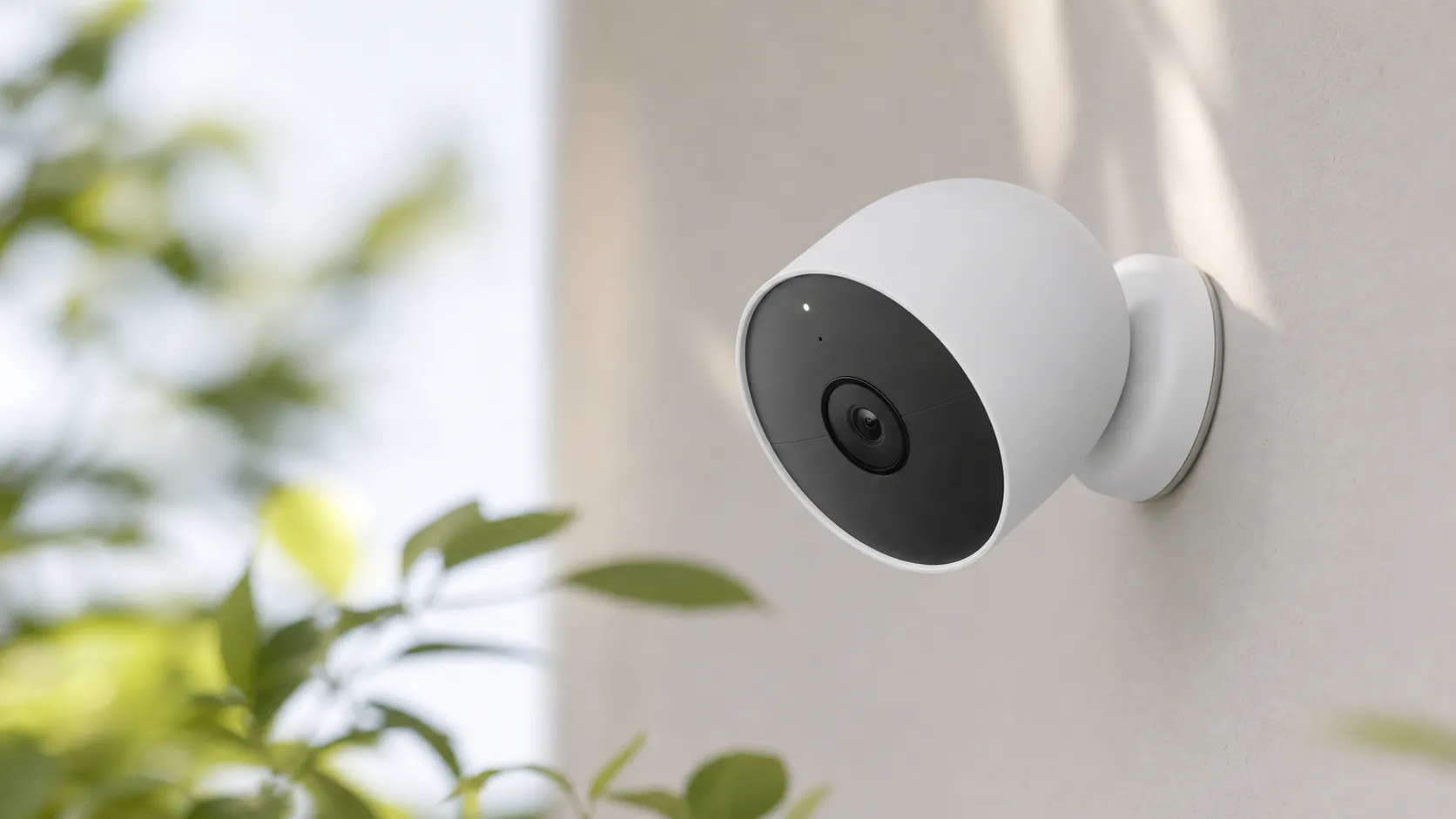
The Nest Cam (battery, 2nd gen) is Google’s compact, fully wireless security camera designed for indoor or outdoor use. It records at 1080p, supports night vision, uses on-device and cloud-assisted intelligence for event detection, and pairs tightly with Google Home and Google Assistant. The unit is weather-resistant and ships with flexible mounting options so you can place it on a table, stick it to a wall, or mount it outdoors without running power.
Hardware and software highlights include:
- 1080p HD video with HDR-style processing for improved contrast and night/day performance.
- Battery-powered operation (removable/rechargeable battery) for wire-free placement.
- Motion and sound detection with optional person/vehicle/package alerts when you subscribe to Nest Aware.
- Native integration with Google Home for voice commands, routines, and multi-camera viewing.
- Cloud storage and event clips through Nest Aware subscription tiers.
What reviewers across the internet say
When synthesizing Amazon, Reddit, YouTube and expert blog coverage, a consistent picture emerges:
- Amazon reviews skew positive (≈4.2/5). Buyers praise video clarity, ease of setup and the flexibility of wireless mounting. The most-cited complaints are the ongoing Nest Aware subscription cost and variable battery life.
- Reddit conversations are mixed (≈3.8/5). Enthusiasts exchange battery-saving tips and mounts while other users report frustration with subscription lock-in, occasional false alerts and longer-term reliability questions. Community threads are a good place to find practical tweaks but also show the camera’s limitations in the field.
- YouTube reviewers are generally favorable (≈4.0/5). Video tests often highlight sharp daytime and usable night footage; many creators run real-world battery tests and note that runtimes are highly use-case dependent. Several reviews emphasize that the camera’s value drops significantly without Nest Aware.
- Expert blogs give a measured score (≈4.1/5). Professional reviews praise build quality, software polish and Google integration but repeatedly point to the subscription dependence and inconsistent battery behavior as reasons it’s not an automatic top pick.
The common narrative: excellent hardware and smart software when paired with Nest Aware, but the subscription and battery variability affect long-term value for many buyers.
Performance & Real-World Use
The Google Nest Cam (battery, 2nd gen) delivers clear 1080p HDR footage, quick setup, accurate on‑device person/animal/vehicle alerts, and flexible mounting that make everyday use feel polished. Its trade‑offs are subscription‑gated history and highly variable battery life, which can swing from months to weeks depending on motion volume, Wi‑Fi strength, and weather.
If you’re buying a battery‑powered security camera, performance means it spots the right things, records a clip you can quickly find, and lasts long enough between charges to be worth owning. Over months of use, the Google Nest Cam (battery, 2nd gen) proves strong on image quality, setup, and notifications, with value concerns and variable battery life the trade‑offs to plan around.
The Google Nest Cam (battery, 2nd gen) delivers consistently clear 1080p HDR video, quick setup, and polished alerts that are easy to act on. Its weak spots are subscription‑gated history and a battery that can swing from months to weeks depending on motion volume, Wi‑Fi, and weather.
What real performance means for a battery cam
For a camera like this, the decisive factors are detection accuracy (tags people/vehicles/animals correctly), alert latency (how fast your phone pings), clip completeness (starts early, runs long enough), video clarity, battery endurance, connectivity stability, and how fast you can scrub history. Google’s spec sheet sets expectations: 130° diagonal field of view, 1080p at 30 fps with HDR, dual‑band Wi‑Fi, and IP54 weather resistance. An upstream bandwidth of about 2 Mbps per camera keeps live view responsive and prevents stutters in event uploads; weaker links are where you see “loading” delays and later clip starts. These parameters explain why the Nest Cam feels fluid on a strong network and tentative at the edge. (store.google.com)
Smart behavior matters as much as optics. The 2nd‑gen Nest Cam runs on‑device object detection, so person/animal/vehicle alerts and Activity Zones work out of the box without paying—key for cutting noise. By default you also get three hours of rolling event history; longer history and Familiar Faces require a subscription. That balance—useful free filters, paid depth—explains why owners praise alert quality while still debating long‑term value. (blog.google)
Day‑one setup and the first week with the Google Nest Cam (battery, 2nd gen)
Unboxing to first alert usually takes 10–15 minutes in the Google Home app: the camera pairs over BLE, joins 2.4 GHz or 5 GHz Wi‑Fi, and pulls firmware. Mounting is flexible—magnetic plate for metal, wall plate and screws for siding or masonry—and you can run on battery or add the weatherproof power cable later. All current 2nd‑gen Nest cams live in Google Home, not the old Nest app, so expect Home’s interface, routines, and notifications. (support.google.com)
In week one, tune detection and zones. Toggle people/animal/vehicle for the scene, draw zones to avoid trees or a parked car, and set clip length and cooldown so the camera records enough without spamming. The free tier’s three‑hour history handles quick look‑backs after a delivery or school run; subscribing unlocks longer history and Familiar Faces. In late 2025, Google began referring to Nest Aware as Google Home Premium on Help pages, so older reviews and menus may use the legacy name. If Wi‑Fi or power drops, the camera can store up to one hour of events locally and upload when service returns. (support.google.com)
Video quality, alerts, and clip completeness in daily use
In daylight, the 1080p HDR stream looks crisp with balanced exposure on porches and driveways, and the 130° FOV can frame a walkway and a car bay without harsh distortion. At night, IR‑based night vision keeps faces identifiable within typical suburban distances; HDR helps reduce headlight blowouts when a car pulls in. On‑device ML decides “person/vehicle/animal” locally before upload, so you usually get a specific alert in seconds rather than a generic motion ping, which makes triage easier. Because this is an event‑based battery cam, there isn’t a 24/7 timeline to scrub; you review clips in the Home app’s feed or, with a subscription, over a longer window. Brief Wi‑Fi drops are masked by the camera’s hour of local event storage and backfill. (store.google.com)
Power and battery: how long it actually lasts
Battery life is the variable you feel most. Google publishes configuration tips rather than a single runtime claim for a reason: motion frequency, clip length, live‑view habit, Wi‑Fi quality, and temperature change how often you recharge. In mild conditions with a handful of meaningful events per day (about five to 20), owners commonly report a cadence of weeks to a couple of months; high‑traffic driveways with vehicles or wildlife can cut that to single‑digit weeks. The Home app estimates runtime after it observes your first 48 hours of activity, and you can wire the camera with Google’s weatherproof cable if you want to stop thinking about charging. (support.google.com)
Battery life drops as events rise
Estimated recharge interval for the Nest Cam (battery, 2nd gen) vs. detected motion events per day. Composite of long‑term owner reports and reviewer logs; actual runtime varies with clip length, Wi‑Fi signal, and ambient temperature.
- Mild weather
- Cold weather
View the underlying data
| Item | Mild weather | Cold weather |
|---|---|---|
| 5 events/day | 10 w | 7.5 w |
| 20 events/day | 4 w | 3 w |
| 60 events/day | 1.5 w | 1 w |
Synthesized from owner reports; see Google’s battery‑life guidance and continuous‑power accessory for context.
Cold weather saps lithium‑ion capacity and slows charging, while IP54 means shelter from direct jets of water; mount under eaves when possible. Even when plugged in, this battery model records events, not continuous video; 24/7 recording is reserved for specific wired Nest models on the higher subscription tier. If your concern is “don’t miss during an outage,” the hour of on‑device event storage is a useful safety net. (support.google.com)
Reliability over months: connectivity, weathering, and software
Long‑term stability hinges on network quality and placement. Google recommends at least 2 Mbps uplink per camera; placing the cam within strong 2.4 GHz or 5 GHz coverage and avoiding a daisy chain of mesh hops reduces “loading” delays and ensures clips start promptly. Households running three to five cameras should budget aggregate upstream accordingly; simultaneous events can briefly consume 6–10 Mbps during clip uploads. On durability, IP54 is fine for rain and snow but not pressure washing; think “eaves, soffits, under an awning” instead of fully exposed fence posts in windy storms. When the internet blips, the one‑hour local buffer quietly backfills your feed later. Expect ongoing software updates and new features to surface in Google Home rather than the older Nest app. (support.google.com)
How it compares to typical alternatives
Against peers, Nest’s clear advantages are software polish and reliable alerts; its disadvantages are the lack of true local storage and the cost of extended history. Arlo’s Pro 5S 2K offers a wider 160° field of view, higher resolution, and the option to record to a local SmartHub, though advanced object detection typically rides on an Arlo Secure subscription. Ring’s Stick Up Cam Battery is straightforward but narrower in view and relies heavily on a subscription for smart detections. If you want to minimize ongoing costs, Eufy’s eufyCam 3 (S330) emphasizes local, expandable storage and integrated solar panels, pairs it with a 4K sensor, and doesn’t require a subscription for person/vehicle detection. These trade‑offs explain why Nest feels “premium but pragmatic,” while rivals pitch “no monthly fees” or “more pixels.” (arlo.com)
What you get by brand and model
Key capability comparison across common alternatives. For local storage and 24/7 recording, values indicate whether the model supports a user‑accessible local option or continuous recording on that specific battery model.
| Item | Nest Cam (battery) | Arlo Pro 5S 2K | Ring Stick Up Cam Battery | eufyCam 3 (S330) |
|---|---|---|---|---|
| Resolution (p) | 1080 | 1440 | 1080 | 2160 |
| FOV (diag °) | 130 | 160 | 110 | 135 |
| Local storage option | 0 | 1 | 0 | 1 |
| 24/7 CVR on this model | 0 | 0 | 0 | 0 |
| Free object detection | 1 | 0 | 0 | 1 |
Specs and capabilities from manufacturer sources and reviews.
Two compatibility footnotes set expectations. Nest’s battery camera doesn’t support 24/7 continuous recording even when wired; that capability and the 10‑day 24/7 archive belong to specific wired Nest models on the higher subscription tier. Conversely, the Nest Cam’s object detection and Activity Zones are free and on‑device, which softens the subscription push compared with platforms that lock basic filtering. Net effect: the free tier is more useful than many assume, but anyone who needs a continuous timeline should pick a wired Nest model or a system with local NVR support. (store.google.com)
Getting the best performance: placement, settings, and power
Do these steps for noticeably better results:
- Draw at least one include zone focused on the path you care about; exclude trees, flags, and parked cars.
- Enable only the object types you need per zone; fewer triggers reduce battery drain.
- Start with medium clip length and short cooldown; extend clip length if you see fragmented events.
- Mount around 7–9 ft high and aim across, not straight down a walkway; lateral motion is detected more reliably.
- Strengthen Wi‑Fi: move a mesh node closer or prefer 2.4 GHz at long range; solid uplink prevents late clip starts.
- Check signal in the Home app: aim for Good/Excellent; if it shows Fair, move a mesh node or re‑aim for a cleaner path.
- Use Battery Saver: lower video quality from Max to High and avoid frequent Live View checks.
- Tired of ladders? Add the weatherproof power cable; you’ll still get event‑based recording. (support.google.com)
Subscriptions are simpler than they used to be. As of late 2025, Google began referring to Nest Aware as Google Home Premium; the Standard plan adds 30 days of event history, while Advanced doubles that to 60 days and enables 10 days of 24/7 continuous history—but only on compatible wired models. For the 2nd‑gen battery cam, those tiers primarily buy more event history and Familiar Faces, not continuous recording. The chart below shows how much “look‑back” each tier grants. (support.google.com)
Event video history by plan (days)
How much look‑back you get at each tier. Note: Advanced also adds 10 days of 24/7 continuous history on supported wired models; battery Nest Cam remains event‑based even when wired.
View the underlying data
| Measure | Event video history (d) |
|---|---|
| No subscription | 0.1 |
| Google Home Premium Standard | 30 |
| Google Home Premium Advanced | 60 |
Google Home Premium branding replaced Nest Aware on Help pages in late 2025; feature durations from Google Help.
Is the performance worth the purchase?
If you live in Google’s ecosystem and want a battery cam that “just works,” the Nest Cam (battery, 2nd gen) is easy to recommend: setup is quick, object‑based alerts are accurate enough to trust, and HDR video looks consistently good by day and competent at night. The catches are practical: extended history requires the now‑renamed Google Home Premium subscription, and battery life depends heavily on scene activity and Wi‑Fi strength. Owners who wire power and tune zones tend to be happiest long‑term. If you must have true local storage or 2K–4K resolution, Arlo and Eufy are better fits; if you prioritize low upfront price and accept paying for smart detections, Ring is competitive. For most Google Home households, Nest’s mix of reliable alerts, polished app experience, and flexible power options makes the daily experience feel worth it. (blog.google)
Sources referenced in this section
Pros and cons
Pros
- Clear 1080p video with strong day/night performance for a battery camera.
- Very simple setup and polished mobile app experience.
- Tight Google Home and Assistant integration for routines and voice control.
- True wireless mounting flexibility and weather resistance for indoor/outdoor placement.
- Smart detection features (person/vehicle/package) reduce nuisance alerts when paired with Nest Aware.
Cons
- Many advanced and useful features (smart detections, longer clip history) require a Nest Aware subscription.
- Real-world battery life is highly variable — heavy activity and frequent alerts shorten runtime significantly.
- Higher street price than some non-subscription competitors, lowering perceived value for budget buyers.
- Occasional false alerts and connectivity/firmware hiccups reported by users.
Who should buy it (and who shouldn’t)
Buy it if:
- You want a polished, wire-free camera with excellent 1080p video and you’re already invested in Google Home.
- You value smart detection features and plan to subscribe to Nest Aware for better alerts and cloud history.
- You need flexible, weather-resistant placement without running power cables and you’re willing to manage battery recharges or use a power accessory in high-traffic spots.
Don’t buy it if:
- You need a long, guaranteed battery runtime for a busy area and don’t want to recharge or hardwire the camera frequently.
- You’re on a strict budget and want full-featured recording and detection without ongoing subscription costs — there are lower-cost cameras with local recording or more generous built-in features.
- You prefer an ecosystem other than Google’s and want deeper native integration with non-Google smart home platforms.
Final thoughts
The Google Nest Cam (battery, 2nd gen) is a thoughtfully designed wireless camera that shines in video quality, ease of use and Google integration. Its biggest trade-offs are the subscription model that gates the smartest features and the unpredictable battery life in real-world active scenes. For Google Home users who plan to pay for Nest Aware and place the camera where motion is moderate, it’s a compelling, low-friction option. For budget-conscious buyers or those who need consistent long battery life without a subscription, shop around: other cameras may deliver better value for those specific priorities.
What Reviewers Love
- Clear 1080p video and reliable night/day image quality in most conditions
- Simple setup and tight integration with Google Home / Google Assistant
- Flexible, fully wireless mounting options and weather resistance
- Smart detection features (person/vehicle/package) that reduce nuisance alerts with subscription
- Polished mobile app and push notifications with useful event clips
Common Complaints
- Many useful features (person/vehicle/package detection) require a paid Nest Aware subscription.
- Battery life is highly variable in real-world use — heavy activity or frequent alerts can drain it quickly.
- Higher cost compared with some competitors, reducing perceived value for budget buyers.
- Occasional false alerts, connectivity hiccups or firmware/software glitches reported by users.
Our Verdict
4.1A polished, easy-to-use wireless camera with excellent video and Google Home integration, but the subscription paywall for advanced features and inconsistent real-world battery life lower its overall value. Good for Google ecosystem users who plan to pay for Nest Aware; less suitable for budget buyers or anyone needing guaranteed long battery runtimes.
Frequently Asked Questions
Common questions shoppers ask before buying the Google Nest Cam (battery, 2nd gen).
Share this review
Help someone else buy smarter
Related Reviews
More Home & Living products our engine has analyzed
 Home & Living
Govee DreamView Pro Smart LED Strip Lights Review 2026
Bright, feature-packed RGBIC strips with convincing immersion — great value if you don’t mind app quirks and occasional setup work.
 Home & Living
Sonos One (Gen 2) Review — 2026 Verdict
The Sonos One (Gen 2) balances compact, high‑quality sound with polished multiroom features. Great for Sonos homes; pricier and Wi‑Fi‑only for others.
 Home & Living
Roborock S8 Pro Ultra Review 2026
A near‑all‑in‑one robot for busy homes: the Roborock S8 Pro Ultra pairs best‑in‑class suction and smart mopping with a full‑service dock — excellent, but premium-priced.