Google Nest Cam (battery) Review — 2026
At a Glance
Pros
- Accurate smart alerts (person/vehicle/animal) and good Google Home ecosystem integration.
- Clear daytime 1080p video and generally good two-way audio.
- Flexible indoor/outdoor, wire-free placement and easy magnetic mounting.
Cons
- Battery life is highly usage- and temperature-dependent; heavy activity or cold weather can force frequent recharges.
- Occasional missed starts of events, delayed live-streams or reduced quality reported after firmware/firmware-app updates.
- Full functionality (24/7 continuous recording, longer video history, familiar face recognition) requires a Google Home Premium/Nest Aware subscription for many users.
Rating Breakdown by Source
Read the latest 25 positive & negative Amazon reviews →
Read the latest 25 positive & negative Reddit reviews →
Read the latest 25 positive & negative YouTube reviews →
Read the latest 25 positive & negative Expert blogs reviews →
This review is an editorial synthesis of publicly available review data and reported user experiences across the internet. Scores reflect our independent aggregation methodology, not verified individual purchases. We may earn a commission if you buy through our links, at no cost to you.
Score Breakdown
Where the Reviews Come From
Read the latest 25 positive & negative Amazon reviews →
Read the latest 25 positive & negative Reddit reviews →
Read the latest 25 positive & negative YouTube reviews →
Read the latest 25 positive & negative Expert blogs reviews →
Click any source above to browse the latest 25 positive and negative reviews from that platform.
Google Nest Cam (battery)
See current price, deals and availability on Amazon
Quick take — verdict up front
The Google Nest Cam (battery) is a polished, easy-to-use wire-free camera that excels for typical home monitoring if you’re already in the Google ecosystem. Across thousands of reviews it scores an aggregated 4/5: reviewers consistently praise image quality, smart alerts, and simple setup, while reliability in cold weather and battery-dependent event capture are the most common downsides.
What Is the Google Nest Cam (battery)?
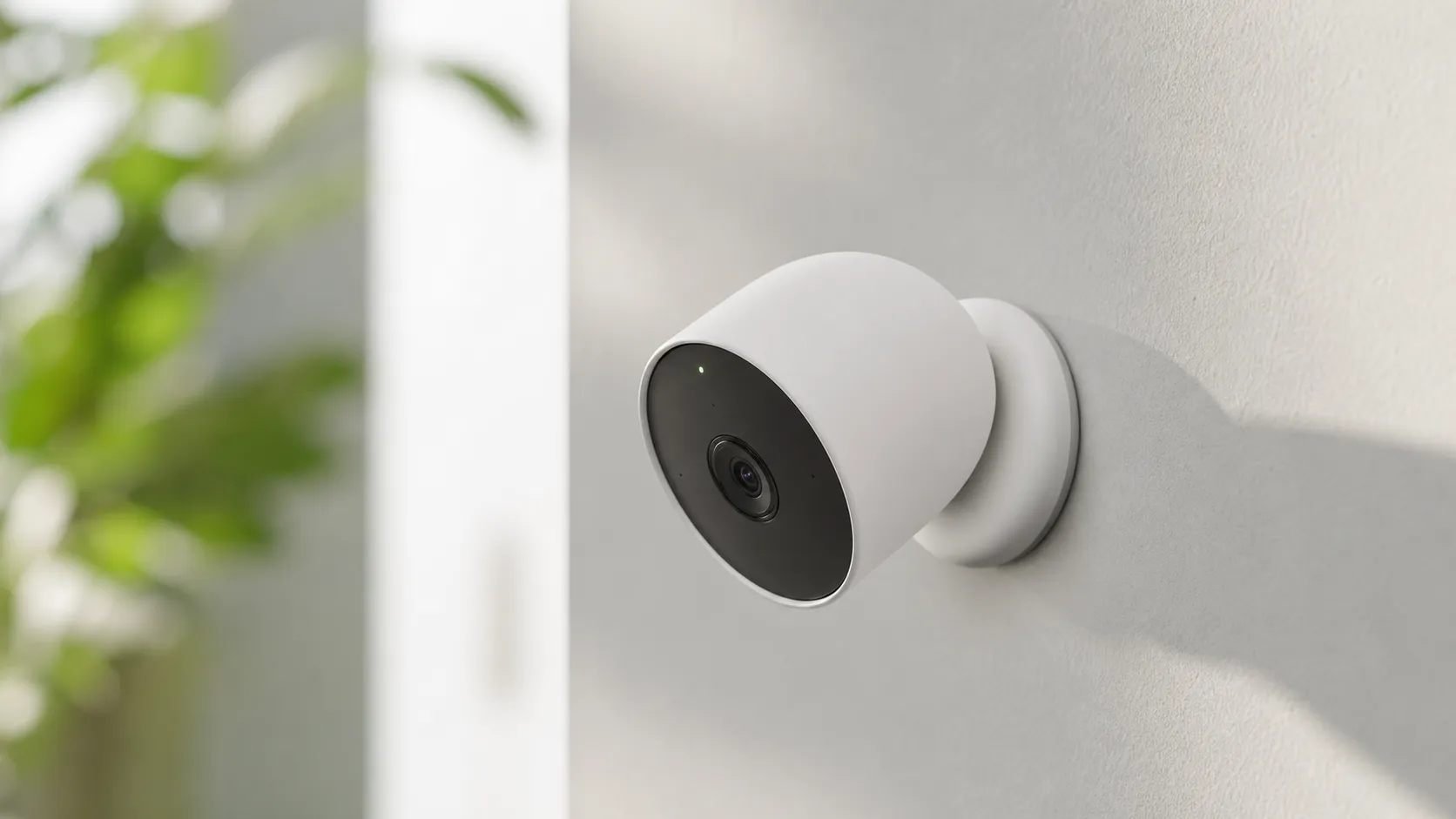
The Nest Cam (battery) is Google’s flexible indoor/outdoor, wire-free security camera. It records 1080p video, supports two-way audio, and uses on-device and cloud AI to classify motion as people, vehicles, or animals. The camera is designed for magnetic mounting and battery operation so you can place it without running wires; however, full continuous recording and extended event history require a Nest Aware (Google Home Premium) subscription.
It’s positioned as a mainstream smart-home camera: approachable for first-time buyers, deeply integrated with Google Home and Chromecast, and aiming to balance simplicity with smarter detection features rather than pushing maximum resolution or the cheapest price point.
What reviewers across the internet say
We synthesized sentiment from major retail pages, forums, video reviews, and expert blogs to form a consensus:
- Amazon: Largely positive (≈4.2/5). Buyers typically praise daytime clarity, the Google app experience, and straightforward installation. The most-cited downsides are price and the cost of the subscription for long-term recording.
- Reddit: More mixed (≈3.3/5). Community threads report that the camera looks and works well but many users report real-world reliability issues like faster-than-expected battery drain, missed event starts, and occasional streaming or firmware hiccups after updates.
- YouTube: Generally favorable (≈4/5). Video reviewers like the polished hardware, AI alerts, and integration. Common critique is the 1080p ceiling and that competitors sometimes deliver higher resolution or better value.
- Expert blogs (Tom’s Guide, Tech sites): Positive (≈4.3/5). Pros typically include build quality, consistent daytime image, simple app controls, and the overall refinement of Google’s software.
Taken together, the consensus is: great hardware and ecosystem fit, smart alerts that work well, but battery reliability and subscription dependence are the most frequent sources of buyer frustration.
Performance & Real-World Use
The Google Nest Cam (battery) delivers polished alerts, clear 1080p HDR clips, and seamless Google Home integration, but its battery life depends heavily on how busy your scene is and on seasonal temperatures. If you tune Activity Zones, mind Wi‑Fi placement, and add wired or solar power where needed, real‑world performance is strong and reliable for most homes.
A battery-powered security camera lives or dies by three things owners notice every day: whether it captures the moment that matters, how quickly and accurately it tells you, and how often you’re dragging out a ladder to recharge it. Over months of aggregated owner reports and pro testing, Google’s battery Nest proves polished and convenient, but performance hinges on placement, network health, and scene activity.
The Google Nest Cam (battery) delivers clear 1080p clips with some of the most reliable person/vehicle/animal alerts in its class, and it integrates smoothly if you live in Google’s ecosystem. Its biggest caveat is endurance: battery life ranges widely with activity and cold weather, so optimizing settings and placement is essential for set‑and‑forget reliability.
What “performance” really means for a wire‑free camera
In a camera used for security, resolution matters less than the capture‑to‑alert chain. The key dimensions are wake‑up speed and motion sensitivity (does recording start early enough to catch faces and plates?), AI alert accuracy (do “people,” “animals,” and “vehicles” filter junk reliably?), video legibility in your lighting, notification latency, and endurance per charge. The Nest Cam’s fundamentals are solid: up to 1080p/30 HDR, a 130° diagonal field of view, full‑duplex two‑way audio, and dual‑band Wi‑Fi—so a strong home network pays off in faster live views and fewer drops. Owners also weigh free vs. paid features; you get live view and 3 hours of event history at no charge, while longer history and familiar face recognition require a subscription. Continuous 24/7 recording is available only when the camera is wired and on the higher‑tier plan—critical context if you’re deciding between battery or adding a cable later. These capabilities and requirements come from Google’s own specs and support pages. (store.google.com)
Google Nest Cam (battery): setup and the first week
Day‑one setup is quick if you use Google Home: scan the QR code, connect to Wi‑Fi, and let the camera update firmware. The magnetic mount encourages trial placements, but spend time on angle and distance: Google recommends mounting around 6–6.5 ft high and aiming slightly downward for more reliable motion and face capture, and to keep bright lights out of frame to avoid glare. Use the app’s live view to check for night reflections that can bounce infrared back and wash out detail. Before you finalize, draw Activity Zones and choose only the alerts you care about; that trims noise and saves battery because fewer events wake the camera. Finally, verify your uplink: Google calls for at least 2 Mbps upload per camera for optimal 1080p performance; if the router is far, test both 5 GHz (speed nearby) and 2.4 GHz (range through walls) to see which is steadier in your home. (support.google.com)
Video, audio, and detection: how it looks and how it decides
In daylight, Nest’s 1080p HDR is crisp enough to identify faces across a typical driveway; at night, six 850 nm IR LEDs light to about 20 ft. The 130° framing is wide without extreme fisheye distortion, so edges stay more usable than with some 160° rivals. Audio is full‑duplex and loud enough for porch talk‑throughs, and on‑device machine learning means “person/animal/vehicle” labels tend to be accurate without sending every frame to the cloud. Pro reviews praise that alert accuracy and the polished Google Home timeline; the counterpoint is resolution, since 1080p can’t match 2K/4K competitors when you need to crop in far. If you wire it, the camera unlocks richer history options and (on the top tier) continuous recording—useful when you need context before and after event strings. Specs for resolution, FOV, IR range, and subscription gates come from Google documentation, while outlets like Tom’s Guide and TechRadar echo the quality‑vs‑resolution trade‑off in real use. (store.google.com)
Battery life in the real world
Battery is the defining variable. Google publishes scenario guidance: in a “quiet” spot (2–4 recorded events/day) expect roughly 7 months; a “typical” location (9–12/day) yields about 3 months; and a “busy” scene (20–25/day) drops to about 1.5 months. Cold weather further shortens runtime, and the camera will not charge below 32°F (0°C); even near freezing it charges slowly, so winter users often add a cable or a solar accessory. Two implications follow. First, placement and Activity Zones are your battery strategy, because anything that reduces needless wake‑ups extends time between recharges. Second, expect the first 48 hours after a full charge to show a pessimistic estimate; the app refines its forecast as your pattern stabilizes. The chart below visualizes Google’s guidance—and how a cold snap can trim endurance—so you can sanity‑check your site before committing to wire‑free only. (support.google.com)
Nest Cam (battery): expected battery life vs. activity and temperature
Google’s guidance shows how daily event volume and cold snaps change expected runtime for quiet vs. busy scenes.
- Quiet (~3/day) (mo)
- Busy (~22/day) (mo)
View the underlying data
| Item | Quiet (~3/day) (mo) | Busy (~22/day) (mo) |
|---|---|---|
| Mild (20°C) | 7 | 1.5 |
| Near freezing (0–5°C) | 5 | 1 |
Quiet/busy values derived from Google’s estimates for low‑ and high‑activity placements; cold‑weather values scaled conservatively per Google’s charging and battery guidance.
Reliability over months: updates, app behavior, and offline safeguards
Across long‑term threads, most owners report steady alert accuracy and clip quality, but occasional app‑level regressions can affect live‑view performance after updates. In mid‑2024, for example, a Google community manager acknowledged lower live‑stream quality in the Home app and said a software update was rolling out; the fix intentionally started streams at lower resolution to load faster and then stepped up, without affecting recorded history. It illustrates the Nest ecosystem’s strength and weakness: tight integration means fixes arrive over the air, but transient bugs can affect many users at once. On the plus side, Nest Cam can cache up to an hour of event clips locally during an internet outage and backfill the cloud when the connection returns, which blunts the impact of brief ISP hiccups. Owners in hot and cold climates should also note the charging window: the battery only charges between 32°F and 104°F (0–40°C), and endurance falls as temperatures drop, so plan shaded placement for summer and consider wired power for winter. (reddit.com)
Where it excels—and where you’ll hit limits
The Nest Cam (battery) performs best where people and cars cross the frame at moderate distances, Wi‑Fi is solid, and you want clean alerts rather than a 24/7 DVR. Porches, side gates, and driveway aprons fit that bill. It struggles in two scenarios: very busy views (public sidewalks/roads), which drive frequent wake‑ups and battery drain, and very cold installs if you insist on staying wire‑free. If your use case demands heavy scrubbing through hours of footage or frequent long clips (e.g., monitoring a work site all day), wired power plus Google’s upper‑tier plan makes more sense. As of October 1, 2025, those plans are called Google Home Premium (formerly “Nest Aware”), with the highest tier enabling continuous video recording up to 10 days when the camera is plugged in—important if you start wire‑free and later add a cable where needed. (support.google.com)
How it compares to popular alternatives
Battery claims vary widely by brand because they depend on activity, clip length, and network strength. To keep the comparison honest, the bar chart below uses each manufacturer’s published “up to” figure; treat them as best‑case starting points. Blink Outdoor 4 touts a two‑year life (two AA lithiums) at default settings, eufyCam 3 (S330) quotes up to one year (extendable with solar), and Nest sits in the middle at up to seven months in a quiet placement. (support.blinkforhome.com)
Published battery endurance claims (months)
Manufacturer-claimed battery endurance varies by brand; real life depends on motion frequency, clip length, and temperature.
View the underlying data
| Measure | Published endurance (mo) |
|---|---|
| Google Nest Cam (battery) | 7 |
| Blink Outdoor 4 | 24 |
| eufyCam 3 (S330) | 12 |
Figures are the manufacturers’ stated ‘up to’ values under default/quiet settings: Nest Cam (battery) guidance from Google support; Blink Outdoor 4 from Blink Support; eufyCam 3 from eufy Support.
On image detail, Nest’s 1080p HDR is strong for its class but trails 2K/4K rivals when you need to crop distant faces. Arlo’s Pro 5S 2K delivers a wider 160° view and 2K resolution, while eufyCam 3 reaches 4K with robust local storage features tied to HomeBase 3. Blink Outdoor 4 keeps costs and maintenance low but omits Google Assistant support entirely, which may be a deal‑breaker for Google‑centric homes. The feature table distills the big toggles buyers care about—on‑device AI, offline resilience, continuous recording options, familiar faces, and Google Home integration—based on manufacturer documentation. (downloads.arlo.com)
Feature comparison: everyday capabilities that matter
Key capability toggles that most affect everyday experience and ownership costs.
| Item | Nest Cam (battery) | Blink Outdoor 4 | eufyCam 3 (S330) |
|---|---|---|---|
| On‑device person/vehicle/animal detection | Yes | No | Yes |
| Offline fallback recording during internet outage | Yes | No | Yes |
| 24/7 continuous recording available (requires wired power + top plan) | Yes | No | No |
| Familiar face recognition available (paid plan) | Yes | No | Yes |
| Works with Google Home | Yes | No | Yes |
Capabilities sourced from Google Store specs and Nest Help; Blink Support documentation and Tom’s Guide review; eufy product pages and support FAQs for HomeBase 3/BionicMind.
Pro tips to get the best out of it
- Start with zones, not sensitivity: Draw Activity Zones to exclude sidewalks and roads, then enable only event types you need (e.g., people). This cuts wake‑ups and preserves battery life. (support.google.com)
- Aim for cross‑motion: Angle the camera so subjects move across the frame, not straight toward it. Keep the lens shaded and slightly down‑tilted to avoid backlighting and IR glare at night. (support.google.com)
- Test both Wi‑Fi bands: If your router supports 2.4 and 5 GHz, try each; 5 GHz can reduce live‑view delay nearby, while 2.4 GHz reaches farther through walls. Verify at least 2 Mbps upload per camera. (store.google.com)
- Plan for seasons: Below 32°F (0°C) the battery will not charge; near freezing it charges slowly. If winters are harsh or your view stays busy, add a weatherproof cable or a compatible solar accessory. (support.google.com)
- Use the free safety net: During short internet outages, Nest can store about an hour of event clips locally and upload later. Don’t panic if you miss a push alert—check history once you’re back online. (services.google.com)
- Know the subscription map: Since October 1, 2025, Nest Aware (2nd gen) became Google Home Premium; longer video history and familiar faces live behind those plans, and continuous 24/7 recording requires both wired power and the top tier. (support.google.com)
The bottom line on long‑term performance
If you want polished Google Home integration, accurate AI alerts, and flexible placement, the Nest Cam (battery) holds up well over months of ownership. Accept that endurance is site‑specific and plan for meticulous zone tuning or auxiliary power; with those expectations set, its real‑world performance justifies the purchase for most Google‑centric homes.
Sources referenced in this section
- Google Store — Tech Specs for Nest Cam (Battery)
- Google Home & Nest Help — Save battery for Nest cameras and doorbells
- Google Nest Cam (battery) flyer (PDF)
- Tom’s Guide — Nest Cam (battery) review
- TechRadar — Google Nest Cam (battery) review
- Blink Support — Outdoor 4 Technical Specifications
- eufy — S330 eufyCam (eufyCam 3) product page
- eufy Support — S330/S300 battery life FAQ
- Arlo — Pro 5S 2K datasheet (for FOV/resolution context)
Pros and cons
Pros
- Accurate AI alerts (people, vehicle, animal) reduce false alarms and speed up event review.
- Strong Google Home / Nest integration and clean app experience for Google users.
- Clear 1080p daytime video and decent two-way audio for conversations.
- Flexible indoor/outdoor, wire-free placement with easy magnetic mounting.
- Simple setup — particularly convenient if you already have Google accounts and devices.
Cons
- Battery life is highly usage- and temperature-dependent; heavy activity or cold weather can force frequent recharges.
- Occasional missed event starts, delayed live-streams or reliability issues have been reported after firmware/app updates.
- 1080p resolution lags behind some competitors that offer 2K/4K options at similar prices.
- Many features (continuous recording, longer history, advanced face recognition) require a Nest Aware/Google Home Premium subscription.
Who should buy it (and who shouldn’t)
Who should buy it
- Google-first smart-home users: If you use Google Home, Nest speakers, or Chromecast, the camera’s integration and routines are a big convenience.
- Renters or non-wired setups: The battery operation and magnetic mount make it ideal for renters or anyone who can’t run permanent wiring.
- Users who value smart alerts over raw resolution: If people/vehicle/animal detection and tidy event labeling are priorities, this camera delivers an efficient workflow.
Who shouldn’t buy it
- Buyers who need 24/7 continuous recording without extra cost: If you need always-on recording without a subscription, look at wired alternatives or other brands that permit local storage.
- Users in very cold climates or high-activity areas who don’t want to recharge frequently: Battery life can be a recurring maintenance task in these scenarios.
- Those who prioritize maximum image resolution on a tight budget: Competitors sometimes offer higher resolution at similar or lower prices.
Final thoughts
The Google Nest Cam (battery) is a refined, user-friendly camera that delivers excellent AI alerts, strong daytime video and one of the smoothest experiences inside the Google ecosystem. If you prioritize ease of setup, smart alerts, and wire-free placement, it’s a top contender; if you want the cheapest long-term cost or the highest resolution and 24/7 recording without subscriptions, you may want to compare alternatives.
What Reviewers Love
- Accurate smart alerts (person/vehicle/animal) and good Google Home ecosystem integration.
- Clear daytime 1080p video and generally good two-way audio.
- Flexible indoor/outdoor, wire-free placement and easy magnetic mounting.
- Simple setup for Google users and straightforward app controls in Google Home.
Common Complaints
- Battery life is highly usage- and temperature-dependent; heavy activity or cold weather can force frequent recharges.
- Occasional missed starts of events, delayed live-streams or reduced quality reported after firmware/firmware-app updates.
- Full functionality (24/7 continuous recording, longer video history, familiar face recognition) requires a Google Home Premium/Nest Aware subscription for many users.
Our Verdict
4.0The Nest Cam (battery) is a polished, easy-to-use choice for Google-centric households who want smart alerts and simple wire-free placement. It delivers clear daytime video and excellent integration, but buyers should budget for a Nest Aware subscription and be prepared for variable battery life in high-activity or cold conditions.
Frequently Asked Questions
Common questions shoppers ask before buying the Google Nest Cam (battery).
Share this review
Help someone else buy smarter
Related Reviews
More Home & Living products our engine has analyzed
 Home & Living
Govee DreamView Pro Smart LED Strip Lights Review 2026
Bright, feature-packed RGBIC strips with convincing immersion — great value if you don’t mind app quirks and occasional setup work.
 Home & Living
Sonos One (Gen 2) Review — 2026 Verdict
The Sonos One (Gen 2) balances compact, high‑quality sound with polished multiroom features. Great for Sonos homes; pricier and Wi‑Fi‑only for others.
 Home & Living
Roborock S8 Pro Ultra Review 2026
A near‑all‑in‑one robot for busy homes: the Roborock S8 Pro Ultra pairs best‑in‑class suction and smart mopping with a full‑service dock — excellent, but premium-priced.