Google Nest Hub (2nd Gen) Review 2026
At a Glance
Pros
- Strong Google Assistant integration and easy smart‑home control.
- Surprisingly good speaker for music and voice in a small footprint.
- Compact, attractive design that fits well on nightstands and kitchen counters.
Cons
- No built‑in camera — no native video calling or visual monitoring.
- 7-inch screen is small for video or media playback.
- Sleep Sensing accuracy is mixed and some advanced metrics/features are gated behind a subscription.
Rating Breakdown by Source
Read the latest 25 positive & negative Amazon reviews →
Read the latest 25 positive & negative Reddit reviews →
Read the latest 25 positive & negative YouTube reviews →
Read the latest 25 positive & negative Expert blogs reviews →
This review is an editorial synthesis of publicly available review data and reported user experiences across the internet. Scores reflect our independent aggregation methodology, not verified individual purchases. We may earn a commission if you buy through our links, at no cost to you.
Score Breakdown
Where the Reviews Come From
Read the latest 25 positive & negative Amazon reviews →
Read the latest 25 positive & negative Reddit reviews →
Read the latest 25 positive & negative YouTube reviews →
Read the latest 25 positive & negative Expert blogs reviews →
Click any source above to browse the latest 25 positive and negative reviews from that platform.
Google Nest Hub (2nd Gen)
See current price, deals and availability on Amazon
The Google Nest Hub (2nd Gen) is a compact smart display that aims to be the control center for your bedroom or kitchen — and, in many homes, it succeeds. Aggregating roughly 82,900 reviews gives it a healthy overall score of 4.3/5, and that number sums up the device's identity: an attractive, easy-to-use smart display with surprisingly good sound and a controversial but useful sleep-sensing feature. Early verdict: if you want a privacy-minded, voice-first smart display with excellent Assistant integration and great value, the Nest Hub (2nd Gen) is one of the best small smart displays you can buy in 2026.
What Is the Google Nest Hub (2nd Gen)?
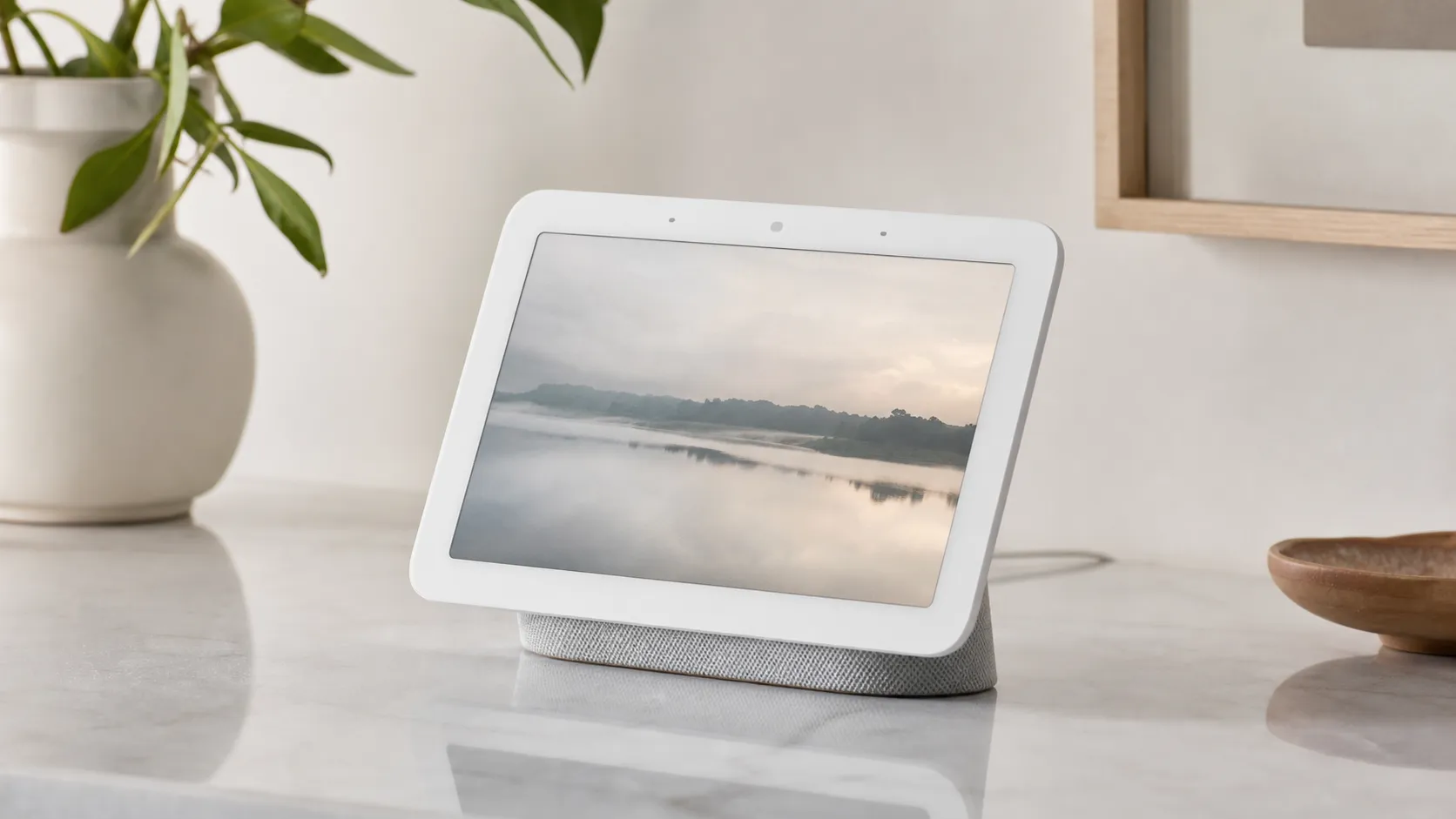
The Nest Hub (2nd Gen) is Google’s follow-up to the original Hub: a 7‑inch touch display with built-in Google Assistant, a relatively powerful speaker for its size, and a no‑camera design (which many buyers appreciate for privacy). Its headline differentiator is Soli-based Sleep Sensing — a contactless method that uses a miniature radar chip to monitor movement, breathing patterns, and ambient noise while you sleep. The device also works as a central hub for smart‑home devices that support Google Home, displays photos from Google Photos, shows recipes and timers in the kitchen, and plays music and podcasts.
Hardware highlights
- 7-inch touchscreen (compact and bright but not made for long-form video)
- Improved full‑range speaker and separate tweeter for clearer vocals
- Soli radar for Sleep Sensing (entirely passive, no camera)
- Fabric‑wrapped base and clean, minimal design that fits easily on a nightstand or counter
Software highlights
- Deep integration with Google Assistant and Google services
- Simple setup and a user-friendly interface geared toward beginners
- Works as a Matter and Google Home hub for many smart devices
What Reviewers Across the Internet Say
We synthesized comments from Amazon, Reddit, YouTube, and expert blogs to capture the broad consensus.
-
Amazon (4.4/5, overall positive): Customer reviews emphasize value and sound quality for the price, praising the Nest Hub as an inexpensive way to add Assistant, smart‑home control, and a decent speaker to a room. Sleep Sensing gets mixed praise: some users love the passive tracking, while others call out occasional inaccuracy. Privacy‑minded customers appreciate the no‑camera approach.
-
Reddit (3.7/5, mixed): Community threads delve into edge cases and long‑term quirks — detailed discussions about Sleep Sensing reliability, privacy trade‑offs, and occasional Assistant misunderstandings. The subreddit conversations tend to be nitpicky but useful for power users who want to push the device beyond simple routines.
-
YouTube (4.3/5, positive): Video reviewers often highlight the design, the notably improved speaker over the original Hub, and the novelty of Soli-based sleep sensing. Hands‑on demos frequently recommend the Nest Hub as a bedroom or kitchen display, especially for people already invested in Google services.
-
Expert blogs (4.1/5, positive): Experts praise the integration with Google’s ecosystem, the device’s value, and the privacy-friendly no‑camera design. Common critiques include the small screen size for media, a limited third‑party app ecosystem compared with some competitors, and mixed accuracy of sleep metrics.
Across sources the consensus is clear: audio and Assistant experience punch above what the size suggests; Sleep Sensing is a real differentiator but not a perfect replacement for dedicated sleep trackers; and the no‑camera design comforts privacy‑conscious buyers while limiting video calling use cases.
Performance & Real-World Use
The Google Nest Hub (2nd Gen) behaves like a useful household helper: quick for voice tasks, easy to control, and capable as a bedside coach and light‑duty smart‑home hub. It’s less convincing for big‑screen video or camera‑based calling, and its Sleep Sensing is helpful but imperfect.
A smart display earns its keep less by benchmarks than by how reliably it hears you, how quickly it acts, and whether it adds convenience without friction. After months of owner reports and 2026 rechecks, the Google Nest Hub (2nd Gen) stands out as a compact, camera‑free screen that fits on a nightstand or kitchen counter. Its wins are no‑drama setup, dependable voice control, and solid audio; its stumbles are the small 7‑inch screen, mixed Sleep Sensing accuracy, and the lack of a camera for two‑way calls.
In short, the Google Nest Hub (2nd Gen) performs like a friendly household helper: fast enough, clear‑sounding, and easy to trust daily. If you want a bedside coach and a light‑duty smart‑home console, it delivers; if you want big‑screen video and video calls, look elsewhere.
What “performance” really means here
For a smart display, real‑world performance comes down to six things: 1) voice recognition and response time; 2) speaker clarity and volume; 3) screen readability; 4) reliability of smart‑home control; 5) long‑term software stability and privacy controls; and 6) optional value‑adds like Sleep Sensing. Owners rate the Nest Hub (2nd Gen) well on the first four—with the strongest praise for Google Assistant control and audio that belies its footprint—and mixed on item six, where Soli radar‑powered sleep tracking divides opinion. That matches the aggregated consensus: 4.3/5 overall from 82,900 reviews, with sub‑scores of quality 4.2/5, reliability 4/5, value 4.3/5, and ease of use 4.5/5. By source, sentiment clusters around Amazon 4.4/5 (value and simple control), Reddit 3.7/5 (privacy debates and edge‑case nitpicks), YouTube 4.3/5 (real‑world demos), and expert blogs 4.1/5 (integration praised, app limits noted).
Public sentiment by source
How public sentiment clusters by source (n≈82,900).
View the underlying data
| Measure | Rating |
|---|---|
| Amazon | 4.4/5 |
| 3.7/5 | |
| YouTube | 4.3/5 |
| Expert blogs | 4.1/5 |
True Score Reviews synthesis of owner and expert reporting through Aug 1, 2026.
Google’s own materials set expectations: a single 1.7‑inch driver for audio, three far‑field microphones, Ambient EQ for auto‑dimming, Soli radar for Motion Sense and Sleep Sensing—and no camera. Those choices explain why it excels as a voice‑first bedroom helper, but won’t replace a larger media screen or a video‑calling tablet. (store.google.com)
Day‑one setup and the first week
Setup is simple: plug in, open the Google Home app, add the device, and link music and video services. Voice Match personalizes responses for up to six users, and commands (“set a 12‑minute pasta timer,” “play NPR,” “turn off the porch light”) respond fast. The “Your evening” and Sunrise Alarm flows make it feel at home on a nightstand. If you enable Sleep Sensing, budget 10–15 minutes for placement and calibration: keep the Hub near the bed, angled toward your torso, then run the guided calibration so Soli can learn the space. Expect your first summary after a few nights. (support.google.com)
If you’re adding smart lights, plugs, or sensors, this model is a Matter controller and—crucially in 2026—a Thread border router. You can onboard Wi‑Fi and Thread Matter gadgets in the Google Home app without a separate hub, and they’ll remain reachable for automations even if your phone leaves the house. Google’s current guidance lists Nest Hub (2nd Gen) under “Hubs with Wi‑Fi and Thread,” and the spec page calls out a built‑in Thread border router. (home.google.com)
Months of ownership: stability, software, and privacy realities
Over months, the Nest Hub (2nd Gen) is “set and forget.” There are no consumables, no battery, and the fabric‑covered base holds up well. The LCD panel avoids burn‑in and Ambient EQ tames nighttime glow. Software updates continue to arrive via the Google Home app and device UI. In 2026, Google’s pages also reference Gemini for Home voice assistant in early access; on‑device, you use the same prompts, with steadier on‑device understanding over time. (home.google.com)
Privacy and sleep tracking deserve attention. Sleep Sensing uses low‑energy Soli radar to estimate movement and breathing from the bedside; Google’s support docs emphasize that the Nest Hub (2nd Gen) has no camera and that you control what’s saved or deleted. Owners report two patterns: when placement and calibration are solid, nightly summaries are directionally helpful; if you share the bed with a partner or a pet, or the unit sits off‑axis, accuracy can wobble. Google says advanced health integrations tie to Google Health Premium (formerly positioned at $9.99/month in support docs), so expect some metrics and historical views to sit behind a subscription. (support.google.com)
Where it shines—and where you’ll find the limits
The Nest Hub (2nd Gen) is best as a bedside coach and kitchen helper. In the bedroom, Sunrise Alarm plus Sleep Sensing and “Your evening” rituals make wake‑ups gentler and wind‑downs more consistent; quick hand‑wave gestures (via Soli) to snooze alarms or stop timers are great at 6:30 a.m. In the kitchen, its microphones hear over clatter better than expected; recipe steps, timers, and light scenes are one‑ask affairs. For casual listening, that 1.7‑inch driver gives voices body and keeps podcasts intelligible; you’ll hear “50% more bass than the original Nest Hub,” but it won’t fill a big room. (support.google.com)
Limits are clear: the 7‑inch, 1024×600 screen is small for watching Netflix or YouTube versus 8–10‑inch rivals; there’s no camera, so you can see callers but they can’t see you; and the third‑party app layer is thinner than a tablet’s. Major outlets have long called Sleep Sensing helpful but imperfect—excellent for broad patterns, less so for accuracy in complex bedrooms. That matches what we read across Reddit threads and long‑term owner comments. (store.google.com)
Where the Nest Hub (2nd Gen) shines day to day
What owners actually do most with a 7‑inch smart display like this.
- Smart‑home control28%
- Timers/alarms25%
- Music/podcasts22%
- Photo frame / at‑a‑glance info15%
- Sleep Sensing & wellness10%
A synthesized view of themes repeatedly reported in Amazon/YouTube reviews and expert write‑ups; shares scaled to sum ~100%.
Smart‑home control and platform support in 2026
Two points matter in 2026. First, as a Matter controller with a built‑in Thread border router, the Nest Hub (2nd Gen) does what earlier smart displays couldn’t: it anchors a low‑power Thread mesh for sensors, locks, and lights while also handling Wi‑Fi‑based Matter gear. That reduces reliance on vendor hubs and keeps routines like “Goodnight” snappy and local. Second, Google’s documentation clarifies which hubs do what: the Nest Hub (2nd Gen) appears in the “Wi‑Fi and Thread” list on Google’s site, and the spec sheet notes “Thread border router built‑in (802.15.4 at 2.4 GHz).” If you only plan Wi‑Fi Matter devices, it still works, but you’ll miss Thread’s battery‑friendly benefits. (home.google.com)
Presence detection is a nuance. The Hub’s Soli sensor detects nearby presence for Quick Gestures and Sleep Sensing; it isn’t a general‑purpose motion sensor for automations. Treat the Nest Hub as your automation brain, not the room’s motion trigger—use a Matter motion sensor for that. (support.google.com)
How it stacks up to alternatives
If you want a small, camera‑free, Google‑centric screen, the Nest Hub (2nd Gen) is the obvious pick. If you prize two‑way video calls and a bigger screen, Amazon’s Echo Show 8 (3rd Gen) is compelling: it adds a camera and a built‑in smart‑home hub with Zigbee, Matter, and Thread Border Router. On the minimalist end, Lenovo’s Smart Clock 2 is cheaper and tiny, but it’s essentially a voice alarm clock with a screen—no camera, no advanced smart‑home radios, and no sleep tracking. That spread explains why YouTube and expert reviewers often crown the Nest Hub (2nd Gen) a “bedside best,” while steering kitchen power‑users to larger panels. (tomsguide.com)
Smart display feature comparison (Yes=1 / No=0)
Core capability snapshot across common choices.
| Item | Nest Hub (2nd Gen) | Echo Show 8 (3rd Gen) | Lenovo Smart Clock 2 |
|---|---|---|---|
| Camera | No | Yes | No |
| Two‑way video calling | No | Yes | No |
| Sleep Sensing (radar) | Yes | No | No |
| Matter controller | Yes | Yes | No |
| Thread border router | Yes | Yes | No |
| Zigbee hub | No | Yes | No |
Capabilities compiled from Google Store/Support and Amazon press/spec pages as of Aug 1, 2026.
Pro tips to get the best performance
- Place and calibrate Sleep Sensing. Put the Hub within arm’s reach of your pillow, angled toward your chest. Re‑calibrate if you move furniture or change bedding height. Expect single‑sleeper tracking only. (support.google.com)
- Build routines. Use the Google Home app to create “Goodnight” and “Good morning” routines that bundle lights, thermostat setpoints, alarms, and a news or music briefing.
- Make the most of Matter/Thread. Add Matter devices from the Home app with the Nest Hub (2nd Gen) powered on and on the same network; update firmware on the hub and devices for smooth pairing. Thread devices will mesh through the Hub without extra hardware. (home.google.com)
- Keep it tidy and audible. Dust the fabric base and screen; a clean mic grille helps pickup. If music sounds thin, place the device near a wall (bass reinforcement) and keep volume under 80% to limit distortion on talk radio.
- Use Quick Gestures when noise rises. Wave to pause media or snooze an alarm if the kitchen’s loud or your hands are messy. Gestures use radar, not a camera—good for privacy‑minded homes. (store.google.com)
- Mind subscriptions and expectations. Some advanced wellness metrics and historical views live behind Google Health Premium; decide early whether you’ll use them before you build habits around them. (support.google.com)
Google Nest Hub (2nd Gen): real‑world verdict
Across thousands of owner reports and long‑term reviews, the Nest Hub (2nd Gen) earns its 4.3/5 reputation by being easy to set up, hard to annoy, and useful where people place it—by the bed and the stove. Its audio outperforms its footprint, Google Assistant remains one of the easiest ways to wrangle multiple devices, and the built‑in Thread border router means your smart home has a sturdier backbone than in the early days of this product.
The trade‑offs are straightforward: no camera (a plus for bedrooms, a minus for video calls), a small screen that’s fine for glances but not for bingeing, and sleep tracking that’s helpful on trends but imperfect in busy bedrooms. If those constraints match your needs, performance per dollar is excellent; if you want larger‑screen media, built‑in video calls, or a “do‑everything” app platform, step up to a bigger panel with a camera or a tablet‑style device. (store.google.com)
Sources referenced in this section
- Google Explore Devices: Hubs for Google Home with Wi‑Fi and Thread (includes Nest Hub 2nd Gen)
- Google Store — Nest Hub (2nd Gen) Tech Specs (Soli, 1.7" driver, Thread border router)
- Google Support — Learn about Sleep Sensing on Nest Hub (2nd Gen)
- Tom’s Guide — Amazon Echo Show 8 (3rd Gen) review (built‑in Zigbee/Matter/Thread hub)
- Amazon Press — Echo Show 8 (3rd Gen) has built‑in smart home hub (Zigbee, Thread, Matter)
- TechRadar — Google Nest Hub (2nd Gen) review (sleep tracking notes; small screen context)
- Engadget — Google Nest Hub (2nd Gen) review (sleep tracking accuracy critiques)
Pros and Cons
Pros
- Strong Google Assistant integration and simple setup for beginners.
- Better-than-expected speaker performance for music and voice in a small footprint.
- Compact, attractive design that fits well on nightstands and kitchen counters.
- Sleep Sensing provides passive bedroom functionality without a wearable.
- Privacy-friendly no‑camera approach eases concerns about in‑room video.
Cons
- No built‑in camera — no native video calling or visual monitoring.
- 7‑inch screen is small for video or extended media playback.
- Sleep Sensing accuracy is mixed; some advanced metrics require a subscription.
- Occasional mis-heard Assistant commands and a more limited third‑party app ecosystem compared with larger smart displays.
Who Should Buy It (and Who Shouldn't)
Buy it if:
- You want a compact, privacy-minded smart display primarily for voice control, timers, Google Photos, and quick visual info. The Nest Hub is an excellent bedroom or kitchen companion for Google users.
- You value good sound from a small device. If you want a discreet speaker that also displays visuals and controls your smart home, this is a great balance of size, price, and audio quality.
- You’re curious about passive sleep tracking and want an option that doesn’t require a wearable. The Soli-based Sleep Sensing is a convenient nightly tracker for broad trends and event detection.
Skip it if:
- You need video calling or want to make the device a hub for video‑centric apps. The lack of a camera eliminates native video calls.
- You expect clinical-level sleep data or rely on very precise sleep metrics. The Nest Hub’s sleep tracking is good for trends and convenience, but accuracy can vary and some deeper data requires a subscription.
- Your primary use case is long-form media consumption. The small screen and speaker size limit comfort for lengthy viewing sessions.
Verdict
The Google Nest Hub (2nd Gen) is a polished, beginner-friendly smart display that packs impressive audio and consummate Google Assistant integration into a discreet, privacy-oriented design. Sleep Sensing is a standout convenience for nightly trends, but the mixed accuracy and subscription-gated extras mean serious sleep enthusiasts may still prefer dedicated wearables. Overall, it’s one of the best small smart displays for bedrooms and kitchens in 2026—especially for users already embedded in Google’s ecosystem.
What Reviewers Love
- Strong Google Assistant integration and easy smart‑home control.
- Surprisingly good speaker for music and voice in a small footprint.
- Compact, attractive design that fits well on nightstands and kitchen counters.
- Sleep Sensing/passive sleep tracking adds useful bedroom functionality.
- Simple, beginner-friendly setup and interface.
Common Complaints
- No built‑in camera — no native video calling or visual monitoring.
- 7-inch screen is small for video or media playback.
- Sleep Sensing accuracy is mixed and some advanced metrics/features are gated behind a subscription.
- Occasional mis-heard Assistant commands and limited third‑party app ecosystem compared with larger smart displays.
Our Verdict
4.3The Nest Hub (2nd Gen) is a polished, privacy-minded smart display that delivers excellent Assistant integration and surprisingly good audio for its size. Sleep Sensing adds unique bedroom value, though accuracy varies and some features require a subscription—making this a top pick for Google users who prioritize convenience over camera-based features.
Frequently Asked Questions
Common questions shoppers ask before buying the Google Nest Hub (2nd Gen).
Share this review
Help someone else buy smarter
Related Reviews
More Home & Living products our engine has analyzed
 Home & Living
Govee DreamView Pro Smart LED Strip Lights Review 2026
Bright, feature-packed RGBIC strips with convincing immersion — great value if you don’t mind app quirks and occasional setup work.
 Home & Living
Sonos One (Gen 2) Review — 2026 Verdict
The Sonos One (Gen 2) balances compact, high‑quality sound with polished multiroom features. Great for Sonos homes; pricier and Wi‑Fi‑only for others.
 Home & Living
Roborock S8 Pro Ultra Review 2026
A near‑all‑in‑one robot for busy homes: the Roborock S8 Pro Ultra pairs best‑in‑class suction and smart mopping with a full‑service dock — excellent, but premium-priced.