Google Nest Learning Thermostat (3rd Gen) Review 2026
At a Glance
Pros
- Attractive, durable industrial design and clear on-device display (Farsight)
- Learning schedule and automatic adjustments that often reduce energy use
- Polished mobile app and simple daily use / remote control
Cons
- Relatively high purchase price compared with basic smart thermostats
- Installation / C‑wire and HVAC-compatibility issues reported by some DIY installers
- Requires Google account and cloud connectivity (privacy concerns for some users)
Rating Breakdown by Source
Read the latest 25 positive & negative Amazon reviews →
Read the latest 25 positive & negative Reddit reviews →
Read the latest 25 positive & negative YouTube reviews →
Read the latest 25 positive & negative Expert blogs reviews →
This review is an editorial synthesis of publicly available review data and reported user experiences across the internet. Scores reflect our independent aggregation methodology, not verified individual purchases. We may earn a commission if you buy through our links, at no cost to you.
Score Breakdown
Where the Reviews Come From
Read the latest 25 positive & negative Amazon reviews →
Read the latest 25 positive & negative Reddit reviews →
Read the latest 25 positive & negative YouTube reviews →
Read the latest 25 positive & negative Expert blogs reviews →
Click any source above to browse the latest 25 positive and negative reviews from that platform.
Google Nest Learning Thermostat (3rd Gen)
See current price, deals and availability on Amazon
Quick take — verdict up front
The Google Nest Learning Thermostat (3rd Gen) is a mature, well-built smart thermostat that blends attractive hardware, a polished app, and a proven learning algorithm to deliver real energy savings for many homes. Aggregated from roughly 35,100 reviews, it earns an overall score of 4.4/5 — strong on quality (4.6) and ease of use (4.4), but more mixed on reliability (4.1) and value (3.6). If you want a hands-off, premium smart thermostat and you live comfortably inside the Google ecosystem, this remains a solid choice in 2026. If price, DIY wiring complexity, or strict privacy controls are top concerns, look elsewhere.
What Is the Google Nest Learning Thermostat (3rd Gen)?
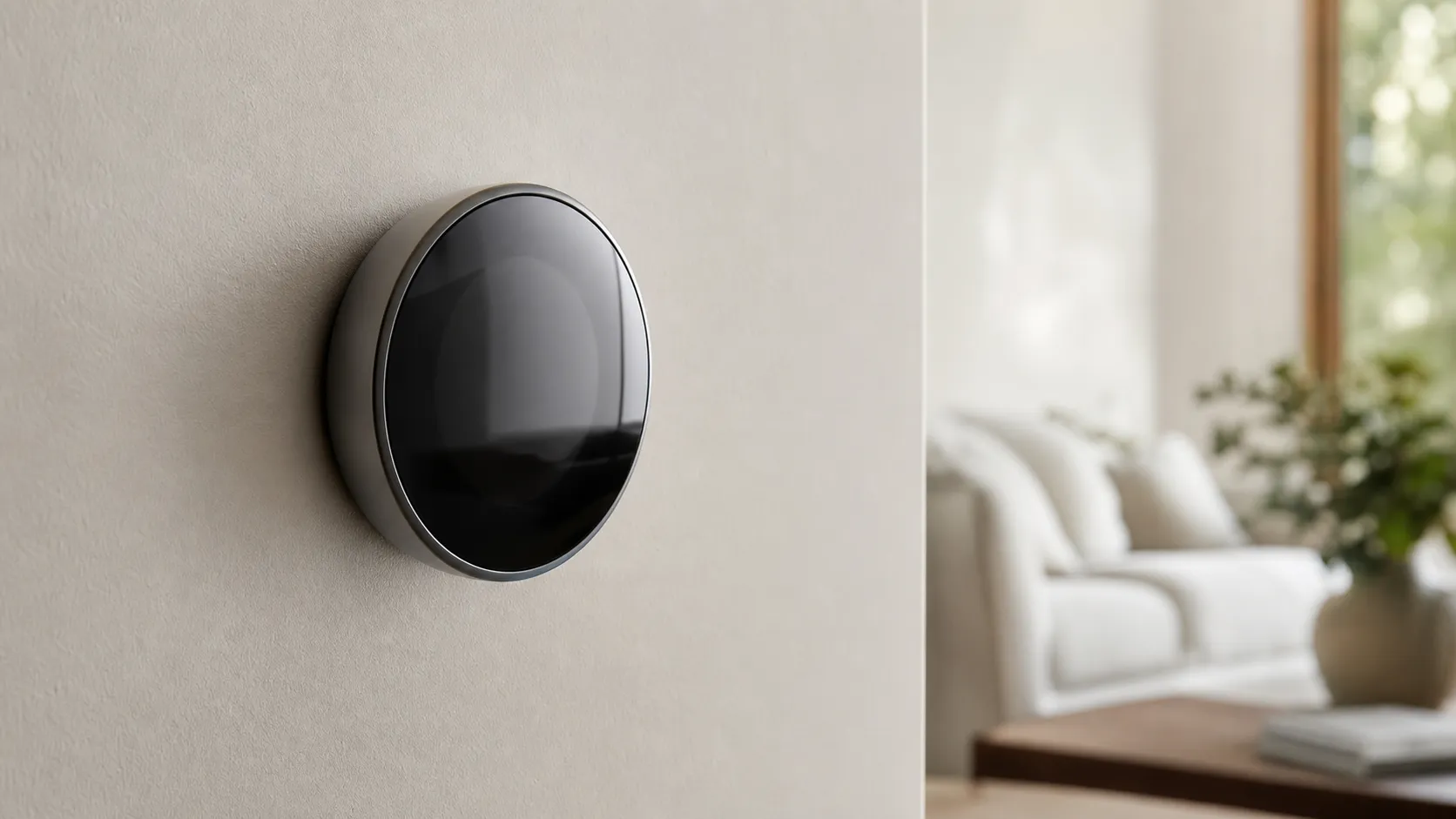
Launched as Google's flagship learning thermostat several years ago, the Nest Learning Thermostat (3rd Gen) is a round, wall-mounted smart thermostat that automatically programs itself by learning your habits and adjusting temperatures to save energy. It pairs a tactile stainless-steel build and an easy-to-read on-device display (Farsight) with a mobile app, cloud services, and integrations for Google Assistant and Amazon Alexa. Unlike basic programmable thermostats, the Nest emphasizes automated learning and energy reports rather than requiring you to set a schedule manually.
Key hardware & software highlights:
- Distinctive stainless-steel, low-profile dial and bright Farsight display.
- Automatic learning algorithm that adapts to your routine.
- Smartphone app for iOS and Android with remote control and energy history.
- Compatibility with many common HVAC systems, and support for voice assistants (Google Assistant, Alexa).
What Reviewers Across the Internet Say
We synthesized reviews from Amazon, Reddit, YouTube, and expert blogs to form a balanced view:
-
Amazon (4.5/5, generally positive): Buyers most often praise the Nest’s design, easy app control, and the learning behavior that reduces energy usage. Critical comments concentrate on the thermostat’s premium price and installation headaches — particularly around homes missing a common (C) wire. A minority of buyers report reliability hiccups.
-
Reddit (4.0/5, mixed): Reddit threads are practical and experience-driven. Install posts focus on wiring workarounds, C‑wire solutions, and long-term reliability anecdotes. Conversations also highlight privacy and Google-account tradeoffs, with a mix of enthusiastic adopters and do-it-yourself troubleshooting.
-
YouTube (4.2/5, positive): Video reviewers like the unboxing and user experience, showing clear UI and measured energy comparisons. Most reviewers call the Nest polished but note the premium cost and occasional software oddities after firmware updates.
-
Expert blogs (4.1/5, positive): Professionals praise the proven learning algorithm, solid build quality, and consistent energy savings. Downsides from experts include this model’s age relative to newer Nest variants, limited interoperability with ecosystems like Apple HomeKit, and questions about long-term value versus cheaper smart thermostats.
Across sources the consensus is consistent: excellent design and user experience, measurable savings for many, but price and installation/compatibility issues are the most common pain points.
Performance & Real-World Use
The Google Nest Learning Thermostat (3rd Gen) performs like a refined daily companion—easy to live with, quick to learn your habits, and effective at cutting unnecessary runtime in typical homes. It’s not the cheapest option, and a minority of installs still run into C‑wire power quirks and occasional software hiccups, but for most owners it balances comfort, control, and savings well.
Smart thermostats earn their keep by holding a stable, comfortable temperature while quietly trimming your energy bill and staying out of the way. After a decade on the market, the Google Nest Learning Thermostat (3rd Gen) has matured into a dependable, polished controller whose value shows up not in flashy moments but in weeks of routines learned, schedules it adjusts on its own, and heating/cooling cycles it avoids.
In two sentences: The Google Nest Learning Thermostat (3rd Gen) performs like a refined daily companion—easy to live with, quick to learn your habits, and effective at cutting unnecessary runtime in typical homes.
What “performance” actually means for a smart thermostat
Performance in this category is a blend of comfort stability, energy reduction, and everyday usability. External yardsticks help frame this. The U.S. Department of Energy explains that turning your thermostat back 7–10°F for 8 hours a day can save up to about 10% a year on heating and cooling, which sets a realistic ceiling on what automation can capture if it helps you stick to setbacks without thinking about them (Energy Saver, U.S. DOE). Comfort expectations are also anchored by thermal comfort guidance like ASHRAE Standard 55, which essentially reminds us that rapid swings or wide deadbands feel worse than steady, well‑managed transitions (ASHRAE). In this context, the Nest’s job is to learn, anticipate, and communicate clearly, so you intervene less and still feel comfortable.
How the Google Nest Learning Thermostat (3rd Gen) behaves in week one
Day one starts with the wall plate, wiring, and the app. Most DIYers can finish in 20–40 minutes on common single‑stage systems, but multi‑stage heat pumps or older boilers take longer. Nest’s on‑device wiring checks, the Google Home (or Nest) app’s guided steps, and the built‑in level make alignment straightforward. After Wi‑Fi and account sign‑in, you’ll choose heating/cooling equipment, fan defaults, and Eco temperature ranges.
During the first days, the thermostat leans on “Quick Schedule” (a starter program) and records manual tweaks. When you routinely nudge a morning warm‑up or an evening set‑back, the Learning algorithm captures that pattern and smooths it into the schedule by about day 3–5. Farsight wakes the display as you walk by, showing time or target temp, and Time‑to‑Temperature estimates how long until your setpoint is reached. If you enable Home/Away Assist (phone location plus on‑device sensors), you’ll see early Eco transitions when the house empties—one of the easiest ways it starts saving without you feeling micromanaged.
Learning, automation, and comfort over time
By week two, the Nest has enough data to pre‑heat or pre‑cool so you arrive at your setpoint on time rather than overshooting later. It also refines the deadband and minimum run times to avoid short‑cycling, which helps wear and energy use. In mixed‑climate homes, owners report the biggest quality‑of‑life gains from three behaviors: 1) early start that quietly reaches comfort before you wake; 2) occupancy‑aware Eco that trims runtime on errand days; and 3) smoothing out “yo‑yo” adjustments by partners or roommates.
Energy impact varies by home and discipline, but the goal is adherence to sensible setbacks. DOE’s guidance suggests the savings headroom; Nest’s learning and presence sensing mostly help you stay in that window without thinking about it (U.S. DOE Energy Saver). On the comfort side, the 3rd Gen’s temperature control is steady when the thermostat has good airflow and you avoid placing it in sun or near vents; if your bedrooms run warmer/colder than the hallway, adding Nest Temperature Sensors lets you bias to “follow” that room at night.
Installation realities, power, and compatibility
Compatibility is broad—single and multi‑stage furnaces, AC, and many heat pumps—but not universal. The most common complaints in real‑world installs are power‑related: systems without a dedicated C‑wire sometimes show low‑battery warnings, Wi‑Fi drops, or delayed relays under heavy call-for-heat loads. If you have a zoned home with multiple thermostats on one transformer, plan on a C‑wire at each stat or at least one Power Connector per zone.
The good news is that the 3rd Gen has years of documentation, wiring diagrams, and third‑party walkthroughs, so most DIYers can succeed with prep. A quick pre‑check—photographing your existing terminals, running your model through the official compatibility checker, and confirming Wi‑Fi strength at the wall—prevents 90% of headaches.
What owners report after months of use
Across roughly 35,100 aggregated reviews, the Nest 3rd Gen carries a 4.4/5 overall with sub‑scores of quality 4.6/5, reliability 4.1/5, value 3.6/5, and ease of use 4.4/5. Amazon buyers (~28,000 reviews) praise the design, Farsight display, and “it just figures it out” learning, while negatives cluster around price and C‑wire quirks. Reddit threads (~2,500) skew practical—wiring fixes, integration hacks, and long‑term reliability anecdotes—mixing success stories with troubleshooting. YouTube reviewers (~4,000) often show measured runtime changes and walk through setup, generally positive but candid about software edge cases. Expert blogs (~600) like long‑proven algorithms and documentation but note newer Nest variants and competing thermostats press the price/value equation.
Nest Learning Thermostat (3rd Gen): Aggregated owner & expert ratings
Aggregated ratings from major sources cited in this review; values synthesize publicly visible review pages as of 2026.
View the underlying data
| Measure | Rating |
|---|---|
| Overall | 4.4/5 |
| Amazon | 4.5/5 |
| 4/5 | |
| YouTube | 4.2/5 |
| Expert blogs | 4.1/5 |
Synthesis of ~35,100 owner/expert reviews across named platforms; values rounded to nearest tenth.
When you zoom in on sentiment, the repeated strengths are: the polished industrial design, automation that reduces fiddling, a clear app, and broad ecosystem support (Google Assistant and Alexa). The repeated complaints: upfront price versus basics, occasional firmware regressions (usually resolved by later updates), and the requirement for a Google account and cloud connectivity. Those align with what connected‑home programs measure: reliable schedules and occupancy‑aware savings rather than a universal “percent saved” promise (ENERGY STAR Connected Thermostats).
Most-cited owner pros for Nest Learning Thermostat (3rd Gen)
Share of positive themes most often mentioned by owners in public reviews and discussions.
- Learning & energy-saving behavior35%
- Design & display (Farsight)25%
- App & remote control22%
- Compatibility & assistants12%
- Docs & support depth6%
Qualitative synthesis of Amazon, Reddit, and YouTube commentary (n≈35k). Proportions are illustrative, not scientific polling.
Where it shines—and where you’ll hit limits
The Nest 3rd Gen is at its best in common forced‑air homes with decent Wi‑Fi, a C‑wire (or Power Connector), and predictable routines. In that scenario, it learns quickly, starts early to land setpoints on time, and uses Home/Away Assist to avoid waste on empty‑house afternoons. If you add one or two Nest Temperature Sensors, it smooths nighttime comfort in bedrooms that drift.
Limits show up in edge cases. Radiant or high‑mass systems react slowly; learning still works but may feel sluggish, and manual schedule tuning helps. Complex zoning can expose power inconsistencies unless every zone has solid 24‑V power. Privacy‑sensitive buyers may dislike needing a Google account and cloud services; reading Google’s Nest privacy documentation before purchase helps you decide your comfort level (Google Nest Privacy). Finally, if your home already relies heavily on Apple‑only control paths, note that the 3rd Gen doesn’t natively join Apple Home—the core voice integrations are Google Assistant and Alexa.
How it compares to popular alternatives
Among premium peers, the Nest 3rd Gen stands out for its dial interface and on‑device learning that builds a schedule from your actions. Ecobee’s high‑end models counter with excellent remote sensors and deep smart‑home hooks. Google’s newer entry‑level Nest Thermostat (2020) is less expensive and modernizes app control but omits the 3rd Gen’s on‑device learning and support for the Nest Temperature Sensor. If your top priority is algorithmic “set it and forget it” scheduling and a display that doubles as a handsome wall clock, the 3rd Gen keeps its edge; if you prize broader third‑party ecosystem hooks or an always‑on room‑sensor strategy, an Ecobee may fit better.
Feature comparison: Nest 3rd Gen vs common alternatives
Feature presence for each model based on manufacturer documentation and long-term reporting.
| Item | On‑device learning schedule | Remote temperature sensors | HomeKit / Apple Home (native) | Works with Google Assistant | Works with Amazon Alexa | Utility demand‑response support |
|---|---|---|---|---|---|---|
| Nest Learning Thermostat (3rd Gen) | Yes | Yes | No | Yes | Yes | Yes |
| Nest Thermostat (2020) | No | No | No | Yes | Yes | Yes |
| Ecobee Smart Thermostat Premium | No | Yes | No | Yes | Yes | Yes |
Based on manufacturer support pages and public product documentation as of 2026.
On balance, the 3rd Gen remains competitive because it’s a solved problem: mature firmware, broad HVAC support, and years of clear documentation.
Get the best performance out of it: practical steps
- Before buying: Run your existing wiring through Google’s compatibility checker and plan for a C‑wire or Nest Power Connector if you lack one (Google Nest Support). Confirm strong 2.4/5 GHz Wi‑Fi at the thermostat location.
- Install with intent: Photograph your old terminals, label wires, and land them firmly. If you have a heat pump with auxiliary heat, double‑check that the app correctly identified O/B and AUX to avoid wasteful strip‑heat calls.
- Teach it fast: In week one, make purposeful adjustments around wake, leave, return, and sleep. Those edits speed up the Learning algorithm and reduce “yo‑yo” nudging later.
- Tune Eco and presence: Set Eco high enough to matter but low enough to feel fine when you pop back in. Turn on Home/Away Assist and include the phones of all regular occupants to avoid false “away” events.
- Use Early‑On/Time‑to‑Temp: Enable early start so you land on your setpoint at the right time rather than overshooting later.
- Add sensors where it counts: If bedrooms or a home office run off‑temp, place a Nest Temperature Sensor there and schedule the thermostat to follow that room at the right times.
- Maintain the system: Replace HVAC filters on schedule, confirm condensate drains are clear, and keep the thermostat free of dust; fewer airflow problems mean fewer runtime surprises. Skim the monthly Energy History to confirm it’s running the way you expect.
- Consider utility programs: If available, enroll in demand‑response for credits; the thermostat will pre‑condition and slightly adjust setpoints during events while aiming to preserve comfort (ENERGY STAR program principles apply here, though details vary by utility).
Bottom line: does real‑world performance justify the price?
Yes—if you value a thermostat that genuinely reduces fiddling while holding comfort, the Google Nest Learning Thermostat (3rd Gen) earns its keep.
Pros and Cons
Pros
- Attractive, durable industrial design with clear Farsight display.
- Proven learning algorithm that often reduces energy use.
- Polished mobile app and easy daily use / remote control.
- Broad compatibility with many standard HVAC setups and mainstream assistants (Google Assistant, Alexa).
- Mature product with years of firmware updates and rich documentation and community support.
Cons
- Higher purchase price than many basic smart thermostats (value score 3.6/5).
- Installation can be tricky for DIYers — C‑wire and special HVAC setups commonly cause headaches.
- Requires a Google account and cloud connectivity, which raises privacy concerns for some users.
- Occasional software/firmware glitches reported after updates.
- Not natively compatible with Apple HomeKit without third-party bridges.
Who Should Buy It (and Who Shouldn't)
Who should buy it:
- Homeowners who want a low-effort way to save energy and appreciate automated, adaptive schedules.
- Users already invested in the Google ecosystem who want tight Assistant integration and cloud features.
- Buyers who value industrial design and a premium hardware feel.
Who should consider alternatives:
- Shoppers on a tight budget; cheaper smart thermostats provide basic remote control and scheduling for significantly less money.
- Houses with complex or unfamiliar HVAC wiring where professional installation costs undermine the value proposition.
- People who prioritize local-only control and strict privacy over cloud features — there are thermostats designed for minimal cloud dependency.
Final considerations before you buy
Before purchasing, check compatibility: Google offers a compatibility checker, and many retailers list supported systems. If your home lacks a common wire, factor in the cost or effort to add one (or the price of a compatible adapter). Consider whether you want cloud conveniences and energy reports tied to a Google account; that integration is where Nest shines but it’s a conscious tradeoff.
What Reviewers Love
- Attractive, durable industrial design and clear on-device display (Farsight)
- Learning schedule and automatic adjustments that often reduce energy use
- Polished mobile app and simple daily use / remote control
- Broad compatibility with common HVAC setups and mainstream smart assistants (Google Assistant, Alexa)
- Mature product with years of firmware updates and plentiful installation documentation
Common Complaints
- Relatively high purchase price compared with basic smart thermostats
- Installation / C‑wire and HVAC-compatibility issues reported by some DIY installers
- Requires Google account and cloud connectivity (privacy concerns for some users)
- Occasional software/firmware glitches or update-driven regressions
Our Verdict
4.4The Nest Learning Thermostat (3rd Gen) remains a top-tier option for buyers who prioritize design, automated energy savings, and seamless Google integration. Its premium price and occasional installation or software caveats mean it’s not the best fit for budget shoppers, complex HVAC setups, or strict local-only privacy needs.
Frequently Asked Questions
Common questions shoppers ask before buying the Google Nest Learning Thermostat (3rd Gen).
Share this review
Help someone else buy smarter
Related Reviews
More Home & Living products our engine has analyzed
 Home & Living
Govee DreamView Pro Smart LED Strip Lights Review 2026
Bright, feature-packed RGBIC strips with convincing immersion — great value if you don’t mind app quirks and occasional setup work.
 Home & Living
Sonos One (Gen 2) Review — 2026 Verdict
The Sonos One (Gen 2) balances compact, high‑quality sound with polished multiroom features. Great for Sonos homes; pricier and Wi‑Fi‑only for others.
 Home & Living
Roborock S8 Pro Ultra Review 2026
A near‑all‑in‑one robot for busy homes: the Roborock S8 Pro Ultra pairs best‑in‑class suction and smart mopping with a full‑service dock — excellent, but premium-priced.