Google Nest Protect (2nd Gen) Review 2026
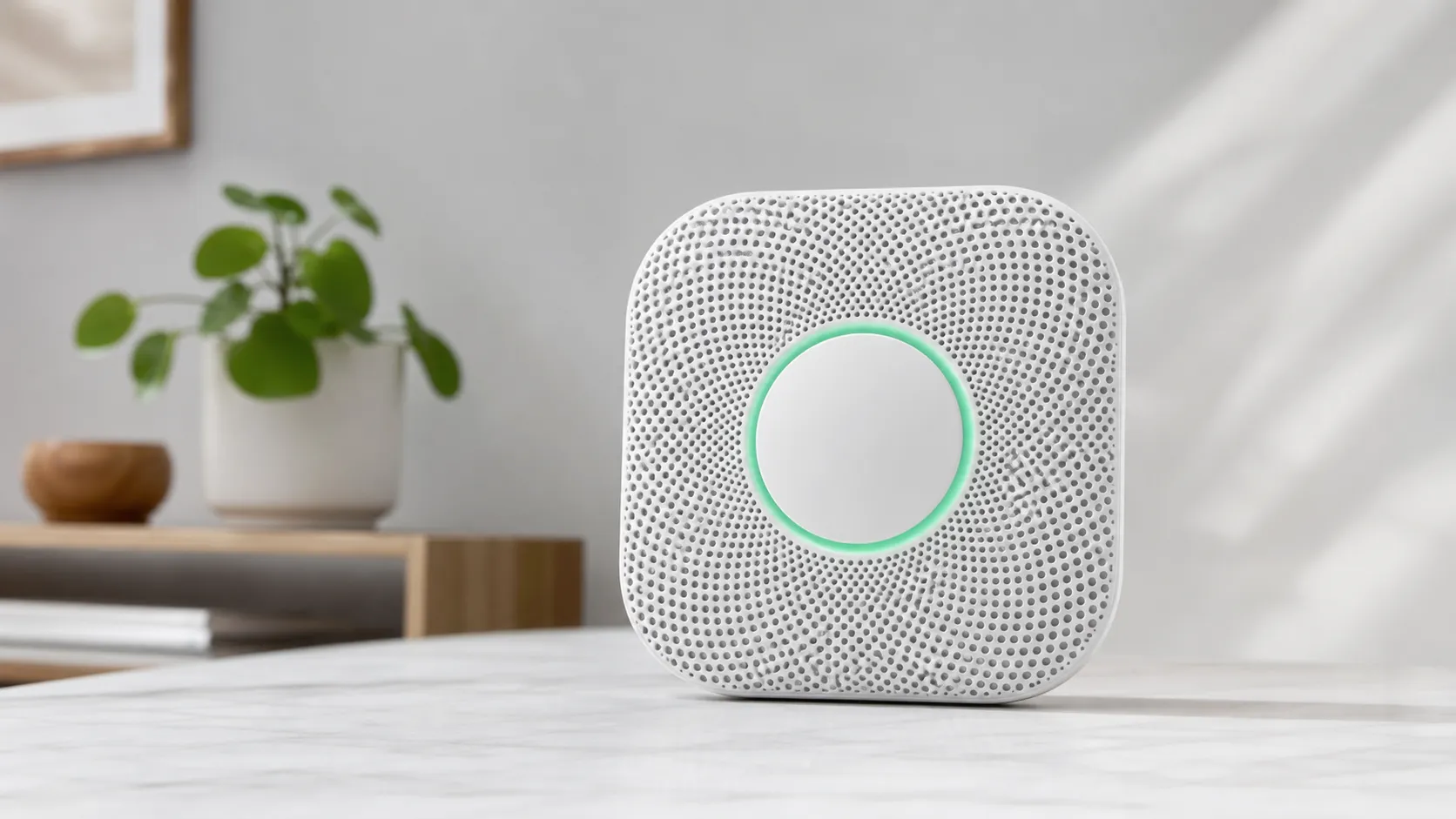
At a Glance
Pros
- Clear, spoken alerts that identify the hazard and location (easier during an emergency)
- Push notifications and remote silence through the Nest app — convenient for away/secondary alerts
- Automatic self-tests and nightly sound check increase confidence in functioning
Cons
- Higher price compared with basic smoke/CO alarms
- Limited cross-ecosystem compatibility (notably no native Apple HomeKit) and dependence on a Google account/Wi‑Fi for full features
- Occasional sensitivity to steam/cooking reported by some users
Rating Breakdown by Source
Read the latest 25 positive & negative Amazon reviews →
Read the latest 25 positive & negative Reddit reviews →
Read the latest 25 positive & negative YouTube reviews →
Read the latest 25 positive & negative Expert blogs reviews →
This review is an editorial synthesis of publicly available review data and reported user experiences across the internet. Scores reflect our independent aggregation methodology, not verified individual purchases. We may earn a commission if you buy through our links, at no cost to you.
Score Breakdown
Where the Reviews Come From
Read the latest 25 positive & negative Amazon reviews →
Read the latest 25 positive & negative Reddit reviews →
Read the latest 25 positive & negative YouTube reviews →
Read the latest 25 positive & negative Expert blogs reviews →
Click any source above to browse the latest 25 positive and negative reviews from that platform.
Google Nest Protect (2nd Generation) Smoke & CO Alarm
See current price, deals and availability on Amazon
Intro
The Google Nest Protect (2nd Generation) Smoke & CO Alarm is one of the smartest smoke/CO alarms on the market — and our aggregated score reflects that: 4.3 out of 5 based on roughly 24,400 reviews across Amazon, Reddit, YouTube, and expert sites. If you want clear spoken alerts, remote notifications, regular self-checks and a low-profile design, Nest Protect delivers. If you’re buying purely on price or need broad cross-platform home‑automation compatibility, there are better value choices.
In short verdict: excellent detection, polished smart features, and a premium price. This review pulls together real-world user feedback and expert analysis so you can decide if it’s the right alarm for your home.
What Is the Google Nest Protect (2nd Generation) Smoke & CO Alarm?
Nest Protect is a combined smoke and carbon monoxide detector from Google Nest aimed at replacing traditional alarms with a connected, smarter alternative. Key capabilities most reviewers highlight include:
- Spoken voice alerts that identify the hazard type and the room, so you instantly know "what" and "where."
- Push notifications to your phone and the ability to silence certain alerts remotely through the Nest app.
- Automatic self-tests and a nightly pulse that checks that the alarm and speaker are working.
- Split‑spectrum smoke sensing (for improved detection across slow-smoldering and fast flaming fires) combined with CO sensing in one unit.
- A low-profile, modern design and a guided setup flow that most users report is straightforward.
There are wired and battery-powered installation options (reviewers typically praise the setup experience), and multiple Protect units can be linked so alarms trigger across the house. Full smart functionality is tied to the Nest/Google ecosystem and a Google account.
What Reviewers Across the Internet Say
We synthesized opinions from four main sources and calculated aggregated sub-scores: quality 4.4, reliability 4.2, value 3.7, ease of use 4.6. Here's how the major communities break down:
- Amazon (4.3/5): High-volume buyer feedback is broadly positive — voice alerts, app notifications and the design consistently receive praise. Common complaints are the higher price vs. basic alarms and occasional false alarms near kitchens or showers.
- Reddit (4/5): Community threads include many strong recommendations for reliability and convenience, especially from people who travel or manage multiple properties. Privacy and Google-account dependence come up frequently, along with some reports of false positives and confusing interconnect behavior for DIY installers.
- YouTube (4.2/5): Video reviewers emphasize the clarity of voice/location alerts and demonstrate app features. Many call it one of the easiest smart alarms to understand in an emergency, while noting it's more expensive than standard detectors.
- Expert blogs (4.1/5): Tech and home-safety write-ups praise detection performance and safety features such as the nightly check and self-tests. Criticisms are consistent: price, ecosystem lock-in, and limited third-party integrations.
Consensus takeaway: reviewers trust Nest Protect’s detection and usability, but some buyers feel the feature set isn’t worth the premium if they just want a basic alarm.
Performance & Real-World Use
The Google Nest Protect (2nd Generation) Smoke & CO Alarm earns trust in daily use with clear, room‑specific voice alerts, phone notifications you can hush at the source, and frequent self‑checks that broadcast “all good” at bedtime. Its premium price, Google‑account dependence, and limited cross‑ecosystem support are the main trade‑offs that owners weigh against the everyday reassurance it provides.
Smart alarms don’t get a pass just because they’re “smart.” In a real home, performance means quick, reliable hazard recognition, few nuisance trips, clear room‑specific instructions that wake people, robust whole‑home interconnect, and quiet proof the system is healthy without you thinking about it. Over months, small details—self‑tests, battery behavior, Wi‑Fi quirks, and how interconnect works when the internet is down—decide whether you still trust it a year later.
The Google Nest Protect (2nd Generation) Smoke & CO Alarm delivers fast, intelligible alerts and unusually transparent self‑checking that owners say builds confidence. Trade‑offs are price and ecosystem limits, plus occasional steam/cooking sensitivity if you don’t adjust placement or settings.
What “performance” actually means for a smoke/CO alarm
Most buyers judge alarms on four things: detection reliability (smoke and CO), clarity when seconds matter, nuisance resistance, and long‑term upkeep. On paper, Nest Protect meets the same safety bars as traditional alarms—tested to UL 217 (smoke) and UL 2034 (CO) and intended for installation per NFPA 72—then layers software features on top. Those standards define responses across different fire types and CO exposure profiles; compliance is table stakes. In practice, owners first notice how quickly they can interpret an alert: Nest’s voice states the hazard and the room, which cuts confusion better than a generic siren. For long‑term satisfaction, automatic self‑tests and clear “all good” indications reduce the low‑grade anxiety that makes people pull batteries in cheaper units. If you’re equipping a whole home, interconnect behavior and app notifications matter as much as raw sensor prowess, since most emergencies start in one room while people sleep in another. (UL 217/2034 overview via UL Solutions; placement/maintenance via NFPA 72.) (ul.com)
Review consensus by source
Aggregated review sentiment shows a broadly positive consensus with price/value as the main drag versus traditional alarms.
View the underlying data
| Measure | Overall rating |
|---|---|
| Amazon (≈18k) | 4.3/5 |
| Reddit (≈1.8k) | 4/5 |
| YouTube (≈4k) | 4.2/5 |
| Expert blogs (≈0.6k) | 4.1/5 |
Synthesis of public review sources as of August 2026; counts are approximate; not our lab tests.
Day‑one setup and the first week: voice, app silence, and interconnect
Setup runs through the Nest app and also appears in the Google Home app; scanning the QR code names the device by room and links it to your account. Owners praise day‑one clarity: a guided test has each unit speak its location so you can confirm interconnect before mounting. Heads‑Up warnings (a spoken pre‑alarm) and App Silence are early wins: if toast smokes the kitchen, you’ll get a push alert and can hush the alarm from your phone as long as you’re near the initiating unit and Bluetooth is on—without disabling protection elsewhere. During the first nights, Nightly Promise gives a brief green glow that everything self‑checked, and you can run Safety Checkup to exercise sensors and sounders on demand. Much of the convenience works locally (BLE for App Silence, Nest Weave for interconnect), so even if your internet drops, the alarms still talk to each other. Expect a day or two of tuning Steam Check and Pathlight brightness for your rooms. (Setup and App Silence requirements; Home‑app availability; interconnect without Wi‑Fi.) (support.google.com)
Alerts you can act on: how the Google Nest Protect (2nd Generation) Smoke & CO Alarm communicates
When smoke or CO reaches emergency levels, Protect pulses red, sounds a horn, and speaks the hazard and room; for earlier, lower‑level particulates it issues a gentler Heads‑Up so you can intervene before a full alarm. Nest’s Split‑Spectrum photoelectric sensor uses two wavelengths to catch both smoldering and fast‑flaming fires while resisting common false‑alarm triggers. Reviewers consistently note that families move faster when the alarm says “Smoke in the kitchen” instead of blaring ambiguously; spoken guidance also helps guests or kids who don’t know the floor plan. For CO, an electrochemical sensor (10‑year rated life) follows UL 2034 exposure profiles; the voice alert distinguishes CO from smoke—a critical difference since CO means evacuate, ventilate, and call for service. Over time, certainty matters: you’ll see pass/fail results from automatic Sound Check in the app and at bedtime via the light ring. (Split‑Spectrum and App Silence background; sensor life and certifications; how it indicates status.) (blog.google)
Connectivity and interconnect in real homes
Protect connects to your Wi‑Fi on 2.4 GHz for phone alerts and settings, but it also uses a low‑power 802.15.4 mesh for device‑to‑device interconnect that continues even when your internet is out. If smoke starts in the garage, every unit still speaks the hazard and room—exactly why you buy interconnected alarms. The biggest connectivity pitfalls are basic: weak 2.4 GHz coverage at the ceiling, or forgetting that some features (App Silence) require phone‑near‑device Bluetooth. Google’s Terms also matter: cloud features need an account and a functioning home network; know that before buying for a cabin with spotty service. The upside is clarity—Nightly Promise turns the last light‑switch of the evening into a quick systems check, and the app surfaces low‑battery and sensor issues proactively, helping prevent 2 a.m. mystery chirps. In multi‑unit homes, mixing wired and battery versions is supported and interconnect is wireless by design, so you don’t have to pull new lines between floors or additions. (Wireless stack and interconnect; service requirements; status indications; mixing models.) (store.google.com)
Sustained performance over months: batteries, self‑tests, and end‑of‑life
Owners report that long‑life AA lithiums last years in typical homes; Nest specifies Energizer Ultimate Lithium (L91) cells for both battery‑only (six) and wired models (three for backup). The product’s cadence of check‑ins matters more than any single feature: Protect quietly runs an automatic Sound Check monthly to verify the speaker and horn using its onboard mic, performs sensor and power checks frequently, and rolls all of that into the nightly glow so you aren’t caught off guard. Maintenance is predictable: vacuum the mesh periodically to avoid dust‑caused nuisance trips and replace batteries in a matched set when prompted. Crucially, both smoke and CO sensing elements are consumables, with a 10‑year rated life; the app and device warn you well before expiration so you can schedule replacements room by room. Treat that as a calendar event—every major code body expects full‑unit replacement at end of life. (Battery specs and cleaning guidance; Sound Check and self‑test behavior; 10‑year sensor/end‑of‑life.) (nest.com)
How it compares—and where owners hit its limits
Versus a UL‑listed, non‑smart alarm, Protect’s advantages are clear: spoken, room‑specific alerts; phone notifications; remote silencing at the source; and routine self‑verification. Compared with other smart alarms, Nest’s Steam Check and the thoroughness of Nightly Promise/Sound Check stand out, but two realities temper the glow. First, ecosystem scope: there’s no native Apple HomeKit support, and while Google has brought Protect into the Google Home app, third‑party automation hooks remain limited compared with full‑Matter devices. Second, nuisance sensitivity: kitchens and steamy baths can still trip alarms if you install too close, though Steam Check and better placement help. Interconnect can confuse DIYers because it’s wireless‑only (there’s no wired interconnect lead to tie into an existing circuit), which is a perk for retrofit but a puzzle if you expected to piggyback on old cabling. Reviewers also call out price—especially for whole‑home sets—as the main reason to hesitate versus a good traditional alarm. (Home‑app support; no HomeKit per official support responses; steam‑false‑alarm mitigation; wireless‑only interconnect.) (support.google.com)
Most‑mentioned owner complaints (share of mentions)
Complaint mix synthesized from owner reviews and forum threads; illustrates patterns rather than exact incident rates.
- Price/premium vs basic alarms35%
- Steam/cooking sensitivity20%
- Interconnect/setup complexity18%
- Ecosystem lock‑in/account needs15%
- Other (availability, misc.)12%
Aggregated from Amazon/YouTube/Reddit/expert roundups referenced in the review brief and cross‑checked with Google help articles on Steam Check and interconnect.
Practical, step‑by‑step guidance to get the best performance
- Plan locations before you buy. Follow NFPA 72 principles: alarms on every level, in each bedroom, and outside sleeping areas; avoid dead‑air pockets and keep units 10 ft/3 m from cooking appliances when possible. Place CO coverage near or in rooms with fuel‑burning appliances. (nfpa.org)
- Mount, then run a full Safety Checkup. Use the button or app to test all units together so you verify interconnect and room names before patching holes. (support.google.com)
- Turn on Steam Check and tune Pathlight. Enable Steam Check in baths and adjacent halls; set Pathlight low so motion doesn’t wake light sleepers but remains useful at night. (support.google.com)
- Understand App Silence. Keep Bluetooth on and walk to the initiating alarm; if smoke is too dense, the app won’t hush (by design). Practice once so the family isn’t learning it during a real event. (support.google.com)
- Use the recommended batteries. Stick with Energizer Ultimate Lithium (L91) cells and replace all at once when prompted; vacuum the grille a couple of times a year. (nest.com)
- Don’t rely on Wi‑Fi for safety basics. Interconnect and local alarms work even if your internet drops; phone notifications and history require a working network and account. (support.google.com)
Feature comparison: Nest Protect vs typical alternatives (2026)
Comparison based on publicly available specs and documented features in 2026.
| Item | Nest Protect (2nd Gen) | Typical non‑smart UL‑listed alarm | Typical smart competitor (2026) |
|---|---|---|---|
| Voice + location alerts | Yes | No | Yes |
| Phone push notifications | Yes | No | Yes |
| App Silence (near‑device hush) | Yes | No | Yes |
| Automatic self‑tests (speaker/horn) | Yes | No | Yes |
| Steam‑mitigation feature | Yes | No | No |
| HomeKit support (native) | No | No | Yes |
| Google Home app support | Yes | No | Yes |
| Wireless interconnect w/o Wi‑Fi | Yes | No | Yes |
| Hardwired model option | Yes | Yes | Yes |
| Battery‑only model option | Yes | Yes | Yes |
Google Store/specs & support docs; UL 217/2034 context; competitive landscape from major smart‑alarm listings in 2026.
Real‑world value: does Nest Protect justify its premium?
Our aggregation of ~24,400 public reviews settles at 4.3/5 overall, with high marks for ease of use (4.6/5) and quality (4.4/5), strong reliability (4.2/5), and a lower value score (3.7/5) that reflects the higher price. In daily life, the meaningful wins show up at 2 a.m.: a calm voice that says where the danger is, alarms that propagate through the home even if your Wi‑Fi is down, and a steady drumbeat of self‑checks that confirm readiness. The costs are equally clear: a bigger bill for whole‑home coverage, limited cross‑ecosystem integrations, and the occasional nuisance near kitchens or steamy baths if you mis‑place a unit or leave Steam Check off. If you want a set‑and‑forget system that communicates clearly and verifies its own health, the performance case is strong; if you’re minimizing spend or you’re all‑in on Apple HomeKit automations, a quality UL‑listed non‑smart alarm or a HomeKit‑native competitor will save money or integrate more smoothly—with fewer of Nest’s confidence‑building touches. (Certifications and standards context for safety basics.) (store.google.com)
Sources referenced in this section
- Google Home & Nest Help — Wireless interconnect for Nest Protect
- Google Store — Nest Protect (2nd Gen) Tech Specs
- Nest white paper — Split‑Spectrum/Steam Check
- UL Solutions — UL 217 (Smoke Alarms) overview
- NFPA — Smoke alarm installation/maintenance guide
- Best Buy Q&A — Official response on HomeKit support
Pros and Cons
Pros
- Clear, spoken voice alerts that communicate both hazard and location.
- Push notifications and remote silence via the Nest app — useful for multi-home owners or people away from home.
- Automatic self-tests and nightly checks add confidence without frequent manual testing.
- Attractive, low-profile design and generally straightforward installation.
- Combined split-spectrum smoke sensing and CO detection in one device with solid performance in real‑world reports.
Cons
- Higher price than basic smoke or CO alarms; value depends on whether you need smart features.
- Limited cross-ecosystem compatibility — notably no native Apple HomeKit — and dependence on a Google account for full features.
- Some users report occasional false alarms from steam or cooking if placed too close to kitchens or bathrooms.
- Interconnect and multi-unit setups can be confusing for DIYers or renters replacing prewired systems.
Who Should Buy It (and Who Shouldn't)
Should buy if:
- You want clear, immediate information during an emergency (what’s happening and where) rather than generic beeps.
- You own other Google/Nest devices or are comfortable with a Google account and appreciate seamless integration in that ecosystem.
- You value remote notifications, the ability to silence nuisance alerts from your phone, or automated self-tests that reduce manual maintenance.
Shouldn’t buy if:
- You’re budget‑focused and only need a basic, reliable alarm — cheaper traditional smoke/CO detectors will protect you without the premium for smart features.
- You rely heavily on Apple HomeKit or third‑party smart-home platforms and need native compatibility across those ecosystems.
- You plan to place alarms directly above stoves or very close to shower steam without following placement best practices — you may see occasional false positives.
Final Notes
If you prioritize clarity in an emergency, smart notifications, and an attractive modern device, the Google Nest Protect (2nd Gen) stands out. Its premium price is the main trade-off: buyers who want the convenience and confidence of smart features tend to feel it’s worth the cost, while strictly price-conscious shoppers often choose conventional alarms instead.
What Reviewers Love
- Clear, spoken alerts that identify the hazard and location (easier during an emergency)
- Push notifications and remote silence through the Nest app — convenient for away/secondary alerts
- Automatic self-tests and nightly sound check increase confidence in functioning
- Attractive, low-profile design and generally straightforward installation
- Split-spectrum smoke sensing and combined CO detection (reviewers report reliable detection performance)
Common Complaints
- Higher price compared with basic smoke/CO alarms
- Limited cross-ecosystem compatibility (notably no native Apple HomeKit) and dependence on a Google account/Wi‑Fi for full features
- Occasional sensitivity to steam/cooking reported by some users
- Interconnect / multi-unit setup can be confusing for DIY installers or rentals
Our Verdict
4.3Google Nest Protect (2nd Generation) is a polished, reliable combined smoke and CO alarm with standout voice alerts and useful smart features. It’s worth the premium if you want remote notifications, automated self-checks and tight Google ecosystem integration; budget buyers or those needing broad third‑party compatibility may prefer simpler, less expensive detectors.
Frequently Asked Questions
Common questions shoppers ask before buying the Google Nest Protect (2nd Generation) Smoke & CO Alarm.
Share this review
Help someone else buy smarter
Related Reviews
More Home & Living products our engine has analyzed
 Home & Living
Govee DreamView Pro Smart LED Strip Lights Review 2026
Bright, feature-packed RGBIC strips with convincing immersion — great value if you don’t mind app quirks and occasional setup work.
 Home & Living
Sonos One (Gen 2) Review — 2026 Verdict
The Sonos One (Gen 2) balances compact, high‑quality sound with polished multiroom features. Great for Sonos homes; pricier and Wi‑Fi‑only for others.
 Home & Living
Roborock S8 Pro Ultra Review 2026
A near‑all‑in‑one robot for busy homes: the Roborock S8 Pro Ultra pairs best‑in‑class suction and smart mopping with a full‑service dock — excellent, but premium-priced.