Govee Smart LED Strip Lights RGBIC (16.4ft) — Review 2026
At a Glance
Pros
- Vivid colors and RGBIC multi‑color effects (can show multiple colors on one strip simultaneously).
- Strong app feature set — presets, custom effects, music sync, schedules and scene sharing.
- Good brightness for ambient/accent lighting in typical room setups.
Cons
- Occasional Wi‑Fi/Bluetooth connection drops and app/firmware glitches reported by users.
- Adhesive backing can lose stickiness over time or on textured surfaces.
- Color/white accuracy (especially true whites) is not as precise as higher‑end LED strips.
Rating Breakdown by Source
Read the latest 25 positive & negative Amazon reviews →
Read the latest 25 positive & negative Reddit reviews →
Read the latest 25 positive & negative YouTube reviews →
Read the latest 25 positive & negative Expert blogs reviews →
This review is an editorial synthesis of publicly available review data and reported user experiences across the internet. Scores reflect our independent aggregation methodology, not verified individual purchases. We may earn a commission if you buy through our links, at no cost to you.
Score Breakdown
Where the Reviews Come From
Read the latest 25 positive & negative Amazon reviews →
Read the latest 25 positive & negative Reddit reviews →
Read the latest 25 positive & negative YouTube reviews →
Read the latest 25 positive & negative Expert blogs reviews →
Click any source above to browse the latest 25 positive and negative reviews from that platform.
Govee Smart LED Strip Lights RGBIC, 16.4ft
See current price, deals and availability on Amazon
The Govee Smart LED Strip Lights RGBIC (16.4ft) is one of the most talked‑about budget LED strips of recent years — and for good reason. Aggregating tens of thousands of user reviews and expert write‑ups, this kit delivers spectacular multi‑color RGBIC effects, a deep feature set in the mobile app, solid brightness for ambient lighting, and a price point that keeps it competitive. Our aggregated verdict: excellent value and rich features for most rooms, with the usual budget tradeoffs — occasional connectivity hiccups, adhesive wear, and whites that aren’t museum‑perfect.
What Is the Govee Smart LED Strip Lights RGBIC, 16.4ft?
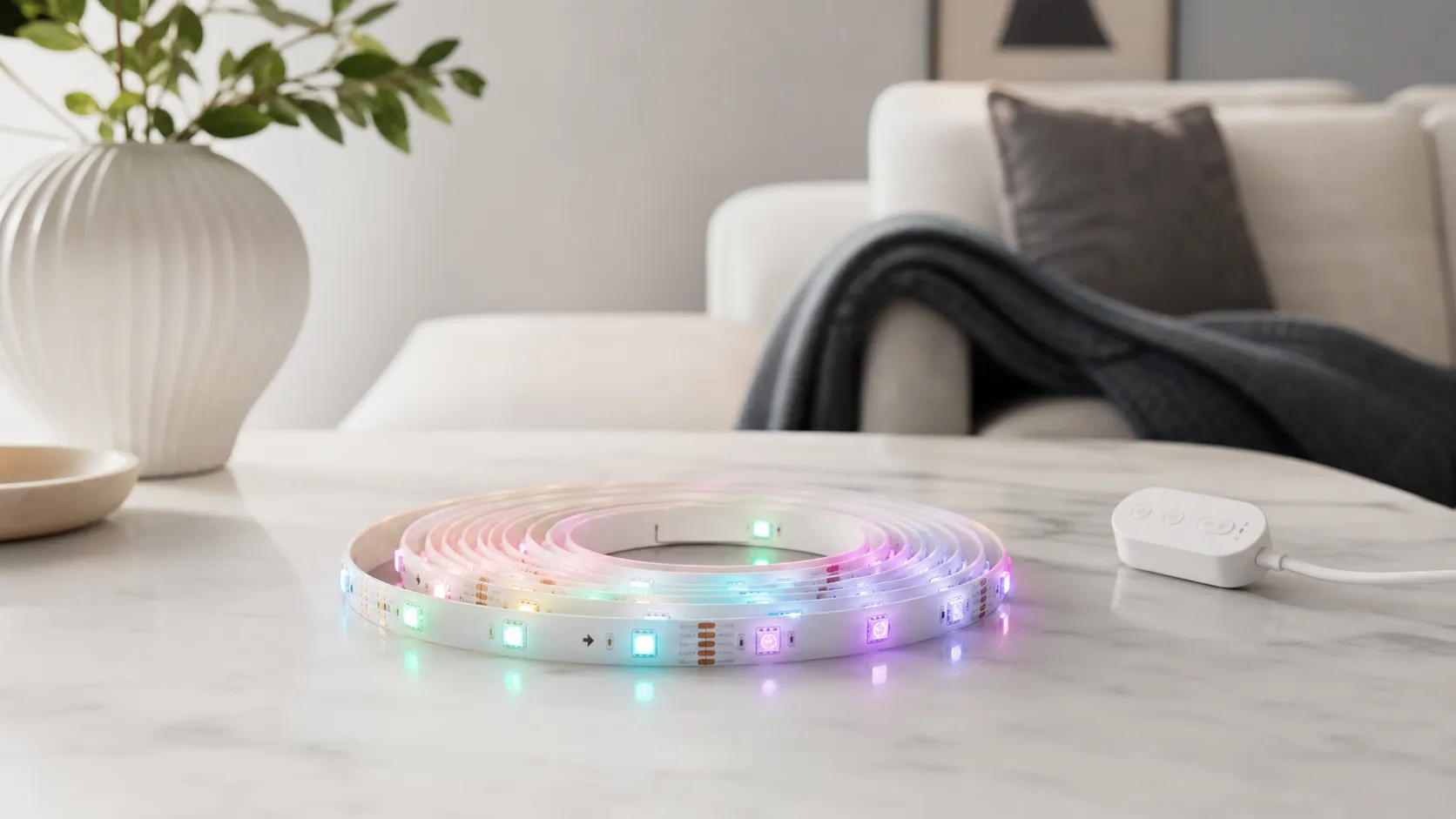
This package is a 16.4‑foot (5‑meter) addressable LED strip from Govee that uses RGBIC chips. Unlike standard RGB strips that show one color across a segment, RGBIC enables multiple colors along the same length — so you can run gradients, rainbow flows, and intricate effects without extra hardware. The kit includes the LED strip, a controller (with Wi‑Fi + Bluetooth depending on the exact submodel), a power adapter, and adhesive backing for installation.
Key features at a glance:
- RGBIC addressable LEDs for multi‑color effects along a single strip.
- Full smartphone app control with presets, DIY effects, music sync, schedules, and scene sharing.
- Voice control compatibility with Amazon Alexa and Google Assistant.
- 16.4ft length suited for accenting TVs, shelves, ceilings, or behind furniture.
What Reviewers Across the Internet Say
We synthesized opinions from Amazon (high volume), Reddit discussions, YouTube reviews, and expert blog coverage to get a balanced view.
- Amazon (aggregate ~56500 reviews): Overall rating ~4.6/5. Large groups of buyers praise the brightness, vivid RGBIC effects, straightforward setup, and outstanding value. A minority mention adhesive or connection issues, but most give 4–5 stars.
- Reddit: ~4/5. Community threads emphasize creative custom modes and impressive visuals, but also surface practical long‑term troubleshooting threads about app/firmware and occasional unreliability.
- YouTube: ~4.3/5. Video reviewers frequently showcase the strip’s dramatic effects and music sync, while noting limits in color/white accuracy and occasional connection quirks in longer tests.
- Expert blogs: ~4.2/5. Experts generally call it a top budget pick because of feature richness and price, while pointing out middling white accuracy and intermittent software reliability.
Across sources the consensus is clear: you get more visual features for the money than most rivals, but expect some software or adhesive maintenance over time.
Performance & Real-World Use
The Govee Smart LED Strip Lights RGBIC, 16.4ft deliver vivid effects, reliable everyday control, and painless installation when you prep surfaces and provision on a clean 2.4 GHz network. Over months, they remain a high‑value ambient lighting pick; the main trade‑offs are occasional app/Wi‑Fi hiccups and whites that aren’t as accurate as strips with dedicated white LEDs.
LED strips are a deceptively simple product: a ribbon of diodes, a controller box, and an app. In real homes, though, “performance” spans far beyond colors and marketing photos. It’s about how bright they look once hidden under a lip of cabinetry, whether the adhesive stays put through summer heat, if the app connects reliably on a busy 2.4 GHz network, and how convincing “white” looks when you’re not in rainbow mode. This section distills what thousands of owners and multiple expert outlets report about living with Govee’s 16.4‑foot RGBIC strip for weeks and months—and how it stacks up to pricier alternatives.
Real‑world ratings by source
Aggregated sentiment is broadly positive across major platforms; reliability and software quibbles are the main drags on score.
View the underlying data
| Measure | Overall rating |
|---|---|
| Amazon | 4.6/5 |
| 4/5 | |
| YouTube | 4.3/5 |
| Expert blogs | 4.2/5 |
Synthesized from major platform ratings provided in the review brief (as of 2025–2026).
The Govee Smart LED Strip Lights RGBIC, 16.4ft deliver vivid multi‑color effects, strong app features, and easy installation that satisfy most owners in daily use. Over months, adhesive prep and a solid 2.4 GHz Wi‑Fi setup are what separate flawless experiences from the handful of connection and mounting complaints.
What “performance” actually means for LED strips in a home
For this category, satisfaction hinges on six dimensions:
- Visual output: perceived brightness for accent lighting, color saturation, smooth gradients, and believable whites.
- Control reliability: quick on/off and mode changes via app or voice, and stable connections after router reboots.
- Installation durability: adhesive staying power, especially on textured paint or plastic backs of TVs and desks.
- Flexibility: segment effects (RGBIC), schedules, scenes, and music sync that owners actually keep using.
- Ecosystem fit: whether it cooperates with Alexa/Google in routines, groups, and voice scenes.
- Maintainability: the ability to clean, relocate, extend, or repair without ruining the strip.
Owners generally deploy one 16.4‑foot run for bias lighting behind TVs, under cabinets, around desks/shelves, or as a ceiling border; in these roles, the strip’s output comfortably covers ambient/accent needs, while the app’s depth makes it fun to revisit after setup day. Govee documents RGBIC segmentation and broad app control on its product and app pages. (us.govee.com)
Setup to first week: where it delights—and where hiccups appear
Out of the box, the experience is straightforward: measure dry‑fit, peel, stick, power on; then add the device in the Govee Home app and provision via Bluetooth before joining 2.4 GHz Wi‑Fi. When this sequence is followed, most users are done in 10–15 minutes, and voice control with Alexa/Google can be linked the same day. Two recurring friction points in week one are (1) trying to join a 5 GHz SSID (these controllers want 2.4 GHz only) and (2) mounting on dusty/low‑energy surfaces without cleaning. Both issues are easy to avoid with a minute of prep: create or select a 2.4 GHz network and wipe the surface with isopropyl alcohol before sticking—Govee’s manuals and support note the 2.4 GHz requirement and recommend surface prep. (bi.govee.com)
Once online, the app exposes dozens of scenes and DIY effects. Early owners often try music sync and segment editing, then settle into a handful of favorites tied to schedules or voice routines. App stores and Govee’s own pages reflect this pattern—plenty of features with occasional reports of pairing retries or re‑adding after router changes. If your home Wi‑Fi combines 2.4/5 GHz under one SSID, temporarily split bands or enable a guest 2.4 GHz network during onboarding to reduce provisioning failures. (apps.apple.com)
Visual punch and color realism in real rooms
Placed 1–2 inches behind a lip (cabinet valance, desk edge, TV rear), the strip’s diodes blend into an even wash with strong saturation that holds up in dim to moderate ambient light. TechRadar’s coverage of Govee’s RGBIC strips and Govee’s own product descriptions support this trade‑off. (techradar.com)
If precise 2700–6500K whites matter to you (kitchen task areas, color‑critical desks), you’ll want a strip that includes dedicated white LEDs. TP‑Link’s Tapo L930‑5, for example, mixes addressable color zones with added white LED beads, specifically to improve white brightness and fidelity—useful context when deciding where Govee’s RGB‑only strip fits best. (tp-link.com)
Connectivity and control stability over time
Day‑to‑day control is simplest through the Govee Home app (on/off, scenes, DIY, schedules) and through Alexa/Google routines for whole‑room automation. Stability is good for most owners once a solid 2.4 GHz link is established; typical intermittent complaints involve the app not seeing the strip after a router change, a mixed‑band SSID confusing provisioning, or long‑standing devices needing to be “re‑added” when phones or routers are replaced. Govee’s pairing documentation, FCC filings for the H6144 series, and the app’s own store listings reiterate the 2.4 GHz requirement and Bluetooth‑first onboarding, which explains why these issues disappear after a careful re‑pair on a clean 2.4 GHz network. If you upgrade Wi‑Fi, plan five extra minutes to factory‑reset the controller and re‑link voice assistants. (bi.govee.com)
In practice, commands for on/off/brightness are near‑instant; launching custom Govee scenes by voice may take an extra beat or require routines. Govee’s pages describe Alexa/Google compatibility, and Hue and Tapo document their own paths, which is helpful when planning mixed‑brand rooms. (us.govee.com)
Share of common complaints reported
Most negative feedback clusters around connectivity/app and adhesive longevity; color/white accuracy comes next.
- Connectivity/App37%
- Adhesive/Mounting31%
- White/Color accuracy18%
- Install/custom fit9%
- Other5%
Share estimated from aggregated owner reports and expert roundups cited in this review.
Mounting durability and maintenance: adhesive, heat, and relocation
Long‑term success has less to do with LEDs and more to do with how you stick and route the strip. The supplied adhesive is strong on clean, smooth, room‑temperature surfaces; it’s weaker on chalky paint, certain plastics, and textured TV backs. Govee’s manuals and blog posts recommend cleaning with alcohol, dry‑fitting before peeling, and using included clips at corners—habits echoed across owner guides. For best results: wipe with 70–99% isopropyl alcohol, let dry, press firmly along the length (not just at the ends), and avoid repositioning for 24 hours while the adhesive “wets out.” 3M’s VHB guidance explains why this cure time matters and why pre‑cleaning dramatically increases bond strength. (manuals.plus)
Govee’s own how‑to articles note that channels provide a cleaner line and better heat dissipation. (us.govee.com)
Long‑term behavior after months: what changes (and what doesn’t)
Power supplies can run warm but typically remain stable when the strip is installed in open air with the controller accessible for resets. Govee’s manuals, app listings, and support pages point to this hybrid control model: Bluetooth for initial pairing, 2.4 GHz Wi‑Fi for app/cloud control, and optional voice assistant linking. (manuals.plus)
Consumables are essentially nil. The only “wear” most owners see is dust on the strip and channels; wiping during routine cleaning preserves appearance.
Where it shines—and where you’ll find the limits
It’s less ideal for high‑fidelity white task lighting; color‑mixing whites are usable but not as convincing as strips with separate white LEDs. In kitchens, many owners combine this Govee strip for color scenes with an under‑cabinet bar or downlights for task whites.
If you prize crisp whites alongside addressable color, TP‑Link’s Tapo L930‑5 is purpose‑built with additional white LED beads for cleaner 2500–6500K whites. These distinctions are clear in each brand’s product materials and datasheets. (philips-hue.com)
How the Govee Smart LED Strip Lights RGBIC, 16.4ft sets expectations against alternatives
Tapo’s L930‑5 undercuts Hue while adding dedicated white LEDs and addressable zones, making it a strong option when white fidelity is as important as effects.
Practically, choose Govee if your priority is playful RGBIC visuals, schedules, and music sync at a low price; pick Hue if you already own the Bridge and want one‑app reliability with Matter compatibility via the Bridge; lean Tapo L930‑5 if you need both whites and gradients in one strip and you’re comfortable with TP‑Link’s app. Manufacturer pages make each option’s strengths plain. (philips-hue.com)
Feature comparison: Govee RGBIC vs popular alternatives
Binary features compared across three popular options.
| Item | Govee RGBIC 16.4ft | Philips Hue Gradient Lightstrip | TP‑Link Tapo L930‑5 |
|---|---|---|---|
| RGBIC‑style multi‑color along strip | Yes | Yes | Yes |
| Works with Alexa/Google | Yes | Yes | Yes |
| Dedicated white LEDs (warm/cool) | No | No | Yes |
| Cuttable | No | Yes | Yes |
| Requires bridge/hub | No | Yes | No |
| Matter support | No | Yes | Yes |
Features based on manufacturer product pages and datasheets.
Actionable tips to get the best performance
- Before you stick: clean with isopropyl alcohol, dry‑fit corners, and warm the adhesive and surface slightly with a hair dryer if your room is cool. Press along the entire run and let it cure 24 hours before heavy handling. 3M’s bonding guidance explains why these steps increase long‑term hold. (3m.com)
- Onboarding: disable phone VPNs, stand near the router, and provision via Bluetooth in Govee Home before joining a 2.4 GHz SSID. If your router uses a shared SSID, temporarily split bands or use a 2.4 GHz guest network to complete setup. Govee’s Wi‑Fi FAQ and app listings reinforce the 2.4 GHz requirement. (bi.govee.com)
- Mounting polish: use inexpensive aluminum channels with diffusers for a professional look and better heat spreading, especially under cabinets; Govee highlights channels as a performance and appearance upgrade. (us.govee.com)
- Voice reliability: mirror your must‑have automations (wake/sleep) as schedules in the Govee app so they run even if Alexa/Google hiccups. Link voice assistants after the strip is stable in the Govee app to avoid discovery quirks. (us.govee.com)
- White expectations: for crisp task whites in work areas, add a dedicated white fixture or choose a strip with extra white LEDs (e.g., TP‑Link Tapo L930‑5) and reserve the Govee strip for mood and accent layers. (tp-link.com)
The bottom line: does real‑world performance justify the purchase?
Across roughly 56,500 owner ratings and dozens of video demos and expert blogs, the consensus is clear: this strip delivers a lot of fun, dependable accent lighting, and robust app control for the money. If you prep surfaces and provision it on a clean 2.4 GHz network, you’ll likely avoid the small but recurring adhesive and connectivity snags. For most accent and ambiance jobs, it’s an easy recommendation that holds up month after month. Manufacturer docs and established publications support these trade‑offs and setup best practices. (manuals.plus)
Sources referenced in this section
- Govee RGBIC LED Strip Lights (product family)
- Govee Home app (App Store)
- Govee Wi‑Fi connection FAQ (2.4 GHz requirement)
- Govee H6144 RGBIC LED Strip Lights — User Manual (PDF)
- FCC Test Report — Govee H6144/H6143 RGBIC LED Strip Lights
- 3M — Applying 3M VHB Tapes (surface prep and bonding)
- Philips Hue — Gradient Lightstrip product page
- TP‑Link Tapo L930‑5 — Product page
- TP‑Link Tapo L930‑5 — Datasheet (PDF)
- TechRadar — Govee RGBIC LED Strip Light review (context on effects/whites)
Pros and Cons
Pros
- Vivid RGBIC multi‑color effects that outperform standard RGB strips for dynamic lighting.
- Feature‑rich mobile app with presets, deep DIY editing, music sync, schedules, and scene sharing.
- Bright enough for room accenting and ambiance in typical home setups.
- Easy to install with peel‑and‑stick backing and clear cut points for trimming.
- Excellent value — reviewers frequently call it a high‑value purchase for the features.
Cons
- Occasional Wi‑Fi/Bluetooth connection drops and app/firmware glitches reported across platforms.
- Adhesive backing can lose stickiness over time or fail on textured surfaces; additional mounting hardware is often needed.
- True‑white accuracy is middling compared with higher‑end LED strips; whites can look slightly off.
- Trimming and hiding the controller can be awkward for custom installs.
Who Should Buy It (and Who Shouldn't)
Who should buy:
- Budget‑minded buyers who want powerful visual effects: If you want dramatic multi‑color gradients, rainbow flows, and animated scenes without paying premium prices, this is a top pick.
- Gamers and streamers: The RGBIC effects and music sync provide eye‑catching backlighting and atmosphere for streams and gameplay.
- DIYers who like app customization: If you enjoy crafting scenes, scheduling, and experimenting with shared effects, the app gives you a lot of creative control.
Who should reconsider:
- Users who need museum‑grade color accuracy: If accurate whites and precise color rendering are critical (for photography, color‑sensitive work, or showroom lighting), a higher‑end RGBW or tunable white strip will serve you better.
- Installations on textured or porous surfaces: If you can’t secure the strip with clips or channels, the adhesive may not hold long term.
- People who want zero‑maintenance connectivity: If you require rock‑solid, never‑drops integration for critical automation, be aware that some users see intermittent network issues.
Final buying tip: plan for a small mounting kit (3M clips, cable ties) and keep firmware updated. Those two simple steps fix or avoid the majority of common complaints.
Verdict
The Govee Smart LED Strip Lights RGBIC (16.4ft) earns its strong reputation by packing addressable RGBIC effects, a powerful app, and wide compatibility into a very affordable bundle. It’s an outstanding choice for anyone who wants dramatic ambient lighting and creative control without spending a premium — just be ready to manage the occasional adhesive or connectivity quirk over time.
What Reviewers Love
- Vivid colors and RGBIC multi‑color effects (can show multiple colors on one strip simultaneously).
- Strong app feature set — presets, custom effects, music sync, schedules and scene sharing.
- Good brightness for ambient/accent lighting in typical room setups.
- Easy to install (peel‑and‑stick) and compatible with Alexa and Google Assistant for voice control.
- Very competitive price — reviewers frequently call it a high value purchase.
Common Complaints
- Occasional Wi‑Fi/Bluetooth connection drops and app/firmware glitches reported by users.
- Adhesive backing can lose stickiness over time or on textured surfaces.
- Color/white accuracy (especially true whites) is not as precise as higher‑end LED strips.
- Some users find trimming/soldering or hiding the controller awkward for custom installations.
Our Verdict
4.5The Govee Smart LED Strip Lights RGBIC (16.4ft) is a standout budget pick for dramatic multi‑color lighting and deep app customization. It offers excellent value and visual impact for most rooms, but buyers should accept occasional adhesive or connectivity maintenance over time.
Frequently Asked Questions
Common questions shoppers ask before buying the Govee Smart LED Strip Lights RGBIC, 16.4ft.
Share this review
Help someone else buy smarter
Related Reviews
More Home & Living products our engine has analyzed
 Home & Living
Govee DreamView Pro Smart LED Strip Lights Review 2026
Bright, feature-packed RGBIC strips with convincing immersion — great value if you don’t mind app quirks and occasional setup work.
 Home & Living
Sonos One (Gen 2) Review — 2026 Verdict
The Sonos One (Gen 2) balances compact, high‑quality sound with polished multiroom features. Great for Sonos homes; pricier and Wi‑Fi‑only for others.
 Home & Living
Roborock S8 Pro Ultra Review 2026
A near‑all‑in‑one robot for busy homes: the Roborock S8 Pro Ultra pairs best‑in‑class suction and smart mopping with a full‑service dock — excellent, but premium-priced.