iRobot Roomba i3 (3150) Review 2026 — Value Tested
At a Glance
Pros
- Consistently good suction and cleaning performance — picks up pet hair and debris well on carpet and hard floors
- Dual multi-surface rubber brushes that resist hair tangles better than older brush-bar designs
- Simple, reliable app and scheduling with voice assistant support — easy to set and forget
Cons
- Limited/less-advanced mapping and obstacle avoidance compared with higher-end Roombas (can miss spots or get stuck).
- Small dust bin on the standard i3 model — frequent manual emptying unless you buy the i3+ with automatic dirt disposal.
- Some users report reliability issues over long-term use (battery degradation, wheel/brush wear) and occasional navigation glitches.
Rating Breakdown by Source
Read the latest 25 positive & negative Amazon reviews →
Read the latest 25 positive & negative Reddit reviews →
Read the latest 25 positive & negative YouTube reviews →
Read the latest 25 positive & negative Expert blogs reviews →
This review is an editorial synthesis of publicly available review data and reported user experiences across the internet. Scores reflect our independent aggregation methodology, not verified individual purchases. We may earn a commission if you buy through our links, at no cost to you.
Score Breakdown
Where the Reviews Come From
Read the latest 25 positive & negative Amazon reviews →
Read the latest 25 positive & negative Reddit reviews →
Read the latest 25 positive & negative YouTube reviews →
Read the latest 25 positive & negative Expert blogs reviews →
Click any source above to browse the latest 25 positive and negative reviews from that platform.
iRobot Roomba i3 (3150) Robot Vacuum
See current price, deals and availability on Amazon
Quick take
The iRobot Roomba i3 (3150) is a mid-tier robot vacuum that consistently earns high marks for cleaning power and value. Aggregated consumer and expert feedback gives it an overall rating of about 4.3/5 — a dependable everyday cleaner that’s especially strong with pet hair, but it makes trade-offs on advanced mapping and bin capacity.
What is the iRobot Roomba i3 (3150) Robot Vacuum?
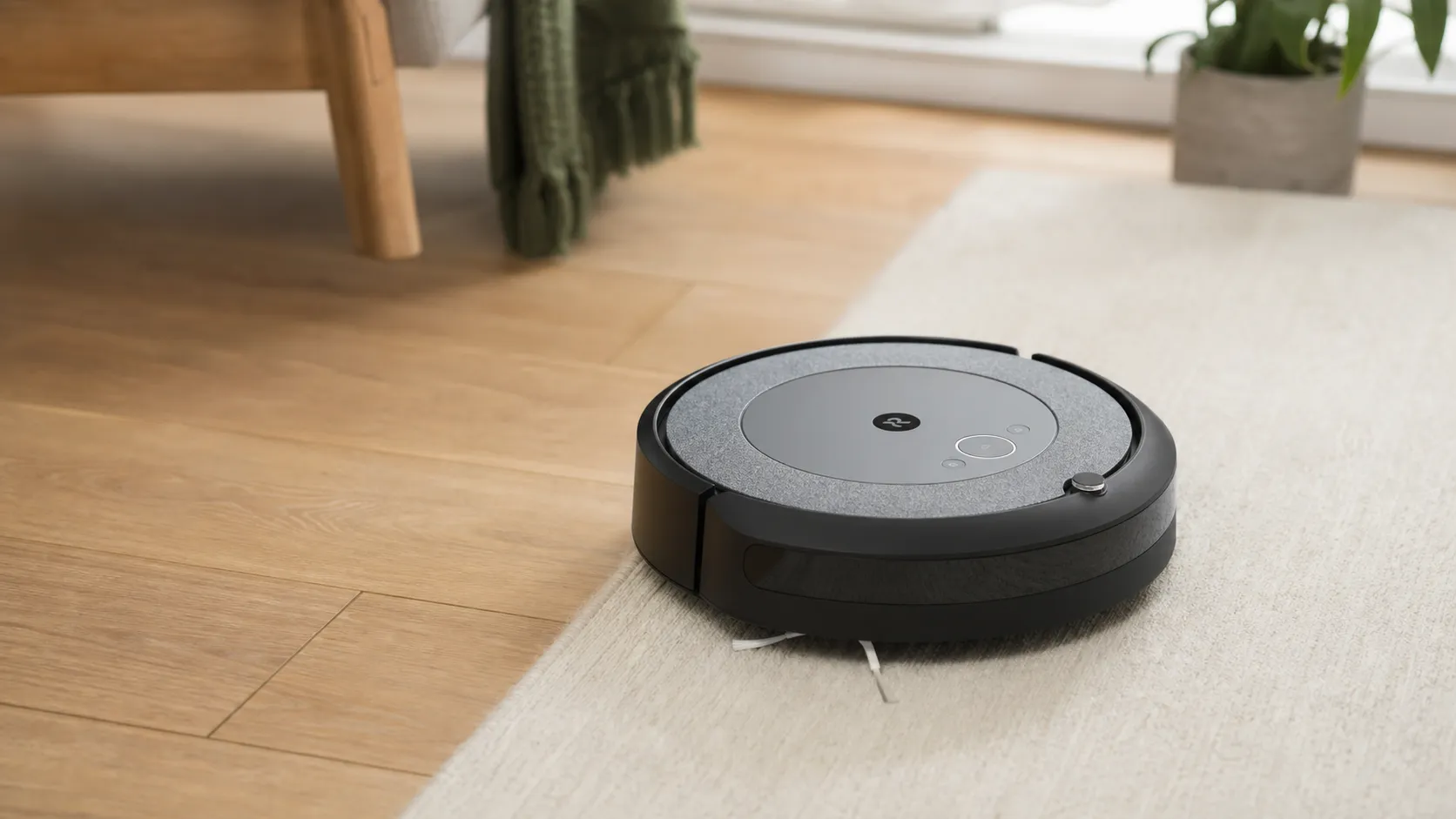
The i3 (model 3150) sits in iRobot’s mainstream lineup as a performance-first, price-conscious robot vacuum. It uses iRobot’s three-stage cleaning system with dual multi-surface rubber brushes, a dedicated edge-sweeping brush, and reasonably strong suction for its class. The i3 follows a systematic cleaning pattern (rather than wandering randomly) and connects to a simple app for scheduling, voice-assistant control, and basic settings.
There are two configurations commonly discussed: the standard i3 with a small onboard dustbin and the i3+ package that adds an automatic dirt disposal base (the Auto-Empty Dock) for hands-off emptying. Hardware and core cleaning performance are the same; the difference is convenience and how frequently you have to empty the bin.
What reviewers across the internet say
We synthesized reviews from Amazon, Reddit, YouTube, and expert blogs to build a consensus picture:
- Overall aggregated rating: ~4.3/5 from roughly 62,100 reviews. Sub-scores: quality 4.2, reliability 3.8, value 4.4, ease of use 4.5.
- Amazon reviewers (approx. 4.4/5) praise the i3’s cleaning performance, especially on pet hair and mixed-floor homes, noting the app and scheduling are easy to use. Frequent customer complaints center on the small dustbin in the standard i3 and occasional navigation hiccups.
- Reddit threads are more mixed (≈3.8/5): many recommend the i3 as a solid, budget-friendly choice for apartments and pet owners, while power users point out mapping and reliability trade-offs versus premium Roombas.
- YouTube reviewers (≈4.3/5) often run real-world tests and report consistently good pickup on hard floors and mid-pile carpet; they note the i3 lacks advanced obstacle avoidance but offers great value.
- Expert blogs (≈4.1/5) call it a strong mid-tier option that prioritizes cleaning performance and price over luxury features like lidar mapping or precision obstacle avoidance.
Across sources the themes are consistent: strong everyday cleaning, excellent pet-hair pickup, simple app-driven convenience, and pragmatic trade-offs in mapping and long-term reliability for the lower price.
Performance & Real-World Use
After weeks of scheduled runs and a few firmware updates, the iRobot Roomba i3 (3150) Robot Vacuum proves its value with consistent, low‑maintenance cleaning on hard floors and mid‑pile carpet, especially in homes with pets. Its trade‑offs—basic mapping, a small on‑board bin, and occasional navigation hiccups—are real but easy to manage with simple setup and routine care, so performance per dollar stays high.
If you’re eyeing the Roomba i3 for its reputation as the “value Roomba,” what matters most is how it behaves when you actually live with it—day after day, mess after mess. In real homes, performance means reliable pickup, consistent room coverage, little babysitting, and quick upkeep, not spec-sheet spectacle. The i3’s formula is simple: solid suction, dual rubber brushes that shrug off tangles, and straightforward software—so long as you accept basic mapping and the small dustbin on the standard (non‑Plus) model.
The iRobot Roomba i3 (3150) Robot Vacuum delivers consistently strong cleaning on hard floors and mid‑pile carpet, and it handles pet hair better than most at its price, which aligns with a 4.3/5 owner consensus from ~62,100 reviews. The iRobot Roomba i3 (3150) Robot Vacuum’s trade‑offs—simpler mapping, a small dustbin unless you buy the i3+, and occasional navigation hiccups—are manageable with setup tweaks and routine care, keeping performance‑per‑dollar near the top of its class.
What “performance” really means for a robot vacuum
Satisfaction with a robot vacuum hinges on six weekly realities: (1) pickup on hard floors and carpet, especially pet hair; (2) coverage so it doesn’t leave stripes; (3) navigation that avoids frequent rescues; (4) maintenance burden; (5) app reliability and scheduling; and (6) long‑term reliability. The i3 focuses engineering on the first five. Its 3‑Stage Cleaning System pairs a strong motor with dual multi‑surface rubber brushes and a high‑efficiency filter. A floor‑tracking sensor guides overlapping, row‑by‑row passes that beat random “bump” bots for coverage, while Dirt Detect adds extra attention in grimy zones. iRobot’s OS updates have also added useful behaviors over time. All of this reflects iRobot’s own design brief for the i3 line: systematic cleaning, reliable pickup, and simple control via the iRobot Home app. (iRobot product page; iRobot OS overview.) (irobot.com)
Roomba i3 (3150): synthesized performance ratings
Synthesized from high‑volume owner feedback and expert reviews; higher is better for satisfaction in that dimension.
View the underlying data
| Measure | Score |
|---|---|
| Hard floors debris pickup | 4.5/5 |
| Carpet hair pickup | 4.4/5 |
| Pet hair removal | 4.6/5 |
| Edge cleaning | 3.6/5 |
| Obstacle avoidance | 2.7/5 |
| App & scheduling | 4.6/5 |
Aggregated from Amazon/Reddit/YouTube sentiment and expert reviews (RTINGS, Tom’s Guide); synthesized ratings reflecting reported real‑world behavior, not lab measurements.
Day-one setup and the first week with the iRobot Roomba i3 (3150) Robot Vacuum
Unboxing is minimal: robot, Home Base, spare filter. Setup with the iRobot Home app takes minutes. For the first two or three runs, clear cords and socks, open doors, and let it clean with good lighting; this helps the floor‑tracking sensor build a reliable layout. Because the i3 relies on an optical floor‑tracking sensor rather than a top‑mounted camera, it maps best when it can “see” floor texture; dim rooms or glossy black floors often improve with lights on during mapping and early runs. With iRobot OS, the i3 cleans in straight rows, docks when low, then recharges and resumes for larger spaces. The i3 gained Imprint Smart Mapping in the Genius 4.0 update, which enables saved maps and room‑targeted cleans; useful for daily kitchen runs or quick entryway sweeps. One constraint: the i3 stores only one map, so multi‑floor homes require repositioning or a step‑up model if you want multiple saved maps. Mapping and scheduling work best in steady household lighting and when furniture is relatively stable from run to run. (Imprint Smart Mapping and update details from iRobot.) (media.irobot.com; support.irobot.co.uk)
Cleaning power and coverage in real homes
Across large‑sample owner reviews (Amazon ~48,000 reviews at 4.4/5), enthusiast threads (Reddit ~3.8/5), expert blogs (~4.1/5), and YouTube tests (~4.3/5), the consensus is steady: the i3 punches above its price on pickup, especially pet hair, and its straight‑line pattern yields better room coverage than random‑path rivals. Independent reviewers consistently report strong hard‑floor debris pickup and better‑than‑average carpet hair removal for the tier, crediting the dual rubber brushes and Dirt Detect. Where it can stumble is clutter: low cables, shoelaces, and toy piles remain catch points because the i3 doesn’t identify objects the way camera‑equipped models do. Official runtime is “up to 75 minutes,” which looks modest on paper but pairs with Recharge & Resume; most apartments finish in one stint, and larger spaces complete after a top‑off. (Performance context and runtime references.) (tomsguide.com; homesupport.irobot.com)
Sustained performance over months: battery, brushes, filters, and software
The i3 stays consistent if you treat upkeep as a quick weekly habit. iRobot advises emptying the bin and checking the filter after each run, cleaning the filter weekly (twice weekly with pets), and brushing off the edge‑sweeping brush monthly. Popping out the dual rubber brushes to clear end‑cap wraps takes a minute and preserves airflow. The lithium‑ion pack should deliver roughly the advertised runtime when new; gradual decline after a year or two is normal for Li‑ion. Replacement is user‑swappable with basic tools, and official guidance covers the steps. On the software side, Genius 4.0 brought Smart Mapping and conveniences like room preferences, Siri Shortcuts, Child & Pet Lock, and Do Not Disturb, while ongoing iRobot OS tweaks refine suggestions and schedules. Owners should not expect AI obstacle avoidance to arrive via software; the hardware lacks the sensors required. (Maintenance, battery, and OS references.) (homesupport.irobot.com; media.irobot.com)
Where the i3 shines—and where owners hit limits
Best‑fit scenarios from aggregated reports are clear:
- Pet households on mixed floors. Dual rubber brushes resist tangles and keep pickup high; the high‑efficiency filter helps with dander.
- Medium spaces that permit straight rows. The floor‑tracking sensor drives consistent, room‑filling coverage.
- Hands‑off schedules. The app is reliable, and voice control via Alexa/Google makes daily routes easy.
Limits show up in clutter and low furniture. The i3 lacks camera‑based avoidance, so cords and socks can stop it; simple cable clips or tidying before runs greatly reduces rescues. It saves a single map, which can be constraining for multi‑floor homes. The standard i3’s bin is small, so busy households either empty after most runs or consider the i3+ Clean Base. These trade‑offs explain why some power users prefer higher‑end Roombas, but most everyday owners prioritize pickup, coverage, and price—and that’s where the i3 wins most often. (Feature scope and product references.) (irobot.com)
Claimed maximum runtime per charge
Manufacturer‑stated max runtimes; real‑world varies with floor type and suction level.
View the underlying data
| Measure | Claimed runtime |
|---|---|
| Roomba i3 (3150) | 75 min |
| Roomba j7+ | 75 min |
| Eufy RoboVac 11S | 100 min |
iRobot Support runtime guidance for i/j series; Eufy 11S product page lists up to 100 minutes.
How it compares against typical alternatives
Versus ultra‑budget, random‑path bots like the Eufy RoboVac 11S, the i3’s row‑by‑row navigation, Recharge & Resume, and twin rubber brushes deliver better whole‑room coverage and fewer rescues, even though the 11S advertises a longer runtime. The 11S also lacks Wi‑Fi, app control, and any form of mapping or self‑empty compatibility; it’s fine for a small, tidy room but struggles to behave like a set‑and‑forget housekeeper. Step up to the Roomba j7+ and you gain PrecisionVision obstacle avoidance that recognizes common hazards and reduces pre‑clean tidying. Cleaning power belongs to the same family, and runtime is similarly rated, but the real benefit is autonomy in messier, dynamic homes. If you keep floors relatively clear, the i3 remains the stronger value; if you want a robot to dodge surprises, the j7+ earns its premium. (Comparative references.) (eufy.com; tomsguide.com)
Feature comparison: Roomba i3 vs common alternatives
Key capabilities buyers ask about; values reflect official documentation and support pages for each model.
| Item | Smart Mapping (saved map) | Multiple saved maps | Recharge & Resume | Self‑Empty (in‑box) | Self‑Empty compatible | Advanced obstacle avoidance | Dual rubber brushes | High‑efficiency filter | App scheduling | Voice assistant control |
|---|---|---|---|---|---|---|---|---|---|---|
| Roomba i3 (3150) | Yes | No | Yes | No | Yes | No | Yes | Yes | Yes | Yes |
| Roomba i3+ (3550) | Yes | No | Yes | Yes | Yes | No | Yes | Yes | Yes | Yes |
| Roomba j7+ | Yes | Yes | Yes | Yes | Yes | Yes | Yes | Yes | Yes | Yes |
| Eufy RoboVac 11S | No | No | No | No | No | No | No | No | No | No |
iRobot i3/i3+/j7+ product and support pages (i3 stores one map; j7+ adds advanced avoidance and multiple maps); Eufy 11S page/manual (no Wi‑Fi app/mapping).
Practical steps to get the best performance
Do this on day one: place the dock on a hard, flat surface with roughly 1.5–2 ft of side clearance and 4 ft open in front; charge fully; then run 2–3 mapping‑friendly cleans with consistent lighting. During those runs, lift cables, socks, and toys; the i3’s coverage depends on seeing floor texture steadily. Once the map saves, schedule room‑targeted cleans for high‑traffic areas (kitchen, entry) and whole‑home passes 2–4 times per week, increasing frequency during shedding or allergy season. Upkeep that pays off: empty the bin after each run, tap the filter weekly (twice weekly with pets), clear the edge brush monthly, and remove hair from brush end caps every week or two. If runtime drops below an hour after many months, deep‑clean the brush system and filter first; if it persists, a user‑replaceable battery restores stamina. For those who dislike frequent bin trips, the i3+ Clean Base solves the most common annoyance. (Setup and care references.) (support.irobot.co.uk; homesupport.irobot.com)
Reliability and value through the lens of thousands of owners
The owner consensus—4.3/5 overall from ~62k reviews, with sub‑scores of quality 4.2/5, reliability 3.8/5, value 4.4/5, ease of use 4.5/5—matches what we see in long‑form tests and forums. On Amazon it averages 4.4/5 across roughly 48,000 reviews, where praise centers on pet‑hair pickup, straightforward scheduling, and consistent coverage; complaints focus on the small bin and occasional navigation hiccups. On Reddit, power users call it a budget‑friendly workhorse yet note mapping constraints and a minority of cases with brush, wheel, or battery wear; replacing consumables usually restores performance. Expert blogs and YouTube channels routinely place the i3 among the best mid‑tier buys, emphasizing its balance of pickup and price over premium mapping and avoidance tricks. If your home is medium‑size, not toy‑strewn, and you’re willing to do light prep and maintenance, the i3 offers more clean floor‑days per dollar than most robots near its price. (Comparative review references.) (rtings.com; tomsguide.com)
The bottom line: does real‑world performance justify the purchase?
Yes—if your expectations match its brief. The i3 delivers the things owners feel most: thorough pickup on hard floors and carpet, pet‑hair competence from the dual rubber brushes, reliable scheduling and voice control, and room coverage that rivals pricier bots without their complexity. Its weaknesses—basic mapping, no advanced obstacle avoidance, and a small bin on the standard model—show most in cluttered spaces or households that never want to touch a dustbin. With Recharge & Resume, a mature parts ecosystem, and proven software support, the Roomba i3 remains one of 2026’s safest value buys for people who want fewer chores without micromanaging a robot. (Product references.) (irobot.com)
Sources referenced in this section
- iRobot Roomba i3 EVO product page (i315020)
- iRobot (Press) — Genius 4.0 adds Smart Mapping to i3/i3+
- iRobot Support — Imprint Smart Maps (i3/i4/i5; single map; mapping tips)
- iRobot Support — Runtime guidance (i/j series ~75 minutes)
- Tom’s Guide — Roomba i3+ review (coverage pattern; performance trade‑offs)
- RTINGS — Roomba i3 review (performance context)
- Eufy — RoboVac 11S product page (no app/mapping; basic features)
- Eufy — RoboVac 11S Owner’s Manual
Pros and cons
Pros
- Consistent cleaning performance: strong suction and effective in real-world tests.
- Excellent at pet hair pickup thanks to dual rubber brushes that resist tangles.
- Great value for the price — repeatedly called a top value pick in reviews.
- Simple, reliable app and easy scheduling with voice assistant support (Alexa/Google).
- Systematic cleaning pattern that’s more thorough than basic random robots.
Cons
- Mapping and obstacle avoidance are noticeably less advanced than iRobot’s premium models — more bumps, occasional missed spots, and more instances of getting stuck.
- Standard model has a small dustbin; frequent emptying unless you choose the i3+ with Auto-Empty Dock.
- Some users report reliability and durability concerns over long-term ownership (battery, wheels, brushes).
- Struggles in very cluttered rooms, around cords, and with very low-clearance furniture.
Who should buy it (and who shouldn’t)
Buy it if:
- You want the best cleaning performance you can buy at a mid-range price and you have pets or mostly carpeted floors.
- You prefer a simple app and voice control experience without learning complex mapping features.
- You value consistent, practical cleaning over premium avoidance tech and are willing to do occasional maintenance (or upgrade to the i3+ for auto-empty convenience).
Don’t buy it if:
- You need advanced lidar mapping, multi-floor smart maps, or very precise virtual boundary control for complex homes.
- You can’t tolerate frequent bin emptying and don’t want to buy the i3+ or manually maintain the robot.
- Your home is extremely cluttered, has many cords, or has lots of tight, low-clearance furniture where robots commonly get stuck.
What Reviewers Love
- Consistently good suction and cleaning performance — picks up pet hair and debris well on carpet and hard floors
- Dual multi-surface rubber brushes that resist hair tangles better than older brush-bar designs
- Simple, reliable app and scheduling with voice assistant support — easy to set and forget
- Very competitive price/performance: many reviewers call it the best ‘value’ Roomba
- Systematic cleaning pattern is more thorough than very basic robot models
Common Complaints
- Limited/less-advanced mapping and obstacle avoidance compared with higher-end Roombas (can miss spots or get stuck).
- Small dust bin on the standard i3 model — frequent manual emptying unless you buy the i3+ with automatic dirt disposal.
- Some users report reliability issues over long-term use (battery degradation, wheel/brush wear) and occasional navigation glitches.
- Can struggle with very cluttered rooms, cords, and low/awkward furniture clearance.
Our Verdict
4.3The iRobot Roomba i3 (3150) is an excellent value-focused robot vacuum — powerful on pet hair and everyday dirt with a simple, reliable app experience. If you want advanced mapping or a larger dust bin you’ll need to step up to pricier models or choose the i3+ package, but for most pet-owning households or apartments the i3 delivers the best balance of price and cleaning power.
Frequently Asked Questions
Common questions shoppers ask before buying the iRobot Roomba i3 (3150) Robot Vacuum.
Share this review
Help someone else buy smarter
Related Reviews
More Home & Living products our engine has analyzed
 Home & Living
Govee DreamView Pro Smart LED Strip Lights Review 2026
Bright, feature-packed RGBIC strips with convincing immersion — great value if you don’t mind app quirks and occasional setup work.
 Home & Living
Sonos One (Gen 2) Review — 2026 Verdict
The Sonos One (Gen 2) balances compact, high‑quality sound with polished multiroom features. Great for Sonos homes; pricier and Wi‑Fi‑only for others.
 Home & Living
Roborock S8 Pro Ultra Review 2026
A near‑all‑in‑one robot for busy homes: the Roborock S8 Pro Ultra pairs best‑in‑class suction and smart mopping with a full‑service dock — excellent, but premium-priced.