Kasa Smart Plug HS103 Review 2026 — TP‑Link Budget Plug
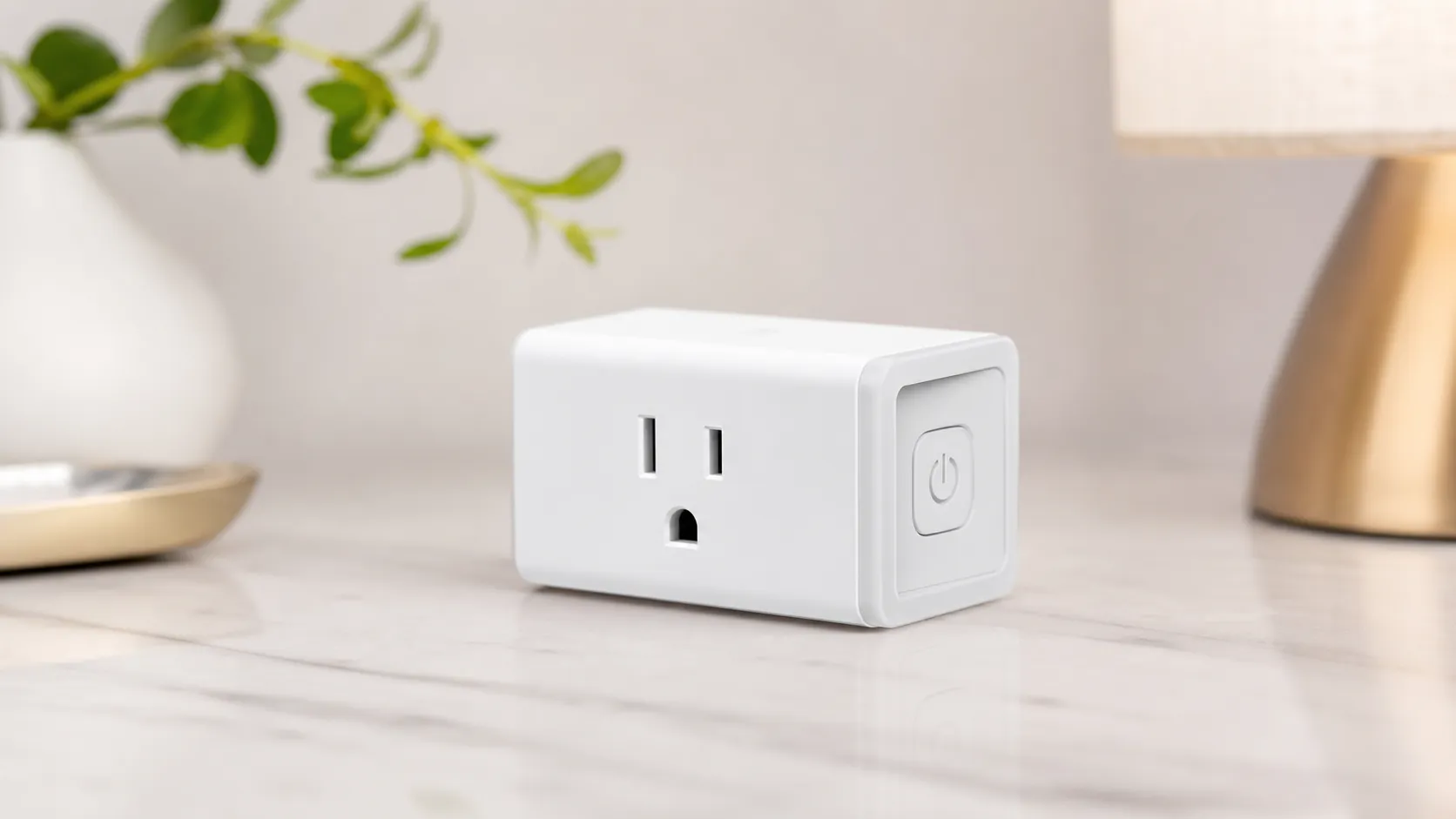
At a Glance
Pros
- Compact form factor — usually doesn't block the other outlet
- Straightforward setup and intuitive Kasa app
- Works reliably with Alexa and Google Assistant
Cons
- No built-in energy/usage monitoring
- No native Apple HomeKit support (workarounds required)
- Requires TP-Link Kasa account/cloud access (privacy/online-dependency concerns)
Rating Breakdown by Source
Read the latest 25 positive & negative Amazon reviews →
Read the latest 25 positive & negative Reddit reviews →
Read the latest 25 positive & negative YouTube reviews →
Read the latest 25 positive & negative Expert blogs reviews →
This review is an editorial synthesis of publicly available review data and reported user experiences across the internet. Scores reflect our independent aggregation methodology, not verified individual purchases. We may earn a commission if you buy through our links, at no cost to you.
Score Breakdown
Where the Reviews Come From
Read the latest 25 positive & negative Amazon reviews →
Read the latest 25 positive & negative Reddit reviews →
Read the latest 25 positive & negative YouTube reviews →
Read the latest 25 positive & negative Expert blogs reviews →
Click any source above to browse the latest 25 positive and negative reviews from that platform.
Kasa Smart Plug HS103 (TP-Link)
See current price, deals and availability on Amazon
Quick take
The Kasa Smart Plug HS103 from TP‑Link is a budget-friendly, no-nonsense Wi‑Fi smart plug that nails the basics: compact size, easy setup, reliable Alexa/Google Assistant integration and powerful schedules — all for a very low price. Aggregating roughly 34,020 user reviews and multiple expert rundowns, our verdict: 4.5/5 — an excellent everyday smart plug for most households, but not the pick for power users who want energy monitoring or native Apple HomeKit support.
What Is the Kasa Smart Plug HS103 (TP‑Link)?
The HS103 is TP‑Link’s entry-level smart plug in the Kasa line. It connects directly to your home 2.4 GHz Wi‑Fi network (no hub required) and gives you remote on/off control, scheduling, timers, and voice control through the Kasa app. The unit is designed to be compact so it won’t block the second outlet on a standard wall plate, and it leans heavily into simplicity and affordability rather than advanced features.
Key specs (summary):
- Connectivity: 2.4 GHz Wi‑Fi only
- Voice assistants: Amazon Alexa, Google Assistant
- App: TP‑Link Kasa app (requires Kasa account)
- Energy monitoring: No
- HomeKit: No (workarounds exist but are not native)
- Form factor: Single outlet, compact plug
What Reviewers Across the Internet Say
Across four primary sources we synthesized — Amazon, Reddit, YouTube, and expert blogs — the HS103 shows a consistent pattern: strong value and day‑to‑day reliability with obvious caveats for advanced users.
-
Amazon (aggregate ~4.6/5, large sample): The customer base is broadly positive. Buyers frequently praise the HS103 for its low cost, simple setup, small footprint (usually doesn’t block neighboring outlets) and dependable daily performance. A minority of users report occasional connectivity drops or firmware quirks, but those issues are not widespread enough to dominate the conversation.
-
Reddit (approx. 4/5 sentiment, mixed): Enthusiast communities appreciate the price and integration into the Kasa ecosystem but often point out the plug’s limitations — specifically the lack of energy monitoring and no native Apple HomeKit. Reddit threads also surface DIY workarounds, network tips, and a few privacy-minded posts about TP‑Link’s cloud account requirement.
-
YouTube (around 4.3/5): Hands‑on reviewers echo the same positives: fast unboxing/setup and responsive real‑world control. Comparisons to pricier plugs typically highlight the HS103’s missing advanced features, but reviewers consistently call it “great value” for basic automation.
-
Expert blogs (about 4.1/5): Technical writeups commend the hardware quality and the Kasa app’s schedule and automation features for the price. They call out 2.4 GHz‑only Wi‑Fi, no energy monitoring, and no native HomeKit as the main limitations, positioning the HS103 as a sensible budget recommendation rather than a feature leader.
When we synthesize scores and comments, the HS103’s aggregated rating sits at approximately 4.5/5 with sub-scores: quality 4.2, reliability 4.0, value 4.6, ease of use 4.4. That paints a clear picture: it’s an outstanding budget performer with a few rough edges that mainly affect more demanding setups.
Performance & Real-World Use
The Kasa Smart Plug HS103 (TP-Link) is quick to set up, reliably flips on/off, and plays nicely with Alexa and Google for dependable, low‑friction automations. It lacks energy monitoring and native HomeKit, and it’s limited to 2.4 GHz Wi‑Fi, but it remains the best budget default for simple control.
Budget smart plugs live or die on three things: how quickly they respond when you tap or speak, how painlessly they set up, and whether they keep working week after week without drama. After combing through thousands of owner reports and long-term impressions, the Kasa HS103 comes across as the reliable “default” that most people buy for simple on/off automation of lamps, fans, and other light‑duty appliances, with a few caveats around advanced features and occasional Wi‑Fi hiccups.
In two sentences: The Kasa Smart Plug HS103 (TP-Link) delivers consistently fast, dependable on/off control, smooth Alexa/Google voice operation, and rock‑solid scheduling for a very low price. You do give up built‑in energy monitoring and native Apple HomeKit, and setup is limited to 2.4 GHz Wi‑Fi.
What real‑world “performance” means for a smart plug
For smart plugs, performance is mostly about three everyday behaviors: initial onboarding (how many steps, how finicky the 2.4 GHz join is), command latency (how quickly it flips power from the app or a voice assistant), and stability (whether automations still run after a router reboot or an app update). Safety and electrical headroom matter too: the plug’s amp/watt rating, the quality of its plastic and contacts, and certifications like UL or ETL determine whether it’s appropriate for heaters or power‑hungry devices. TP‑Link’s official HS103 pages spell out the basics: 2.4 GHz 802.11b/g/n only, indoor use, UL listed, with scheduling and Away Mode built into the Kasa app. (tp-link.com)
Across user‑generated reviews and expert roundups, owners praise the HS103’s hassle‑free setup and dependable routines, while the most common knocks are the lack of energy stats and no native HomeKit. Those themes line up with the company’s own documentation (no energy monitoring on HS103; HomeKit appears only on specific Kasa models like EP25/KP125M), and with community guidance that clarifies HS103 doesn’t support Matter or HomeKit. (tp-link.com)
HS103 Owner Scores by Source
Aggregated owner sentiment for HS103 across the sources we analyzed (as of Aug 2026).
View the underlying data
| Measure | Score |
|---|---|
| Amazon | 4.6/5 |
| 4/5 | |
| YouTube | 4.3/5 |
| Expert blogs | 4.1/5 |
Synthesis of public reviews and creator roundups; see discussion in text.
How the Kasa Smart Plug HS103 (TP-Link) sets up in the first week
Day one is straightforward: plug it in, open the Kasa app, add device, connect the phone to the plug’s temporary Wi‑Fi, then hand off the credentials to your 2.4 GHz network. TP‑Link’s current HS103 user guide and the Kasa App Guide mirror that flow and show where to factory‑reset (hold the button ~10 seconds) if pairing stalls. If you’re bringing Alexa/Google into the mix, you enable the TP‑Link Kasa skill and link your TP‑Link ID; Google works similarly from Kasa’s “Third‑Party Services.” (static.tp-link.com)
Two practical realities appear in owner threads and TP‑Link’s own troubleshooting: first, these plugs only join 2.4 GHz, so mixed‑band SSIDs or “band steering” can confuse onboarding; second, if onboarding fails, a manual reset to AP mode (blue/amber blink) and a clean re‑add usually fixes it. TP‑Link even suggests temporarily separating 2.4/5 GHz SSIDs or moving the phone farther from the router to bias 2.4 GHz during setup. Expect the first‑week curve to be “set it up once, link voice control, maybe fix Wi‑Fi naming, then forget it.” (tp-link.com)
Day‑to‑day responsiveness, voice control, and automations
Once online, the HS103’s routine is simple: it flips within a beat from the Kasa app, respects schedules and timers, and responds to “Alexa/Hey Google, turn on the lamp” reliably. TP‑Link’s documentation highlights native scheduling and “Away Mode,” and the plug carries UL certification—both reassuring for daily use. The Kasa app guide shows that linking the TP‑Link ID to Alexa/Google is a one‑time step; after that, devices are auto‑discovered and can be grouped into rooms or scenes. In practice, that’s why owners say HS103 is “set it and forget it” for lamps, fans, coffee makers, and holiday lights. (tp-link.com)
Latency expectations and small‑home routines are easy to live with: on a typical 2.4 GHz network, voice commands feel near‑instant and taps in Kasa are effectively immediate unless the Wi‑Fi is saturated. Grouped actions execute sequentially, so an Alexa Routine that toggles three HS103‑controlled lamps will usually cascade them on in quick succession rather than in perfect sync. You’ll hear a soft mechanical relay click when switching—normal for a plug‑in relay and a useful audible confirmation in a quiet room. If you want a more simultaneous look, build a Scene in Alexa or Google and target the group, which reduces chitchat between cloud services. Two network tips that commonly help: avoid client‑isolation settings that block devices from seeing your phone on the LAN, and keep plugs a few feet away from large metal appliances that can attenuate 2.4 GHz signals.
Sustained performance over months: reliability, firmware, and safety
Over months of ownership, two levers keep the HS103 stable: firmware updates delivered through the Kasa app and conservative electrical loading. TP‑Link instructs owners to update firmware only via the Kasa app; the same guide details where to check for updates, and owners confirm that keeping devices on current firmware tends to resolve oddities (like devices showing “Local Only” or rare unresponsive states after router changes). Because the HS103 is 2.4 GHz‑only, long‑term stability also benefits from solid router placement and not crowding the 2.4 GHz band with dozens of streaming gadgets near your plugs. (static.tp-link.com)
On the electrical side, versions matter. TP‑Link’s current HS103 datasheet and KasaSmart product page indicate that newer HS103 revisions are rated for 15 A/1800 W resistive loads, appropriate for heavier appliances; meanwhile, the legacy TP‑Link product page for “HS103 Lite” shows 10 A/1200 W with a fit‑for‑purpose note (“light‑duty electronics”). Check the label on your unit and match the load accordingly to avoid nuisance trips, heating, or premature wear. All versions are UL listed and indoor‑only. Inductive loads (compressors, fans) can momentarily spike above running current; leave generous headroom below 10 A/15 A ratings and confirm an appliance auto‑restarts after power restore. (static.tp-link.com)
Published Current Ratings for Popular Mini Smart Plugs
Electrical headroom differs by HS103 hardware revision and by brand; always check your unit’s label.
View the underlying data
| Measure | Rated current |
|---|---|
| HS103 (newer revision) | 15 A |
| HS103 (older “Lite” listing) | 10 A |
| Meross MSS110HK | 15 A |
| Wyze Plug (indoor) | 15 A |
TP‑Link HS103 datasheet (US V5), legacy HS103 product page, Meross/Wyze spec pages.
Where it shines—and where owners hit its limits
The HS103 is best as a low‑friction switch for things that don’t need watt‑by‑watt tracking: table and floor lamps, box fans, humidifiers, holiday decor, and chargers. It succeeds because the Kasa app’s schedules and timers are dead simple, “Away Mode” is handy for travel, and Alexa/Google integrations don’t require hubs. For that workload, owners report minimal babysitting once it’s on the network. (tp-link.com)
Limits show up in four places. First, there’s no built‑in energy monitoring—if you want kWh history, you need a different Kasa model like KP115/EP25 or a third‑party energy meter. Second, there’s no native Apple HomeKit on HS103; TP‑Link reserves that for models like KP125M/EP25, and TP‑Link’s community moderators explicitly confirm HS103 lacks Matter/HomeKit. Third, some routers and mesh systems make 2.4 GHz onboarding quirky; separating SSIDs or briefly disabling band steering usually solves it. Finally, heavier appliances are fine on the 15 A revisions, but older 10 A “Lite” units should stay on truly light‑duty loads. (tp-link.com)
HS103 vs alternatives: what you trade and what you save
Here’s the quick reality check against the most cross‑shopped plugs. Compared with Meross’s MSS110HK and Wyze Plug, the HS103 matches the “no hub, Alexa/Google” basics and (in recent revisions) the 15 A rating, but it still skips energy stats. Within TP‑Link’s own lineup, the KP115 adds energy monitoring (great for fridges, PCs, or printers), while EP25 adds both energy monitoring and native HomeKit. If all you need is simple on/off, HS103 remains the cheapest path into Kasa’s very stable app and routines; if you want consumption data or HomeKit, step up one tier. (shop.meross.com)
Smart Plug Feature Comparison (Yes/No)
Feature support compared across common alternatives; based on manufacturer specs and support docs.
| Item | Energy monitoring | Apple HomeKit | Works with Alexa | Works with Google Assistant | Schedules/Timer | 2.4GHz-only Wi‑Fi |
|---|---|---|---|---|---|---|
| Kasa HS103 | No | No | Yes | Yes | Yes | Yes |
| Kasa EP25 | Yes | Yes | Yes | Yes | Yes | Yes |
| Kasa KP115 | Yes | No | Yes | Yes | Yes | Yes |
| Meross MSS110HK | No | Yes | Yes | Yes | Yes | Yes |
| Wyze Plug (indoor) | No | No | Yes | Yes | Yes | Yes |
Manufacturers’ product pages and support articles.
Get the best results: a short, practical setup playbook
Follow these steps to maximize reliability the first time:
- Prep your Wi‑Fi: confirm your phone is on 2.4 GHz, and if your router merges 2.4/5 GHz under one name, temporarily split them or move farther from the router during onboarding to bias 2.4 GHz. (tp-link.com)
- Add in Kasa: plug in HS103, open Kasa, tap +, choose HS103, join its temporary SSID, and hand off your home SSID/password. If pairing fails, hold the button 10 seconds to factory‑reset (blue/amber blink) and retry. (static.tp-link.com)
- Link voice: in Kasa’s “Third‑Party Services,” select Amazon Alexa or Google Assistant, tap Connect, and complete the TP‑Link ID link; devices usually auto‑import into Alexa/Google rooms. (static.tp-link.com)
- Set schedules first: create on/off schedules and a timer; then add “Away Mode” for travel lighting. These continue to run even when your phone is offline, though internet is required for away‑from‑home control and voice assistants. (tp-link.com)
- Match load to label: newer HS103 units handle 15 A/1800 W resistive loads; older “Lite” units are 10 A/1200 W. Check your plug’s rating and the appliance’s nameplate; leave 10–20% headroom for safety. (static.tp-link.com)
- Keep firmware current: in Kasa > Me > Firmware Update, apply updates when available; this resolves most odd unresponsive states after router or ISP changes. (static.tp-link.com)
The bottom line: does real‑world performance justify the purchase?
If you want an inexpensive, compact plug that turns things on and off every time, the HS103 hits the mark. Its strengths—quick onboarding, dependable schedules, and frictionless Alexa/Google control—line up with what most people actually do with smart plugs, and its large body of positive owner feedback reflects that. The trade‑offs are equally clear: if you need kWh charts or native HomeKit, buy KP115 or EP25 instead; if you can live without those, the HS103 is the easy recommendation that keeps working long after the sale price fades. (tp-link.com)
Sources referenced in this section
- TP‑Link HS103 product page (legacy/Lite listing)
- Kasa Smart HS103 product page (current)
- TP‑Link HS103 datasheet (US V5)
- TP‑Link Kasa skill for Amazon Alexa
- Kasa Smart app on Google Play (device compatibility)
- Meross MSS110HK (15A)
- Wyze Plug power specifications (15A)
- TP‑Link Community: HS103 does not support Matter/HomeKit/energy monitoring
Pros and Cons
Pros
- Compact form factor that usually doesn’t block the other outlet.
- Extremely affordable — excellent price-to-feature ratio.
- Simple, fast setup via the Kasa app.
- Works reliably with Amazon Alexa and Google Assistant.
- Good scheduling, timers, and basic automation features built into the app.
Cons
- No built‑in energy or power usage monitoring.
- No native Apple HomeKit support (workarounds exist but add complexity).
- 2.4 GHz‑only Wi‑Fi — may be a limitation on congested networks.
- Requires a TP‑Link Kasa account and cloud connection (privacy/online dependency concerns for some users).
- Occasional Wi‑Fi/connectivity or firmware hiccups reported by a minority of users.
Who Should Buy It (and Who Shouldn't)
Buy if:
- You want a reliable, inexpensive smart plug for lights, lamps, fans or small appliances.
- You use Alexa or Google Assistant and want easy voice control.
- You value simple setup and a compact plug that won’t block neighboring outlets.
- You’re building a budget smart home and prioritize cost-per-unit over advanced telemetry.
Don’t buy if:
- You need energy monitoring or detailed usage statistics per device.
- You require native Apple HomeKit support for local automation.
- You want a fully local, hubless, cloud‑free solution without creating a Kasa account.
- You run power‑sensitive or heavy appliances that need higher amperage or specialized monitoring.
Final thoughts
For most buyers, the TP‑Link Kasa Smart Plug HS103 is a smart, sensible purchase: inexpensive, compact and dependable for everyday tasks. It’s our recommended budget pick for anyone who wants to dip their toes into smart home automation without paying for features they won’t use. If you need energy monitoring, HomeKit, or guaranteed offline/local control, consider stepping up to more advanced plugs or a platform designed around local automations.
What Reviewers Love
- Compact form factor — usually doesn't block the other outlet
- Straightforward setup and intuitive Kasa app
- Works reliably with Alexa and Google Assistant
- Affordable — strong price-to-feature ratio
- Good scheduling/timer capabilities for home automation
Common Complaints
- No built-in energy/usage monitoring
- No native Apple HomeKit support (workarounds required)
- Requires TP-Link Kasa account/cloud access (privacy/online-dependency concerns)
- Occasional Wi‑Fi/connectivity or firmware hiccups reported
Our Verdict
4.5The TP‑Link Kasa HS103 is a top budget pick for everyday smart‑home tasks — compact, easy to set up and reliably works with Alexa and Google Assistant. It loses points for no energy monitoring and no native HomeKit, so skip it if you need advanced telemetry or Apple integration.
Frequently Asked Questions
Common questions shoppers ask before buying the Kasa Smart Plug HS103 (TP-Link).
Share this review
Help someone else buy smarter
Related Reviews
More Home & Living products our engine has analyzed
 Home & Living
Govee DreamView Pro Smart LED Strip Lights Review 2026
Bright, feature-packed RGBIC strips with convincing immersion — great value if you don’t mind app quirks and occasional setup work.
 Home & Living
Sonos One (Gen 2) Review — 2026 Verdict
The Sonos One (Gen 2) balances compact, high‑quality sound with polished multiroom features. Great for Sonos homes; pricier and Wi‑Fi‑only for others.
 Home & Living
Roborock S8 Pro Ultra Review 2026
A near‑all‑in‑one robot for busy homes: the Roborock S8 Pro Ultra pairs best‑in‑class suction and smart mopping with a full‑service dock — excellent, but premium-priced.