Nanoleaf Shapes Smarter Kit (Hexagons) Review 2026
At a Glance
Pros
- Eye-catching, modular hexagon design that lets users create custom layouts.
- Rich color range, vibrant effects and smooth animations; strong visual impact.
- Solid smart-home integration (Apple HomeKit, Alexa, Google) and scene automation.
Cons
- High price — reviewers frequently say the kit is expensive for what you get.
- Not bright enough to serve as primary room lighting; best as accent/ambient light.
- Adhesive/mounting and connector cables can be fiddly or visible on some walls.
Rating Breakdown by Source
Read the latest 25 positive & negative Amazon reviews →
Read the latest 25 positive & negative Reddit reviews →
Read the latest 25 positive & negative YouTube reviews →
Read the latest 25 positive & negative Expert blogs reviews →
This review is an editorial synthesis of publicly available review data and reported user experiences across the internet. Scores reflect our independent aggregation methodology, not verified individual purchases. We may earn a commission if you buy through our links, at no cost to you.
Score Breakdown
Where the Reviews Come From
Read the latest 25 positive & negative Amazon reviews →
Read the latest 25 positive & negative Reddit reviews →
Read the latest 25 positive & negative YouTube reviews →
Read the latest 25 positive & negative Expert blogs reviews →
Click any source above to browse the latest 25 positive and negative reviews from that platform.
Nanoleaf Shapes Smarter Kit (Hexagons)
See current price, deals and availability on Amazon
Intro — quick verdict
Nanoleaf's Shapes Smarter Kit (Hexagons) is a showy, highly customizable LED panel system built for people who want striking accent lighting and deep smart‑home integration. Aggregating reviews across major retailers and community channels, the kit earns an overall score of about 4.3/5: reviewers love the design, colors and software, but many flag the premium price, limited lumen output, and occasional mounting or firmware headaches. If you want mood-driven, sculptural lighting rather than a bright main light, this is one of the most flexible options on the market.
What Is the Nanoleaf Shapes Smarter Kit (Hexagons)?
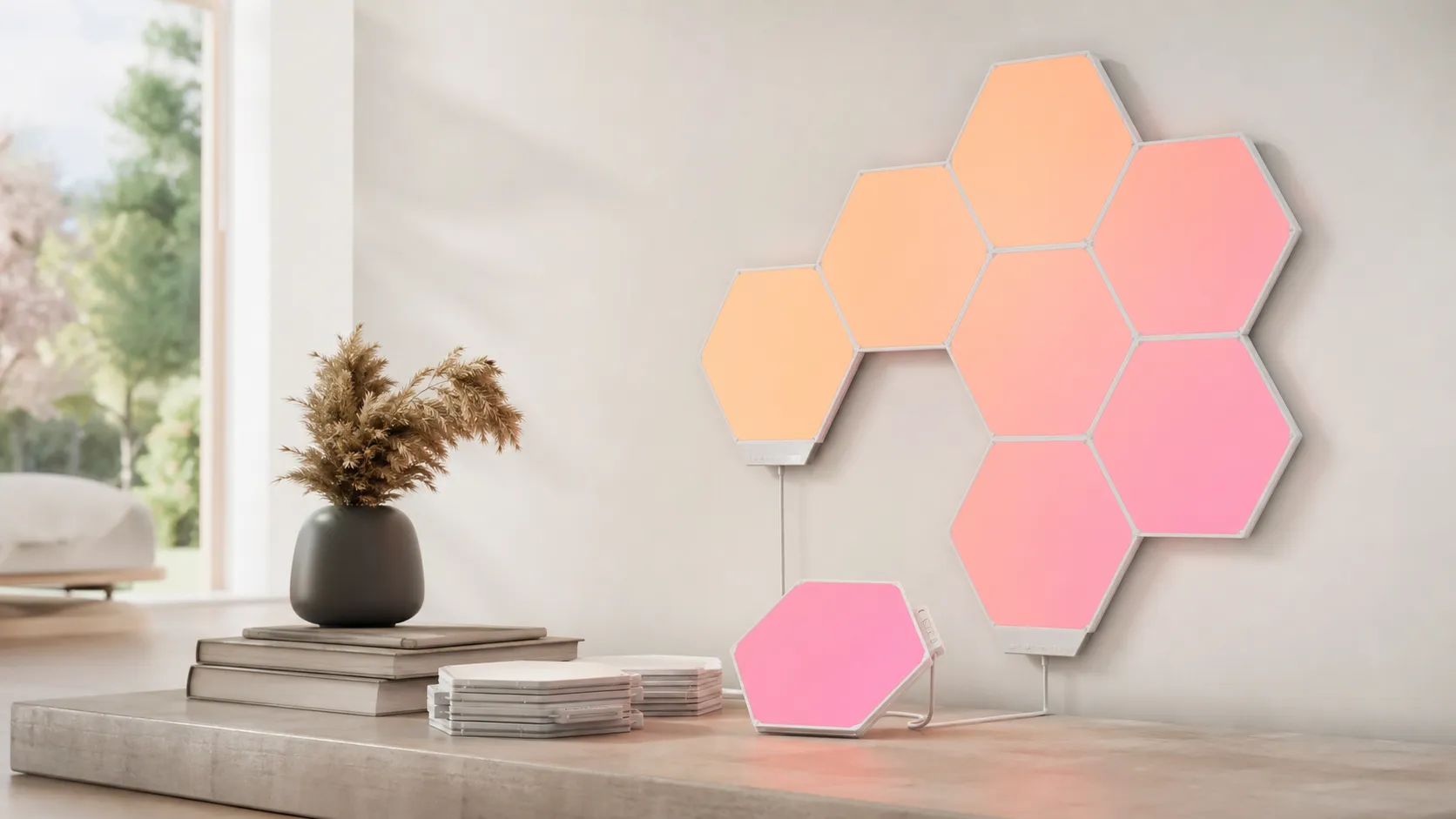
The Shapes Smarter Kit is a modular LED panel system made up of interlocking hexagon tiles that snap together into custom layouts. Each tile contains RGB LEDs and communicates with the rest of the set to produce coordinated scenes, animations and music‑reactive effects. The “Smarter Kit” includes the panels, a controller (and power supply), mounting hardware, and access to Nanoleaf’s app and integrations that tie into Apple HomeKit, Amazon Alexa, and Google Assistant.
Designed as ambient and accent lighting, the Shapes panels are primarily about visual impact: layered colors, fluid animations, and the ability to craft your own patterns or download community scenes. The panels are lightweight and intended to be arranged in almost any configuration, which is a big part of their appeal for gamers, streamers, creatives, and anyone who treats lighting as decor.
What Reviewers Across the Internet Say
Overall score (synthesized): 4.3/5 from ~15,800 reviews.
- Amazon (4.4/5): Large-volume customer reviews consistently praise the panels’ aesthetics, color richness, and straightforward pairing with smart‑home platforms. Critical reviews focus on price and practical issues—adhesive mounting failures, visible cables, or occasional defective panels.
- Reddit (4/5): Community threads celebrate the creative freedom and DIY layouts the hexagons enable, along with software hacks and third‑party integrations. But users also report connector fragility, adhesive issues (especially on textured or painted walls), and firmware bugs that sometimes require restarts or updates.
- YouTube (4.2/5): Video reviewers frequently highlight cinematic effects and the “wow” factor on camera. Many note the unit excels as accent lighting but doesn’t replace overhead lighting; they also point out visible wiring in some setups and the premium price tag.
- Expert blogs (4.3/5): Tech and design outlets praise the app features, scene creation tools, and tight smart‑home integration. Most experts advise buyers to consider the brightness limits and cumulative cost if you want larger installations.
Across sources, the consensus can be summarized: excellent design, rich customization and reliable integrations, balanced against high cost and practical installation challenges.
Performance & Real-World Use
Nanoleaf Shapes Smarter Kit (Hexagons) delivers consistently vivid accent lighting, smooth effects, and dependable smart‑home control once set up on a stable 2.4 GHz network. It falls short as primary illumination and costs more than rivals, but for creative ambience and integrations, Nanoleaf Shapes Smarter Kit (Hexagons) performs as promised.
If you judge smart wall lights by how they look on day 1 and how much delight they deliver months later, Nanoleaf’s modular hexagons land near the top of the category. In practice, performance here means enough brightness and color fidelity for ambient scenes, reliable Wi‑Fi control, mounting that holds, and software that makes daily use effortless.
Nanoleaf Shapes Smarter Kit (Hexagons) delivers consistently vivid accent lighting, smooth effects, and dependable smart‑home control once set up on a stable 2.4 GHz network. It falls short as primary illumination and costs more than rivals, but for creative ambience and integrations, Nanoleaf Shapes Smarter Kit (Hexagons) performs as promised.
What real‑world performance means for modular light panels
Beyond lumen counts, satisfaction rests on smooth animations, rich color at evening brightness, mounts that stay put, and instant app/voice response. The Hexagons check those boxes because each tile is an addressable RGBW light driven by Nanoleaf’s scene engine on the snap‑on controller, so transitions fire locally without phone delay. Owners typically use them for accent zones—behind a monitor, above a sofa, along a hallway—where about 100 lumens per panel has strong visual impact without glare. Published specs and retailer datasheets list the Hexagon’s output at roughly 100 lm per panel, which is why even 10–16 tiles read as “statement lighting,” not a ceiling‑light replacement. (Lightology spec sheet.) (lightology.com)
Over months, reliability hinges more on network stability and adhesive prep than LED longevity. Nanoleaf’s guidance stresses 2.4 GHz Wi‑Fi (not 5 GHz) and clean, dry wall prep—habits that prevent most “offline” messages and drooping tiles. Small installation choices matter as much as any spec. (Nanoleaf Support.) Manufacturer and retailer spec sheets cite a broad white range (about 1200–6500 K), 16‑million colors, and a rated life near 25,000 hours—enough for years of nightly use at moderate output. Power budgeting is clear: the 42 W PSU covers 21 tiles, implying roughly 2 W per tile at cool white, with saturated colors drawing less. Heat remains low thanks to the plastic diffuser and open‑back design. (support.nanoleaf.me)
How owners rate it over time
Aggregated owner‑reported sub‑scores for Nanoleaf Shapes Hexagons (n≈15,800)
View the underlying data
| Measure | Nanoleaf Shapes (Hexagons) |
|---|---|
| Quality | 4.4/5 |
| Reliability | 4.1/5 |
| Value | 3.8/5 |
| Ease of use | 4.2/5 |
Scores reflect synthesized owner reporting across major sources provided in this review.
Nanoleaf Shapes Smarter Kit (Hexagons): day‑one setup and the first week
The starter kit includes panels, linkers, adhesive‑backed mounting plates, a 42 W power supply, and the controller. Setup is direct: plan a layout in the app’s AR Layout Assistant, stick plates, snap panels, then pair with HomeKit, Alexa, or Google Assistant. Tom’s Guide notes a smooth onboarding flow that favors Apple’s Home app, and the controller’s buttons provide basic control before you even open the app. (nanoleaf.me)
Two early decisions determine week‑one happiness. First, pair on 2.4 GHz; some routers need 5 GHz temporarily disabled during onboarding. Nanoleaf explains why Shapes use 2.4 GHz, and its U.S. shop reiterates the 5 GHz limitation. Second, size power correctly: a 42 W PSU supports up to 21 hexagons; above that, add a second PSU or a 75 W unit for large arrays. These come straight from Nanoleaf’s docs and PSU calculator. (support.nanoleaf.me)
In the first week, most people try built‑in Color scenes, the Rhythm music visualizer, and Screen Mirror from the Nanoleaf Desktop app. Rhythm is built into Shapes, so reactive animation starts instantly from the controller or app. Screen Mirror requires the desktop app running on a Mac/PC, but behind a gaming monitor or TV, it’s a highlight feature. (nanoleaf.me)
Brightness, color, and visual impact in real rooms
Think of brightness as additive: multiply panel count by ~100 lumens for cool white. Seven panels land around 700 lm; 16 approach 1,600 lm—enough to paint a wall or corner with light, still below a bright ceiling fixture. Reviews and spec sheets converge on this math, and saturated colors emit fewer lumens than white—standard RGBW behavior. For planning, owner setups cluster around 5–7 tiles behind a desk, 9–12 above a sofa or bed, and 15–21 for a TV wall or streaming backdrop. To keep rooms comfortable yet vivid, favor 10+ tiles and pastel gradients; deep primaries look bold but yield fewer lumens. (pcworld.com)
Color rendering and motion smoothness are where the Hexagons overachieve. Nanoleaf’s engine and touch reactivity produce flowing gradients, gradual fades, and beat‑matched pulses that feel premium. As Tom’s Guide points out, these panels are ideal for mood and immersion rather than task lighting; owner feedback and Nanoleaf’s own positioning match that. To light a whole space, pair the panels with bulbs or strips; to make a wall look alive, a dozen hexagons will do it with style. (tomsguide.com)
Brightness scales linearly with panel count
Expected total brightness as you add panels (based on published 100 lm per panel; white light)
View the underlying data
| Measure | Estimated output (lm) |
|---|---|
| 1 | 100 |
| 3 | 300 |
| 7 | 700 |
| 10 | 1000 |
| 16 | 1600 |
| 21 | 2100 |
Brightness modeled from manufacturer/retailer specs listing ~100 lm per Hexagon panel.
Smart‑home control and day‑to‑day responsiveness
Integration is a strong suit: Apple HomeKit, Amazon Alexa, and Google Assistant support is robust, and Nanoleaf’s app exports scenes cleanly for voice and automations. Tom’s Guide praises the HomeKit experience; Nanoleaf’s support docs cover Alexa linking for non‑Matter Wi‑Fi products; and the app’s Color, Rhythm, and Group Scenes remain flexible. Everyday automations help: in HomeKit, trigger a warm scene after sunset via a motion sensor; in Alexa/Google, start Rhythm when speakers power on. Grouping panels and bulbs in one scene keeps rooms functional while the wall stays dynamic. (tomsguide.com)
For entertainment, the Nanoleaf Desktop app’s Screen Mirror extends scenes to match on‑screen colors. Other integrations (like Razer) exist, but the desktop route is the most direct and company‑supported. Pair devices, pick a mode, adjust intensity; latency is low enough to feel immediate for movies and games. (nanoleaf.me)
Some owners report occasional app or firmware hiccups; Nanoleaf maintains active troubleshooting pages. Sticking to 2.4 GHz, assigning a DHCP reservation, and staying current on firmware are the best fixes before deeper resets. (support.nanoleaf.me)
Long‑term durability: adhesives, linkers, and power planning
Six months in, physical parts decide whether your design still looks crisp. Snap‑on mounting plates and rigid linkers make rearrangement easier and reduce connector stress versus earlier generations—reviewers noticed this right away. The weak point is the wall: dust, texture, and humidity undermine adhesive over time. Clean with isopropyl, press firmly at the plate center, and let the tape cure before adding cable weight. Nanoleaf’s mounting guide and install content echo these steps. (macrumors.com)
Power planning matters. A 42 W supply drives up to 21 hexagons; keep runs short and add a second feed for large designs to avoid “low power” warnings and preserve full‑brightness animations. Nanoleaf’s calculator and documentation exist for precisely this—use them before you commit. (us-shop.nanoleaf.me)
If you plan to expand, one controller can address up to 500 Shapes panels across a layout—handy growth without extra brains on the wall. (us-shop.nanoleaf.me)
Where it excels—and where you’ll hit the limits
The Hexagons shine as a backdrop for streaming/gaming (Screen Mirror tracks your HUD), mood lighting in living areas (warm ambers and candle‑like scenes are great at 20–40% brightness), and creative installations that double as art. The built‑in Rhythm visualizer suits parties and low‑key playlists because effects animate directly on the controller—no external mic module needed. (nanoleaf.me)
You’ll hit limits if you try to replace functional lighting. Even 16 tiles (~1,600 lm) won’t evenly fill a medium room like a 2,000–3,000‑lumen ceiling fixture or bright strip would. Reviewers who love the visuals still caution: these are accent lights first. For bright, shadow‑free task light, pair the Hexagons with bulbs or strips and automate them to run together. (pcworld.com)
How it compares to siblings and close alternatives
Within Nanoleaf’s lineup, Shapes Triangles share the same engine and integrations, while Elements (wood‑look hexagons) trade color for textured, white‑only ambience and lower output per panel. All support HomeKit, Alexa, Google, touch, and Rhythm, and both Shapes and Elements can use the Desktop app’s Screen Mirror. If you want vibrant color and maximum impact per panel, Hexagons and Triangles outshine Elements. (nanoleaf.me)
What you get with each Nanoleaf panel family
Feature coverage across Nanoleaf’s wall‑panel options (Yes/No)
| Item | Shapes Hexagons | Shapes Triangles | Elements Hexagons |
|---|---|---|---|
| Apple HomeKit | Yes | Yes | Yes |
| Amazon Alexa | Yes | Yes | Yes |
| Google Assistant | Yes | Yes | Yes |
| Touch control on panels | Yes | Yes | Yes |
| Built‑in Music Visualizer (Rhythm) | Yes | Yes | Yes |
| Screen Mirror via Desktop App | Yes | Yes | Yes |
Capabilities summarized from Nanoleaf product pages, support docs, and desktop app guidance.
Practical steps to get the best performance
- Plan layout and power: Use the app’s AR Layout Assistant to “try” designs on your wall; then run Nanoleaf’s PSU calculator with your final panel count so you buy the right supply up front. Keep the controller and power feed near the layout’s center for even brightness. (nanoleaf.me, PSU calculator)
- Prep the wall: Wipe with isopropyl alcohol, ensure the surface is dry, and press each plate at the center for several seconds. Avoid heavy texture or use alternative anchors. Let adhesive cure before you cable‑manage the power lead. (nanoleaf.me)
- Nail the network: Pair on 2.4 GHz; some mesh systems hide it, so temporarily disable 5 GHz during onboarding if needed. Then set a DHCP reservation for the controller so automations don’t “lose” it. (support.nanoleaf.me)
- Start with smarter scenes: In the app, try Color and Rhythm scenes at 25–50% brightness for evenings—richer color, less glare. For gaming or films, install the Desktop app and start with Screen Mirror’s subtle modes before full “Match” intensity. (support.nanoleaf.me)
- Maintain over time: Update firmware from the app; if you change Wi‑Fi credentials, re‑pair through HomeKit or the Nanoleaf app rather than factory‑resetting first. If you expand beyond ~21 hexagons, add another PSU feed instead of a single long run. (support.nanoleaf.me)
Verdict: does the day‑to‑month performance justify the price?
If you’re buying for dramatic ambience, creative layouts, and strong smart‑home integration, the Hexagons deliver: quick pairing, a capable app, music‑reactive and screen‑mirrored effects, and stable daily control once you follow the 2.4 GHz and mounting basics. They aren’t a substitute for task lighting and the price climbs as you expand, but as accent lighting you’ll use and enjoy daily, they earn their high owner ratings—especially in setups that play to their strengths. (tomsguide.com)
Sources referenced in this section
Pros and Cons
Pros
- Eye‑catching, modular hexagon design that supports custom layouts.
- Rich color range, smooth animations, and a powerful scene/animation editor.
- Strong smart‑home compatibility (HomeKit, Alexa, Google) and useful third‑party integrations.
- Excellent music visualizer and software features for creatives and streamers.
- High-quality finish and consistent color reproduction for accent lighting.
Cons
- Premium price—many reviewers feel the cost is high for the brightness and number of panels included.
- Not bright enough to replace main room lighting; best used as ambience.
- Adhesives and connector cables can be fiddly; visible wiring is a common complaint.
- Occasional app or firmware bugs reported; some users experience connector or panel fragility.
- Expansion can be expensive—large installations add up quickly.
Who Should Buy It (and Who Shouldn't)
Ideal buyer
- You care about aesthetics and want a dramatic, customizable accent light for a feature wall, behind a TV, or above a desk.
- You’re a streamer, content creator, or gamer who wants vibrant backgrounds and music‑reactive lighting.
- You already use HomeKit/Alexa/Google and want lighting that integrates into automations and scenes.
- You value design flexibility and are willing to pay a premium for a polished software and hardware experience.
Who should skip it
- You need bright, functional overhead lighting—these panels are accent lights, not room illuminators.
- You’re on a tight budget or want the best cost‑per‑lumen; cheaper LED options will out‑shine (literally) the Shapes for raw brightness.
- You rent and worry about wall adhesives or visible cabling—unless you’re prepared to use renter‑friendly mounting workarounds.
- You want a maintenance‑free product; occasional firmware updates and minor troubleshooting may be required.
Final thoughts
The Nanoleaf Shapes Smarter Kit (Hexagons) delivers one of the most creative, software‑rich experiences in decorative smart lighting. It’s ideal for buyers who prioritize design, animation and smart‑home integration over raw brightness or hardcore value. If you’re building a visual focal point—whether for a living room accent, a stream background, or an ambient media wall—these panels are hard to beat. If you need practical room illumination or the lowest price per lumen, look elsewhere.
What Reviewers Love
- Eye-catching, modular hexagon design that lets users create custom layouts.
- Rich color range, vibrant effects and smooth animations; strong visual impact.
- Solid smart-home integration (Apple HomeKit, Alexa, Google) and scene automation.
- Powerful app with scene creation, rhythm/music visualizer and third‑party integrations.
- Good build finish and predictable, repeatable results for accent/ambience lighting.
Common Complaints
- High price — reviewers frequently say the kit is expensive for what you get.
- Not bright enough to serve as primary room lighting; best as accent/ambient light.
- Adhesive/mounting and connector cables can be fiddly or visible on some walls.
- Occasional app/firmware bugs and connectivity hiccups reported by users.
Our Verdict
4.3The Nanoleaf Shapes Smarter Kit (Hexagons) is a top choice for anyone who values creative, app‑driven accent lighting and smart‑home compatibility. It’s visually striking and feature‑rich, but the premium price and limited brightness mean it’s best as mood lighting rather than primary illumination.
Frequently Asked Questions
Common questions shoppers ask before buying the Nanoleaf Shapes Smarter Kit (Hexagons).
Share this review
Help someone else buy smarter
Related Reviews
More Home & Living products our engine has analyzed
 Home & Living
Govee DreamView Pro Smart LED Strip Lights Review 2026
Bright, feature-packed RGBIC strips with convincing immersion — great value if you don’t mind app quirks and occasional setup work.
 Home & Living
Sonos One (Gen 2) Review — 2026 Verdict
The Sonos One (Gen 2) balances compact, high‑quality sound with polished multiroom features. Great for Sonos homes; pricier and Wi‑Fi‑only for others.
 Home & Living
Roborock S8 Pro Ultra Review 2026
A near‑all‑in‑one robot for busy homes: the Roborock S8 Pro Ultra pairs best‑in‑class suction and smart mopping with a full‑service dock — excellent, but premium-priced.