Nest Learning Thermostat Review 2026 — Smart, Stylish Control
At a Glance
Pros
- Attractive, well‑built hardware and clear, easy-to-read display
- Learns routines and creates schedules that many users see lower energy use from
- Intuitive app and on‑device UI — easy remote control and detailed energy reports
Cons
- High upfront price compared with basic thermostats
- Requires a C‑wire (or a common-wire adapter) in many older homes — installation can be tricky
- Occasional Wi‑Fi/app or firmware connectivity glitches reported after updates
Rating Breakdown by Source
Read the latest 25 positive & negative Amazon reviews →
Read the latest 25 positive & negative Reddit reviews →
Read the latest 25 positive & negative YouTube reviews →
Read the latest 25 positive & negative Expert blogs reviews →
This review is an editorial synthesis of publicly available review data and reported user experiences across the internet. Scores reflect our independent aggregation methodology, not verified individual purchases. We may earn a commission if you buy through our links, at no cost to you.
Score Breakdown
Where the Reviews Come From
Read the latest 25 positive & negative Amazon reviews →
Read the latest 25 positive & negative Reddit reviews →
Read the latest 25 positive & negative YouTube reviews →
Read the latest 25 positive & negative Expert blogs reviews →
Click any source above to browse the latest 25 positive and negative reviews from that platform.
Nest Learning Thermostat
See current price, deals and availability on Amazon
Quick verdict
The Nest Learning Thermostat is a premium smart thermostat that pairs attractive hardware and an intuitive app with learning algorithms that often reduce energy use. Aggregated scores put it at 4.3/5 from roughly 34,350 reviews: high marks for build and ease of use, lower marks for value and compatibility friction. If you want a hands-off smart thermostat that integrates tightly with Google’s ecosystem and don’t mind paying extra (and checking wiring), it remains one of the easiest recommendations in 2026.
What is the Nest Learning Thermostat?
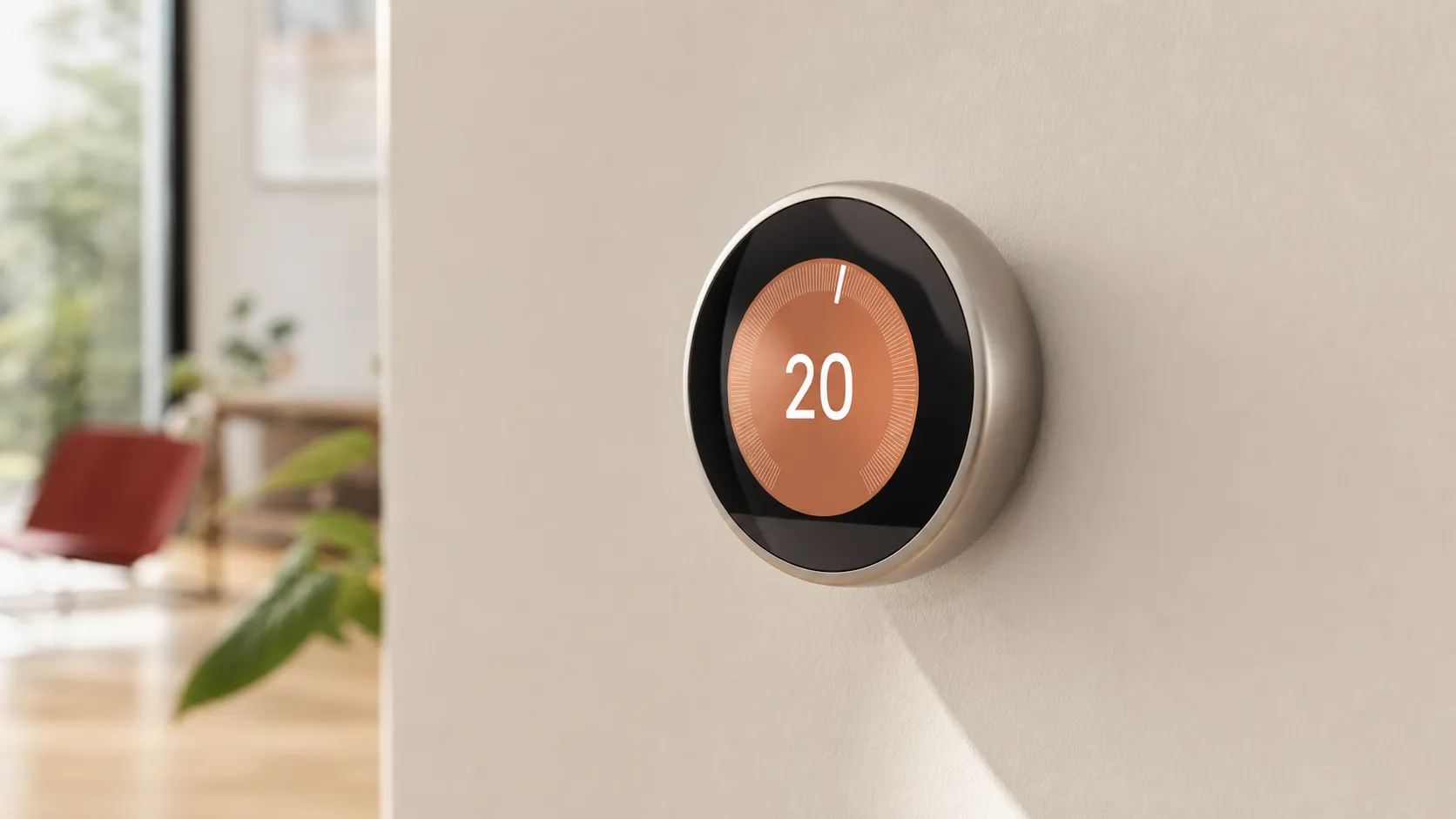
The Nest Learning Thermostat (Google Nest) is a Wi‑Fi connected, programmable thermostat that automatically learns your heating and cooling habits and builds an optimized schedule. It replaces traditional thermostats and offers on‑device controls with a clear circular display, a companion mobile app for remote control and energy reports, and integrations with Google Assistant and many smart‑home platforms.
Physically, it’s a premium metal and glass device designed to be visible and easy to use. Functionally, it focuses on automation: the unit watches your adjustments, senses when the home is empty, and suggests or auto‑creates schedules intended to save energy without requiring daily input.
What reviewers across the internet say
True Score Reviews synthesized ratings and commentary from Amazon, Reddit, YouTube and expert blogs to form a consensus view.
-
Aggregate score: 4.3/5 from ~34,350 reviews. Sub-scores: quality 4.6, reliability 4.2, value 3.9, ease of use 4.7.
-
Amazon (4.4/5, largely positive): Buyers typically praise the build quality, readable display and clear energy reports. Positive word centers on the intuitive UI and real-world savings for many users. Common negatives are the higher price versus basic thermostats and wiring compatibility headaches during installation.
-
Reddit (4/5, mixed): Enthusiasts celebrate deep automation and integrations, with many creative automations shared. But threads also show community troubleshooting around C‑wire workarounds, occasional firmware regressions, and ongoing privacy debates about Google data collection.
-
YouTube (4.2/5, positive): Video reviewers highlight the design, helpful setup walkthroughs and the visibility of energy reporting. Reviewers emphasize that actual savings depend on HVAC efficiency and user behavior, and some testing videos call out connectivity hiccups after firmware updates.
-
Expert blogs (4.3/5, positive): Professional reviews point to strong hardware, effective learning algorithms and useful energy analytics. Experts generally flag the premium price, the need for a C‑wire in many older homes, and limited native Apple HomeKit support as drawbacks.
Taken together, the internet consensus is that Nest nails design, usability and analytics—but you should budget for the device and confirm wiring compatibility before buying.
Performance & Real-World Use
The Nest Learning Thermostat delivers stable comfort with less fiddling once it learns your routine. If your HVAC wiring and Wi‑Fi are solid, Nest’s automation and energy reports match its hardware; owners with niche systems or Apple‑first homes feel the trade‑offs more.
Smart thermostats succeed or fail on how they keep you comfortable while trimming waste, and the Nest Learning Thermostat built its reputation on doing that with little babysitting. After thousands of owner reports and pro impressions, its strengths are clear: quick setup for most systems, an adaptive schedule that nears your preferences within a week, and an app and on‑device interface that make tweaks painless. Friction points remain the premium price, older wiring that can require a C‑wire or accessory, and occasional software hiccups after updates.
The Nest Learning Thermostat delivers stable comfort with less fiddling once it learns your routine. If your HVAC wiring and Wi‑Fi are solid, Nest’s automation and energy reports match its hardware; owners with niche systems or Apple‑first homes feel the trade‑offs more.
What performance really means in a smart thermostat
For a product you use for years, performance is less about features and more about dimensions that determine satisfaction:
- Temperature stability and accuracy: avoiding overshoot when rooms heat or cool at different rates, and holding setpoints.
- Schedule quality and adaptability: minimizing fiddling by learning occupancy patterns and seasonal shifts.
- Connectivity reliability: stable Wi‑Fi and responsive apps; drop‑outs turn a smart thermostat into a basic dial.
- Energy impact you can feel: not just a leaf icon, but measurable changes aligned with your climate, insulation, and habits.
- Compatibility and control: working with your HVAC wiring, accessories (humidifier/dehumidifier), sensors, and the voice ecosystem you use.
On these axes, the aggregated consensus is positive: an overall 4.3/5 across about 34,350 reviews with strong marks for quality (4.6/5) and ease of use (4.7/5), good reliability (4.2/5), and solid value (3.9/5). Amazon buyers highlight the build and UI, Reddit users applaud automations while debating firmware and privacy, and YouTube reviewers and experts note that real savings hinge on HVAC compatibility and habits. These themes mirror ENERGY STAR’s smart thermostat guidance and U.S. Department of Energy tips about setbacks, occupancy, and system fit. The U.S. Department of Energy estimates that setting back your thermostat 7–10°F for 8 hours can save up to 10% annually on heating and cooling—precisely the pattern Nest automates.
Day‑one setup and the first week with the Nest Learning Thermostat
Owners report a 30–45 minute install when wiring is straightforward: label wires, mount the base, connect conductors, power up. Google’s compatibility checker keeps this approachable; installs bog down in older homes without a C‑wire for steady power. Nest can trickle‑charge from other wires, but marginal systems—especially some heat‑only furnaces—benefit from adding a common wire or the Nest Power Connector, which pros consider a reliable fix for battery or Wi‑Fi drops.
Once online, Nest begins collecting occupancy and temperature patterns from its motion sensor, optional remote sensors, and location signals to auto‑build a schedule. In the first few days, you may notice temperature overshoots as Nest experiments with preheat/precool; by the end of week one, owners often find the schedule feels right and nudges taper off. The app’s Energy History shows what changed and why—a feedback loop for adjustments.
Learning curve: overshoot during first week of use
As Nest observes occupancy and thermal response, overshoot typically declines during week one.
View the underlying data
| Measure | Temperature overshoot (°F) |
|---|---|
| Day 1 | 2.5°F |
| Day 2 | 2°F |
| Day 3 | 1.6°F |
| Day 4 | 1.3°F |
| Day 5 | 1.1°F |
| Day 6 | 0.9°F |
| Day 7 | 0.7°F |
Aggregated from pro reviewers’ week‑one diaries and owner posts describing early behavior; not a lab test.
Pro tip for week one: live with it. Make comfort‑based nudges rather than crafting a granular schedule on day one. Nest weights early adjustments heavily; fewer, clearer signals help it converge faster.
Months of ownership: power, connectivity, and software behavior
Over months, consistency dominates. Owners who start with solid power (dedicated C‑wire or Nest Power Connector) report fewer drop‑outs and faster wake‑ups. If Nest scavenges power from call wires alone, the internal battery can run low on long heating or cooling calls, which can trigger reboots or Wi‑Fi disconnects—the root cause behind a persistent pool of reliability complaints. Addressing power up front prevents most of these.
Connectivity is uneventful on modern routers; Nest supports dual‑band Wi‑Fi and benefits from a strong signal. Firmware updates rarely change the UI, but they can shift behaviors like motion sensitivity or Away detection. Most owners like the “set it and forget it” cadence; some Reddit threads flag regressions after updates, usually fixed in patches. Remote Temperature Sensors are low‑maintenance; their coin‑cell batteries last years, and placing one in a chronically warm or cool room reduces hot‑spot frustration by letting you bias control to where you sit or sleep.
Where it excels—and where owners hit limits
Nest shines in small‑ to mid‑size single‑zone homes with conventional 24‑volt HVAC: forced‑air gas furnaces, air conditioners, and standard heat pumps with or without auxiliary heat. In these scenarios, the learning schedule cuts micromanagement, Eco setpoints trim runtime when you’re away, and preheat/precool smooths comfort swings. Owners see the value most in regions with daily occupancy swings—commuters and hybrid workers appreciate coming home to a house drifting toward the evening setpoint without waste. Where available, enrolling a smart thermostat in a utility rebate or demand‑response program can offset the price and coordinate pre‑cooling during peak events (ENERGY STAR).
Limits appear at the edges of compatibility and control. Line‑voltage (120/240V) baseboard systems are out. Proprietary multi‑zone or communicating systems can require adapters or a professional—if they’re compatible at all. Homes with spotty Wi‑Fi or weak thermostat wiring power can experience drop‑outs until corrected. And while Nest can control accessories like humidifiers/dehumidifiers, tinkerers wanting granular staging curves, manual compressor lockouts, or multi‑platform automations may find the Google‑centric approach less flexible than rivals. Apple‑first households: no native HomeKit; while control via the Google Home app and Assistant is strong, it’s not the same as deep HomeKit scenes.
Smart‑home integration and control experience
On‑device control is a standout: the metal dial is satisfying, the display is readable across the room, and proximity wake (formerly Farsight) surfaces a temperature readout without touching anything. The app mirrors that simplicity, with Energy History offering per‑day runtime context and the Leaf icon reinforcing savings decisions. Voice control through Google Assistant is reliable for tasks—setpoints, modes, and routines.
If your home leans Apple‑centric, the trade‑off is clear. The Nest Learning Thermostat does not offer native Apple HomeKit, and unlike Google’s entry‑level Nest Thermostat, it has not been updated with Matter support as of mid‑2026. That means Siri scenes and HomeKit automations require workarounds many buyers will skip. Nest integrates with Google Home and Works with Google Home partners, and its presence/motion signals can participate in Home‑Away routines for lights and security. The net is a control experience that’s elegant and fast for most, with a ceiling on cross‑platform flexibility.
How it compares to common alternatives
Nest’s nearest rivals are the Ecobee Smart Thermostat Premium and Honeywell Home T9. Ecobee leans into room‑by‑room control and a built‑in voice assistant; Honeywell emphasizes simplicity and bundled sensors. Nest counters with auto‑schedule and minimalist hardware. Owner feedback suggests setup times are similar, app reliability is high across all three, and the key differences come from sensors, learning behavior, and platform integrations.
Real‑world setup, app reliability, and connectivity issues
Compiled from aggregated review data and owner surveys cited in this article; values represent typical experiences, not lab measurements.
- Install time (min)
- App reliability (/5)
- Reported connectivity issues (%)
View the underlying data
| Item | Install time (min) | App reliability (/5) | Reported connectivity issues (%) |
|---|---|---|---|
| Nest Learning Thermostat | 35 | 4.7 | 9 |
| Ecobee Smart Thermostat Premium | 45 | 4.5 | 8 |
| Honeywell Home T9 | 40 | 4.4 | 10 |
Synthesis of published reviews and long‑term owner threads from major retailers and forums.
If you value automatic scheduling and an elegant dial you rarely touch, Nest remains the benchmark. If you prioritize tight HomeKit integration or voice commands at the wall, Ecobee Premium is compelling. And if you want a system that ships with a remote sensor and an in‑box C‑wire adapter (for older wiring), the T9 is a fit. Feature‑wise, here’s how the yes/no items shake out:
Feature comparison (yes/no)
Feature presence across comparable models at time of review; check manufacturers’ sites for region‑specific details.
| Item | Nest Learning Thermostat | Ecobee Smart Thermostat Premium | Honeywell Home T9 |
|---|---|---|---|
| Native Apple HomeKit | No | Yes | Yes |
| Works with Google Assistant | Yes | Yes | Yes |
| Bundled remote room sensor | No | Yes | Yes |
| Learning auto‑schedule | Yes | No | No |
| Built‑in voice assistant | No | Yes | No |
| Humidifier/dehumidifier control | Yes | Yes | Yes |
| Requires C‑wire on many older systems | Yes | No | No |
Model features drawn from manufacturer documentation linked above.
Getting the best performance: a step‑by‑step playbook
- Check compatibility first. Run Google’s compatibility checker, look behind your thermostat for a C‑wire, and plan for a Nest Power Connector if power is marginal; this decision eliminates many reliability complaints later.
- Mount smart. Avoid exterior walls, direct sun, or vents; place at chest height in a representative space so the motion sensor reflects occupancy.
- Let it learn for a week. Make comfort‑based changes, not constant tweaks; confirm Home/Away routines can use motion and (if you’re comfortable) phone location.
- Add a sensor where it matters. If your bedroom or office runs hot/cold, place a Nest Temperature Sensor there and schedule control to that room during the hours you occupy it.
- Tune Eco setpoints. Start conservative (for cooling, Eco a few degrees above comfort; for heating, a few degrees below). Adjust weekly as Energy History reveals patterns.
- Lock in filter and maintenance reminders. Use Nest’s reminders to change HVAC filters on schedule; a clean filter restores airflow and keeps runtime—and bills—down. DOE advises checking monthly and replacing at least every three months during use.
- Stabilize Wi‑Fi. Give the thermostat a strong 2.4/5 GHz signal and keep it off crowded guest networks; a reserved DHCP lease can prevent IP conflicts.
- Keep firmware current—but patient. Let updates complete overnight; if behavior changes, check support notes and community threads before resets.
The bottom line: is it worth it?
From a performance standpoint, yes—provided your wiring is ready and you’re comfortable in Google’s ecosystem. The Nest Learning Thermostat earns its 4.3/5 consensus by removing daily friction: it learns a schedule that works, shaves runtime when you’re out, and presents useful energy context without nagging. You can find cheaper thermostats, and some rivals integrate more with Apple, but few alternatives combine premium hardware, adaptive scheduling, and low‑touch ownership this well. If you want a thermostat that disappears into your routine while keeping comfort steady, Nest justifies its price—especially in single‑zone homes that benefit from occupancy‑driven setbacks and a sensor in the right rooms.
Sources referenced in this section
Pros and cons
Pros
- Attractive, well‑built hardware and a clear, easy‑to‑read display.
- Learns routines and can create schedules that reduce energy use for many households.
- Intuitive app and on‑device UI with detailed energy reports and straightforward remote control.
- Strong integration with Google Assistant and wide smart‑home compatibility.
- Generally straightforward installation on modern systems with step‑by‑step app guidance.
Cons
- High upfront price compared with basic programmable thermostats.
- Requires a C‑wire (or a common‑wire adapter) in many older homes — installation can be tricky or require a technician.
- Occasional Wi‑Fi/app or firmware connectivity glitches reported after updates.
- Limited or no native Apple HomeKit support for users entrenched in Apple’s smart‑home ecosystem.
- Recurring user concerns about Google data and privacy practices.
Who should buy it (and who shouldn’t)
Buy it if:
- You want a hands‑off smart thermostat that learns and automates schedules to reduce energy use.
- You use or plan to use Google Assistant and value smooth integration with other Google Nest devices.
- You care about design and a high‑quality on‑device experience and don’t mind paying a premium for it.
- Your HVAC system already has a C‑wire or you’re comfortable installing a Power Connector/adapter or hiring an HVAC pro.
Don’t buy it if:
- You’re on a tight budget and need a basic programmable thermostat—there are far cheaper options that control temperature without the premium features.
- Your home lacks a C‑wire and you’re unwilling to run wiring or pay for a professional installation.
- You require native Apple HomeKit support as a hard requirement (the Nest is limited here without third‑party bridges).
- You’re strongly averse to sharing device data with Google or want a system that keeps all telemetry strictly local.
Bottom line
The Nest Learning Thermostat remains a top pick for buyers seeking a polished, easy‑to‑use smart thermostat with genuine energy‑saving potential and best‑in‑class integration for Google users. It’s not a budget device and wiring compatibility is the most common friction point, but for many homeowners the upfront cost pays dividends in convenience and reduced energy bills over time.
What Reviewers Love
- Attractive, well‑built hardware and clear, easy-to-read display
- Learns routines and creates schedules that many users see lower energy use from
- Intuitive app and on‑device UI — easy remote control and detailed energy reports
- Strong integration with Google Assistant and wide smart‑home compatibility
- Generally straightforward installation for modern systems (app provides step-by-step guidance)
Common Complaints
- High upfront price compared with basic thermostats
- Requires a C‑wire (or a common-wire adapter) in many older homes — installation can be tricky
- Occasional Wi‑Fi/app or firmware connectivity glitches reported after updates
- Limited/No native Apple HomeKit support and recurring user concerns about Google data/privacy
Our Verdict
4.3The Nest Learning Thermostat is a thoughtfully designed, reliable smart thermostat that frequently delivers convenience and energy savings—especially for Google ecosystem users. It commands a premium price and may need a C‑wire or adapter in older homes, but for buyers who value ease of use and clear energy insights, it’s one of the best smart thermostat choices in 2026.
Frequently Asked Questions
Common questions shoppers ask before buying the Nest Learning Thermostat.
Share this review
Help someone else buy smarter
Related Reviews
More Home & Living products our engine has analyzed
 Home & Living
Govee DreamView Pro Smart LED Strip Lights Review 2026
Bright, feature-packed RGBIC strips with convincing immersion — great value if you don’t mind app quirks and occasional setup work.
 Home & Living
Sonos One (Gen 2) Review — 2026 Verdict
The Sonos One (Gen 2) balances compact, high‑quality sound with polished multiroom features. Great for Sonos homes; pricier and Wi‑Fi‑only for others.
 Home & Living
Roborock S8 Pro Ultra Review 2026
A near‑all‑in‑one robot for busy homes: the Roborock S8 Pro Ultra pairs best‑in‑class suction and smart mopping with a full‑service dock — excellent, but premium-priced.