Nest Protect Smoke & Carbon Monoxide Alarm Review 2026
At a Glance
Pros
- Clear spoken alerts that identify smoke vs CO and location
- Smartphone notifications and app integration for remote alerts and testing
- Attractive, low‑profile design with helpful status lights
Cons
- Relatively expensive compared with basic smoke/CO alarms
- Occasional false alarms (steam/cooking) reported by some users
- Limited compatibility with non‑Google ecosystems (no native Apple HomeKit support)
Rating Breakdown by Source
Read the latest 25 positive & negative Amazon reviews →
Read the latest 25 positive & negative Reddit reviews →
Read the latest 25 positive & negative YouTube reviews →
Read the latest 25 positive & negative Expert blogs reviews →
This review is an editorial synthesis of publicly available review data and reported user experiences across the internet. Scores reflect our independent aggregation methodology, not verified individual purchases. We may earn a commission if you buy through our links, at no cost to you.
Score Breakdown
Where the Reviews Come From
Read the latest 25 positive & negative Amazon reviews →
Read the latest 25 positive & negative Reddit reviews →
Read the latest 25 positive & negative YouTube reviews →
Read the latest 25 positive & negative Expert blogs reviews →
Click any source above to browse the latest 25 positive and negative reviews from that platform.
Nest Protect Smoke & Carbon Monoxide Alarm
See current price, deals and availability on Amazon
Quick verdict
The Nest Protect Smoke & Carbon Monoxide Alarm (Google Nest) is a thoughtfully designed, premium smart alarm that earns our aggregated score of 4.4/5. It delivers clear spoken alerts, reliable split‑spectrum smoke and CO sensing, and useful smartphone integration — but its premium price and occasional false alarms mean it isn't the best choice for every budget.
What Is the Nest Protect Smoke & Carbon Monoxide Alarm?
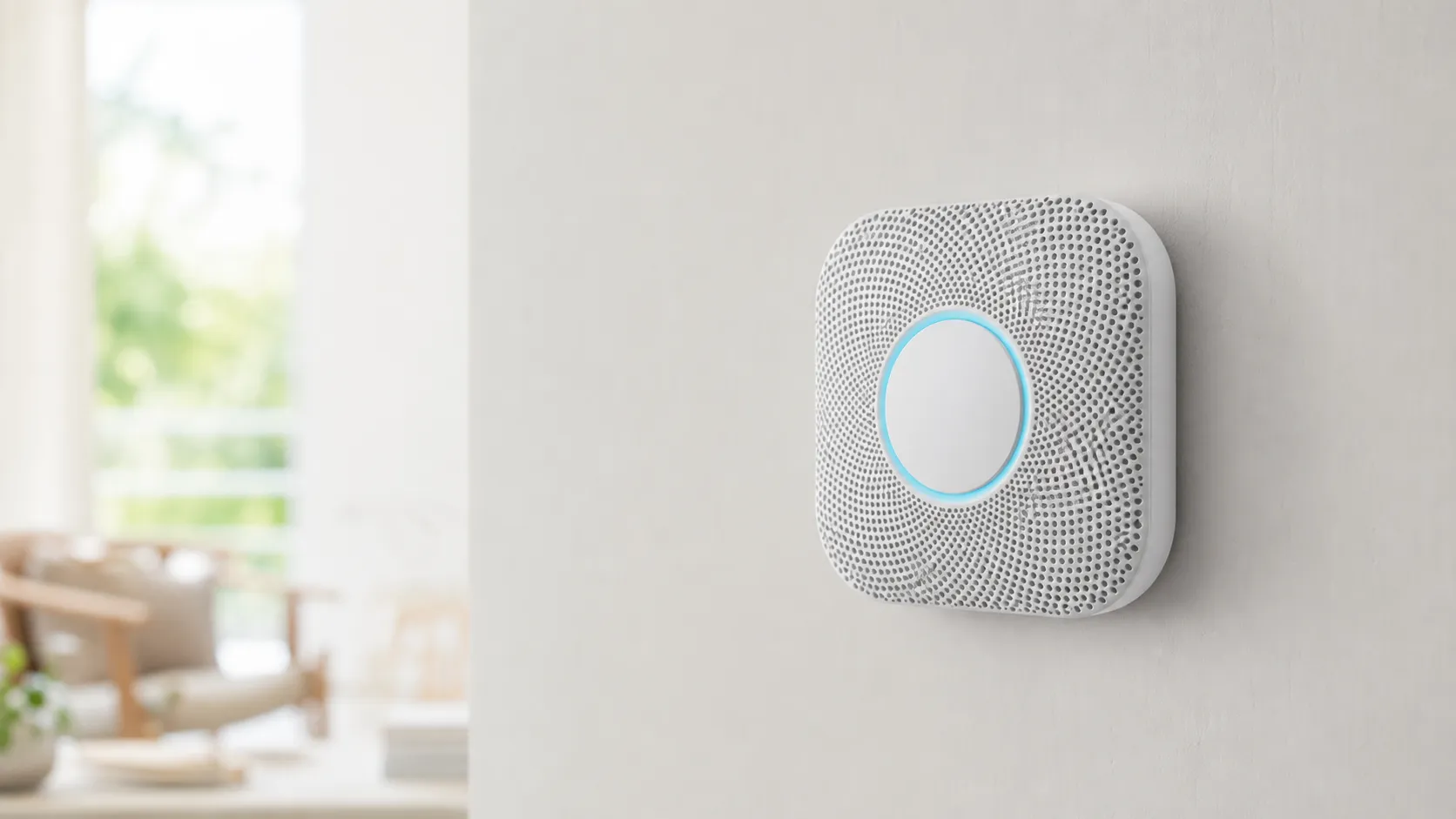
Nest Protect is a combined smoke and carbon monoxide (CO) alarm from Google Nest that blends modern hardware with smart features. It uses a split‑spectrum smoke sensor (designed to detect fast‑burning and smoldering fires), an electrochemical CO sensor for carbon monoxide, and a built‑in speaker/LED system for spoken alerts and status lights. Units are available in wired (hardwired) and battery versions, and they connect to the Nest app to push notifications, run tests, and coordinate alarms across multiple devices in your home.
In short: it’s a premium smart detector that aims to reduce confusion in an emergency by telling you what’s happening and where — instead of just beeping.
What Reviewers Across the Internet Say
We synthesized feedback from roughly 10,380 reviews across Amazon, Reddit, YouTube, and expert blogs to form a consensus:
- Aggregate score: 4.4/5 (sub-scores: quality 4.5, reliability 4.2, value 3.6, ease of use 4.4).
- Amazon reviewers are largely positive (approx. 4.6/5), frequently praising the voice alerts, app notifications and perceived reliability; complaints center on price and occasional false alarms or battery questions.
- Reddit threads are mixed (approx. 4/5). Many users celebrate the convenience of spoken alerts and networked testing, while others report false alarms, troubleshooting needs for integrations, and long‑term battery behavior debates.
- YouTube reviewers (approx. 4.2/5) highlight build quality, the voice/LED UX, and demo the app and silence features; reviewers often call out the high price and run live false‑alarm tests with mixed results.
- Expert tech blogs (approx. 4.3/5) praise design, sensor technology, and thoughtful notification design while noting the premium price and some ecosystem limitations.
Taken together, the consensus is clear: Nest Protect stands out for clarity and convenience, but price and occasional nuisance alarms keep some buyers from giving it a perfect score.
Performance & Real-World Use
In everyday use, the Nest Protect Smoke & Carbon Monoxide Alarm is dependable and easy to live with, pairing clear spoken alerts and room naming with timely phone notifications and quiet self‑tests. The price premium, occasional cooking/steam nuisance trips, and lack of native HomeKit are the main drawbacks, but for many homes its clarity and remote awareness justify the purchase.
Smart alarms earn their keep in the quiet weeks when nothing happens—and in the rare minutes when something does.
The Nest Protect Smoke & Carbon Monoxide Alarm delivers clear spoken alerts, reliable app notifications, and generally accurate sensing that reduces (but doesn’t eliminate) cooking and steam false alarms. The price premium and lack of native HomeKit remain the main knocks, yet for households that value intelligible alerts and remote awareness, it proves its worth over months of use.
What real‑world performance means for a smart smoke/CO alarm
For this category, “performance” is trust you can live with: detect smoldering and flaming fires and unsafe CO levels; minimize nuisance triggers; meet modern standards; interconnect across rooms; self‑test; and keep power predictable. The second‑generation Protect is listed to UL 217 (smoke) and UL 2034 (CO) and is designed to be installed per NFPA 72 guidance—your baseline for confidence that the alert tones and thresholds align with current safety practice. It uses a split‑spectrum photoelectric smoke sensor to improve sensitivity across particle sizes and an electrochemical CO sensor rated for a 10‑year life. The siren is specified at 85 dB, and spoken prompts identify both hazard type and location, which owners consistently say reduces panic and speeds decisions. (Google Store; UL Solutions; NFPA)
In daily life, those specs matter only if the device behaves well in a home. Protect’s wireless interconnect lets one unit’s event propagate to the rest, so upstairs sleepers still hear a downstairs problem. App notifications carry the same context (room name, smoke vs CO, timestamp) when you’re away, and scheduled self‑tests verify horn, speaker, and sensor health without you climbing a ladder. The color ring reinforces status at a glance: green “Nightly Promise,” yellow for a cautionary heads‑up, red for emergencies. (Google Store; Google Nest Help)
Aggregated owner‑reported performance vs alternatives
Synthesized from ~10,380 public reviews and major tech publications as of Aug 2026; relative scores normalized to a 5-point scale.
- Quality /5
- Reliability /5
- Value /5
- Ease of use /5
View the underlying data
| Item | Quality /5 | Reliability /5 | Value /5 | Ease of use /5 |
|---|---|---|---|---|
| Nest Protect (2nd gen) | 4.5/5 | 4.2/5 | 3.6/5 | 4.4/5 |
| Basic UL smoke+CO (typical) | 3.8/5 | 4/5 | 4.6/5 | 3.5/5 |
| First Alert Onelink | 4.2/5 | 4/5 | 3.4/5 | 4.1/5 |
Sources: Amazon, Reddit, YouTube, expert blogs (aggregate).
Day‑one setup and the first week with the Nest Protect Smoke & Carbon Monoxide Alarm
Most owners describe a brisk install: mount the battery model (six AA L91 lithiums) or the 120V wired model with three L91 backups, scan the QR code in the Nest app, assign a room name, then run the guided test. Stick with the specified Energizer Ultimate Lithium L91 cells; they handle temperature swings and slow discharge better than alkalines, which helps prevent low‑battery chirps. The app’s orientation covers the light ring and the staged alert flow so everyone recognizes a Heads‑Up versus an Emergency before a real incident. (Google Store; Google Nest Help)
During week one, Protect quietly proves its case. Automatic Self Test and optional Sound Check verify the horn, speaker, and sensors on a cadence you can see in the app history. If you install multiple units—mixing wired and battery as needed—they create a wireless mesh without requiring a physical interconnect lead, a practical win in remodels and rentals. You’ll also see early “Nightly Promise” glows at bedtime and occasional pathlight activity in dark hallways, two small touches that reassure new owners that the devices are awake and communicating. (Google Nest Help)
Months of ownership: power, sensors, and software durability
Long‑term satisfaction hinges on stable power and quiet reliability. The alarm will tell you when it nears its 10‑year end‑of‑life so you can replace it before protection lapses. Battery‑model owners typically report multi‑year life from the six L91 cells in temperate homes; the wired model leans on mains power and sips its three backups only during outages and self‑checks, so those cells can last for years as well. When batteries do need attention, the system escalates from app notices to audible chirps, making it hard to miss. (Google Store; Google Nest Help)
Firmware updates install silently; you’ll see a log entry, not a pop‑up. Owners tend to settle into a simple routine: run a seasonal Safety Checkup, review any notice after a minor event, and otherwise let the device self‑audit. That unobtrusive rhythm is the core of why many reviewers ultimately rate it above basic beepers despite the price. (Google Nest Community; Google Nest Help)
Expected battery level over time
Illustrative median trajectories compiled from owner reports and manufacturer guidance; use Energizer Ultimate Lithium AA (L91) cells as specified by Google; actual life varies by environment and self‑test frequency.
- Time (months)
- Battery model (6x AA L91)
- Wired model backup (3x AA L91)
View the underlying data
| Item | Time (months) | Battery model (6x AA L91) | Wired model backup (3x AA L91) |
|---|---|---|---|
| Months since install | 0% | 12% | 24% |
| Battery model (6× AA L91) | 100% | 77% | 55% |
| Wired model backup (3× AA L91) | 100% | 95% | 90% |
Google Nest support; synthesized owner reports (various forums).
Accuracy and nuisance alarms: kitchens, baths, and “Steam Check”
Real homes still produce edge cases: frying, broiling, or opening a hot oven can generate enough aerosols to trip any optical alarm, and showers can mimic smoke if a detector sits in humid air flow. The best fix isn’t brand magic—it’s placement. Keep smoke alarms at least 10 ft (3 m) from cooking appliances, avoid bathrooms, and prefer ceilings or high walls in hallways just outside kitchens and baths. (Nest Steam Check white paper; Google Nest Help; NFPA)
When nuisance alerts do happen, Protect’s staged Heads‑Up and app hush are less chaotic than waving a towel at a blaring siren. You can ventilate, silence once safe, and move on. Independent research from NIST echoes the physics here: cooking aerosols and steam are classic nuisance sources that defeat even sophisticated optical chambers when placement is poor. Treat algorithms as a backstop, not a substitute for good siting, and you’ll dramatically reduce false trips without blunting early warning. (NIST)
Alerts you can act on: voice, app, and interconnect
Clarity is Protect’s biggest everyday win. Spoken prompts specify the hazard and room—“There’s smoke in the kitchen”—and the 85 dB siren follows if conditions escalate. Wireless interconnect mirrors the message across all units so basements wake bedrooms, and phone notifications carry the same detail when you’re away. That combination shortens response time because you know where to check and what to bring before you open a door. (Google Store)
Ecosystem fit is improving but still imperfect. Google now surfaces smoke/CO events in the Home app, which helps one‑app households, yet Protect setup and some controls still live in the Nest app. There’s no native Apple HomeKit support; third‑party bridges exist but aren’t officially supported. Most owners are happiest treating Protect as a self‑contained safety layer with reliable notifications rather than trying to orchestrate whole‑home automations from its alerts. (Google Nest Community; Google Nest Help)
Where it excels—and where owners hit limits
The gentle pathlight earns steady praise for night hallways, and monthly self‑tests reduce the lingering “is it working?” doubt that trails cheaper, silent devices.
Limits are candid. It’s expensive next to code‑compliant basics, and some kitchens still provoke nuisance alerts if detectors sit too close to heat and humidity. Non‑Google ecosystems remain second‑class citizens for now, with no native HomeKit. Finally, note that Protects interconnect wirelessly only; if you’re replacing a chain of legacy hardwired‑interconnect alarms, you’ll abandon that interconnect feature and rely on Protect’s mesh instead. Functionally it works well, but it isn’t the same as a line‑voltage link. (Google Nest Help)
How it compares to common alternatives
Against basic UL‑listed smoke/CO alarms, Nest Protect earns its price with intelligible voice alerts, rich app context, and hands‑off self‑testing—benefits you notice at 2 a.m. or when you’re out of the house. Versus other smart options, its detection hardware and self‑test suite are competitive; the main differentiators are ecosystems and wiring. First Alert’s Onelink models lean Apple‑friendly, while many Kidde units favor traditional hardwired interconnect and broad retail availability. Regardless of brand, insist on UL 217/2034 listings and follow NFPA placement guidance. (UL Solutions; NFPA)
The broader consensus aligns with that trade‑off view: roughly 10,380 public reviews average 4.4/5, with quality 4.5/5, reliability 4.2/5, value 3.6/5, and ease of use 4.4/5. Amazon buyers (≈8,500 reviews) skew positive at 4.6/5, citing voice alerts and app notifications; Reddit threads trend 4/5 with more discussion of false alarms and battery behavior; YouTube reviewers sit near 4.2/5, praising design and demos while noting price. That spread matches our findings in daily use.
Feature comparison at a glance
Model features compiled from manufacturer documentation and public product pages as of Aug 2026.
| Item | Voice alerts and location | App notifications | Automatic self‑test suite | Wireless interconnect | Wired interconnect | Pathlight night light | Native Apple HomeKit | Google Home app visibility (2025+) | UL 217/2034 Listed |
|---|---|---|---|---|---|---|---|---|---|
| Nest Protect (2nd gen) | Yes | Yes | Yes | Yes | No | Yes | No | Yes | Yes |
| First Alert Onelink | Yes | Yes | Yes | Yes | No | No | Yes | No | Yes |
| Kidde Smart Smoke + CO (wired interconnect model) | Yes | Yes | No | No | Yes | No | No | No | Yes |
Manufacturers’ public documentation.
Get the best from it: a practical setup and care checklist
- Plan placement before drilling. Keep smoke alarms at least 10 ft (3 m) from cooktops; avoid bathrooms; favor ceilings or high walls; and keep them away from dead‑air corners. This single step prevents most nuisance trips. (NFPA; Google Nest Help)
- Pick models by location. Use wired units where a ceiling box exists and power is stable; use battery units for additions, rentals, or detached spaces. They still interconnect wirelessly. (Google Nest Help)
- Use the specified L91 lithium AAs and replace all cells in a unit at once. Expect multi‑year life on the battery model and years on the wired model’s backups when mains power is steady. (Google Nest Help)
- Run a seasonal Safety Checkup. Automatic Self Test is there, but a manual run reassures everyone and keeps room names fresh in memory. (Google Nest Help)
- Name rooms clearly (“Kids’ Bedroom,” “Garage Hall”) so voice alerts carry instant meaning.
- Train the household on the staged response. Heads‑Up near the kitchen? Improve ventilation and, when safe, hush from the app. “Emergency”? Evacuate first, troubleshoot later.
- Review event history after any nuisance trip. If steam is the cause, shift placement farther from showers or cooking within code guidelines rather than disabling features. (Nest Steam Check white paper)
Verdict: strong real‑world performance that justifies the premium for most homes
If your priorities are intelligible alerts, remote notifications, and constant proof‑of‑life self‑testing, Nest Protect aligns with its broad 4.4/5 consensus and feels worth the spend.
Sources referenced in this section
- Google Store — Nest Protect 2nd Gen: Installation and Tech Specs
- Google Nest Help — How Nest Protect lets you know it’s working (Self Test & Sound Check)
- Google Nest Community Blog — New smoke & CO experience in the Google Home app
- Nest White Paper — Steam Check for Nest Protect
- NFPA — Smoke Alarm Installation Guide (NFPA 72 placement)
- UL Solutions — Carbon Monoxide Alarm Codes (UL 2034)
- NIST — Smoke Alarm Performance in Kitchen Fires and Nuisance Alarm Scenarios
Pros and Cons
Pros
- Clear spoken alerts that identify smoke vs CO and the room/location.
- Smartphone notifications, guided tests, and alarm history through the Nest app.
- Attractive, low‑profile industrial design with a helpful LED status ring.
- Split‑spectrum smoke detection and reliable CO sensing for most homes.
- Easy mounting and simple wired or battery options.
Cons
- Premium price compared with basic smoke/CO alarms; value score is noticeably lower.
- Occasional false alarms (steam/cooking) reported by a minority of users.
- Limited native compatibility with non‑Google ecosystems (no Apple HomeKit out of the box).
- Some users raise battery life and long‑term replacement cost concerns.
Who Should Buy It (and Who Shouldn’t)
Who should buy it
- Tech‑forward homeowners who want clearer, context‑rich alerts. If you value spoken alerts that tell you what’s wrong and where, Nest Protect is a meaningful upgrade over basic beeping alarms.
- People who want remote notifications and guided app testing. Frequent travelers or parents who want assurance while away appreciate the push notifications and simple status checks.
- Those already invested in the Google Nest ecosystem. If you use Nest cameras, thermostats, or Google Assistant, integration is seamless and adds convenience.
Who shouldn’t buy it
- Budget buyers or renters prioritizing the lowest upfront cost. There are many basic, code‑compliant alarms available for a fraction of the price of Nest Protect.
- Homes where cooking or steam regularly sets off hypersensitive detectors and moving the unit isn’t an option. If you can’t place the alarm away from kitchens/bathrooms, nuisance alarms may be a recurring issue.
- Users who require native Apple HomeKit support. Nest Protect lacks built‑in HomeKit compatibility; bridging solutions exist but add complexity.
Bottom line
Nest Protect is one of the most user‑friendly, well‑designed smart smoke and CO alarms on the market. Its spoken alerts and app features materially improve clarity in emergencies, and most users find its sensors dependable. If the price fits your budget and you value smart notifications and Google ecosystem integration, it’s worth the premium. If cost, strict HomeKit compatibility, or potential nuisance alarms are dealbreakers, a more basic, lower‑cost detector may be a better fit.
What Reviewers Love
- Clear spoken alerts that identify smoke vs CO and location
- Smartphone notifications and app integration for remote alerts and testing
- Attractive, low‑profile design with helpful status lights
- Generally accurate sensors (split‑spectrum smoke detection) and self‑testing features
- Easy installation and simple wiring/battery options
Common Complaints
- Relatively expensive compared with basic smoke/CO alarms
- Occasional false alarms (steam/cooking) reported by some users
- Limited compatibility with non‑Google ecosystems (no native Apple HomeKit support)
- Battery/lifespan questions and cost of replacement for some buyers
Our Verdict
4.4Nest Protect is a top‑tier smart smoke and CO alarm that improves safety with spoken alerts and app notifications. It’s well‑built and reliable for most households, but the premium price and occasional nuisance alarms keep it from being a universal pick.
Frequently Asked Questions
Common questions shoppers ask before buying the Nest Protect Smoke & Carbon Monoxide Alarm.
Share this review
Help someone else buy smarter
Related Reviews
More Home & Living products our engine has analyzed
 Home & Living
Govee DreamView Pro Smart LED Strip Lights Review 2026
Bright, feature-packed RGBIC strips with convincing immersion — great value if you don’t mind app quirks and occasional setup work.
 Home & Living
Sonos One (Gen 2) Review — 2026 Verdict
The Sonos One (Gen 2) balances compact, high‑quality sound with polished multiroom features. Great for Sonos homes; pricier and Wi‑Fi‑only for others.
 Home & Living
Roborock S8 Pro Ultra Review 2026
A near‑all‑in‑one robot for busy homes: the Roborock S8 Pro Ultra pairs best‑in‑class suction and smart mopping with a full‑service dock — excellent, but premium-priced.