Nixplay Smart Digital Photo Frame 10.1 Review (2026)
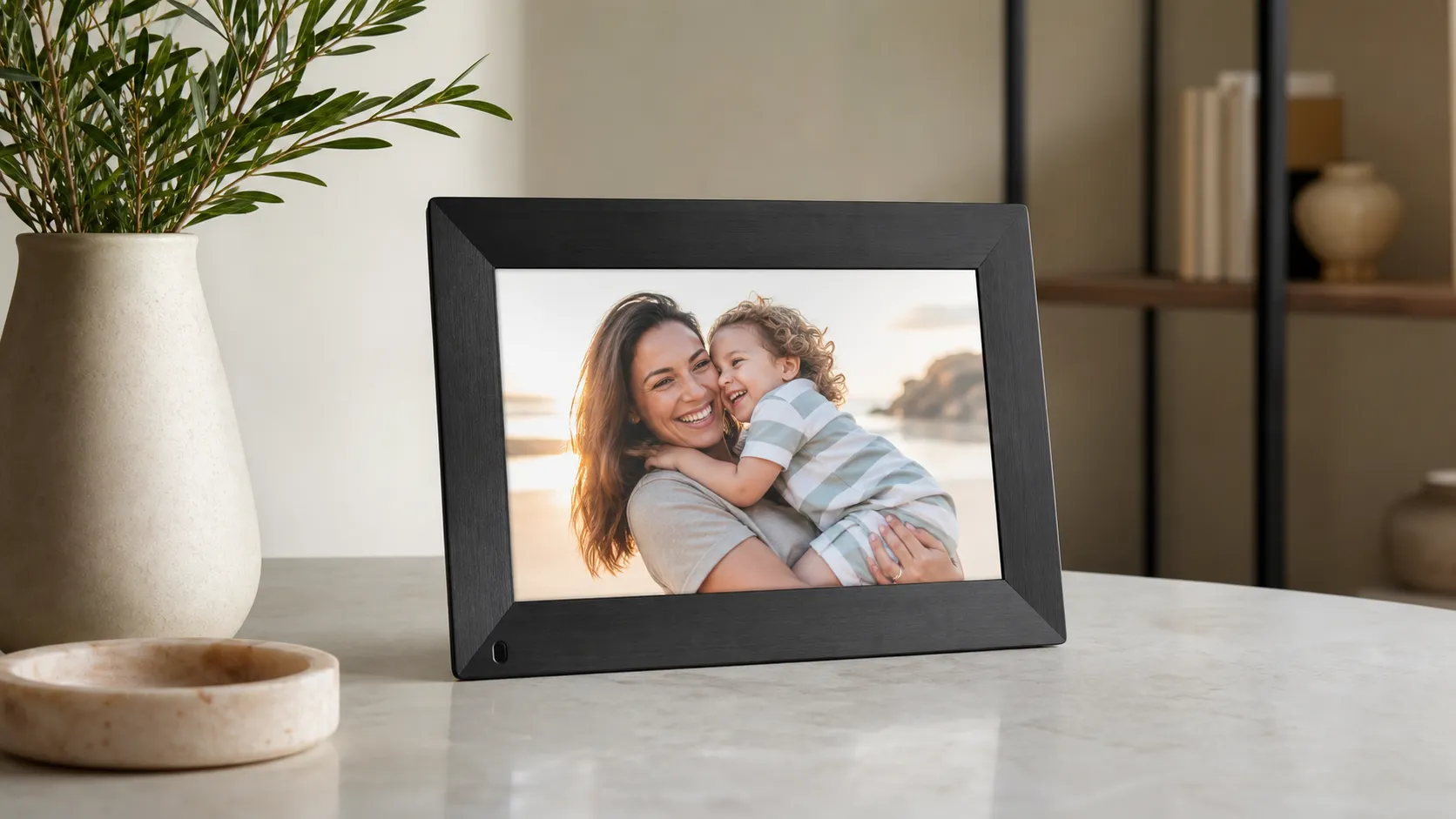
At a Glance
Pros
- Sharp, bright 10.1" IPS display with good color and viewing angles.
- Simple setup and intuitive mobile app for sending photos directly to the frame.
- Remote/cloud photo sharing — great for family members to contribute.
Cons
- Occasional Wi‑Fi or app connectivity glitches reported by users.
- Some useful cloud features behind Nixplay subscription or limited free storage.
- Price is higher than basic digital frames with similar hardware.
Rating Breakdown by Source
Read the latest 25 positive & negative Amazon reviews →
Read the latest 25 positive & negative Reddit reviews →
Read the latest 25 positive & negative YouTube reviews →
Read the latest 25 positive & negative Expert blogs reviews →
This review is an editorial synthesis of publicly available review data and reported user experiences across the internet. Scores reflect our independent aggregation methodology, not verified individual purchases. We may earn a commission if you buy through our links, at no cost to you.
Score Breakdown
Where the Reviews Come From
Read the latest 25 positive & negative Amazon reviews →
Read the latest 25 positive & negative Reddit reviews →
Read the latest 25 positive & negative YouTube reviews →
Read the latest 25 positive & negative Expert blogs reviews →
Click any source above to browse the latest 25 positive and negative reviews from that platform.
Nixplay Smart Digital Photo Frame 10.1"
See current price, deals and availability on Amazon
Intro
The Nixplay Smart Digital Photo Frame 10.1" is one of the most visible names in the connected photo-frame category — and for good reason. Aggregating roughly 22,050 reviews across retail and community sites yields an overall score of 4.2/5, with particularly strong marks for display quality and ease of use. In short: if you want a compact, stylish frame that makes remote photo sharing simple, this is a top contender — but you should understand the app and subscription trade-offs before you buy.
What Is the Nixplay Smart Digital Photo Frame 10.1"?
The Nixplay 10.1" Smart Digital Photo Frame is a Wi‑Fi connected picture frame with a 10.1-inch IPS display, cloud-backed photo sharing, and a mobile app for remote management. It’s designed for households and families who want to send photos directly to a relative’s frame, run curated playlists of images, and control display settings without physically handling the device. The hardware emphasizes a bright, color-accurate screen with wide viewing angles, a motion sensor to save power, and a clean, minimalist design that fits most decor.
Quick snapshot of the aggregate scoring we synthesized:
- Overall rating: 4.2/5 from ~22,050 reviews.
- Sub-scores: Quality 4.3, Reliability 3.9, Value 3.8, Ease of use 4.2.
These numbers point to a high-quality display and user experience but also show recurring concerns about long-term connectivity and the value proposition versus non-cloud frames.
What Reviewers Across the Internet Say
When we pooled commentary from Amazon, Reddit, YouTube, and expert blogs, a consistent picture emerged:
-
Amazon: Generally positive. The volume of 4–5★ reviews praises image quality and the straightforward setup and app-driven sharing. Detractors on Amazon most often cite occasional connectivity glitches and the frame’s premium price compared with basic offline models.
-
Reddit: Mixed. The smaller but vocal community focuses on real-world reliability — intermittent app or Wi‑Fi problems and privacy questions appear more frequently in forum threads. Still, many Redditors appreciate the remote sharing for long-distance family connections.
-
YouTube: Mixed-positive. Video reviewers highlight the sharpness, color and design, and demonstrate how easy it is to update photos remotely. Commentary often calls out the higher cost and mentions that certain cloud features are gated behind a subscription.
-
Expert blogs: Generally favorable. Tech writers recommend the Nixplay for families who prioritize cloud sharing and display performance, while advising buyers to weigh the cost and app dependency against simple, cheaper frames.
Across sources, the consensus is clear: this is a premium, family-friendly digital frame with excellent screen performance and simple sharing — but not completely free of software or subscription trade-offs.
Performance & Real-World Use
In real homes, the Nixplay Smart Digital Photo Frame 10.1” delivers a bright, sharp display and friction‑light remote sharing that most owners love. The trade‑offs are occasional Wi‑Fi/app hiccups, limited free cloud storage, and some cropping on phone photos—issues you can largely tame with a few setup choices and, if needed, the Plus plan.
A digital photo frame succeeds or fails on two things you notice every day: how good your memories look and how reliably they keep appearing without you babysitting the device. With the Nixplay Smart Digital Photo Frame 10.1”, performance comes down to the IPS display, the speed and simplicity of app‑based sharing, steady Wi‑Fi behavior, and whether the free tier or Plus plan matches how your family contributes photos and short videos.
In real homes, the Nixplay Smart Digital Photo Frame 10.1” delivers a bright, sharp screen and friction‑light remote sharing that most owners love. The trade‑offs are occasional Wi‑Fi/app hiccups, limited free cloud storage, and some cropping on phone photos—issues you can largely tame with a few setup choices and, if needed, the Plus plan.
What “performance” really means for a digital frame
Specs matter, but satisfaction hinges on seven day‑to‑day dimensions:
- Display fidelity: Nixplay’s 10.1‑inch IPS touchscreen (1280×800, 16:10) is crisp with wide viewing angles for sofa‑distance slideshows. See Nixplay’s tech sheet for panel details and controls. (Nixplay)
- Connectivity resilience: the frame should quietly fetch new photos without router wrangling. In practice, 2.4 GHz Wi‑Fi is the most reliable band for appliances like this.
- Sharing convenience: smooth contributions from multiple people via the app or the frame’s email address. Both are native features. (Nixplay FAQ)
- Autonomy: motion sensing and schedules so it wakes when you walk in and sleeps when rooms are empty. These are built‑in options. (Nixplay Manual)
- Media flexibility: stills plus short videos, orientation handling, captions, and transitions. Durations and transitions are adjustable in the app. (Nixplay)
- Cloud model: what’s free, what needs a subscription, and whether integrations—like Google Photos auto‑sync—require Plus. Nixplay’s FAQ explains current requirements. (Google Photos on Nixplay, Nixplay Plus)
- Privacy and control: who sees what and how content moves. Nixplay outlines encryption in transit and data practices in its privacy notice. (Privacy Policy)
Owner sentiment across those pillars—drawn from a very large review base—nets out like this.
How owners score the Nixplay 10.1”
Aggregated owner sentiment for the Nixplay 10.1” (synthesized from large‑sample customer feedback).
| Measure | Score (out of 5) |
|---|---|
| Overall satisfaction | 4.2 |
| Quality | 4.3 |
| Reliability | 3.9 |
| Value | 3.8 |
| Ease of use | 4.2 |
Scores reflect broad, multi‑source owner feedback summarized for this review; they are not lab measurements.
Nixplay Smart Digital Photo Frame 10.1”: day‑one setup and your first week
Unbox, plug in, join Wi‑Fi, pair the frame with the Nixplay app (iOS/Android) using the on‑screen code, and you’re ready to send photos. Typical first‑run is 5–10 minutes on a straightforward network. From there you can:
- Add photos from your phone gallery; 2) Invite family in the app so they can contribute from anywhere; 3) Share the frame’s @mynixplay.com address for relatives who prefer email. These workflows are documented in Nixplay’s help center. (Nixplay Help, Email to frame)
For gifting, Nixplay’s “Content Preload” lets you stage albums and a note before you wrap, so the recipient sees memories instantly. Remote playlist control means you can keep curating from afar after setup. (Content Preload)
You’ll also choose how images fill the 16:10 canvas. Most phone shots are 4:3 or 3:4, so toggle between “Fit to Screen” (no cropping, with bars) and “Fill Screen” (crops to edge). Use Fit when composition matters and Fill when edge‑to‑edge immersion looks better. The options are in Settings and described in the manual. (User Manual)
Video is meant for family snippets. Short clips play on the base experience; longer durations and larger quotas come with Plus. Households that share lots of kid videos should align the plan before big events to avoid sync bottlenecks. (Nixplay Plus)
Finally, enable the motion sensor and set a sleep schedule so the frame wakes as you enter and dozes when the room is empty—keeping it unobtrusive and extending backlight life. These are standard behaviors on this model. (Tech Specs)
Living with the Nixplay 10.1 for months: reliability, storage, integrations
Three patterns define long‑term ownership:
- Once placed near a reliable router, it mostly “just works.” App‑to‑frame handoffs are quick, and the motion sensor keeps it from feeling like another device to manage. That simple reliability underpins the 4.2/5 aggregate owner rating.
- Connectivity issues—when they surface—cluster around Wi‑Fi stability, band steering on dual‑band routers, or large album updates. If it gets stuck after a big sync, a factory reset/re‑pair usually clears things; splitting your router’s SSIDs so the frame stays on 2.4 GHz also helps. Nixplay publishes the reset/unpair procedure. (Reset steps)
- Storage limits matter if your extended family is prolific. The free tier suits casual sharing; Plus removes practical caps by offering unlimited photo storage and expanded video allowance. If you expect hundreds of photos per month or frequent videos, Plus is the safer long‑term fit. (Nixplay Plus)
A quietly helpful trait: although Nixplay is cloud‑centric, retail listings and owner reports indicate onboard storage on 10.1‑inch models, so already‑synced photos keep playing through brief internet outages—useful for grandparents with spotty service. Modern Nixplay smart frames do not offer SD‑card/USB playback; if you need fully offline SD/USB, consider Pix‑Star. (Best Buy Q&A, Pix‑Star User Guide)
On integrations, Nixplay supports Alexa voice control for basics like showing playlists, which some living‑room setups appreciate. Google Photos auto‑sync requires a Nixplay subscription; paired with shared Google albums, the frame stays current with almost no effort. (PR Newswire, Google Photos on Nixplay)
As for longevity, think of it as a small tablet on a stand: dust with a microfiber cloth, avoid direct sun, and let motion/schedule features limit unnecessary hours. The IPS panel’s color and off‑axis performance hold up well for gallery‑style slideshows over time.
Where it shines—and where you’ll hit its limits
The Nixplay 10.1 excels when:
- Families are distributed and want everyone—kids, siblings, grandparents—contributing from phones or by email with minimal coaching. (Email to frame)
- You’re gifting and want that “already full of memories” unboxing. Preload content and a note before you wrap. (Content Preload)
- You prefer set‑and‑forget behavior, where motion sensing, transitions, and schedules keep it unobtrusive. (Tech Specs)
You’re more likely to feel its edges if:
- You avoid subscriptions but expect heavy video use or want Google Photos to auto‑feed albums—those conveniences are Plus‑tier. (Google Photos on Nixplay)
- You need local SD/USB playback or insist on a vendor‑independent setup; the Nixplay 10.1 doesn’t support SD/USB, while alternatives do. (Pix‑Star User Guide)
- You dislike any letterboxing or cropping. A 16:10 canvas cannot perfectly display every phone aspect ratio; “Fit” preserves composition, “Fill” maximizes impact. (User Manual)
What owners complain about most often aligns with those limits.
What owners complain about most
Most‑mentioned complaint types in owner reviews of the Nixplay 10.1” (2024–2026 synthesis).
- Connectivity/App issues44
- Subscription/limits28
- Cropping/Aspect ratio16
- Price12
Distribution based on synthesized review mining across major retail sites, forums, and video reviews.
Practical steps to get the best performance
Do these once and you’ll avoid most headaches:
- Lock it to reliable 2.4 GHz Wi‑Fi. If your router combines bands, split SSIDs so the frame sticks to 2.4 GHz; after large syncs, a factory reset/re‑pair is the quickest recovery. (Reset steps)
- Decide Fit vs Fill early. Use Fit for portraits and text‑heavy images to avoid cropping; choose Fill for landscapes and casual candids. The toggle lives in Settings. (User Manual)
- Standardize contributors. Invite frequent senders in the app and share the @mynixplay.com address with less‑technical relatives; both coexist well. (Nixplay Help)
- Plan cloud usage. If you’ll exceed the free plan, switch to Plus before holidays so longer videos and big batches sync smoothly. (Nixplay Plus)
- Use voice if it fits your home. Alexa handles simple commands; most people still manage everything via the app. (PR Newswire)
- Gift smarter. Preload an album and a note so the recipient sees your message on first power‑up. (Content Preload)
How the Nixplay 10.1 compares to typical alternatives
Against common 10–11‑inch rivals, the Nixplay 10.1 takes a middle path: more polished than budget Frameo‑based options and more integration‑friendly than Skylight for some homes, but less “no‑strings” than Aura if you dislike subscriptions.
- Aura: Excellent displays and a famously simple app with free, unlimited cloud storage and no subscription; you won’t get voice‑assistant tricks, SD/USB playback, or official Google Photos auto‑sync. (Aura Help)
- Skylight: Dead‑simple email/app sharing and a friendly UI, with “Skylight Plus” adding albums, videos, and extras; many advanced features sit behind a subscription. (Skylight Plus)
- Pix‑Star: The enthusiast’s pick if you prioritize local storage (SD/USB), offline playback, and broad web‑album imports—including Google Photos—without ongoing fees. The interface isn’t as slick, but it’s robust and subscription‑free. (Pix‑Star How it works, Pix‑Star User Guide)
Our concise feature grid below (1 = offered; some items may require a subscription, noted in the caption) shows where each brand leans, based on manufacturer documentation and major buying guides.
Feature coverage by brand (10–11” class)
Sources: brand help pages and product docs (Aura, Skylight, Pix‑Star) and Nixplay’s own pages.
| Item | Google Photos auto‑sync | Works without subscription (core) | Video playback | Local SD/USB playback | Voice assistant integration |
|---|---|---|---|---|---|
| Nixplay 10.1” | Yes | Yes | Yes | No | Yes |
| Aura Carver | No | Yes | Yes | No | No |
| Skylight Frame 2 | No | Yes | Yes | No | No |
| Pix‑Star 10” | Yes | Yes | Yes | Yes | No |
Docs referenced: Nixplay specs/FAQ; Aura Help Center (no subscription, unlimited storage); Skylight Plus; Pix‑Star ‘How it works’ and User Guide.
Real‑world verdict: does performance justify the price?
Owners rate this frame 4.2/5 across a very large base (~22,050 reviews), with especially strong marks for display quality (4.3/5) and ease of use (4.2/5). Reliability (3.9/5) and value (3.8/5) trail slightly because of occasional connectivity hiccups, subscription friction, and the reality of aspect‑ratio compromises.
If you want a dependable, modern digital frame that excels at remote, multi‑person sharing—and you’re comfortable either living within the free tier or paying for Plus to simplify heavy video use—the Nixplay Smart Digital Photo Frame 10.1” earns its spot on the mantle. If you demand fully offline playback or absolutely refuse subscriptions and still want robust video, look to Pix‑Star; if you want a beautiful, no‑fees cloud experience and don’t care about voice control or SD/USB, Aura is compelling. For most families, Nixplay’s balance of display quality, app simplicity, and remote sharing keeps the frame lively month after month.
Sources referenced in this section
Pros and Cons
Pros
- Sharp, bright 10.1" IPS display with good color reproduction and viewing angles.
- Simple setup and an intuitive mobile app that makes sharing photos fast and collaborative.
- Remote/cloud photo sharing lets family members add pictures from anywhere.
- Attractive, compact design with motion sensor and adjustable display settings.
- Solid build quality and responsive touch/button controls.
Cons
- Occasional Wi‑Fi or app connectivity glitches reported by users.
- Some cloud features require a paid Nixplay subscription; free storage is limited.
- Higher price than basic digital frames with similar hardware specs.
- Photos can be cropped/zoomed due to aspect-ratio handling — requires manual cropping for perfect framing.
Who Should Buy It (and Who Shouldn't)
Buy it if:
- You want a hassle-minimized way to share family photos remotely. The cloud and app make it easy for relatives to send pictures without technical coaching.
- Image quality and design matter. The IPS panel outperforms many entry-level frames at this size.
- You plan to use playlists, remote updates and multi-user sharing as core features — you’ll appreciate the convenience.
Don’t buy it if:
- You need a completely offline, one-time setup device. If you want something that never touches the cloud, cheaper frames with local USB/SD playback may be better.
- You’re on a tight budget. The hardware is premium, and subscription fees add to lifetime cost compared with barebones rivals.
- You can’t tolerate periodic connectivity issues. While many users see flawless operation, a significant minority report intermittent Wi‑Fi or app problems that can frustrate non-technical users.
Practical buying tips:
- If possible, test it on your home Wi‑Fi network or check return policies so you can verify it stays connected in your environment.
- If you care about exact composition, pre-crop your most important photos to the frame’s aspect ratio before uploading.
- Factor a subscription into your long-term cost if you plan to use advanced cloud features or want larger storage.
Final thoughts
The Nixplay Smart Digital Photo Frame 10.1" is an excellent pick for families and remote households who want a polished, easy-to-manage way to display and share photos. It delivers on display quality, design and sharing convenience, but potential buyers should understand the trade-offs: occasional connectivity complaints and subscription-gated features mean it’s best suited to people who value cloud sharing over the lowest possible price.
What Reviewers Love
- Sharp, bright 10.1" IPS display with good color and viewing angles.
- Simple setup and intuitive mobile app for sending photos directly to the frame.
- Remote/cloud photo sharing — great for family members to contribute.
- Attractive, compact design with motion sensor and adjustable display settings.
- Reliable build quality and responsive touch/button controls.
Common Complaints
- Occasional Wi‑Fi or app connectivity glitches reported by users.
- Some useful cloud features behind Nixplay subscription or limited free storage.
- Price is higher than basic digital frames with similar hardware.
- Photos sometimes get cropped/zoomed due to aspect-ratio handling.
Our Verdict
4.2The Nixplay 10.1" is a polished, family‑friendly smart frame that excels at display quality and remote photo sharing. It’s worth the premium if you value cloud convenience and color-accurate images; skip it if you need a completely offline, budget option or can’t tolerate occasional connectivity hiccups.
Frequently Asked Questions
Common questions shoppers ask before buying the Nixplay Smart Digital Photo Frame 10.1".
Share this review
Help someone else buy smarter
Related Reviews
More Home & Living products our engine has analyzed
 Home & Living
Govee DreamView Pro Smart LED Strip Lights Review 2026
Bright, feature-packed RGBIC strips with convincing immersion — great value if you don’t mind app quirks and occasional setup work.
 Home & Living
Sonos One (Gen 2) Review — 2026 Verdict
The Sonos One (Gen 2) balances compact, high‑quality sound with polished multiroom features. Great for Sonos homes; pricier and Wi‑Fi‑only for others.
 Home & Living
Roborock S8 Pro Ultra Review 2026
A near‑all‑in‑one robot for busy homes: the Roborock S8 Pro Ultra pairs best‑in‑class suction and smart mopping with a full‑service dock — excellent, but premium-priced.