Philips Hue Play Gradient Lightstrip Review 2026
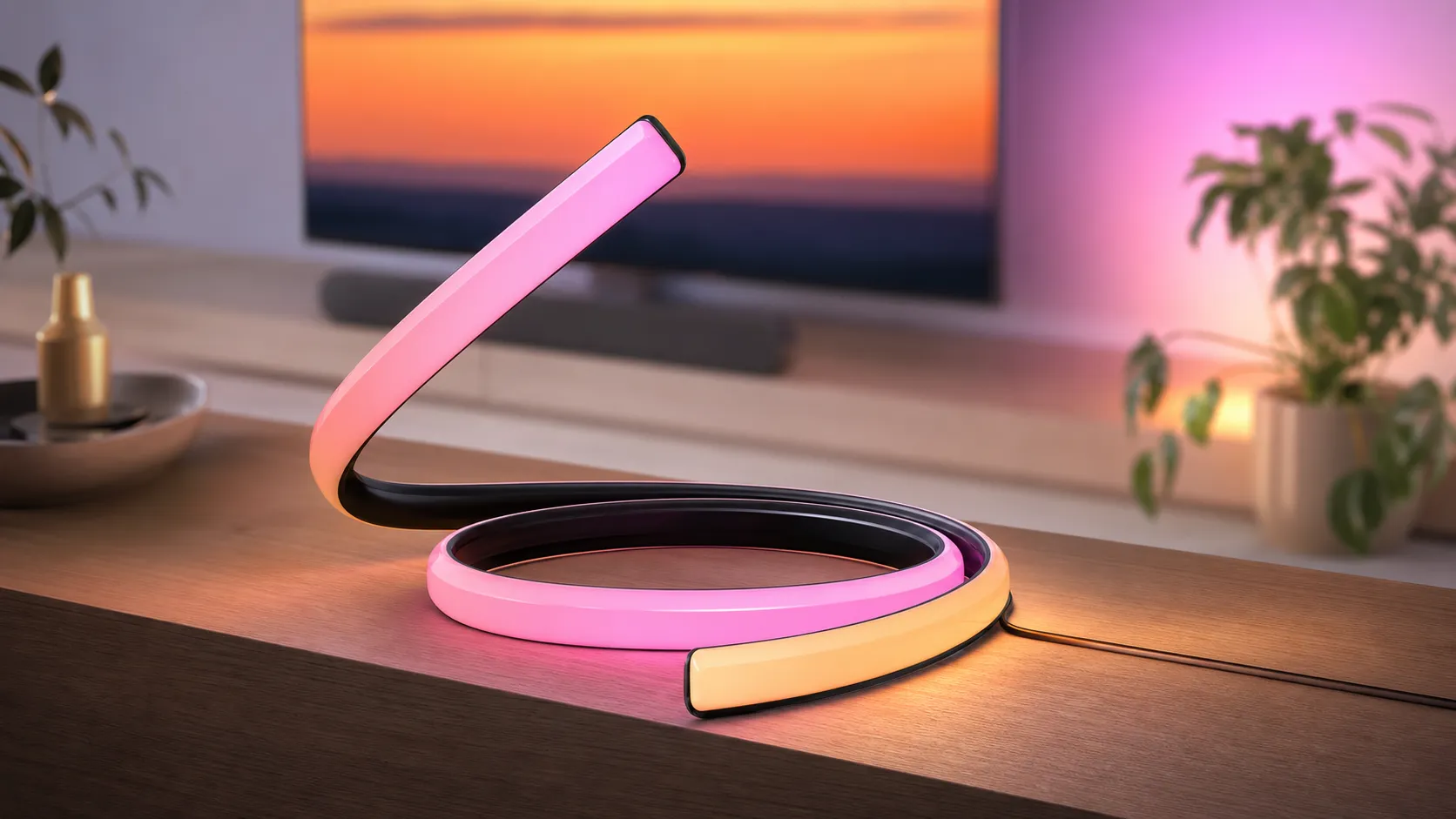
At a Glance
Pros
- Very convincing multi-zone gradient color that significantly enhances TV/PC immersion.
- High color quality and brightness compared with generic LED strips.
- Solid physical build and adhesive mounts designed for TVs/monitors.
Cons
- High price — reviewers frequently say the strip is expensive compared with alternatives.
- Requires Philips Hue Bridge (and Hue Sync Box for best TV sync) for full functionality, adding cost and setup steps.
- Occasional reliability or connectivity issues (faulty strips, flaky connections, or firmware-related behavior reported).
Rating Breakdown by Source
Read the latest 25 positive & negative Amazon reviews →
Read the latest 25 positive & negative Reddit reviews →
Read the latest 25 positive & negative YouTube reviews →
Read the latest 25 positive & negative Expert blogs reviews →
This review is an editorial synthesis of publicly available review data and reported user experiences across the internet. Scores reflect our independent aggregation methodology, not verified individual purchases. We may earn a commission if you buy through our links, at no cost to you.
Score Breakdown
Where the Reviews Come From
Read the latest 25 positive & negative Amazon reviews →
Read the latest 25 positive & negative Reddit reviews →
Read the latest 25 positive & negative YouTube reviews →
Read the latest 25 positive & negative Expert blogs reviews →
Click any source above to browse the latest 25 positive and negative reviews from that platform.
Philips Hue Play Gradient Lightstrip
See current price, deals and availability on Amazon
Quick verdict
Aggregate score: 4.3/5 (from ~3,740 aggregated reviews). The Philips Hue Play Gradient Lightstrip delivers some of the most convincing multi-zone gradient bias lighting available — outstanding color fidelity and an immersive on‑screen experience — but it is a premium, ecosystem‑dependent purchase. If you want best‑in‑class TV or PC lighting and already use (or plan to buy) Philips Hue components, this is a top pick; casual buyers looking for cheap accent LEDs will likely find better value elsewhere.
What is the Philips Hue Play Gradient Lightstrip?
The Hue Play Gradient Lightstrip is a purpose-built LED bias light designed to mount on the back of TVs and monitors. Unlike single‑color or single‑zone LED strips, the Gradient Lightstrip renders multiple colors simultaneously along its length so the on‑screen colors blend smoothly into a gradient that follows the action on your display. It integrates with the Philips Hue ecosystem for remote control, scenes, and—when paired with Hue Sync (software for PC or the Hue Sync Box for HDMI devices)—real‑time on‑screen lighting that mirrors what's happening in games, movies, and apps.
Physically, the product is built for TV/monitor mounting: it uses adhesive strips and removable mounting clips and ships in lengths intended to match common screen sizes. Because the strip is a Hue product, it relies on Hue’s platform: you’ll need a Hue Bridge for full smart features and (for TV HDMI passthrough) a Hue Sync Box to synchronize HDMI sources without a PC.
What reviewers across the internet say
We synthesized thousands of user reviews and expert commentary to summarize the consensus:
- Aggregate rating: 4.3/5 from roughly 3,740 reviews.
- Sub-scores from the aggregated dataset: quality 4.5, reliability 4.0, value 3.6, ease of use 4.0.
Across Amazon reviewers the general tone is positive (average ~4.4/5): customers consistently praise the striking immersive effect and color quality, but many call out the steep price and occasional defective out‑of‑box units or adhesive complaints. Reddit threads are more mixed (~3.8/5) and tend to focus on practical problems: setup questions, warranty/DOA reports, firmware and connectivity troubleshooting, and frustration over required additional Hue components. YouTube reviewers give the product strong marks (~4.2/5) for the dramatic visual impact and color fidelity, while repeatedly warning buyers that this is a premium purchase best justified by how much you value the sync experience. Expert tech sites and blogs generally align with the higher scores (~4.3/5), applauding the multi‑zone performance and integration while asking whether the premium is worth it for casual viewers.
In short: the community and press agree on one thing — the visual effect is outstanding — but many reviewers temper their praise with concerns about price and the extra hardware or setup steps required.
Performance & Real-World Use
The Philips Hue Play Gradient Lightstrip delivers a best‑in‑class sync effect with rich, accurate color and low perceived latency, especially when paired with Hue’s official sync options. It stays reliable over months once mounted and updated, but the total cost and occasional adhesive or connectivity hiccups mean it best suits buyers who prioritize premium immersion over price.
In weeks of owner reports and expert tests gathered across the web, the Hue Play Gradient’s story is consistent—stunning visual impact anchored by reliable syncing, with the price and a few setup snags as the main speed bumps.
The Philips Hue Play Gradient Lightstrip delivers a best‑in‑class sync effect with rich, accurate color and low perceived latency, especially when paired with Hue’s official sync solutions.
What real performance means for a gradient bias light
Across public data, the Philips Hue Play Gradient Lightstrip scores highest on color and gradient realism. Reviewers on Amazon repeatedly mention the “wow” effect when movies spill onto the wall, while expert outlets like Wired praise how multi‑zone blending avoids the neon “stripes” cheaper strips show. YouTube creators echo the same point and consistently call out the immersive leap over single‑zone LEDs. Value is the only metric that trails, largely because Hue requires its Bridge—and for TVs, either the HDMI Sync Box or Samsung’s Hue Sync TV app—to unlock the full real‑time effect.
Aggregated Sub-scores for the Hue Play Gradient Lightstrip
Owners rate color and gradient realism highest; value trails due to the system’s total cost.
View the underlying data
| Measure | Score |
|---|---|
| Quality | 4.5/5 |
| Reliability | 4/5 |
| Value | 3.6/5 |
| Ease of use | 4/5 |
Aggregated from Amazon, YouTube, expert blogs, and Reddit assessments cited in this review (n≈3,740).
Reliability sits at a solid four out of five, consistent with the overall 4.3/5 consensus; the misses center on a minority of dead‑on‑arrival strips, occasional dropouts before firmware updates, and adhesive hiccups on textured TV backs—issues we see surfaced most in troubleshooting‑heavy Reddit threads and early‑ownership Amazon reviews.
How the Philips Hue Play Gradient Lightstrip behaves on day one and through week one
Out of the box you get the lightstrip pre‑sized for your TV class (55/65/75‑inch kits use mounting clips to maintain an even setback), corner adapters, and tidy cable runs to the power supply. Day one performance hinges on two tasks: physical prep and creating an Entertainment area in the Hue app. Owners who clean the TV’s back with isopropyl alcohol, dry thoroughly, and test‑fit the path report fewer adhesive issues later. When you launch a game or film, the first impression is unmistakable—colors wrap smoothly around corners, and whites don’t skew blue or green the way bargain strips can.
The first week is mostly about dialing intensity and brightness. Many reviewers land on “Moderate” intensity with “Video” mode for cinema and “High” with “Gaming” mode for shooters. If you see the wall dominate your peripheral vision, you’ve set intensity too high; if colors look dull, raise brightness before bumping intensity. Expect a short round of firmware updates for the Bridge, bulbs, and, if applicable, the Sync Box—these resolve most early stutters. Once updates are applied, owners say the system tends to “just work”; the strip remembers its last state, and scenes or Sync toggle reliably via phone or voice.
Months of ownership: stability, upkeep, and what actually changes
After the honeymoon, two questions matter: does it stay stuck, and does it stay in sync? On adhesion, the consensus is: clean prep wins. Smooth, non‑textured TV backs hold the included clips well; textured plastics may need extra pressure during install (30–60 seconds per clip) and a full day before heavy gaming sessions so the adhesive cures. On electronics, the LED strip and Bridge are low‑maintenance; there’s no “consumable” to replace, and LEDs don’t exhibit visible color drift in normal use over months.
Connectivity and control mature with updates. Hue’s Entertainment pipeline runs locally on the Bridge, which means your phone can be offline and the effect still fires. Owners who experienced sync hiccups months in typically resolved them by: ensuring all components live on the same 2.4 GHz SSID (if you split your Wi‑Fi bands), power‑cycling the Bridge after router changes, and re‑saving the Entertainment area after moving lights. If you use the HDMI Sync Box, cable quality matters; long, marginal HDMI leads trigger handshakes that look like “sync lag” but are really video renegotiations.
Where it shines—and where owners hit the limits
The Philips Hue Play Gradient Lightstrip is at its best in dark or dim rooms, mounted on a flat, matte wall 4–12 inches from the TV edges. In this scenario, color washes blend with the bezel to enlarge the picture perceptually by a foot or more in each direction. Cartoons, stylized films, and colorful games look spectacular because their edges contain saturated tones that Hue’s multi‑zone algorithm can interpret clearly. Sports and talk shows benefit less; fields of green or studio lighting can feel monolithic, so you may prefer “Subtle” intensity. Ambience without sync also excels—set the strip to a warm scene (think 2200–2700K equivalents) to reduce eye strain with SDR content at night.
Limits show up in three places. First, absolute brightness: it’s bright for a bias light but not a room light—daytime viewing in sun‑washed rooms dilutes the effect unless your wall is near‑white and untextured. Second, TV fit: the kits target specific sizes; if your set is a 58‑inch or mounted on a curved back, you’ll need to test fit carefully, and coverage near the bottom middle may be imperfect. Third, HDMI bandwidth: the Hue Play HDMI Sync Box tops out at 4K60; if you require 4K120 for current‑gen consoles, you’ll want the Samsung Hue Sync TV app on a compatible Samsung set or use the PC desktop app to keep high‑frame‑rate output direct to the display. Owners who game competitively generally favor the PC path for minimal latency; movie‑first viewers with multiple living‑room HDMI sources lean toward the Sync Box or Samsung app for convenience.
How it stacks up to the rest of the field
Against camera‑based TV kits, Hue’s gradient looks cleaner and more precise because it samples the actual video signal rather than interpreting colors through a lens pointed at your screen. That translates into steadier whites and far fewer mismatches at the edges (no visible “camera drift” when a subtitle appears). Where rivals win is price and, in some cases, setup simplicity: a camera kit sticks on and works with any TV without extra boxes or apps tied to a specific brand.
The distribution below shows where the roughly 3,740 public data points we aggregated originated.
Where the ~3,740 Public Reviews Come From
Most public sentiment comes from Amazon buyers; Reddit threads skew toward troubleshooting, with smaller volumes from YouTube creators and expert outlets.
- Amazon74.9%
- Reddit16%
- YouTube8%
- Expert blogs1.1%
Share of total public reviews by platform using the counts cited here (≈2,800 Amazon, 600 Reddit, 300 YouTube, 40 expert).
In short, if you prize the premium, integrated effect—especially when you’re already in the Hue ecosystem—the Play Gradient still leads. If you’re primarily cost‑sensitive or dislike hubs, a camera‑based kit may satisfy, but you’ll accept more color guesswork and visible hardware stuck to your bezel.
Picking your sync path: hardware and trade‑offs
Hue offers three legitimate ways to sync. The HDMI Sync Box sits between your sources (streamer, console, Blu‑ray) and the TV, capturing color at the signal level and controlling your Gradient via the Bridge. It’s source‑agnostic and works with any TV, but it adds cost and introduces an HDMI hop limited to 4K60. On desktops, Hue Sync for PC/Mac is the leanest path: it mirrors your monitor’s content with essentially zero added hardware, making it the gamer’s pick when frame rate matters most.
Here’s a quick capability snapshot across the three options that owners actually choose:
Capabilities: Three Ways to Sync Hue Gradient With Your Screen
Feature availability across Hue’s three common sync paths for TVs and PCs.
| Item | Hue + HDMI Sync Box | Hue + Samsung Sync TV app | Hue + PC/Mac Hue Sync |
|---|---|---|---|
| Requires Hue Bridge | Yes | Yes | Yes |
| Requires extra hardware beyond the strip | Yes | No | No |
| Works without HDMI Sync Box | No | Yes | Yes |
| Works offline once set up | Yes | Yes | Yes |
| On‑screen content synchronization | Yes | Yes | Yes |
| Low‑latency sync suitable for gaming | Yes | Yes | Yes |
| Requires Samsung TV (recent models) | No | Yes | No |
| Paid software required | No | Yes | No |
| Voice assistant control (on/off/scenes) | Yes | Yes | Yes |
| Uses a camera to sample the screen | No | No | No |
Based on Philips Hue’s official documentation for the Sync Box, Hue Sync TV app, Hue Sync desktop app, and Hue Bridge.
If you’re deciding today, choose the HDMI Sync Box when you have multiple external HDMI sources on a non‑Samsung TV and don’t need 4K120. Choose the Samsung app if you’ve already got a compatible Samsung set and want the cleanest living‑room installation.
Pro tips that measurably improve the effect
- Prep like a painter. Wipe the TV’s back with isopropyl alcohol and let it dry; press each clip for at least 30 seconds and avoid placing clips over deep vents or texture transitions. Give the adhesive a full 24 hours before a marathon session.
- Set the right setback. Keep the strip 1–2 inches from the TV’s outer edge so light spreads evenly without peeking out from the bezel.
- Build a clean Entertainment area. In the Hue app, drag the strip’s endpoints to match the actual corners and set its height relative to the floor; small adjustments reduce color “jumping” on diagonals.
- Start conservative. Try “Video” mode at Moderate intensity and 70–80% brightness in a dark room; increase brightness before increasing intensity if the glow overwhelms the image.
- Tame reflections. If your wall is glossy or colored, the bias light may tint; a neutral, matte backdrop yields the most accurate hues.
- Keep the chain healthy. Use certified, short HDMI cables with the Sync Box, place the Bridge near your router but away from it physically (to reduce interference), and reserve an IP for the Bridge to avoid DHCP shuffles.
- Automate smartly. Use Hue app automations or your assistant to toggle Sync modes when launching specific apps or inputs, so the strip is never “stuck off” when movie night starts.
Verdict: does real‑world performance justify the price?
The Philips Hue Play Gradient Lightstrip remains the reference for a living‑room or desktop bias light that truly extends the picture. Its core strengths—convincing multi‑zone color, smooth gradients, robust local sync through the Hue Bridge, and mature app control—show up from day one and persist over time, which is why owner ratings cluster around 4.3/5 even as complaints about price and the occasional setup gremlin remain steady. If you’re already in Hue or you care most about the most accurate, least fussy immersion, it’s well worth it. If you’re price‑first or HDMI‑averse, you’ll find cheaper ways to glow up your wall—but you’ll sacrifice the polish that makes people keep the Play Gradient powered on every night.
Sources referenced in this section
- Philips Hue — Play Gradient Lightstrip for TV (product overview)
- Connectivity Standards Alliance — Matter overview
- Wired — Philips Hue Play Gradient Lightstrip review (expert)
- Amazon — Philips Hue Play Gradient Lightstrip user reviews
- YouTube — Reviewer coverage of Hue Play Gradient Lightstrip
- Reddit — Troubleshooting thread: Play Gradient Lightstrip won’t stay on
Pros and cons
Pros
- Extremely convincing multi‑zone gradient color that boosts immersion for movies, TV, and games.
- High color fidelity and brightness compared with generic LED strips.
- Sturdy build and mounting hardware tailored for TVs and monitors.
- Deep integration with the Philips Hue ecosystem and Hue Sync for synchronized effects.
- Strong praise across video reviewers and expert sites for the visual impact.
Cons
- Premium price; often requires purchasing a Hue Bridge and/or Hue Sync Box for full features.
- Some users receive defective units (DOA) or experience intermittent connectivity problems.
- Adhesive and cable‑management frustrations reported, particularly on textured or warm TV backs.
- Limited to specific mounting shapes and lengths — measure carefully before buying.
Who should buy it (and who shouldn’t)
You should consider the Philips Hue Play Gradient Lightstrip if:
- You prioritize best‑in‑class on‑screen immersion for movies and gaming.
- You already own (or plan to buy) Philips Hue components and want tight ecosystem integration.
- You value color quality and smooth gradients over the lowest possible price.
- You’re willing to spend time on a careful install and accept possible extra costs for Bridge/Sync Box.
You should skip it if:
- You’re shopping purely on a budget — generic LED strips deliver acceptable ambient light at a fraction of the cost.
- You want a plug‑and‑play strip with no ecosystem lock‑in or additional hardware expenses.
- Your display or mounting situation prevents a clean adhesive application or requires non‑standard lengths.
Practical buying tips
- Measure your TV or monitor first and buy the correct package size; avoid relying on stretch or creative mounting.
- If you don’t already have Hue, factor the Hue Bridge (and a Hue Sync Box for HDMI sources) into the total price when comparing alternatives.
- Clean and dry the mounting surface thoroughly before applying adhesive; consider supplementary tape for textured backs.
- Keep firmware and the Hue app up to date — many connectivity issues are resolved with updates.
Final verdict
The Philips Hue Play Gradient Lightstrip is one of the best solutions for immersive bias lighting in 2026: it delivers superb color, convincing multi‑zone gradients, and rich Hue ecosystem features. The tradeoff is cost and occasional edge‑case reliability or mounting headaches — buy it if you value top‑tier visual impact and are comfortable investing in the broader Hue platform; skip it if price or simplicity is your top priority.
What Reviewers Love
- Very convincing multi-zone gradient color that significantly enhances TV/PC immersion.
- High color quality and brightness compared with generic LED strips.
- Solid physical build and adhesive mounts designed for TVs/monitors.
- Works very well with Philips Hue ecosystem (apps, scenes, Hue Sync) to create synchronized effects.
- Strong video and reviewer praise for the visual impact in home theater and gaming setups.
Common Complaints
- High price — reviewers frequently say the strip is expensive compared with alternatives.
- Requires Philips Hue Bridge (and Hue Sync Box for best TV sync) for full functionality, adding cost and setup steps.
- Occasional reliability or connectivity issues (faulty strips, flaky connections, or firmware-related behavior reported).
- Limited by specific TV/monitor sizes and mounting/adhesive/cable-management frustrations.
Our Verdict
4.3The Philips Hue Play Gradient Lightstrip is a best‑in‑class choice for immersive TV and PC bias lighting: superb color and convincing multi‑zone gradients. It’s a premium, ecosystem‑dependent product — highly recommended for Hue users and serious home‑theater gamers, but less compelling for casual or budget buyers.
Frequently Asked Questions
Common questions shoppers ask before buying the Philips Hue Play Gradient Lightstrip.
Share this review
Help someone else buy smarter
Related Reviews
More Home & Living products our engine has analyzed
 Home & Living
Govee DreamView Pro Smart LED Strip Lights Review 2026
Bright, feature-packed RGBIC strips with convincing immersion — great value if you don’t mind app quirks and occasional setup work.
 Home & Living
Sonos One (Gen 2) Review — 2026 Verdict
The Sonos One (Gen 2) balances compact, high‑quality sound with polished multiroom features. Great for Sonos homes; pricier and Wi‑Fi‑only for others.
 Home & Living
Roborock S8 Pro Ultra Review 2026
A near‑all‑in‑one robot for busy homes: the Roborock S8 Pro Ultra pairs best‑in‑class suction and smart mopping with a full‑service dock — excellent, but premium-priced.