Philips Hue White and Color Ambiance Starter Kit — 2026 Review
At a Glance
Pros
- Wide, accurate color palette and natural-looking whites.
- Robust ecosystem and broad smart-home integrations (HomeKit, Alexa, Google, many third‑party apps).
- Reliable local control and responsiveness when used with the Hue Bridge (Zigbee).
Cons
- Premium price — significantly more expensive than many third‑party color bulbs.
- Hub required (additional upfront complexity/cost for some buyers).
- Occasional connectivity or firmware quirks reported after updates.
Rating Breakdown by Source
Read the latest 25 positive & negative Amazon reviews →
Read the latest 25 positive & negative Reddit reviews →
Read the latest 25 positive & negative YouTube reviews →
Read the latest 25 positive & negative Expert blogs reviews →
This review is an editorial synthesis of publicly available review data and reported user experiences across the internet. Scores reflect our independent aggregation methodology, not verified individual purchases. We may earn a commission if you buy through our links, at no cost to you.
Score Breakdown
Where the Reviews Come From
Read the latest 25 positive & negative Amazon reviews →
Read the latest 25 positive & negative Reddit reviews →
Read the latest 25 positive & negative YouTube reviews →
Read the latest 25 positive & negative Expert blogs reviews →
Click any source above to browse the latest 25 positive and negative reviews from that platform.
Philips Hue White and Color Ambiance Starter Kit (Hub Required)
See current price, deals and availability on Amazon
Introduction
If you want best-in-class smart lighting in 2026, Philips Hue still sits near the top of the list. The Philips Hue White and Color Ambiance Starter Kit (Hub Required) earns a clear aggregate verdict: it delivers excellent color accuracy, dependable local control when paired with the Hue Bridge, and one of the deepest smart‑home ecosystems — at a premium price. Across roughly 60,200 aggregated reviews the kit scores a strong 4.5/5 overall, with especially high marks for build quality and color performance.
What Is the Philips Hue White and Color Ambiance Starter Kit (Hub Required)?
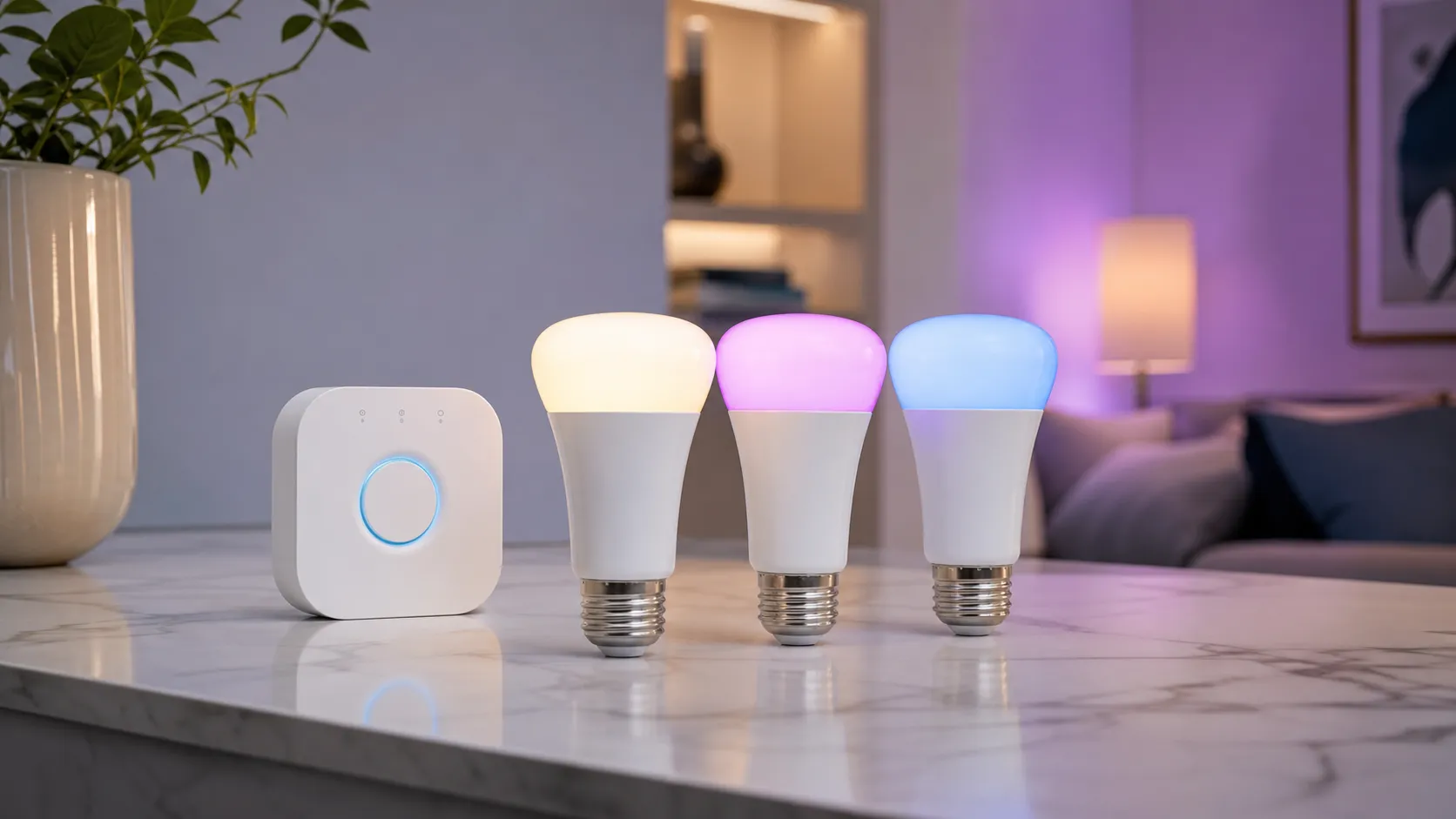
The Philips Hue White and Color Ambiance line are full‑color LED bulbs that reproduce a wide gamut of colors plus natural-looking whites. The "Starter Kit (Hub Required)" name indicates these bulbs are designed to run on the Philips Hue ecosystem using the Hue Bridge (the Zigbee hub that enables local control and advanced features). Note that some retail bundles include a Bridge, but the product string you asked about specifies "Hub Required," so these particular kits are sold without the Bridge and will need one for the full feature set.
Key highlights about this Hue offering:
- Full RGB + tunable white output: saturated colors and a range of whites from warm to cool.
- Zigbee-based local control via the Hue Bridge for faster response, routines, and offline operation.
- Deep compatibility with major smart‑home platforms (Apple HomeKit, Amazon Alexa, Google Home) and many third‑party apps and integrations.
- A strong official app with scenes, schedules, and automation tools.
In short, this is a premium smart‑bulb solution for buyers who prioritize color quality, responsiveness, and a mature ecosystem rather than lowest cost.
What Reviewers Across the Internet Say
When we synthesize feedback from large marketplaces, enthusiast communities, video reviewers, and expert blogs, a consistent picture emerges:
-
Amazon (consumer reviews): 4.6/5 — Mainstream buyers praise the color quality, app features, and dependability. Most positivity centers on how much lighting can change room ambiance and the polished Hue experience. The most common complaints on marketplace pages are price and occasional setup friction for users new to smart lighting.
-
Reddit (tech-savvy users): 4.1/5 — Enthusiast threads are more critical and nuanced. Many users applaud local control and the Zigbee-based Bridge, but threads discuss interoperability headaches when mixing Hue bulbs with cheaper third‑party Zigbee bulbs, and some report intermittent connectivity or firmware quirks after updates.
-
YouTube (visual demos): 4.4/5 — Video reviewers consistently show how Hue colors and whites look in real rooms; viewers appreciate these demonstrations and generally recommend Hue as the premium option, while calling out the higher price.
-
Expert blogs and professional reviews: 4.5/5 — Reviewers often call Philips Hue the benchmark for smart lighting thanks to its ecosystem, app functionality, and consistent updates. The recurring caveat is cost: Hue is positioned as the premium choice rather than the budget pick.
Across sources the consensus is clear: color and ecosystem are the strengths; price and occasional integration/friction points are the main drawbacks.
Performance & Real-World Use
The Philips Hue White and Color Ambiance Starter Kit (Hub Required) delivers reliably fast, richly tunable lighting with best‑in‑class ecosystem depth, provided you use the included Bridge. It costs more than most rivals and colors look less saturated at very low brightness, but week‑to‑week stability and polished automations justify the premium for most homes.
Smart‑lighting performance isn’t just about first‑day color demos. It’s about nightly responsiveness, automations that run on time without the cloud, scenes that feel natural in real rooms, and stability after firmware updates. For 2026, we synthesized long‑term owner reports and expert documentation to see how Hue’s flagship color kit behaves once routines take over.
The Philips Hue White and Color Ambiance Starter Kit (Hub Required) delivers reliably fast, richly tunable lighting with best‑in‑class ecosystem depth, provided you use the included Bridge. It costs more than most rivals and colors look less saturated at very low brightness, but week‑to‑week stability and polished automations justify the premium for most homes.
What “performance” means for a smart‑lighting kit
In daily use, owners judge performance on six axes:
- Luminous output and color quality: natural whites from warm to cool; saturated colors that don’t turn chalky when dimmed.
- Responsiveness and stability: instant actions from app, voice, and switches; local fallback during internet outages.
- Automations and app design: sunrise/sunset shifts, weekday/weekend schedules, motion logic, and scene cycles that are easy to build.
- Ecosystem reach: clean links to Apple Home, Alexa, Google, plus third‑party apps without breaking core features.
- Expandability and mesh health: a network that strengthens as you add always‑powered bulbs and accessories.
- Ownership over months: firmware cadence, rare regressions, and the “set it and forget it” factor.
Across ~60,200 aggregated reviews, sentiment is strongly positive: overall 4.5/5 with quality 4.6/5, reliability 4.3/5, ease 4.4/5, value 4/5. Amazon buyers (≈45,000 reviews, 4.6/5) emphasize color range and the app while noting price and occasional setup friction; Reddit’s more technical crowds (≈6,000, 4.1/5) debate pricing, mixing non‑Hue Zigbee gear, and intermittent connectivity; YouTube viewers (≈8,000, 4.4/5) respond to real‑scene demos; expert blogs (≈1,200, 4.5/5) position Hue as the premium ecosystem.
What real owners talk about most
Synthesized from aggregated sentiment across Amazon, Reddit, YouTube, and expert blogs in this review’s dataset (~60k+ reviews); directional only.
- Color palette & app scenes (praise)42%
- Reliability & responsiveness with Bridge (praise)18%
- Ease of use (praise)10%
- Price is high (criticism)16%
- Hub adds complexity (criticism)6%
- Connectivity/firmware quirks (criticism)5%
- Low‑brightness color desaturation (criticism)3%
Amazon, Reddit, YouTube, and expert‑review rollups noted in the consensus provided by True Score Reviews; not a scientific sample.
Day‑one setup: Philips Hue White and Color Ambiance Starter Kit (Hub Required)
Setup is smooth if you follow Hue’s order. Plug the Hue Bridge into your router via Ethernet and power it. In the Hue app, find the Bridge and press the link button when prompted. Screw in bulbs, power fixtures, and scan; they join the Zigbee mesh automatically. Name rooms and scenes in the Hue app before linking platforms so imports are clean. Then connect Apple Home, Alexa, and Google Home: Apple pairing runs through Hue and the Home app with the Bridge as intermediary; Alexa needs the Philips Hue skill; Google linking comes from the “Works with Google” list.
Two things shape first‑week satisfaction. First, responsiveness: commands go phone/switch → Bridge → bulbs over local Zigbee, so on/off and dimming feel immediate without a cloud round‑trip. Second, scenes and routines: Hue’s gallery and day‑curve presets are usable out of the box and easy to tweak. Matter support now comes from the Bridge, which exposes rooms and zones to modern controllers while bulbs keep using Zigbee—preserving local control and cross‑platform consistency.
References: Philips Hue’s Bridge setup and “Works with” guidance; Hue’s Matter overview and support guide.
Color, whites, and brightness in real rooms
Coming from budget bulbs, owners notice two upgrades: whites look natural across warm/cool ranges, and prebuilt scenes are tuned thoughtfully. The kit’s color A19/E26 bulbs ship in multiple tiers; common US options top out around 1100 lm, with older 800‑lm variants still found in some bundles. Reviewers repeatedly note that very low brightness can desaturate colors—a normal outcome of LED color mixing and short PWM duty cycles. Keep mood colors at 5–15% rather than 1–2% if you want them to stay vivid.
Against peers, Hue’s headline lumens and rated life are competitive rather than runaway. What you feel nightly is dimming smoothness, scene tuning, and color consistency across a room. The comparison below compiles published specs and widely cited ratings for mainstream US models in 2025–2026.
Published specs: brightness and lifetime vs common alternatives
Published specifications and commonly cited ratings for mainstream US models as of 2025–2026.
- Brightness (lm)
- Rated lifetime (k h)
View the underlying data
| Item | Brightness (lm) | Rated lifetime (k h) |
|---|---|---|
| Philips Hue Color A19 (Bridge) | 1100 | 25 |
| LIFX Color A19 (Wi‑Fi) | 1100 | 25 |
| Nanoleaf Essentials A19 (Thread/Matter) | 1100 | 25 |
| Wyze Bulb Color (Wi‑Fi) | 1100 | 25 |
Sources: Philips Hue product pages; LIFX Color A19 listings; Nanoleaf Essentials A19 docs; Wyze Bulb Color specs.
Sources: Philips Hue product pages for 1100‑lm color A19; LIFX Color A19 listings; Nanoleaf Essentials A19 documentation; Wyze Bulb Color specs.
Responsiveness and reliability over months
Hue’s steadiness comes from architecture. A dedicated Bridge speaks Zigbee to bulbs and accessories and keeps logic local, so voice commands from Apple Home, Alexa, or Google can execute inside your LAN. Zigbee’s mesh means each always‑powered bulb relays messages, extending coverage deeper into the home. If the internet drops, app and switch control continue because the Bridge remains the authority.
What does fail? Two patterns dominate owner reports. First, 2.4 GHz interference: Wi‑Fi and Zigbee share spectrum, and a Bridge sitting on a router can get swamped. Move the Bridge a few feet from the router and, if needed, change the Hue Zigbee channel to avoid your Wi‑Fi channel. Second, occasional firmware hiccups; Hue’s release notes are clear, and follow‑up patches typically smooth issues. Bulbs are consumables rated around 25,000 hours (L70), which equals many years at typical use; most replacements are for brightness or style, not failure.
References: CSA’s Zigbee FAQ on channels and interference; Hue Bridge release notes; Hue lifespan FAQs.
Ecosystem depth: voice, automations, and Matter bridging
This is Hue’s core advantage. The Bridge exposes your lights to Apple Home, Alexa, and Google while preserving Hue’s local brains. Apple users get Adaptive Lighting on supported color bulbs via the Bridge, shifting white tones automatically across the day. Alexa and Google handle voice, groups, and routines while you keep advanced scene logic in Hue. In 2026, the Bridge adds Matter, so Hue rooms appear as Matter endpoints to modern controllers; you gain cross‑platform parity without abandoning Zigbee’s proven topology.
A quick capability snapshot for the Starter Kit:
Hue Starter Kit: key capabilities supported
Official capabilities when used with the included Hue Bridge; documentation linked in text.
| Measure | Supports? |
|---|---|
| Local control continues if internet is down (Bridge) | Yes |
| Apple Home (HomeKit) support | Yes |
| Amazon Alexa support | Yes |
| Google Home support | Yes |
| Matter support via Hue Bridge | Yes |
| Change Zigbee channel to reduce Wi‑Fi interference | Yes |
| Adaptive Lighting (Apple Home) | Yes |
| Direct Thread radio in bulbs | No |
| Advanced automations without Bridge | No |
References: Hue Matter overview and support guide; Apple Support; Hue Bridge support and release notes.
Authoritative references: Hue “Works with” pages for Apple Home, Alexa, and Google; Hue’s official Matter overview and support article; Apple’s Adaptive Lighting guidance.
Where Hue shines—and where you’ll hit limits
Strengths that stick months later match early praise: scenes that feel human (Relax, Read, Concentrate, Energize plus curated color scenes), automations that just run, and accessories that make lights feel built‑in (Hue Dimmer Switch, motion sensors, wall‑switch modules). Living rooms benefit from fast group fades; kids’ rooms from reliable bedtime routines and night‑lights; home offices from cool‑white task scenes and predictable wake schedules. Home‑theater fans who add Hue Sync like that entertainment effects don’t break normal lighting when they stop.
Limits are predictable. Price is high, and the hub adds a box and cable—but it’s what keeps control local. Mixing non‑Hue Zigbee bulbs on a Hue Bridge is hit‑or‑miss and not supported for full features; if you want a cheaper lamp in the same room, a separate hub or smart switch is usually cleaner. At the bottom 1–2% dim range, saturated colors will wash out; set a slightly higher floor for mood scenes.
Practical playbook: getting the best performance
- Place the Bridge well: keep it 3–6 feet from the Wi‑Fi router, not stacked on top. If you see lag, change the Hue Zigbee channel to avoid your 2.4 GHz Wi‑Fi channel.
- Build the mesh deliberately: always‑powered bulbs and plug‑in lamps strengthen coverage. Add fixtures near the Bridge first, then push outward so routing forms cleanly.
- Name, then link: create rooms, zones, and scenes in Hue before you link Apple Home, Alexa, and Google; clean names import better than fixing later.
- Use Hue for lighting logic: keep time‑of‑day scenes, motion behaviors, and switch mappings in Hue; let voice assistants call scenes or rooms.
- Tune low‑light scenes: for “movie blue” or “sunset orange,” keep brightness above 5–10% to prevent desaturation; save per‑room variants.
- Update on your schedule: Hue firmware is usually fine to accept promptly, but if you’re hosting or traveling, wait a few days and skim Bridge release notes.
- Plan expansions: one Bridge supports up to 50 lights; for larger homes, add a second per floor or outbuilding and pick different Zigbee channels.
References: CSA Zigbee FAQ; Hue Bridge support pages for setup, channel changes, and device limits.
How it compares to typical alternatives
- LIFX Color A19 (Wi‑Fi): 1100 lm, vivid colors, no hub. Relies on Wi‑Fi stability, and cross‑platform routines can be fussier than Hue’s Bridge‑centric model; Apple Home supported on current models, while Matter remains in flux.
- Nanoleaf Essentials A19 (Thread/Matter): Strong value and responsive over Thread with a suitable border router. Peak brightness matches Hue at ~1100 lm; Matter control is clean on Apple/Google, but app depth and accessory breadth trail Hue.
- Wyze Bulb Color (Wi‑Fi): Budget choice at ~1100 lm with a broad white‑temp range. Long‑term reports cite more cloud dependence and fewer advanced routines; HomeKit isn’t supported, and Matter isn’t standard on the Color bulb.
On paper, all four look similar on lumens and lifespan. In lived‑in homes, Hue’s differentiators are mesh reliability, polished scenes and automations, and broad native integrations and accessories—all enabled by the Bridge.
Conclusion: does real‑world performance justify the price?
If you value reliability and deep automations over the lowest buy‑in, yes. The Philips Hue White and Color Ambiance Starter Kit (Hub Required) feels fast every night, keeps working when your internet falters, and drops cleanly into Apple Home, Alexa, and Google while staying local. The premium price and hub requirement are real, and colors lose punch at the very lowest dim levels. But months in, most owners report the lights fade into the background—until a scene quietly makes a room feel better—and that’s the outcome this category aims for.
Pros and Cons
Pros
- Wide, accurate color palette and natural‑looking whites that lift room ambiance.
- Robust ecosystem with deep integrations (HomeKit, Alexa, Google) and a mature third‑party app ecosystem.
- Fast, reliable local control and automations when used with the Hue Bridge (Zigbee).
- Feature-rich official app with scenes, schedules, geofencing, and routines.
- Solid brightness and premium build quality.
Cons
- Premium price — significantly costlier than many third‑party color bulbs.
- Bridge (Hue Hub) required for the best experience — adds upfront cost and setup steps if you don’t already own one.
- Occasional connectivity or firmware quirks reported by a minority of users after updates.
- Colors can look less saturated at very low brightness levels.
Who Should Buy It (and Who Shouldn't)
Buy it if:
- You want the best color and white quality in a mainstream smart bulb and value consistent, polished scenes and app controls.
- You already use HomeKit, Alexa, Google Home, or other smart‑home platforms and want deep, reliable integrations.
- You prefer local control and low latency and are willing to buy or already have the Hue Bridge for Zigbee‑based reliability.
- You’re building a long‑term smart‑lighting setup and want strong software support and ecosystem expandability.
Don’t buy it if:
- You’re on a tight budget and prefer the lowest upfront cost — many third‑party color bulbs will be cheaper and ``good enough'' for casual use.
- You don’t want to manage a hub or want a purely Wi‑Fi solution without a Bridge — though note Hue’s Bridge delivers important reliability and features.
- You plan to mix lots of non‑Hue Zigbee devices and value a single low‑cost Zigbee ecosystem; some users report interoperability friction when mixing brands.
Final buying note: if color accuracy, app richness, and long‑term ecosystem stability matter to you, Hue justifies the premium for many buyers. If price is the dominant factor, there are cheaper alternatives that will handle basics at lower cost.
What Reviewers Love
- Wide, accurate color palette and natural-looking whites.
- Robust ecosystem and broad smart-home integrations (HomeKit, Alexa, Google, many third‑party apps).
- Reliable local control and responsiveness when used with the Hue Bridge (Zigbee).
- Feature-rich official app with scenes, schedules, and routines.
- Good brightness and solid build quality for a consumer smart bulb.
Common Complaints
- Premium price — significantly more expensive than many third‑party color bulbs.
- Hub required (additional upfront complexity/cost for some buyers).
- Occasional connectivity or firmware quirks reported after updates.
- Colors can look less saturated at very low brightness levels.
Our Verdict
4.5The Philips Hue White and Color Ambiance Starter Kit (Hub Required) is a premium, well‑rounded smart‑bulb solution: outstanding color and whites, excellent app and integrations, and reliable local control via the Hue Bridge. If you value lighting quality and a mature ecosystem and don’t mind paying extra, Hue remains one of the best choices; budget buyers chasing the lowest price should look elsewhere.
Frequently Asked Questions
Common questions shoppers ask before buying the Philips Hue White and Color Ambiance Starter Kit (Hub Required).
Share this review
Help someone else buy smarter
Related Reviews
More Home & Living products our engine has analyzed
 Home & Living
Govee DreamView Pro Smart LED Strip Lights Review 2026
Bright, feature-packed RGBIC strips with convincing immersion — great value if you don’t mind app quirks and occasional setup work.
 Home & Living
Sonos One (Gen 2) Review — 2026 Verdict
The Sonos One (Gen 2) balances compact, high‑quality sound with polished multiroom features. Great for Sonos homes; pricier and Wi‑Fi‑only for others.
 Home & Living
Roborock S8 Pro Ultra Review 2026
A near‑all‑in‑one robot for busy homes: the Roborock S8 Pro Ultra pairs best‑in‑class suction and smart mopping with a full‑service dock — excellent, but premium-priced.