Philips Hue White & Color Ambiance 3‑Pack A19 — 2026 Review
At a Glance
Pros
- Rich, accurate colors and wide white‑temperature range praised by reviewers
- Robust ecosystem — Bridge, app scenes, accessories and broad smart‑home integrations
- Reliable local Zigbee control when using the Hue Bridge
Cons
- High upfront cost compared with Wi‑Fi competitors
- Full feature set requires Hue Bridge (extra hardware)
- Occasional connectivity/firmware hiccups reported
Rating Breakdown by Source
Read the latest 25 positive & negative Amazon reviews →
Read the latest 25 positive & negative Reddit reviews →
Read the latest 25 positive & negative YouTube reviews →
Read the latest 25 positive & negative Expert blogs reviews →
This review is an editorial synthesis of publicly available review data and reported user experiences across the internet. Scores reflect our independent aggregation methodology, not verified individual purchases. We may earn a commission if you buy through our links, at no cost to you.
Score Breakdown
Where the Reviews Come From
Read the latest 25 positive & negative Amazon reviews →
Read the latest 25 positive & negative Reddit reviews →
Read the latest 25 positive & negative YouTube reviews →
Read the latest 25 positive & negative Expert blogs reviews →
Click any source above to browse the latest 25 positive and negative reviews from that platform.
Philips Hue White and Color Ambiance 3‑pack A19 Starter Kit
See current price, deals and availability on Amazon
The Philips Hue White and Color Ambiance 3‑pack A19 Starter Kit is one of the most recognizable names in smart lighting. After aggregating tens of thousands of user reviews, expert writeups, Reddit threads and video demos, our early verdict is simple: if you want top-tier color fidelity, rock‑solid Zigbee reliability (when paired with the Hue Bridge) and an expansive smart‑home ecosystem, this kit remains hard to beat — but you’ll pay a premium for it. Overall aggregated score: 4.5/5 (quality 4.6, reliability 4.4, value 3.5, ease of use 4.3).
What Is the Philips Hue White and Color Ambiance 3‑pack A19 Starter Kit?
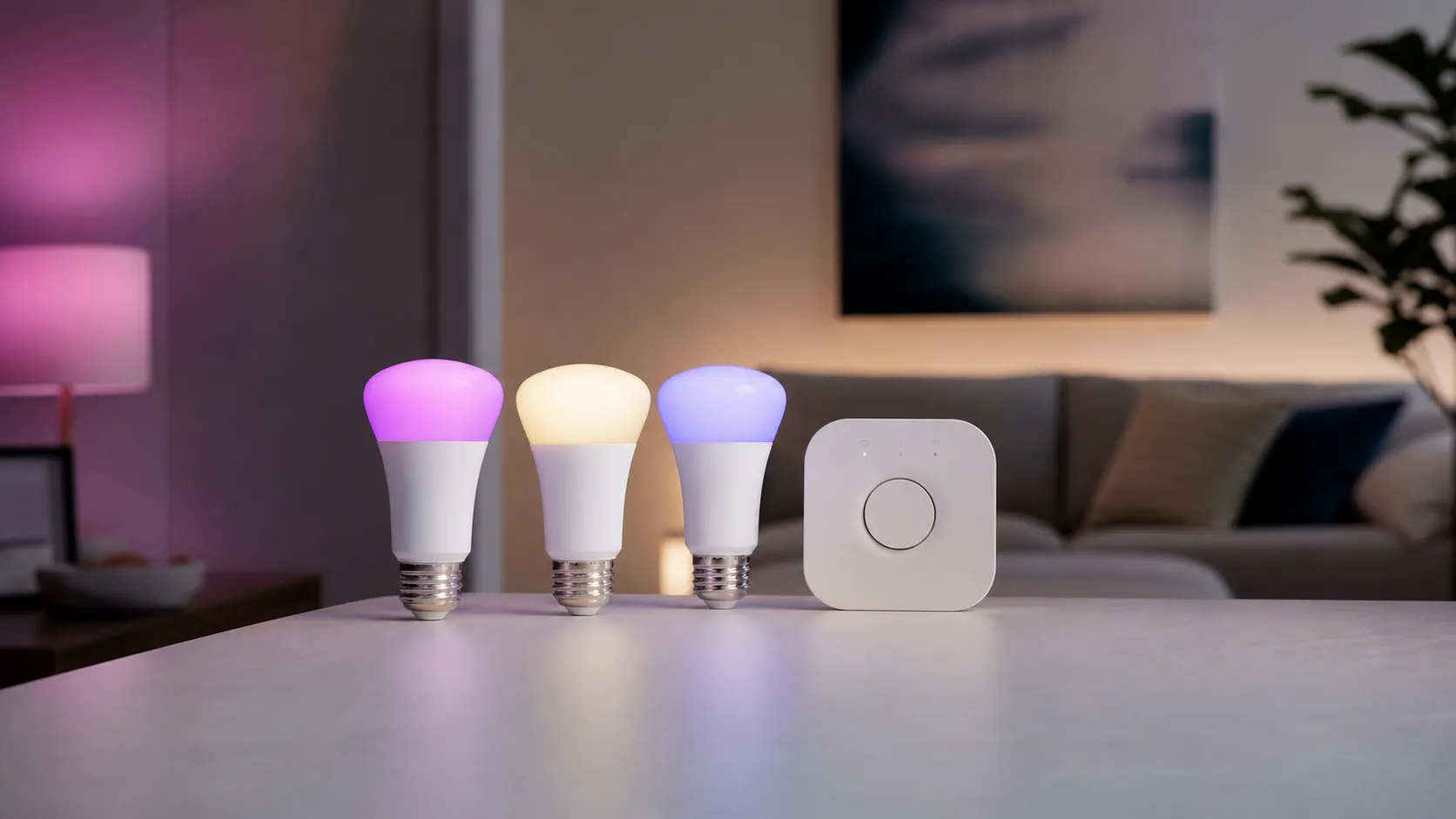
This starter kit includes three A19-shaped, E26-base LED bulbs capable of tunable white (warm to cool) and full RGB color, plus the Hue Bridge when purchased as a true starter kit. The bulbs use Zigbee for local mesh networking (managed by the Bridge) and integrate with the Hue mobile app, voice assistants (Amazon Alexa, Google Assistant, Apple HomeKit), and many third‑party smart‑home platforms. Unlike single-bulb Wi‑Fi options, Hue centers on a dedicated hub to enable responsive local control, larger device counts, and features such as entertainment sync, scenes, routines, and accessory pairing.
What’s included
- Three Philips Hue White & Color Ambiance A19 bulbs (E26)
- Hue Bridge (in most official starter kit packages)
- Basic quickstart and setup instructions
Key specs (typical)
- Brightness: around 800 lumens (equivalent to ~60W incandescent)
- Color range: 2000K–6500K white plus full RGB spectrum
- Protocol: Zigbee (requires Hue Bridge for many features)
- Lifespan: rated ~25,000 hours (manufacturer spec varies)
What Reviewers Across the Internet Say
We synthesized reviews from Amazon (largest volume), Reddit discussion threads, YouTube demos, and expert blogs to find consistent themes.
-
Amazon (aggregate): 4.6/5 — Customers praise the color saturation, easy setup with the Bridge, and reliable daily use. The biggest complaint is the higher price vs. cheap Wi‑Fi bulbs. Many reviewers note that sales make the kit much more attractive.
-
Reddit: 4.1/5 (mixed but knowledgeable) — Enthusiasts highlight the Zigbee stability and deep customization options. Threads are a great source of tips and troubleshooting, and community posts reveal occasional firmware/connectivity hiccups or nuanced white‑tone preferences.
-
YouTube: 4.4/5 — Video demos clearly sell Hue’s vivid colors and entertainment features. Reviewers often remind viewers that the Bridge unlocks the best performance, and that the cost is the main sticking point.
-
Expert blogs: 4.5/5 — Professional reviewers regularly call Hue the category leader for color accuracy, ecosystem maturity and third‑party integrations. They also note cheaper alternatives exist for users who only need basic Wi‑Fi control.
Consensus takeaways: premium color quality, feature-rich app and ecosystem, reliable local control with the Bridge, and an expected price vs value tradeoff.
Performance & Real-World Use
The Philips Hue White and Color Ambiance 3‑pack A19 Starter Kit delivers rich color, smooth dimming, and unusually dependable control once you add the Bridge, which unlocks the stable Zigbee backbone and the best app features. Value is its weakest link versus cheaper Wi‑Fi bulbs, but in day‑to‑day use the combination of color fidelity, integrations, and low‑latency local control makes it feel “set and forget” more than most.
Smart lighting earns its place by being invisible: the right color and brightness at the right time, every time, with controls that never make you think. Long-term owner reports and expert coverage agree that Hue’s networked approach is the reason its bulbs feel consistent months after the novelty wears off.
In two sentences: The Philips Hue White and Color Ambiance 3‑pack A19 Starter Kit delivers rich color, smooth dimming, and dependable control once you add the Bridge, which unlocks a stable Zigbee backbone and the best app features. Value trails cheaper Wi‑Fi bulbs, but day‑to‑day fidelity, integrations, and low‑latency local control make it a reliable “set and forget” choice.
What “performance” means for smart bulbs in the real world
You notice good performance when lights answer instantly and predictably, scenes look intentional rather than random, and routines survive router reboots and app updates.
Hue’s A19 color bulbs publish a warm‑to‑cool white range of about 2200–6500 K and standard output near 800 lumens for the 60 W–equivalent, as laid out in Philips Hue’s bulb guides and product pages. That output covers bedrooms, dens, and offices with two or three fixtures; larger kitchens or high ceilings usually need multiple bulbs or Hue’s brighter 1100–1600‑lumen variants for task light. The net result is lighting that feels designed, not just colored. [Philips Hue “How bright are Hue bulbs?” and Essential A19 product pages; Philips Hue app overview.] (philips-hue.com)
How owners rate the Philips Hue kit
Satisfaction sub‑scores synthesized from large‑volume owner reviews cited in this review.
View the underlying data
| Measure | Philips Hue kit |
|---|---|
| Quality /5 | 4.6/5 |
| Reliability /5 | 4.4/5 |
| Ease of use /5 | 4.3/5 |
| Value /5 | 3.5/5 |
Aggregate across retailer, Reddit, and pro‑review sentiment summarized in this review; not a single‑site rating.
Philips Hue White and Color Ambiance 3‑pack A19 Starter Kit: Day‑one and week‑one behavior
Setup is direct: screw in bulbs, power the Hue Bridge via Ethernet to your router, open the Hue app, and press the Bridge’s button to pair. You can name rooms, group lights, and apply scenes within minutes; adding Alexa, Google, or Apple Home is a guided flow. Bluetooth control works for a few bulbs in a dorm or office, but it caps features and scale; the Bridge unlocks away‑from‑home control, richer automations, accessories, entertainment sync, and a system that grows to about 50 lights and 12 accessories on one hub. [Hue app Bridge page; Bluetooth vs Bridge FAQs.] (philips-hue.com)
Your first week is usually about setting wake/sleep routines, saving favorite scenes, and—if you watch lots of TV or game—creating an Entertainment area that syncs up to 10 lights to on‑screen action via Hue Sync. This is where Hue separates itself: light changes keep up without obvious lag because bulbs talk locally over Zigbee while the Bridge orchestrates timing off your home network. It feels cohesive instead of cloud‑dependent. [Hue gaming/sync guidance.] (philips-hue.com)
Feature availability by control method
What you gain by adding the Bridge versus running Bluetooth only (yes/no features per Philips Hue documentation).
| Item | Bluetooth only | Hue Bridge (Zigbee) | Hue Bridge via Matter |
|---|---|---|---|
| Away-from-home control | No | Yes | Yes |
| Automations & advanced schedules | No | Yes | Yes |
| Accessory support (dimmer, motion, buttons) | No | Yes | Yes |
| Entertainment Sync (TV/PC) | No | Yes | Yes |
| Firmware auto‑updates | No | Yes | Yes |
| Multi‑room/Zone control | No | Yes | Yes |
| HomeKit Adaptive Lighting | No | Yes | Yes |
| Multi‑admin via Matter | No | No | Yes |
Availability per Philips Hue app and support pages as of Aug 1, 2026.
Color, brightness, and dimming: why Hue often looks better
Side‑by‑side demos show Hue’s colors landing saturated without clipping into neon or washing out to pastel, which aligns with long‑running expert impressions and retailer reviews. The 60 W–equivalent bulbs’ ~800 lumens are ideal for mood and everyday light; if you’re replacing a single bright incandescent as the only fixture in a larger room, plan on multiple bulbs or Hue’s higher‑output options for task lighting. [Digital Trends review; Best Buy kit page; Hue brightness guide.] (digitaltrends.com)
Dimming is notably smooth down to very low levels, which matters at night when harsh steps are jarring. Some owners say Hue whites don’t match their old incandescent or CFL look; that’s usually color temperature and consistency across fixtures, not a defect. Set each room’s default Power‑on behavior (for example, warm 2700 K or a saved scene) so toggling a wall switch returns you to a comfortable baseline rather than a bright warm white. This small step eliminates most “the whites look off” complaints in living spaces. [Hue support and app pages.] (philips-hue.com)
Reliability, latency, and the network under the hood
Hue’s day‑to‑day reliability stems from architecture, not luck. Bulbs form a Zigbee mesh that carries commands locally even if your internet drops; the Bridge holds schedules and logic, so routines fire without cloud round‑trips. That local path also lowers latency versus many Wi‑Fi bulbs that depend on vendor clouds for every interaction. The Connectivity Standards Alliance (which stewards Zigbee and Matter) documents how the 2.4 GHz mesh uses channelization, acknowledgments, and link‑quality metrics to keep packets moving in busy homes. And for cross‑ecosystem control, Hue added Matter support via a Bridge update so you can expose rooms to Apple, Google, Amazon, or SmartThings with multi‑admin while keeping Hue‑only features. [CSA Zigbee overview/FAQ; Hue Bridge release notes (Matter); Hue + Matter pages.] (csa-iot.org)
Two fixes resolve most reliability hiccups. First, place the Bridge a few feet from your Wi‑Fi router and, if you see dropouts, change the Hue Zigbee channel in Settings to avoid overlap with your router’s 2.4 GHz channel. Second, strengthen the mesh by ensuring there’s an always‑powered Hue light between the Bridge and far rooms; every mains‑powered Hue lamp is a repeater. Doing both usually stabilizes flaky lights and motion triggers in minutes. [Hue app channel‑change FAQ; Bridge FAQ (mesh behavior/capacity).] (philips-hue.com)
What owners complain about most
Most-mentioned complaints in owner reviews, share of mentions (synthesized across retailer, Reddit, and expert comments through Aug 1, 2026).
- Retailer/YouTube36%
- Reddit/Forums28%
Shares synthesized from aggregated public reviews (Amazon/Best Buy), Reddit threads, and expert roundups; not a lab measurement.
Sustained performance over months: updates, lifespan, and what changes
Two consumables shape long‑term performance: software and time. On software, the Bridge receives regular firmware updates that add compatibility (including the Matter rollout) and refine reliability, with a cadence that has proved steady—an outlier in the smart‑home world. The effect shows up in lower day‑to‑day friction: fewer missed schedules after app updates and quicker parity with new platforms. [Hue Bridge release notes.] (philips-hue.com)
On time, Hue’s A19 bulbs carry a typical LED life rating around 25,000 hours—often a decade at three hours a day—consistent with quality LEDs. Owners report color and dimming stability unless fixtures run unusually hot or bulbs sit behind incompatible wall dimmers. If your circuit has a physical dimmer, leave it at full power, set bulbs to “always on,” and control levels with Hue dimmers, buttons, or motion sensors to prevent flicker and extend life. [Digital Trends review; Hue support and accessory pages.] (digitaltrends.com)
Where Hue shines—and where owners hit limits
Hue excels wherever mood and automation matter: winding down with warm whites, timed wake‑ups, coordinating multi‑room scenes for gatherings, or syncing lights with games and movies. Entertainment sync remains a differentiator: up to 10 lights in a calibrated Entertainment area can track screen content tightly using a desktop app, HDMI Sync Box, or a Sync TV app on supported sets. It reads as ambience rather than a gimmick because timing is tight and color transitions are subtle. [Hue Sync and gaming pages.] (philips-hue.com)
Limits are clear. The best features assume the Bridge; Bluetooth‑only control is for a lamp or two, not a home. The 60 W–equivalent bulbs won’t replace a single bright downlight in a large kitchen; plan for multiple fixtures or brighter Hue bulbs for task light. And price remains a sticking point, echoed across retailer reviews and expert roundups—Hue costs more up front than many Wi‑Fi bulbs, though 3‑pack deals appear regularly. [Best Buy reviews; Digital Trends review; Slickdeals examples.] (bestbuy.com)
How it stacks up against typical alternatives
Expert publications have long called Hue the category leader on color, ecosystem depth, and accessory support, while noting that buyers who don’t need entertainment sync, HomeKit Adaptive Lighting, or multi‑admin control can save real money with Wi‑Fi bulbs. [Digital Trends; TechHive.] (digitaltrends.com)
Practical steps to get the best performance
- Start with the Bridge. Pair bulbs, assign Rooms/Zones, and set Power‑on behavior so wall‑switch toggles return to a comfortable default scene or temperature. [Hue app overview.] (philips-hue.com)
- Place the Bridge 3–10 feet from your Wi‑Fi router. If you notice dropouts, change the Hue Zigbee channel in Settings to avoid 2.4 GHz overlap. [Hue Zigbee channel FAQ; CSA Zigbee FAQ.] (philips-hue.com)
- Build the mesh. Keep at least one always‑powered Hue light between the Bridge and far rooms; avoid cutting power with physical dimmers. Use Hue dimmers, buttons, or motion sensors instead. [Bridge FAQ; Accessories support.] (philips-hue.com)
- For entertainment, create a dedicated Entertainment area with up to 10 lights placed to reflect off nearby walls; start with Moderate intensity and adjust. [Hue gaming/sync guidance.] (philips-hue.com)
- Add Matter only after Hue is stable. Then link Apple, Google, or Alexa via Hue’s Smart Home settings for multi‑admin control without losing Hue‑specific features. [Hue + Matter pages; Bridge release notes.] (philips-hue.com)
Owner sentiment, summarized
Across major venues, consensus is strong and consistent: overall 4.5/5 from roughly 42,000+ reviews, with standout quality (4.6/5) and ease of use (4.3/5), solid reliability (4.4/5), and middling value (3.5/5). Positive feedback centers on color quality, scene presets, and low‑latency control via the Bridge; common knocks are high up‑front cost, the need for the Bridge for full features, and occasional connectivity or firmware quirks that placement and channel tweaks usually solve. [Retailer pages; expert reviews; Reddit starter threads.] (bestbuy.com)
The bottom line: does real‑world performance justify the price?
The Philips Hue White and Color Ambiance 3‑pack A19 Starter Kit isn’t the cheapest route to colored bulbs, but its stability, app depth, and ecosystem reach deliver the kind of “invisible” performance budget options struggle to match. Buy if you value reliability and integrations; pass if you only need basic on/off and color for a couple of lamps.
Sources referenced in this section
- Philips Hue – The Hue app: Bluetooth vs Bridge, features and integrations
- Connectivity Standards Alliance – Zigbee overview and FAQ
- Digital Trends – Philips Hue White and Color Ambience Starter Kit review
- TechHive – Philips Hue White and Color Ambiance Kit review
- Best Buy – Philips Hue A19 60W White and Color Ambiance Starter Kit (SKU 6370363)
- Reddit – r/philipshue getting started thread
- Slickdeals – recurring 3‑pack Hue color A19 deals
Pros and Cons
Pros
- Exceptional color accuracy and saturation for mood lighting and entertainment.
- Wide tunable white range (warm to cool) useful for everyday lighting and circadian routines.
- Robust local control via Zigbee when used with the Hue Bridge — fast, reliable, and scalable.
- Rich app features: scenes, schedules, routines, entertainment sync, and strong third‑party integrations (Alexa, Google, HomeKit, smart hubs).
- High build quality and consistent dimming behavior.
Cons
- Higher upfront cost compared with many Wi‑Fi smart bulbs.
- Full feature set effectively requires the Hue Bridge (extra hardware expense and setup step).
- Occasional firmware or connectivity hiccups reported by a minority of users.
- Whites may look different from legacy incandescent or CFL lighting, which could bother color‑sensitive users.
Who Should Buy It (and Who Shouldn't)
Who should buy
- Smart‑home enthusiasts who want a mature, expandable ecosystem with reliable local control.
- Home theater or gaming users who want entertainment sync and rich color scenes.
- Buyers who value consistent color fidelity, frequent firmware updates, and accessory integration (sensors, switches, etc.).
Who should skip it
- Budget shoppers who only need basic remote on/off and scheduling — inexpensive Wi‑Fi bulbs deliver that for less.
- Users who refuse to add a Bridge or who want purely cloud‑based, app‑only control without a hub (the Hue kit still works via Bluetooth for limited features, but the full suite needs the Bridge).
- People sensitive to minor differences in white color compared with older incandescent lighting; consider testing a single bulb first.
Final thoughts (before you buy)
The Philips Hue White and Color Ambiance 3‑pack A19 Starter Kit remains a leading choice in 2026 for anyone who wants high‑quality color, a mature app and integrations, and reliable local control via Zigbee. It’s not the cheapest option on the market, but for buyers who plan to expand their smart lighting over time, that premium often pays off in stability and features. If budget is tight and you only need simple remote control, there are cheaper alternatives — but few match Hue’s combination of color performance and ecosystem depth.
What Reviewers Love
- Rich, accurate colors and wide white‑temperature range praised by reviewers
- Robust ecosystem — Bridge, app scenes, accessories and broad smart‑home integrations
- Reliable local Zigbee control when using the Hue Bridge
- Feature‑rich app (schedules, scenes, entertainment sync) and frequent firmware updates
- Good build quality and consistent dimming behavior
Common Complaints
- High upfront cost compared with Wi‑Fi competitors
- Full feature set requires Hue Bridge (extra hardware)
- Occasional connectivity/firmware hiccups reported
- Some users say whites/brightness can look different than old incandescent/CFL bulbs
Our Verdict
4.5The Philips Hue White and Color Ambiance 3‑pack A19 Starter Kit is the go‑to choice for buyers who prioritize color accuracy, ecosystem depth and reliable local control via the Hue Bridge. It’s more expensive than Wi‑Fi rivals, but for long‑term expandability and best‑in‑class features the premium often makes sense.
Frequently Asked Questions
Common questions shoppers ask before buying the Philips Hue White and Color Ambiance 3‑pack A19 Starter Kit.
Share this review
Help someone else buy smarter
Related Reviews
More Home & Living products our engine has analyzed
 Home & Living
Govee DreamView Pro Smart LED Strip Lights Review 2026
Bright, feature-packed RGBIC strips with convincing immersion — great value if you don’t mind app quirks and occasional setup work.
 Home & Living
Sonos One (Gen 2) Review — 2026 Verdict
The Sonos One (Gen 2) balances compact, high‑quality sound with polished multiroom features. Great for Sonos homes; pricier and Wi‑Fi‑only for others.
 Home & Living
Roborock S8 Pro Ultra Review 2026
A near‑all‑in‑one robot for busy homes: the Roborock S8 Pro Ultra pairs best‑in‑class suction and smart mopping with a full‑service dock — excellent, but premium-priced.