Philips Hue White & Color Ambiance 4‑Bulb Starter Kit Review (2026)
At a Glance
Pros
- Excellent color range, deep saturated hues and smooth transitions
- Robust ecosystem — Hue app features, routines, rooms/scenes and broad integrations (Alexa/Google/HomeKit)
- High build and light quality compared with many budget alternatives
Cons
- High upfront cost compared with budget smart bulbs
- Full feature set requires Hue Bridge (extra purchase and setup)
- Occasional connectivity or pairing issues reported (Zigbee/Bluetooth edge cases)
Rating Breakdown by Source
Read the latest 25 positive & negative Amazon reviews →
This review is an editorial synthesis of publicly available review data and reported user experiences across the internet. Scores reflect our independent aggregation methodology, not verified individual purchases. We may earn a commission if you buy through our links, at no cost to you.
Score Breakdown
Where the Reviews Come From
Read the latest 25 positive & negative Amazon reviews →
Click any source above to browse the latest 25 positive and negative reviews from that platform.
Philips Hue White and Color Ambiance 4‑Bulb Starter Kit
See current price, deals and availability on Amazon
Introduction
If you're building a smart lighting system and color matters, the Philips Hue White and Color Ambiance 4‑Bulb Starter Kit is one of the first options people recommend — and for good reason. Across thousands of aggregated reviews the kit scores highly for color quality, ecosystem depth, and long-term support. Our aggregated verdict: excellent color and a mature smart‑home platform, but expect a higher total cost if you want the full feature set (4.5/5 aggregate).
What Is the Philips Hue White and Color Ambiance 4‑Bulb Starter Kit?
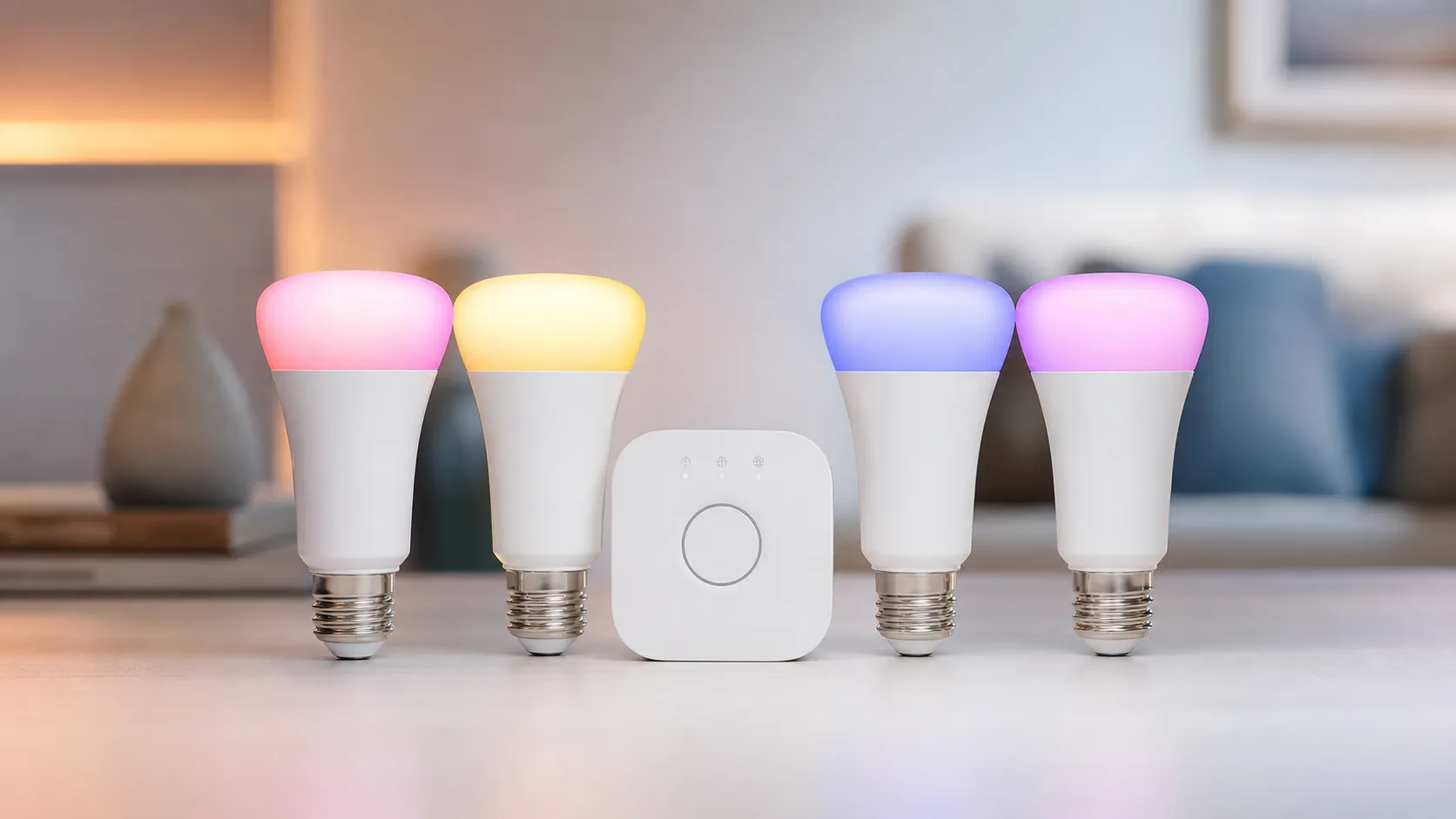
The kit bundles four tunable white + color smart LED bulbs designed to work with Philips Hue’s ecosystem. Out of the box you can control the bulbs via Bluetooth for basic on/off, dimming, and color selection. For advanced automation, multi‑room setups, remote access, and third‑party integrations you add the optional Hue Bridge (sold separately in some packages or included in alternate starter kits).
Philips positions this line as the premium, most fully featured smart bulb option: wide color gamut, smooth transitions between scenes, frequent firmware updates, and tight integration with Alexa, Google Assistant, and HomeKit. The bulbs support Hue app scenes, scheduling, and third‑party integrations, and they can act as Zigbee endpoints when paired to the Bridge for a more robust network.
What Reviewers Across the Internet Say
We synthesized reviews from Amazon, Reddit, YouTube, and expert blogs to form a consensus:
- Aggregate score: 4.5/5 from ~51,350 reviews (sub‑scores: quality 4.6, reliability 4.4, value 3.6, ease of use 4.3).
- Amazon reviewers are strongly positive (≈4.6/5), praising color fidelity, ease of setup for simple use (Bluetooth), and broad integrations. Price and the extra expense of the Bridge are the most common complaints.
- Reddit discussions are more mixed (≈4/5), with enthusiasts highlighting advanced automation, integrations and community hacks — but also debating ROI versus cheaper brands and reporting occasional connectivity or firmware quirks.
- YouTube reviewers generally highlight the impressive real‑world color and smooth app control (≈4.3/5), while often comparing Hue unfavorably on price against LIFX and budget bulbs in side‑by‑side tests.
- Expert blogs lean positive (≈4.4/5), calling Hue the most complete ecosystem for lighting and recommending it for users who value features and long‑term reliability, while suggesting budget alternatives when cost is the primary constraint.
Together these sources paint a clear picture: Hue is the safest bet for color, ecosystem features and long‑term software support — at a premium.
Performance & Real-World Use
The Philips Hue White and Color Ambiance 4‑Bulb Starter Kit feels fast, looks terrific, and stays reliable once you add the Bridge; most limits appear if you try to run Hue bulbs over Bluetooth alone. In daily use, the kit’s color quality, app automations, and third‑party integrations justify the premium for people who will use them.
Premium smart lighting succeeds or fails on things you notice every day: how quickly lights respond to taps or voice, whether colors look rich at night and natural at noon, if automations actually fire, and how reliably everything works with your other gear. For a four‑room kickoff, this kit promises instant ambiance and a path to whole‑home control with the included Bridge—and the experience matches that promise: vivid color, smooth fades, and a strong app and ecosystem, offset by the higher price and the extra hub.
The Philips Hue White and Color Ambiance 4‑Bulb Starter Kit feels fast, looks terrific, and stays reliable once you add the Bridge; most limits appear if you try to run Hue bulbs over Bluetooth alone. In daily use, the kit’s color quality, app automations, and third‑party integrations justify the premium for people who will use them.
What “performance” really means for smart bulbs
With smart bulbs, performance is how specs translate into daily use. Brightness (lumens) decides if a bulb can replace a main fixture; Hue sells 800 lm, 1100 lm (75 W‑eq), and 1600 lm (100 W‑eq) color options, covering bedside to living room. Color rendering, gamut, and saturation determine whether a sunset looks convincing or washed out; Hue’s White & Color Ambiance bulbs use multi‑channel LEDs and are about CRI 80, typical for color bulbs and why the warmest whites can look slightly cooler than a high‑CRI white‑only lamp. Smooth, flicker‑free dimming to very low levels keeps evenings comfortable and movies intact. Separate color channels keep reds and cyans vibrant at lower brightness, so scenes keep their mood. The warm‑to‑cool white channel spans cozy ambers to crisp daytime whites. (philips-hue.com)
Power at full brightness: Hue tiers most buyers choose
Manufacturer‑published wattage for current Hue A‑class bulbs used most often as color companions or replacements.
View the underlying data
| Measure | Power draw |
|---|---|
| Hue Essential A19 (800 lm) | 8.8 W |
| Hue W&A A19 (1100 lm) | 10.5 W |
| Hue A21 (1600 lm) | 13.5 W |
Specs from Philips Hue product pages: Essential A19 800 lm (8.8 W), A19 75 W‑eq 1100 lm (10.5 W), A21 100 W‑eq 1600 lm (13.5 W).
Day‑one setup: Philips Hue White and Color Ambiance 4‑Bulb Starter Kit experience
The starter kit includes four Bluetooth‑capable White & Color Ambiance A19 bulbs plus the Hue Bridge, so you start on the better Zigbee path. Screw in bulbs, power the Bridge via Ethernet to your router, and the Hue app finds everything quickly; create rooms, apply scenes like Tropical Twilight, and link a voice assistant. To unify control, add the Bridge to Apple Home, Google Home, or Alexa using Matter. Your bulbs keep talking Zigbee to the Bridge, while your home app talks Matter to the Bridge, preserving Hue features. You can try Bluetooth in the Hue Bluetooth app, but you’ll miss multi‑room control, accessories, and entertainment sync—core reasons to buy Hue. Before linking assistants, run any firmware updates the app shows for bulbs and the Bridge to avoid re‑pairing. (bhphotovideo.com)
The first week: responsiveness, color, and the “Aha!” automations
Responsiveness with the Bridge feels instant because the Bridge talks locally to Zigbee bulbs instead of relying on cloud hops. Two early wins stand out: Power‑on behavior (set each bulb’s default state when a wall switch restores power) and natural‑light routines that track the sun to shift from cool focus light to warm evening amber. If you game or watch movies, Hue’s Entertainment mode can sync colors with on‑screen content via the Hue Sync TV app or the HDMI Sync Box, both Bridge‑only. If you want the same lights in Apple Home or Google Home, pair the Bridge through Matter; Hue’s support pages and Apple’s docs outline the flow, and once done, you can control rooms from either app while Hue handles automations locally. Presence‑based “Coming home/Leaving home” routines reduce manual switching as people arrive or depart. Sunrise/sunset offsets keep schedules aligned year‑round, including daylight‑saving changes. (philips-hue.com)
Sustained performance over months: reliability, updates, and lifespan
After months, stability is the story. Zigbee creates a self‑healing mesh where each powered bulb relays signals; place the Bridge centrally, keep it a few feet from your Wi‑Fi router, and keep each new bulb within roughly 10 meters (32 feet) of another Hue device to extend the network. Signify (Philips Hue) pushes Bridge and app updates with security and Matter improvements, and the Matter spec explains how a Bridge represents Zigbee devices to modern controllers. LEDs are rated around 25,000 hours to L70; at three hours per day, that’s roughly 22–23 years before you reach 70% of original brightness. Owners report that reliability improves as you add bulbs because the mesh gains more paths back to the Bridge. Control runs locally, so commands continue during internet outages; remote access resumes when the connection returns. Firmware updates often add features without new hardware, extending system life. (philips-hue.com)
How long will a Hue bulb last? A practical look at 25,000 h
Estimated remaining life vs. years of ownership for a bulb rated 25,000 h (L70). This uses simple arithmetic at two daily‑use patterns; not a lab test.
- 3 h/day
- 6 h/day
View the underlying data
| Item | 3 h/day | 6 h/day |
|---|---|---|
| 0 years | 25000 h | 25000 h |
| 5 years | 19525 h | 14050 h |
| 10 years | 14050 h | 3100 h |
| 15 years | 8575 h | 0 h |
Hue FAQ lists most bulbs at ~25,000 h; remaining hours = 25,000 − (years × 365 × hours/day).
Where it excels — and where you’ll find the limits
This kit shines when you lean on scenes, schedules, and accessories. Hue’s scene gallery is useful, and the Bridge unlocks robust routines, sunset/sunrise triggers, and multi‑room control that budget bulbs rarely match. Voice control works with all major platforms, and once the Bridge is added via Matter, your bulbs appear in Apple Home, Google Home, or Alexa alongside non‑Hue devices. Entertainment lighting is a differentiator: define a TV area, then sync colors across bulbs and light bars for games and films. Limits appear if you run without the Bridge (Bluetooth is capped near 10 bulbs and one‑room control) or want ultra‑warm whites at maximum brightness—like most RGBW/RGBWW bulbs, Hue’s warmest whites look dimmer than mid‑white output. Avoid fully enclosed fixtures unless bulbs are rated for them; heat cuts output and lifespan. Adding a Hue Dimmer Switch or Tap Dial near wall switches helps prevent wall power cuts, keeping scenes and automations available. (philips-hue.com)
Control path vs. features: what you actually get
Feature availability paths reflected in Hue docs; Bluetooth is fine for trying Hue in one room, but the Bridge is designed for whole‑home control.
| Item | Bluetooth only | Hue Bridge (Zigbee) | Hue Bridge + Matter |
|---|---|---|---|
| App control (local, phone on LAN) | 1 | 1 | 1 |
| Remote control (away from home) | 0 | 1 | 1 |
| Voice assistants (Alexa/Google/Apple) | 1 | 1 | 1 |
| Hue accessories (switches, sensors) | 0 | 1 | 1 |
| Matter integration into Home/Google/Alexa | 0 | 1 | 1 |
| Entertainment sync | 0 | 1 | 1 |
| Max lights per setup | 10 | 50 | 50 |
Based on Hue Bridge buying guide, Entertainment pages, and TechRadar’s Bluetooth cap reference; Bridge supports ~50 lights.
How it stacks up to common alternatives
Versus Wi‑Fi bulbs like LIFX and TP‑Link Kasa, Hue trades an easier single‑bulb start for scalability and reliability with Zigbee plus a Bridge. In brightness, Hue’s 100 W‑equivalent color bulb reaches 1600 lm; LIFX Color is 1100 lm; Kasa multicolor peaks around 1100 lm; WiZ offers a 100 W‑equivalent color bulb to roughly 1550 lm. If you want lumens per dollar and basic scenes, TP‑Link and WiZ are cheaper. If you want vivid single‑bulb output without a hub, LIFX remains compelling. If you’re building rooms and routines, Hue’s scene quality, accessories, Entertainment features, and Matter bridging make it the safer long‑term bet—and the starter kit is the most economical way to secure the Bridge. WiZ, also under Signify, skips the Bridge but lacks entertainment sync and Hue’s accessory depth. (bestbuy.com)
Practical steps to get the best performance
- Place the Bridge in the open, at least a few feet from your Wi‑Fi router, and run Ethernet to the router. This reduces 2.4 GHz interference and improves reliability. Then add bulbs so each new lamp is within ~10 meters of another Hue device to strengthen the mesh. (philips-hue.com)
- Start with the Bridge setup, not Bluetooth. Create Rooms and Zones in the Hue app, assign gallery scenes, then link a voice assistant after you can control all four bulbs reliably. (philips-hue.com)
- If you live in Apple Home, Google Home, or Alexa, add the Hue Bridge via Matter so rooms appear in your platform while Hue keeps automations local; Apple’s docs and Hue’s guide cover steps and fixes. (support.apple.com)
- For TV or monitor lighting, create an Entertainment area and use the Hue Sync TV app or HDMI Sync Box; this requires the Bridge and color bulbs. (philips-hue.com)
- Set Power‑on behavior so wall‑switch toggles don’t blow up a scene; use gentle fade‑ins for mornings. In TV rooms, cap maximum brightness; use cooler whites by day and warmer whites at night. (philips-hue.com)
- Mind energy use: the 75 W‑equivalent color bulb draws about 10.5 W at full; four bulbs for three hours daily equals roughly 3.8 kWh per month—under a dollar at typical U.S. rates. The 1600 lm A21 draws about 13.5 W. (philips-hue.com)
- Mount a Hue Dimmer Switch near the door and leave the wall switch on; this preserves power and prevents “unavailable” errors. (Hue Bridge accessories supported.)
Specs and behaviors that shape real‑world results
Brightness tier matters: 800 lm is perfect for bedside lamps; 1100 lm suits a room’s primary source; 1600 lm makes color viable in larger living spaces. Newer color‑matching refinements keep scenes consistent across rooms; that consistency plus smooth low‑end dimming is what owners notice versus cheaper brands. On capacity, the Bridge supports up to 50 lights and keeps control local and quick; Bluetooth tops out near 10 and lacks accessories, multi‑room automations, and entertainment sync. If you buy this 4‑bulb kit, you’re committing to the Bridge path—and that’s the choice that delivers the reliability reviewers highlight. Matter support flows through the Bridge: it presents each Zigbee bulb as a Matter device to platforms like Apple Home and Google Home, enabling unified control without giving up Hue features in the Hue app. (philips-hue.com)
Conclusion: does real‑world performance justify the purchase?
Across roughly 51,000 owner reviews and many expert takes, consensus: Hue costs more up front, but daily experience is better—brighter options where needed, convincing scenes, and an ecosystem that grows reliably. If you’ll use scenes, schedules, voice, and especially Entertainment, the Philips Hue White & Color Ambiance 4‑Bulb Starter Kit performs like a premium platform and is the right starting point; if you only need basic white light, cheaper Wi‑Fi bulbs make more sense.
Sources referenced in this section
- Philips Hue E26 Starter Kit (4 bulbs + Bridge) – B&H
- Hue Bridge buying guide – Philips Hue
- CSA Matter 1.0 Core Specification (Bridge definition)
- Hue bulb spec sheet (CRI 80)
- TechRadar: Bridge vs Bluetooth (10‑bulb Bluetooth cap)
- LIFX Color 1100 lm
- TP‑Link Kasa multicolor 1100 lm
- WiZ full‑color 100 W A19 (up to 1550 lm)
Pros and Cons
Pros
- Excellent color range and saturated, realistic hues.
- Smooth color transitions and reliable white tones.
- Mature, feature‑rich ecosystem with routines, scenes, and entertainment options.
- Wide compatibility: Alexa, Google Assistant, Apple HomeKit, and many third‑party platforms.
- Easy basic setup via Bluetooth; can scale via Hue Bridge for advanced features.
- High build and light quality compared with many budget smart bulbs.
Cons
- Higher upfront and long‑term cost, especially if you buy a Bridge separately.
- Best features require the Hue Bridge, adding complexity and expense.
- Occasional connectivity or firmware issues reported by a minority of users.
- Perceived value low if you only need simple white lighting or single‑room control.
Who Should Buy It (and Who Shouldn't)
Who should buy it:
- Smart‑home enthusiasts who want the best color fidelity and broad integration options. If you plan to build multi‑room scenes, sync lights with media, or build complex automations, the Hue ecosystem delivers the tools and third‑party support to scale.
- Homeowners who value long‑term software updates and reliable color performance for living rooms, media rooms, and decorative lighting.
- Users who want a straightforward entry (Bluetooth) that can grow into a full Zigbee‑based system with the Bridge.
Who shouldn’t buy it:
- Shoppers on a tight budget who only want basic white dimming; cheaper bulbs will likely satisfy your needs at a fraction of the price.
- People who want a purely plug‑and‑play experience without any additional hub or ecosystem decisions — Hue is easy for basics but shines when you commit to the platform.
- Users who expect flawless, never‑interrupt operation in very large homes without planning for Zigbee range or Bridge placement.
Final Buying Tips
If you decide to buy: consider whether the Bridge is included in the deal or if you need to purchase it separately — the Bridge unlocks the features that make Hue worth the premium for many buyers. Start with one room: purchase the 4‑bulb kit for a living room or bedroom and add bulbs as you identify the value of scenes, routines, and entertainment sync. If budget is the limiting factor, compare cost‑per‑bulb and features versus LIFX and established budget brands; you may sacrifice some ecosystem polish but save money.
Verdict
The Philips Hue White and Color Ambiance 4‑Bulb Starter Kit is the best‑in‑class choice for color quality and a mature smart‑lighting ecosystem. It’s an excellent long‑term investment for enthusiasts and anyone who values vivid, reliable lighting — just be prepared for a higher total cost if you want the full Bridge‑enabled feature set.
What Reviewers Love
- Excellent color range, deep saturated hues and smooth transitions
- Robust ecosystem — Hue app features, routines, rooms/scenes and broad integrations (Alexa/Google/HomeKit)
- High build and light quality compared with many budget alternatives
- Easy out‑of‑the‑box use via Bluetooth; expandability through Hue Bridge for advanced features
- Frequent firmware updates and wide third‑party support
Common Complaints
- High upfront cost compared with budget smart bulbs
- Full feature set requires Hue Bridge (extra purchase and setup)
- Occasional connectivity or pairing issues reported (Zigbee/Bluetooth edge cases)
- Some users find value poor if only basic white lighting is needed
Our Verdict
4.5If you want the best color, smooth scenes, and a mature smart‑home ecosystem, the Philips Hue 4‑Bulb Starter Kit is an excellent pick. It costs more than budget options, and you’ll likely want the Hue Bridge to unlock its full potential, but for long‑term reliability and integration it’s hard to beat.
Frequently Asked Questions
Common questions shoppers ask before buying the Philips Hue White and Color Ambiance 4‑Bulb Starter Kit.
Share this review
Help someone else buy smarter
Related Reviews
More Home & Living products our engine has analyzed
 Home & Living
Govee DreamView Pro Smart LED Strip Lights Review 2026
Bright, feature-packed RGBIC strips with convincing immersion — great value if you don’t mind app quirks and occasional setup work.
 Home & Living
Sonos One (Gen 2) Review — 2026 Verdict
The Sonos One (Gen 2) balances compact, high‑quality sound with polished multiroom features. Great for Sonos homes; pricier and Wi‑Fi‑only for others.
 Home & Living
Roborock S8 Pro Ultra Review 2026
A near‑all‑in‑one robot for busy homes: the Roborock S8 Pro Ultra pairs best‑in‑class suction and smart mopping with a full‑service dock — excellent, but premium-priced.