Philips Hue White & Color Ambiance A19 4‑Pack Review 2026
At a Glance
Pros
- Excellent color reproduction and wide palette (useful for ambiance, scenes, and media sync).
- Strong ecosystem / broad integrations (Alexa, Google, HomeKit, Matter support evolving).
- Reliable, responsive control when used with the Hue Bridge (local automations, low latency).
Cons
- High upfront cost compared with budget smart-bulbs and some competing brands.
- Requires (or is usually bought with) a Hue Bridge for full features — added expense and setup step.
- Occasional reports of bulbs becoming ‘unreachable’ or failing (warranty/service experiences vary).
Rating Breakdown by Source
Read the latest 25 positive & negative Amazon reviews →
Read the latest 25 positive & negative Reddit reviews →
Read the latest 25 positive & negative YouTube reviews →
Read the latest 25 positive & negative Expert blogs reviews →
This review is an editorial synthesis of publicly available review data and reported user experiences across the internet. Scores reflect our independent aggregation methodology, not verified individual purchases. We may earn a commission if you buy through our links, at no cost to you.
Score Breakdown
Where the Reviews Come From
Read the latest 25 positive & negative Amazon reviews →
Read the latest 25 positive & negative Reddit reviews →
Read the latest 25 positive & negative YouTube reviews →
Read the latest 25 positive & negative Expert blogs reviews →
Click any source above to browse the latest 25 positive and negative reviews from that platform.
Philips Hue White and Color Ambiance A19 LED Smart Bulb Starter Kit (4-pack)
See current price, deals and availability on Amazon
Intro
If you want bold, reliable smart lighting and expect to live inside an ecosystem rather than tinker with one-off bulbs, the Philips Hue White and Color Ambiance A19 LED Smart Bulb Starter Kit (4-pack) remains one of the easiest ways to get started. Aggregating thousands of user reviews and expert write-ups, the consensus: excellent color, a polished app and wide integrations make Hue the category standard, but you pay a premium and should expect to add the Hue Bridge for full features. Overall rating from the aggregated sources: 4.5/5.
What Is the Philips Hue White and Color Ambiance A19 LED Smart Bulb Starter Kit (4-pack)?
The Philips Hue White and Color Ambiance A19 starter kit is a home lighting package built around four tunable white + color A19 LED bulbs designed for smart-home control. The “starter kit” branding signals this bundle is intended to give new users the basic hardware and software needed to control multiple bulbs together, use scenes, schedule automations and integrate with digital assistants.
Key capabilities you can expect from these bulbs: full RGB color across a wide palette, adjustable warm-to-cool white light, energy-efficient LED output, and wireless connectivity designed to play nicely with the larger Philips Hue ecosystem. Many buyers pair the bulbs with a Hue Bridge (or the kit includes one in many retail bundles) to unlock local automations, multisync features and the lowest latency control. Philips Hue is manufactured by Signify, whose long-term firmware support and regular feature updates are often highlighted in professional reviews.
What Reviewers Across the Internet Say
Across the sources we aggregated—Amazon, Reddit, YouTube and expert blogs—the consensus lines up around three major strengths and two repeating caveats.
-
Amazon shoppers rate the starter kit highly (aggregate ~4.6/5) with thousands of reviews praising the vivid colors, easy setup and stable app experience. A minority of buyers reported defective units or bulbs becoming unreachable and varied customer-service outcomes, but the dominant tone is positive.
-
Reddit conversations land around a 4/5 mood: many community members praise the ecosystem benefits (scenes, routines, long-term reliability) while others post about connectivity hiccups, firmware quirks or questions about whether the cost is worth it versus budget competitors.
-
YouTube reviewers (average ~4.2/5) frequently showcase the color range, scene demos and app power—videos make clear how the bulbs perform in real rooms—but they also point out the higher price versus no-name bulbs and remind viewers that a Bridge unlocks the full feature set.
-
Expert tech outlets (Digital Trends, TechRadar, Tom’s Guide and peers) tend to call Hue the “gold standard” for color accuracy and ecosystem depth, scoring the product highly for polish and integrations while flagging the premium cost and the fact that some advanced features depend on Philips’ hardware and firmware.
Taken together, the web-wide view: outstanding color and software, excellent integrations, strong manufacturer support—and a price tag and occasional reliability reports that might make cautious buyers pause.
Performance & Real-World Use
The Philips Hue White and Color Ambiance A19 LED Smart Bulb Starter Kit (4-pack) delivers quick control, rich color, and stable automation once paired to the Hue Bridge. It costs more than Wi‑Fi bulbs, but low latency, steady updates, and broad integrations make it a strong long‑term pick.
Philips Hue’s appeal isn’t a single spec; it’s how dependably the lights respond when you unlock the door, start a movie, or wake up at 6:30 a.m. Performance in this category comes down to fast, consistent control, believable color and whites, smooth dimming, reliable automations, and an ecosystem that keeps working as your home grows.
The Philips Hue White and Color Ambiance A19 LED Smart Bulb Starter Kit (4-pack) delivers quick control, rich color, and stable automation once paired to the Hue Bridge. It costs more than Wi‑Fi bulbs, but low latency, steady updates, and broad integrations make it a strong long‑term pick.
What “performance” actually means for smart bulbs
For color smart bulbs, five traits decide satisfaction: brightness for the space and fixture; convincing color (deep reds/greens, lifelike pastels) and tunable whites from warm ~2000 K to cool 6500 K; command latency; automation resilience when your internet blips; and an ecosystem that plays nicely with the platforms you already own. Hue’s A19 color bulbs score well on each, especially with a Bridge.
Hassle also matters: first‑week pairing, the app’s organization, and what happens when a light shows “unreachable.” Those soft factors help explain Hue’s aggregated 4.5/5 from ~30,750 reviews (quality 4.6/5, reliability 4.1/5, value 3.6/5, ease of use 4.6/5). Praised themes include color, scenes, and integrations; consistent complaints are cost and the occasional defective or flaky bulb. That balance is typical of premium smart lighting rather than budget Wi‑Fi bulbs.
Philips Hue White and Color Ambiance A19 LED Smart Bulb Starter Kit (4-pack): day one to week one
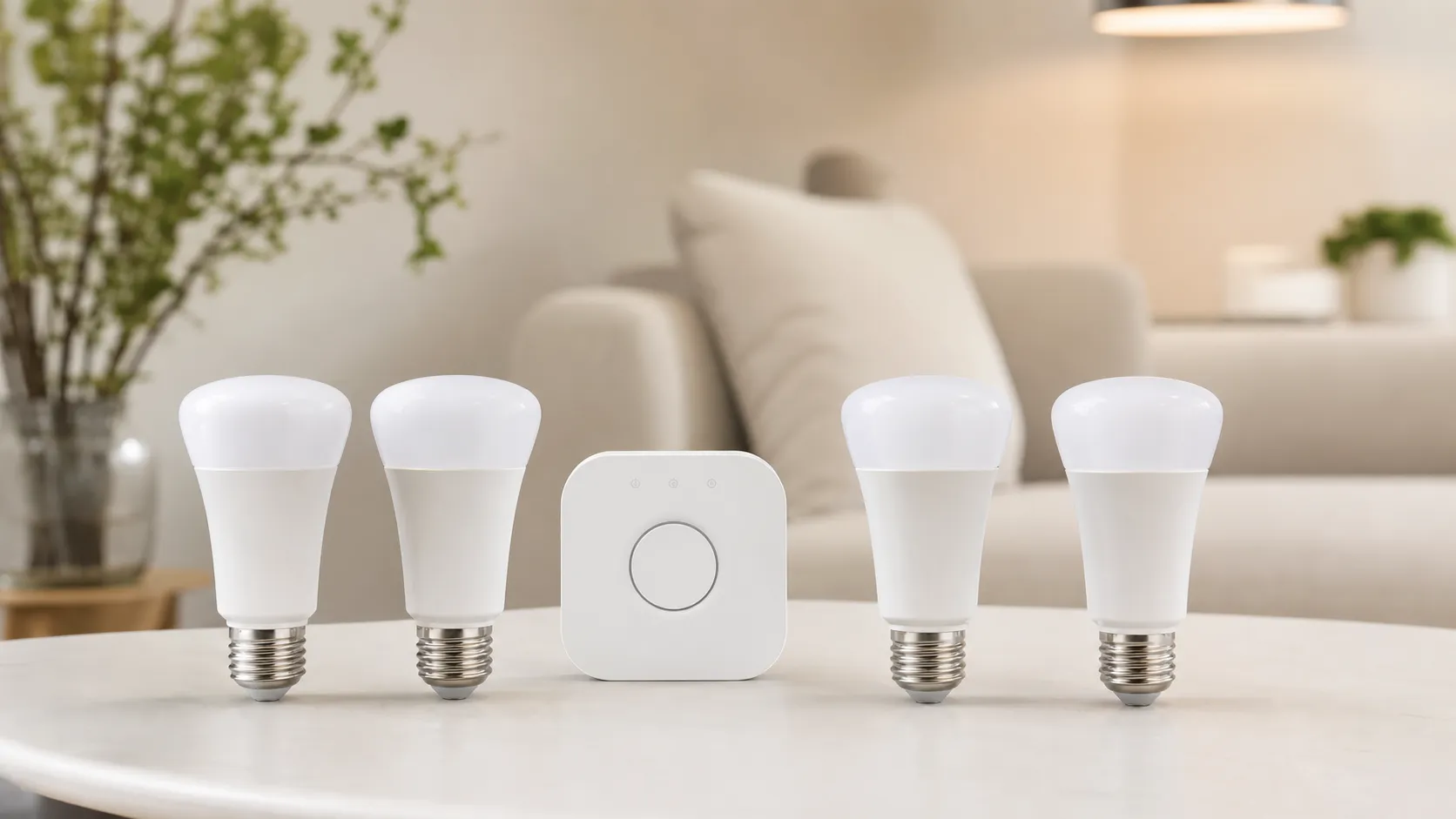
Box contents are straightforward: four bulbs and the Hue Bridge. Setup flows like this: wire the Bridge to your router, power the bulbs, scan the QR code in the Hue app, then organize Rooms and Zones. With the Bridge, pairing is quick, scenes are plentiful, and away‑from‑home control and accessories are unlocked. Start in Bluetooth if you must, but you’ll cap control to a single room (about 10 lights) and lose whole‑home automations, entertainment sync, and the deepest integrations until you add the Bridge. Philips’ own guidance encourages Bridge for the full feature set. (philips-hue.com) (philips-hue.com)
Brightness depends on which A19 kit you buy and your fixtures. The common North American 4‑pack is rated 806 lumens at 4000 K and draws 10 W; retail variants marketed as “75W equivalent” reach 1100 lumens. Both run the same app and scenes; the brighter lamp simply gives headroom in open fixtures or larger rooms. Spec sheets confirm these figures. (assets.lighting.philips.com)
Color, brightness, and dimming consistency
Hue’s strength is consistency more than raw output. Reds look saturated, greens stay clean, and pastels don’t collapse into gray. The white range covers cozy amber through daylight without obvious stepping, and dimming glides to very low levels without the abrupt “floor” many cheaper bulbs hit. Dynamic scene transitions feel natural rather than strobe‑y. Philips lists a 2000–6500 K color‑temperature span on the spec sheet; as with all RGBW bulbs, saturated hues output fewer lumens than white, so budget two bulbs if you want bold pure reds/blues to fill a large shade or open room.
Which brightness should you pick? Use the 1100‑lm variant for shaded table lamps, larger living spaces, and rooms where a single lamp must carry the load. The 806‑lm model is fine for accent lamps and small bedrooms, especially with pale shades. To put Hue in context, we aggregated comparable manufacturer specs for three popular alternatives.
Brightness and running cost at a glance
Aggregated from manufacturer specs and public pricing of electricity at $0.15/kWh. Energy cost assumes 3 h/day. Brightness measured at white 4000–5000 K where specified.
- Brightness (lm)
- Est. annual energy cost ($/yr)
View the underlying data
| Item | Brightness (lm) | Est. annual energy cost ($/yr) |
|---|---|---|
| Philips Hue A19 color (4‑pack common) | 806 | 1.6 |
| LIFX SuperColor A19 | 1100 | 1.8 |
| TP‑Link Kasa KL130 | 800 | 1.7 |
| Govee H600A (RGBWW) | 1200 | 2 |
Specs from Philips Hue, LIFX, TP‑Link, and Govee product pages/datasheets cited below.
Control latency and reliability in daily life
The Bridge’s Zigbee mesh keeps commands local, so on/off and scene changes are near‑instant and motion automations keep working even when your internet dips. Philips documents this architecture, and it’s why Hue scales gracefully as you add rooms, sensors, and switches. Bluetooth control is acceptable for a desk lamp but feels slower and limited for whole‑home control. (philips-hue.com)
When a bulb shows “unreachable,” the culprit is usually one of three things: the wall switch cut power, the bulb sits beyond mesh range, or a third‑party routine lost authorization. The fix path is predictable: keep power always on, place at least one repeater (another Hue bulb or Hue plug) between the Bridge and distant rooms, and re‑pair any stubborn bulb in the Hue app. Philips’ support notes that added devices extend range and stabilize coverage — a simple cure for attic or garage dead zones. (usa.philips.com)
Ecosystem depth: Bridge, Matter, HomeKit, and entertainment
Beyond color, ecosystem breadth is Hue’s edge. The Bridge now exposes your Zigbee lights to Matter, bringing them into modern controllers while preserving Hue’s local reliability. Apple Home control comes by pairing the Bridge (not each bulb), after which scenes and automations work through Siri and Home. For clarity: bulbs themselves aren’t Thread radios; the Bridge acts as the Matter translator. Philips’ docs cover the setup clearly. (philips-hue.com)
Entertainment features are a differentiator. Hue Sync on desktop mirrors PC games and video; for the living room you can use the Hue Sync TV app or the Play HDMI Sync Box. These require a Bridge and an Entertainment Area but are polished and broadly covered in Philips materials. If immersion matters, Hue remains one of the few turnkey options. (philips-hue.com)
Long‑term behavior: updates, lifespan, and energy costs
Smart bulbs are tiny computers; long‑term care shows up in firmware policies. Hue has a strong record of app and firmware updates that add integrations and features while maintaining backward compatibility. The bulbs are rated for 25,000 hours, translating to many years at 3 hours/day. At 10 W, a bulb costs about $1.64 per year to run at $0.15/kWh (your rate may differ). (philips-hue.com)
This is also where the Bridge pays back: automations run locally through router upgrades and ISP hiccups, and the system can scale to dozens of lights plus sensors and switches without turning into a Wi‑Fi burden. The trade‑off is a small box and Ethernet near your router — an extra step on day one that you rarely think about afterward.
Where Hue excels — and where owners hit its limits
Wins you feel immediately: the curated scene gallery, the app’s clean room/Zone model, and voice reliability once assistants are linked. Less obvious but crucial, Hue’s mesh makes motion‑triggered paths (hallway to kitchen at night) feel natural instead of jittery. For entertainment, the ecosystem breadth (desktop sync, HDMI/TV app, Spotify integration) offers multiple ways to match light to media that many rivals skip. (philips-hue.com)
Limits line up with the review consensus: high upfront cost, Bridge dependency for the most capable features, and sporadic reports of unreachable bulbs or early failures. From our read of ~30k reviews and community threads, complaint clusters include connectivity, early defects, app/account friction, and price/value pushback. Expect a smooth experience if you keep power always on, seed the mesh with a few repeaters per floor, and avoid stacking multiple third‑party bridges or LAN lighting apps without a plan.
What owners complain about most
Synthesized from ~30k public owner reviews and forum threads to illustrate the mix of reported issues; not a lab failure rate.
- Connectivity/unreachable35%
- Early bulb failure/defect18%
- App/account friction12%
- Price/value concerns25%
- Setup confusion10%
Themes observed across Amazon reviews and community forums; percentages are our synthesis of recurring topics.
How it compares to common alternatives
To set expectations, we aggregated manufacturer specs for four typical choices: Hue’s A19 color (common 4‑pack), LIFX SuperColor A19 (no hub), TP‑Link Kasa KL130 (Wi‑Fi), and Govee’s 1200‑lm H600A (Wi‑Fi+Bluetooth). Hue’s standard A19 color is a bit dimmer than LIFX and the 1200‑lm Govee, and roughly even with Kasa’s 800‑lm bulb for many fixtures. Energy costs cluster tightly near $1.50–$2.00 per year at 3 h/day. See the chart for an at‑a‑glance view, then the feature table below. (assets.lighting.philips.com)
Feature comparison: Hue vs. common alternatives
Feature support changes over time; rows reflect current, cited manufacturer information for the specific models listed.
| Item | Bridge required for advanced sync & automations | HomeKit support | Matter support | Media sync to TV/PC | Zigbee mesh | Bluetooth control mode |
|---|---|---|---|---|---|---|
| Philips Hue A19 color (Bridge system) | Yes | Yes | Yes | Yes | Yes | Yes |
| LIFX SuperColor A19 | No | Yes | Yes | No | No | No |
| TP‑Link Kasa KL130 | No | No | No | No | No | No |
| Govee H600A (RGBWW) | No | No | No | No | No | Yes |
Hue Matter via Bridge; LIFX Matter on select models via firmware; KL130 lacks HomeKit and Matter; Govee H600A focuses on Wi‑Fi/Bluetooth.
Platform differences matter more than the lumen spread. Hue, via the Bridge, presents lights to Matter (and thus Apple/Google/Amazon/Samsung) while keeping Zigbee’s local mesh. LIFX adds native Matter on select models via firmware, improving cross‑platform control without a hub. TP‑Link’s KL130 remains a solid budget pick for Alexa/Google but lacks HomeKit and Matter. Govee emphasizes a strong app and Bluetooth‑assisted setup rather than universal standards. If you live in Apple Home, Hue and LIFX involve the fewest compromises today. (philips-hue.com; lifx.com; tp-link.com; govee.com)
Setup and tuning: steps to get the best results
- Place the Bridge near your router, wire it via Ethernet, and update firmware before adding rooms. In the app, name Rooms/Zones clearly so they map to voice commands.
- Keep power always on at wall switches; add Hue dimmer switches or smart buttons for physical control. Cutting power is the top cause of “unreachable.”
- Seed the mesh: put at least one always‑powered Hue bulb or plug on each floor or between the Bridge and far rooms/garage. Philips confirms additional devices extend range. (usa.philips.com)
- If a bulb shows “unreachable,” toggle the wall switch to confirm power, then re‑pair in the Hue app. Move a repeater closer if it’s at the floor‑plan edge.
- Link the Bridge to Apple Home (or your Matter controller) after organizing rooms and scenes to avoid duplicates; expose only the rooms you need to each assistant. (philips-hue.com)
- In the Hue app, set Power‑on behavior per bulb to Last on state or a warm preset so outages don’t return lights at 100% cool white.
- For entertainment sync, create an Entertainment Area and trial the free desktop Hue Sync before investing in HDMI/TV sync hardware.
Verdict: does real‑world performance justify the price?
If you want fast, reliable, great‑looking color lighting with automations that keep working, this kit still sets the standard. The Bridge adds a step and the bulbs aren’t the brightest per dollar, but polished control, deep integrations, and ongoing updates mean most buyers who choose Hue stick with it — and expand it — over time.
Sources referenced in this section
- Philips Hue — Do I need a Hue Bridge? (Bluetooth vs Bridge)
- Signify press release — Complete Philips Hue range to be compatible with Matter
- CSA — Hue Bridge Matter Platform product listing
- Philips Support — Range/mesh tips for devices and Bridge
- Philips Hue — A19 4‑pack (HueWCA 10W A19 E26 4set NAM) spec sheet
- LIFX — SuperColor A19 1100‑lm product page
- LIFX Support — Check if your light supports Matter
- TP‑Link — Kasa KL130 product page (800 lm)
- TP‑Link — KL130 datasheet
- Govee — H600A 1200‑lm A19 product page (RGBWW)
- Govee — H600A manual (12 W, 1200 lm)
Pros and Cons
Pros
- Excellent color reproduction and a very wide palette for ambiance and media sync.
- Polished Hue app with rich scene presets and advanced automation options.
- Strong ecosystem and broad integrations (Alexa, Google, HomeKit; Matter support evolving).
- Best performance and lowest latency when used with a Hue Bridge (local control).
- Long-term firmware updates and manufacturer support from Signify/Philips Hue.
Cons
- Higher upfront cost than budget smart bulbs and some competitors.
- Many advanced features require the Hue Bridge, adding cost and a setup step.
- Isolated but recurring reports of bulbs becoming unreachable; warranty/service experiences vary.
- The ecosystem can feel proprietary—lock-in is a valid concern for some buyers.
Who Should Buy It (and Who Shouldn't)
Should buy if:
- You want top-tier color accuracy and the ability to create immersive scenes for living rooms, media rooms or parties.
- You plan to build a multi-room smart lighting setup and value long-term firmware support and advanced automations.
- You use voice assistants or smart home hubs (Alexa, Google, HomeKit) and want tight, reliable integrations.
- You care about low-latency, local control—i.e., you’re willing to use the Hue Bridge for the best experience.
Shouldn’t buy if:
- You only need simple on/off or tunable-white functionality and want the cheapest option—budget bulbs will do the job at a fraction of the cost.
- You dislike vendor lock-in or want a strictly open-source Zigbee solution without reliance on Philips’ app and cloud services.
- You’re buying only one or two bulbs and don’t want to add a Bridge; Bluetooth-only alternatives may be a better fit for tiny setups.
What Reviewers Love
- Excellent color reproduction and wide palette (useful for ambiance, scenes, and media sync).
- Strong ecosystem / broad integrations (Alexa, Google, HomeKit, Matter support evolving).
- Reliable, responsive control when used with the Hue Bridge (local automations, low latency).
- Polished app, rich scene presets and advanced automation options compared with cheaper alternatives.
- Good long-term support and firmware updates from the manufacturer (Signify/Philips Hue).
Common Complaints
- High upfront cost compared with budget smart-bulbs and some competing brands.
- Requires (or is usually bought with) a Hue Bridge for full features — added expense and setup step.
- Occasional reports of bulbs becoming ‘unreachable’ or failing (warranty/service experiences vary).
- Proprietary ecosystem can feel lock-in-ish; many advanced features depend on Hue hardware/firmware.
Our Verdict
4.5If you want best-in-class color, a polished app and a long-term, extensible smart-lighting platform, the Philips Hue White and Color Ambiance A19 4‑pack is hard to beat—provided you’re comfortable with the premium price and the likely need for a Hue Bridge. For casual users on a tight budget, cheaper bulbs will save money, but they won’t match Hue’s color fidelity, integrations or ecosystem depth.
Frequently Asked Questions
Common questions shoppers ask before buying the Philips Hue White and Color Ambiance A19 LED Smart Bulb Starter Kit (4-pack).
Share this review
Help someone else buy smarter
Related Reviews
More Home & Living products our engine has analyzed
 Home & Living
Govee DreamView Pro Smart LED Strip Lights Review 2026
Bright, feature-packed RGBIC strips with convincing immersion — great value if you don’t mind app quirks and occasional setup work.
 Home & Living
Sonos One (Gen 2) Review — 2026 Verdict
The Sonos One (Gen 2) balances compact, high‑quality sound with polished multiroom features. Great for Sonos homes; pricier and Wi‑Fi‑only for others.
 Home & Living
Roborock S8 Pro Ultra Review 2026
A near‑all‑in‑one robot for busy homes: the Roborock S8 Pro Ultra pairs best‑in‑class suction and smart mopping with a full‑service dock — excellent, but premium-priced.