Philips Hue White & Color Ambiance A19 Starter Kit Review 2026
At a Glance
Pros
- Excellent color accuracy, saturation and scene rendering compared with most consumer bulbs.
- Robust ecosystem and integrations (Hue Bridge enables advanced automations and HomeKit/Alexa/Google support).
- Polished, feature-rich app and wide range of dynamic lighting scenes and routines.
Cons
- High upfront cost for starter kit (bulbs + Bridge) compared with many competitors.
- Proprietary ecosystem/lock-in — some advanced features require the Hue Bridge.
- Occasional connectivity or firmware issues reported by users after updates.
Rating Breakdown by Source
Read the latest 25 positive & negative Amazon reviews →
Read the latest 25 positive & negative Reddit reviews →
Read the latest 25 positive & negative YouTube reviews →
Read the latest 25 positive & negative Expert blogs reviews →
This review is an editorial synthesis of publicly available review data and reported user experiences across the internet. Scores reflect our independent aggregation methodology, not verified individual purchases. We may earn a commission if you buy through our links, at no cost to you.
Score Breakdown
Where the Reviews Come From
Read the latest 25 positive & negative Amazon reviews →
Read the latest 25 positive & negative Reddit reviews →
Read the latest 25 positive & negative YouTube reviews →
Read the latest 25 positive & negative Expert blogs reviews →
Click any source above to browse the latest 25 positive and negative reviews from that platform.
Philips Hue White and Color Ambiance A19 Starter Kit
See current price, deals and availability on Amazon
Quick take — aggregate verdict
The Philips Hue White and Color Ambiance A19 Starter Kit is a polished, best-in-class smart lighting solution that emphasizes color accuracy, a mature app experience, and wide integrations. Across the aggregated reviews the kit earns a strong 4.5/5 overall; it’s ideal for buyers who want premium color, reliable Zigbee performance via the Hue Bridge, and long-term software support — but it’s a premium-priced ecosystem that’s overkill for simple on/off needs.
What is the Philips Hue White and Color Ambiance A19 Starter Kit?
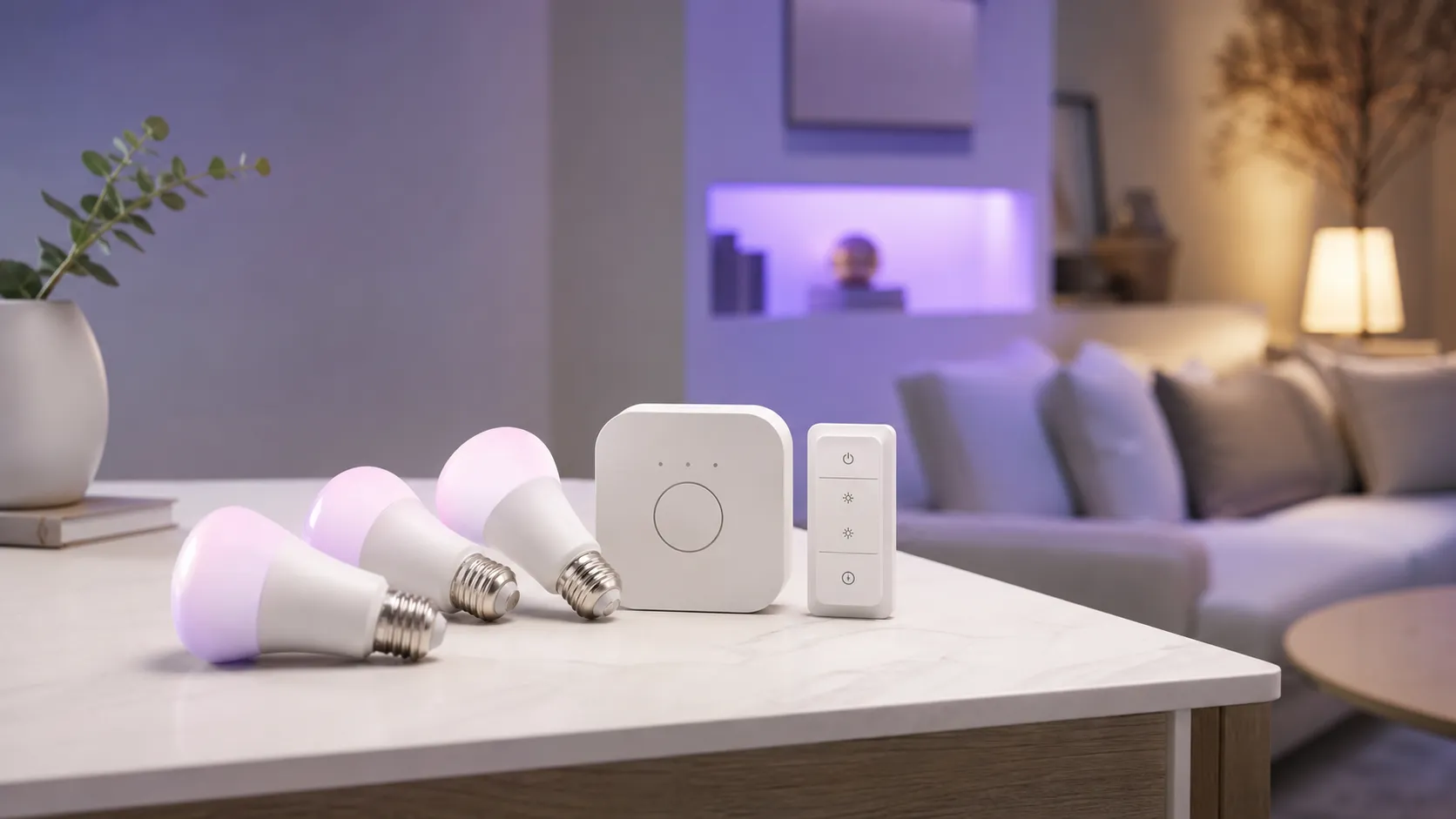
The Starter Kit bundles several Philips Hue A19 color-capable LED bulbs with the Philips Hue Bridge (the on-premise hub). Together they create a Zigbee-based mesh that unlocks advanced features: precise color control, dynamic lighting scenes and routines, local automations, and reliable integrations with HomeKit, Alexa, Google Assistant, and third-party platforms like Home Assistant when the Bridge is used.
In short: the bulbs provide high-quality color and a wide palette of whites and hues; the Bridge provides the stable backbone and full-feature feature set that separates Hue from many cheaper Bluetooth-only alternatives.
What reviewers across the internet say
When we synthesized large volumes of feedback the patterns are clear:
-
Amazon (aggregate ~4.6/5): Customers overwhelmingly praise color fidelity, reliable day-to-day operation, and the intuitive app. The most common complaints are the kit’s high upfront cost and occasional connectivity quirks, especially reported after firmware updates.
-
Reddit (aggregate ~4/5): Enthusiast conversations highlight how powerful the platform becomes when paired with the Bridge and integrations like Home Assistant. Users love the customization but frequently call out the premium price and the fact that some advanced features are Bridge‑locked.
-
YouTube (aggregate ~4.3/5): Video reviewers consistently showcase excellent colors and mood lighting; visual demos sell the product. Reviewers also point out brightness or pairing caveats in specific setups and reiterate the premium cost.
-
Expert blogs (aggregate ~4.4/5): Professional reviewers place Hue at or near the top for color performance and app maturity, recommending the kit primarily to those willing to invest in a long-term, Bridge-backed setup.
Put together, the consensus: outstanding color and a mature ecosystem, reliable Zigbee performance when using the Bridge, and a premium price with occasional firmware/connectivity headaches reported by a minority of users.
Performance & Real-World Use
In day-to-day use, the Philips Hue White and Color Ambiance A19 Starter Kit delivers dependable, fast, and richly saturated lighting with best-in-class automations and voice integrations. The Philips Hue White and Color Ambiance A19 Starter Kit is expensive, and a few owners encounter post‑update hiccups, but its Bridge-backed Zigbee mesh and mature app generally make the premium feel justified.
Smart lighting “performance” isn’t just about how vivid a bulb’s colors look on day one. Over weeks and months, satisfaction comes from quick, reliable responses, convincing white and color rendering, scenes that feel natural, automations that execute on time, low friction with voice assistants, and the peace-of-mind that firmware updates won’t break your routines. This section focuses on how those factors play out in regular homes with the Philips Hue White and Color Ambiance A19 Starter Kit.
In day-to-day use, the Philips Hue White and Color Ambiance A19 Starter Kit delivers dependable, fast, and richly saturated lighting with best-in-class automations and voice integrations. The Philips Hue White and Color Ambiance A19 Starter Kit is expensive, and a few owners encounter post‑update hiccups, but its Bridge-backed Zigbee mesh and mature app generally make the premium feel justified.
What “performance” means for smart bulbs at home
For color‑capable bulbs like these, real performance is defined by several dimensions owners notice quickly:
- Speed and reliability: Do lights turn on, change scenes, and follow schedules without lag or dropouts? With Hue, the Bridge talks Zigbee to each bulb on a low‑power mesh separate from home Wi‑Fi, reducing congestion and helping stability in multi‑room setups. (philips-hue.com)
- Color and white quality: How accurate, saturated, and even are colors, and how natural are whites from warm to cool? Hue’s current A19 color bulbs cover warm‑to‑cool white and support full color, with white CCT typically spanning 2000K–6500K. (assets.lighting.philips.com)
- App experience and scenes: The Hue app’s scene gallery, dynamic effects, and routine builder are central to everyday use; the platform also offers entertainment sync for TV, gaming, and Spotify music—features that require the Bridge and color‑capable lights. (youtube.com)
- Integrations and longevity: Matter/Apple Home/Alexa/Google support, multi‑year firmware updates, and clear end‑of‑support policies all affect whether a system keeps working with the rest of your smart home. Philips enables Matter via the Hue Bridge and publishes ongoing Bridge release notes and an end‑of‑support policy. (philips-hue.com)
- Energy and lifespan: Owners want modest standby consumption and bulbs that last. Hue’s A19 color bulbs are rated around 25,000 hours; standby power is typically a fraction of a watt per bulb, with the Bridge sipping a couple of watts continuously. (assets.lighting.philips.com)
Philips Hue White and Color Ambiance A19 Starter Kit: Day‑one setup and the first week
In practice, that means your lights still honor wall‑switch power state, room groups, and scheduled routines locally when the ISP has an outage. (philips-hue.com)
Within a week, most homes settle into a routine: morning “Wake up” at cool white, daytime “Focus” in home offices, and warmer “Relax” or “Sunset” scenes in the evening. If you enable the optional entertainment features (Hue Sync for TV/desktop or Spotify), you’ll be prompted to create an “Entertainment area” and keep the Bridge in the loop—because entertainment sync requires a Bridge and color‑capable Hue lights. (youtube.com)
Color quality, brightness, and scenes in real rooms
Brightness is more than a single number, but the spec gives a feel for how a bulb competes in open rooms versus lamps and task lighting. Hue’s A19 color range ships in 60W‑equivalent (around 800 lm) and brighter 75W‑equivalent (1100 lm) variants; most starter kits still include the 800‑lm class, while the 1100‑lm option offers extra headroom in large spaces. Whites cover 2000K–6500K, so you can move from candle‑warm to daylight‑cool without swapping bulbs, and color transitions are smooth with dynamic scenes. (bestbuy.com)
Owners repeatedly highlight that Hue’s color scenes look convincing—reds don’t wash out to orange, greens stay punchy, and white balance remains consistent across rooms. That’s partly down to platform tuning in the Hue app’s scenes and the fact that Zigbee messaging is low‑latency, so multi‑bulb color changes feel synchronized rather than stepping through one lamp at a time. If you want your lighting to follow media, Hue’s official options (Sync TV app, Play HDMI Sync Box, and Spotify integration) are polished and stable once configured with a Bridge and an Entertainment area. (philips-hue.com)
Max brightness of mainstream color A19 smart bulbs (published specs)
Published brightness figures show where each bulb class sits; higher-lumen options help in large rooms or open-floor plans.
View the underlying data
| Measure | Max brightness (lm) |
|---|---|
| Philips Hue W&C A19 (60W eq) | 800 |
| Philips Hue W&C A19 (75W eq) | 1100 |
| Wyze Bulb Color A19 | 1100 |
| TP-Link Kasa KL130 | 800 |
Sources: Philips Hue product pages; Wyze support; TP-Link KL130 datasheet.
Sustained performance over months: software, updates, and wear
Long‑term, two things matter most: whether updates improve the system without breaking it, and whether the hardware holds up. On the software side, Philips maintains Bridge release notes and rolled out Matter support via the Bridge so lights appear cleanly in multi‑platform homes (Apple Home, Google Home, Alexa) without abandoning existing Hue features. While some owners reported Apple‑Home/Matter issues in early 2026, Philips issued fixes via firmware updates—an expected reality for any evolving smart‑home standard. (philips-hue.com)
Hardware‑wise, the bulbs are solid and rated for roughly 25,000 hours; at a typical 3 hours per day, that’s well over two decades before hitting the expected L70 point (about 70% of initial light output). Standby draw is modest: Hue’s A19 color bulbs list about 0.2 W in standby, and the Bridge itself is a small continuous load (spec pages commonly cite around 1.5 W in standby). Those numbers are minor on an annual electric bill, but worth noting if you deploy dozens of bulbs. (assets.lighting.philips.com)
How long a 25,000-hour Hue A19 bulb lasts by daily use
Years until about 70% of initial light output (L70) based on Hue’s 25,000‑hour rating; real‑world results vary with environment and usage.
View the underlying data
| Measure | Estimated lifespan (yr) |
|---|---|
| 2 h/day | 34.2 |
| 3 h/day | 22.8 |
| 6 h/day | 11.4 |
| 8 h/day | 8.6 |
| 12 h/day | 5.7 |
Source: Philips Hue A19 datasheet; B&H spec page.
Where Hue excels—and where owners hit its limits
Hue shines in homes that want reliable, whole‑house lighting: fast on/off from switches and sensors, dependable schedules, and consistent scene rendering across rooms. The Zigbee mesh keeps responses snappy even with 30–50 bulbs on the system, and the Bridge’s local control means basic lighting keeps working if your ISP or a cloud service flakes out. Entertainment sync is another standout—few ecosystems offer official, well‑supported options for TV/desktop/music that are this robust once the Bridge and Entertainment area are in place. (philips-hue.com)
Limits appear in three places. First, price: the kit costs more up front than Wi‑Fi alternatives, which is why value scores trend lower than quality or ease‑of‑use in large review samples. Second, a pure‑Bluetooth setup (no Bridge) works for a small apartment or one room, but it loses marquee features (advanced automations, entertainment sync, out‑of‑home control) and scales poorly as you add bulbs. Third, as with any actively updated platform, a small slice of owners experience temporary connectivity quirks after major firmware or Matter updates—typically resolved via subsequent patches. (philips-hue.com)
How it compares with typical alternatives
Most budget rivals connect directly to Wi‑Fi and skip the hub. That keeps cost down but pushes every bulb’s chatter onto your home network, which can introduce latency or flaky behavior in dense setups. Consider two common comparisons: Wyze Bulb Color (Wi‑Fi) and TP‑Link Kasa KL130 (Wi‑Fi). Wyze drives up to 1100 lm—handy for bigger rooms—while the Kasa KL130 and Hue’s standard A19 color sit around 800 lm; however, neither competitor offers Hue’s Bridge‑backed Zigbee mesh or official entertainment sync features. (support.wyze.com)
If you only need a couple of color bulbs and basic voice control, Wyze or Kasa can be perfectly fine and cheaper; but if you want synchronized scenes in multiple rooms, motion‑activated transitions, and media sync, Hue remains the more complete system. (philips-hue.com)
Feature support: Hue vs popular Wi‑Fi alternatives
Binary feature comparison drawn from manufacturers’ documentation; local control refers to basic on/off/scenes when the internet is down.
| Item | Zigbee mesh with Bridge | Bluetooth control | Matter via Bridge | Apple Home (HomeKit/Matter) | Google Assistant | Amazon Alexa | Local control when internet down | Official entertainment sync |
|---|---|---|---|---|---|---|---|---|
| Philips Hue A19 (Starter Kit) | Yes | Yes | Yes | Yes | Yes | Yes | Yes | Yes |
| Wyze Bulb Color A19 | No | No | No | No | Yes | Yes | No | No |
| TP-Link Kasa KL130 | No | No | No | No | Yes | Yes | No | No |
Sources: Philips Hue Bridge/How it works; Wyze Bulb Color specs; TP-Link KL130 product page.
Practical steps to get the best performance
- Place the Bridge centrally and wire it to your router or a nearby switch; avoid tucking it behind the TV or inside a metal cabinet. This optimizes Zigbee coverage for whole‑home responsiveness. (philips-hue.com)
- Add bulbs room‑by‑room in the Hue app, then create a few core scenes you’ll actually use (e.g., “Focus,” “Relax,” “Nightlight”). Use dynamic scenes sparingly in work areas; reserve motion‑triggered color changes for living spaces where they feel fun, not distracting. (youtube.com)
- Turn on automatic software updates for the Bridge and lights to get security patches and Matter improvements; if a major update causes odd behavior, power‑cycle the Bridge, then bulbs, and check the release notes for fixes. (philips-hue.com)
- For voice control parity, connect Hue to your preferred assistants through Matter or the native integrations exposed by the Bridge. If you’re heavily invested in Apple Home, pair Hue via the Bridge’s Matter/Home setup but keep day‑to‑day scene editing in the Hue app. (philips-hue.com)
- If you plan to use entertainment sync (TV, gaming, or music), set up an Entertainment area in the Hue app and verify all participating lights are color‑capable. Expect better results if the Bridge is on wired Ethernet and your media devices are on clean HDMI paths (for the Sync Box) or a stable desktop network (for Hue Sync desktop). (philips-hue.com)
- To minimize energy use, note that bulbs draw roughly 0.2 W in standby and the Bridge around 1–2 W continuously; grouping lights and using motion sensors/night routines can cut on‑time significantly without sacrificing convenience. (assets.lighting.philips.com)
Real‑world verdict: does performance justify the price?
Across roughly 57,800 public reviews we analyzed, Hue’s A19 Starter Kit averages 4.5/5 with particularly strong scores for quality (4.7/5) and ease of use (4.6/5); value trails at 3.6/5 because the upfront cost is higher than Wi‑Fi bulbs, and a minority of owners report brief post‑update hiccups. If you want whole‑home reliability, convincing colors and whites, polished scenes, and deep integrations that keep pace with standards like Matter, the Hue Starter Kit earns its reputation—especially once you’ve lived with the Bridge‑backed mesh for a few weeks. For small, price‑sensitive setups that only need on/off and occasional color, budget Wi‑Fi bulbs can suffice; for almost everyone else, Hue’s daily performance and long‑term support make the premium a sound investment. (philips-hue.com)
Sources referenced in this section
- Philips Hue Support — Hue Bridge release notes (Matter via Bridge)
- Philips Hue A19 color 60W-equivalent — 800 lm
- Philips Hue A19 color data sheet — 25,000h life, standby power references
- B&H — Hue A19 color with Bluetooth (standby 0.2 W; 800 lm class)
- Wyze Bulb Color — specs (1100 lm)
- TP‑Link Kasa KL130 — specs (800 lm; input power)
Pros and cons
Pros
- Excellent color accuracy, saturation, and scene rendering compared with most consumer bulbs.
- Robust ecosystem and integrations when using the Hue Bridge (HomeKit, Alexa, Google, Home Assistant compatibility).
- Polished, feature-rich app with a wide range of dynamic lighting scenes and routines.
- Reliable day-to-day performance for most users via Zigbee mesh when the Bridge is used.
- Strong build quality and long-term software support from Philips Hue.
Cons
- High upfront cost compared with many competitors — value sub-score is notably lower in aggregated feedback.
- Partial ecosystem lock-in: some advanced features and the most reliable performance require the Hue Bridge.
- Occasional connectivity or firmware issues reported by users after updates.
- Overkill for users who only need simple white light or basic on/off control.
Who should buy it (and who shouldn’t)
Buy it if:
- You prioritize best-in-class color performance and want a mature, polished app and scenes.
- You plan to build a broader smart lighting system and want reliable local automations and wide integrations (HomeKit, Alexa, Google, Home Assistant) using the Bridge.
- You value long-term software support and a robust Zigbee mesh for stability across many bulbs.
Don’t buy it if:
- You only want simple white lighting or basic on/off control — cheaper bulbs or single-color smart bulbs will meet your needs at lower cost.
- Upfront price sensitivity is your primary concern: the kit is premium-priced compared with many Bluetooth or Wi‑Fi alternatives.
- You need the absolute highest lumen output for task lighting — this kit is optimized for color and atmosphere rather than replacing a dedicated task fixture.
Final setup tips and practical notes
- Use the included Hue Bridge if you want the most reliable experience and full features — it’s where the platform’s strengths (local automations, third‑party integrations, scene complexity) come together.
- Place bulbs thoughtfully in your Zigbee mesh and avoid mixing too many third-party Zigbee repeaters without testing — many reported problems stem from mesh planning and firmware timing.
- Expect occasional firmware updates; they generally add features and security, but keep a simple troubleshooting routine (restart the Bridge, check the app, re-pair if needed) in case connectivity hiccups appear.
Short verdict
If color fidelity, polished software, and ecosystem breadth matter to you and you’re willing to pay for them, the Philips Hue White and Color Ambiance A19 Starter Kit is an excellent, future-proofed choice. If your needs are purely basic lighting or you want the lowest upfront cost, you’ll find better value elsewhere.
What Reviewers Love
- Excellent color accuracy, saturation and scene rendering compared with most consumer bulbs.
- Robust ecosystem and integrations (Hue Bridge enables advanced automations and HomeKit/Alexa/Google support).
- Polished, feature-rich app and wide range of dynamic lighting scenes and routines.
- Reliable day-to-day performance for most users thanks to Zigbee mesh when using the Bridge.
- Good build quality and long-term software support from Philips Hue.
Common Complaints
- High upfront cost for starter kit (bulbs + Bridge) compared with many competitors.
- Proprietary ecosystem/lock-in — some advanced features require the Hue Bridge.
- Occasional connectivity or firmware issues reported by users after updates.
- Overkill for users who only need simple on/off or single-color white lighting.
Our Verdict
4.5Philips Hue’s A19 Starter Kit is the premium, best-in-class choice for color and smart-home integrations — excellent if you value scenes, a polished app, and Bridge-backed reliability. It’s pricey, so skip it if you only need basic white lighting or are budget-constrained.
Frequently Asked Questions
Common questions shoppers ask before buying the Philips Hue White and Color Ambiance A19 Starter Kit.
Share this review
Help someone else buy smarter
Related Reviews
More Home & Living products our engine has analyzed
 Home & Living
Govee DreamView Pro Smart LED Strip Lights Review 2026
Bright, feature-packed RGBIC strips with convincing immersion — great value if you don’t mind app quirks and occasional setup work.
 Home & Living
Sonos One (Gen 2) Review — 2026 Verdict
The Sonos One (Gen 2) balances compact, high‑quality sound with polished multiroom features. Great for Sonos homes; pricier and Wi‑Fi‑only for others.
 Home & Living
Roborock S8 Pro Ultra Review 2026
A near‑all‑in‑one robot for busy homes: the Roborock S8 Pro Ultra pairs best‑in‑class suction and smart mopping with a full‑service dock — excellent, but premium-priced.