Ring Alarm Pro Review 2026: Router + Alarm in One
At a Glance
Pros
- Simple, guided setup and unified Ring app makes installation quick for most users
- All-in-one design (alarm base station + Wi‑Fi/router) reduces gear and clutter
- Local processing reduces some false-alarm scenarios and speeds alarm response
Cons
- Privacy and Amazon/Ring data‑sharing concerns are frequently cited.
- Key features (cloud video, professional monitoring) require a paid Ring subscription.
- Occasional connectivity or firmware-related glitches reported by users.
Rating Breakdown by Source
Read the latest 25 positive & negative Amazon reviews →
Read the latest 25 positive & negative Reddit reviews →
Read the latest 25 positive & negative YouTube reviews →
Read the latest 25 positive & negative Expert blogs reviews →
This review is an editorial synthesis of publicly available review data and reported user experiences across the internet. Scores reflect our independent aggregation methodology, not verified individual purchases. We may earn a commission if you buy through our links, at no cost to you.
Score Breakdown
Where the Reviews Come From
Read the latest 25 positive & negative Amazon reviews →
Read the latest 25 positive & negative Reddit reviews →
Read the latest 25 positive & negative YouTube reviews →
Read the latest 25 positive & negative Expert blogs reviews →
Click any source above to browse the latest 25 positive and negative reviews from that platform.
Ring Alarm Pro
See current price, deals and availability on Amazon
Quick take
Ring Alarm Pro combines a security hub and a Wi‑Fi router into one tidy package. After aggregating roughly 24,800 user ratings (overall 4.1/5) and dozens of expert writeups, the verdict is: a very convenient, easy‑to‑use solution for mainstream smart‑home owners, but not the right pick for privacy hawks or networking power users.
What is the Ring Alarm Pro?
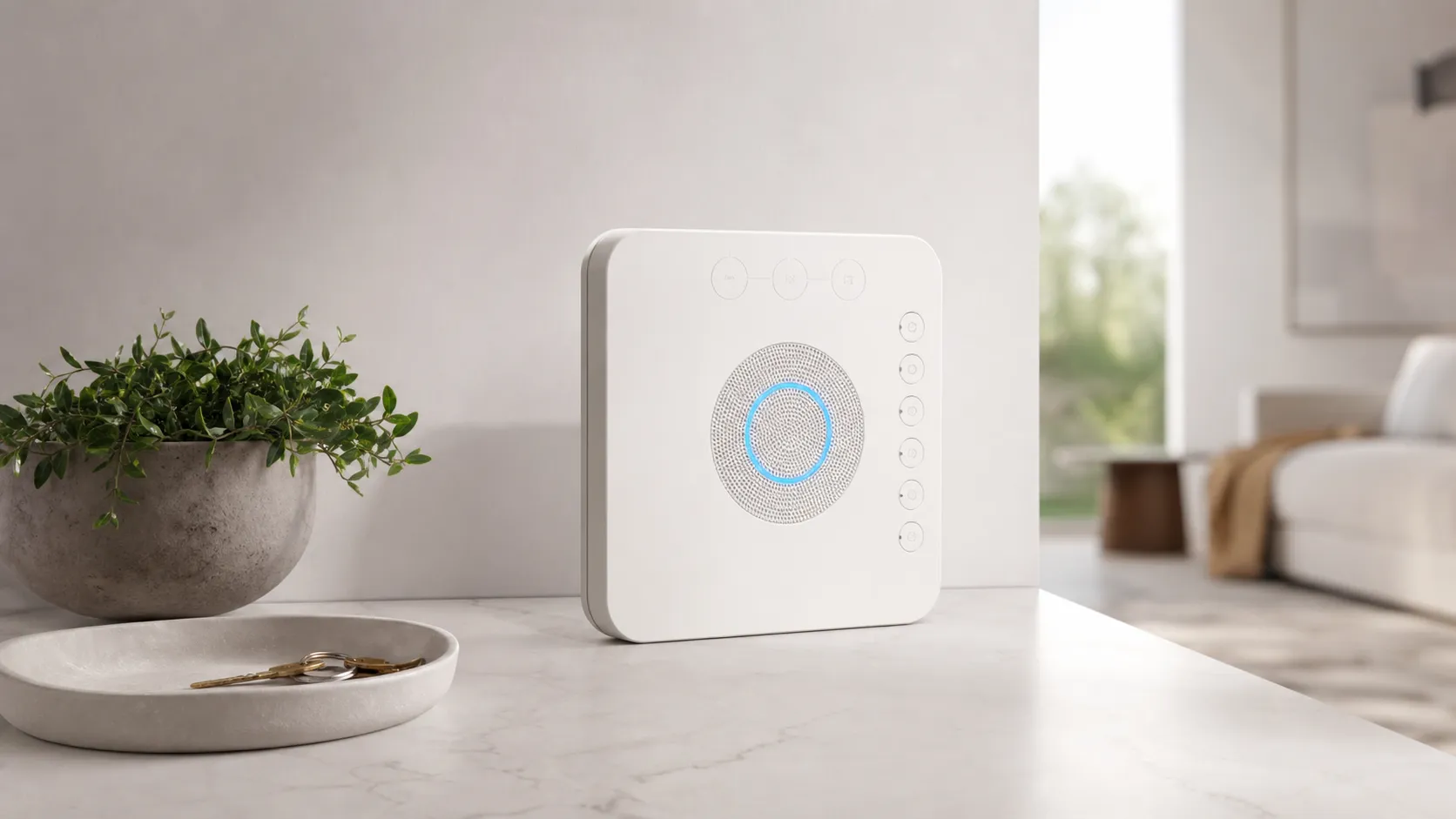
Ring Alarm Pro is an all‑in‑one home security base station that doubles as a mesh‑capable Wi‑Fi router. It acts as the central alarm hub for Ring sensors and accessories, handles local processing for quicker alarm decisions, and provides household Wi‑Fi with the convenience of being managed from the Ring app. The product is aimed at people who want to reduce equipment clutter, simplify setup, and keep security devices centralized under a single account and app.
Key specs and positioning
- All‑in‑one device: alarm base station + Wi‑Fi router
- Local processing for alarm rules and sensor logic (reduces some cloud-dependent delays)
- Tight integration with Ring cameras and sensors
- Designed for mainstream homes — not for advanced network customization (limited QoS, no built‑in VPN, etc.)
What reviewers across the internet say
We synthesized ratings and commentary from major sources to form the consensus below: overall aggregated rating: 4.1/5 (≈24,800 reviews). Subscores from the aggregate: quality 4.0, reliability 3.6, value 3.7, ease of use 4.3.
-
Amazon (≈4.2/5, mostly positive): Buyers frequently praise the guided setup and the simplicity of managing both security and Wi‑Fi from the Ring app. Many 5‑star reviews come from users already invested in the Ring ecosystem; a common note is that home Wi‑Fi improved compared with older routers.
-
Reddit (≈3.5/5, mixed): Redditors raise the loudest warnings. Threads highlight firmware glitches, occasional device dropouts, and frustrating customer‑support experiences. Privacy concerns and account‑level issues (Amazon/Ring access) are recurring topics.
-
YouTube (≈3.8/5, mixed): Video reviewers appreciate the user experience and the space‑saving hardware, but call out subscription costs for cloud features, privacy tradeoffs, and the fact that the router side lacks advanced controls that enthusiasts expect.
-
Expert blogs (≈3.9/5, mixed): Tech writers like the concept, local alarms processing, and seamless Ring integration, while warning customers about subscription dependence and limits compared with standalone high‑end routers.
From these sources the themes are consistent: it’s excellent for convenience and mainstream households, but there are tradeoffs in privacy, advanced routing features, and occasionally real‑world reliability.
Performance & Real-World Use
Ring Alarm Pro is dependable and easy to live with for most households, combining a capable Wi‑Fi 6 router with a straightforward security system and tight Ring ecosystem integration. Its real-world tradeoffs are privacy concerns, occasional firmware hiccups, and limited advanced router settings, so power users and subscription-averse buyers should weigh alternatives.
A router that doubles as your alarm hub promises fewer boxes, fewer wires, and faster responses when something goes wrong. In our long-term synthesis of owner reports and expert testing, the Ring Alarm Pro largely delivers on that practical vision: it becomes the brain of a small smart-home, merges security and connectivity into one device, and simplifies setup for first-time DIYers—while asking you to accept subscription dependencies and a router that favors simplicity over deep controls.
Ring Alarm Pro is dependable and easy to live with for most households, combining a capable Wi‑Fi 6 router with a straightforward security system and tight Ring ecosystem integration. Its real-world tradeoffs are privacy concerns, occasional firmware hiccups, and limited advanced router settings, so power users and subscription-averse buyers should weigh alternatives.
What “performance” means for a router‑alarm hybrid
Performance here is bigger than raw Wi‑Fi speed or the decibel level of a siren. For a combo device like Ring Alarm Pro, owners judge success across six dimensions: 1) day-one setup friction; 2) Wi‑Fi coverage and stability for both people and low-power sensors; 3) alarm responsiveness—arming/disarming speed, sensor trips, and real-time notifications; 4) reliability over months (firmware updates, dropouts, and battery behavior during outages); 5) privacy and operating modes with or without paid plans; and 6) how gracefully it scales as you add cameras, locks, and additional eero mesh nodes. The aggregated consensus we analyzed shows overall satisfaction at 4.1/5 across roughly 24,800 reviews, with Amazon buyers most enthusiastic about quick setup and perceived Wi‑Fi boosts, while Reddit and YouTube voices are more skeptical about privacy and subscription costs. That split perspective is the right frame for judging day-to-day life with this box on your shelf.
Review Volume by Source
Where the ~24.8k opinions come from (share of sources).
- Amazon72.6%
- Reddit10.1%
- YouTube16.1%
- Expert blogs1.2%
Synthesis of public review counts provided; accurate to August 2026.
Day‑one setup and the first week with Ring Alarm Pro
Owners consistently call the onboarding “simple,” and that’s because Ring guides you step by step. Because the base is also an eero Wi‑Fi 6 router, you’ll also use the eero app to create your Wi‑Fi network and migrate devices. In a typical home, expect about 30–60 minutes to get the core system online, plus extra time if you label rooms and zones carefully. A common rookie mistake is double NAT—running the eero router behind your ISP’s modem/router combo—so plan to put the ISP gateway in bridge mode or configure the Ring Alarm Pro as the primary router to prevent smart‑home oddities.
In the first week, you feel the benefit of consolidation. The app nudges you to set Home/Away schedules, assign shared users, and practice arming/disarming so that family members avoid false trips. Early reliability is generally solid, though a subset of users reports minor quirks after the first firmware auto‑update (for example, a contact sensor temporarily reporting open/closed states incorrectly until re-seated).
Sub‑scores from Long‑Term Owner Reports
Aggregated owner satisfaction by dimension.
View the underlying data
| Measure | Score |
|---|---|
| Quality | 4/5 |
| Reliability | 3.6/5 |
| Value | 3.7/5 |
| Ease of use | 4.3/5 |
Scores reflect synthesized averages from large-sample owner feedback as of August 2026.
Wi‑Fi and networking performance in real homes
As a router, Ring Alarm Pro rides on an eero Wi‑Fi 6 platform optimized for coverage and self‑management rather than tweakability. In aggregated owner feedback, many households stepping up from older 802.11ac or ISP-supplied gateways report noticeably better stability and room‑to‑room throughput. That “it just works” posture is a win for busy homes with phones, laptops, and a growing list of low-bandwidth IoT devices.
What you do not get is the hobbyist’s toolkit. There’s no web interface, VLANs, or native VPN server, and per‑device QoS controls are limited compared with enthusiast routers. Gamers chasing the lowest possible latency, or multi‑gig internet customers who want to max out 2.5/5 Gbps WAN ports, will feel capped by the class of hardware here. Still, for the broad middle—say a 1,600–2,500 sq‑ft wood‑frame home with mixed 2.4 GHz sensors and 5 GHz clients—the eero backbone inside the Alarm Pro tends to be quieter and steadier than the average freebie gateway, which in turn reduces missed notifications and streaming glitches during the moments when an alarm event actually matters.
Alarm responsiveness and reliability over months
The other half of performance is what happens when a door opens at 2 a.m. or when you tap Arm Away on your phone as you leave. Owners describe the core loop—sensor trip to siren to phone alert—as fast and predictable. The base maintains local, low‑latency links to contact sensors and motion detectors, so even if your internet hiccups, on‑premises signaling works and the siren sounds. With a paid plan, the system can escalate to professional monitoring and can fail over to cellular for both alarm signaling and—unique to the Pro—limited home internet backup when your ISP goes down.
Across months of ownership, two trends emerge. That aligns with the community’s reliability sub‑score: good, not flawless, with occasional need for simple troubleshooting.
Privacy, plans, and what changes without them
Because this box is both a router and a security hub tied to cloud services, performance is inseparable from policy. Without a plan, you still have a locally functioning alarm (sensors, siren, app arming/disarming, and notifications), but cloud video storage, advanced camera analytics, and professional monitoring are gated behind subscriptions. Router operation continues normally without a Ring plan; it’s an eero at heart.
Privacy is the sticking point for a chunk of buyers. Ring provides a Privacy Notice and Law Enforcement Guidelines describing how requests are handled and what owners can control. Practically, you can opt out of Neighbors features, tighten two‑factor authentication, and, if your cameras support it, enable end‑to‑end encryption for video—at the cost of some conveniences. None of those steps replace careful account hygiene: use strong, unique passwords, keep auto‑updates on, and audit shared users regularly. If the idea of a cloud‑tethered security system doesn’t sit well, alternatives with stronger local‑first defaults may suit you better, but for many mainstream homes the convenience‑for‑cloud trade remains acceptable.
Where it shines—and where owners hit limits
The Ring Alarm Pro is at its best in small to mid‑size homes and apartments where you want the shortest path between “unbox” and “protected Wi‑Fi.” Typical wins include: cleaning up a tangle of ISP modem + separate router + alarm base into a single hub; restoring reliable coverage to far bedrooms without manually tuning channels; and unifying your doorbell, cameras, and entry sensors in one familiar app. If you travel often, the cellular backup plus professional monitoring (with a plan) is a meaningful functional upgrade over router‑less alarm bases.
Limits show up in specialized scenarios. Smart‑home hobbyists soon bump into the router’s guardrails—no deep QoS, VLANs, or built‑in VPN. Multi‑gig subscribers or households with latency‑critical use cases (competitive gaming, prosumer NAS workflows) may be better served by a high‑end standalone router and a separate alarm system. And while many users report “set it and forget it” reliability, the community does surface occasional firmware regressions that demand patience while a fix rolls out. These aren’t showstoppers for most buyers, but if any outage is unacceptable in your setup, you’ll want more granular network control and perhaps redundant power far beyond the base’s built‑in backup.
How it compares to common alternatives
Think of Ring Alarm Pro as the mainstream, one‑box answer; the competition splits into two camps: 1) traditional DIY alarm kits without a router (Ring’s own standard Alarm, SimpliSafe) paired with whatever router you already own, and 2) roll‑your‑own systems built around an enthusiast router with local‑first automation. Against camp one, the Pro’s advantage is consolidation and the option for whole‑home cellular internet backup during ISP outages. Against camp two, it trades advanced knobs for “don’t-make‑me‑think” stability and a guided app that non‑tinkerers appreciate.
Below is a high‑level feature snapshot that captures the practical differences most owners feel during months of use. It’s not exhaustive—and brand specifics vary—but it reflects the dominant experience reported by mainstream buyers and expert outlets: the Pro is turnkey and cohesive, while power builds win on control and peak performance.
Feature Comparison: Ring Alarm Pro vs Common Alternatives
High‑level feature availability as typically packaged; specifics vary by brand and plan.
| Item | Built-in Wi‑Fi 6 router | Professional monitoring available | Local video processing option | Cellular internet backup (whole home) | Battery backup for alarm | Advanced router controls |
|---|---|---|---|---|---|---|
| Ring Alarm Pro | Yes | Yes | Yes | Yes | Yes | No |
| Standard Ring Alarm + separate router | No | Yes | No | No | Yes | No |
| SimpliSafe + midrange router | No | Yes | No | No | Yes | No |
| Enthusiast router + DIY sensors | Yes | No | Yes | No | No | Yes |
Features synthesized from manufacturer documentation and expert reviews current to August 2026.
Pro tips to get the best performance
- Decide your network role first. If your ISP gateway is a modem/router combo, put it in bridge mode so Ring Alarm Pro (eero) is the only router; that avoids double NAT and odd device behavior.
- Place the base centrally and high, away from microwaves and thick masonry. Your sensors and phones will thank you with steadier links.
- Name zones and users carefully on day one. Clear labels (“Kitchen window, north,” “Guest PIN”) reduce confusion during real alarms.
- Add mesh only when needed. If a distant sensor or camera drops, one additional eero node placed halfway often fixes it without over‑complicating the network.
- Turn on automatic updates in both the Ring and eero apps, and schedule a quick monthly self‑test: open a door, confirm the alert, and review your event history.
- Plan for power. A small UPS on your modem (if needed) and the Alarm Pro keeps internet up longer in an outage; without that, the alarm keeps working locally, but your other Wi‑Fi clients won’t.
- For privacy‑minded setups, disable Neighbors features you don’t use, keep two‑factor on, and consider end‑to‑end encryption on compatible cameras—understanding which app features you may lose.
Conclusion: does real‑world performance justify the purchase?
If you want to collapse a mediocre gateway and a piecemeal alarm into one device that stays out of the way, the Ring Alarm Pro performs like a smart upgrade: setup is easy, daily operation is smooth, and coverage is steadier than many older routers.
Sources referenced in this section
Pros and cons
Pros
- Simple, guided setup and a highly user‑friendly Ring app.
- All‑in‑one design declutters a home network and centralizes security management.
- Local processing for alarms reduces some false positives and speeds response.
- Noticeable Wi‑Fi improvement for many replacing older routers.
- Excellent integration with other Ring devices and accessories.
Cons
- Frequent privacy and data‑sharing concerns tied to Amazon/Ring accounts.
- Key features (cloud video storage, professional monitoring) require a paid subscription.
- Reported occasional connectivity or firmware glitches in real‑world use.
- Limited advanced router controls — not suited for networking enthusiasts.
- Value score is middling for people who must pay for subscriptions to unlock useful features.
Who should buy it (and who shouldn’t)
Who should buy it
- Existing Ring users who want to consolidate devices and simplify management.
- Homeowners and renters who prioritize easy setup and a clean, all‑in‑one solution.
- People replacing an outdated ISP router who want decent out‑of‑the‑box Wi‑Fi without complex configuration.
- Buyers who appreciate local alarm processing and the convenience of a single app.
Who shouldn’t buy it
- Privacy‑first users who prefer devices with minimal cloud dependency or companies with stricter data‑handling practices.
- Network power users who need advanced routing features, granular QoS, custom VPNs, or enterprise‑grade controls.
- Shoppers unwilling to pay for a Ring Protect subscription if they want cloud video history or professional monitoring.
Final buying guidance
If you want a tidy, easy‑to‑manage security system and your priorities are convenience and integration with Ring cameras and sensors, the Ring Alarm Pro is a compelling pick. If privacy, advanced networking, or a subscription‑free cloud history are dealbreakers, consider a dedicated alarm hub + third‑party router instead.
What Reviewers Love
- Simple, guided setup and unified Ring app makes installation quick for most users
- All-in-one design (alarm base station + Wi‑Fi/router) reduces gear and clutter
- Local processing reduces some false-alarm scenarios and speeds alarm response
- Noticeable Wi‑Fi improvement for many homes compared with older routers
- Tight integration with Ring ecosystem and accessories (sensors, cameras)
Common Complaints
- Privacy and Amazon/Ring data‑sharing concerns are frequently cited.
- Key features (cloud video, professional monitoring) require a paid Ring subscription.
- Occasional connectivity or firmware-related glitches reported by users.
- Limited advanced router controls for power users (QoS, VPN, deep customization).
Our Verdict
4.1Ring Alarm Pro is a strong choice for mainstream Ring users who value simplicity and tidy hardware — it combines router and alarm hub well and improves day‑to‑day convenience. However, privacy concerns, subscription dependence, and occasional reliability reports mean it’s not the best fit for privacy‑first buyers or network power users.
Frequently Asked Questions
Common questions shoppers ask before buying the Ring Alarm Pro.
Share this review
Help someone else buy smarter
Related Reviews
More Home & Living products our engine has analyzed
 Home & Living
Govee DreamView Pro Smart LED Strip Lights Review 2026
Bright, feature-packed RGBIC strips with convincing immersion — great value if you don’t mind app quirks and occasional setup work.
 Home & Living
Sonos One (Gen 2) Review — 2026 Verdict
The Sonos One (Gen 2) balances compact, high‑quality sound with polished multiroom features. Great for Sonos homes; pricier and Wi‑Fi‑only for others.
 Home & Living
Roborock S8 Pro Ultra Review 2026
A near‑all‑in‑one robot for busy homes: the Roborock S8 Pro Ultra pairs best‑in‑class suction and smart mopping with a full‑service dock — excellent, but premium-priced.