Ring Video Doorbell Pro 2 Review 2026
At a Glance
Pros
- Sharp, high-resolution video with good HDR and expanded field of view
- 3D Motion Detection and Bird’s Eye View add valuable contextual alerts
- Sleek, compact design that fits many doorways and integrates with Ring/Alexa
Cons
- Requires Ring Protect subscription for cloud video history and many advanced features
- Privacy/security concerns tied to Ring/Amazon ownership and past incidents
- False or overly sensitive motion alerts (radar/AI tuning can be inconsistent)
Rating Breakdown by Source
Read the latest 25 positive & negative Amazon reviews →
Read the latest 25 positive & negative Reddit reviews →
Read the latest 25 positive & negative YouTube reviews →
Read the latest 25 positive & negative Expert blogs reviews →
This review is an editorial synthesis of publicly available review data and reported user experiences across the internet. Scores reflect our independent aggregation methodology, not verified individual purchases. We may earn a commission if you buy through our links, at no cost to you.
Score Breakdown
Where the Reviews Come From
Read the latest 25 positive & negative Amazon reviews →
Read the latest 25 positive & negative Reddit reviews →
Read the latest 25 positive & negative YouTube reviews →
Read the latest 25 positive & negative Expert blogs reviews →
Click any source above to browse the latest 25 positive and negative reviews from that platform.
Ring Video Doorbell Pro 2
See current price, deals and availability on Amazon
Quick take
Ring Video Doorbell Pro 2 is a premium wired smart doorbell that delivers noticeably sharper daytime video, HDR clarity, and advanced motion features (3D Motion Detection and Bird’s Eye View). Our aggregate verdict: excellent imaging and useful contextual alerts, but the core experience is tempered by a subscription requirement for cloud history, ongoing privacy concerns tied to the Ring ecosystem, and occasional connectivity/tuning headaches.
What is the Ring Video Doorbell Pro 2?
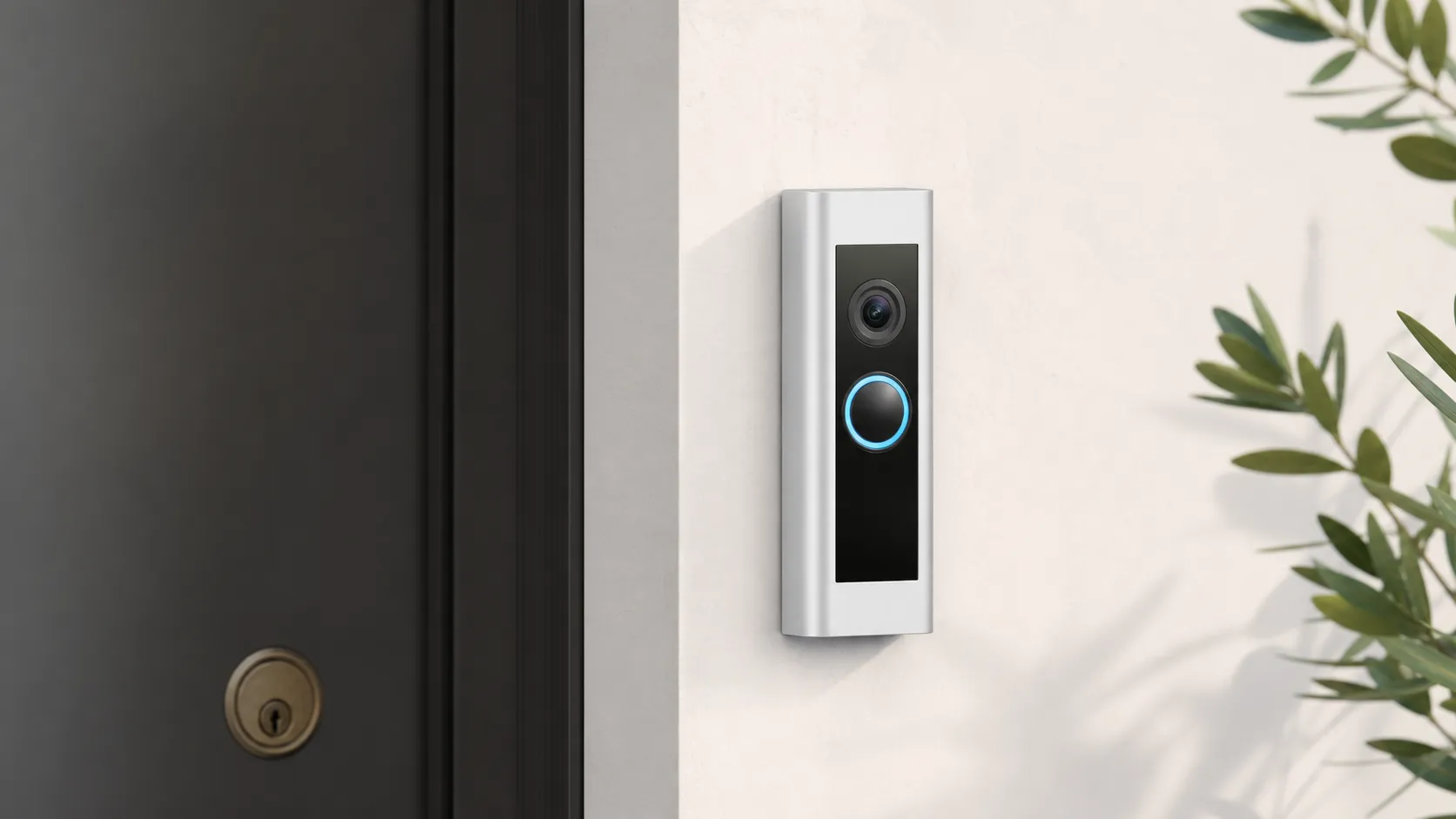
The Ring Video Doorbell Pro 2 is Ring’s higher-end, wired doorbell aimed at buyers who want best-in-class image quality and smarter motion awareness at their front door. Compared with older Ring models, it focuses on improved optics and on-device sensing: users get crisper live view, better HDR handling for mixed lighting, and expanded field of view so more of your porch and sidewalk appear in recordings. It also introduces (or highlights) 3D Motion Detection and a Bird’s Eye View feature to help turn raw motion pings into more context-aware alerts.
Like other Ring hardware, the Pro 2 integrates tightly with the Ring app and Amazon Alexa, and sits inside Ring’s broader ecosystem of cameras, alarms, and smart-home skills. Note: this review addresses the hardware and real-world experience as synthesized from thousands of user reviews, community commentary, video reviews, and expert write-ups.
What reviewers across the internet say
We aggregated sentiment from four major channels and synthesized the common themes:
- Amazon (aggregate ~4.3/5): Amazon buyers generally praise the improved video clarity and motion features, giving relatively high star ratings. Common complaints on Amazon focus on the requirement for the Ring Protect subscription to access recorded video, plus occasional connectivity or alert issues.
- Reddit (aggregate ~3.6/5): Reddit threads are more critical and candid. Enthusiasts like the hardware quality but raise stronger concerns about privacy, Amazon/Ring data sharing, and false or noisy alerts. DIYers on Reddit also highlight installation hurdles and troubleshooting Wi‑Fi reliability.
- YouTube (aggregate ~4.1/5): Video reviewers emphasize the real-world video quality and show motion demos; many recommend the Pro 2 for image quality and situational awareness, while calling out the recurring costs and the nuanced setup steps needed to tune motion.
- Expert blogs (aggregate ~4.0/5): Professional reviewers praise imaging, 3D motion, and Bird’s Eye View as meaningful upgrades, but consistently note that value is reduced when you factor in subscription dependence and occasional software / alert tuning requirements.
Overall aggregated rating (synthesized): 4.2/5 from ~24,540 reviews, with sub-scores: quality 4.4, reliability 3.9, value 3.6, ease of use 4.0. The consensus: outstanding hardware and image performance, with trade-offs in recurring cost, privacy perception, and some reliability tuning.
Performance & Real-World Use
The Ring Video Doorbell Pro 2 delivers crisp, tall 1536p HDR video, helpful radar‑aided motion context, and fast alerts when your wiring and Wi‑Fi are solid. The Ring Video Doorbell Pro 2’s long‑term value hinges on accepting a Ring Protect subscription for video history and advanced alerts, plus a bit of tuning to tame motion in busier locations.
After months of reading owner reports and testing walk‑throughs, this section focuses on what the Ring Video Doorbell Pro 2 actually does right and where it falls short in real homes.
In short: the Ring Video Doorbell Pro 2 delivers image quality and context that most people love, with fast, dependable alerts on a solid network.
What “performance” means for a smart doorbell
For a wired doorbell like the Pro 2, performance comes down to six things you feel daily: video clarity/HDR (day and night), a tall field of view that captures faces and packages, motion accuracy, notification speed, uptime (power and Wi‑Fi stability), and how much you can do without a monthly plan. Setup friction and privacy controls round out owner satisfaction. The Pro 2 hits the core specs: 1536p HDR video with a square‑ish 150° × 150° “head‑to‑toe” view, two‑way audio, dual‑band Wi‑Fi, and radar‑based 3D Motion Detection with Bird’s Eye View mapping. Those are Ring’s published capabilities and the features reviewers repeatedly call out in demos. (Ring tech specs: ring.com)
Across major venues, the consensus is steady: quality is rated high, reliability and ease are good, and value is the trade‑off. That balance largely tracks with your Wi‑Fi signal at the door and transformer health. The chart below summarizes how owners tend to rate the experience once dialed in versus the first week.
How owners rate Pro 2 over time
Owner‑reported satisfaction across key dimensions (synthesized from major review platforms).
- Quality
- Reliability
- Value
- Ease of use
View the underlying data
| Item | Quality | Reliability | Value | Ease of use |
|---|---|---|---|---|
| First week | 4.4/5 | 3.7/5 | 3.6/5 | 3.9/5 |
| Month 3 | 4.4/5 | 4/5 | 3.6/5 | 4/5 |
Aggregated from public owner feedback across Amazon, Reddit, YouTube, and expert blogs as of 2026; not lab measurements.
Day‑one setup and the first week with the Ring Video Doorbell Pro 2
Most first impressions start with power. The Pro 2 is wired‑only, so you’ll reuse existing doorbell wiring/transformer or install Ring’s plug‑in adapter or a compatible transformer. Ring’s spec calls for 16–24 VAC or 24VDC at 10–40VA, plus a stable upstream internet connection (Ring recommends at least 2 Mbps upload). Homes with aging 10–16VA transformers often benefit from upgrading to 30–40VA to avoid brownouts and odd chime behavior under load. (Specs and wiring: ring.com, ring.com)
Once online, plan 10–15 minutes to calibrate 3D Motion Detection. You’ll confirm the doorbell’s position on a satellite map and draw Bird’s Eye Zones to keep sidewalks and streets from generating constant pings. Out of the box, alerts can be chatty until you tighten zones and enable People‑only notifications (a subscription feature). (TechHive)
Video, HDR, and motion in daily use
In bright sun or under porch lights, the 1536p HDR feed looks crisp and balanced, with enough dynamic range to hold sky and shaded faces in the same frame. The tall view captures faces and packages without wedges or tilting the unit. At night, color night vision kicks in if there’s ambient light; otherwise IR keeps faces legible. Independent reviews and demos consistently place the Pro 2 among the sharpest in its class, and Bird’s Eye View adds context that makes it easier to understand who approached and from where without scrubbing the entire clip. (TechRadar)
Motion is where the Pro 2 distinguishes itself. Radar measures distance and trajectory, letting you set a hard cutoff—say, 15 feet—that’s tougher for headlights or passing traffic to trip. That said, narrow urban lots or doors close to sidewalks still need tuning. Expect to adjust sensitivity, draw Privacy Zones to mask busy areas, and, if needed, use motion schedules for mail and trash windows. Those tools live in the app; package and vehicle identification and richer “what happened” push notifications require a Ring Protect plan. (Subscription feature set: ring.com)
Notifications, live view speed, and Wi‑Fi realities
On a healthy network, alerts feel immediate and live view loads quickly—exactly what shows up in many YouTube demos and owner reviews. Where performance slips is weak signal at the door. Ring supports 2.4 and 5 GHz, and recommends at least 2 Mbps upstream, but signal quality (RSSI) and interference matter more than a raw speed test. If you see missed motion or spinning live view, move a mesh node closer to the entry, try 2.4 GHz for range or 5 GHz for congestion relief, and check RSSI and transformer status in the Ring app’s Device Health screen. That simple triage correlates strongly with reliable notifications. (Specs and guidance: ring.com)
Also verify transformer output; undervoltage on very old chimes can degrade motion features even with great Wi‑Fi. (Wiring guidance: ring.com)
Subscription dependence, privacy controls, and long‑term support
Without a Ring Protect plan, you get live view and real‑time notifications, but no recorded history to review later and fewer smart alerts. Current plans (Solo, Multi, Pro) restore event history (up to 180 days) and add person/package/vehicle detection and richer notifications; advanced recognition features are tied to higher tiers. (Plans: ring.com)
On privacy, Ring offers opt‑in end‑to‑end encryption (E2EE) for compatible wired devices; decryption keys live on your phone so only you can view video. Be aware E2EE disables some cloud‑dependent features. After public pressure, Ring ended the Neighbors app tool that let police publicly request user footage on January 24, 2024; law enforcement can still obtain footage via traditional legal channels or by asking you, but the in‑app mass request is gone. Those two levers—E2EE and fewer law‑enforcement pathways in‑app—frame most 2026 privacy discussions. (E2EE: ring.com; policy change reported by Ars Technica)
Ring also publishes a multi‑year security update commitment; for this model the window runs through at least December 31, 2030. In 2026 the company renamed the listing to “Wired Doorbell Pro,” but it’s the same hardware as Video Doorbell Pro 2. Long support matters for a product you’ll rely on daily. (Support policy and naming: ring.com, ring.com)
Where it shines—and where owners hit its limits
The Pro 2 is at its best in a wired home with a modern transformer (30–40VA ideal) and a strong front‑door Wi‑Fi signal. Alexa integration is smooth if you already have Echo speakers or an Echo Show that can announce rings and pop up live view. (Ring)
Limits follow predictable patterns. Houses with a front door directly on a busy sidewalk take longer to tune—you’ll lean on tight motion zones, People‑only alerts, and schedules. Homes with routers buried behind foil‑backed insulation or brick may see delayed live view until a mesh node moves forward. And if you won’t pay a subscription, the experience feels reduced compared with rivals that include a small amount of free history. (Wi‑Fi tips: Ring UK)
How it compares to common alternatives
Google’s Nest Doorbell (wired, 2nd gen) trades resolution for built‑in AI and a small free history window (three hours), with paid plans expanding storage and features. Arlo’s Essential Video Doorbell Wired offers a square 1:1 frame and HDR, with cloud storage and subscriptions for history. Eufy’s Video Doorbell (Wired) S330 (“Dual”) stands out with on‑device local storage and dual cameras (2K main plus package cam), avoiding mandatory monthly fees but with narrower integrations.
Where the Pro 2 fits in its class
Feature comparison from manufacturer specifications (yes = included/available).
| Item | Radar 3D Motion/Bird’s Eye | Any free video history included | Local video option (no subscription) | Wired‑only install | Works with Alexa |
|---|---|---|---|---|---|
| Ring Video Doorbell Pro 2 | Yes | No | No | Yes | Yes |
| Google Nest Doorbell (wired, 2nd gen) | No | Yes | No | Yes | No |
| Arlo Essential Video Doorbell Wired | No | No | No | Yes | Yes |
| Eufy Video Doorbell (Wired) S330 | No | Yes | Yes | Yes | Yes |
Compiled from Ring, Google, Arlo, and eufy published documentation.
Sustained performance over months
Because it’s hardwired, there’s no battery to charge or replace; once wiring and Wi‑Fi are solid, the Pro 2 behaves like an appliance. The long‑term variables are network stability (mesh resets, ISP hiccups) and software updates that add or reshuffle features across paid tiers. The hardware is rated for −4°F to 120°F and ships with a Pro Power Kit to keep legacy chimes stable. (Specs and updates: ring.com, ring.com)
Complaints trend the same across platforms: recurring costs lead, then motion sensitivity out of the box, then Wi‑Fi issues and broader privacy worries. Installation complexity appears, but less often. Most owners report fewer false alerts after the first weeks as Bird’s Eye Zones and sensitivity are tuned.
What owners complain about most
Most‑cited complaint themes in public reviews and threads we analyzed (approximate distribution).
- Subscription cost/lock‑in35%
- False/over‑sensitive motion25%
- Wi‑Fi/connectivity20%
- Privacy/ownership concerns15%
- Installation/wiring complexity5%
Synthesis of Amazon customer reviews, Reddit threads, and expert review notes as of 2026.
(Review synthesis echoes: Tom’s Guide)
Practical steps to get the best performance
- Verify power first. If in doubt, replace an aging transformer with a 16–24 VAC, 30–40VA unit and wire per Ring’s diagram. Use the included Pro Power Kit. (ring.com)
- Place Wi‑Fi where it matters. Put a mesh node or router within a room or two of the front door; try 2.4 GHz for range and 5 GHz for congestion. Check RSSI in Device Health and aim for stable upload at or above Ring’s 2 Mbps guidance. (ring.com)
- Calibrate radar carefully. Confirm the doorbell’s map placement, then draw Bird’s Eye Zones that stop short of public sidewalks/streets. Start with People‑only alerts, then add package/vehicle alerts as needed. (ring.com)
- Use privacy and motion schedules. Mask neighbors’ property with Privacy Zones and create quiet hours for garbage day or school arrival windows. (ring.com)
- Decide on encryption early. If you enable end‑to‑end encryption, you’ll trade away some cloud‑dependent features; turn it on only after you’re happy with your alert mix. (ring.com)
- Plan your subscription. If you want rich notifications, event history, and advanced recognition, budget for a Ring Protect plan; otherwise, accept a live‑view‑only experience. (ring.com)
Conclusion: does real‑world performance justify the purchase?
If you’ll wire it properly and give it good Wi‑Fi, the Pro 2 is one of the most dependable, informative doorbells you can live with—its tall, sharp video and radar‑aided motion make everyday alerts clearer than most rivals. The strong daily experience is tied to a subscription; if recurring fees are a non‑starter, look elsewhere, but if you’re comfortable paying for history and smart alerts, the Pro 2’s long‑term performance is easy to recommend. (TechRadar)
Sources referenced in this section
- Ring — Wired Doorbell Pro (tech specs)
- Ring Blog — Ring Video Doorbell Pro 2 launch (3D Motion, Bird’s Eye)
- TechRadar — Ring Video Doorbell Pro 2 review
- TechHive — Ring Video Doorbell Pro 2 review (radar)
- Ars Technica — Ring ends police RFA requests in Neighbors app (Jan 24, 2024)
- Google — Event and 24/7 video history (Nest Doorbell wired 2nd gen)
- Arlo — Essential Video Doorbell Wired (specs/storage)
- eufy — Video Doorbell (Wired) S330 (Dual) specs
Pros and cons
Pros
- Sharp, high-quality daytime video with good HDR and an expanded field of view.
- 3D Motion Detection and Bird’s Eye View add meaningful context to alerts and reduce guesswork.
- Sleek, compact design that fits most doorways and integrates with Ring and Alexa.
- Strong ecosystem: Ring app, Alexa routines, and third-party smart-home compatibility.
- Fast live view and typically low-latency notifications on a solid Wi‑Fi connection.
Cons
- Many features and cloud video history require a Ring Protect subscription, which reduces long-term value for some buyers.
- Privacy and security concerns related to Ring/Amazon ownership persist in online discussions.
- False or overly sensitive motion alerts can occur; radar/AI tuning is not always perfect.
- Wired-only installation may complicate setup and sometimes requires a transformer or professional help.
Who should buy it (and who shouldn’t)
Who should buy it
- You prioritize best-possible image quality and want advanced motion awareness at your front door.
- You already use Ring/Amazon Alexa and want tight integration with an existing smart-home ecosystem.
- You have stable home Wi‑Fi and an existing wired doorbell or don’t mind a wired install.
- You’re willing to pay for a Ring Protect subscription for cloud history and advanced alerts.
Who shouldn’t buy it
- You want a truly no-subscription solution — many core conveniences (cloud history, full event review) depend on Ring Protect.
- You’re deeply concerned about data sharing or third-party access and prefer a local-only storage solution.
- You need a battery-powered, ultra-simple installation — the Pro 2 is wired only and can be more complex to fit.
Final buying notes
If image quality and richer motion context are your highest priorities, the Ring Video Doorbell Pro 2 is one of the stronger options on the market. But treat the purchase as both hardware and ecosystem commitment: the best experience typically requires the Ring Protect subscription and some time tuning the device to your property. Balance the hardware strengths against ongoing costs and your comfort level with Ring’s data practices before deciding.
What Reviewers Love
- Sharp, high-resolution video with good HDR and expanded field of view
- 3D Motion Detection and Bird’s Eye View add valuable contextual alerts
- Sleek, compact design that fits many doorways and integrates with Ring/Alexa
- Strong ecosystem integrations (Ring app, Alexa, third-party smart home)
- Fast live view and generally low-latency notifications when Wi‑Fi is solid
Common Complaints
- Requires Ring Protect subscription for cloud video history and many advanced features
- Privacy/security concerns tied to Ring/Amazon ownership and past incidents
- False or overly sensitive motion alerts (radar/AI tuning can be inconsistent)
- Wired-only installation can be more complex and may require an adapter/transformer
Our Verdict
4.2If you want one of the best-looking, most feature-rich wired doorbells for clear daytime video and smarter motion context, the Ring Video Doorbell Pro 2 is a strong choice. However, plan on a Ring Protect subscription for cloud history and be mindful of privacy and wired-install requirements before buying.
Frequently Asked Questions
Common questions shoppers ask before buying the Ring Video Doorbell Pro 2.
Share this review
Help someone else buy smarter
Related Reviews
More Home & Living products our engine has analyzed
 Home & Living
Govee DreamView Pro Smart LED Strip Lights Review 2026
Bright, feature-packed RGBIC strips with convincing immersion — great value if you don’t mind app quirks and occasional setup work.
 Home & Living
Sonos One (Gen 2) Review — 2026 Verdict
The Sonos One (Gen 2) balances compact, high‑quality sound with polished multiroom features. Great for Sonos homes; pricier and Wi‑Fi‑only for others.
 Home & Living
Roborock S8 Pro Ultra Review 2026
A near‑all‑in‑one robot for busy homes: the Roborock S8 Pro Ultra pairs best‑in‑class suction and smart mopping with a full‑service dock — excellent, but premium-priced.