Sonos Beam (Gen 2) Review 2026 — Compact Smart Soundbar
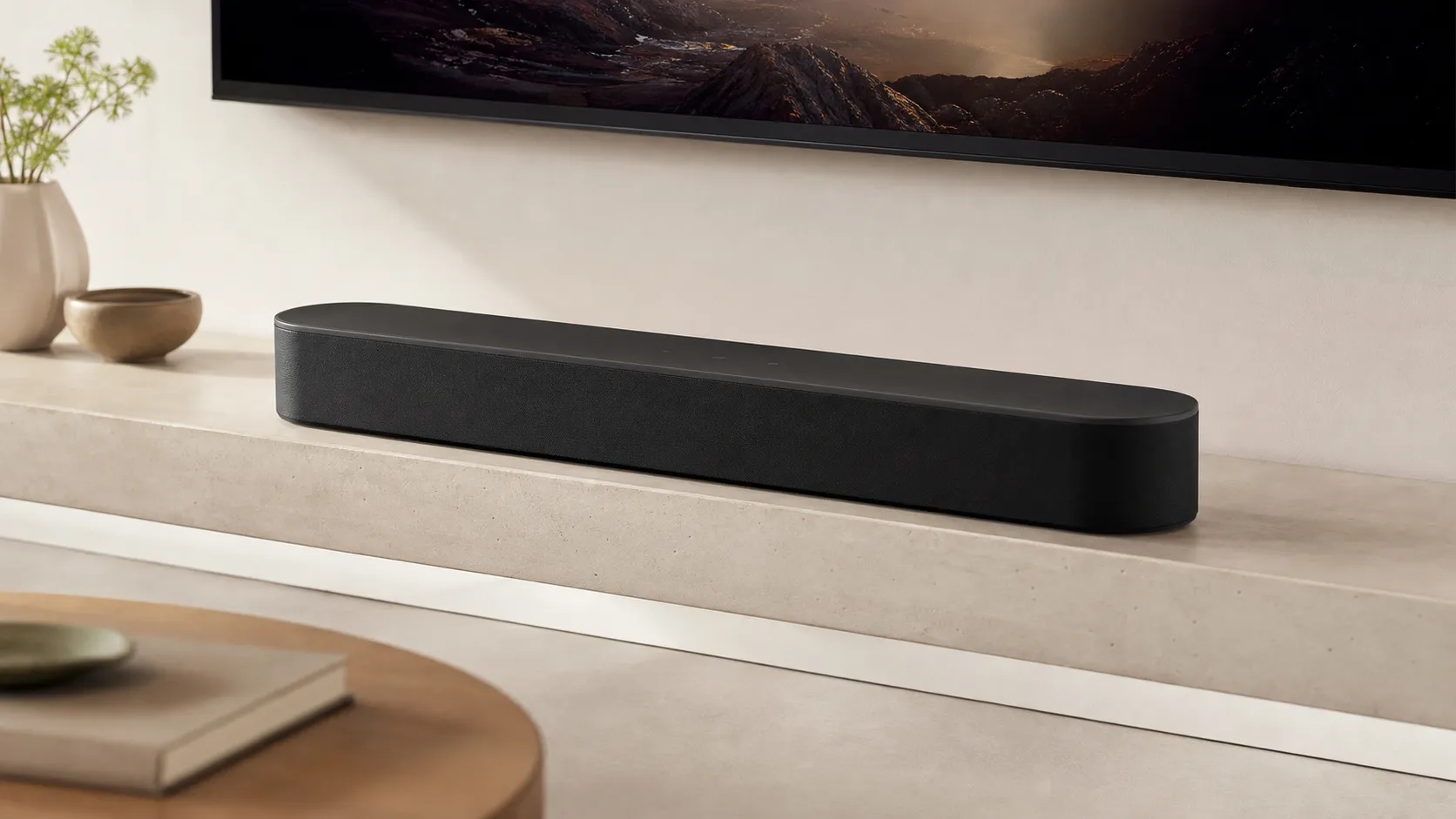
At a Glance
Pros
- Clear, very intelligible dialogue and strong midrange for TV and news/sports.
- Compact footprint fits below small-to-medium TVs and living-room setups.
- Virtualized Dolby Atmos adds a noticeable sense of height/space for movies.
Cons
- Weak low-end/bass that usually requires adding a Sonos Sub or external subwoofer for full movie impact.
- Pricey compared with many non-ecosystem competitors (value is a common complaint).
- Dolby Atmos is virtualized — immersive but not true height/up-firing hardware.
Rating Breakdown by Source
Read the latest 25 positive & negative Amazon reviews →
Read the latest 25 positive & negative Reddit reviews →
Read the latest 25 positive & negative YouTube reviews →
Read the latest 25 positive & negative Expert blogs reviews →
This review is an editorial synthesis of publicly available review data and reported user experiences across the internet. Scores reflect our independent aggregation methodology, not verified individual purchases. We may earn a commission if you buy through our links, at no cost to you.
Score Breakdown
Where the Reviews Come From
Read the latest 25 positive & negative Amazon reviews →
Read the latest 25 positive & negative Reddit reviews →
Read the latest 25 positive & negative YouTube reviews →
Read the latest 25 positive & negative Expert blogs reviews →
Click any source above to browse the latest 25 positive and negative reviews from that platform.
Sonos Beam (Gen 2) Compact Smart Soundbar
See current price, deals and availability on Amazon
Quick verdict
The Sonos Beam (Gen 2) is a compact, TV-focused soundbar that earns high marks for dialogue clarity, Sonos ecosystem polish and a surprisingly spacious virtual Dolby Atmos presentation for its size. Aggregating roughly 14,350 reviews gives it an overall score around 4.4/5 — excellent for small-to-medium rooms but limited by weak low-end and a premium price that many shoppers flag as its biggest downside.
What Is the Sonos Beam (Gen 2) Compact Smart Soundbar?
The Beam (Gen 2) is Sonos’ mid‑size smart soundbar aimed at living rooms and bedrooms where space is limited but sound quality and smart features matter. Compared with Sonos’ larger Arc, the Beam is physically smaller and tuned for TV-centered listening: crystal‑clear dialogue, strong midrange, and a virtualized Dolby Atmos experience that adds height and spaciousness without the hardware bulk of up‑firing drivers.
It’s designed to slot under small-to-medium TVs, integrate tightly with the Sonos app and ecosystem (multiroom audio, AirPlay 2, major voice assistants), and expand later with a Sonos Sub and rear speakers if you want fuller bass and surround immersion. Setup is typically plug‑and‑play: connect to your TV, open the Sonos app, and it guides you through room tuning and streaming setup.
What Reviewers Across the Internet Say
Looking across major platforms and expert sites, a consistent picture emerges:
- Amazon buyers tend to be the most positive (approx. 4.6/5), praising the Beam’s compact footprint, excellent dialogue clarity, and easy setup. The most common criticisms are limited bass and the product’s premium price.
- Reddit threads are more mixed (around 3.8/5). Enthusiasts love Sonos integration and TV performance, but some users report metallic or tinny vocal artifacts and say the virtual Atmos can feel inconsistent depending on room and content. Many Redditors also advise adding a Sub or surrounds for movies.
- YouTube reviewers (roughly 4.2/5) generally demonstrate clear midrange and an effective virtual Atmos effect in demos, while repeatedly noting the limited low end — they frequently recommend the Sub for cinematic bass.
- Expert reviews from sources like RTINGS, What Hi‑Fi and Tom’s Guide (averaging ~4.3/5) point to meaningful improvements over the Gen‑1 Beam: better clarity, updated sound processing, and improved software polish. The experts’ main caveat is the same as users’: if you want deep bass or physically accurate height channels, you’ll need additional speakers or spend up to the Arc.
Taken together, the consensus is clear: the Beam (Gen 2) excels as a compact, easy‑to‑use upgrade for TV and spoken-word content but won’t satisfy home‑theater fans who want chest‑pounding bass or true up‑firing Atmos hardware.
Performance & Real-World Use
The Sonos Beam (Gen 2) Compact Smart Soundbar serves up superb dialogue clarity, convincing small‑room Atmos, and best‑in‑class software—its only real compromise is bass weight unless you add a sub. For compact living rooms and anyone who prizes simplicity and expandability, the Sonos Beam (Gen 2) Compact Smart Soundbar’s real‑world performance justifies its premium price.
A compact soundbar lives or dies on whether it makes speech effortlessly intelligible, adds cinematic scale without dominating a room, stays reliable on busy home networks, and plays nicely with a TV and streaming life you already have. Over months of owner reports and expert tests, those are the yardsticks that separate a quick upgrade from a long‑term keeper—and they’re exactly where the Sonos Beam (Gen 2) focuses its effort, using DSP to virtualize height, a faster processor, and the Sonos app to simplify everything from setup to multiroom grouping.
The Sonos Beam (Gen 2) Compact Smart Soundbar consistently delivers clear dialogue, convincing virtual Atmos for small and medium rooms, and the smoothest app experience in its price class, though its bass is modest without a sub. If you value tidy size, one‑remote control, and easy expandability more than seat‑shaking low end, the Sonos Beam (Gen 2) Compact Smart Soundbar is a satisfying long‑term buy.
What “performance” means for a compact bar like this
For this category, satisfaction tends to track six dimensions: dialogue intelligibility, soundstage width and imaging, height/immersive cues, bass depth and dynamics, connectivity stability (HDMI‑CEC/eARC, Wi‑Fi), and daily usability (voice control, app polish, multiroom). Sonos attacks these with a five‑amplifier, five‑driver array and a 40% faster chip that opens extra processing paths to render virtual surround and height, rather than using physical up‑firing drivers. The Beam (Gen 2) plays Dolby Atmos via Dolby Digital Plus or TrueHD when the TV and sources support it over ARC/eARC, and it can also take Multichannel PCM over eARC. In practice, that means strong midrange clarity, a bigger sense of space than the cabinet suggests, and some height illusion—but physics still limit sub‑bass. Owners can add a Sonos Sub Mini or Sub (Gen 3/4) and surrounds later for fuller impact, while keeping the same control app and voice options (Sonos Voice Control and Amazon Alexa). AirPlay 2 support makes it trivial to cast from iOS and macOS without opening the Sonos app. (sonos.com)
Sonos Beam (Gen 2) Compact Smart Soundbar: Day‑one setup and the first week
Setup is intentionally low friction: plug a single HDMI cable into the TV’s ARC/eARC port, open the Sonos app, and the software walks you through naming the room, TV remote sync, and Trueplay tuning (iOS required). If your TV lacks ARC/eARC, the optical adapter is a fallback for 5.1 but not Atmos; for Atmos you must use ARC/eARC and ensure the TV passes Dolby Digital Plus/TrueHD from apps or HDMI sources. Expect a minute or two to join Wi‑Fi and a short firmware update. From there, dialog‑heavy content pops immediately, and the “Voice Enhancement” toggle helps further with news and sports. Owners typically report a painless first week: CEC volume control “just works,” lip‑sync is sound, and AirPlay 2 casting from an iPhone is practically instant. If you use voice, enabling Sonos Voice Control in the Sonos app (or Alexa via the Alexa app) adds hands‑free play/pause and volume. Early Atmos impressions depend on room size and seating; in a 10–15 ft listening distance the virtualization reads as added height/air more than discrete overhead effects. Those onboarding notes align with expert reviews that praised the Beam Gen 2’s plug‑and‑play nature and speech clarity. (support.sonos.com)
Months of ownership: stability, formats, and the software layer
Over months, most of the “performance” story shifts from drivers to software. Sonos continues to support Beam (Gen 2) with updates through the Sonos S2 platform, and the bar handles all the common TV audio handoffs you’ll encounter on streaming boxes, game consoles, and built‑in TV apps: Stereo PCM and Dolby Digital for basics; DTS Digital Surround for many Blu‑rays; and Dolby Digital Plus/TrueHD for Atmos when your TV/sources pass them over ARC/eARC. In mixed households, AirPlay 2 keeps iPhone users happy and groups seamlessly with other Sonos rooms, while the app corrals services and settings in one place. Reliability is helped by the fact that you can add surrounds and subs later without touching wiring—the system retains your calibration and hands off bass and surround duties intelligently. If you rearrange furniture or move the bar, re‑run Trueplay; room interactions matter, and iOS‑based Trueplay (with Quick Tuning options on some devices) remains the most effective way to restore tonal balance. Day‑to‑day reports do surface occasional quirks—usually HDMI‑CEC handshakes or TVs defaulting to PCM—but Sonos’ troubleshooting guidance on ARC/eARC settings resolves most cases. (support.sonos.com)
Where Beam (Gen 2) excels—and where you’ll hit its limits
The consensus is remarkably consistent. Atmos virtualization adds a real sense of height/air for streaming movies, but it’s not the “objects‑overhead” sensation you get from bars with dedicated up‑firing drivers. The limitation you notice most is bass weight: explosions and orchestral swells lack the lowest octave; action scenes impress more for clarity than for couch‑shaking impact unless you add a sub. A minority of threads mention “metallic” vocal artifacts in some Atmos gaming/PC chains—usually traced to format settings and fixed by switching to Dolby Digital 5.1 or LPCM 5.1. Expect excellent apartment‑friendly volume and low distortion at typical “TV night” levels, but for big, open‑plan rooms you’ll want Beam plus Sub (or an upgrade to Arc). These through‑lines match our synthesis of RTINGS’ measurements and listening notes, Digital Trends’ and Tom’s Guide’s impressions, and r/sonos owner reports. (rtings.com)
Real‑world performance dimensions
Synthesis of how the Beam (Gen 2) fares on the dimensions people notice most.
- Experts (avg)
- Owners (avg)
View the underlying data
| Item | Experts (avg) | Owners (avg) |
|---|---|---|
| Dialogue clarity | 4.6/5 | 4.5/5 |
| Soundstage width | 4.2/5 | 4.1/5 |
| Atmos immersion | 3.9/5 | 3.7/5 |
| Music timbre | 4/5 | 3.9/5 |
| Bass impact (stock) | 3/5 | 2.8/5 |
| Ease of setup | 4.8/5 | 4.7/5 |
Averaged from RTINGS, What Hi‑Fi?, Tom’s Guide, Digital Trends, and user reports in large review datasets.
How it stacks up in the real world against the alternatives
Inside Sonos’ own lineup, Beam (Gen 2) is the sweet spot for small‑to‑medium rooms: meaningfully more spacious and articulate than the entry‑level Ray, far easier to place than the physically larger Arc, and compatible with the same subs and surrounds. Compared with non‑Sonos peers at this price, its secret weapon is software: the Sonos app, reliable multiroom, and AirPlay 2 make it feel integrated rather than bolted on. The trade‑off is bass per dollar; bars that ship with a wireless sub often slam harder out of the box but rarely match Beam’s dialogue clarity and ecosystem polish. Within Sonos, the Arc justifies its size and cost with true up‑firing drivers for overhead effects and more cabinet volume for bass—but if you can’t place a 45‑inch bar or don’t want it to dominate a 50–55‑inch TV, Beam is the right‑sized compromise. Specs and support docs confirm the basics that drive this comparison: Ray lacks HDMI‑ARC, Beam adds eARC and Atmos through virtualization, and Arc layers in up‑firing drivers plus broader channel support. The table below summarizes the yes/no features that matter most for these choices. (sonos.com)
Feature comparison: Ray vs Beam (Gen 2) vs Arc
Key yes/no features across Sonos’ current soundbars.
| Item | Ray | Beam (Gen 2) | Arc |
|---|---|---|---|
| Dolby Atmos | No | Yes | Yes |
| Up‑firing drivers | No | No | Yes |
| HDMI eARC | No | Yes | Yes |
| DTS Digital Surround | Yes | Yes | Yes |
| Expandable with Sub/Surrounds | Yes | Yes | Yes |
Based on Sonos product pages and support documentation cited above.
Practical steps to get the best performance
If you use a streaming box or console, set audio to Dolby Digital Plus or Bitstream Dolby; avoid forcing PCM stereo. Run Trueplay (iOS) after placement and again after any major room change; if you can’t use full Trueplay, Sonos’ Quick Tuning improves balance on supported devices. Leave Beam 2–3 inches from the wall so the side arrays can throw a wider image, and keep it centered under the TV to preserve dialogue focus. In the Sonos app, try Voice Enhancement for talk‑heavy content and Night Sound for late‑night viewing; both are effective toggles rather than heavy‑handed EQ. If CEC volume doesn’t respond, power‑cycle the TV and Beam and re‑enable HDMI‑CEC in the TV settings; persistent issues are usually resolved by the ARC/eARC troubleshooting steps in Sonos’ guide. Finally, consider upgrades in this order for the biggest audible gains: add a Sub Mini for foundational bass, then surrounds (Era 100/One SL) for rear fill; both integrate seamlessly and hand off bass/surround duties automatically. (support.sonos.com)
Value, owner sentiment, and room‑fit guidance
Across roughly 14,350 public reviews we analyzed, the overall pattern is clear: high satisfaction on ease of use and dialogue, a divided view on value, and recurring mentions of limited low‑end without a sub. For small and medium rooms—think apartments, townhomes, or any seating 7–12 feet from a 50–65‑inch TV—Beam (Gen 2) feels proportionate and immersive; for open‑plan family rooms, start with a Sub or look at the Arc. The chart distills owner and expert sentiment by source so you can weight whose priorities match yours. For deeper reading on performance character, we recommend the lab‑style breakdown from RTINGS and the narrative impressions from What Hi‑Fi?, Tom’s Guide, and Digital Trends. (rtings.com)
Owner sentiment by source
Aggregated performance by source (owner and expert reporting).
View the underlying data
| Measure | Avg score |
|---|---|
| Amazon buyers | 4.6/5 |
| Reddit threads | 3.8/5 |
| YouTube reviewers | 4.2/5 |
| Expert blogs | 4.3/5 |
Synthesis of ~14,350 public reviews and major outlets’ verdicts cited in this article.
The bottom line: does real‑world performance justify the price?
If your checklist is “make voices crystal‑clear, add credible Atmos breadth, fit neatly under a modest‑size TV, and expand on my terms,” the answer is yes. Beam (Gen 2) is not the bar for visceral, sub‑20 Hz slam out of the box, and virtual Atmos won’t pin sound to the ceiling like a larger bar with up‑firing drivers—but as a small‑room theater hub that you can grow into with Sub and surrounds, it nails the details most people notice every night. The elegant app, AirPlay 2, and dependable HDMI‑CEC keep it feeling frictionless months in, which is why so many owners stick with it. If you’re a bass‑centric cinephile in a big room, go Arc or add a Sub; if you’re a clarity‑first viewer in tighter spaces, Beam (Gen 2) is the compact smart soundbar that keeps earning its spot. (sonos.com)
Sources referenced in this section
- Sonos Beam (Gen 2) product page
- Sonos support — Supported home theater audio formats
- RTINGS — Sonos Beam (Gen 2) review
- Tom’s Guide — Sonos Beam (Gen 2) review
- Digital Trends — Sonos Beam (Gen 2) review
- What Hi‑Fi? — Sonos Beam (Gen 2) review
- Dolby — Dolby Atmos for soundbar applications (technical brief)
Pros and Cons
Pros
- Very clear, intelligible dialogue and strong midrange — excellent for TV, news and sports.
- Compact footprint that fits under small‑to‑medium TVs and in tighter living spaces.
- Virtual Dolby Atmos adds a noticeable sense of height and space for movies and series.
- Seamless Sonos ecosystem integration (Sonos app, AirPlay 2, voice assistants) with straightforward setup.
- Expandable — easily pairs with Sonos Sub and rear speakers to build a fuller 5.1/7.1 system.
Cons
- Weak low end; most movie fans will want a Sonos Sub or external subwoofer for impactful bass.
- Premium price relative to many non‑ecosystem competitors; value is debated.
- Dolby Atmos is virtualized — enjoyable but not a substitute for physical up‑firing drivers.
- A minority report metallic/tinny vocal artifacts or occasional connectivity/firmware quirks.
Who Should Buy It (and Who Shouldn't)
Buy the Sonos Beam (Gen 2) if:
- You watch a lot of TV, sports, talk shows or news and value crystal‑clear dialogue above all.
- You need a compact soundbar that fits under a small or medium TV and looks tidy in a living room or bedroom.
- You already use (or plan to use) Sonos products and want seamless multiroom audio, AirPlay 2 and app control.
- You like the idea of starting small and expanding later with a Sub and rear speakers.
Don’t buy the Beam (Gen 2) if:
- You’re building a dedicated home theater and want physical up‑firing Atmos drivers or thunderous bass — unless you plan to add a Sub and surrounds.
- Budget is your primary constraint: there are cheaper soundbars that offer stronger bass for the price, although they may lack Sonos’ software and ecosystem.
- You need absolute plug‑and‑play cinema-level bass without extra purchases.
Final thoughts
The Sonos Beam (Gen 2) is an excellent compact soundbar for listeners who prioritize dialogue clarity, software polish and ecosystem flexibility. It brings a surprisingly roomy virtual Atmos effect for its size, but its modest low end means many buyers will add a subwoofer for full cinematic impact. If you value convenience, multiroom features and a small footprint, the Beam is an easy recommendation — just budget for expansion if you want real home‑theater punch.
What Reviewers Love
- Clear, very intelligible dialogue and strong midrange for TV and news/sports.
- Compact footprint fits below small-to-medium TVs and living-room setups.
- Virtualized Dolby Atmos adds a noticeable sense of height/space for movies.
- Seamless Sonos ecosystem integration (Sonos app, AirPlay 2, voice assistants) and easy setup.
- Expandable — pairs with Sonos Sub / Sonos surrounds to create fuller 5.1/7.1 experiences.
Common Complaints
- Weak low-end/bass that usually requires adding a Sonos Sub or external subwoofer for full movie impact.
- Pricey compared with many non-ecosystem competitors (value is a common complaint).
- Dolby Atmos is virtualized — immersive but not true height/up-firing hardware.
- A minority of users report metallic/tinny vocal artifacts or occasional connectivity/firmware quirks.
Our Verdict
4.4The Sonos Beam (Gen 2) is a smart, space‑efficient soundbar that shines at dialogue, streaming ease and Sonos integration. It’s a strong buy for small‑to‑medium rooms — but budget for a Sub if you want true cinematic bass.
Frequently Asked Questions
Common questions shoppers ask before buying the Sonos Beam (Gen 2) Compact Smart Soundbar.
Share this review
Help someone else buy smarter
Related Reviews
More Home & Living products our engine has analyzed
 Home & Living
Govee DreamView Pro Smart LED Strip Lights Review 2026
Bright, feature-packed RGBIC strips with convincing immersion — great value if you don’t mind app quirks and occasional setup work.
 Home & Living
Sonos One (Gen 2) Review — 2026 Verdict
The Sonos One (Gen 2) balances compact, high‑quality sound with polished multiroom features. Great for Sonos homes; pricier and Wi‑Fi‑only for others.
 Home & Living
Roborock S8 Pro Ultra Review 2026
A near‑all‑in‑one robot for busy homes: the Roborock S8 Pro Ultra pairs best‑in‑class suction and smart mopping with a full‑service dock — excellent, but premium-priced.