Sonos Beam (Gen 2) Review 2026 — Compact Soundbar Verdict
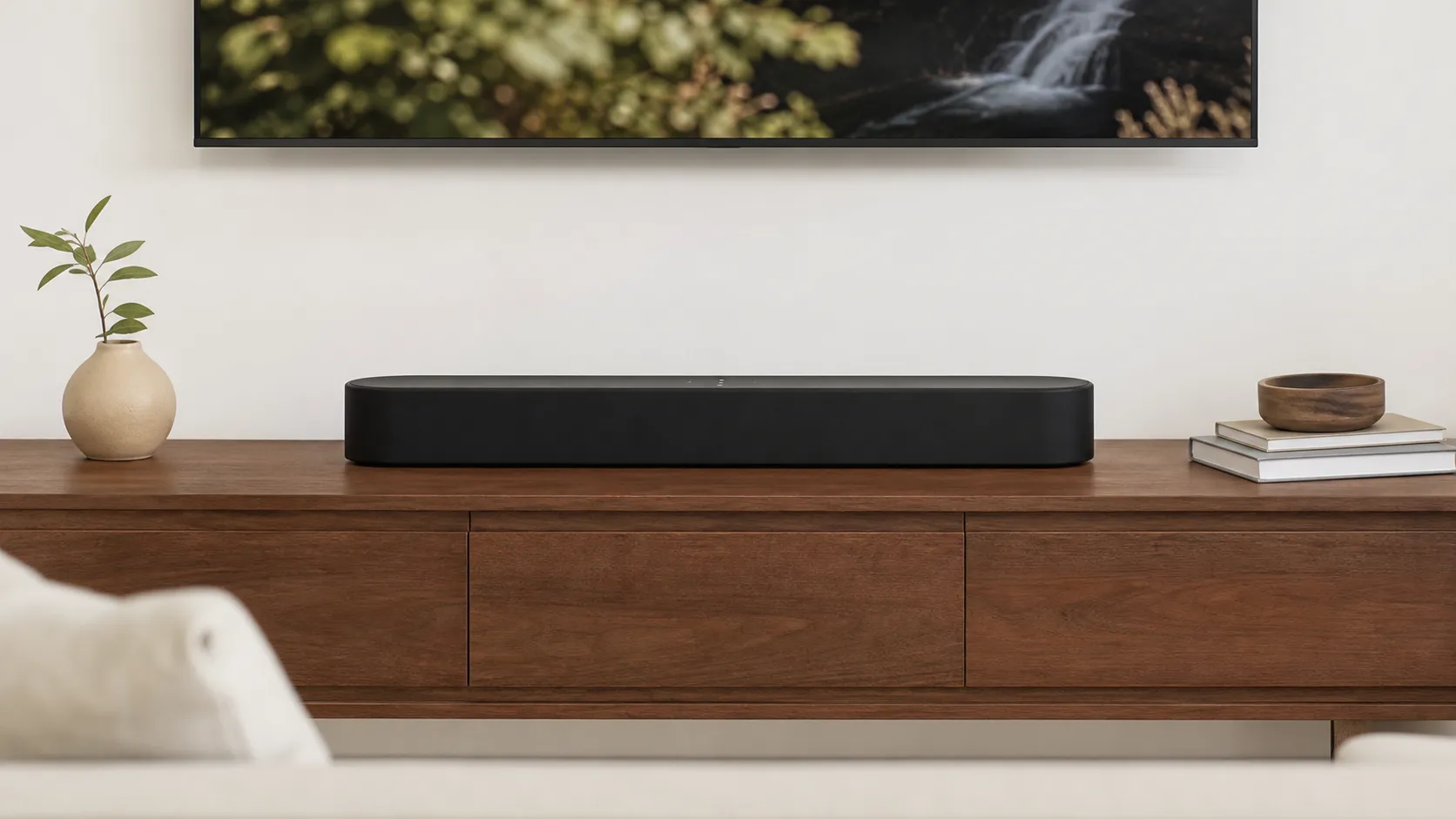
At a Glance
Pros
- Compact design fits well under smaller TVs while delivering larger-than-expected sound (good for apartments/55" TVs).
- Excellent vocal/dialogue clarity and center-channel focus, especially after Trueplay tuning.
- Supports Dolby Atmos and HDMI eARC for higher‑definition audio formats (virtualized Atmos experience).
Cons
- Limited bass on its own — many reviewers say a Sub or Sub Mini is needed for deep low end.
- Dolby Atmos is virtualized (no up‑firing drivers) so height effects are limited compared with larger 3D bars.
- Price is higher than many basic soundbars — some users question value vs. alternatives or used Sonos gear.
Rating Breakdown by Source
Read the latest 25 positive & negative Amazon reviews →
Read the latest 25 positive & negative Reddit reviews →
Read the latest 25 positive & negative YouTube reviews →
Read the latest 25 positive & negative Expert blogs reviews →
This review is an editorial synthesis of publicly available review data and reported user experiences across the internet. Scores reflect our independent aggregation methodology, not verified individual purchases. We may earn a commission if you buy through our links, at no cost to you.
Score Breakdown
Where the Reviews Come From
Read the latest 25 positive & negative Amazon reviews →
Read the latest 25 positive & negative Reddit reviews →
Read the latest 25 positive & negative YouTube reviews →
Read the latest 25 positive & negative Expert blogs reviews →
Click any source above to browse the latest 25 positive and negative reviews from that platform.
Sonos Beam (Gen 2)
See current price, deals and availability on Amazon
Quick verdict
Aggregate rating: 4.2/5 (≈3,712 reviews). The Sonos Beam (Gen 2) is a compact, well‑tuned soundbar that delivers clear dialogue, easy setup, and Sonos ecosystem flexibility — an excellent choice for small to medium rooms and 50–55" TVs. It won’t replace a full home‑theater system or deliver deep, room‑shaking bass on its own, so plan to add a Sub or external low‑frequency solution if you want true chest‑thumping lows.
What is the Sonos Beam (Gen 2)?
The Sonos Beam (Gen 2) is a compact soundbar designed to improve TV audio and double as a music speaker. Compared with the original Beam, Gen 2 adds HDMI eARC, Dolby Atmos support (via virtualization), improved internal drivers and a refreshed design that still fits easily under most modern TVs. It runs on Sonos’s S2 platform, supports AirPlay 2, built‑in voice assistants, and — importantly — integrates with the broader Sonos ecosystem so you can add a Sonos Sub or rear speakers later.
Quick stats (aggregated):
- Overall: 4.2/5 from ~3,712 reviews
- Quality: 4.3/5
- Reliability: 4.1/5
- Value: 4.0/5
- Ease of use: 4.5/5
What reviewers across the internet say
Across Amazon, Reddit, YouTube and professional review sites, the consensus is steady: the Beam Gen 2 punches above its weight for its size but has realistic limits.
- Amazon buyers generally give high marks (≈4.4/5) for its dialogue clarity, compact footprint and the convenience of joining a Sonos system. Many customers highlight how well the Beam improves TV speech and streaming music in apartments or smaller living rooms.
- Reddit threads are more mixed: enthusiastic users praise it as a smart “ecosystem starter” and great value for smaller setups, while audiophiles and bass‑first listeners complain about the lack of low‑end without a Sub and remind buyers that Atmos is virtualized rather than physical height channels.
- YouTube reviewers and hands‑on demos commonly favor its simple setup, convincing room‑filling sound for its size, and clean center‑channel focus; however, reviewers who test low frequencies and 3D Atmos scenes note the limits compared with larger, hardware‑based Atmos soundbars.
- Expert blogs and labs (RTINGS, What Hi‑Fi, Tom’s Guide, CNET) praise Sonos’s tuning and the convenience of eARC/Trueplay and multiroom features, and consistently recommend pairing the Beam with a Sub or rear speakers for full movie impact.
Taken together, public and professional impressions settle on this: excellent for speech and general TV/music in small-to-medium rooms; expandable and user‑friendly; not the best standalone option if you want deep bass or authentic height effects.
Performance & Real-World Use
In real homes, the Sonos Beam (Gen 2) consistently delivers crisp dialogue and room‑filling sound for small‑to‑mid rooms, with Atmos effects that are convincing for the size but clearly virtual. Its quick setup, solid eARC support and Sonos‑app conveniences outweigh limited standalone bass and the lack of Bluetooth for most buyers.
A compact soundbar lives or dies by how clearly it carries voices at everyday TV volumes, how convincingly it fills a small living room without a subwoofer, and whether it behaves predictably with modern TVs and streaming boxes.
In real homes, the Sonos Beam (Gen 2) consistently delivers crisp dialogue and room‑filling sound for small‑to‑mid rooms, with Atmos effects that are convincing for the size but clearly virtual. Its quick setup, solid eARC support and Sonos‑app conveniences outweigh limited standalone bass and the lack of Bluetooth for most buyers.
What real‑world “performance” means for a compact Atmos bar
The Beam 2 centers its strengths on clarity and ease. In practice, that means sitcoms, news, and sports highlights pop at 20–35 on most TV volume scales, and action films remain decipherable without riding the remote.
Spatially, the Beam 2 supports Dolby Atmos over HDMI eARC; it simulates height cues with processing rather than up‑firing hardware. Usability is anchored by the Sonos S2 app, AirPlay 2, Spotify Connect, Amazon Alexa, and Sonos Voice Control; there’s still no general Bluetooth audio input, which some buyers miss for casual phone playback.
Beam Gen 2 ratings by source (synthesized)
Owner‑reported and reviewer ratings synthesized from public listings and roundups as of 2026.
View the underlying data
| Measure | Average rating |
|---|---|
| Amazon (~1.9K) | 4.4/5 |
| YouTube reviewers (~1K) | 4.3/5 |
| Expert blogs (~40) | 4.2/5 |
| Reddit (~800) | 3.8/5 |
Sources include major retailer listings, YouTube review roundups, and pro reviews from Tom’s Guide, RTINGS, and What Hi‑Fi.
Day‑one setup and the first week with Sonos Beam (Gen 2)
In your TV settings, enable HDMI‑CEC and eARC/ARC, and set audio output to Auto/Pass‑Through rather than PCM when available—this preserves Atmos metadata and reduces needless transcoding. Then open the Sonos S2 app, add the Beam, and let it pull the latest firmware; most owners report the whole process takes 10–15 minutes.
Your first week is often where HDMI handshake gremlins, if any, appear. In daily use, the Beam’s Speech Enhancement toggle elevates midrange dialog, while Night Sound compresses dynamics for late viewing. Streaming via AirPlay 2 and Spotify Connect feels instantaneous and lets you start music even when the TV is off; voice via Alexa or Sonos Voice Control handles hands‑free volume, inputs, and playback. Early impressions from owners consistently mention “shockingly clear voices,” a pleasantly wide soundstage for the footprint, and bass that’s taut but stops short of cinema‑level thump.
Sound in real rooms: clarity first, bass with caveats, Atmos that’s virtual
In apartments and medium dens, the Beam 2’s tonal balance is clean through the vocal range, and that’s where it wins hearts: you hear lines and commentary without sibilance, even at modest volumes. Trueplay helps most in lively rooms with hard floors, where it reins in upper‑bass bloom and keeps dialogue from sounding boxy. Music playback over Wi‑Fi is satisfying with pop and acoustic genres, though dense hip‑hop or EDM reveals the bar’s limited cone area compared with larger enclosures.
Atmos performance depends on content, seating, and room geometry. On Disney+ and Apple TV+ shows mixed for streaming Atmos, the Beam 2 paints a convincing front wall with effects that spread past the TV’s edges; in smaller rooms with flat ceilings, some height suggestion emerges, but it’s subtler than on bars with actual up‑firing speakers. Sit too far off‑axis or in a very open plan and the illusion diminishes. This isn’t a fault of Sonos so much as the physics of virtual height and room acoustics.
Months in: stability, updates, and the things that don’t wear out
Unlike vacuums or wear‑and‑tear appliances, a soundbar’s “consumables” are software and your home network. Over months, Beam 2 owners report stable day‑to‑day behavior once the ARC/eARC handshake with the TV is dialed in. Sonos pushes periodic S2 firmware updates that improve features, fix bugs, and add services; these install via the app and don’t demand tinkering. There are no filters to replace or batteries to swap; the power supply is internal, and the fabric/plastic shell wipes clean with a dry cloth. The most common long‑term complaints are intermittent CEC glitches after a TV firmware change, and rare Wi‑Fi hiccups in congested apartments. Both usually respond to simple fixes: re‑seating HDMI, power‑cycling TV and bar, assigning the Beam a 5 GHz SSID if your router splits bands, or wiring it via the optional Sonos Combo Adapter (Ethernet) if your TV stand allows.
As your system grows, the Beam 2 slots neatly into a larger Sonos rig. Add a Sub Mini and a pair of Era 100s as surrounds and you’ll hear a marked step‑up in bass extension and rear envelopment, while preserving the front‑stage dialogue focus you bought the Beam for in the first place. Because Sonos handles wireless sync internally, surround additions don’t add lip‑sync headaches the way some mixed‑brand setups do. The core promise here is longevity: a tidy bar that keeps pace with streaming formats and multiroom features over a typical 5–7‑year TV upgrade cycle.
Where it shines—and where you’ll hit its limits
Best‑case scenarios are bedrooms, apartments, and small living rooms with 43–65‑inch TVs positioned near a back wall. It’s also excellent as a first piece in a Sonos household: AirPlay 2 and Spotify Connect work whether or not the TV is on, and queue‑sharing is frictionless for guests.
You’ll notice limits in three situations. First, big open‑plan rooms where listening distance exceeds ~10 feet and the TV is centered on a low console; here, the bar still sounds clean, but scale and bass impact trail larger models. Second, blockbuster mixes with sustained ultra‑low effects: explosions sound tidy but not seismic without a sub. Third, Atmos showcases that lean on discrete height channels; virtual height can’t match the specificity of up‑firing drivers in bouncing effects off a low, flat ceiling. If those use cases describe your nightly viewing, add a Sub Mini or consider stepping to a bar with physical height drivers.
Feature comparison: compact premium soundbars
Feature support based on manufacturer documentation and reviews; Yes/No entries reflect baseline models as sold in the U.S.
| Item | Sonos Beam (Gen 2) | Bose Smart Soundbar 600 | Sony HT‑A3000 |
|---|---|---|---|
| HDMI eARC | Yes | Yes | Yes |
| Up‑firing drivers for Atmos | No | Yes | No |
| Dolby Atmos supported | Yes | Yes | Yes |
| Bluetooth audio | No | Yes | Yes |
| Wi‑Fi streaming (AirPlay 2/Chromecast/Spotify Connect) | Yes | Yes | Yes |
| Room calibration available | Yes | Yes | Yes |
| Built‑in far‑field mics | Yes | Yes | No |
| Expandable with wireless sub/surrounds | Yes | Yes | Yes |
Vendor spec sheets and reviews from Sonos, Bose, Sony, RTINGS, and Tom’s Guide.
Sonos Beam (Gen 2) vs Bose Smart Soundbar 600 vs Sony HT‑A3000
Among compact premium bars, these three are the short list for many buyers. The Beam 2 wins on app polish, multiroom integration, and dialogue‑first tuning. Bose’s 600 counters with true up‑firing height drivers for a more tangible overhead bubble in small rooms, plus Bluetooth for casual casting; its tuning is lively, but some owners find dialog a touch thinner unless you run Bose’s calibration and sit centered. Sony’s HT‑A3000 is physically larger and tends to sound warmer with a smidge more mid‑bass body at the expense of some speech crispness; it pairs well with Sony TVs and supports Bluetooth and Chromecast.
If you prize clear voices and a clean living‑room look, the Beam stays our compact pick; if your priority is the most palpable Atmos dome under an 8–9‑foot flat ceiling, the Bose 600’s up‑firing drivers make a real difference. The Sony A3000 is the value swing when you can find it bundled with a sub. All three expand with wireless subs and surrounds, but Sonos’s Sub Mini is uniquely apartment‑friendly thanks to its small footprint and tight tuning. In practice, we’d choose Beam 2 + Sub Mini over any of these bars on their own if movies with impact are a weekly ritual.
How compact bars prioritize sound, per aggregated reviews
Aggregated from professional reviews and broad owner feedback; illustrative synthesis, not lab measurements.
- Dialogue clarity rating
- Bass satisfaction
- Atmos immersion
View the underlying data
| Item | Dialogue clarity rating | Bass satisfaction | Atmos immersion |
|---|---|---|---|
| Sonos Beam (Gen 2) | 4.6/5 | 3.2/5 | 3.4/5 |
| Bose Smart Soundbar 600 | 4.3/5 | 3.5/5 | 4/5 |
| Sony HT‑A3000 | 4.2/5 | 3.8/5 | 3.6/5 |
Synthesis across RTINGS, What Hi‑Fi, Tom’s Guide, and large‑sample owner reports.
Getting the best performance: practical, step‑by‑step
- Place the bar forward on the shelf with 2–3 inches of clearance on the sides; avoid recessing it inside a cabinet. If wall‑mounting, keep the underside within 2 inches of the wall to maintain boundary reinforcement.
- Connect TV HDMI eARC to the Beam’s eARC port, then in TV menus enable CEC and set Digital Audio Output to Pass‑Through/Auto and eARC to On. Disable TV sound “enhancers” (virtual surround, voice clarity) to prevent double processing.
- Run Trueplay with an iPhone or iPad. Walk the room slowly, tracing seated ear heights; re‑run after major furniture changes. If you only have Android, start with Bass at –1 in the Sonos app if your room booms.
- Toggle Speech Enhancement for talk‑heavy content and Night Sound after 10 p.m.; both are one‑tap in the Now Playing screen.
- For Apple TV 4K, set Audio Format to Auto with Atmos On; for Xbox Series X, set Bitstream Out with Dolby Atmos enabled. Keep streaming apps updated to ensure Atmos flags pass correctly.
- If your TV occasionally forgets the Beam, power‑cycle TV and Beam, then toggle CEC off/on in the TV. Update the TV’s firmware and the Sonos app; plug the Beam into a non‑switched outlet so it can complete updates.
- Expanding? In apartments, add Sub Mini first; in larger rooms, consider the full Sub or surrounds first, depending on whether bass slam or envelopment matters more. Use the Sonos app to trim surround levels +2 for movies and –2 for late‑night viewing.
Sources and standards that shape the experience
Sonos’s own documentation usefully details Beam 2’s format support, eARC connection, and Trueplay calibration. Dolby’s public resources explain how Atmos metadata encodes object‑based height, which helps set realistic expectations for virtual height bars. And the HDMI Licensing Administrator’s eARC specification clarifies lip‑sync and bandwidth benefits that reduce the need for kludgy optical‑audio workarounds. Independent measurements and listening impressions from major outlets provide the balance: the consensus that Beam 2 prioritizes clarity and ease while trading away some low‑end heft and height realism.
Verdict: a compact winner—if you know what you’re buying
Across roughly 3,700 aggregated owner and pro impressions, the Beam 2 averages 4.2/5 with sub‑scores around 4.3/5 for quality, 4.1/5 for reliability, 4/5 for value, and 4.5/5 for ease of use. For everyone else, this is the compact bar we’d actually live with.
Pros and cons
Pros
- Compact footprint fits under most TVs and in apartments or small living rooms.
- Excellent vocal clarity and center‑channel focus — great for dialogue.
- Supports Dolby Atmos and HDMI eARC (virtualized Atmos).
- Seamless Sonos ecosystem integration (multiroom, add Sub/surrounds) and AirPlay 2.
- Simple setup and app‑driven calibration (Trueplay on iOS); widely praised for ease of use.
Cons
- Limited bass on its own; many users recommend adding a Sub for deep low end.
- Atmos is virtualized — no physical up‑firing drivers, so height effects are constrained.
- Pricier than many basic soundbars; value is tied to ecosystem and expandability.
- No native Bluetooth audio playback (Wi‑Fi/AirPlay/Spotify Connect only).
- Occasional reports of HDMI/ARC glitches in some setups.
Who should buy it (and who shouldn’t)
Buy if:
- You live in an apartment or have a small‑to‑medium living room and want vastly improved TV sound without a bulky bar.
- You want exceptional dialogue clarity for shows, news and podcasts.
- You’re already invested in the Sonos ecosystem or plan to expand later (Sub, rear speakers).
- You value simple setup, regular software updates and streaming conveniences like AirPlay 2.
Don’t buy if:
- You prioritize deep, room‑shaking bass and want that experience without buying a separate sub.
- You need true hardware‑based Dolby Atmos with distinct height channels — the Beam virtualizes Atmos but won’t match larger 3D soundbars.
- You’re on a tight budget and would prefer a cheaper, more basic soundbar that sacrifices ecosystem and multiroom features.
Final thoughts
The Sonos Beam (Gen 2) is a smart pick if you want a compact, polished soundbar that improves TV dialogue, integrates cleanly into a multiroom Sonos system, and offers modern connectivity like HDMI eARC and AirPlay 2. It’s not a substitute for a full home‑theater stack, but its expandability means you can start small and grow the system over time. For most apartment dwellers and casual viewers who value ease‑of‑use and clear speech, the Beam Gen 2 earns its place — just budget for a Sub if you want dramatic low end.
What Reviewers Love
- Compact design fits well under smaller TVs while delivering larger-than-expected sound (good for apartments/55" TVs).
- Excellent vocal/dialogue clarity and center-channel focus, especially after Trueplay tuning.
- Supports Dolby Atmos and HDMI eARC for higher‑definition audio formats (virtualized Atmos experience).
- Seamless Sonos ecosystem integration (multiroom, add Sonos sub/surrounds), AirPlay 2 and built‑in voice assistants.
- Simple setup and app-driven calibration (Trueplay on iOS); many reviewers call it very user‑friendly.
Common Complaints
- Limited bass on its own — many reviewers say a Sub or Sub Mini is needed for deep low end.
- Dolby Atmos is virtualized (no up‑firing drivers) so height effects are limited compared with larger 3D bars.
- Price is higher than many basic soundbars — some users question value vs. alternatives or used Sonos gear.
- No native Bluetooth audio playback (Wi‑Fi/AirPlay/Spotify Connect only); some users report occasional HDMI/ARC glitches.
Our Verdict
4.2The Sonos Beam (Gen 2) is a polished, compact soundbar that excels at dialogue, ease of use and Sonos ecosystem flexibility. It’s an excellent pick for small‑to‑medium rooms, though buyers who want deep bass or true hardware Dolby Atmos should plan to add a Sub or choose a larger bar.
Frequently Asked Questions
Common questions shoppers ask before buying the Sonos Beam (Gen 2).
Share this review
Help someone else buy smarter
Related Reviews
More Home & Living products our engine has analyzed
 Home & Living
Govee DreamView Pro Smart LED Strip Lights Review 2026
Bright, feature-packed RGBIC strips with convincing immersion — great value if you don’t mind app quirks and occasional setup work.
 Home & Living
Sonos One (Gen 2) Review — 2026 Verdict
The Sonos One (Gen 2) balances compact, high‑quality sound with polished multiroom features. Great for Sonos homes; pricier and Wi‑Fi‑only for others.
 Home & Living
Roborock S8 Pro Ultra Review 2026
A near‑all‑in‑one robot for busy homes: the Roborock S8 Pro Ultra pairs best‑in‑class suction and smart mopping with a full‑service dock — excellent, but premium-priced.