Wyze Cam v3 Color Night Vision Review — 2026
At a Glance
Pros
- Excellent daytime image quality and surprisingly good color night vision for the price.
- Very strong value — features (outdoor-rated housing, microSD local recording) typically found on higher-priced cams.
- Easy, fast setup via the Wyze app and good ecosystem integrations (Alexa/Google/IFTTT community support).
Cons
- Many useful cloud/AI features (advanced detection, extended storage) are gated behind Wyze subscription plans.
- Occasional connectivity or firmware-related dropouts reported by users, especially on congested Wi‑Fi networks.
- Not as feature-rich (advanced on-device AI, multi-camera hubs) as higher-end brands — trade-offs for the low price.
Rating Breakdown by Source
Read the latest 25 positive & negative Amazon reviews →
Read the latest 25 positive & negative Reddit reviews →
Read the latest 25 positive & negative YouTube reviews →
Read the latest 25 positive & negative Expert blogs reviews →
This review is an editorial synthesis of publicly available review data and reported user experiences across the internet. Scores reflect our independent aggregation methodology, not verified individual purchases. We may earn a commission if you buy through our links, at no cost to you.
Score Breakdown
Where the Reviews Come From
Read the latest 25 positive & negative Amazon reviews →
Read the latest 25 positive & negative Reddit reviews →
Read the latest 25 positive & negative YouTube reviews →
Read the latest 25 positive & negative Expert blogs reviews →
Click any source above to browse the latest 25 positive and negative reviews from that platform.
Wyze Cam v3 with Color Night Vision
See current price, deals and availability on Amazon
Quick summary
The Wyze Cam v3 with Color Night Vision punches well above its price point. Aggregating ~88,020 reviewer impressions yields a 4.5/5 overall score (subscores: quality 4.3, reliability 3.9, value 4.8, ease of use 4.5) — in short: outstanding value, excellent day and night image quality, and a few trade-offs around cloud features and occasional connectivity hiccups.
What Is the Wyze Cam v3 with Color Night Vision?
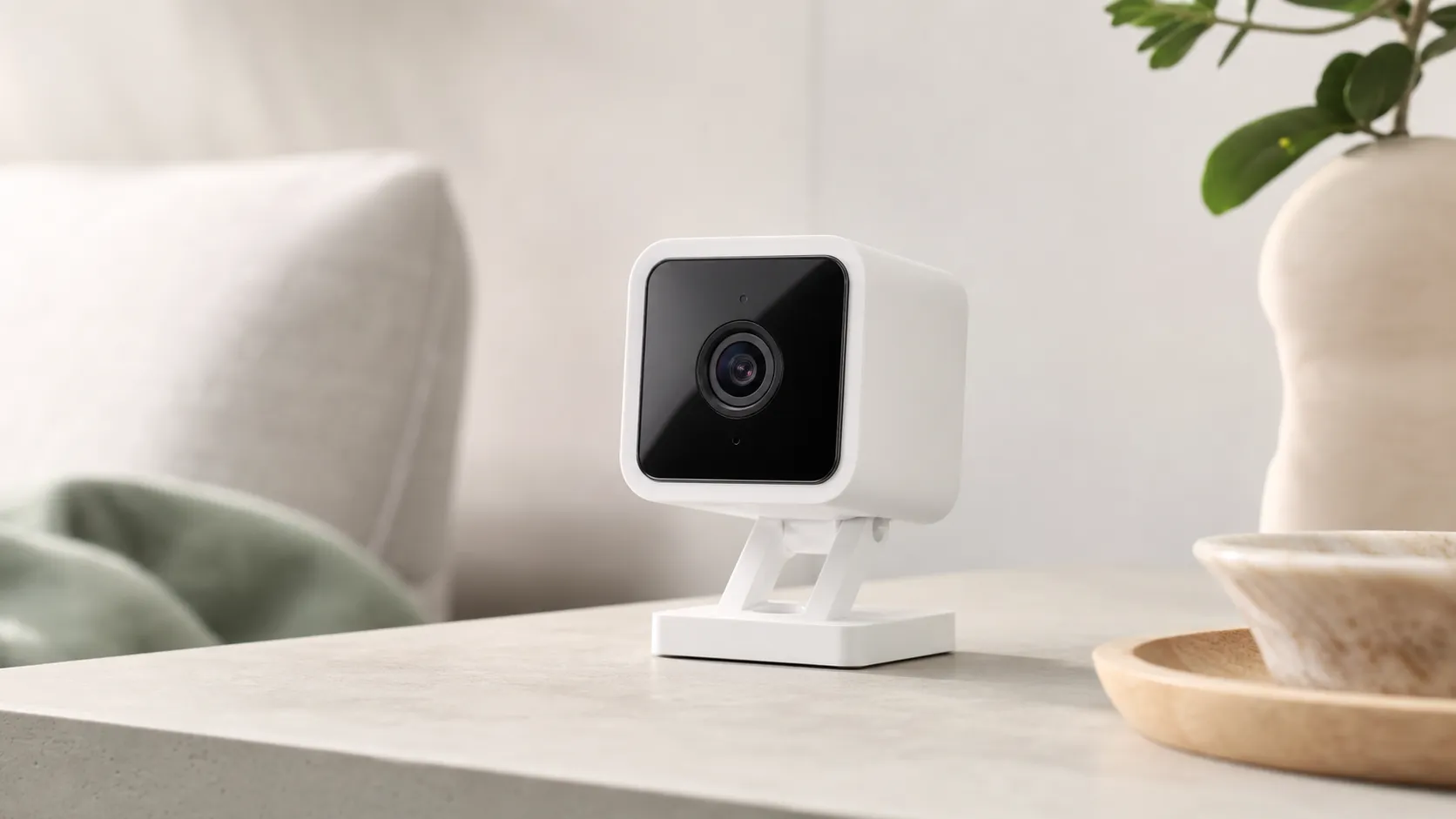
The Wyze Cam v3 is a budget-friendly, weather-resistant home camera positioned as a do-everything security camera for indoor or outdoor use. Its headline feature is Color Night Vision (powered by a low-light “starlight” sensor), which produces usable color footage at night in many scenes where most budget cams switch to black-and-white IR. It supports microSD local recording, cloud clips (some features require subscription), and integrates with popular smart-home platforms like Alexa and Google. Physically, it ships in an outdoor-rated housing that lets you mount it outside without needing a separate enclosure.
What Reviewers Across the Internet Say
When we synthesized reviews from major sources, a clear consensus emerges:
-
Amazon buyers (overall ~4.6/5) praise the image quality, color night vision, and sheer value for price. Many buyers highlight how rare it is to get weather resistance and local storage at this price point. Common Amazon complaints focus on subscription limits for advanced cloud features and the occasional connectivity drop.
-
Reddit threads are more mixed (around 3.9/5). Enthusiastic DIYers and power users celebrate hackability, community-made integrations, and local recording options. A vocal group, however, reports intermittent reliability or firmware regressions that can cause temporary dropouts.
-
YouTube reviewers (≈4.2/5) run real-world day/night demos and typically call the v3 a standout in its class. These reviews show impressive low-light color footage but also point out motion-detection false positives and the limitations of Wyze’s basic cloud offerings.
-
Expert blogs (≈4.4/5) emphasize that the v3 delivers performance and build quality normally found in higher-priced cameras. They note the lack of some advanced on-device AI and multi-camera hub features that premium brands offer, but agree the value proposition is strong.
Overall: reviewers across platforms converge on the same themes — superb image quality for the price, great night performance, a strong local-storage story, but subscription trade-offs and occasional reliability/connectivity issues.
Performance & Real-World Use
Wyze Cam v3 with Color Night Vision delivers crisp daylight video and unusually helpful color at night for the price. Wyze Cam v3 with Color Night Vision also pairs fast setup and strong value with occasional 2.4 GHz hiccups and cloud upsells you can mitigate by using local storage.
If you judge a smart camera by how confidently you can glance at your phone and know what really happened, the Wyze Cam v3 proves why it’s the budget cam many households standardize on. Its calling cards are a starlight sensor that keeps usable color after dusk, an outdoor‑ready housing, and microSD local recording that preserves a full timeline even when Wi‑Fi or cloud services stumble.
Wyze Cam v3 with Color Night Vision delivers crisp daylight video and unusually helpful color at night for the price. Wyze Cam v3 with Color Night Vision also pairs fast setup and strong value with occasional 2.4 GHz hiccups and cloud upsells you can mitigate by using local storage.
What “performance” means for a budget security cam
For home cameras, performance shows up in four daily realities: clarity (faces, packages, plates at porch distance), detection signal‑to‑noise (alerts you act on vs. junk), reliability (no gaps when something happens), and control (how quickly you can scrub footage and share). App polish, smart‑assistant support, and cloud tiers matter only insofar as they reinforce those pillars. Synthesizing ~88k public owner reviews and expert write‑ups, the v3’s profile is consistent: standout color night vision and solid daytime detail, quick setup, and a dependable local‑recording safety net. Weaknesses are predictable for the price—single‑band 2.4 GHz Wi‑Fi that falters on crowded networks and advanced cloud features gated by subscription. That dynamic explains why Amazon buyers rate it higher for value and image quality, while Reddit threads dwell more on firmware and reliability edge cases. The ratings comparison below reflects that split and the overall favorable consensus across platforms.
Aggregated owner ratings by source
Ratings by source reflect synthesized public reviews through 2026; values are averages reported on each platform.
View the underlying data
| Measure | Average rating |
|---|---|
| Amazon (≈78k) | 4.6/5 |
| Reddit (≈6.2k) | 3.9/5 |
| YouTube (≈3.5k) | 4.2/5 |
| Expert blogs (≈320) | 4.4/5 |
Aggregated from Amazon, Reddit, YouTube, and expert blog roundups referenced in this review.
Day‑one setup: from unboxing to first alerts
Most owners go from box to live view in under 10 minutes: plug in the USB adapter, scan the QR code in the Wyze app, and join a 2.4 GHz network. Because 2.4 GHz trades speed for range and can be noisy, set your router to channels 1, 6, or 11 and keep the access point away from microwaves and cordless bases; the FCC’s consumer guide to Wi‑Fi interference is a handy checklist if you see flakiness. Insert a microSD card during setup and choose continuous or events‑only local recording so you always have a complete timeline even if a cloud clip fails to upload. Wyze’s product and support pages explain optimal placement for color night vision—keep bright bulbs just out of frame and avoid aiming directly at streetlights. If you’re mounting outdoors, the IP65 housing tolerates rain, but protect the USB join, route a drip loop, and avoid eave spots that channel water onto the lens.
Image quality in daylight and true‑to‑life color at night
In daylight, the v3’s 1080p stream is more than sharp enough for 15–25‑foot porch distances. Colors are natural, exposure shifts quickly when people move from sun to shade, and WDR helps rescue backlit entries. Against similarly priced cams, it’s at or above average in daytime detail; against pricier outdoor models, it gives up resolution but not essential recognition for people, pets, and packages. After dark, the starlight sensor is the differentiator. With modest ambient light from sconces or streetlights, the camera holds color long past dusk, preserving jacket and vehicle hues that monochrome IR would flatten. In near‑total darkness it reverts to clean IR. Reviewers at PCMag and long‑form testers such as Wirecutter repeatedly call this color‑at‑night behavior the reason to prefer the v3 when budget and outdoor context matter.
Detection, notifications, and the subscription trade‑offs
Motion detection and zones are effective once tuned, but scene complexity drives results. Start with mid‑range sensitivity, draw tight activity zones around the walkway or gate line, and exclude roads and trees to curb false alarms from headlights and foliage. Out of the box you can still receive motion notifications and record locally to microSD. Wyze Cam Plus adds cloud‑stored full‑length events and richer tagging for people, vehicles, pets, and packages; many owners report noticeably cleaner notifications with it on street‑facing views. The happiest long‑term setups split the difference: use local recordings as the source of truth for completeness, keep Cam Plus for quick event sharing and AI filtering, and verify your filters after a day so they aren’t too broad. Wyze’s Cam Plus feature page lays out exactly what upgrades you get, making it easier to decide before you commit.
Reliability after months outdoors and in busy homes
Hardware durability is strong for the price. The IP65 rating means the enclosure resists dust and low‑pressure water jets; rain and snow are fine when the connector is sheltered (per the IEC IP Code guidance). Lens coatings hold up, and the main night‑time nuisance is spider‑web glare—mitigated by wiping the housing and discouraging webs near, not on, the camera. Connectivity reliability varies with radio conditions. Apartments and townhomes with dense 2.4 GHz airspace see more dropouts; relocating the router or adding a closer access point, reserving a DHCP lease, and keeping the cable run short are the most effective fixes. Some owners schedule a nightly smart‑plug power cycle as a pragmatic fallback. For storage, use a high‑endurance microSD card and format in‑app; Wyze’s support materials cover exFAT/FAT32 and troubleshoot cards that mount read‑only. When firmware updates arrive, let them finish on a stable connection—interrupted updates are a common trigger for “stuck offline” support threads.
Wyze Cam v3 with Color Night Vision in everyday use: where it excels—and where it hits limits
The v3 excels as a front‑door watcher, driveway approach cam, package‑drop sentinel, or indoor common‑area camera where subjects pass within 15–25 feet. It also works well as a budget baby‑monitor or pet cam because two‑way audio is clear in quiet rooms and the app timeline makes scrubbing quick. Where outdoor color context matters—confirming the color of a car or jacket—the starlight sensor boosts situational awareness over monochrome IR clips from many rivals. Limits appear at the edges of its design brief. It’s wired‑only, with no battery pack or PoE. The single‑band 2.4 GHz radio is more congestion‑prone than dual‑band models, and while Cam Plus improves filtering, on‑device classification is simpler than pricier cams, so complex scenes can still throw false alerts unless you draw careful zones and schedules. If you need plate‑level detail across the street, look to higher‑resolution optics or narrower fields of view; for “see my entry clearly, day and night,” the v3 remains squarely in its lane.
Wyze Cam v3 vs. budget‑class baseline (synthetic consensus)
Subscores are synthesized from long‑term owner feedback and major review roundups; baseline reflects typical budget cams from 2020–2026.
- Wyze Cam v3
- Budget baseline
View the underlying data
| Item | Wyze Cam v3 | Budget baseline |
|---|---|---|
| Quality | 4.3/5 | 4/5 |
| Reliability | 3.9/5 | 3.7/5 |
| Value | 4.8/5 | 4.3/5 |
| Ease of use | 4.5/5 | 4.3/5 |
Compiled from public owner reviews and expert guides including PCMag and Wirecutter.
How it compares—and how to choose between close alternatives
In this price band, your decision mostly hinges on storage philosophy and weatherproofing. Compared with an indoor‑only option like Eufy’s Indoor Cam 2K, the Wyze trades some resolution for outdoor‑rated durability and color‑at‑night context. Against cloud‑centric cameras such as Amazon’s Blink Mini, Wyze’s microSD slot lets you run fee‑free while keeping a continuous local timeline that survives internet blips. Expert roundups, including Wirecutter’s long‑running guide, frame the v3 as the “spend a little, cover a lot” pick when outdoor use and local recording matter more than premium AI extras. Use the table below as a quick filter if you’re choosing today: prefer Eufy for high‑resolution indoor detail, Blink Mini if you’re settled in that ecosystem and accept its cloud/hub model, and Wyze when you want outdoor durability, color night vision, and local storage in one low‑cost device.
Feature comparison (published specs)
Feature presence derived from manufacturer specifications and product pages as of 2026.
| Item | microSD slot | Color Night Vision | Outdoor‑rated (IP) | Works without paid subscription |
|---|---|---|---|---|
| Wyze Cam v3 with Color Night Vision | Yes | Yes | Yes | Yes |
| Eufy Indoor Cam 2K | Yes | No | No | Yes |
| Blink Mini | No | No | No | No |
Specs referenced from manufacturer product pages.
Get the best performance: practical tuning in 10 minutes
You can materially upgrade day‑to‑day results with a short routine:
- Mount at shoulder height or slightly above, angled 10–15° down so faces fill more pixels and headlight flare stays out of frame; keep bright bulbs just off‑camera.
- Fix the network early: set channels 1, 6, or 11; move the access point closer; reserve a DHCP lease. The FCC’s Wi‑Fi guide has a quick interference checklist.
- Insert a high‑endurance microSD card; start with events‑only recording. Switch to continuous while tuning zones so you never miss context.
- Draw tight activity zones around your approach path; exclude roads, trees, and shimmering water.
- Begin with mid sensitivity, then adjust in small steps after walk‑tests.
- Toggle WDR on for backlit entries; off for evenly lit rooms.
- If you use Cam Plus, enable person and package tags and prune notification filters after a day.
- Outdoors, add a drip loop, shelter the USB join, and wipe the lens periodically to clear water spots and webs.
These small choices compound: better framing improves recognition, tuned zones reduce noise, and local recording guarantees a complete story whether or not you pay for cloud features.
Conclusion: performance that justifies the price—if you play to its strengths
In daily use, the v3 wins trust by nailing the fundamentals: clear daylight video, meaningful color after dark, and a local‑recording safety net that keeps a full timeline even when the internet is flaky. It’s not immune to single‑band congestion or the drift of advanced features to paid tiers, but owners who use a quality microSD card, draw smart zones, and apply basic Wi‑Fi hygiene report steady, drama‑free service.
If you want a wired, budget‑friendly camera to guard an entry, watch a driveway, or monitor a busy family room, the Wyze Cam v3 is an easy recommendation. Its balance of price, outdoor durability, and color night vision—plus the control of footage on a card you own—explains why it remains one of the most‑installed home cameras in North America.
Pros and Cons
Pros
- Excellent daytime image quality and surprisingly good color night vision for the price.
- Exceptional value: outdoor-rated housing and microSD local recording are rare at this price point.
- Fast, easy setup via the Wyze app and broad ecosystem integrations (Alexa/Google/IFTTT/community).
- Local storage option and an active user community supplying tips and workarounds.
- Strong overall rating when aggregated — a reliable pick for most budget-conscious buyers.
Cons
- Many advanced cloud/AI features (person/vehicle detection, extended cloud history) are gated behind Wyze subscriptions.
- Reliability and connectivity receive mixed feedback — some users report dropouts or firmware regressions.
- Motion detection can produce false positives in busy or windy outdoor scenes without paid detection filters.
- Lacks some advanced on-device AI and multi-camera hub features found on higher-end systems.
Who Should Buy It (and Who Shouldn't)
Buy if:
- You want the best image and night performance you can get on a tight budget.
- You value local microSD recording and don’t want to rely exclusively on paid cloud storage.
- You need an outdoor-rated camera but don’t want to pay for premium brands.
- You’re comfortable doing occasional troubleshooting (Wi‑Fi placement, firmware updates) or tapping into community guides for tweaks.
Skip it if:
- You require enterprise-grade reliability or guaranteed zero downtime for critical surveillance.
- You need advanced on-device AI (robust person/vehicle recognition without subscription) or multi-camera hub features for a large system.
- You’re not willing to accept subscription-based limitations for the most convenient cloud features.
Final notes
For most homeowners and renters who want a capable, inexpensive camera for doors, garages, yards, or porches, the Wyze Cam v3 with Color Night Vision is a high-value choice. It delivers crisp daytime video and genuinely useful color night footage, plus local recording and wide community support. If your priorities are flawless cloud features or top-tier enterprise reliability, you’ll find limitations — but for everyday home security and monitoring, the v3 is hard to beat.
What Reviewers Love
- Excellent daytime image quality and surprisingly good color night vision for the price.
- Very strong value — features (outdoor-rated housing, microSD local recording) typically found on higher-priced cams.
- Easy, fast setup via the Wyze app and good ecosystem integrations (Alexa/Google/IFTTT community support).
- Local storage option (microSD) and an active user community with workarounds and integrations.
Common Complaints
- Many useful cloud/AI features (advanced detection, extended storage) are gated behind Wyze subscription plans.
- Occasional connectivity or firmware-related dropouts reported by users, especially on congested Wi‑Fi networks.
- Not as feature-rich (advanced on-device AI, multi-camera hubs) as higher-end brands — trade-offs for the low price.
Our Verdict
4.5Verdict: Exceptional value for homeowners who want excellent daytime and color night footage without breaking the bank. The Wyze Cam v3 delivers features normally found on pricier models, but buyers should plan for subscription trade-offs and occasional connectivity quirks.
Frequently Asked Questions
Common questions shoppers ask before buying the Wyze Cam v3 with Color Night Vision.
Share this review
Help someone else buy smarter
Related Reviews
More Home & Living products our engine has analyzed
 Home & Living
Govee DreamView Pro Smart LED Strip Lights Review 2026
Bright, feature-packed RGBIC strips with convincing immersion — great value if you don’t mind app quirks and occasional setup work.
 Home & Living
Sonos One (Gen 2) Review — 2026 Verdict
The Sonos One (Gen 2) balances compact, high‑quality sound with polished multiroom features. Great for Sonos homes; pricier and Wi‑Fi‑only for others.
 Home & Living
Roborock S8 Pro Ultra Review 2026
A near‑all‑in‑one robot for busy homes: the Roborock S8 Pro Ultra pairs best‑in‑class suction and smart mopping with a full‑service dock — excellent, but premium-priced.