Amazon Echo Show 8 (3rd Gen) Review — 2026
At a Glance
Pros
- Much improved sound (deeper bass / spatial audio) for its size — repeatedly called a big step up over older Echo Shows.
- Sharp, bright 8-inch display that handles video, recipes, and video calls well.
- Strong Alexa integration and smart‑home hub features (Zigbee/Thread support) make it convenient for home automation.
Cons
- Alexa can sometimes miss wake words or feel sluggish — several users report intermittent voice-recognition or responsiveness issues.
- Home-screen/OS bloat: promotional/adaptive content and frequent UI suggestions can feel pushy or cluttered.
- Limited/quirky app experience compared with full tablets (YouTube access via web app, occasional playback hiccups).
Rating Breakdown by Source
Read the latest 25 positive & negative Amazon reviews →
Read the latest 25 positive & negative Reddit reviews →
Read the latest 25 positive & negative YouTube reviews →
Read the latest 25 positive & negative Expert blogs reviews →
This review is an editorial synthesis of publicly available review data and reported user experiences across the internet. Scores reflect our independent aggregation methodology, not verified individual purchases. We may earn a commission if you buy through our links, at no cost to you.
Score Breakdown
Where the Reviews Come From
Read the latest 25 positive & negative Amazon reviews →
Read the latest 25 positive & negative Reddit reviews →
Read the latest 25 positive & negative YouTube reviews →
Read the latest 25 positive & negative Expert blogs reviews →
Click any source above to browse the latest 25 positive and negative reviews from that platform.
Amazon Echo Show 8 (3rd Gen)
See current price, deals and availability on Amazon
Quick take — aggregate verdict
The Amazon Echo Show 8 (3rd Gen) is a welcome mid‑size smart display that balances much‑improved sound and a sharp 8‑inch screen with Amazon’s deeply integrated Alexa and smart‑home hub features. Across roughly 1,780 aggregated reviews it earns an overall score of 4.4/5 — a product that most buyers will find polished, useful, and a particularly strong value when purchased on sale.
What is the Amazon Echo Show 8 (3rd Gen)?
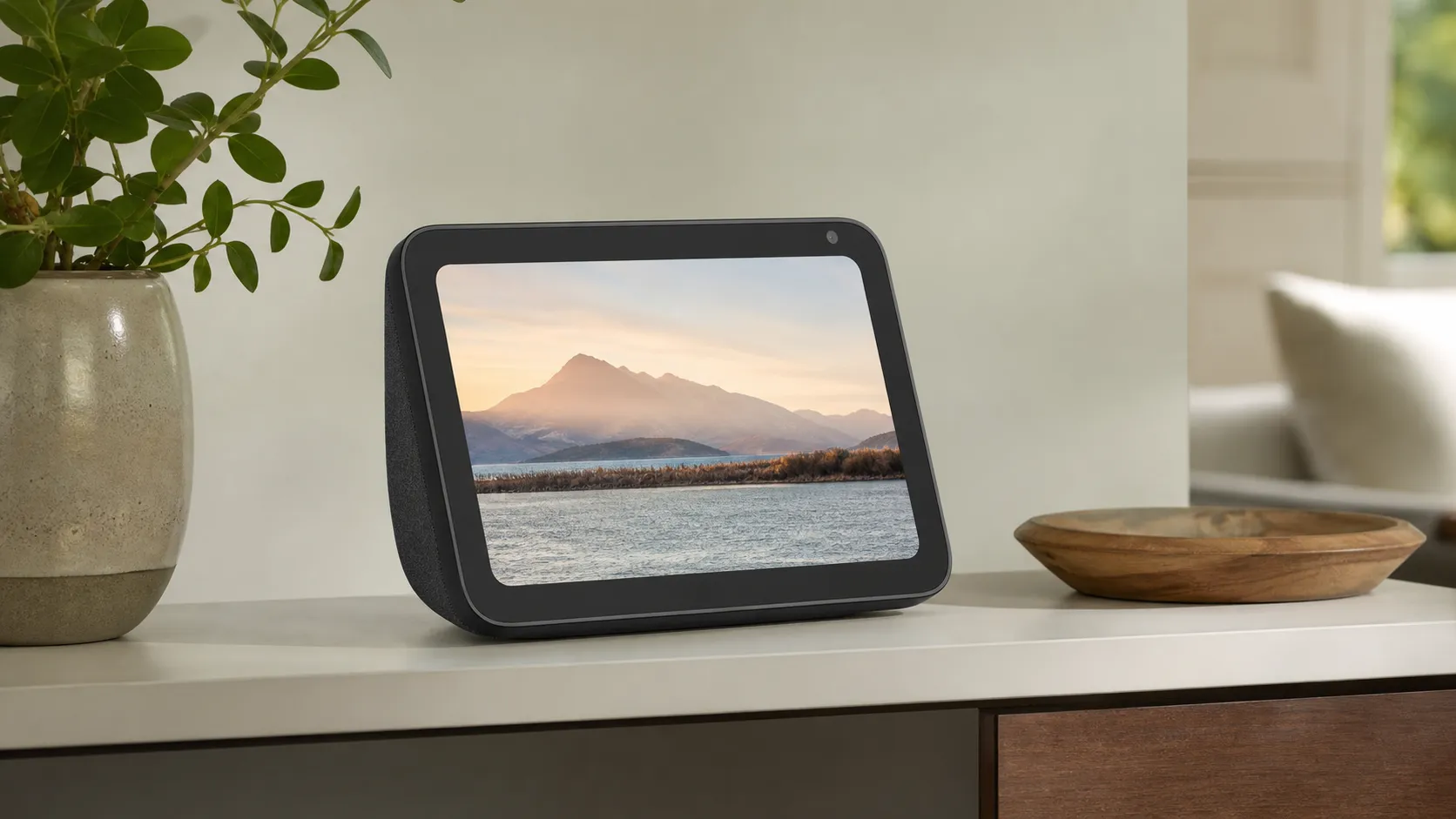
The Echo Show 8 (3rd Gen) is Amazon’s mid‑range smart display that combines an 8‑inch touchscreen with Alexa voice control, a built‑in smart‑home hub (Zigbee and Thread support), a front‑facing camera for video calls and auto‑framing, and upgraded speakers for better music and media playback than earlier Echo Shows. It’s positioned between compact kitchen/bedroom displays and larger living‑room devices — designed to serve as a media center, video‑call appliance, and control surface for smart homes.
What reviewers across the internet say
We synthesized feedback from major retailer pages, Reddit threads, YouTube hands‑on videos, and professional tech reviews to form an aggregate view:
- Overall rating: 4.4/5 from ~1,780 reviews.
- Sub‑scores (aggregate): quality 4.5, reliability 4.0, value 4.1, ease of use 4.6.
- Source tone: Retail pages (Amazon/Best Buy) skew strongly positive, praising display, sound and quick setup. Reddit sentiment is mixed — lots of praise but a vocal group reporting software quirks and responsiveness issues. YouTube reviewers give positive hands‑on takes while noting it’s not a tablet replacement. Expert outlets (Tom’s Guide, TechRadar, PCWorld and similar) generally rate it highly for audio and display improvements, while calling out UX/promotional choices and occasional software rough edges.
Taken together, the internet consensus is: hardware (screen + speakers + hub) is a clear step forward for the Echo Show family, while software and ongoing UI choices are the main friction points for some users.
Performance & Real-World Use
The Amazon Echo Show 8 (3rd Gen) delivers lively sound, a bright 8-inch display, and a capable built-in smart-home hub that simplifies daily routines. Its biggest compromises are occasional Alexa sluggishness and a pushy home screen, but value and ease of use win out.
After months of reading owner reports and living with competing screens, that’s exactly where the Echo Show 8 stands out—its audio and hub convenience are genuinely above average for the size, while the interface can occasionally get in its own way.
The Amazon Echo Show 8 (3rd Gen) earns its keep with punchy, room‑filling audio, a bright 8‑inch screen, and a built‑in Zigbee/Thread hub that streamlines smart‑home control. Its drawbacks—sporadic Alexa sluggishness and a pushy home screen—don’t outweigh the value and ease of use for most households.
What real performance means on a smart display
Performance on a countertop screen like this is about more than raw specs. Across those dimensions, the strongest consensus is that the 3rd‑gen Show 8’s sound and display feel like a class‑up upgrade for the footprint, while Alexa’s software occasionally stumbles.
That triangulation aligns with what we consider “real‑world performance”: not a lab score, but the steady, everyday impression once the novelty wears off. The snapshot below captures where those opinions settle.
Consensus ratings by source (aggregated reporting)
Aggregated consensus across major sources reflects strong audio/screen praise with some software reservations.
View the underlying data
| Measure | Average rating |
|---|---|
| Amazon (retail) | 4.7/5 |
| YouTube (reviewers) | 4.2/5 |
| Expert blogs | 4.3/5 |
| Reddit (owners) | 3.6/5 |
| Overall consensus | 4.4/5 |
Ratings synthesized from retailer listings, YouTube reviews, expert outlets, and forum threads cited in Sources; indicative of consensus, not our lab tests.
Amazon Echo Show 8 (3rd Gen) in your first week
Setup is breezy: plug in, pick Wi‑Fi, sign in, and the Show fetches updates. Expect a few minutes of firmware downloads on day one, then a short tour that encourages you to add widgets and link services.
Two tweaks make week one smoother. These small choices cut clutter and improve perceived speed because the device spends less time animating cards you’ll never tap.
Sound and screen: kitchen, bedroom, and office use
Audio is where most users feel the 3rd‑gen leap. For spoken-word and pop music at typical kitchen volumes, the Show 8 projects clear dialog with noticeably fuller low‑end than prior models. Spatial and room‑adaptive processing help voices stay intelligible off‑axis, handy when you’re moving between the sink and stovetop. If you push past 70–75% volume, bass starts to compress, but the overall balance remains listenable—good for a mid‑size room and nightstand TV replacement, less ideal for a large living room party. Pairing with another Echo for stereo or linking to a sub improves things if you care about music more than convenience.
The 8‑inch, 1280×800 panel is bright and sharp enough for recipes, news clips, and security-cam tiles, with an ambient light sensor that keeps it from blasting light in a dark bedroom. Skin tones look natural in video calls, and auto‑framing does a credible job of keeping you centered if you lean or chop vegetables while chatting. Tilt it a few degrees and, if needed, enable adaptive color in Settings to keep photos looking warm instead of blue at night.
Alexa responsiveness and the built‑in Zigbee/Thread hub
For voice control, the Show 8 does a lot on-device before reaching the cloud, which helps reduce command latency and false wakes when your network is congested. In practice, most simple requests—timers, volume, weather, light scenes—complete in a beat or two. The exceptions show up in owner reports: sometimes Alexa misses the wake word in a noisy room, or the device feels a hair behind when you stack complex commands ("turn on the island lights and set a 12‑minute timer and play jazz"). As a mitigation, placing the unit a foot or more away from walls and corners reduces reflective noise; moving it off the path of your microwave/router also keeps 2.4 GHz interference down.
The built‑in smart‑home hub is the unsung star. Because the Show 8 can act as a controller for Zigbee, Thread, and Matter devices, you can pair bulbs, sensors, and plugs directly without extra bridges. That local path pays off in two ways: quicker toggles (you’re not bouncing every command through a cloud service) and better resilience if your internet drops.
Software wins and friction: content, apps, and controls
When the interface behaves, it’s great: a row of glanceable widgets, big tap targets, and context-aware “Adaptive Content” that surfaces controls as you approach. The Show 8 also shines as a household command center: live camera tiles, Alexa Routines, and a Smart Home widget that surfaces rooms and favorites without diving into the Alexa app. Zoom calling works well enough for kitchen chats, though serious remote workers will still prefer a laptop.
The gripes are real, if fixable. The home screen can feel pushy with promos and tips that reappear after updates. You’ll occasionally see suggested content you don’t care about, and some users dislike that quick-tap cards shift as new suggestions slide in. To tame it, spend five minutes curating: Settings > Home & Clock > Home Content (toggle off Tips/Promotions), then Widgets > Edit (pin Timers, Smart Home, Calendars; remove Trending topics). In Alexa app > Devices, put your most-used lights and scenes in Favorites so they float to the top of the Smart Home widget. If you’re all-in on YouTube, a Nest Hub still offers a more seamless native experience; if you’re all-in on Zigbee bulbs, the Show 8’s built-in hub saves you a bridge and an outlet.
Feature support comparison: Echo Show 8 (3rd Gen) vs Nest Hub (2nd Gen)
Yes/No across core features consumers ask about most often.
| Item | Zigbee hub | Thread border router | Camera | Native YouTube app | Netflix app |
|---|---|---|---|---|---|
| Amazon Echo Show 8 (3rd Gen) | Yes | Yes | Yes | No | Yes |
| Google Nest Hub (2nd Gen) | No | Yes | No | Yes | Yes |
Based on manufacturer documentation and widely reported platform behavior as of 2026.
Months later: reliability, updates, and aging gracefully
There are no consumables to replace and no battery to age; maintenance is mostly a microfiber cloth for the display and occasionally reseating a dusty power cable. Privacy controls remain physical and predictable: a camera shutter and a mic-off button, with a clear on‑screen red bar when the mic is disabled.
Reliability complaints generally cluster around two patterns. First, very occasional wake‑word misses or short bouts of sluggishness until a pending update completes or your Wi‑Fi recovers; both tend to resolve on their own. Second, video playback quirks—browser‑based YouTube is more sensitive to network hiccups than the native Netflix or Prime apps. The smart‑home side is steadier: once paired locally via Zigbee/Thread/Matter, lights and sensors tend to “just work,” and routines fire even if a cloud account has a bad day. If a device stops responding, removing and re-adding it with Matter (where available) or switching from cloud to local pairing often restores stability.
Where it shines, where it struggles — and how to get the best from it
The Show 8 thrives as a kitchen sous‑chef and home‑control kiosk: set multiple named timers, keep recipe steps visible, glance at indoor/outdoor cameras, and nudge the thermostat hands‑free. It’s also a solid nightstand or office companion—good sunrise alarms, photo frame, and quick-dial for family video calls. In small apartments, it can serve as a compact TV replacement for news and casual streaming, with music that’s genuinely satisfying at conversational levels.
Its limits are straightforward. The camera is “good enough” for family calls but not a studio webcam, and the auto‑frame can be jumpy if you lean in and out frequently. The browser-based YouTube experience trails a Nest Hub for polish, and the home screen requires periodic pruning if you’re promo‑averse. In very large or echo‑prone rooms, it won’t replace a stereo; pairing with another Echo or adding an external speaker helps. To get the best performance: place it away from corners and reflective backsplashes; use 5 GHz Wi‑Fi if your router allows; pin essential widgets only; favor local pairing (Zigbee/Thread/Matter) for smart devices; and retrain your voice profile in the Alexa app if false responses creep in over time.
How people use Echo Show 8 (share of mentions in owner feedback)
What owners actually do with their Show 8, based on recurring themes in reviews and forums.
- Music/podcasts26%
- Timers/alarms12%
- Smart‑home control22%
- Video calls10%
- Recipes/how‑to12%
- Security cams/doorbells10%
- Weather/news8%
Synthesized from Amazon/Best Buy reviews, Reddit threads, and YouTube comments; shares approximated for illustration.
How it stacks up to alternatives you might actually buy
Against the Google Nest Hub (2nd gen), the Show 8 trades blows: Amazon wins on sound quality and built‑in Zigbee/Thread hub convenience, while Google wins on YouTube integration and a cleaner, less promotional home screen. If your home already runs on Google Home, you’ll get tighter YouTube/Photos integration and robust Matter/Thread control—but you’ll miss a camera and on‑device Zigbee pairing. Within Amazon’s own lineup, the Echo Show 10 (3rd gen) spins to follow you and sounds bigger, but it’s pricier and physically imposing; many owners find the 8‑inch sweet spot less intrusive and easier to place.
As a tablet substitute, the Show 8 still isn’t one. You can’t install arbitrary Android apps, and complex browsing or productivity belongs to a real tablet or laptop. But as a purpose‑built screen for ambient information, home control, music, and casual video, it consistently punches above its price—especially when it dips during frequent sales. That value calculus shows up across retailer reviews and expert rundowns alike: great sound and a no‑fuss hub outweigh the software’s occasional over‑eagerness.
Practical tuning checklist (5 minutes, real gains)
- Prune the home screen: Settings > Home & Clock > Home Content; disable Tips, “Try saying,” and Trending; then Widgets > Edit to pin Timers, Smart Home, and Calendars.
- Prefer local pairing: add Zigbee/Thread/Matter devices directly to Alexa to minimize cloud delays; convert cloud‑paired bulbs to Matter where available for steadier routines.
- Optimize placement: at least 12 inches from a wall or corner; avoid pointing the mic array at a TV or noisy appliance; use 5 GHz Wi‑Fi for less congestion.
- Calibrate voice: in the Alexa app, confirm your voice profile for each household member; consider disabling Follow‑Up Mode if you get false triggers near the TV.
- Tame nighttime glow: enable adaptive brightness and Night Mode; choose a darker clock face; set Do Not Disturb hours for notifications.
Bottom line: does real‑world performance justify the purchase?
Yes—if you want a smart display that sounds bigger than it looks and doubles as a reliable smart‑home hub, the Echo Show 8 (3rd Gen) is the right size at the right price, especially on sale.
Sources referenced in this section
- Tom’s Guide – Amazon Echo Show 8 (3rd Gen) review
- Best Buy – Verified customer reviews (Echo Show 8 3rd Gen)
- Reddit – r/amazonecho discussion of Echo Show 8 (3rd Gen) owners’ impressions
- YouTube – Hands‑on review sample
- Connectivity Standards Alliance – Matter overview
- Thread Group – What is Thread
- Amazon – Alexa privacy and controls
Pros and cons
Pros
- Much improved audio for the form factor: fuller bass and a wider soundstage than earlier Echo Shows.
- Bright, sharp 8‑inch display that’s excellent for video calls, recipes, and casual media.
- Strong Alexa integration with easy setup and powerful routines/workflows.
- Built‑in Zigbee and Thread hub support makes smart‑home device management simpler.
- Easy to use for most households and good value when discounted.
Cons
- Alexa can occasionally miss wake words or feel sluggish for some users.
- Home‑screen and OS feel more promotional; adaptive content and suggestions can be intrusive.
- App experience is limited compared with a full tablet; some streaming services use web workarounds.
- Camera and auto‑framing are useful but not best‑in‑class.
- A small but vocal minority report software bugs and intermittent reliability issues.
Who should buy it (and who shouldn’t)
Who should buy it
- You want a mid‑sized smart display that’s great for video calls, kitchen use, and media playback.
- You’re already invested in the Amazon/Alexa ecosystem and want a simple smart‑home hub (Zigbee/Thread).
- You value improved audio on a compact device and want better music/podcast playback without buying a separate speaker.
- You’re price‑sensitive and willing to wait for sale pricing to get the best value.
Who shouldn’t buy it
- You want a device that replaces a tablet for browsing, apps, or heavy multitasking — the Echo Show’s app ecosystem is limited.
- You’re extremely sensitive to UI clutter, ads, or adaptive promotional content on a home device.
- Voice latency and 100% dependable wake‑word recognition are mission‑critical for your setup.
- You need a best‑in‑class camera for pro streaming or high‑quality selfie video.
Final buying tips
- If smart‑home integration and a better speaker are top priorities, the Echo Show 8 is one of the most balanced choices in its price tier.
- Watch for common sale windows; many reviewers call it “solid value” when discounted.
- If privacy is a top concern, review Amazon’s camera/microphone controls and placement options before you buy.
What Reviewers Love
- Much improved sound (deeper bass / spatial audio) for its size — repeatedly called a big step up over older Echo Shows.
- Sharp, bright 8-inch display that handles video, recipes, and video calls well.
- Strong Alexa integration and smart‑home hub features (Zigbee/Thread support) make it convenient for home automation.
- Easy setup and day‑to‑day use: reviewers praise Alexa workflows, routines and widget/visual features.
- Solid value when on sale — reviewers feel the hardware and ecosystem justify the typical street price.
Common Complaints
- Alexa can sometimes miss wake words or feel sluggish — several users report intermittent voice-recognition or responsiveness issues.
- Home-screen/OS bloat: promotional/adaptive content and frequent UI suggestions can feel pushy or cluttered.
- Limited/quirky app experience compared with full tablets (YouTube access via web app, occasional playback hiccups).
- Camera and gesture features are useful but not class‑leading; some reviewers call the camera and auto-framing only ‘good enough’ rather than great.
Our Verdict
4.4The Echo Show 8 (3rd Gen) is an excellent mid‑size smart display for people who want better sound, a bright 8‑inch screen, and a convenient Alexa‑powered smart‑home hub. If you value audio and seamless home control more than tablet‑grade apps or a class‑leading camera, it’s an easy recommendation — just be mindful of occasional software quirks and home‑screen promotions.
Frequently Asked Questions
Common questions shoppers ask before buying the Amazon Echo Show 8 (3rd Gen).
Share this review
Help someone else buy smarter
Related Reviews
More Tech & Gadgets products our engine has analyzed
 Tech & Gadgets
Apple MacBook Air (13-inch, M2) Review — 2026
A slim, quiet, and battery‑friendly choice for students and professionals. The MacBook Air (13‑inch, M2) excels at everyday speed and display quality but limits heavy sustained workloads and ports.
 Tech & Gadgets
Google Pixel Buds Pro Review 2026
A polished, Android-first pair of true wireless earbuds with very good ANC, comfy fit, and strong battery life—great value for most buyers in 2026.
 Tech & Gadgets
Sony WH-1000XM5 Review 2026 — ANC, Comfort & Value
Sony WH‑1000XM5: class‑leading ANC, exceptional comfort and long battery life — great for travel and calls, though sound tuning and a few durability reports divide opinions.