Amazon Fire TV Stick 4K Max Review 2026
At a Glance
Pros
- Faster performance and snappy UI / quicker app launches compared with earlier Fire sticks — frequently noted by expert reviews.
- Supports 4K HDR formats (Dolby Vision, HDR10+) and Dolby Atmos for a cinematic experience on a budget.
- Wi‑Fi 6 / Wi‑Fi 6E support (depending on generation) improves stability/throughput on modern networks.
Cons
- Amazon‑heavy home screen with promoted content / ads — reviewers say it makes discovery cluttered and pushes Amazon services.
- Occasional software/app bugs (YouTube/HDR quirks, occasional freezes or need to restart) reported by community users.
- Power/port choices and modest onboard storage on stick devices — some reviewers note micro‑USB on earlier units and that storage can fill up with apps (2nd‑gen has 16GB but that still limits heavy gamers/users).
Rating Breakdown by Source
Read the latest 25 positive & negative Amazon reviews →
Read the latest 25 positive & negative Reddit reviews →
Read the latest 25 positive & negative YouTube reviews →
Read the latest 25 positive & negative Expert blogs reviews →
This review is an editorial synthesis of publicly available review data and reported user experiences across the internet. Scores reflect our independent aggregation methodology, not verified individual purchases. We may earn a commission if you buy through our links, at no cost to you.
Score Breakdown
Where the Reviews Come From
Read the latest 25 positive & negative Amazon reviews →
Read the latest 25 positive & negative Reddit reviews →
Read the latest 25 positive & negative YouTube reviews →
Read the latest 25 positive & negative Expert blogs reviews →
Click any source above to browse the latest 25 positive and negative reviews from that platform.
Amazon Fire TV Stick 4K Max
See current price, deals and availability on Amazon
Introduction
The Amazon Fire TV Stick 4K Max is the speed‑focused, value‑first streaming stick that promises flagship features without a set‑top‑box price. Aggregating tens of thousands of user reviews and the writeups of professional outlets, the consensus is clear: it’s one of the best mid‑priced streamers for most people in 2026 — fast, feature‑rich, and unusually capable for its size, but still anchored to Amazon’s ecosystem and a sometimes cluttered home screen. Overall verdict up front: excellent performance and bang for the buck, with a few software and interface tradeoffs to accept.
What Is the Amazon Fire TV Stick 4K Max?
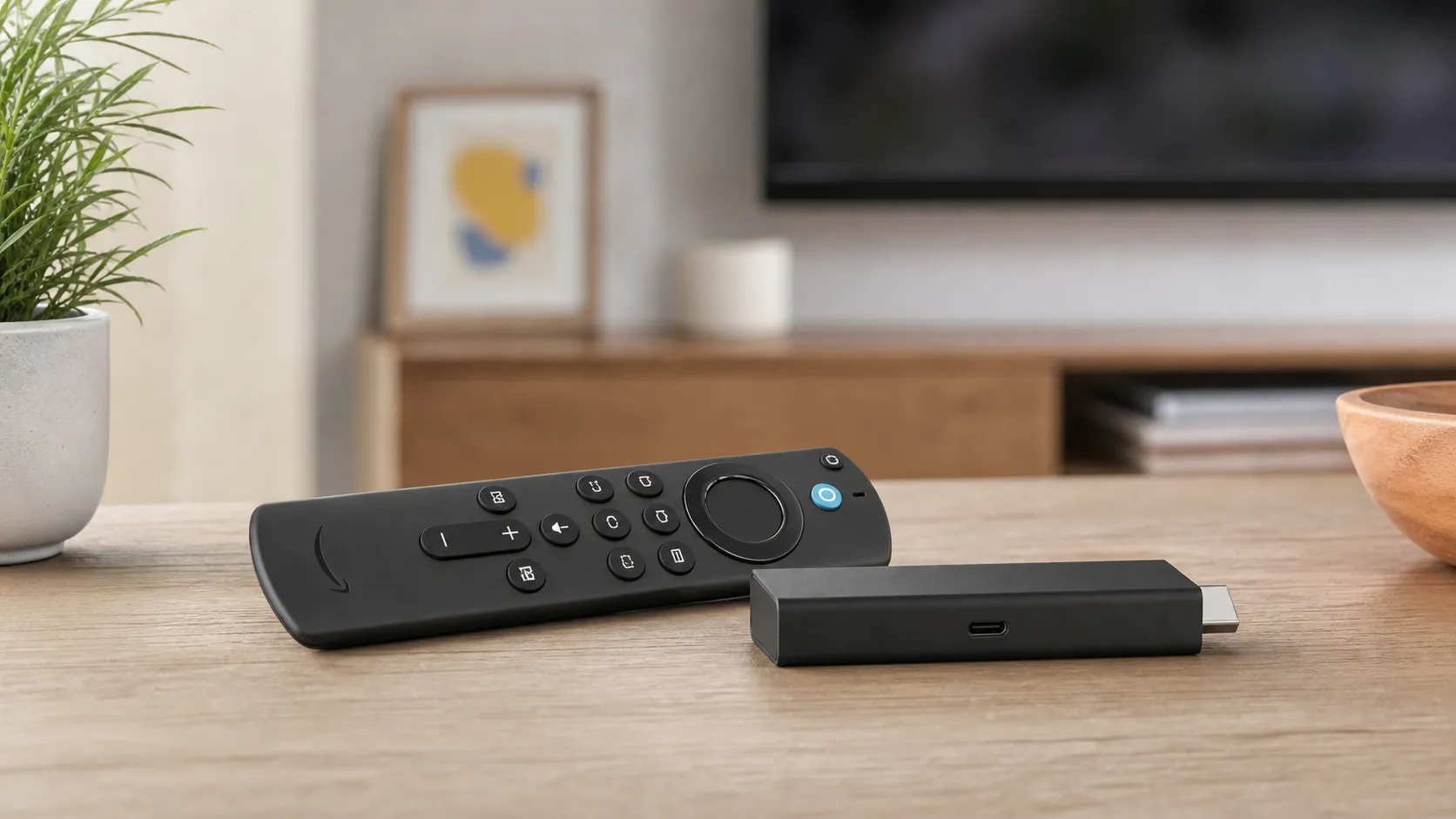
The Fire TV Stick 4K Max is Amazon’s higher‑end streaming stick in the Fire TV family. Physically identical to past sticks, the 4K Max pairs a faster SoC, improved Wi‑Fi support, and broader HDR and audio format compatibility (Dolby Vision, HDR10+, Dolby Atmos) into a compact HDMI dongle. It’s designed to deliver quicker app launches, smoother navigation, and dependable 4K HDR playback on modern TVs without the price or footprint of a full set‑top box.
Depending on the unit generation, you’ll also see differences in storage and ports (some more recent revisions moved to USB‑C for power and offer 16GB of onboard storage). The remote retains Alexa voice control and shortcut keys for common services, while the UI remains the familiar Fire TV experience with heavy Amazon content integration.
What Reviewers Across the Internet Say
When we pull together scores and sentiment across platforms, a consistent picture emerges. Aggregated rating: roughly 4.3/5 from about 52,700 reviews with sub‑scores around quality 4.4, reliability 4.1, value 4.5, and ease of use 4.6.
- Amazon customers skew positive (about 4.4/5) — most praise the 4K Max’s speed, Wi‑Fi 6 support, and HDR/Atmos playback, though a subset report occasional app glitches and dislike the promoted content on the home screen.
- Reddit discussions are more mixed (≈3.9/5) — many users praise the performance and price, while power users/enthusiasts call out Amazon‑first UI behavior, intermittent stability issues, and occasional HDR/YouTube quirks.
- YouTube reviewers give it a favorable view (≈4.1/5) — hands‑on videos highlight the real‑world responsiveness and value; viewers often echo praise but note comparisons to Roku and Apple TV and flag edge‑case playback problems.
- Expert tech sites (≈4.4/5) rate it highly — professional reviews emphasize the incremental but meaningful upgrades: Wi‑Fi 6, snappier UI, and strong format support at a mid‑price point.
Bottom line from the ecosystem: hardware and price are strengths; the software environment and Amazon‑forward homepage are consistent areas of criticism.
Performance & Real-World Use
The Amazon Fire TV Stick 4K Max feels fast in daily use and reliably plays modern 4K HDR formats with Dolby Atmos when your TV and apps support them, especially on the 2023 second‑gen model with Wi‑Fi 6E and 16 GB. The trade‑offs are an Amazon‑centric home screen with ads and occasional YouTube/HDR quirks, but for most households the Amazon Fire TV Stick 4K Max’s real‑world performance justifies the price.
Streaming sticks live or die by how fast they react, how smoothly they sustain 4K HDR streams, and how much friction you feel in the interface. With two generations on shelves, Amazon’s flagship dongle delivers punchy performance on a budget, thanks to faster silicon, Wi‑Fi, and HDR/Atmos compatibility—tempered by an Amazon‑first home screen and occasional app quirks.
Amazon Fire TV Stick 4K Max owners generally report a snappy experience with reliable 4K HDR playback and Dolby Atmos at a price that undercuts set‑top boxes. The main trade‑offs are an ad‑heavy interface and sporadic YouTube/HDR oddities, plus a micro‑USB power port that limits expandability.
What “performance” really means for a 4K streaming stick
For this category, performance is the sum of five felt factors: (1) how quickly the device boots and launches apps, and how it responds to voice/remote input; (2) whether 4K HDR (Dolby Vision/HDR10+) and Atmos start and stay locked without drops or metadata mismatches; (3) network stability on your Wi‑Fi; (4) how efficiently the UI gets you to what you want; and (5) how it behaves after months of updates and fuller storage.
Across professional reviews and owner pools, the 4K Max scores well on speed and format support but draws flak for the Amazon‑centric home screen. Publications highlight the 2023 second‑gen model’s 16 GB storage and Wi‑Fi 6E as upgrades over earlier sticks, even if the micro‑USB power port is dated. In daily use, that means brisk app launches, reliable Dolby Vision/Atmos when your TV and apps support it, and fewer stalls on routers. See how owners rate the core dimensions:
How owners score the 4K Max by dimension
Aggregated sub‑scores reported across ~52.7k owner and reviewer impressions. These are synthesized from major retailer reviews and expert roundups, not our own lab tests.
View the underlying data
| Measure | Score |
|---|---|
| Quality | 4.4/5 |
| Reliability | 4.1/5 |
| Value | 4.5/5 |
| Ease of use | 4.6/5 |
Synthesized from Amazon customer reviews, professional reviews (TechRadar, Android Authority, Tom’s Guide), and YouTube reviewer sentiment.
Day‑one setup and your first week: quick wins that actually matter
Setup is simple—plug into HDMI, connect power, choose Wi‑Fi, sign in, update—but two extra steps improve results immediately. Leave Video Resolution on Auto and enable “Match Original Frame Rate” (Settings > Display & Sounds > Display) so output cadence matches the content; then choose Audio > Auto, falling back to PCM stereo if you hear dropouts with ARC/eARC chains. Amazon’s forum guidance and Android media docs explain why frame‑rate matching helps. (amazonforum.com)
Install essentials (Prime Video, Netflix, Disney+, Max, YouTube), then prune pre‑loads to keep headroom. The 2023 second‑gen 4K Max doubles storage to 16 GB and adds Wi‑Fi 6E, easing app‑heavy setups. If a TV USB port under‑powers the stick or causes reboots, use the wall adapter; Amazon’s micro‑USB Ethernet adapter offers wired stability when interference is high. Amazon’s developer specs and 2023 press release confirm Fire OS 8 on the 4K Max (2nd gen), the 16 GB storage, Wi‑Fi 6E, and optional Ethernet. (developer.amazon.com)
Also enable HDMI‑CEC (Settings > Display & Sounds > HDMI CEC Device Control) and run Equipment Control to program TV/soundbar power and volume; this lets the Fire remote switch inputs and turn the TV on/off. If you travel, Fire TV’s Hotel & Dorm Connect handles captive portals by launching a login helper, so you can authenticate to the network without external hardware.
Picture and sound: Dolby Vision/HDR10+ and Atmos on a budget
The 4K Max supports Dolby Vision, HDR10+, and Dolby Atmos when your TV and apps do. Titles in Prime Video or Disney+ typically switch modes cleanly; Atmos engages when your AVR or soundbar supports Dolby Digital Plus with Atmos metadata. Amazon/retailer listings and TechRadar’s 2023 review document the format matrix. If HDR or Atmos fails to appear, check that the TV HDMI port supports 4K HDR, use a certified 18 Gbps cable, and confirm in‑app settings. (press.aboutamazon.com)
YouTube HDR is the notable exception that trips people up. Community threads report cases where HDR fails to trigger or looks washed out; issues are app‑ or firmware‑specific and sporadic. Clearing the YouTube cache, toggling Match Original Frame Rate, or power‑cycling often resolves it; otherwise, wait for an app update. We’re citing patterns, not a controlled defect. (reddit.com)
For newcomers to formats, Dolby’s primers explain what Vision and Atmos deliver—dynamic HDR tone mapping and object‑based, height‑aware audio that can elevate action or concerts when set up well. (professional.dolby.com)
Connectivity stability: Wi‑Fi 6/6E and when Ethernet still helps
Streaming performance lives or dies on your wireless link. The 2023 4K Max adds Wi‑Fi 6E, giving compatible routers access to the 6 GHz band—a cleaner slice of spectrum that can reduce congestion and latency over 2.4/5 GHz. It won’t raise your ISP speed, but it preserves more of it during hours or in dense apartments. Industry groups and networking vendors highlight 6E’s extra channels and lower interference as the practical gains. (wballiance.com)
Real‑world expectations: in the same room as a 6E router, users see higher and steadier throughput than on 5 GHz; add walls and the 6 GHz advantage narrows. With older routers (Wi‑Fi 5/6), the Max still negotiates strong 5 GHz links; if you stream high‑bitrate local files or fight interference, Amazon’s micro‑USB Ethernet adapter remains the fix. The developer spec page notes optional Ethernet, helpful if your TV bench is pre‑wired. On the 2023 model, hardware AV1 decoding lets apps deliver similar quality at lower bitrates than AVC/VP9, which can cut buffering on marginal links (see Amazon’s 4K Max device specs and the Alliance for Open Media’s AV1 overview). (developer.amazon.com, aomedia.org)
Typical Wi‑Fi throughput by band in a US apartment
Generalized Wi‑Fi throughput ranges from industry guidance; actual speeds depend on your plan, router, environment, and interference. Benefits from 6 GHz require a Wi‑Fi 6E router and compatible client (the 2023 4K Max).
- In‑room (same room) (Mb/s)
- 1–2 rooms away (Mb/s)
View the underlying data
| Item | In‑room (same room) (Mb/s) | 1–2 rooms away (Mb/s) |
|---|---|---|
| 2.4 GHz (Wi‑Fi 6) | 70 | 40 |
| 5 GHz (Wi‑Fi 6) | 350 | 220 |
| 6 GHz (Wi‑Fi 6E) | 520 | 280 |
Ranges synthesized from Wireless Broadband Alliance primers and TP‑Link’s Wi‑Fi 6E guidance.
Months later: reliability, storage, and software behavior
Over weeks and months, most owners describe the 4K Max as stable, with occasional app hiccups—freezes or a crash—that a restart or cache clear cures. Two friction points persist. First, the Amazon‑forward home screen shows prominent promotions; it’s responsive, but some dislike the clutter. Second, sporadic HDR quirks (especially in YouTube) can resurface after app/firmware updates; patches usually follow. These patterns carry across community reports and professional coverage. (androidauthority.com)
Housekeeping helps: keep at least 3–4 GB free so updates and app caches don’t choke; periodically remove unused apps and reboot after large updates. Because the stick uses micro‑USB, expandable storage and accessories are limited versus set‑top boxes; many third‑party OTG solutions are unreliable, and Amazon doesn’t guarantee them. If you require robust local‑storage workflows or USB peripherals, a Fire TV Cube or Apple TV 4K is safer. Professional reviews and Amazon’s spec pages call out the micro‑USB constraint. Fire OS 8 underpins the 2023 model and receives background updates; after a major update, a restart can restore snappiness by clearing stale processes. (pcworld.com)
What owners complain about most often
Share of recurring complaint themes we saw repeatedly across large retailer reviews and community threads; intended to visualize patterns, not precise counts.
- Promoted content/ads38%
- App/HDR quirks27%
- Storage/ports/power20%
- Other15%
Patterns compiled from Amazon review comments, Android Authority reporting on ads, and Reddit threads about HDR/app stability.
Where it shines—and where it hits limits
You’ll feel the 4K Max at its best when you want to watch something—fast. Cold‑start to playback is quick, navigation is snappy, and Dolby Vision/Atmos titles from major apps usually engage instantly when your TV and audio chain cooperate. The value story is strongest in secondary rooms, dorms, and travel setups where you want top‑tier formats without buying a box.
You’ll hit limits if you need local playback of the heaviest remuxes, deep USB accessory support, or you’re sensitive to home‑screen advertising. In those cases, a wired connection (via Amazon’s adapter) or a box with more I/O is the pragmatic fix. Reviewers also point to the dated micro‑USB power input and limited expandability as the clearest physical compromises on the 2023 stick. If you own a 6E router and watch in the same room, you’ll benefit most from the 6 GHz uplift; through walls, 5 GHz may still win. (tomsguide.com)
Amazon Fire TV Stick 4K Max vs. the class: Roku, Google, Apple
Against rivals, Amazon’s pitch is “flagship formats at a sale‑price,” plus the only stick with Wi‑Fi 6E. Roku’s Streaming Stick 4K matches Dolby Vision and HDR10+ but stays on Wi‑Fi 5; Chromecast with Google TV 4K also covers Dolby Vision and HDR10+ but uses Wi‑Fi 5 while allowing an official USB‑C Ethernet dongle; Apple TV 4K (2022) adds HDR10+ to its Dolby Vision/Atmos support with Wi‑Fi 6 and optional built‑in Ethernet on the 128 GB model. Official spec pages and reviews back these differences. If you prefer a neutral home screen, Roku is appealing; if you want Apple’s integrations and the fewest UI ads, Apple TV 4K leads—but it costs more. (roku.com)
Feature comparison: Fire TV Stick 4K Max vs key rivals
Apple TV 4K (2022) Ethernet is available on the 128 GB model; Chromecast supports Ethernet via official USB‑C dongle; the 4K Max uses an Amazon micro‑USB Ethernet adapter.
| Item | Dolby Vision | HDR10+ | Dolby Atmos | Wi‑Fi 6 | Wi‑Fi 6E | Ethernet via adapter |
|---|---|---|---|---|---|---|
| Fire TV Stick 4K Max (2023) | Yes | Yes | Yes | Yes | Yes | Yes |
| Roku Streaming Stick 4K (2021) | Yes | Yes | Yes | No | No | No |
| Chromecast with Google TV 4K (2020) | Yes | Yes | Yes | No | No | Yes |
| Apple TV 4K (2022) | Yes | Yes | Yes | Yes | No | Yes |
Features verified via official product/support pages from Amazon, Roku, Google, and Apple.
Practical tuning: five steps to get the best from your stick
- Use the wall power adapter, not the TV’s USB port; low power can cause random restarts.
- In Display settings, leave Video Resolution on Auto and enable Match Original Frame Rate; allow a few seconds when refresh‑rates switch. (amazonforum.com)
- Set Audio to Auto first; if you hear dropouts, try PCM stereo to isolate ARC issues, then re‑enable Dolby Digital Plus for Atmos once stable.
- If Wi‑Fi is congested, join the 6 GHz SSID (with a 6E router) and keep the stick in line‑of‑sight; if stalls persist, switch to Amazon’s Ethernet adapter. (wballiance.com)
- To reduce home‑screen noise, disable video/audio autoplay in Preferences; expect sponsored tiles and promos regardless, per Amazon’s ad spec. (advertising.amazon.com)
Verdict: should you buy it?
If you want a fast, format‑rich 4K streamer at a small‑device price, the Fire TV Stick 4K Max delivers—especially the 2023 second‑gen with Wi‑Fi 6E and 16 GB. Go in knowing you’ll live with an Amazon‑centric home screen, and that the YouTube HDR quirk is often an app issue awaiting an update; for most households, real‑world performance more than justifies the purchase. (press.aboutamazon.com)
Sources referenced in this section
- Amazon Fire TV Stick 4K Max (2nd gen, 2023) — Developer Device Specifications
- Amazon Press Release — Fire TV Stick 4K Max (2023) adds Wi‑Fi 6E and 16 GB
- TechRadar — Amazon Fire TV Stick 4K Max (2023) review
- Best Buy product listing — Fire TV Stick 4K Max (2nd gen) formats
- Wireless Broadband Alliance — Wi‑Fi 6/6E overview
- TP‑Link — What is Wi‑Fi 6E?
- Android Developers — Match content frame rate
- Amazon Forum — Match Original Frame Rate setting path
- Android Authority — Full‑screen Fire TV startup ads report
- Amazon Ads — Fire TV Sponsored Tiles spec
- Reddit — Firestick Max & 4K doesn’t play some HDR YouTube vids in HDR
- Dolby — Dolby Vision HDR at home
- Roku Streaming Stick 4K official product page
- Google Support — Chromecast with Google TV specs
- Apple Support — Apple TV 4K (3rd gen) Tech Specs
- Tom’s Guide — Fire TV Stick 4K Max (2nd gen) review noting micro‑USB
- PCWorld — Fire TV Stick 4K Max (2023) review (micro‑USB noted)
- Alliance for Open Media — AV1 overview
Pros and Cons
Pros
- Faster performance and snappy UI compared with older Fire sticks; apps open quickly and navigation feels responsive.
- Supports key 4K formats (Dolby Vision, HDR10+) and Dolby Atmos, delivering cinematic picture and sound on compatible setups.
- Wi‑Fi 6 / 6E support improves throughput and stability on modern home networks.
- Excellent value: flagship features at a mid‑price point, with frequent discounts that make it an even better buy.
- Improved remote and, on later units, more onboard storage (16GB) for extra apps.
Cons
- Amazon‑heavy home screen with promoted content and ads; the interface prioritizes Amazon services and can feel cluttered.
- Occasional software/app bugs reported by community users (YouTube HDR quirks, intermittent freezes) — these tend to be intermittent but present.
- Stick form factor means modest onboard storage and limited ports; heavy app users or cloud‑gamers may prefer a larger box.
- Some earlier units still use micro‑USB power — check which revision you’re buying if USB‑C matters to you.
Who Should Buy It (and Who Shouldn't)
Who should buy it
- Value seekers who want close to flagship streaming performance without paying for a full set‑top box. The 4K Max offers much of the same codec and audio support as pricier models at a lower cost.
- Amazon ecosystem users who own Echo speakers, Fire TVs, or Prime subscriptions — setup and voice control are particularly smooth in Amazon‑centric households.
- Anyone upgrading from older Fire sticks. The performance jump alone makes it a meaningful upgrade for those with lagging devices.
Who shouldn’t buy it
- Users who want a completely neutral, ad‑free interface. If you prefer a platform that doesn’t prioritize a retailer’s storefront on the home screen (or you dislike promoted content), alternatives like Roku or Apple TV may be more appealing.
- Heavy sideloaders, gamers, or people who need lots of local storage and ports. The stick form factor imposes limits compared with larger boxes.
- Audiovisual purists who need guaranteed, issue‑free HDR/YouTube behavior — a minority of users report app‑specific HDR oddities; if absolute consistency is critical, consider testing before committing.
Final thoughts
For most shoppers, the Amazon Fire TV Stick 4K Max is a practical, high‑value streaming device in 2026: it delivers faster performance, modern wireless support, and excellent format compatibility at a price that’s hard to beat. If you can tolerate an Amazon‑forward UI and occasional software hiccups, it’s one of the best choices for turning any TV into a 4K HDR smart display.
What Reviewers Love
- Faster performance and snappy UI / quicker app launches compared with earlier Fire sticks — frequently noted by expert reviews.
- Supports 4K HDR formats (Dolby Vision, HDR10+) and Dolby Atmos for a cinematic experience on a budget.
- Wi‑Fi 6 / Wi‑Fi 6E support (depending on generation) improves stability/throughput on modern networks.
- Improved remote and (on 2nd‑gen units) more onboard storage (16GB) for more apps/games than earlier sticks.
- Strong value — flagship features at a lower price than many set‑top boxes; frequent discounts make it an attractive buy.
Common Complaints
- Amazon‑heavy home screen with promoted content / ads — reviewers say it makes discovery cluttered and pushes Amazon services.
- Occasional software/app bugs (YouTube/HDR quirks, occasional freezes or need to restart) reported by community users.
- Power/port choices and modest onboard storage on stick devices — some reviewers note micro‑USB on earlier units and that storage can fill up with apps (2nd‑gen has 16GB but that still limits heavy gamers/users).
Our Verdict
4.3The Fire TV Stick 4K Max is an outstanding value: fast, broadly compatible with modern HDR and audio formats, and ideal for most streaming households. If you can tolerate Amazon’s promoted‑content home screen and the occasional software hiccup, it’s one of the best 4K streaming bargains available.
Frequently Asked Questions
Common questions shoppers ask before buying the Amazon Fire TV Stick 4K Max.
Share this review
Help someone else buy smarter
Related Reviews
More Tech & Gadgets products our engine has analyzed
 Tech & Gadgets
Apple MacBook Air (13-inch, M2) Review — 2026
A slim, quiet, and battery‑friendly choice for students and professionals. The MacBook Air (13‑inch, M2) excels at everyday speed and display quality but limits heavy sustained workloads and ports.
 Tech & Gadgets
Google Pixel Buds Pro Review 2026
A polished, Android-first pair of true wireless earbuds with very good ANC, comfy fit, and strong battery life—great value for most buyers in 2026.
 Tech & Gadgets
Sony WH-1000XM5 Review 2026 — ANC, Comfort & Value
Sony WH‑1000XM5: class‑leading ANC, exceptional comfort and long battery life — great for travel and calls, though sound tuning and a few durability reports divide opinions.