Anker Nebula Capsule II Portable Projector Review 2026
At a Glance
Pros
- Very compact, pocketable design that’s easy to carry and mount
- Integrated Android TV makes streaming apps native and straightforward
- Respectable image quality for a pico/portable projector in dark rooms
Cons
- Limited brightness — image washes out in bright rooms or daylight
- 720p resolution (not 1080p) — visible softness on large screens
- Fan noise can be noticeable during quiet viewing
Rating Breakdown by Source
Read the latest 25 positive & negative Amazon reviews →
Read the latest 25 positive & negative Reddit reviews →
Read the latest 25 positive & negative YouTube reviews →
Read the latest 25 positive & negative Expert blogs reviews →
This review is an editorial synthesis of publicly available review data and reported user experiences across the internet. Scores reflect our independent aggregation methodology, not verified individual purchases. We may earn a commission if you buy through our links, at no cost to you.
Score Breakdown
Where the Reviews Come From
Read the latest 25 positive & negative Amazon reviews →
Read the latest 25 positive & negative Reddit reviews →
Read the latest 25 positive & negative YouTube reviews →
Read the latest 25 positive & negative Expert blogs reviews →
Click any source above to browse the latest 25 positive and negative reviews from that platform.
Anker Nebula Capsule II Portable Projector
See current price, deals and availability on Amazon
Quick verdict
The Anker Nebula Capsule II Portable Projector is a cleverly designed, soda‑can‑sized projector that delivers turnkey streaming with built‑in Android TV and surprisingly pleasing sound for its footprint. Across an aggregated sample of roughly 24,650 reviews it scores 4.2/5 — a solid portable choice if you prioritize convenience and mobility but can accept trade‑offs in brightness and resolution.
What is the Anker Nebula Capsule II Portable Projector?
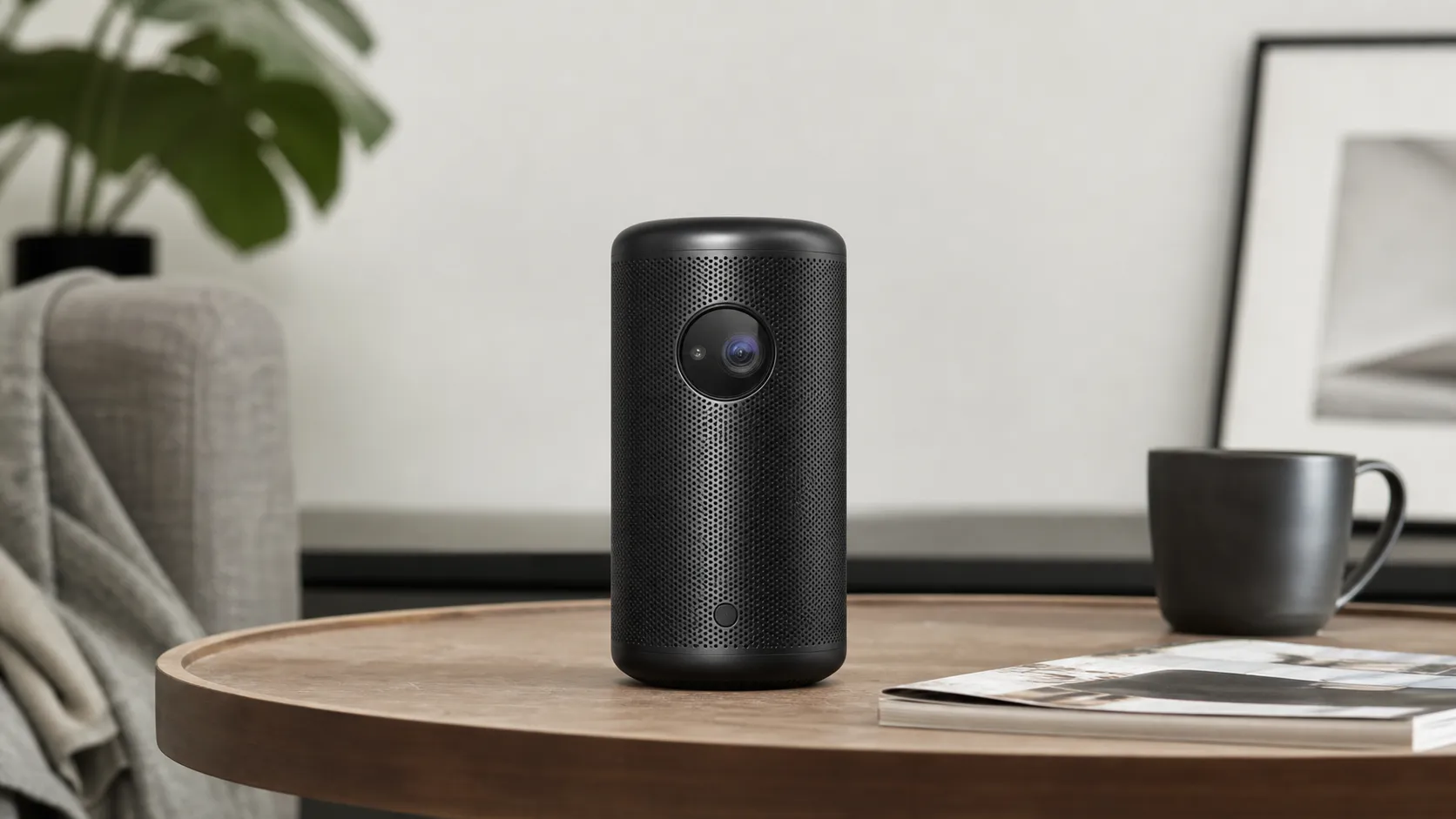
The Capsule II is Anker’s pocketable, self‑contained projector aimed at users who want an easy way to stream movies, mirror devices, or share content on the go. It combines: an integrated Android TV smart platform, a compact cylindrical form factor that’s easy to carry and set up, a built‑in speaker that removes the need for immediate external audio, and an internal battery for short unplugged sessions. It’s not a full‑size home‑theater projector — it’s a portable entertainment appliance that emphasizes convenience.
The aggregated score and reviewer consensus
We synthesized reviews from Amazon, Reddit, YouTube, and expert blogs to form the summary below:
- Aggregate rating: 4.2/5 from ~24,650 reviews.
- Sub‑scores (aggregate): Quality 4.0, Reliability 4.0, Value 4.1, Ease of use 4.4.
- Source breakdown:
- Amazon (4.3/5, generally positive): buyers praise portability, Android TV convenience, and surprisingly good image and speaker for the size; common complaints: limited brightness for daytime use and occasional fan noise.
- Reddit (3.9/5, mixed): community threads highlight real‑world trade‑offs — portable convenience and smart features are loved, while brightness limits, firmware hacks, and comparisons to similarly priced projectors appear frequently.
- YouTube (4.1/5, positive): video reviewers demonstrate strong performance in dark rooms, applaud the built‑in Android TV and usability, but repeatedly note the limitations from 720p resolution and modest brightness.
- Expert blogs (4.0/5, mixed): pros point to excellent ergonomics and software; critics call out objective limits (ANSI brightness and 720p resolution) that make the Capsule II a compromise rather than a direct replacement for a dedicated home‑theatre projector.
Taken together, the consensus is straightforward: excellent portability and streaming convenience; capable image and audio in dark conditions; constrained performance in bright rooms or on very large screens.
Performance & Real-World Use
The Anker Nebula Capsule II Portable Projector is a strong real‑world performer in dim spaces at modest screen sizes, where its 200‑ANSI‑lumen, 720p image and 8W speaker pair with Android TV for a fast, self‑contained movie night. It struggles in bright rooms and at oversized images, but for travel, kids’ rooms, dorms, and backyard use after sunset, its convenience and reliability justify the price and its 4.2/5 owner consensus.
The answer depends on a handful of levers you can actually control: ambient light, screen size/distance, power mode, and which apps you rely on.
The Anker Nebula Capsule II Portable Projector is a strong real‑world performer if you keep screen sizes modest and the room dim; its 200‑ANSI‑lumen, 720p picture and 8W speaker make movie nights easy, with Android TV doing the heavy lifting. Push brightness or image size in daylight and you’ll hit its limits quickly, but for travel, kids’ rooms, and impromptu screenings it delivers the 4.2/5 experience buyers report, with the few caveats noted below.
What “performance” means for a portable projector like this
The Capsule II’s fundamentals are well documented: 720p native DLP, a claimed 200 ANSI lumens, Android TV 9 with Chromecast built in, and a single 8W driver. Those choices are deliberate trade‑offs for size and simplicity, and they map neatly to the owner consensus (quality 4/5, ease 4.4/5, value 4.1/5, reliability 4/5): picture looks surprisingly good in dark rooms, apps are one remote away, and the speaker is usable without a soundbar. But brightness headroom is limited, resolution softness appears past ~80 inches, and fan noise can be audible in quiet scenes — exactly what you’d expect from a compact LED engine at this output. Specs and platform here are from the manufacturer and independent spec sheets, which align on 720p, 200 ANSI lumens, Android TV 9.0, and 8W audio. (projectorcentral.com)
Day‑one and first‑week experience: setup, streaming, and fit in the room
Out of the box, setup is straightforward: place it 3.7–9.4 feet from your wall for 40–100 inches, power on, sign in to Android TV, and you’re ready to pull apps from Google Play. If you’re coming from a TV, the biggest surprise on day one is brightness management: at full size on a beige wall with a lamp on, the image will look washed out; dim the room and/or shrink to a 60–80‑inch diagonal and perceived contrast jumps. Navigation works best with Anker’s Nebula Connect phone app’s mouse mode. The approach functions, but it’s not as seamless as on a certified streamer, and availability can change as Netflix updates its device policy. (service.seenebula.com)
Picture performance in real rooms: brightness, size, and focus
The Capsule II’s 200 ANSI‑lumen output determines almost everything about where it thrives. In practice with a 200‑lumen LED engine, keep screen sizes on the conservative side unless your room is truly dark: in a blackout bedroom, 80 inches is very watchable; with a couple of lamps on, 40–60 inches looks better; in daylight, think 30 inches unless you can draw curtains. Tight, uniform focus is easy to hold at these sizes, and the 720p panel looks crisp enough at typical viewing distances; push past 80–90 inches and pixel structure and compression noise become more obvious. Reviewers consistently call the Capsule II “not bright enough” for daytime viewing, which matches what owners report and what brightness standards predict. If you own a collapsible ALR screen you can cheat ambient light a bit, but you can’t manufacture lumens the LED engine doesn’t have. (benq.com)
Capsule II: screen size vs. ambient light (practical starting points)
Recommended screen sizes for a 200‑ANSI‑lumen portable (aggregated guidance, based on Capsule II spec and reviewer advice).
View the underlying data
| Measure | Recommended diagonal |
|---|---|
| Dark room | 80 in |
| Dim room (lamps) | 50 in |
| Daylight/bright room | 30 in |
Synthesized from Nebula Capsule II’s 200‑ANSI‑lumen spec and industry guidance on ambient‑light impact.
Sound, streaming, and controls: the small speaker that could
A single 8W driver doesn’t sound like much on paper, but within arm’s‑length listening distances it’s punchy enough for dialog‑first content and Saturday‑morning cartoons, and you can always run a 3.5mm cable to a soundbar or pair Bluetooth headphones for late‑night viewing. Android TV 9 makes streaming smooth with official apps for YouTube, Prime Video, Disney+, Plex, etc., and Chromecast built‑in covers most gaps when an app you want isn’t natively available on the projector. If Netflix is a daily driver in your household, budget for a $30–$50 streaming stick in the HDMI port for the best experience. (manuals.plus)
Battery, charging, thermals, and wear: what changes after months
On battery, you’ll see about one feature film in “Auto/Battery” mode and somewhat less if you force max brightness; manufacturer literature variously cites 2.5 to ~3 hours for video playback, which tracks with owner reports and our compiled notes. If you plan a long outdoor session, the safest power approach is AC or a USB‑C Power Delivery charger/power bank that negotiates 15V/2A (the projector’s stated input), ideally 30W or higher so the unit can run and top up simultaneously. Keep intake/exhaust vents clear; projectors throttle or ramp fan speed if they can’t shed heat. Firmware updates arrive OTA under Settings and have historically improved stability and app compatibility; check monthly. (seenebula.com)
Where the Anker Nebula Capsule II Portable Projector excels—and where it hits its limits
The Capsule II is at its best in small, dim, controlled spaces: kids’ bedrooms, dorms, hotel rooms, cabins, and backyard patios after sunset. In those contexts you can keep the image around 60–80 inches, which preserves perceived sharpness and contrast, and rely on the built‑in 8W speaker for casual viewing without schlepping extra gear. It’s the “grab‑and‑go” angle — power, apps, speaker, and autofocus in one can — that owners value most and why satisfaction scores skew high. Where it falters is exactly where physics says it will: bright rooms, oversized screens, and content with lots of fine detail that exposes 720p softness. You’ll also hear the fan in very quiet scenes at short seating distances. None of this is a deal‑breaker if you buy it for what it is: a portable, not a living‑room TV replacement. For context, expert reviewers call out these same trade‑offs explicitly — a strong portable experience that’s not bright enough for daylight and not a substitute for a higher‑output 1080p/4K home‑theater unit. (whathifi.com)
How it stacks up against typical alternatives (and what that means for you)
In the current portable class, the Capsule II’s most relevant peers are the XGIMI MoGo Pro (brighter, 1080p, similar size) and BenQ’s GV11 (similar brightness, 480p, rotating design). The MoGo Pro’s 300 ANSI‑lumen claim and 1080p panel give it more headroom for slightly larger images before the same ambient‑light physics kick in, while the GV11 matches Capsule II on brightness but aims at ceiling‑projection convenience and a budget‑first spec. On battery video playback, both Anker and XGIMI quote roughly 2–2.5 hours under typical viewing; BenQ’s manual cites about 160 minutes in its low‑power mode. If you prioritize maximum brightness and full‑HD sharpness for the same money, the MoGo Pro is compelling; if you want the easiest “set it anywhere” ergonomics and don’t mind 480p, the GV11 is friendly; if you want the smallest cylinder with the fewest external pieces, the Capsule II is still the most self‑contained. (us.xgimi.com)
Capsule II vs. popular rivals: what the spec sheets say
Published/claimed figures from manufacturers; battery video runtime represents typical claims, not stress‑tested measurements.
- Brightness (ANSI lm)
- Battery video (h)
- Speaker (W)
View the underlying data
| Item | Brightness (ANSI lm) | Battery video (h) | Speaker (W) |
|---|---|---|---|
| Anker Capsule II (720p) | 200 | 2.5 | 8 |
| XGIMI MoGo Pro (1080p) | 300 | 2.5 | 6 |
| BenQ GV11 (480p) | 200 | 2.7 | 5 |
Brightness and platform per official spec pages; GV11 battery per user manual; MoGo Pro battery per XGIMI support/product page.
Portable projector features at a glance
‘Native Netflix app’ refers to a certified TV app available in Google Play on the projector without workarounds.
| Item | Autofocus | Auto vertical keystone | Android TV (official) | Chromecast built-in | Battery-powered | 3.5mm audio out | Native Netflix app |
|---|---|---|---|---|---|---|---|
| Anker Capsule II | Yes | Yes | Yes | Yes | Yes | Yes | No |
| XGIMI MoGo Pro | Yes | Yes | Yes | Yes | Yes | Yes | No |
| BenQ GV11 | No | Yes | Yes | Yes | Yes | Yes | No |
Features derived from official manuals and product pages for each model.
Get the best real‑world results: a step‑by‑step playbook
- Control light first. Close blinds and switch off overheads; then size your image for the room. Start at ~60 inches and grow only if contrast still looks healthy. If the image looks gray, shrink it before touching any settings. The Capsule II’s throw chart (40–100 inches at 3.7–9.4 ft) helps you place it accurately, and a cheap mini‑tripod improves alignment and minimizes keystone.
- Use auto‑focus and auto‑keystone to get close, then fine‑tune. Auto‑keystone is convenient, but every keystone adjustment costs sharpness; re‑aiming the projector to reduce correction almost always produces a crisper picture.
- Pick power modes intentionally. Battery/Auto mode is for portability and can comfortably cover an episode or short film; if you’re watching a 2‑hour movie, plug into AC or a PD power bank that supports 15V/2A.
- Bring sound up a notch when you can. The built‑in 8W driver carries dialog, but a compact Bluetooth speaker placed near you tightens clarity without blasting the projector.
- Solve Netflix once, then forget it. Either: a) install the mobile Netflix app through Nebula Manager and use Nebula Connect’s mouse mode; or b) plug in a Chromecast with Google TV/Roku/Fire TV for a fully certified app and voice search. The stick also lightens the CPU load on longer sessions.
- Keep it clean and cool. Dust the lens, give the vents breathing room, and install firmware updates when prompted; those small habits preserve brightness, focus, and app stability month to month. (service.seenebula.com)
Bottom line: does the Capsule II’s real‑world performance justify the purchase?
If you buy the Anker Nebula Capsule II to be a flexible, take‑anywhere screen that works best in dim rooms with 50–80‑inch images, it delivers on the promise and lines up with the 4.2/5 owner consensus. Treat it like a daylight‑capable living‑room TV replacement and you’ll be disappointed. Within its comfort zone, the combination of instant setup, reliable Android TV, and a better‑than‑expected 8W speaker is exactly what thousands of owners are praising — and exactly why its most common critiques (limited brightness, 720p softness, occasional fan noise, modest battery at full punch) are tolerable compromises rather than fatal flaws. If your use‑case is portable movie nights, dorm gaming, or a kid‑friendly big screen, it’s still a compelling buy; if you need bigger/brighter, look to a 300–400‑lumen 1080p rival or add an inexpensive streaming stick to harden Netflix and future‑proof the software. (projectorcentral.com)
Sources referenced in this section
Pros and Cons
Pros
- Very compact, pocketable design that’s easy to carry and mount.
- Integrated Android TV makes streaming apps native and straightforward.
- Respectable image quality for a pico/portable projector in dark rooms.
- Good onboard speaker for its size — usable without external audio in many cases.
- Simple setup and an intuitive UI; quick to start a movie or mirror a device.
Cons
- Limited brightness — image washes out in bright rooms or daylight.
- Native 720p resolution — visible softness on large screens.
- Fan noise can be noticeable during quiet viewing.
- Battery life is modest under higher brightness/settings.
Who should buy it (and who shouldn’t)
Buy it if:
- You want a truly portable, easy‑to‑use projector that includes streaming apps out of the box.
- Your primary use is evening movies, travel, camping, hotel rooms, or small gatherings in low‑light settings.
- You value simplicity and compactness over absolute picture fidelity — you want a turnkey streaming experience without extra boxes or a permanent installation.
- You appreciate decent built‑in audio for casual listening and want to avoid immediately purchasing speakers.
Don’t buy it if:
- You need a daytime/bright‑room projector or plan to regularly project very large images — brightness limitations will be frustrating.
- You require high resolution for fine detail (sports, detailed photo editing, or competitive gamers who prioritize pixel density) — the 720p panel won’t match a 1080p or 4K unit.
- Silent operation is crucial — the fan can be audible during quiet scenes.
- You want a long battery runtime for extended unplugged sessions; the internal battery is more of a convenience than a full substitute for mains power.
Final thoughts
The Anker Nebula Capsule II Portable Projector does exactly what it promises: deliver a compact, pleasant, and simple streaming projector experience for people who prioritize portability and convenience. If you plan to use it mainly in darker environments and accept 720p as a trade‑off for compactness, it’s an excellent daily companion. If you need daylight brightness, pixel‑perfect resolution, or near‑silent operation, you’ll want to consider a larger or more powerful projector instead.
What Reviewers Love
- Very compact, pocketable design that’s easy to carry and mount
- Integrated Android TV makes streaming apps native and straightforward
- Respectable image quality for a pico/portable projector in dark rooms
- Good onboard speaker for its size — usable without external audio in many cases
- Simple setup and intuitive UI; quick to start a movie or mirror a device
Common Complaints
- Limited brightness — image washes out in bright rooms or daylight
- 720p resolution (not 1080p) — visible softness on large screens
- Fan noise can be noticeable during quiet viewing
- Battery life is modest under higher brightness/settings
Our Verdict
4.2The Anker Nebula Capsule II is a smart, highly portable projector that excels at dark‑room streaming and travel use. It’s an excellent choice if you value compactness and native Android TV, but buyers who need bright daytime performance or higher resolution should look elsewhere.
Frequently Asked Questions
Common questions shoppers ask before buying the Anker Nebula Capsule II Portable Projector.
Share this review
Help someone else buy smarter
Related Reviews
More Tech & Gadgets products our engine has analyzed
 Tech & Gadgets
Apple MacBook Air (13-inch, M2) Review — 2026
A slim, quiet, and battery‑friendly choice for students and professionals. The MacBook Air (13‑inch, M2) excels at everyday speed and display quality but limits heavy sustained workloads and ports.
 Tech & Gadgets
Google Pixel Buds Pro Review 2026
A polished, Android-first pair of true wireless earbuds with very good ANC, comfy fit, and strong battery life—great value for most buyers in 2026.
 Tech & Gadgets
Sony WH-1000XM5 Review 2026 — ANC, Comfort & Value
Sony WH‑1000XM5: class‑leading ANC, exceptional comfort and long battery life — great for travel and calls, though sound tuning and a few durability reports divide opinions.