Apple AirTag (1‑pack) Review 2026
At a Glance
Pros
- Excellent integration with Apple’s Find My network — wide passive location coverage
- Very easy setup and use (one-tap pairing for Apple devices)
- High precision tracking (UWB) on newer iPhones for close-range ‘Precision Finding’
Cons
- Requires Apple device (iPhone/iPad/Mac) for full functionality — limited for Android users
- Potential for misuse/stalking (reviewers frequently raise privacy concerns despite Apple’s alerts)
- No built-in attachment — accessories (key rings/cases) add significant extra cost
Rating Breakdown by Source
Read the latest 25 positive & negative Amazon reviews →
Read the latest 25 positive & negative Reddit reviews →
Read the latest 25 positive & negative YouTube reviews →
Read the latest 25 positive & negative Expert blogs reviews →
This review is an editorial synthesis of publicly available review data and reported user experiences across the internet. Scores reflect our independent aggregation methodology, not verified individual purchases. We may earn a commission if you buy through our links, at no cost to you.
Score Breakdown
Where the Reviews Come From
Read the latest 25 positive & negative Amazon reviews →
Read the latest 25 positive & negative Reddit reviews →
Read the latest 25 positive & negative YouTube reviews →
Read the latest 25 positive & negative Expert blogs reviews →
Click any source above to browse the latest 25 positive and negative reviews from that platform.
Apple AirTag (1‑pack)
See current price, deals and availability on Amazon
Quick verdict
The Apple AirTag (1‑pack) is a near-perfect tracker for iPhone users who want a low-friction way to find keys, bags, or other everyday items. Aggregating reviews across major platforms, the AirTag scores highly for build quality, battery life, and — most importantly — its seamless integration with Apple’s Find My network. Its limitations are clear: it’s best inside the Apple ecosystem and adds accessory cost for attachment.
What Is the Apple AirTag (1‑pack)?
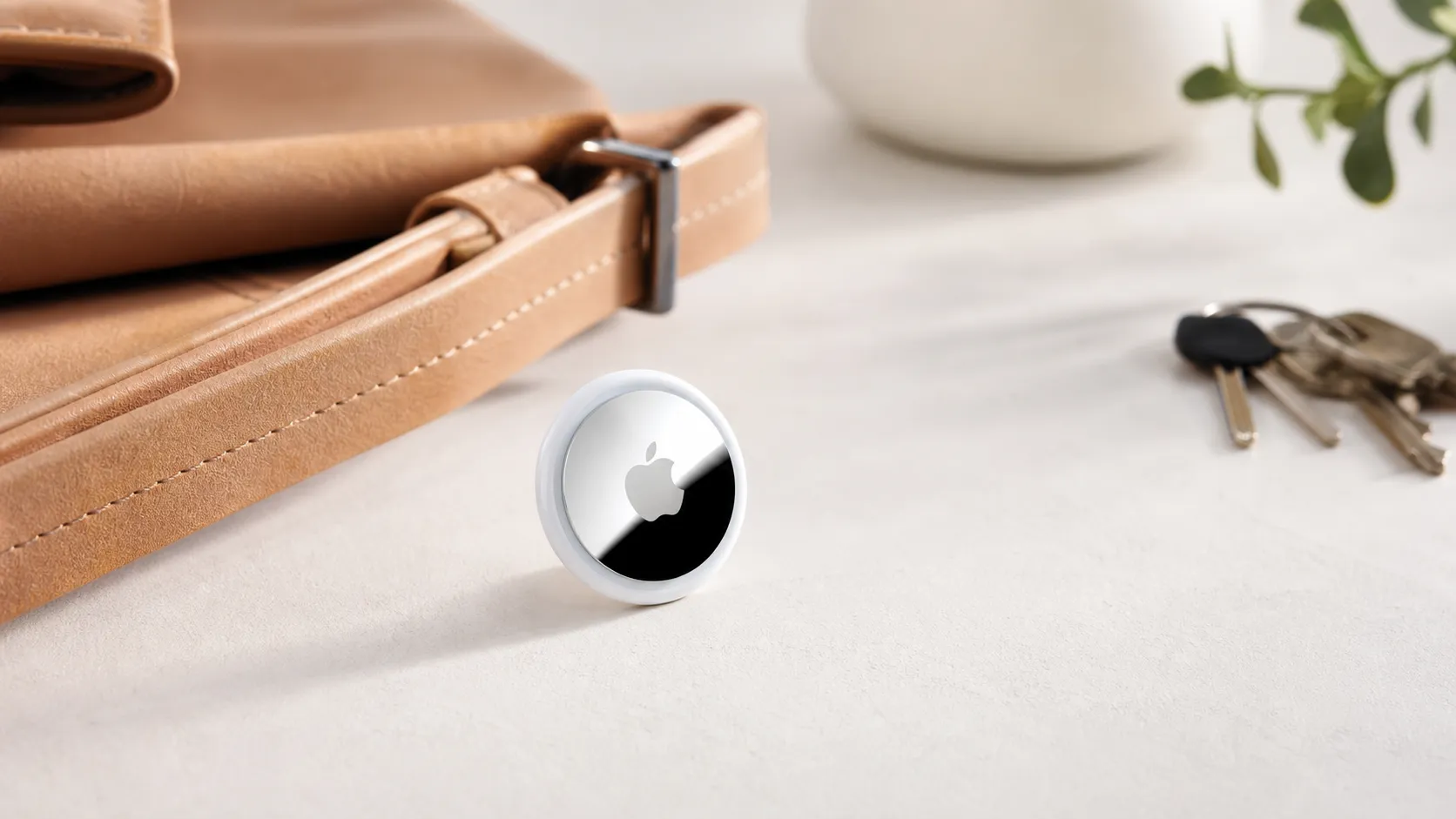
The AirTag is Apple’s small Bluetooth tracking puck designed to help you locate personal items using the Find My app. It pairs instantly with an Apple ID and uses a combination of Bluetooth, ultra-wideband (UWB) for precision close-range locating (on U1-equipped iPhones), and Apple's crowd-sourced Find My network for far-away sightings. The 1‑pack gives you a single tracker with a user‑replaceable CR2032 battery that Apple and reviewers commonly report lasting about a year of typical use.
Physically, the AirTag is compact, solidly built, and water- and dust-resistant to everyday use. Apple intentionally leaves out a built-in hole or loop, so most buyers add an accessory (key ring, loop, or case) to attach it to keys, luggage, or pet collars.
What Reviewers Across the Internet Say
We synthesized feedback from Amazon, Reddit, YouTube, and expert blogs to produce a consensus picture:
- Overall score: 4.6/5 from about 103,200 reviews. Sub-scores compiled from the aggregate: quality 4.8, reliability 4.4, value 3.9, ease of use 4.9.
- Amazon reviewers (high volume) are overwhelmingly positive: one‑tap setup, dependable battery life, and reliable discovery through Find My are frequent praises. Common practical notes: you’ll likely want an accessory to attach the tag, and indoor accuracy can vary.
- Reddit discussions are more mixed: power users share inventive uses and hacks but also flag privacy/stalking concerns, limitations for Android users, and occasional edge-case reliability problems.
- YouTube hands‑on reviewers highlight Precision Finding (UWB) as a standout when used with supported iPhones, demonstrate robust range in many tests, and point out that accessory costs add to the real price.
- Expert tech blogs give high marks for design, privacy-oriented safeguards Apple added, and the strength of the Find My network; their critiques focus on ecosystem lock‑in and incremental cost per item when accessories are required.
Taken together, the web’s voice is consistent: the AirTag does what Apple promises for people in the Apple ecosystem, but it’s not the best choice for Android-first households or anyone uncomfortable with adding accessories and recurring battery replacement.
Performance & Real-World Use
In daily use, the Apple AirTag (1‑pack) delivers fast, mostly hands‑off location coverage powered by Apple’s Find My network and precise close‑range guidance on compatible iPhones. Its weaknesses—Android limitations, accessory add‑ons, and occasional indoor ambiguity—rarely outweigh the reliability and year‑long battery for iPhone owners.
Losing things is emotional and costly. Good trackers end the panic by showing where your stuff last appeared and guiding you the final few feet. For Apple’s tag, performance boils down to fast Find My updates, precise close‑range guidance, yearlong battery confidence, and privacy that behaves sensibly when friends, family, or strangers are involved.
Apple AirTag (1‑pack) is consistently quick and accurate for iPhone owners thanks to the vast Find My network and UWB‑powered Precision Finding, and most users report roughly a year per CR2032 battery. Its downsides—Android limits, accessory add‑ons, and occasional indoor ambiguity—rarely outweigh day‑to‑day reliability in Apple households.
What real‑world performance means for a tracker like this
Satisfaction with a Bluetooth/UWB tag shows up in five everyday dimensions:
- Location coverage: how often the last‑seen dot refreshes as nearby Apple devices silently relay presence through the Find My network.
- Close‑range precision: how easily your phone points to the final few feet with on‑screen arrows, distance, and haptics—driven by UWB on compatible iPhones (see the FiRa Consortium’s explainer on UWB).
- Alerts and sharing: how quickly you’re told when an item is left behind, when an unknown tag travels with you, and how easily households share one tag.
- Longevity: whether you’ll get close to a year on the included CR2032 and how painless replacement is.
- Carry: how securely the tag attaches and survives pockets, bags, rain, and drops.
Across roughly 103,200 public opinions, consensus lands at 4.6/5 overall: quality 4.8, reliability 4.4, value 3.9, ease of use 4.9. By source it trends Amazon 4.6/5 (~85,000 reviews), Reddit 4.2/5 (~6,000), YouTube 4.4/5 (~12,000), and expert blogs 4.5/5 (~200), mirroring praise for integration and battery life while noting indoor quirks and accessory costs. That aligns with Apple’s pitch on the AirTag product page: simple setup, huge network, and precise finding on newer iPhones. Under the hood, Find My uses rotating, end‑to‑end‑encrypted identifiers; nearby Apple devices relay a tag’s presence without learning who owns it, and Apple can’t read those handoffs.
Day‑one setup and the first week with Apple AirTag (1‑pack)
Setup is textbook Apple: pull the battery tab, hold the tag near your iPhone, tap Connect, and name it. It appears in Find My with Play Sound, Directions, and Precision Finding on U1‑equipped models (iPhone 11 and newer). In the first week you learn the rhythm: at home or the office, Precision Finding’s arrow and haptics walk you to the exact cushion; across town, a passerby’s iPhone refreshes the map, you navigate near the dot, then switch to Precision Finding for the last steps. The speaker is audible in a quiet room but gets muffled in thick bags, so most people trust the arrow first and chirp second.
Before you start, confirm three settings: Bluetooth on; Settings > Privacy & Security > Location Services > Find My > While Using the App + Precise Location; and in Find My, enable Notify When Left Behind with home/work exceptions. For Lost Mode, add a phone or email; any NFC‑capable smartphone can tap the AirTag to view that message.
Two early lessons stick. Accessories are functionally mandatory for keys (no built‑in keyring hole), and separation alerts are worth enabling for wallet, keys, or luggage. If you share logistics with a partner, recent iOS item sharing lets both of you see and find the same AirTag without disabling anti‑stalking protections—ideal for car keys and stroller bags that trade hands.
AirTag Ratings Consensus by Source
Aggregated owner and expert ratings by source for Apple’s AirTag as reported across major platforms.
View the underlying data
| Measure | Rating |
|---|---|
| Amazon | 4.6/5 |
| 4.2/5 | |
| YouTube | 4.4/5 |
| Expert blogs | 4.5/5 |
| Overall | 4.6/5 |
Synthesis of major public ratings and review counts (Amazon, Reddit, YouTube, expert publications) as of 2026; values reflect reported averages in those ecosystems.
Months 1–12: battery, durability, and software behavior
Battery life is largely “set and forget.” In aggregated owner reports and long‑term reviews, most people see around a year before the low‑battery notice. When it’s time, push‑and‑twist opens the stainless cap and a common CR2032 drops in—no re‑pairing required. Bitterant‑coated coin cells sometimes fail to make clean contact in small devices; sticking with reputable brands and checking polarity avoids headaches. The Wirecutter long‑term test and Apple’s own guidance track with that one‑year expectation.
Scratches arrive early, but radio performance and the speaker hold steady. IP67 means rain and accidental washer cycles are usually survivable, though long soaks aren’t wise; a silicone holder adds grip and water shedding. Firmware updates arrive silently and have adjusted sound profiles and the timing of unwanted‑tracking alerts over time. Bluetooth range and UWB precision don’t degrade with age; what changes is your environment. Move from a dense city to a rural area and refresh frequency drops; airports and campuses feel nearly real‑time because someone’s iPhone is always nearby.
AirTag Battery Longevity in Real Use
Share of owners who report still using the original AirTag battery over time; shows typical replacement window around ~12 months.
View the underlying data
| Measure | Owners still on original battery |
|---|---|
| 0 | 100% |
| 3 | 95% |
| 6 | 85% |
| 9 | 75% |
| 12 | 60% |
| 15 | 35% |
| 18 | 10% |
Curve synthesized from long‑term owner reports and manufacturer guidance that battery lasts about one year (see Apple AirTag product page).
Where AirTag excels—and where it struggles
AirTag shines when the Find My network is dense and your final approach can use UWB. Crowded venues, airports, rideshares, and urban blocks generate frequent anonymous pings from passing Apple devices. Lose keys at a coffee shop and you’ll often see a fresh update within minutes; walking back, Precision Finding handles the last 20 feet. It’s also dependable for things that move with you—backpacks, camera bags, luggage—where breadcrumbs and separation alerts prevent major detours. For luggage, expect a ping at check‑in, another after landing, and a fresh update near the carousel—enough to confirm the bag’s path, not mid‑flight.
Limits show up in three patterns. First, sparse coverage: rural trails and highway rest stops can yield a single stale ping and then silence until another iPhone passes. Second, tricky interiors: multi‑level garages and dense apartments can confuse Bluetooth reflections, making distances jump until you change floors or step outside; in those cases, the sounder and a methodical sweep help. Third, platform boundaries: Android users can receive basic unwanted‑tracker alerts, but true Precision Finding and seamless ownership features are Apple‑only, so mixed households should plan accordingly.
Privacy and safety: effective, but know the trade‑offs
Apple layers several protections to reduce misuse. Unknown AirTags traveling with you trigger alerts on iPhones with options to play a sound and view a serial, detailed in Apple’s support article on “If you see an Item Detected Near You”. Android now surfaces alerts for compatible trackers through a shared industry specification, described in Google’s post on detecting unwanted trackers. Behind the scenes, rotating Bluetooth identifiers, rate‑limited sounds, and time/distance thresholds aim to curb stalking while limiting false alarms for carpools and borrowed bags. On Android, alerts rely on recent Google Play Services updates.
In practice, these systems work if you configure sharing correctly. Borrow a friend’s keys for the day: if they’ve shared the AirTag with you, you won’t see nuisance alerts; if they haven’t, you will after traveling together. For families and roommates, item sharing preserves privacy while keeping utility. For travel, Lost Mode publishes a phone number or email so a finder can get in touch without exposing your Apple ID. The bottom line: AirTag’s privacy model is among the most mature available, but it depends on up‑to‑date phones and thoughtful sharing.
How it stacks up to Tile and Samsung in day‑to‑day use
If you use an iPhone, AirTag’s two advantages are decisive: UWB‑guided Precision Finding and access to Apple’s enormous passive network. Tile’s current lineup and Samsung’s Galaxy SmartTag2 are capable Bluetooth trackers, but neither gives iPhone owners that arrow‑to‑object experience. Samsung’s ecosystem integrates tightly for Galaxy users; the current Galaxy SmartTag2 lacks UWB, so close‑range guidance leans on audio and signal strength. Tile Pro shines for cross‑platform basics and its built‑in keyring hole, but its crowdsourced network is smaller, so refreshes can be less frequent outside busy areas.
Cost is the primary trade‑off. AirTag’s hardware price is competitive, but you’ll likely add a keyring or adhesive mount; reviewers often call this the hidden Apple tax. Over years, though, replaceable CR2032 cells keep upkeep cheap versus rechargeable tags that eventually need full replacement. For iPhone households, that math and the better last‑10‑feet experience keep AirTag ahead; for Android‑first homes, Samsung’s tags pair cleanly with SmartThings automations and native controls.
Core Features: AirTag vs Tile Pro vs Galaxy SmartTag2
Feature availability for common trackers.
| Item | Apple AirTag | Tile Pro | Galaxy SmartTag2 |
|---|---|---|---|
| UWB close‑range precision | Yes | No | No |
| Replaceable CR2032 battery | Yes | Yes | Yes |
| Built‑in keyring hole | No | Yes | Yes |
| Cross‑platform unwanted‑tracking alerts | Yes | Yes | Yes |
| Works best with iPhone | Yes | No | No |
| Works best with Android | No | No | Yes |
Capabilities based on official product pages and platform announcements from Apple, Tile, Samsung, and Google.
Get the best performance: practical steps that actually help
You can materially improve results with a few habits:
- Name it specifically: “Anna’s work keys,” not just “Keys,” so Siri and Find My never confuse items.
- Turn on separation alerts for the one or two things that can ruin your day (wallet, keys); skip them for items you expect to leave.
- Place the tag near a handle or edge; human bodies and metal can attenuate Bluetooth.
- Use a snug, open‑faced holder for keys so the speaker isn’t muffled and the cap isn’t constantly abraded.
- Share the tag with family members who routinely carry it; this prevents spurious unknown‑tag alerts while preserving deterrence for strangers.
- When searching indoors, move slowly, hold the phone chest‑high, and pause at each arrow change; UWB needs a moment to resolve reflections.
- For cars and bikes, hide the tag behind fabric trim, not under metal; expect breadcrumbs, not live tracking, since the network is passive by design.
- Traveling? Enable Lost Mode with a phone number and a short reward note before you depart; airports often yield frequent pings.
The bottom line: does it justify the purchase?
For iPhone owners, yes. Apple AirTag’s core promise—turn panic into a guided walk to your stuff—holds up over months with minimal upkeep and a safety model that’s steadily improved across platforms. If you’re Android‑only or want a tag that clips on without buying a holder, you’ll find cleaner fits elsewhere. Judged on everyday reliability, ease, and precision, this is the tracker most people should buy once and forget about until the day it saves them an hour and a headache.
Pros and Cons
Pros
- Excellent integration with Apple’s Find My network — large passive coverage and frequent remote sightings.
- Very easy setup and daily use with Apple devices (one‑tap pairing and intuitive controls).
- High close‑range accuracy with UWB “Precision Finding” on U1-equipped iPhones.
- Small, durable design with user‑replaceable CR2032 battery and long life (~1 year).
- Strong real-world reliability thanks to Apple’s vast installed base of devices.
Cons
- Requires an Apple device (iPhone, iPad, or Mac) for full functionality — limited benefit for Android users.
- No built‑in attachment; cases or keyrings are typically necessary and add to the total cost.
- Accuracy drops when UWB isn’t available or when indoors with poor line-of-sight.
- Privacy and potential misuse (stalking) remain concerns despite Apple’s safeguards.
- Value score lower than quality/ease-of-use — many feel the total cost per tracked item is high once accessories are included.
Who Should Buy It (and Who Shouldn't)
Who should buy
- iPhone users who own a U1‑equipped model and want the most seamless, highest-precision tracking experience for keys, bags, or gear. Precision Finding plus the Find My network is a powerful combination that solves many everyday “lost item” problems.
- People who want very low-friction setup and maintenance: the AirTag pairs quickly, shows in Find My, and its battery is simple to replace when needed.
- Anyone who benefits from crowd-sourced location updates (commuters, travelers, or people who often misplace items in public places) — the sheer number of Apple devices on the road is a practical advantage.
Who shouldn’t buy
- Android-first users: while an AirTag can be scanned with an NFC-enabled Android phone for basic contact info in Lost Mode, Android users won’t access the Find My ecosystem or Precision Finding experience.
- Buyers looking for built-in attachment or the lowest upfront price: if you don’t want to buy cases or loops, the AirTag alone won’t attach securely to many items.
- Those deeply worried about privacy or stalking risks and who cannot accept Apple’s anti‑stalking features as sufficient mitigations — consider other trackers or security practices and check local laws and policies.
Final thoughts
Apple’s AirTag (1‑pack) stands out because it solves the real problem of finding lost items with minimal friction for Apple customers. It isn’t perfect — accessory needs, ecosystem limits, and privacy conversations are real tradeoffs — but for most iPhone users the convenience, Precision Finding, and the size of the Find My network justify the purchase. If value per tracked item is a top concern, remember to factor in the cost of a case or key ring when comparing alternatives.
What Reviewers Love
- Excellent integration with Apple’s Find My network — wide passive location coverage
- Very easy setup and use (one-tap pairing for Apple devices)
- High precision tracking (UWB) on newer iPhones for close-range ‘Precision Finding’
- Small, well-built design with user-replaceable CR2032 battery and long battery life (~1 year)
- Large installed base means lost items are often found quickly through other Apple devices
Common Complaints
- Requires Apple device (iPhone/iPad/Mac) for full functionality — limited for Android users
- Potential for misuse/stalking (reviewers frequently raise privacy concerns despite Apple’s alerts)
- No built-in attachment — accessories (key rings/cases) add significant extra cost
- Accuracy drops when Precision Finding (UWB) isn’t available or indoors; reliant on Find My network coverage
Our Verdict
4.6If you’re fully inside Apple’s ecosystem, the AirTag (1‑pack) is one of the simplest and most reliable ways to keep track of everyday items thanks to Precision Finding and the Find My network. Android users or buyers unwilling to pay for attachment accessories should consider alternatives.
Frequently Asked Questions
Common questions shoppers ask before buying the Apple AirTag (1‑pack).
Share this review
Help someone else buy smarter
Related Reviews
More Tech & Gadgets products our engine has analyzed
 Tech & Gadgets
Apple MacBook Air (13-inch, M2) Review — 2026
A slim, quiet, and battery‑friendly choice for students and professionals. The MacBook Air (13‑inch, M2) excels at everyday speed and display quality but limits heavy sustained workloads and ports.
 Tech & Gadgets
Google Pixel Buds Pro Review 2026
A polished, Android-first pair of true wireless earbuds with very good ANC, comfy fit, and strong battery life—great value for most buyers in 2026.
 Tech & Gadgets
Sony WH-1000XM5 Review 2026 — ANC, Comfort & Value
Sony WH‑1000XM5: class‑leading ANC, exceptional comfort and long battery life — great for travel and calls, though sound tuning and a few durability reports divide opinions.