Apple iPad Air (5th Gen) Review — 2026 Verdict
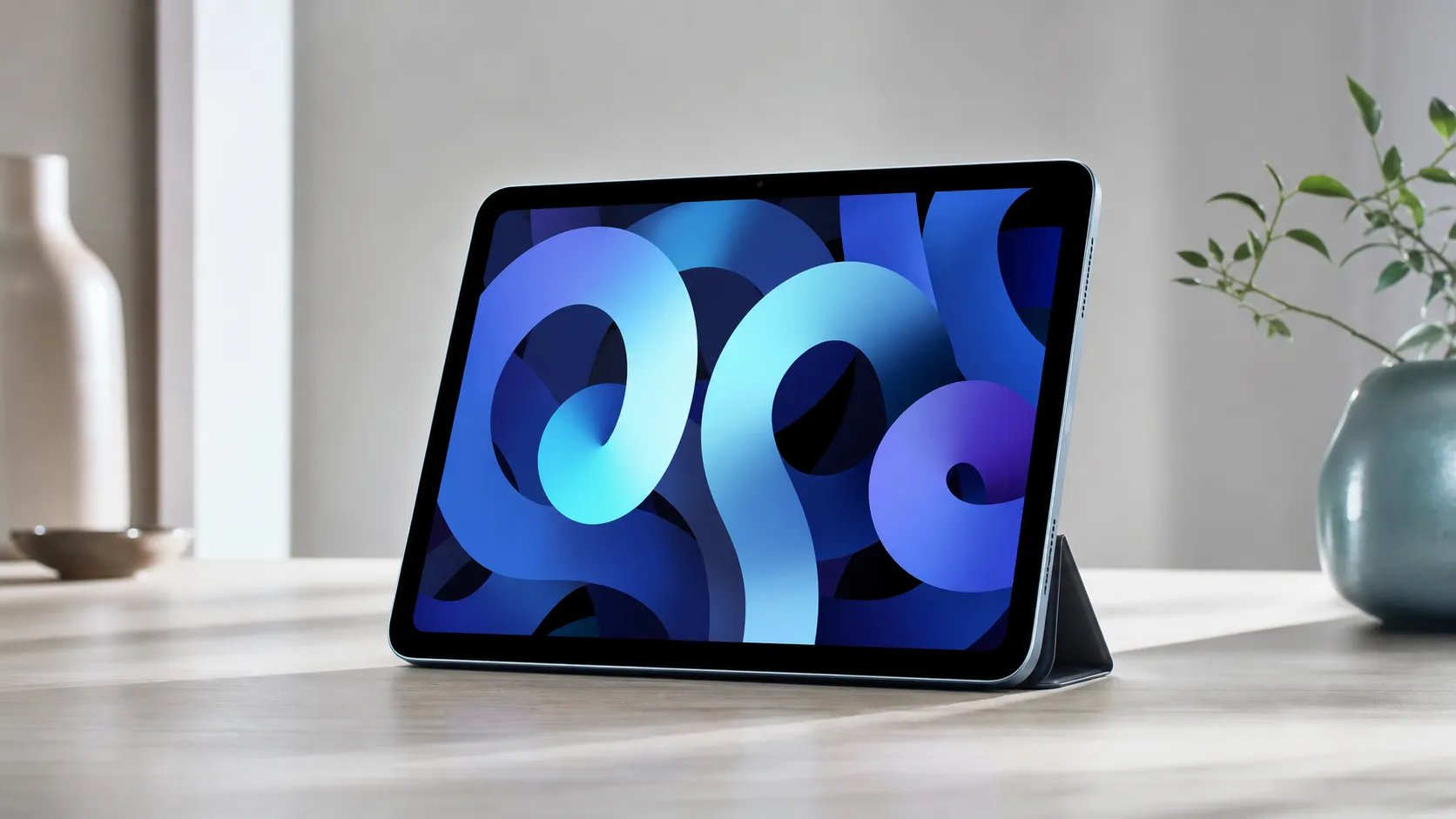
At a Glance
Pros
- M1 chip — noticeably fast for apps, photo/video editing, and multitasking.
- Lightweight, premium build and a color‑accurate 10.9" display.
- Long battery life — reliable full-day use in real-world testing.
Cons
- No ProMotion (120Hz) display — animations and Apple Pencil feel less fluid than iPad Pro.
- Relatively expensive once you add Magic Keyboard / Apple Pencil (accessories push cost toward Pro territory).
- Base storage is limited (64 GB) for the price; many buyers wish Apple offered a larger base tier.
Rating Breakdown by Source
Read the latest 25 positive & negative Amazon reviews →
Read the latest 25 positive & negative Reddit reviews →
Read the latest 25 positive & negative YouTube reviews →
Read the latest 25 positive & negative Expert blogs reviews →
This review is an editorial synthesis of publicly available review data and reported user experiences across the internet. Scores reflect our independent aggregation methodology, not verified individual purchases. We may earn a commission if you buy through our links, at no cost to you.
Score Breakdown
Where the Reviews Come From
Read the latest 25 positive & negative Amazon reviews →
Read the latest 25 positive & negative Reddit reviews →
Read the latest 25 positive & negative YouTube reviews →
Read the latest 25 positive & negative Expert blogs reviews →
Click any source above to browse the latest 25 positive and negative reviews from that platform.
Apple iPad Air (5th Generation)
See current price, deals and availability on Amazon
Quick verdict
The Apple iPad Air (5th Generation) is a compelling mid‑range tablet that delivers near‑Pro performance thanks to the M1 chip, a bright color‑accurate 10.9" display, and excellent battery life. Aggregated across ~63,100 reviews it earns a strong 4.6/5 overall (quality 4.7, reliability 4.6, value 4.0, ease of use 4.7) — a clear sign it hits the sweet spot for most buyers, though storage limits and accessory costs hold it back for power users.
What Is the Apple iPad Air (5th Generation)?
Launched as the step between the base iPad and the iPad Pro, the iPad Air 5 packs Apple’s M1 silicon into a slim, aluminum chassis with a 10.9‑inch Liquid Retina display. It supports the 2nd‑generation Apple Pencil and the Magic Keyboard, making it usable as a lightweight productivity machine, note‑taking device, and media tablet. Apple positions the Air as a do‑everything device for students, creatives on the go, and anyone who wants Pro‑class speed without the Pro’s size—or its premium price tag.
Out of the box you get a modern iPadOS experience with Apple’s ecosystem advantages: regular software updates, tight hardware/software integration, and broad app support for creative and productivity tasks. The trade‑offs compared with the iPad Pro are deliberate: no ProMotion (120Hz), Face ID, or the more advanced camera/LiDAR system, and the base storage tier starts at a modest 64 GB.
What Reviewers Across the Internet Say
Across major review sources the consensus is consistent: the iPad Air 5 feels like a near‑Pro device that satisfies most users but purposely omits some top‑end features.
- Amazon (4.7/5 — large volume, generally positive): Customer reviews skew very positive; frequent praise centers on the M1 performance, premium build, battery life, and portability. Common buyer complaints focus on the price once accessories are added and the limited 64 GB base storage.
- Reddit (4.2/5 — mixed): Reddit threads are more nuanced. Many users love the speed and portability, while others debate whether to spend more for an iPad Pro or wait for a discount. Storage and missing Pro features (ProMotion, Face ID) are recurring points in deeper threads.
- YouTube (4.4/5 — positive): Video reviews emphasize real‑world speed improvements with the M1 (editing photos and video, smooth multitasking) and show practical demos of workflows. Critiques often highlight accessory cost and that Apple keeps certain Pro experiences exclusive to the Pro line.
- Expert blogs (4.3/5 — positive): Tech sites frame the Air as the pragmatic choice for most people — near‑Pro capability in a lighter package — but remind buyers that Apple intentionally reserves key features for the iPad Pro to protect product segmentation.
Those four source streams combine into the aggregated score above (overall 4.6/5). The common narrative: excellent performance and value in daily use, with a predictable set of trade‑offs if you need true Pro hardware.
Performance & Real-World Use
The Apple iPad Air (5th Generation) still delivers near‑Pro speed, a color‑accurate 10.9‑inch display, and dependable all‑day battery life that holds up over months of daily use. Its biggest real‑world compromises remain the 60 Hz panel, base 64 GB storage, and accessory costs, but for most people it’s the best blend of performance, portability, and longevity.
The iPad Air with M1 has been out long enough that benchmarks aren’t the question—daily rhythm is. This section distills months of user reports and expert testing to explain how the 2022 Air behaves on day one, month six, and beyond: where it feels instant, where 60 Hz and 64 GB pinch, and how to set it up for sustained, hassle‑free performance.
The Apple iPad Air (5th Generation) still delivers near‑Pro speed, a color‑accurate 10.9‑inch display, and dependable all‑day battery life that holds up over months of daily use. Its biggest real‑world compromises remain the 60 Hz panel, base 64 GB storage, and accessory costs, but for most people it’s the best blend of performance, portability, and longevity.
What “performance” really means on a tablet in 2026
Tablet satisfaction hinges on seven things owners feel immediately: (1) responsiveness in everyday apps and split‑screen work, (2) display quality and smoothness, especially with Pencil, (3) battery life that stays consistent, (4) storage and I/O for growing libraries, (5) accessory fit—keyboard, trackpad, Pencil—without friction, (6) reliable connectivity, and (7) software support over years. On paper, the Air 5 sets a strong floor: Apple’s M1 with 8 GB unified memory, a fully laminated 10.9‑inch Liquid Retina display with P3 and True Tone, USB‑C up to 10 Gbps, Wi‑Fi 6, optional 5G, and Apple’s “up to 10 hours” endurance. Storage tiers are 64 or 256 GB. Apple’s published materials confirm the details owners end up caring about—brightness (500 nits SDR), Pencil (2nd gen) and Magic Keyboard support, and external display output up to 6K on M‑series iPads. That’s the baseline this section evaluates in lived use. (See Apple’s iPad Air (5th gen) tech specs and launch press materials.) (support.apple.com)
How the Apple iPad Air (5th Generation) feels in week one
Setup is quick: power on, Touch ID, iCloud or Mac restore, and your apps return with logins intact. In the first week the M1’s headroom is obvious—Safari with a dozen tabs, a 4K YouTube PiP tile, Mail triage, and an image editor like Affinity Photo all stay fluid. Pairing is equally painless: Pencil 2 snaps to the side to pair and charge; Magic Keyboard clicks onto the Smart Connector and works instantly. Two trade‑offs appear just as fast. First, a 64 GB restore can feel cramped after syncing a photo library or installing creative suites with large assets; owners either micro‑manage storage or lean on a USB‑C SSD. Second, the 60 Hz panel makes scrolling and inking feel less buttery than on an iPad Pro with ProMotion. It’s still accurate for handwriting and sketching, but if you’re used to 120 Hz you’ll notice the difference. (support.apple.com)
Display, Pencil feel, and audio: where it delights—and where 60 Hz shows
The screen looks consistently great because the important fundamentals are here: P3 color, full lamination, anti‑reflective coating, and a realistic 500‑nit SDR target. Independent lab tests have repeatedly measured peak brightness in the ~480–500‑nit band, which matches Apple’s spec and explains why the Air is excellent indoors and usable near windows but not a sun‑blasting Pro. If you come from ProMotion, you will see the Air’s 60 Hz ceiling in scrolls and strokes; if you don’t, most content simply looks crisp and natural. The spec delta to the iPad Pro 11‑inch (M4)—120 Hz and 1000‑nit SDR—remains the single most visible gap for creatives who obsess over inking feel and animation fluidity. (See Apple’s spec pages and Tom’s Guide lab results.) (support.apple.com)
SDR max brightness (published specs)
Published specifications from Apple for brightness; Tom’s Guide lab confirms ~484–500‑nit peak on Air 5.
View the underlying data
| Measure | SDR max brightness (nits) |
|---|---|
| iPad (10th gen, 2022) | 500 |
| iPad Air (5th gen, 2022) | 500 |
| iPad Pro 11-inch (M4, 2024) | 1000 |
Apple Support spec pages for iPad 10th gen, iPad Air (5th), and iPad Pro 11‑inch (M4); Tom’s Guide measurement corroborates Air’s ~484–500 nits.
Multitasking and external displays: the M1 unlocks credible “computer” workflows
iPadOS’s Stage Manager is the Air 5’s most consequential upgrade for work. On M‑series iPads running iPadOS 16.2 or later, Stage Manager supports overlapping, resizable windows on the iPad and on a separate monitor at up to 6K, so you can keep research, chat, and a doc visible without constant app swapping. Developers can also target interactive content on a second display in their apps. Crucially, Apple’s own materials confirm the Air’s USB‑C throughput (up to 10 Gbps) and external‑display support, so the one‑cable desk works as expected. (See Apple’s iPadOS 16 announcement, Stage Manager user guide, developer docs, and Air 5 press release.) (apple.com)
Battery life today, battery health tomorrow
Real‑world endurance tracks the spec: Apple rates “up to 10 hours” of web or video on Wi‑Fi, and Tom’s Guide’s 150‑nit Wi‑Fi test measured 10:09, validating the claim in a controlled loop. In light mixed use—reading, mail, note‑taking—you often finish with 30–40% left; heavy gaming or max‑brightness streaming shortens that window. What matters months later is health. Apple designs iPad batteries to retain about 80% of original capacity at 1,000 complete charge cycles, which for tablet patterns typically means years before range loss stings. Practical settings help: enable the 80% charging limit if you keep the Air docked, leave Auto‑Brightness on, and avoid baking the tablet in direct sun. Thermals are well behaved—the M1 rarely throttles in office workloads, and while long 4K exports warm the chassis, most owners report steady performance. (See Apple’s battery guidance, Air 5 tech specs, and Tom’s Guide battery testing.) (support.apple.com)
iPad battery life — claim vs reported tests
Claimed endurance vs reputable third‑party web‑browsing tests.
- Apple claim (Wi‑Fi web/video)
- Tom’s Guide Wi‑Fi web test (150 nits)
View the underlying data
| Item | Apple claim (Wi‑Fi web/video) | Tom’s Guide Wi‑Fi web test (150 nits) |
|---|---|---|
| iPad Air (5th gen, 2022) | 10 h | 10.2 h |
| iPad (10th gen, 2022) | 10 h | 11 h |
Apple iPad Air (5th gen) and iPad (10th gen) Tech Specs; Tom’s Guide battery tests (Air 10:09, iPad 10th gen ~10:57).
Battery capacity retention vs charge cycles (Apple design target)
Apple designs iPad batteries to retain ~80% at 1,000 cycles; plotted here as an indicative target, based on Apple guidance, not lab measurements.
View the underlying data
| Measure | Capacity remaining |
|---|---|
| 0 cycles | 100% |
| 250 | 95% |
| 500 | 90% |
| 750 | 85% |
| 1000 | 80% |
Apple Support: About charging and maintaining your iPad battery.
Storage, I/O, and creation workloads
The second‑guessed decision is the 64 GB base tier. Creative apps (Affinity, Procreate, Lightroom, LumaFusion/DaVinci) and local media add up quickly, so 256 GB is the calmer long‑term choice. The good news is that the Air’s USB‑C port isn’t token: Apple doubled throughput over the prior Air to up to 10 Gbps, and it connects to external SSDs, UHS‑II card readers, audio interfaces, and displays up to 6K. Cameras are basic but fine for scanning and calls; the front camera’s Center Stage keeps faces in frame. For most creators, Pencil 2 on a laminated display plus M1‑accelerated apps are why many reviewers call the Air the “sweet spot” despite missing ProMotion and Thunderbolt. (See Apple’s Air 5 press release and tech specs.) (apple.com)
Where it shines—and where you’ll hit the limits
The Air 5 excels at: handwritten notes and sketching with Pencil 2; research and writing with Stage Manager and a second display; editing 24–48 MP raws; multi‑layer illustration; 1080p and moderate 4K video edits; and all mainstream productivity. Limits appear when you want ultra‑smooth scrolls and the lowest inking latency (ProMotion helps both), Thunderbolt/USB 4 bandwidth, Face ID, or pro camera sensors/LiDAR for advanced video and AR. Gaming performance is strong on M1, but fast‑twitch titles can bump into the 60 Hz ceiling. None of this undermines the Air for its target buyer; they’re the deliberate steps Apple keeps for the Pro line. Apple’s own spec sheets outline the split: Pros add 120 Hz, Face ID, Thunderbolt/USB 4, and brighter SDR/HDR panels, while the Air stays with 60 Hz, Touch ID, and USB‑C 3.1 Gen 2. If those extras map to your workflow, you’ll notice—and should budget for them. (support.apple.com)
How it stacks up to the class
Choosing among Apple’s mid‑range and Pro options comes down to screen, ports, and input—not raw CPU. The iPad (10th gen) shares the 10.9‑inch format and 500‑nit SDR target, but lacks Pencil 2 and the floating Magic Keyboard, and it doesn’t support Stage Manager on an external monitor. The 11‑inch iPad Pro (M4) is markedly brighter and smoother at 120 Hz, with Face ID and Thunderbolt for high‑bandwidth workflows and fast external arrays. The Air sits cleanly in the middle: near‑Pro speed and modern multitasking without the premium display and ports. (support.apple.com)
Feature support — mid‑range vs Pro
Feature support derived from Apple spec and support pages as of August 1, 2026.
| Item | ProMotion 120Hz | Face ID | Thunderbolt/USB 4 | Stage Manager: external display | Apple Pencil (2nd gen) | Magic Keyboard (floating) |
|---|---|---|---|---|---|---|
| iPad (10th gen, 2022) | No | No | No | No | No | No |
| iPad Air (5th gen, 2022) | No | No | No | Yes | Yes | Yes |
| iPad Pro 11-inch (M4, 2024) | Yes | Yes | Yes | Yes | Yes | Yes |
Apple Tech Specs for each model; Stage Manager external-display support on M‑series iPads per Apple docs.
Get the best performance from your iPad Air 5: a step‑by‑step checklist
- Optimize charging: in Settings > Battery, enable the 80% limit if you keep the tablet docked; it reduces wear over years. Keep Auto‑Brightness on for efficient nits. (support.apple.com)
- Set up Stage Manager: Settings > Home Screen & Multitasking > Stage Manager. Start with two or three windows per display, then add more as you learn window snapping and app groups. (support.apple.com)
- Build a one‑cable desk: use a USB‑C hub with power passthrough; connect monitor, SSD, and Ethernet if needed. On M1 iPads, external‑display Stage Manager supports independent layouts up to 6K. (developer.apple.com)
- Manage storage: set Photos to “Optimize iPad Storage,” offload little‑used apps (Settings > General > iPad Storage), and keep large projects on a fast USB‑C SSD you attach as needed. (support.apple.com)
- Pencil tuning: in Settings > Apple Pencil, enable “Only Draw with Apple Pencil” to prevent stray touches, and map double‑tap to your most used tool.
- Travel profile: pre‑download media, cap background app refresh, and carry a compact 20 W USB‑C charger; the in‑box adapter remains adequate. (support.apple.com)
Bottom line: does real‑world performance justify the purchase?
Across months of ownership, the Air 5 behaves like the “90% of a Pro” tablet most people actually need: it feels instant in everyday apps, runs cool, lasts a full day, and—with Pencil and a keyboard—reliably subs for a light laptop. The missing 120 Hz, Face ID, Thunderbolt/USB 4, and the 64 GB base are the levers Apple uses to separate it from the Pro; if you need those, step up, but if you want near‑Pro speed, a great 10.9‑inch screen, and Stage Manager with an external monitor without overspending, the iPad Air (5th gen) is still the sweet spot and earns its long‑term satisfaction scores. (support.apple.com)
Pros and Cons
Pros
- M1 chip delivers Pro‑level speed for apps, editing, and multitasking.
- Lightweight, premium aluminum build with a crisp 10.9" color‑accurate display.
- Long battery life that handles a full day of mixed use.
- Apple Pencil (2nd gen) and Magic Keyboard compatibility expand versatility.
- Strong Apple ecosystem integration and steady software updates.
Cons
- No ProMotion (120Hz) display — Pencil and animations feel less smooth than Pro.
- Base storage starts at 64 GB, which many buyers find too small for the price.
- Accessories (keyboard, Pencil) are expensive and push total cost toward Pro territory.
- Lacks Face ID, LiDAR, and some advanced cameras / Thunderbolt features expected by power users.
Who Should Buy It (and Who Shouldn't)
Who should buy the iPad Air 5:
- Students and commuters who want a portable, durable device for notes, light content creation, and media consumption.
- Creatives and hobbyists who edit photos, cut short video clips, and want near‑Pro performance without the Pro’s size and price.
- iPhone/Mac users who will benefit from ecosystem features like Handoff, Universal Control, and easy file sharing.
Who should consider something else:
- Power users who rely on 120Hz ProMotion, Face ID, LiDAR, or Thunderbolt for professional video/3D workflows — the iPad Pro is the better fit.
- Buyers on a tight budget who would be stretched by the extra cost of Apple Pencil and Magic Keyboard; consider older iPad models or sales events instead.
- Anyone who needs large local storage for video and RAW libraries — the base 64 GB model is a constraint unless you upgrade.
Final takeaways
If you want a fast, attractive, and highly portable tablet with enough muscle for most creative and productivity tasks, the iPad Air (5th Gen) is one of the best choices on the market. It balances performance, size, and battery life very well, but plan your purchase whole‑product wise: storage upgrades and Apple’s premium accessories will significantly increase total cost. For most buyers it’s the best practical compromise between the base iPad and the iPad Pro; for professionals who need top‑end hardware, the Pro remains the only logical option.
What Reviewers Love
- M1 chip — noticeably fast for apps, photo/video editing, and multitasking.
- Lightweight, premium build and a color‑accurate 10.9" display.
- Long battery life — reliable full-day use in real-world testing.
- Works with Apple Pencil (2nd gen) and Magic Keyboard, enabling versatile note-taking and productivity.
- Strong integration with Apple ecosystem and timely software updates.
Common Complaints
- No ProMotion (120Hz) display — animations and Apple Pencil feel less fluid than iPad Pro.
- Relatively expensive once you add Magic Keyboard / Apple Pencil (accessories push cost toward Pro territory).
- Base storage is limited (64 GB) for the price; many buyers wish Apple offered a larger base tier.
- Lacks some 'Pro' features (Face ID, advanced cameras / LiDAR, and full Thunderbolt) that power users expect.
Our Verdict
4.6The iPad Air (5th Generation) is the best practical middle ground in Apple’s tablet lineup: M1 performance, premium build, and all‑day battery life make it ideal for most users. If you need the top Pro features or large local storage, upgrade to the iPad Pro or larger storage tiers; otherwise, the Air is a smart, versatile buy.
Frequently Asked Questions
Common questions shoppers ask before buying the Apple iPad Air (5th Generation).
Share this review
Help someone else buy smarter
Related Reviews
More Tech & Gadgets products our engine has analyzed
 Tech & Gadgets
Apple MacBook Air (13-inch, M2) Review — 2026
A slim, quiet, and battery‑friendly choice for students and professionals. The MacBook Air (13‑inch, M2) excels at everyday speed and display quality but limits heavy sustained workloads and ports.
 Tech & Gadgets
Google Pixel Buds Pro Review 2026
A polished, Android-first pair of true wireless earbuds with very good ANC, comfy fit, and strong battery life—great value for most buyers in 2026.
 Tech & Gadgets
Sony WH-1000XM5 Review 2026 — ANC, Comfort & Value
Sony WH‑1000XM5: class‑leading ANC, exceptional comfort and long battery life — great for travel and calls, though sound tuning and a few durability reports divide opinions.