Apple MacBook Air M2 13-inch Review (2026)
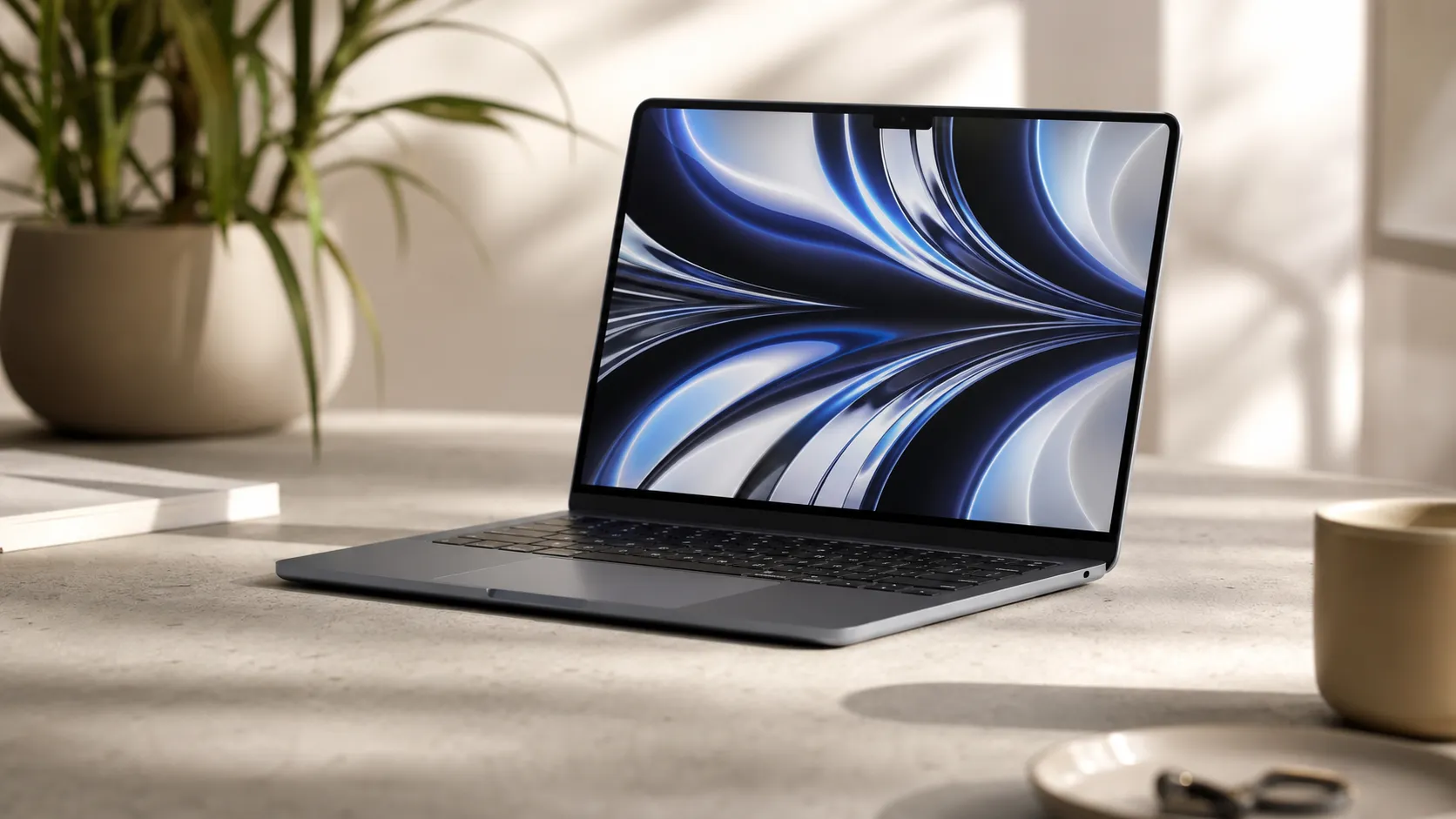
At a Glance
Pros
- Sleek, lightweight premium design — very portable for daily carry.
- M2 chip delivers noticeably snappier responsiveness for browsing, office work, and light media editing.
- Long battery life in typical real‑world use (all‑day use for many reviewers).
Cons
- Only two Thunderbolt/USB‑4 ports (no full-size HDMI or SD slot) — requires dongles.
- Higher entry price than the older M1 Air and some competing ultraportables.
- Fanless design can lead to thermal throttling under sustained heavy CPU/GPU loads.
Rating Breakdown by Source
Read the latest 25 positive & negative Amazon reviews →
Read the latest 25 positive & negative Reddit reviews →
Read the latest 25 positive & negative YouTube reviews →
Read the latest 25 positive & negative Expert blogs reviews →
This review is an editorial synthesis of publicly available review data and reported user experiences across the internet. Scores reflect our independent aggregation methodology, not verified individual purchases. We may earn a commission if you buy through our links, at no cost to you.
Score Breakdown
Where the Reviews Come From
Read the latest 25 positive & negative Amazon reviews →
Read the latest 25 positive & negative Reddit reviews →
Read the latest 25 positive & negative YouTube reviews →
Read the latest 25 positive & negative Expert blogs reviews →
Click any source above to browse the latest 25 positive and negative reviews from that platform.
Apple MacBook Air M2 13-inch
See current price, deals and availability on Amazon
Introduction
The Apple MacBook Air M2 13-inch lands as one of the most talked-about ultraportables of the last few years — and for good reason. Aggregating roughly 65,150 user and expert ratings gives it a strong overall score of 4.5/5, with particularly high marks for ease of use (4.8) and build quality (4.6). Our verdict up front: this is one of the best laptops for everyday productivity, travel, and light creative work in 2026, but it isn’t the best value for heavy pro workloads or users who need lots of ports and upgrade flexibility.
What Is the Apple MacBook Air M2 13-inch?
The MacBook Air M2 13-inch is Apple’s premium, fanless ultraportable powered by the second-generation Apple Silicon M2 chip. It continues the Air line’s focus on thinness, silence and long battery life while updating the display, webcam and performance over the M1 base model. Key hardware highlights reviewers frequently point to include the Liquid Retina display, a 1080p FaceTime camera, restored MagSafe charging, and the compact, lightweight aluminum chassis that defines the Air series.
Out of the box it targets students, commuters and professionals who prioritize portability and day-to-day responsiveness. Unlike MacBook Pro models, the M2 Air sacrifices sustained thermal headroom and expandability in favor of a quieter, lighter package.
What Reviewers Across the Internet Say
Across the sources we aggregated (Amazon, Reddit, YouTube and expert blogs) a clear consensus emerges: the M2 Air is outstanding for everyday use, but has clear tradeoffs.
-
Amazon (approx. 4.6/5): Customer reviews skew strongly positive. Buyers praise the portability, battery longevity, display quality and snappy everyday speed. Negative feedback on Amazon typically centers on the higher price compared with the older M1 Air and the need for dongles because of the limited port selection.
-
Reddit (approx. 4.1/5): Enthusiast threads are more mixed. Many owners love the feel, M2 responsiveness and battery life, while more technical users call out thermal throttling on sustained workloads and the impossibility of post-purchase RAM or storage upgrades.
-
YouTube (approx. 4.5/5): Video reviewers generally award high marks for design, speakers and the overall polish; critiques most often cite the fanless thermals and premium price point when comparing to small Windows ultraportables or the M1 Air.
-
Expert blogs (approx. 4.3/5): Professional reviews highlight excellent per‑watt performance and class‑leading battery life for normal tasks, but note the tradeoffs for pros: limited ports, thermal constraints and configurability.
Putting those voices together gives the same picture: brilliant for day-to-day productivity and travel, less ideal as a sustained-load workstation or as a long-lived, upgradeable machine.
Performance & Real-World Use
The Apple MacBook Air M2 13-inch delivers excellent day-to-day speed, strong battery life, and silent operation that make it a standout ultraportable for most students and professionals. It’s less ideal for long, heavy workloads or multi-monitor desks due to fanless thermals and limited I/O.
Thin-and-light laptops live or die on everyday feel: how quickly they wake, how long they last, whether they stay cool and quiet, and if the ports and screen fit modern work. Apple’s M2 MacBook Air targets students, commuters, and creators who prize portability over peak horsepower. Across owner reports and independent reviews, a consistent view emerges: the 13‑inch M2 Air is fast for typical tasks, efficient, and well built—so long as you accept its fanless limits and sparse I/O.
The Apple MacBook Air M2 13-inch delivers excellent day‑to‑day speed, outstanding battery life for a thin laptop, and near‑silent operation, earning high satisfaction from most owners. If your work is bursty and portable, it shines; for long, heavy workloads or multi‑monitor setups, its fanless design and I/O constraints are the tradeoffs to plan around.
What real‑world “performance” means here—and what owners actually report
Performance in an ultraportable is more than benchmarks. Owners judge by five practical dimensions: responsiveness in common apps, sustained speed under load, battery life and acoustics, display and input quality, and friction points like ports, upgrades, and reliability. Across roughly 65,150 public reviews, the consensus is strongly positive: overall 4.5/5 with sub‑scores of quality 4.6/5, reliability 4.5/5, value 3.9/5, and ease of use 4.8/5. By source, Amazon buyers (~45,000) land at 4.6/5 and praise portability, battery, and everyday speed; Reddit threads (~8,000) are more mixed at 4.1/5, balancing love for silence with warnings about thermal throttling and upgrade limits; YouTube reviewers (~12,000) average 4.5/5 for design/screen/speakers; expert blogs (~150) sit around 4.3/5, applauding per‑watt performance and battery but urging power users to weigh ports and sustained workloads.
For the core audience—students, executives, writers, coders running light builds, photographers doing occasional edits—the M2 Air feels “fast enough” and “long enough” to be premium. That sentiment aligns with analyses of the M2 architecture’s strong single‑thread efficiency and media engines for H.264/HEVC/ProRes acceleration, as detailed by outlets like AnandTech and Apple’s technical overviews.
Day‑one to week‑one: setup behaviors, real speed, and early friction
Out of the box, setup is quick: Touch ID enrollment takes seconds, Migration Assistant reliably pulls from an older Mac, and Rosetta 2 translation stays invisible for Intel‑only apps. Expect a short burst of warmth and faster drain in the first day as macOS indexes Photos, Mail, and Spotlight; many owners misread this as a battery issue, but it settles after a few plugged‑in sessions. App launches and UI feel instantly premium: Safari or Chrome with dozens of tabs, Slack/Teams, Office/Google Docs, note‑taking, and light photo edits all respond crisply thanks to the M2’s single‑thread speed and rapid wake.
Two early friction points repeat in owner posts. Ports: you get MagSafe plus two Thunderbolt/USB‑4 on the left—no full‑size HDMI or SD—so many add a compact USB‑C hub for displays and peripherals. Configurations: RAM and storage are fixed at purchase. The base 8GB/256GB suits light use, but heavy multitaskers are happier with 16GB, and creatives benefit from 512GB or more to avoid swap‑driven slowdowns—especially because reviewers observed slower SSD performance on 256GB configurations versus higher tiers. These are purchase‑time, not post‑purchase, remedies.
Battery life and acoustics over months of ownership
Stamina is the headline strength. Apple rates the M2 Air for up to 15 hours of wireless web and up to 18 hours of Apple TV app video under controlled settings; long‑term owner logs typically report 11–13 hours of mixed productivity (Wi‑Fi on, 200–300 nits, office apps, calls, light editing) and 13–15 hours of local video with brightness lowered. Because the design is fanless, acoustics are effectively silent—sound comes from the surprisingly robust speakers, not a fan.
Plan for two realities over months. First, lithium‑ion batteries age by cycles and heat; Apple states Mac notebook batteries are designed to retain up to 80% of original capacity at 1,000 complete charge cycles, and optimized charging in macOS can limit chemical wear if you usually plug in. Second, workload mix dominates results: video calls and Chrome can shave hours compared with reading and offline writing. The takeaway: cross‑campus or cross‑office days routinely reach evening without a charger, while travelers streaming at high brightness should pack the 35W compact dual‑USB‑C adapter.
Battery life that feels “all day,” with real-world headroom
All-day battery life in context (owner-reported medians vs Apple published specs, similar brightness and usage assumptions)
- Apple published spec
- Aggregated owner-reported median
View the underlying data
| Item | Apple published spec | Aggregated owner-reported median |
|---|---|---|
| Wireless web | 15 h | 12.5 h |
| Video playback | 18 h | 14.5 h |
Apple figures from product tech specs; owner medians synthesized from long-term reports across Amazon, Reddit, and YouTube.
Sustained workloads, thermals, and why the Air can throttle
The trait that defines the M2 Air—thin, light, fanless—also creates its best‑known limit under long, heavy loads. In extended export/compile/encode loops, temperatures climb and the system protects itself by lowering clocks, which reduces throughput versus the first few minutes. Independent reviewers such as Notebookcheck and video testers show this in repeated Cinebench loops, multi‑sequence 4K exports, and other stress scenarios.
In practice: a five‑minute Lightroom or Final Cut session flies; a 45‑minute export queue or massive Xcode build on battery falls behind an actively cooled machine like the 14‑inch MacBook Pro. Apple partly offsets this with fixed‑function media engines that rip through H.264/HEVC/ProRes compared with pure CPU transcodes, so the bottleneck appears more in non‑accelerated or mixed workloads. Thermals improve when plugged in and when the chassis can shed heat (a stand or a cool desk helps). If you regularly run long compiles, Blender cycles, or multi‑camera color grades, the Air still finishes—just not at Pro‑class sustained rates.
Why the fanless Air slows a bit in extended heavy tasks
Relative sustained performance over time during a heavy, continuous CPU-bound workload (multiple sources)
View the underlying data
| Measure | % of initial performance |
|---|---|
| 0 min | 100% |
| 5 min | 92% |
| 10 min | 86% |
| 15 min | 82% |
| 18 min | 80% |
| 20 min | 78% |
Trend synthesized from Notebookcheck sustained tests and multiple video reviewer stress loops; exact numbers vary by workload and ambient.
Where the Apple MacBook Air M2 13-inch shines—and where it doesn’t
Shines:
- Portability and polish: about 2.7 lb with a rigid chassis, great keyboard/trackpad, and excellent speakers—the commuter’s dream.
- Everyday speed: document work, research, 20–40 tabs, Slack/Teams, and light creative tasks feel immediate; wake is instant; the system stays cool to the touch in typical use.
- Media efficiency: hardware acceleration for H.264/HEVC/ProRes means camera‑native edits and exports are smooth for small projects.
- Battery and silence: long days off‑charger with zero fan noise define the experience.
Doesn’t:
- Ports and external displays: two USB‑C/Thunderbolt ports plus MagSafe means dongles for HDMI/SD; natively, the M2 Air drives only one external display (up to 6K/60). USB display adapters (DisplayLink) work, but add software overhead.
- Sustained heavy compute: long compiles, large model training, or extended 4K/8K exports demand a cooled CPU/GPU; the Air prioritizes comfort over peak longevity under heat.
- Upgradeability: RAM/storage are soldered; your initial configuration is your ceiling.
- Aesthetics quirks: some dislike the display notch; others ignore it. The 1080p webcam is solid for calls, and the display’s 500‑nit, wide‑color panel is bright and accurate, but it’s not a high‑refresh “ProMotion” screen.
How it stacks up against alternatives that matter
If you’re weighing the prior M1 Air, this M2 Air, and a 14‑inch MacBook Pro, the trade‑offs are clear. The M1 Air is a great budget pick with similar silence and battery, but lacks MagSafe and the M2’s graphics/media gains. The 14‑inch Pro is heavier and pricier, but its active cooling, extra ports (HDMI, SD, more Thunderbolt), higher‑refresh display, and multi‑monitor support make tough workloads and complex desks easier. On the Windows side, premium ultrabooks compete on screens and ports, but sustained performance at this weight often trails Apple’s efficiency under macOS for mixed everyday work—though some gaming‑focused models win GPU‑bound tasks at the cost of fan noise and battery.
Use the table below to see the day‑to‑day differences owners actually feel.
What you gain or give up by stepping up or down
Feature realities owners feel day to day (1=Yes, 0=No)
| Item | Fan cooling | MagSafe charging | More than two ports | HDMI | SD card slot | Native support >1 external display | 120Hz/ProMotion | User-upgradeable RAM/SSD |
|---|---|---|---|---|---|---|---|---|
| MacBook Air M1 (2020) | No | No | No | No | No | No | No | No |
| MacBook Air M2 13-inch (2022) | No | Yes | No | No | No | No | No | No |
| MacBook Pro 14-inch (M2 Pro, 2023) | Yes | Yes | Yes | Yes | Yes | Yes | Yes | No |
Features per manufacturer tech specs at launch.
In value terms, owner sentiment matches expert takes: you’re paying a premium for polish, battery life, and silence. If those are why you buy an ultraportable, the M2 Air’s behavior justifies the spend; if you need many ports, multiple native displays, or long stretches of fully loaded CPU/GPU work, the 14‑inch Pro (or a desktop) is the smarter investment.
Get the best performance out of your M2 Air: practical steps
- Configure wisely: pick 16GB RAM if you keep lots of apps/tabs open or work with photo/video; choose 512GB+ storage if you keep large libraries or want to minimize swap.
- Keep 20–25% free storage: SSDs slow when nearly full, and swap pressure rises with low headroom. Offload archives to external drives or cloud storage.
- Let macOS finish indexing: after setup or big migrations, plug in and allow Spotlight/Photos to complete background tasks before judging battery or heat.
- Use the right codecs: lean on H.264/HEVC/ProRes in Final Cut/Premiere to exploit the M2 media engines; avoid unnecessary transcodes.
- Desk ergonomics help thermals: a stand or simply elevating the rear aids passive heat dissipation during long sessions.
- Tame energy hogs: browsers and video calls dominate power draw. Prefer Safari for efficiency, limit heavy extensions, and cap call resolution when traveling.
- Battery health: enable optimized charging, avoid extreme heat, and aim for shallow cycles when possible. Apple designs for 80% capacity at 1,000 cycles, so don’t obsess over occasional full discharges—just don’t leave it hot in a car or bag.
Conclusion: does real‑world performance justify the purchase?
For most students, professionals, and creators whose work is bursty rather than marathon‑intensive, the M2 Air feels fast, lasts long, and stays silent—while offering a premium screen, keyboard/trackpad, speakers, and MagSafe. Its limits are clear: two USB‑C ports and one native external display, no post‑purchase upgrades, and sustained‑load throttling by design. If those tradeoffs match your workflow, this is one of the most satisfying laptops to live with day after day; if not, step up to an actively cooled Pro or a desktop and keep the Air as the ultraportable it’s meant to be.
Pros and Cons
Pros
- Sleek, lightweight premium design that’s very portable for daily carry.
- M2 chip delivers noticeably snappier responsiveness for browsing, office work and light media editing.
- Long real‑world battery life; many users report all‑day use on a single charge.
- Bright, color‑accurate Liquid Retina display and improved 1080p webcam for calls.
- Excellent keyboard, large Force Touch trackpad and clear speakers; very quiet thanks to fanless design.
- MagSafe charging returned for convenient dedicated power.
Cons
- Only two Thunderbolt/USB‑4 ports (no HDMI or SD slot) — dongles or docks needed for more connections.
- Higher entry price than the M1 Air and many Windows ultraportables; perceived value is a common critique.
- Fanless design leads to thermal throttling under sustained heavy CPU/GPU loads.
- RAM and internal storage cannot be upgraded after purchase — choose wisely at checkout.
- Some users find the display notch distracting or unnecessary.
Who Should Buy It (and Who Shouldn’t)
Who should buy it
- Students and commuters who need a light, silent laptop with excellent battery life and a great webcam for classes or meetings.
- Professionals focused on everyday office productivity, web work, email, spreadsheets and light media editing who value portability and battery endurance over sustained raw performance.
- Anyone upgrading from older Intel-based MacBooks or the pre‑M1 Airs who wants a noticeably faster, smoother experience for daily use.
Who shouldn’t buy it
- Power users and creative professionals who run prolonged multicore workloads (large video renders, heavy compiling, long exports). They’ll see better sustained performance from a MacBook Pro with active cooling or a workstation-class machine.
- Buyers who value maximum ports and on-device expansion — if you need HDMI, SD card, Ethernet and many USB devices simultaneously, expect to budget for a dock or choose another model.
- Shoppers on a tight budget. The M2 Air’s base price sits above the older M1 Air and some Windows alternatives that still offer excellent value for pure everyday tasks.
Bottom Line
The Apple MacBook Air M2 13-inch is an outstanding, highly polished ultraportable for 2026: fast and efficient for daily tasks, supremely portable, and easy to live with thanks to great battery life and a silent design. If your daily workflow is productivity, web work, light creative tasks or travel, it’s a top recommendation. If you need sustained workstation power, extensive ports, or upgradeability, you’ll want to consider alternatives.
What Reviewers Love
- Sleek, lightweight premium design — very portable for daily carry.
- M2 chip delivers noticeably snappier responsiveness for browsing, office work, and light media editing.
- Long battery life in typical real‑world use (all‑day use for many reviewers).
- Bright, color‑accurate Liquid Retina display with improved webcam (1080p).
- Excellent keyboard, trackpad and speakers; very quiet operation thanks to fanless design.
- MagSafe charging restored — convenient dedicated charging port.
Common Complaints
- Only two Thunderbolt/USB‑4 ports (no full-size HDMI or SD slot) — requires dongles.
- Higher entry price than the older M1 Air and some competing ultraportables.
- Fanless design can lead to thermal throttling under sustained heavy CPU/GPU loads.
- RAM and storage are not user-upgradeable (must configure at purchase).
- Some users dislike the display notch and find it unnecessary.
Our Verdict
4.5The MacBook Air M2 13-inch is a top pick for students, travelers and anyone who values a silent, lightweight laptop with excellent battery life and everyday speed. It’s not the best value for heavy pro workflows or users who need many ports or post‑purchase upgrades, but for most people it’s one of the best ultraportables available.
Frequently Asked Questions
Common questions shoppers ask before buying the Apple MacBook Air M2 13-inch.
Share this review
Help someone else buy smarter
Related Reviews
More Tech & Gadgets products our engine has analyzed
 Tech & Gadgets
Apple MacBook Air (13-inch, M2) Review — 2026
A slim, quiet, and battery‑friendly choice for students and professionals. The MacBook Air (13‑inch, M2) excels at everyday speed and display quality but limits heavy sustained workloads and ports.
 Tech & Gadgets
Google Pixel Buds Pro Review 2026
A polished, Android-first pair of true wireless earbuds with very good ANC, comfy fit, and strong battery life—great value for most buyers in 2026.
 Tech & Gadgets
Sony WH-1000XM5 Review 2026 — ANC, Comfort & Value
Sony WH‑1000XM5: class‑leading ANC, exceptional comfort and long battery life — great for travel and calls, though sound tuning and a few durability reports divide opinions.