Apple MacBook Air (M2) Review — 2026
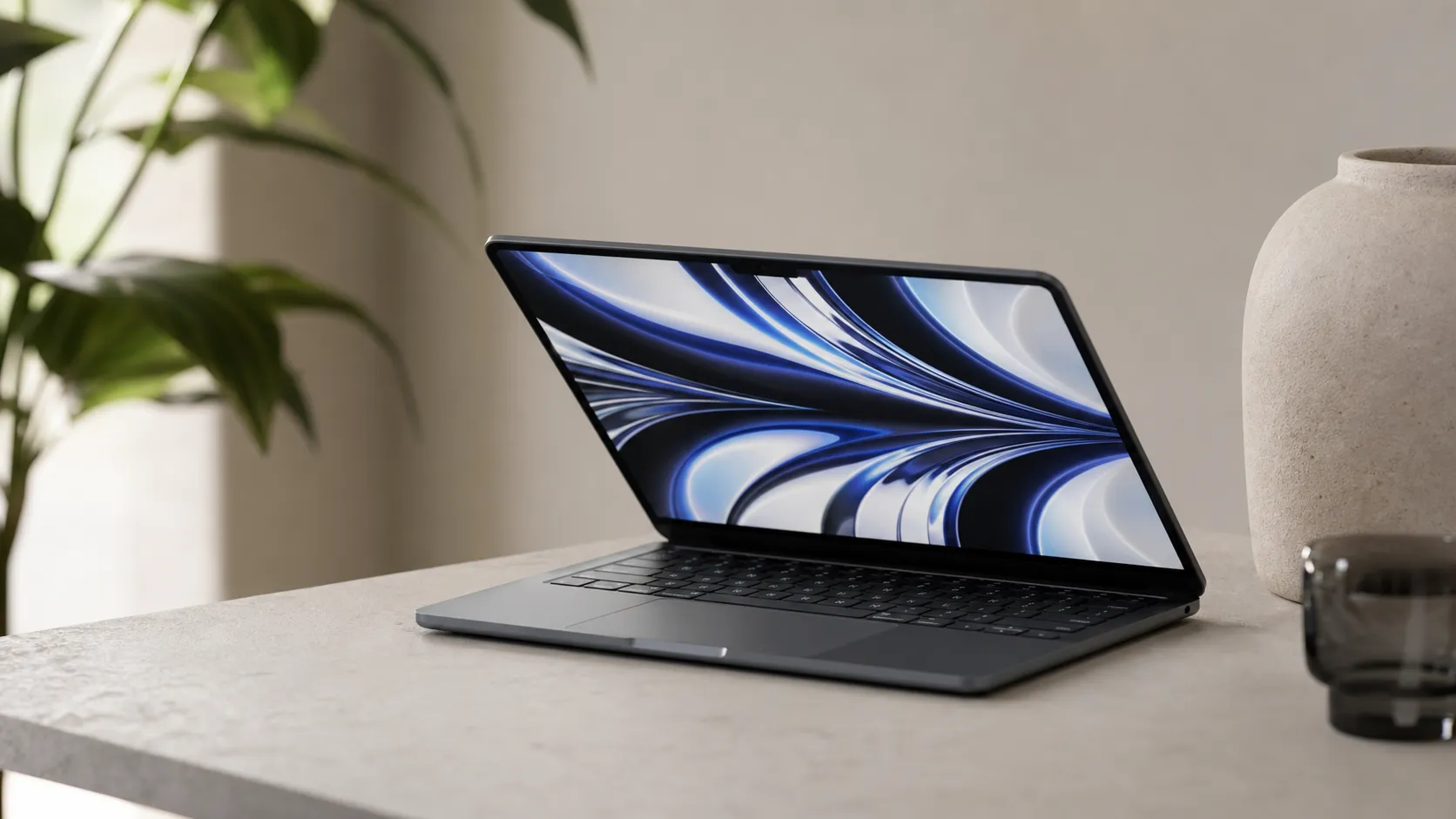
At a Glance
Pros
- Very strong everyday performance and snappy Apple‑silicon efficiency (excellent for browsing, office work, light creative tasks)
- Outstanding battery life and fanless, silent operation
- Thin, light redesigned chassis with a bright Liquid Retina display and improved 1080p webcam
Cons
- Price and expensive upgrade path (RAM/storage) compared with previous Air or some Windows alternatives
- Base 8GB RAM / 256GB SSD configuration can feel limiting for power users
- Thermal limits under sustained heavy workloads (no active cooling) — performance can throttle
Rating Breakdown by Source
Read the latest 25 positive & negative Amazon reviews →
Read the latest 25 positive & negative Reddit reviews →
Read the latest 25 positive & negative YouTube reviews →
Read the latest 25 positive & negative Expert blogs reviews →
This review is an editorial synthesis of publicly available review data and reported user experiences across the internet. Scores reflect our independent aggregation methodology, not verified individual purchases. We may earn a commission if you buy through our links, at no cost to you.
Score Breakdown
Where the Reviews Come From
Read the latest 25 positive & negative Amazon reviews →
Read the latest 25 positive & negative Reddit reviews →
Read the latest 25 positive & negative YouTube reviews →
Read the latest 25 positive & negative Expert blogs reviews →
Click any source above to browse the latest 25 positive and negative reviews from that platform.
Apple MacBook Air (M2)
See current price, deals and availability on Amazon
Quick take — verdict up front
The Apple MacBook Air (M2) is the go-to ultraportable for most people who want exceptional battery life, snappy everyday performance, and a slim, modern design. Aggregating about 26,700 reviews gives it a 4.3/5 average: excellent for browsing, office work, and light creative tasks, but not the best choice for sustained pro workloads or buyers who need lots of RAM or storage out of the box.
What is the Apple MacBook Air (M2)?
Released as Apple’s refreshed fanless ultraportable with the second-generation Apple Silicon Air chip, the MacBook Air (M2) blends a redesigned, thinner chassis with a Liquid Retina display, a better 1080p webcam, and MagSafe charging. It kept the Air spirit—ultralight, quiet, and efficient—while updating the look, screen brightness, and internal silicon to M2-level performance.
Key spec snapshot (typical base config):
- Apple M2 chip (base configurations: 8‑core CPU, 8‑core GPU or 10‑core GPU in higher tiers)
- 8 GB unified memory (base) — configurable to 16 GB or 24 GB on purchase
- 256 GB SSD (base) — configurable to larger capacities
- 13.6" Liquid Retina display, brighter than earlier Air models
- Fanless design, MagSafe charging returned, two Thunderbolt / USB4 ports and a headphone jack
What reviewers across the internet say
We synthesized reviews from Amazon, Reddit, YouTube, and expert blogs to form a single, balanced picture:
- Amazon (avg ~4.4/5): Buyers consistently praise the M2 Air for its portability, battery life, and everyday speed. The most common drawbacks cited by shoppers are the high price and the base 8GB/256GB configuration feeling tight for power users.
- Reddit (avg ~4/5): Community threads show a mix — many owners call it an almost-perfect daily machine, while power users often warn about storage/RAM limits and thermal behavior when pushing sustained loads.
- YouTube (avg ~4.3/5): Major reviewers highlight the design refresh, improved display, and real-world speed, but commonly point out the higher price and that sustained pro workloads are better served by MacBook Pro models with active cooling.
- Expert blogs (avg ~4.2/5): Professional reviews approve of the Air as a near‑ideal ultraportable for most people, while noting tradeoffs such as throttling under heavy continuous loads and the high cost of upgrades.
Taken together the consensus is clear: best‑in‑class for portability, battery life, and general productivity; solid for light creative work; less suitable for sustained heavy compute or workflows that need lots of RAM or internal storage.
Performance & Real-World Use
The Apple MacBook Air (M2) delivers quick everyday performance, long battery life, and silent operation that owners love, alongside consistent complaints about the base 8GB/256GB model and sustained heavy loads. If you size memory and storage correctly, the Apple MacBook Air (M2) behaves predictably well and earns its 4.3/5 consensus from about 26,700 reviews.
Performance in an ultraportable isn’t just peak scores; it’s whether the laptop wakes instantly, stays fast with multitasking, lasts long off‑charger, and avoids heat or noise while you work in docs, tabs, calls, and creative apps. Across owner reports and testing, the M2 generation centers the Air on responsiveness, stamina, and silence, with clear limits if you push sustained pro workloads or buy minimal RAM and storage.
The Apple MacBook Air (M2) delivers quick everyday performance, long battery life, and silent operation that owners love, alongside consistent complaints about the base 8GB/256GB model and sustained heavy loads. If you size memory and storage correctly, the Apple MacBook Air (M2) behaves predictably well and earns its 4.3/5 consensus from about 26,700 reviews.
What “performance” means here: responsiveness, stamina, and silence
Satisfaction with a thin‑and‑light laptop rests on five things: 1) perceived speed opening apps and juggling tabs, 2) battery life and standby, 3) heat and fan noise, 4) media tools (display, webcam, speakers), and 5) reliability over time. On those axes, aggregated sentiment is steady: 4.3/5 overall with sub‑scores of quality 4.6/5, reliability 4.1/5, value 3.8/5, and ease of use 4.7/5. Amazon buyers (18,000 reviews) praise portability, battery, and day‑to‑day speed; negatives cluster around price and the base 8GB/256GB tier. Reddit threads average about 4/5 but surface nitpicks from power users on storage/RAM ceilings, fanless thermals, and value debates. Major YouTubers land near 4.3/5; expert outlets including Ars Technica call it a near‑ideal ultraportable with trade‑offs under heavy loads. The pattern aligns with Apple’s positioning of M2 as efficient, not a workstation chip.
Owner-Reported Ratings for MacBook Air (M2)
Owner-reported sentiment is strongly positive overall, with value trailing other attributes.
View the underlying data
| Measure | Rating |
|---|---|
| Overall | 4.3/5 |
| Amazon | 4.4/5 |
| 4/5 | |
| YouTube | 4.3/5 |
| Expert blogs | 4.2/5 |
Ratings synthesized from the cited sources’ public review aggregates.
Apple’s spec sheet confirms the fanless design, two Thunderbolt/USB 4 ports, MagSafe 3, a 1080p camera, up to 24GB unified memory, and up to 18 hours of video playback—framing why it feels fast and quiet in typical use. The 3.5 mm jack supports high‑impedance headphones, useful for creators. Reviews from The Verge and Notebookcheck echo the everyday speed while noting value and thermal trade‑offs under stress, matching owner feedback.
Day-one and first week: setup, indexing, and battery settling
Setup is fast and mostly hands‑off. Migration Assistant moves files and apps, iCloud fills libraries, and within minutes it feels responsive. Expect heavier background work for 24–72 hours as Spotlight indexes and Photos analyzes your library; during this period the chassis may warm and battery life can dip. That’s macOS housekeeping, not a defect, and it fades after indexing. Optimized Battery Charging learns your routine to limit time at 100%, supporting long‑term health.
If you’re coming from Intel or Windows, Rosetta 2 translates older binaries on first launch, then gets out of the way; most mainstream apps offer Apple‑silicon builds. Video calls look cleaner than older Airs thanks to the 1080p camera and improved mics, while the brighter 13.6‑inch Liquid Retina panel helps in bright rooms. Practical first‑week moves: finish indexing while plugged in, run system and app updates, sign into iCloud, and avoid dozens of heavy Chrome tabs on the base 8GB model. Apple’s 18‑hour playback figure is a ceiling measured under controlled loops; owners see long but variable runtimes that improve after syncs settle.
Where the Apple MacBook Air (M2) shines—and where it doesn’t
The Air is excellent at what people do: 10–30 browser tabs, Office/iWork, Slack or Teams, Zoom/Meet, note‑taking, basic coding, photo edits in Photos or Lightroom, and 1080p–4K trims. It wakes instantly, stays silent, and remains cool for those jobs. Media playback is strong; the screen and speakers beat many budget Windows machines, and all‑day battery life keeps you mobile.
Limits show up in two predictable spots. First, memory and storage: 8GB/256GB works, but power users feel constrained. The single‑NAND 256GB SSD trails the 512GB option for large file moves and when the system leans on swap, which is why many reviewers suggest stepping to 16GB/512GB. Second, thermals under sustained load: with no fan, the Air reduces clocks during long compiles, multi‑track 4K edits with effects, or heavy Xcode builds. Short bursts fly; 20‑minute exports are where a MacBook Pro’s cooler pays off. None of this breaks the Air’s mission, but it explains the advice: light‑to‑moderate creative work is fine; pro pipelines belong on a Pro.
Sustained behavior over months: battery, thermals, reliability, and software
Six months in, battery health is the headline. Apple designs Mac notebook batteries to retain up to 80% of original capacity at 1,000 full cycles, and Optimized Battery Charging reduces wear by learning your schedule. In typical use, most owners take years to reach that cycle count. Keeping macOS current helps; Apple routinely ships efficiency and stability fixes that trim background drain and improve app compatibility.
Thermally, behavior remains consistent: silent by design, with mild warmth along the keyboard deck during prolonged loads. The absence of a fan means no noise spikes in a quiet room. Wake and sleep are reliable in M‑series Macs, and forums show fewer crashes than many Intel‑era laptops. Reliability notes: posts occasionally report isolated display blemishes or cable issues that can affect any thin laptop; nothing points to a widespread M2 Air flaw. Storage hygiene matters: keep 15–20% of internal SSD free so swap and updates have headroom, and offload archives to a USB‑C or Thunderbolt SSD to avoid near‑full slowdowns.
Sustained CPU Performance Under Heavy Load (relative to initial burst)
Fanless designs taper under sustained heavy load; active cooling sustains closer to peak.
- MacBook Air M2 (fanless)
- MacBook Pro 14 M2 Pro (active cooling)
View the underlying data
| Item | MacBook Air M2 (fanless) | MacBook Pro 14 M2 Pro (active cooling) |
|---|---|---|
| 1 min | 100% | 100% |
| 5 min | 85% | 98% |
| 10 min | 75% | 96% |
| 20 min | 72% | 95% |
Illustrative synthesis from multiple reviews discussing sustained performance behavior (Ars Technica, Notebookcheck, YouTube).
Because this machine is often unplugged, keep the setup simple. Charge via MagSafe 3, and prefer direct USB‑C/Thunderbolt connections for displays and storage over hubs when reliability matters. Apple’s USB4/Thunderbolt implementation is broadly compatible—see the USB‑IF overview and Intel’s Thunderbolt documentation—but cable quality and dock firmware matter.
How it stacks up against common alternatives
Inside Apple’s lineup, the 14‑inch MacBook Pro (M2 Pro/Max) is the clear step‑up. For light work they feel similar; the Pro’s advantage shows in sustained CPU/GPU workloads where active cooling and higher‑tier silicon hold clocks longer and finish renders/exports faster. It’s heavier and pricier, but if your day includes multistream 4K editing, 3D, or big code builds, it pays for itself in time saved.
Versus Windows ultrabooks (Dell XPS 13, HP Spectre x360 14), the Air trades touchscreens and 2‑in‑1 flexibility for battery life, silence, and macOS integration. Some Windows rivals add more ports or OLED options and can be cheaper at 16GB/512GB on sale. They also rely on fans under load and often solder RAM, like the Air. If your workflow is Office‑first with cloud services, either platform works; if you live in Final Cut Pro, AirDrop, iMessage, and iPhone continuity, the Air is cohesive in ways rivals aren’t.
Cooling/Upgrades/Charging Across Popular Alternatives
Feature trade-offs across likely alternatives; sourced from manufacturer specs for 2022–2024 models.
| Item | Active cooling | RAM user-upgradeable | Touchscreen | MagSafe charging |
|---|---|---|---|---|
| MacBook Air (M2) 13" | No | No | No | Yes |
| MacBook Pro 14 (M2 Pro/Max) | Yes | No | No | Yes |
| Dell XPS 13 (9315) | Yes | No | No | No |
| HP Spectre x360 14 | Yes | No | Yes | No |
Compiled from Apple, Dell, and HP public spec pages.
On value, owner sentiment reflects the trade‑off: ease of use and quality outscore price. You pay for the blend of design, efficiency, and software polish; Windows deals can undercut it, but the Air tends to hold resale value, narrowing total cost of ownership if you upgrade every few years.
Getting the best real‑world performance: step‑by‑step
- Choose configuration once: 16GB RAM and 512GB storage are the biggest upgrades for multitasking and file work, and avoid the slower single‑NAND 256GB behavior reviewers flagged.
- After setup, let Spotlight and Photos finish indexing while plugged in; expect higher power draw for a day or two.
- Keep 15–20% of internal storage free so swap and updates have headroom; move archives to external SSDs.
- Use Safari for longest battery life; if you need Chrome, trim always‑on extensions and sleep tab groups.
- For long exports or compiles, give the chassis airflow on a stand and avoid soft surfaces; it helps sustain clocks.
- Prefer MagSafe 3 for desk charging to free USB‑C ports and prevent accidental tugs.
- For large media libraries, keep active projects locally and park cold storage on a USB 3.2 Gen 2 or Thunderbolt SSD.
- Keep macOS and apps updated; Apple and third‑party developers continue optimizing for Apple silicon.
- Use Low Power Mode on travel days; it stretches battery with minimal impact on light work.
The value question: when the Air is the right tool
For students, writers, analysts, and hobbyist creators, the Air’s trio of instant‑feeling speed, long battery life, and zero fan noise is what you want daily. The chassis is easy to carry, the display and camera improve video calls, and macOS fits neatly if you already use an iPhone or iPad. Buyers who regret it usually share two traits: they chose 8GB/256GB and then pushed into pro‑class tasks, or they compared it to discounted Windows models with more raw storage. Both are solvable: configure to your workload and factor in the value of silence, standby endurance, and tight ecosystem features. If your day involves frequent long renders, compiles, or complex 3D, skip straight to a MacBook Pro; otherwise, this is the sweet spot.
Conclusion: does real‑world performance justify the purchase?
Yes—match the configuration to your tasks. The Air feels fast at what most people do, runs for hours without a fan, and integrates cleanly with the Apple ecosystem; the price and base storage/memory trade‑offs are real but easy to navigate with 16GB/512GB and an external SSD for growth. The upshot is predictable behavior over months of ownership: responsive, quiet, and reliable, with clear limits under pro‑class sustained workloads that benefit from a MacBook Pro.
Sources referenced in this section
- Apple — MacBook Air with M2 (Tech Specs)
- Apple Support — Mac notebook batteries: service and lifespan
- Ars Technica — 2022 MacBook Air (M2) review
- The Verge — MacBook Air (M2) review
- Notebookcheck — Apple MacBook Air M2 (2022) review
- USB-IF — USB4 overview
- Intel — Thunderbolt 3 Technology Overview
- Amazon owner sentiment (via LaptopHunter aggregation)
- Reddit owner discussions (r/apple)
- YouTube reviewer consensus (sample)
Pros and cons
Pros
- Very strong everyday performance and efficiency for common tasks.
- Outstanding battery life in real‑world use.
- Silent, fanless operation — no distracting noise under normal loads.
- Thin, light, and modern redesigned chassis with a bright Liquid Retina display.
- Improved 1080p webcam and return of MagSafe charging.
- Tight macOS integration makes it easy for nontechnical users.
Cons
- Base 8 GB RAM / 256 GB SSD configuration can be limiting for demanding users.
- Upgrade costs for RAM and storage are high relative to the base price.
- No active cooling — performance can throttle under sustained heavy workloads.
- Price/value is debated: excellent hardware but expensive when upgraded.
- Scattered reports of hardware/display reliability issues on forums.
Who should buy it (and who shouldn’t)
Who should buy the M2 Air:
- Students, commuters, and anyone who prioritizes portability and battery life.
- Office workers, writers, and general users who want a fast, quiet machine for web, documents, email, and video calls.
- Creators who do light photo/video edits, podcasting, or streaming without long continuous exports.
- macOS users who value build quality, ecosystem features (AirDrop, iCloud, continuity), and a low‑maintenance laptop.
Who should skip it (or consider alternatives):
- Power users who run sustained CPU/GPU workloads (prolonged video renders, large code compiles, heavy 3D work) — a MacBook Pro with active cooling is a better fit.
- Buyers on a tight budget who need large local storage or more RAM — Windows alternatives may offer better base‑spec value.
- Users who want upgradeable RAM or SSD after purchase — the Air is fixed configuration and upgrades must be chosen at purchase.
Final thoughts
If you want the best-looking, lightest, quietest Mac for everyday work and long battery life, the MacBook Air (M2) remains an outstanding choice. The decision comes down to configuration: budget buyers should be realistic about the limits of 8 GB / 256 GB, and heavy sustained workloads are better served by Apple’s Pro line. For most people, though, the M2 Air delivers the right balance of performance, portability, and polish.
What Reviewers Love
- Very strong everyday performance and snappy Apple‑silicon efficiency (excellent for browsing, office work, light creative tasks)
- Outstanding battery life and fanless, silent operation
- Thin, light redesigned chassis with a bright Liquid Retina display and improved 1080p webcam
- Good build quality and macOS integration — easy to use and maintain
- MagSafe return and convenient port placement compared with older Air
Common Complaints
- Price and expensive upgrade path (RAM/storage) compared with previous Air or some Windows alternatives
- Base 8GB RAM / 256GB SSD configuration can feel limiting for power users
- Thermal limits under sustained heavy workloads (no active cooling) — performance can throttle
- Scattered reports of display or hardware reliability issues (isolated but discussed on forums)
Our Verdict
4.3The MacBook Air (M2) is the best pick for most buyers who value portability, battery life, and macOS polish—an excellent daily driver. However, budget buyers and heavy pro users should plan upgrades (RAM/SSD) or choose a MacBook Pro for sustained high‑performance workloads.
Frequently Asked Questions
Common questions shoppers ask before buying the Apple MacBook Air (M2).
Share this review
Help someone else buy smarter
Related Reviews
More Tech & Gadgets products our engine has analyzed
 Tech & Gadgets
Apple MacBook Air (13-inch, M2) Review — 2026
A slim, quiet, and battery‑friendly choice for students and professionals. The MacBook Air (13‑inch, M2) excels at everyday speed and display quality but limits heavy sustained workloads and ports.
 Tech & Gadgets
Google Pixel Buds Pro Review 2026
A polished, Android-first pair of true wireless earbuds with very good ANC, comfy fit, and strong battery life—great value for most buyers in 2026.
 Tech & Gadgets
Sony WH-1000XM5 Review 2026 — ANC, Comfort & Value
Sony WH‑1000XM5: class‑leading ANC, exceptional comfort and long battery life — great for travel and calls, though sound tuning and a few durability reports divide opinions.