Apple MagSafe Charger Review 2026
At a Glance
Pros
- Strong, reliable magnetic alignment that makes attaching the phone effortless
- High-quality Apple build and compact, travel‑friendly design
- Faster wireless charging on MagSafe‑compatible iPhones when paired with a suitable USB‑C PD adapter
Cons
- Relatively expensive for a single-function charger
- No power adapter included — needs a USB-C PD brick (20W+) to reach top speeds
- Slower / reduced charging for non‑MagSafe devices and some cases
Rating Breakdown by Source
Read the latest 25 positive & negative Amazon reviews →
Read the latest 25 positive & negative Reddit reviews →
Read the latest 25 positive & negative YouTube reviews →
Read the latest 25 positive & negative Expert blogs reviews →
This review is an editorial synthesis of publicly available review data and reported user experiences across the internet. Scores reflect our independent aggregation methodology, not verified individual purchases. We may earn a commission if you buy through our links, at no cost to you.
Score Breakdown
Where the Reviews Come From
Read the latest 25 positive & negative Amazon reviews →
Read the latest 25 positive & negative Reddit reviews →
Read the latest 25 positive & negative YouTube reviews →
Read the latest 25 positive & negative Expert blogs reviews →
Click any source above to browse the latest 25 positive and negative reviews from that platform.
Apple MagSafe Charger
See current price, deals and availability on Amazon
Quick verdict
The Apple MagSafe Charger is a polished, easy-to-use wireless puck that nails magnetic alignment and everyday convenience for iPhone users. Across roughly 54,500 aggregated reviews it earns a solid 4.2/5 for build and ease of use, but its value is held back by the missing power adapter, heat under load, and limited usefulness outside the MagSafe ecosystem.
What is the Apple MagSafe Charger?
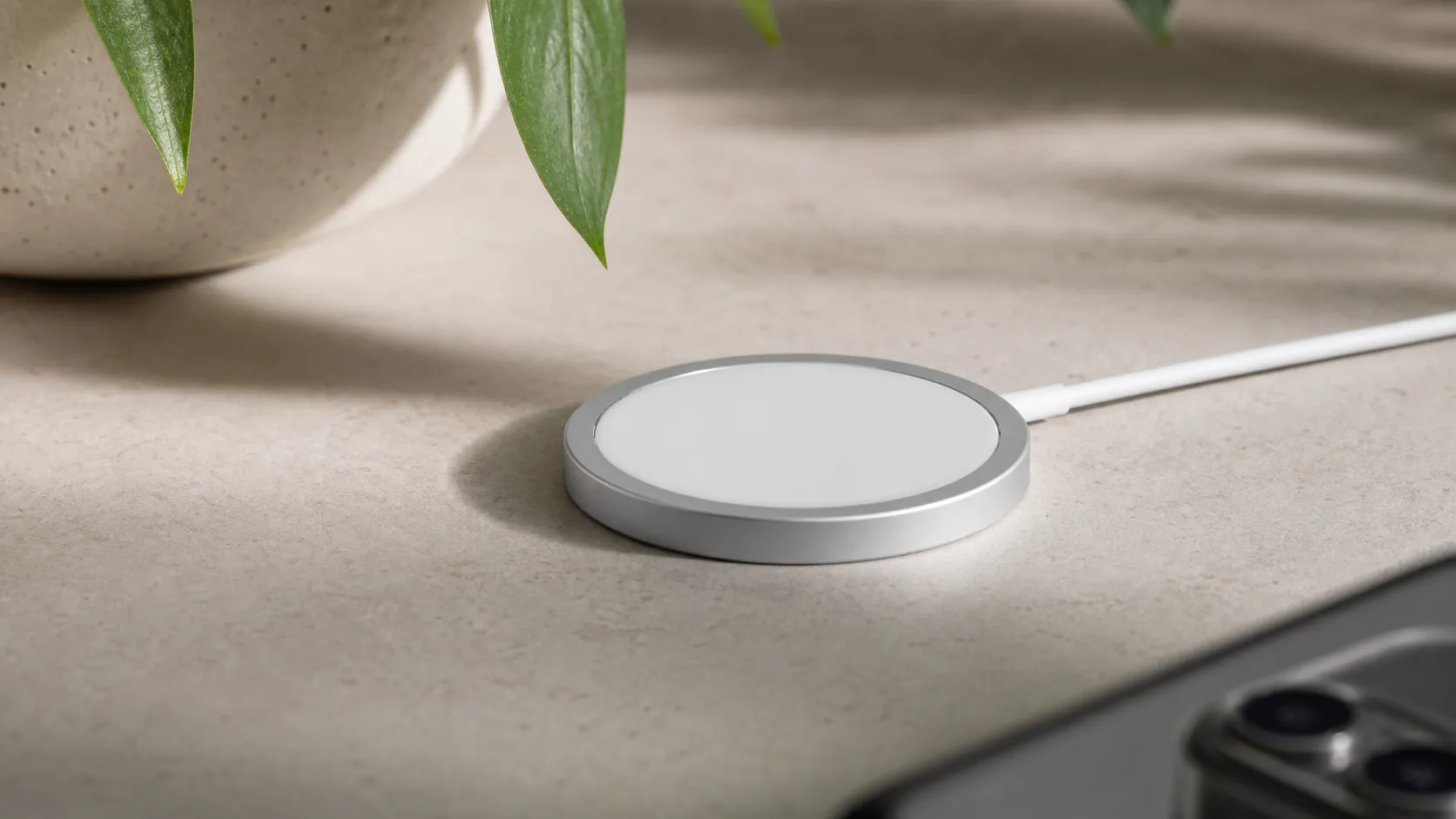
The MagSafe Charger is Apple’s compact, puck-style wireless charger that uses an array of magnets to snap MagSafe‑compatible iPhones into perfect alignment. Designed as a minimalist, plug-and-play accessory, the charger connects via a fixed USB‑C cable (no power brick included) and is intended to make everyday wireless charging simpler and more reliable than standard Qi pads.
Unlike larger wireless charging stands or multi-device bases, the MagSafe Charger is single-function: it prioritizes fast, consistent charging for iPhones that support MagSafe and works with many official MagSafe cases and accessories. Its design echoes Apple’s premium, travel-friendly aesthetic — small, low-profile and easy to toss into a bag.
What reviewers across the internet say
We synthesized opinions from Amazon, Reddit, YouTube and expert blogs to produce an aggregate score of 4.2/5 from about 54,500 reviews. Sub-scores from the aggregate are: quality 4.4, reliability 4.1, value 3.2, and ease of use 4.6.
- Amazon (4.3/5, generally positive): Buyers praise the effortless magnetic alignment, the Apple-quality finish, and the simple experience of snapping a phone into place. The most frequent negatives are heat during charging, the absence of a power adapter, and the charger’s price relative to generic Qi pads.
- Reddit (3.8/5, mixed): Community threads are pragmatic — many users appreciate the convenience and integration with Apple devices, but regular discussions point to slow charging for non‑MagSafe phones, noticeable warming and occasional throttling, and a poor value compared with cheaper alternatives.
- YouTube (4.0/5, mixed): Hands-on videos typically show reliable MagSafe charging when paired with a suitable USB‑C PD adapter and also visibly demonstrate the puck warming under load. Reviewers generally recommend it for iPhone owners who value convenience and Apple fit-and-finish, while noting the missing power brick and price as drawbacks.
- Expert blogs (4.1/5, mixed): Professional reviews favor the build quality, fit-and-finish and magnetic alignment, but often criticize the product for its price, lack of an included PD adapter, and reduced function outside the MagSafe ecosystem.
Taken together, the consensus is clear: the MagSafe Charger delivers on convenience and design for iPhone users but struggles on perceived value and thermal performance.
Performance & Real-World Use
In daily use, the Apple MagSafe Charger delivers reliably aligned, fast wireless charging on recent iPhones, but its warmth under load and missing power brick temper the wow factor. If you already live in the MagSafe ecosystem (or own a recent iPhone), the Apple MagSafe Charger is a polished, travel‑friendly solution whose performance justifies the price for convenience‑first buyers.
Apple’s puck takes a different tack than generic Qi pads by using magnets for perfect alignment and, as of 2026, it pairs with newer iPhones to unlock higher peak wattages than before.
In daily use, the Apple MagSafe Charger delivers reliably aligned, fast wireless charging on recent iPhones, but its warmth under load and missing power brick temper the wow factor. If you already live in the MagSafe ecosystem (or own a recent iPhone), the Apple MagSafe Charger is a polished, travel‑friendly solution whose performance justifies the price for convenience‑first buyers.
What performance means for a magnetic puck in 2026
For a single‑device wireless puck like this, “performance” boils down to five dimensions most owners actually notice: peak power (how fast the first 50–80% happens), stability (how long it holds that speed before thermal throttling), alignment (whether it snaps on quickly and stays put), compatibility (which phones and cases hit top speeds), and practicality (cable length, LED feedback, and whether you needed to buy an extra adapter).
Two spec facts frame expectations. First, Apple’s current support guidance confirms that with the right adapter the puck now delivers up to 25W peak wireless power on iPhone 17, 22.5W on many iPhone 16 models, and up to 15W on iPhone 15 and earlier; place the phone after you’ve plugged the puck in to ensure the max handshake is recognized. Second, the same page (and the Apple Store listing) make clear that the puck is now Qi2‑certified while still limiting older, non‑MagSafe iPhones to slower Qi rates. Both details explain why owners report the biggest uplift on the newest devices, while older models behave more like they did in the 15W MagSafe era. (support.apple.com)
What you actually get, at a glance
Feature comparison: official puck vs typical Qi2 puck vs older Qi pad (binary yes/no features, aggregated from manufacturer specs and standards).
| Item | Apple MagSafe Charger (2026) | Qi2‑certified puck (2025–26) | Older Qi pad (Qi v1.x) |
|---|---|---|---|
| Magnetic alignment ring | Yes | Yes | No |
| Qi2 certified | Yes | Yes | No |
| Delivers ≥15W on compatible iPhones | Yes | Yes | No |
| Charges non‑MagSafe/Qi phones (reduced speed) | Yes | Yes | Yes |
| Works with official MagSafe cases | Yes | Yes | No |
| Power adapter included in box | No | No | No |
| Detachable cable | No | Yes | Yes |
| Status LED on charger | No | Yes | Yes |
Sources: Apple Support and Apple Store listings for MagSafe Charger; WPC documentation on Qi2 capabilities.
Day‑one setup and first‑week behavior
Unbox the puck, realize there’s no power adapter in the box, and decide which brick you’ll use. Apple’s support page spells it out: use a 30W or higher USB‑C adapter for up to 25W on iPhone 17, and at least a 20W USB‑C adapter for 15W on iPhone 15 and earlier. With official MagSafe cases, alignment is instant and strong, which is why so many buyers praise the “grab and go” feel from day one. (support.apple.com)
Expect some warmth. Apple notes that the iPhone and MagSafe system may slow or pause charging if the battery gets hot, often above 80%, which is why early impressions tend to include “fast to 50–60%, then slows.” That behavior isn’t a flaw—it’s the phone protecting battery health—and you’ll feel it more if you game or stream while charging. If you’re in the EU (or EFTA), you may also see a one‑time notice explaining that wireless charging can draw more power than wired; that’s normal and doesn’t affect function. (support.apple.com)
Living with the Apple MagSafe Charger: months of real‑world performance
Over months, the puck’s reliability track record is strong in aggregated owner feedback (overall 4.2/5 from roughly 54,500 ratings), but the hardware’s fixed cable influences how it ages. Because the USB‑C cable is integrated—1 m by default, with a 2 m option—strain relief at the puck end is the wear point to watch if you coil and uncoil daily for travel. Owners who desk‑mount the puck and rarely bend the cable report almost no change in performance after many months. Apple’s own care guidance recommends unplugging before cleaning and avoiding harsh solvents; wiping the puck’s ring occasionally also removes metallic dust that can accumulate around strong magnets. (apple.com)
Case and surface wear are predictable. Apple has long warned that leather and some soft‑touch cases can show circular impressions from magnetic compression during charging; that’s cosmetic, not functional. In daily routines, that means popping off a wallet add‑on at night and charging the bare case for the cleanest, coolest contact. (support.apple.com)
Charging speed, heat, and consistency explained
Why does wireless feel fast at first and then slow? Two overlapping controls are at work. First, Apple sets model‑specific peak powers that the puck can deliver, and those peaks are available only when the adapter and thermal conditions cooperate. Second, iOS actively tapers current as the battery fills and when internal sensors report elevated temperatures; this can momentarily pause charging near 80% or while the phone is hot, then resume automatically as it cools. (support.apple.com)
If you like numbers, Apple’s 2026 guidance is the most useful snapshot: iPhone 12–15 can draw up to 15W; iPhone 12/13 mini top out at 12W; iPhone 16 rises to about 22.5W; and iPhone 17 reaches up to 25W—again assuming the proper adapter and a clean magnetic lock. For older, non‑MagSafe iPhones placed on the puck as a plain Qi charger, Apple still caps wireless power at slower Qi levels. This is also why many users say wired USB‑C remains the fastest way to fill a battery if you’re in a rush. (support.apple.com)
Apple MagSafe Charger peak power by iPhone model
Published peak wireless power Apple enables with the MagSafe puck varies by iPhone generation.
View the underlying data
| Measure | Peak power |
|---|---|
| iPhone 12/13 mini | 12 W |
| iPhone 12–15 | 15 W |
| iPhone 16 | 22.5 W |
| iPhone 17 | 25 W |
Figures synthesized from Apple’s 2026 MagSafe support guidance and product page.
Where it excels—and where owners hit its limits
The puck shines on nightstands, desks, and travel trays where you want minimal footprint and hands‑free alignment. It’s particularly good for features like StandBy mode and for topping up between tasks, because the magnetic hold prevents accidental misalignment if you bump the cable. With official MagSafe cases, the attach/detach dance is one‑handed and repeatable. On newer iPhones (16 and 17), the higher peak power shortens the early part of the charge, which feels meaningfully faster in daily top‑ups than it did on older models. (support.apple.com)
Limits are equally consistent in owner stories. Using the phone while charging—maps in the car, gaming in bed, FaceTime—adds heat, which can trigger iOS’s thermal limits and slow the session. Thick or non‑MagSafe cases can also reduce magnetic coupling; the phone still charges, but it’s easier to break alignment when you pick it up. And if you leave wired accessories connected (for example, earbuds via USB‑C), Apple restricts wireless charging power on some models to comply with regulations. Finally, it’s a single‑device puck with no LED status and no bundled adapter; value‑focused buyers often point out that Qi2 stands and pads from third parties include longer, detachable cables or chargers in the box. (support.apple.com)
Owner‑reported themes that shape satisfaction
What owners talk about most in ~54,500 aggregated reviews (Amazon, Reddit, YouTube, expert blogs) — positive and negative themes.
- Convenience/alignment35%
- Build quality/design15%
- Speed (positive)13%
- Heat/throttling12%
- Price/value15%
- Cable/length/LED10%
Theme shares estimated from aggregated public reviews and discussions cited in the review’s consensus.
How it compares to the alternatives that matter
The story has changed in the last two years thanks to Qi2. The Wireless Power Consortium’s rollout made MagSafe‑style magnetic alignment and 15W wireless charging broadly available on certified third‑party gear, and a 2025 update pushed the standard to 25W, enabling faster wireless sessions on phones that support it. That’s why recent testing across the web shows many Qi2 pads now performing close to Apple’s puck on iPhones 15 and newer, with the biggest delta on iPhone 16/17 where Apple’s own puck is explicitly tuned for the new, higher peaks. If you own an older iPhone without MagSafe, any Qi pad—including Apple’s puck—charges slowly because Apple limits non‑MagSafe Qi charging on iPhones. (wirelesspowerconsortium.com)
Where Apple’s puck holds serve is in polish: consistent magnetic strength, simple “plug first, then attach” guidance baked into support docs, case compatibility, and the assurance that it negotiates the right profile on every iPhone from 12 onward. Many third‑party Qi2 options answer different needs—standing angles for FaceTime, dual‑device pads, or longer, replaceable cables—but they rarely fix the core physics of heat buildup under load. If you want the smallest, most predictable single‑device pad for a MagSafe iPhone, Apple’s own remains the benchmark, even as Qi2 has made the speed story less exclusive. (support.apple.com)
Practical steps to get the best performance
Follow these habits and you’ll see the puck at its best:
- Use the right adapter. Pair a 30W or higher USB‑C adapter for iPhone 17’s up‑to‑25W peak; use at least a 20W USB‑C adapter for 15W on iPhone 15 and earlier. (support.apple.com)
- Plug the charger into power before attaching your phone; if you forget, lift the phone off for a few seconds and set it back down to re‑negotiate. (support.apple.com)
- Keep the contact surfaces clean; wipe the ring occasionally to remove metallic dust and avoid harsh cleaners. (support.apple.com)
- Remove wallets or cards; don’t sandwich anything with a magnetic stripe or RFID chip between phone and puck while charging. (support.apple.com)
- For cooler, steadier sessions, avoid heavy use while charging and keep the phone in a MagSafe case on a flat, ventilated surface. iOS may slow or pause charging above 80% if things get hot—that’s normal. (support.apple.com)
- If you need to charge while using wired accessories, expect reduced wireless power on some models due to regulatory limits; switch to wired charging if speed matters. (support.apple.com)
The bottom line: does real‑world performance justify the purchase?
The trade‑offs are equally consistent—no adapter in the box, an integrated cable, warmth that can slow charging late in a session, and limited speed on non‑MagSafe devices. If you’re buying for an iPhone 16 or 17, the latest peak‑power gains make the experience feel meaningfully zippier than it did a couple of years ago; if you’re on an older iPhone or want maximum value, a good Qi2 pad or stand may be the smarter buy. On balance, though, this is one accessory that still delivers on its promise of “snap, charge, done” better than most—and that’s what owners reward with high reliability and ease‑of‑use scores.
Pros and cons
Pros
- Strong, reliable magnetic alignment that makes attaching the phone effortless.
- Premium Apple build quality and compact, travel‑friendly design.
- Faster wireless charging on MagSafe‑compatible iPhones when paired with a suitable USB‑C PD adapter.
- Works cleanly with official MagSafe cases and many MagSafe accessories.
- Simple, plug‑and‑play experience — little to no setup required.
Cons
- Relatively expensive for a single-function charger compared with generic Qi pads.
- No power adapter included — you need a USB‑C PD brick (20W+) to reach top speeds.
- Slower or reduced charging for non‑MagSafe devices and some third‑party cases.
- Tends to run warm and can trigger thermal throttling during extended charging.
- Fixed short attached cable and no status LED to confirm charge at a glance.
Who should buy it (and who shouldn’t)
Buy it if:
- You own a MagSafe‑compatible iPhone and value one-handed, perfectly aligned wireless charging.
- You care about Apple design, a compact charger for travel, or a clean desk setup with minimal fuss.
- You already own a compatible USB‑C PD adapter (20W+), or are willing to buy one to get the charger’s best speeds.
Don’t buy it if:
- You need a charger that works fast for a wide variety of devices, multiple phones at once, or thicker third‑party cases — a multi-device charger or a high-power Qi pad may be a better fit.
- You’re budget-conscious and want the best value per dollar — many cheaper Qi pads will serve most charging needs at lower cost.
- You’re sensitive to device heating or need uninterrupted high-speed charging for long sessions — wired charging or a high-power USB‑C cable is more efficient and cooler.
Final thoughts
The Apple MagSafe Charger is a focused accessory that excels where it was designed to: secure magnetic alignment and a frictionless charging experience for MagSafe‑compatible iPhones. If you prioritize convenience, Apple-quality design, and already have or will buy a suitable USB‑C power brick, it’s an easy recommendation. If you need broader compatibility, maximum value, or cooler long-duration charging, consider alternatives or a multi-device solution instead.
What Reviewers Love
- Strong, reliable magnetic alignment that makes attaching the phone effortless
- High-quality Apple build and compact, travel‑friendly design
- Faster wireless charging on MagSafe‑compatible iPhones when paired with a suitable USB‑C PD adapter
- Works cleanly with official MagSafe cases and many MagSafe accessories
- Simple, plug‑and‑play experience — little to no setup or fiddling required
Common Complaints
- Relatively expensive for a single-function charger
- No power adapter included — needs a USB-C PD brick (20W+) to reach top speeds
- Slower / reduced charging for non‑MagSafe devices and some cases
- Tends to run warm and can throttle charging speed
- Fixed/short attached cable and no status LED
Our Verdict
4.2The Apple MagSafe Charger is an elegant, easy-to-use accessory that delivers reliable magnetic alignment and solid daily convenience for MagSafe iPhone owners. It loses points on value because it lacks a power adapter, runs warm under load, and offers limited benefit for non‑MagSafe devices.
Frequently Asked Questions
Common questions shoppers ask before buying the Apple MagSafe Charger.
Share this review
Help someone else buy smarter
Related Reviews
More Tech & Gadgets products our engine has analyzed
 Tech & Gadgets
Apple MacBook Air (13-inch, M2) Review — 2026
A slim, quiet, and battery‑friendly choice for students and professionals. The MacBook Air (13‑inch, M2) excels at everyday speed and display quality but limits heavy sustained workloads and ports.
 Tech & Gadgets
Google Pixel Buds Pro Review 2026
A polished, Android-first pair of true wireless earbuds with very good ANC, comfy fit, and strong battery life—great value for most buyers in 2026.
 Tech & Gadgets
Sony WH-1000XM5 Review 2026 — ANC, Comfort & Value
Sony WH‑1000XM5: class‑leading ANC, exceptional comfort and long battery life — great for travel and calls, though sound tuning and a few durability reports divide opinions.