DJI Mini 3 Pro Review 2026
At a Glance
Pros
- Compact, sub-250 g design that avoids registration in many regions and is highly portable
- Impressive camera for the class — sharp 4K video, good low-light performance and true-vertical shooting
- Advanced autonomous modes (FocusTrack, QuickShots) that are effective and easy to use
Cons
- Higher total cost once optional controllers and extra batteries are added
- Obstacle sensing is not full 360° — limitations in complex environments
- Occasional connectivity/firmware quirks reported by some users
Rating Breakdown by Source
Read the latest 25 positive & negative Amazon reviews →
Read the latest 25 positive & negative Reddit reviews →
Read the latest 25 positive & negative YouTube reviews →
Read the latest 25 positive & negative Expert blogs reviews →
This review is an editorial synthesis of publicly available review data and reported user experiences across the internet. Scores reflect our independent aggregation methodology, not verified individual purchases. We may earn a commission if you buy through our links, at no cost to you.
Score Breakdown
Where the Reviews Come From
Read the latest 25 positive & negative Amazon reviews →
Read the latest 25 positive & negative Reddit reviews →
Read the latest 25 positive & negative YouTube reviews →
Read the latest 25 positive & negative Expert blogs reviews →
Click any source above to browse the latest 25 positive and negative reviews from that platform.
DJI Mini 3 Pro
See current price, deals and availability on Amazon
Introduction
The DJI Mini 3 Pro is the compact drone that changed expectations for what a sub-250 g quad can do. Across roughly 37,500 aggregated reviews it earns a strong 4.4/5 overall, and our verdict is straightforward: for travelers, content creators, and hobby pilots who prioritize portability and image quality, the Mini 3 Pro is one of the best small drones you can buy — provided you budget for a few key accessories and accept some sensing trade-offs.
What Is the DJI Mini 3 Pro?
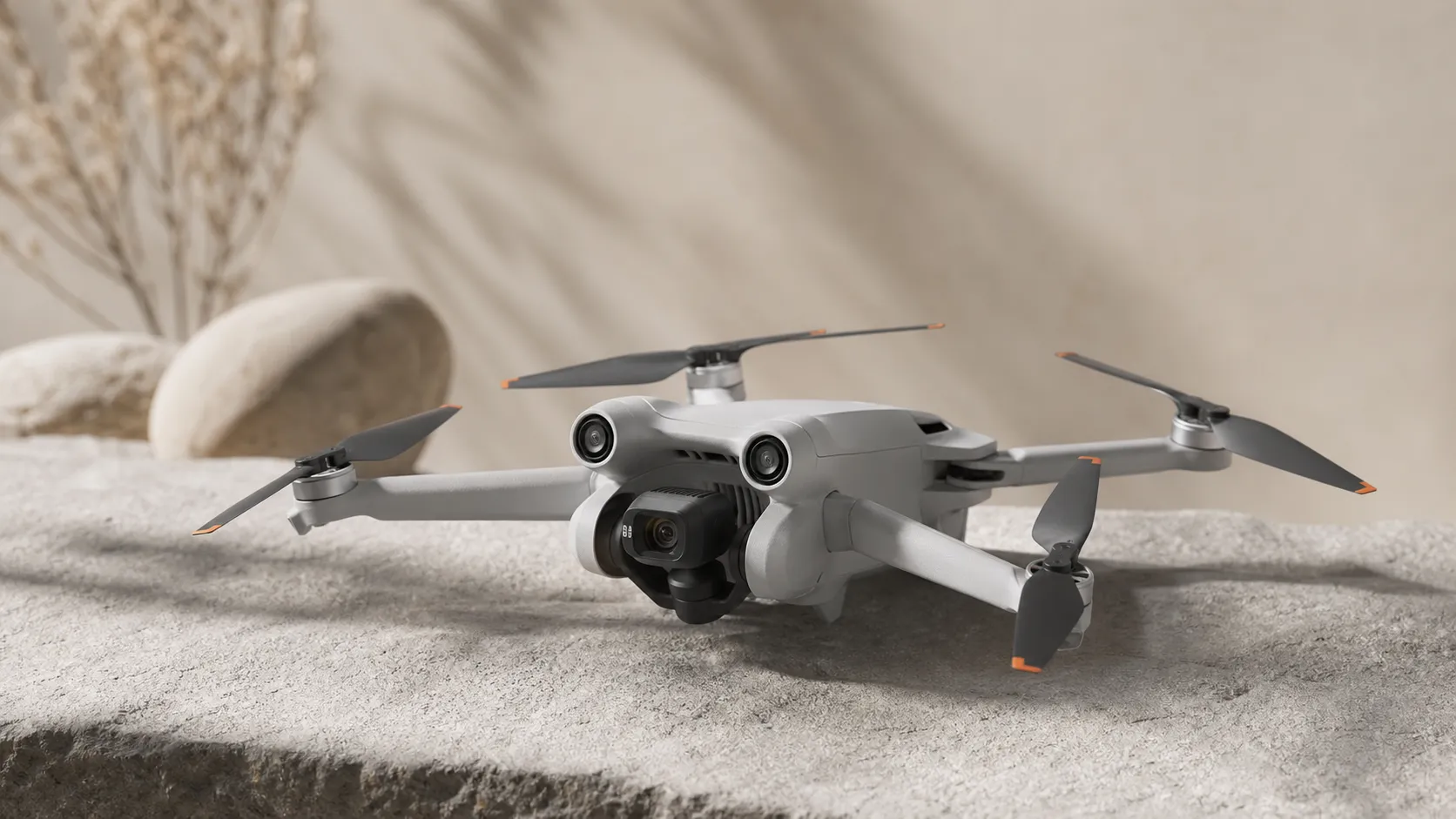
The Mini 3 Pro is DJI’s premium “mini” quad that deliberately targets creators who want pro-quality stills and 4K video without carrying a large aircraft. It’s notable for its sub-250 g class (in standard configuration), which in many countries reduces or removes registration requirements, and for packing advanced imaging features — like a larger sensor than previous Minis, strong low-light performance, and true vertical/portrait shooting — into a pocketable chassis.
Hardware highlights include a stabilized 3-axis gimbal, 4K video capability, and multiple intelligent flight modes (FocusTrack, QuickShots, MasterShots) that make complex shots easier to capture. The drone is offered in different purchase bundles (often including a controller with screen or the lower-cost controller-free option), and there are optional batteries and controllers that increase flight time or convenience — at the cost of extra money and, with some battery upgrades, extra weight.
What Reviewers Across the Internet Say
Across major platforms the consensus is positive but nuanced. Aggregated source scores and themes show:
- Overall rating: 4.4/5 from ~37,500 reviews. Sub-scores: quality 4.6, reliability 4.1, value 4.0, ease of use 4.5.
- Amazon (large-volume customer reviews): ~4.5/5 — buyers praise the Mini 3 Pro’s compactness, image quality, and portability, while many call out the rising total cost once accessories are added and occasional connectivity quirks.
- Reddit (enthusiast communities): ~4/5 — threads mix praise for camera performance and portability with detailed reports about obstacle-sensing limitations, phone/connection issues, and debates about value vs. older/cheaper models.
- YouTube (hands-on reviewers): ~4.3/5 — creators highlight the camera, vertical shooting, and travel convenience; they frequently recommend budgeting for extra batteries and stress caution around non-omnidirectional sensing.
- Expert blogs and reviews: ~4.4/5 — professional reviewers applaud the sensor and flight performance for the class while noting the ecosystem and accessory costs and some feature trade-offs.
Put simply: reviewers agree the Mini 3 Pro is class-leading for imaging and portability, but its true cost and the limits of its obstacle sensing are the main sticking points.
Performance & Real-World Use
The DJI Mini 3 Pro pairs pocketable weight with consistently strong 4K capture and dependable range if you keep line‑of‑sight and manage batteries. Understand its tri‑directional sensing and plan for accessories, and the DJI Mini 3 Pro remains a trustworthy everyday drone in 2026.
A compact drone’s performance is proven in the field: can you bring home stable, good‑looking footage, get meaningful minutes per pack, and keep the link solid when wind or RF noise intrudes? Across Amazon (≈25,000 reviews, 4.5/5), Reddit (≈4,000, ~4/5), YouTube (≈8,000, 4.3/5), and expert blogs (≈500, 4.4/5), consensus is clear: the Mini 3 Pro excels at portability and camera output, while owners warn about sensing coverage gaps and accessory costs. That squares with the 4.4/5 overall from ~37,500 reviews and sub‑scores of quality 4.6/5, ease 4.5/5, reliability 4.1/5, and value 4/5.
In two sentences: The DJI Mini 3 Pro pairs pocketable weight with consistently strong 4K capture and dependable range if you keep line‑of‑sight and manage batteries. Understand its tri‑directional sensing and plan for accessories, and the DJI Mini 3 Pro remains a trustworthy everyday drone in 2026.
What real‑world performance means for a mini drone
For sub‑250 g aircraft, satisfaction hinges on five things: image quality, endurance, link reliability, autonomy that reduces workload, and total kit weight/cost after essentials. The Mini 3 Pro builds on a 1/1.3‑inch CMOS behind an f/1.7 lens, records 4K up to 60 fps with a D‑Cinelike profile, and rotates its gimbal for true vertical framing. DJI’s O3 transmission targets a robust HD feed, while a tri‑directional vision system (forward, backward, downward) underpins FocusTrack, QuickShots, APAS‑assisted avoidance, precision landing, and predictable RTH. Omissions are deliberate: no lateral or upward sensing, and Sport mode disables avoidance. These choices keep weight low and response crisp but define where it’s wise to fly. Capabilities and constraints appear in DJI’s user manual and product materials, which also outline typical ranges for different RF environments. (See DJI User Manual and DJI announcement.)
Day‑one setup and the first week with DJI Mini 3 Pro
Setup is quick with a short checklist: charge batteries and controller, install/launch DJI Fly, activate, then update firmware before first flight. With DJI’s 30 W USB‑C charger, charging takes about 64 minutes for the standard Intelligent Flight Battery and roughly 101 minutes for the Intelligent Flight Battery Plus—useful for rotation planning. (DJI support FAQ.) In the U.S., whether you must register depends on operation and takeoff weight: recreational flyers don’t register sub‑250 g drones, but if you fly under Part 107 or exceed 250 g, registration and Remote ID apply; the Plus battery can push you over. (FAA recreational flyer guidance and Remote ID.) In the EU’s Open category, under‑250 g aircraft fit A1 with fewer restrictions; heavier setups shift you into stricter subcategories—check EASA and your national authority. (EASA overview.)
During week one, fly a few packs in open space. Verify home point, practice RTH, test FocusTrack and QuickShots with generous buffers, and try vertical shooting for social clips. These reps surface the aircraft’s predictability and build habits that prevent the usual early mistakes (gimbal guard left on, RTH height too low, or trusting avoidance in branch lattices).
Flight time, charging, and range in practice
DJI advertises up to 34 minutes on the standard pack and up to 47 minutes on the Plus pack; owners see less in wind, cold, or aggressive maneuvers. The manual lists O3 transmission maximums (up to 12 km FCC) and more realistic “common scenario” distances: roughly 1.5–3 km in dense urban RF and 3–7 km in suburbs when line‑of‑sight is clean. Those figures align with field reports and explain why performance feels rock‑solid within VLOS yet wobbles as buildings, trees, or noisy airwaves intervene. (DJI User Manual.)
DJI Mini 3 Pro endurance in the real world
Flight time: advertised vs. owner‑reported typical (synthesized from multiple long‑term reviews and buyer reports; values are aggregated, not lab measurements).
- Advertised
- Reported typical
View the underlying data
| Item | Advertised | Reported typical |
|---|---|---|
| Standard Battery | 34 min | 25 min |
| Plus Battery | 47 min | 36 min |
Specs from DJI manual/support; typical figures aggregated across public owner reports.
Plan around 20–26 minutes per standard pack and 32–38 minutes per Plus pack, landing with 20–25% reserve to protect batteries and leave decision margin. Two or three batteries and a car charger or power station cover most day shoots; the hub speeds turnarounds but doesn’t remove cool‑down needs before recharging. Props and batteries wear normally—inspect for nicks after sandy or wooded flights, and keep a spare prop set plus screwdriver in the bag.
Camera quality and stabilization over months of use
The camera is the draw. The 1/1.3‑inch sensor, fast f/1.7 optics, 4K60 capture, D‑Cinelike profile, and true vertical gimbal yield crisp detail, pleasing color, and strong stabilization for this weight class. DJI documentation confirms these specs, and creator footage shows the gimbal stays steady unless a prop is dinged or the guard is left on. (DJI documentation.)
Consistency improves when you control exposure. Lock shutter to the 180‑degree rule, add ND filters to keep shutter in range, enable histogram and zebra warnings, and cap ISO in low light. Pixel binning helps at dusk, but noise rises after blue hour; switching to 30 fps, moderating ISO, and keeping moves gentle preserves detail. Re‑calibrate the gimbal after impacts and run compass/IMU calibrations if you notice horizon tilt or yaw drift. Over months, operational discipline matters more than optics: keep fast cards formatted, clean the lens, and avoid leaving batteries full for weeks.
Autonomy and connectivity: how it keeps you safe—and where it doesn’t
Autonomy reduces workload but doesn’t replace judgment. Tri‑directional sensing (forward/back/down) reliably sees larger obstacles and ground during FocusTrack, QuickShots, and normal flight, yet it cannot detect threats from the sides or above; thin branches and wires are hardest. In open trails, shorelines, or clear facades, tracking behaves well and produces usable orbits and follows. In dense canopy, alleys, or scaffolding, keep forward‑facing buffers, avoid sideways drifts, and remember Sport mode disables avoidance entirely. DJI’s announcement and manual describe the sensor layout and which features rely on it. (DJI announcement; DJI User Manual.)
RTH is as dependable as your prep: set a safe RTH altitude above local obstacles, confirm the home point, and watch wind arrows in DJI Fly. The O3 link is robust with a clear Fresnel path; the same manual that lists long‑range maximums also warns interference and obstructions can sharply reduce range in cities. Many owners report fewer dropouts and faster setup after moving from the RC‑N1 (phone‑based) to the DJI RC with an integrated screen, which removes flaky cables, background apps, and battery handoffs. Simple hygiene—sound cables, full charges before updates, and installing firmware at home—solves most connectivity complaints.
Cost of ownership and the accessories that change performance
Value perceptions rise once your kit matches how you fly. The common basket is predictable: at least one extra battery, a multi‑charger, ND filters, fast U3/V30 or better microSD cards, and either the RC‑N1 you own or the DJI RC for friction‑free setup. The Plus battery meaningfully extends endurance but can push takeoff weight above 250 g; in the U.S. that can trigger registration and Remote ID when applicable, and under EU Open rules it can move you out of A1. Review FAA registration/Remote ID pages and EASA’s Open guidance before choosing a battery strategy. (FAA registration, FAA recreational flyers/Remote ID, EASA overview.)
Where the money goes for a Mini 3 Pro kit
What owners typically spend when building a practical kit (synthesis of buyer discussions and review kits; your prices may vary).
- Drone + controller65%
- Extra batteries18%
- ND filters7%
- Charging hub/charger5%
- Memory cards3%
- Carrying case2%
Share-of-spend synthesized from public buyer reports and reviewer kit lists.
Consumables stay modest if you treat them well: land with reserve, avoid hot‑charging, store packs around 60% when idle, and rotate evenly. Props are cheap; replace at the first sign of chips or balance issues. Most long‑term headaches are organizational—cards not formatted in‑drone, ND filters forgotten, or a single worn USB‑C cable causing a flaky link.
How it compares against alternatives and where it shines
Shoppers usually cross‑shop the Mini 2 SE, the Mini 4 Pro, and the Air 3. The Mini 3 Pro keeps the travel‑light advantage while adding true vertical gimbal rotation and solid 4K60; it lacks the Mini 4 Pro’s omnidirectional sensing and newest tracking logic, and it can’t match the Air 3’s larger platform and dual‑camera flexibility. DJI’s comparison tool and product pages outline these differences. (DJI product comparison.)
Which features do you actually get?
Feature comparison of popular alternatives (presence/absence only; compiled from manufacturer documentation).
| Item | DJI Mini 2 SE | DJI Mini 3 Pro | DJI Mini 4 Pro | DJI Air 3 |
|---|---|---|---|---|
| Tri‑directional sensing | No | Yes | No | No |
| Omnidirectional sensing | No | No | Yes | Yes |
| True vertical shooting | No | Yes | Yes | No |
| Subject tracking (FocusTrack) | No | Yes | Yes | Yes |
| D‑Cinelike profile option | No | Yes | Yes | Yes |
Based on DJI product pages and comparison tool.
In practice, the Mini 3 Pro is ideal for hikers and travelers, solo real‑estate shooters who need minimal setup, and creators prioritizing vertical content without reframing. If you routinely thread gaps in forests or work around cranes, catwalks, or cables, the Mini 4 Pro’s all‑around sensing buys real insurance and smoother FocusTrack paths. If budget dominates and you fly wide‑open spaces, the Mini 2 SE is viable but you give up subject tracking, D‑Cinelike, and true vertical.
A practical playbook to get the best performance
- Before you go: Charge all packs, format the card in‑drone, set RTH altitude, download offline maps, and check any registration/Remote ID needs for your operation and takeoff weight. (FAA registration page.)
- On site: Start with a short recon flight to feel wind and interference; enable histogram and overexposure warning; set 4K/30 or 4K/60 and fit an ND to match your shutter target; pick Cine mode for reveals and parallax.
- Framing and movement: Keep forward‑facing buffers in complex scenes; avoid lateral drifts; rehearse FocusTrack/QuickShots in open space before flying near obstacles.
- Battery care: Land at 20–25% remaining; let packs cool before recharging; store around 60% when idle; rotate evenly so one pack doesn’t age faster.
- Link hygiene: Maintain line‑of‑sight, minimize obstructions in the Fresnel zone, carry a known‑good cable, and avoid on‑site firmware updates unless you have time and power.
Conclusion: does real‑world performance justify the purchase?
Yes—within its intended envelope. The broad consensus we synthesized (overall 4.4/5 from ~37,500 reviews; quality 4.6/5, ease 4.5/5, reliability 4.1/5, value 4/5) matches field behavior: reliably excellent footage, very portable kit weight, and autonomy that helps when you fly thoughtfully. If you respect the lack of 360° sensing, set conservative RTH, and budget for a couple of batteries and ND filters, the Mini 3 Pro remains one of the most satisfying camera drones to carry in 2026.
Pros and Cons
Pros
- Compact, sub-250 g design — excellent portability and often easier regulatory status.
- Best-in-class camera for the class: sharp 4K video, strong low-light behavior, and true vertical shooting.
- Solid stabilization and flight feel for smoother footage with less post-processing work.
- Intelligent modes (FocusTrack, QuickShots, MasterShots) that are effective and easy to use.
- Good out-of-the-box color and image quality for social and short-form content.
Cons
- Total cost rises quickly once you add extra batteries, ND filters, and a quality controller.
- Obstacle sensing is not full 360° — limitations in complex or cluttered environments.
- Some users report occasional connectivity or firmware quirks requiring updates or phone workarounds.
- Real-world flight time can fall short of the maximum in demanding conditions.
Who Should Buy It (and Who Shouldn't)
Who should buy it:
- Travelers and creators who prioritize portability and want near-professional imaging without hauling a larger drone. The Mini 3 Pro is especially good for vloggers, social creators, and photographers who need vertical-ready footage.
- Beginners who want something easy to learn but powerful enough to grow into — the intelligent flight modes reduce the learning curve while still offering manual control.
- Pilots who value a sub-250 g aircraft to simplify registration or travel logistics in many regions.
Who should consider something else:
- Pilots who frequently fly in tight, obstacle-filled environments without being able to plan safe lines — a drone with omnidirectional sensing would be safer.
- Buyers on a tight budget who don’t want to pay extra for batteries, controllers, ND filters, or a charging hub. The base price looks attractive until you factor the accessories many reviewers consider essential.
- Users who need maximum flight time in demanding conditions — heavier or larger drones with bigger batteries will outperform the Mini 3 Pro on endurance.
Final thoughts
The DJI Mini 3 Pro is a strong, well-rounded compact drone that raises the bar for what a sub-250 g aircraft can deliver in terms of image quality and creative features. Expect outstanding portability and image results, but plan your budget and flight environments carefully: accessories add cost, and sensing has practical limits.
What Reviewers Love
- Compact, sub-250 g design that avoids registration in many regions and is highly portable
- Impressive camera for the class — sharp 4K video, good low-light performance and true-vertical shooting
- Advanced autonomous modes (FocusTrack, QuickShots) that are effective and easy to use
- Solid image quality and color straight out of the drone; strong stabilization
- Good flight performance and respectable endurance for a mini drone (especially with upgraded battery option)
Common Complaints
- Higher total cost once optional controllers and extra batteries are added
- Obstacle sensing is not full 360° — limitations in complex environments
- Occasional connectivity/firmware quirks reported by some users
- Real-world flight time often below the maximum advertised in demanding conditions
Our Verdict
4.4The DJI Mini 3 Pro is one of the best compact drones for creators who value portability and image quality. It delivers class-leading camera performance and intuitive shooting modes, but buyers should budget for batteries and accessories and be mindful of its non-omnidirectional sensing.
Frequently Asked Questions
Common questions shoppers ask before buying the DJI Mini 3 Pro.
Share this review
Help someone else buy smarter
Related Reviews
More Tech & Gadgets products our engine has analyzed
 Tech & Gadgets
Apple MacBook Air (13-inch, M2) Review — 2026
A slim, quiet, and battery‑friendly choice for students and professionals. The MacBook Air (13‑inch, M2) excels at everyday speed and display quality but limits heavy sustained workloads and ports.
 Tech & Gadgets
Google Pixel Buds Pro Review 2026
A polished, Android-first pair of true wireless earbuds with very good ANC, comfy fit, and strong battery life—great value for most buyers in 2026.
 Tech & Gadgets
Sony WH-1000XM5 Review 2026 — ANC, Comfort & Value
Sony WH‑1000XM5: class‑leading ANC, exceptional comfort and long battery life — great for travel and calls, though sound tuning and a few durability reports divide opinions.