DJI Osmo Action 4 Review (2026): Stabilization & Battery
At a Glance
Pros
- Industry-leading electronic stabilization producing smooth action footage.
- High-quality 4K video and flexible frame-rate options for slow motion.
- Front-facing color screen plus responsive rear touchscreen — great for vlogging and framing.
Cons
- App connectivity and occasional firmware/software quirks reported by users.
- Overheating or recording-time limitations when pushing highest-resolution/high-frame-rate modes (e.g., extended 4K120 clips).
- Internal microphone quality is limited; many users use external audio solutions.
Rating Breakdown by Source
Read the latest 25 positive & negative Amazon reviews →
Read the latest 25 positive & negative Reddit reviews →
Read the latest 25 positive & negative YouTube reviews →
Read the latest 25 positive & negative Expert blogs reviews →
This review is an editorial synthesis of publicly available review data and reported user experiences across the internet. Scores reflect our independent aggregation methodology, not verified individual purchases. We may earn a commission if you buy through our links, at no cost to you.
Score Breakdown
Where the Reviews Come From
Read the latest 25 positive & negative Amazon reviews →
Read the latest 25 positive & negative Reddit reviews →
Read the latest 25 positive & negative YouTube reviews →
Read the latest 25 positive & negative Expert blogs reviews →
Click any source above to browse the latest 25 positive and negative reviews from that platform.
DJI Osmo Action 4
See current price, deals and availability on Amazon
Intro
The DJI Osmo Action 4 arrives as a clear, focused response to what action-shooter vloggers and prosumers asked for: better stabilization, longer battery life, and a front-facing color screen that actually makes recording easier. Across roughly 16,560 aggregated reviews the camera scores an overall 4.2/5 with particularly strong marks for image quality (4.4) and a user-friendly experience — our verdict up front: the Osmo Action 4 is one of the best non-GoPro action cameras you can buy in 2026 if stabilization, 4K footage and vlogging features top your priority list, but you should accept some app quirks and potential thermal limits when pushing the highest frame rates.
What Is the DJI Osmo Action 4?
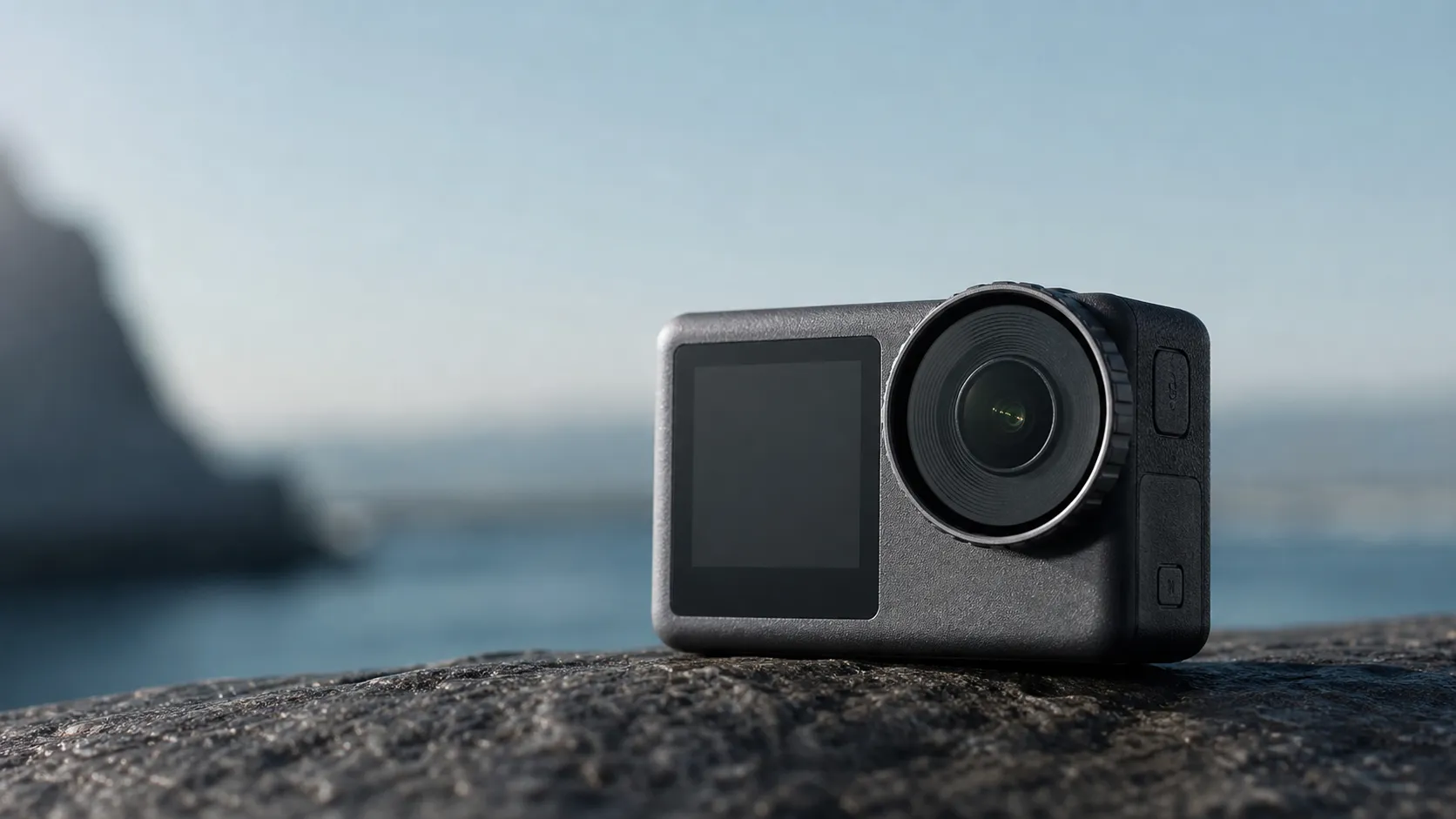
The Osmo Action 4 is DJI’s mid-to-high tier action camera designed to compete directly with GoPro’s flagship lines. It packs a 4K-capable sensor with multiple high-frame-rate options for slow motion, industry-leading electronic stabilization (DJI calls it RockSteady-level tech in user conversations), a responsive rear touchscreen and a full-color front-facing display aimed squarely at vloggers. The unit keeps DJI’s rugged, waterproof design (usable without an external housing) and brings noticeably improved battery life compared with prior Osmo Action generations.
Key specs at a glance
- 4K video up to high frame rates (multiple capture modes for slow motion)
- Front color screen + rear responsive touchscreen
- Advanced electronic stabilization
- Rugged, waterproof design without housing
- Usable Log/profile options for color grading
What Reviewers Across the Internet Say
The online consensus is broadly positive but candid about limits. On Amazon the camera receives strong praise (aggregate ~4.3/5), with customers highlighting smooth stabilization, sharp image quality and the dual screens as major wins. Reddit conversations are more mixed (~3.9/5), offering hands-on tips for firmware quirks, thermal management and audio workarounds — the platform is a great source of user-sourced fixes and accessory suggestions. YouTube reviewers (~4.1/5) consistently showcase side-by-side footage and applaud the stabilization and color; their practical testing often reveals thermal cutoffs during prolonged 4K@120fps capture and recommends external mics for better sound. Professional blogs and expert reviews (~4.4/5) tend to be the most favorable, calling out the Osmo Action 4 as an excellent choice for serious hobbyists and prosumers while pointing to app polish and the accessory/software ecosystem as areas DJI can improve.
Across these sources the recurring themes are clear: outstanding stabilization and usable images are the headline strengths; dual screens and battery life improvements make it friendlier for creators; software/app hiccups, mic quality and thermal limits when pushing extreme modes are the most frequent complaints.
Performance & Real-World Use
The DJI Osmo Action 4 consistently delivers steadier footage and longer, more predictable battery life than most peers at 4K60 and below. It can still overheat in extended 4K120 or hot, stagnant air, and the Mimo‑app activation is a brief hurdle, but for stabilization and battery it’s easy to trust.
Stabilization and battery life decide whether an action cam turns chaotic moments into watchable footage and whether you capture the whole run. DJI targets both with the Osmo Action 4’s RockSteady 3.0/3.0+, rapid USB‑C PD charging, and a cold‑tolerant “Extreme” battery in a housing‑free, 18 m‑rated body that’s built to get wet and keep rolling.
The DJI Osmo Action 4 consistently delivers steadier footage and longer, more predictable runtimes in 4K60 and below than most peers. It can still hit thermal limits at 4K120 or in hot, stagnant air, and app activation adds a brief hurdle, but for stabilization and battery, it’s a dependable daily driver.
What performance actually means here: smoothness, uptime, and thermal headroom
For action cameras, performance means stable motion via EIS and horizon leveling, usable runtimes and fast top‑offs, predictable heat behavior at high frame rates, and real ruggedness without a case. DJI sets clear expectations: RockSteady 3.0/3.0+ with HorizonBalancing and HorizonSteady, 4K up to 120 fps, a 1/1.3‑inch sensor with 10‑bit D‑Log M, 18 m waterproofing, and a 1770 mAh pack rated for up to 160 minutes at 1080p/24 from −20°C to 45°C. The design favors locked‑in 4K over headline 5K numbers; for trails, snow, and surf, stability, runtime, and heat management matter more than pixels. (dji.com)
Key stabilization and durability features at a glance
Stabilization and ruggedness capabilities across common alternatives (Yes/No features, with resolution notes reflected in the text).
| Item | DJI Osmo Action 4 | GoPro HERO12 Black | Insta360 Ace Pro |
|---|---|---|---|
| 360° horizon lock in-camera | Yes | Yes | Yes |
| 4K120 capture | Yes | Yes | Yes |
| ≥5.3K capture | No | Yes | No |
| Waterproof ≥10 m without housing | Yes | Yes | Yes |
| Fast charge to 80% in ≤20 min (30 W PD) | Yes | No | No |
Specs aggregated from manufacturers’ pages and manuals; horizon-lock availability depends on resolution/frame-rate caps stated in each product’s documentation.
Day one with the DJI Osmo Action 4: setup, defaults, and the first week’s learning curve
You must activate through the DJI Mimo app: scan the on‑camera QR, install Mimo, sign in, update firmware, and you’re done. Some Android users note side‑loading friction because Mimo isn’t always in the Play Store, but once activated you can run everything on‑camera and keep Mimo for remote preview and quick transfers. Defaults are smart: 4K/60 with RockSteady 3.0+ and a 16:9 view gives convincing “gimbal‑like” steadiness for biking or running. HorizonBalancing resists tilt up to 4K60; full 360° HorizonSteady locks the horizon at 2.7K60/1080p60. Dual screens are bright; the front may auto‑disable in high‑load modes to preserve battery and headroom. For vlogs, plan a USB‑C mic or DJI Mic—internal mics are passable indoors but wind and road noise will overpower them. (See DJI’s FAQ and specs.) (dji.com, dji.com)
Stabilization where it counts: trails, streets, and surf
Across YouTube stress tests and pro outlets, RockSteady 3.0/3.0+ keeps 4K60 footage steady with minimal rolling‑shutter wobble, and HorizonBalancing holds a straight frame through bumps without a heavy crop penalty. HorizonSteady’s full lock is capped to 2.7K/1080p but is great for chest‑mounted riding, whitewater, or boards where roll swings wildly. Riders and runners mounting the camera to helmets or handlebars report footage that feels gimbal‑like, with narrower FOV from EIS crop as the trade‑off. Color is pleasing out of camera, and 10‑bit D‑Log M adds grading latitude; DJI publishes LUTs for quick Rec.709 conversion, making mixed‑camera edits faster. If you’re intercutting POV with talking‑to‑camera, stick to 4K60 RockSteady for motion and shift to 4K30 for static pieces to save battery and heat margin. (See DJI’s stabilization modes and LUT resources.) (dji.com, dji.com)
Battery life that owners actually see
Published/independently reported runtimes vary by mode and temperature; values shown reflect typical results gathered from reputable reviews.
View the underlying data
| Measure | Runtime |
|---|---|
| 1080p/24 (DJI spec) | 160 min |
| 4K/60 (PetaPixel, 4:3) | 77 min |
| 4K/60 (ComputerBild) | 81 min |
DJI spec and two third-party reviews; ambient temps near 20–25°C and stabilization enabled unless noted.
Battery life, charging speed, and cold‑weather behavior
DJI rates the 1770 mAh Extreme Battery at up to 160 minutes in 1080p/24, a conservative profile used for timelapses or travel B‑roll. In the common 4K60 RockSteady case, sustained tests from established publications cluster around 75–85 minutes per pack, with ComputerBild measuring roughly 81 minutes and PetaPixel seeing about 77 minutes in 4:3 4K60. Charging is a strength: with a 30 W USB‑C PD brick, expect about 80% in ~18 minutes and a full charge in ~49 minutes, so a pit stop can buy another hour of 4K60 recording. Cold‑weather behavior is credible—the Extreme Battery is rated to −20°C and holds charge better than many standard cells; you’ll still see faster drain below freezing, but the camera remains usable for winter sports if you keep spares warm and rotate. (dji.com)
Thermal behavior and the limits you’ll actually hit
Push any action cam—4K120 in direct sun, static tripod shots with no airflow—and heat wins. The Osmo Action 4 follows that rule: extended 4K120 can trigger thermal warnings and stop recording, and static indoor shots in warm rooms shorten takes compared with moving clips where wind cools the shell. Reviewers report wide variance: roughly an hour before shutdown at 4K120 in temperate conditions while moving, but under half an hour when the camera sits still in ~30°C heat. 4K60 is far more forgiving if you keep the camera shaded and moving, especially with the front screen off and Wi‑Fi disabled. Practical strategy: step to 4K60 or 4K30 for long continuous clips, add airflow, and record long sessions in segments so the body can shed heat between takes. (9to5toys.com)
Osmo Action 4 PD charge curve (approximate)
Fast-charge behavior using a 30 W USB‑C PD charger as documented by DJI.
View the underlying data
| Measure | Charge level |
|---|---|
| 0 | 0% |
| 18 | 80% |
| 49 | 100% |
Interpolated from DJI documentation stating ~80% at 18 min and ~100% at ~49 min at 25°C.
Sustained performance after months: firmware, wear points, and accessories
Months in, three factors shape reliability: firmware, connectivity, and the mounts. DJI has shipped firmware updates improving wireless mic stability, exposure logic, and 10‑bit options; keeping both camera and Mimo current reduces pairing snags and adds small usability fixes. The magnetic quick‑release mount remains a strength—fast to swap, secure in rain and spray—but like all friction surfaces, it benefits from occasional cleaning to remove sand or grit. Batteries age predictably; avoid deep discharges and heat, and store around half charge when idle. The Multi‑Battery (Adventure) Case is a smart add‑on: it charges and balances three packs, holds two microSD cards, and works as a small field charger. App connectivity still produces sporadic troubleshooting threads, yet “forget and re‑pair both sides,” then update Mimo and firmware, usually clears issues. (See DJI’s release notes for the cadence of fixes.) (dl.djicdn.com)
Where the camera shines, and where you’ll run into its walls
The Action 4 is most comfortable as a 4K60 RockSteady workhorse for mountain biking, skiing, trail running, paddling, and surf. Its 18 m housing‑free waterproofing encourages spontaneous water shots; add DJI’s dive case to reach 60 m or when heavy impact is likely. Low‑light is a relative win for an action cam thanks to the 1/1.3‑inch sensor and 10‑bit pipeline, though pushing ISO remains a last resort. The walls show in top‑end, high‑bit‑rate modes (4K120) and in hot, still environments, where thermal margins shrink quickly. Internal mics are fine for notes but struggle with wind; a USB‑C mic or DJI Mic is the reliable fix for vlogging and interviews. Also note that the front preview may disable at 4K60+ to protect thermals—plan framing, or drop to 4K30 for a persistent selfie view. (dji.com)
How it stacks up to the usual alternatives on stabilization and battery
Versus GoPro’s HERO12 Black, DJI trades away 5.3K resolution and GoPro’s subscription‑tied software ecosystem, but gains deeper native waterproofing (18 m vs 10 m) and equals stabilization quality at 4K60. HyperSmooth 6.0 and RockSteady 3.0+ are both excellent; each offers horizon‑leveling with resolution caps you should set before a big day. Insta360’s Ace Pro leans on a flip screen and AI features, yet it’s 10 m waterproof without a case and, like DJI and GoPro, relies entirely on EIS. In the metric that matters on a trail—how long a single pack lasts at 4K60—all three land around 70–90 minutes depending on temperature and screen/wireless use. DJI’s 30 W PD recharge to ~80% in ~18 minutes is a real‑world advantage: one hot drink often nets another hour of stabilized 4K60. If 4K120 is your staple, none of these cams is heat‑proof; the Action 4 fares best when it’s moving and out of direct sun. (gopro.com, onlinemanual.insta360.com)
Get the best results: stabilization and battery, step by step
- Start at 4K60 with RockSteady 3.0+; set shutter near 1/120 in good light to avoid motion smear. Enable HorizonBalancing when you expect tilt; use HorizonSteady for full lock and accept the 2.7K/1080p ceiling. (dji.com)
- Choose D‑Log M 10‑bit when you’ll grade, then apply DJI’s D‑Log M to Rec.709 LUT as a base grade; for speed, Normal color in 10‑bit HEVC is an efficient middle ground. (dji.com)
- Extend runtime by disabling the front screen during takes, keeping Wi‑Fi off when not needed, and avoiding direct sun while static. Carry two spares or the Adventure/Multi‑Battery Case; a 15–20 minute PD top‑off between runs can finish a shoot. (repair.dji.com)
- Manage heat: favor 4K30–60 for long clips, record 4K120 in short bursts, keep the camera moving, and segment recordings to give it cool‑down windows. Reviewers who saw short static runtimes reported much longer results with airflow. (airphotography.ca)
- For audio, add a foam windscreen at minimum and consider a USB‑C mic or DJI Mic. Update camera and mic firmware to the latest build before important shoots; DJI’s release notes document stability fixes. (dl.djicdn.com)
Conclusion: is the stabilization and battery performance worth it?
If your purchasing decision hinges on “How smooth will my footage look?” and “How long can I keep rolling?,” the Osmo Action 4 answers both convincingly. It stabilizes 4K60 as well as anything in its class, withstands cold better than expected, and fast‑charges so quickly that real‑world downtime shrinks—while only showing strain during extended 4K120 or when heat has nowhere to go. Rivals still win on sheer resolution and, in GoPro’s case, ecosystem polish, but if you value stabilized 4K and dependable battery performance above spec‑sheet maximums, DJI’s day‑to‑day results justify the purchase for most action shooters. (dji.com)
Sources referenced in this section
- DJI Osmo Action 4 — Official Specs
- DJI Osmo Action 4 — User Manual (v1.2, PDF)
- ComputerBild — DJI Osmo Action 4 im Test
- PetaPixel — DJI Osmo Action 4 Review
- Tom’s Guide — DJI Osmo Action 4 Review
- DJI — Handheld Series Product Charging Guide
- GoPro — HERO12 Black (Official Product Page)
- Insta360 — Ace / Ace Pro Manuals & Specs
Pros and Cons
Pros
- Industry-leading electronic stabilization producing smooth action footage.
- High-quality 4K video and flexible frame-rate options for slow motion.
- Front-facing color screen plus responsive rear touchscreen — very vlogger-friendly.
- Noticeably improved battery life vs. earlier Osmo Action models.
- Rugged, waterproof design that works without an external housing.
- Good color science and useful Log/profile options for grading.
Cons
- App connectivity and occasional firmware/software quirks reported by users.
- Overheating or recording-time limitations when pushing highest-resolution/high-frame-rate modes (e.g., extended 4K120 clips).
- Internal microphone quality is limited; many users rely on external audio solutions.
- Accessory/software ecosystem still lags some competitors, which can matter for power users.
Who Should Buy It (and Who Shouldn't)
Who should buy it
- Vloggers and solo creators who want a front-facing color screen and strong stabilization without the complexity of gimbals.
- Action shooters who value smooth 4K footage and the ability to capture usable slow-motion clips in short bursts.
- Hobbyists and prosumers who want high image quality and Log options for grading but don’t need an entire cinema setup.
Who shouldn't buy it
- Creators who frequently need uninterrupted ultra-high-frame-rate recording (long 4K@120fps sessions) without thermal limits — consider a workflow with active cooling or an external recorder.
- Users who need top-tier built-in audio without using external mics.
- Buyers who prefer a vendor ecosystem with broader third-party accessories and tighter software integration; GoPro users may prefer the continuity of that platform.
What Reviewers Love
- Industry-leading electronic stabilization producing smooth action footage.
- High-quality 4K video and flexible frame-rate options for slow motion.
- Front-facing color screen plus responsive rear touchscreen — great for vlogging and framing.
- Noticeably improved battery life compared with prior Osmo Action generations.
- Rugged, waterproof design that works without an external housing.
- Good color science and usable Log/profile options for grading.
Common Complaints
- App connectivity and occasional firmware/software quirks reported by users.
- Overheating or recording-time limitations when pushing highest-resolution/high-frame-rate modes (e.g., extended 4K120 clips).
- Internal microphone quality is limited; many users use external audio solutions.
- Price is competitive but some prefer GoPro ecosystem for accessories and software integration.
Our Verdict
4.2The DJI Osmo Action 4 is a strong, well-rounded action camera that excels at stabilization, 4K image quality and vlogger-friendly ergonomics. If you value smooth footage and improved battery life, it’s one of the best non-GoPro options in 2026 — just be mindful of app quirks and thermal limits when pushing the absolute top-end recording modes.
Frequently Asked Questions
Common questions shoppers ask before buying the DJI Osmo Action 4.
Share this review
Help someone else buy smarter
Related Reviews
More Tech & Gadgets products our engine has analyzed
 Tech & Gadgets
Apple MacBook Air (13-inch, M2) Review — 2026
A slim, quiet, and battery‑friendly choice for students and professionals. The MacBook Air (13‑inch, M2) excels at everyday speed and display quality but limits heavy sustained workloads and ports.
 Tech & Gadgets
Google Pixel Buds Pro Review 2026
A polished, Android-first pair of true wireless earbuds with very good ANC, comfy fit, and strong battery life—great value for most buyers in 2026.
 Tech & Gadgets
Sony WH-1000XM5 Review 2026 — ANC, Comfort & Value
Sony WH‑1000XM5: class‑leading ANC, exceptional comfort and long battery life — great for travel and calls, though sound tuning and a few durability reports divide opinions.