DJI Osmo Mobile 6 Smartphone Gimbal Review 2026
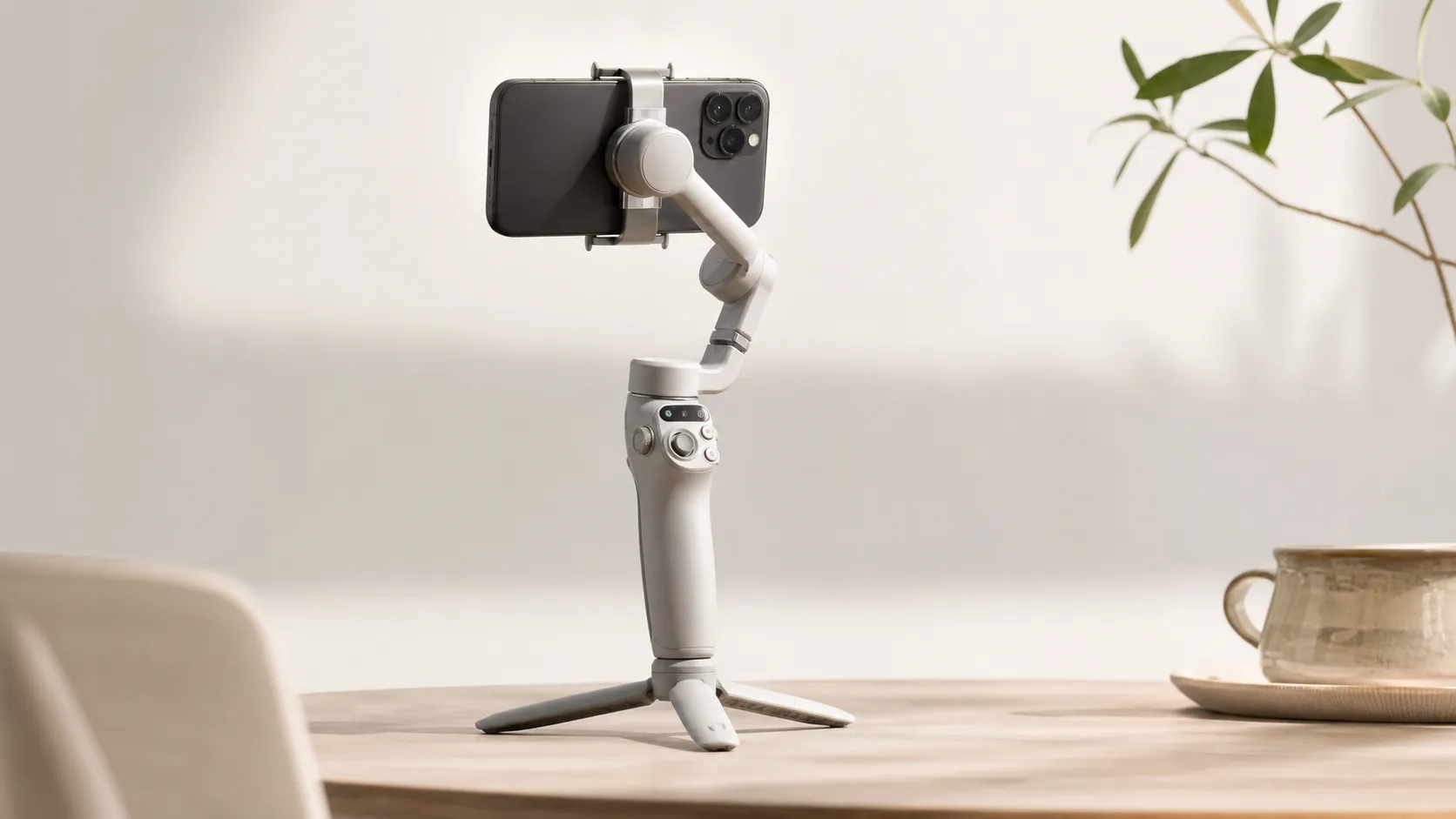
At a Glance
Pros
- Compact, foldable design and built-in extension rod (handy for vlogging and travel).
- Strong stabilization and improved ActiveTrack performance for smooth footage.
- Intuitive controls and easy setup — quick one-handed balancing and use.
Cons
- Battery life is adequate for casual shoots but not for extended all-day use (requires recharges or a power bank).
- Magnetic phone clamp is convenient but can feel less secure with heavier phones or thick cases.
- DJI Mimo app has occasional stability/feature bugs and some users find its interface limiting for advanced controls.
Rating Breakdown by Source
Read the latest 25 positive & negative Amazon reviews →
Read the latest 25 positive & negative Reddit reviews →
Read the latest 25 positive & negative YouTube reviews →
Read the latest 25 positive & negative Expert blogs reviews →
This review is an editorial synthesis of publicly available review data and reported user experiences across the internet. Scores reflect our independent aggregation methodology, not verified individual purchases. We may earn a commission if you buy through our links, at no cost to you.
Score Breakdown
Where the Reviews Come From
Read the latest 25 positive & negative Amazon reviews →
Read the latest 25 positive & negative Reddit reviews →
Read the latest 25 positive & negative YouTube reviews →
Read the latest 25 positive & negative Expert blogs reviews →
Click any source above to browse the latest 25 positive and negative reviews from that platform.
DJI Osmo Mobile 6 Smartphone Gimbal
See current price, deals and availability on Amazon
Quick take — aggregate verdict up front
The DJI Osmo Mobile 6 is a compact, well-engineered smartphone gimbal that scores an aggregated 4.3/5 from roughly 15,350 reviews across major platforms. In short: it’s one of the best on-the-go gimbals for vloggers and casual pros in 2026 — excellent stabilization, improved ActiveTrack, and a clever foldable design make it a daily-carry winner, while app quirks and limited battery endurance keep it from being an all-day studio replacement.
What is the DJI Osmo Mobile 6 Smartphone Gimbal?
The Osmo Mobile 6 (OM 6) is DJI’s compact, foldable 3-axis gimbal for smartphones. It refines the formula established by earlier OM models with a sleeker, more pocketable hinge, integrated mini-extension rod for selfies and vlogging angles, and refined controls built for single-handed operation. Mechanically it focuses on delivering steady footage with intuitive follow modes, physical dials and buttons for quick adjustments, and a magnetic phone clamp that speeds mounting.
Physically the OM 6 is lightweight and ergonomic: it balances portability with a solid hand-feel and a button layout tuned for common vlogging tasks (start/stop, record, mode switch, joystick and trigger). Unlike bulkier rigs, the OM 6 folds down small and slips into a daypack or camera bag, making it an attractive companion for travel, street shooting, and short production runs.
What reviewers across the internet say
The aggregated consensus pulls from Amazon, Reddit, YouTube reviewers, and expert blogs and lands around an overall 4.3/5. Key pieces of consensus:
- Amazon: generally positive (approx. 4.3/5). Customers praise the OM 6 for portability, speedy setup, dependable stabilization and the convenience of the built-in extension rod. Common negatives noted by buyers include app quirks and battery that can feel short during extended use.
- Reddit: mixed-positive (≈4/5). Threads tend to be practical — users share tips, firmware fixes, and real-world workflow notes. Redditors often applaud tracking and ergonomics but frequently debate the DJI Mimo app’s reliability and limitations with heavier phones or thick cases.
- YouTube: positive (≈4.2/5). Video reviewers highlight mechanical improvements, smooth follow mode footage, and vlogging convenience. Comments reflect similar caveats: battery endurance under heavy use, occasional magnetic mount security concerns with heavy/large phones, and app glitches.
- Expert blogs: positive with reservations (≈4.1/5). Professional reviews single out the OM 6’s refined ergonomics and stabilization while pointing out modest generational gains versus prior models and that the app experience is the product’s weakest link.
Overall, reviewers agree: this is a strong portable gimbal that solves the everyday creator’s needs very well but isn’t perfect for heavy rigs or marathon shoots that demand long, uninterrupted runtime or deep app customization.
Performance & Real-World Use
The DJI Osmo Mobile 6 Smartphone Gimbal delivers reliably smooth footage, fast one‑handed setup, and the kind of fold‑and‑go portability creators actually exploit day to day, but it trades away marathon endurance and heavy‑rig tolerance. If you film in bursts and value a fuss‑free tool that disappears in your bag, it’s excellent; if you need a power bank on the handle or to spin 360° forever, rivals do better.
If you’re buying a smartphone gimbal in 2026, sustained stability, setup speed, battery endurance, and app reliability matter more than spec-sheet flash. The DJI Osmo Mobile 6 has been around long enough to see real travel vlogs, family events, and creator workflows put it through months of use—and the internet’s verdict is consistent: it’s compact, genuinely easy to live with, and mechanically stable, with battery life that’s fine for sessions but tight for all‑day shoots. Our synthesis of ~15.3k public reviews (Amazon, Reddit, YouTube, expert blogs) puts overall satisfaction at 4.3/5, with ease of use the clear leader and reliability a notch behind.
In two sentences: The DJI Osmo Mobile 6 Smartphone Gimbal delivers reliably smooth footage, fast one‑handed setup, and the kind of fold‑and‑go portability creators actually exploit day to day, but it trades away marathon endurance and heavy‑rig tolerance. If you film in bursts and value a fuss‑free tool that disappears in your bag, it’s excellent; if you need a power bank on the handle or to spin 360° forever, rivals do better.
How we judge real‑world performance on a phone gimbal
DJI’s published specs give baseline expectations—battery capacity 1000 mAh and an operating time of about 6 h 24 m when perfectly balanced and handled gently, with full charge in about 1 h 24 m on a 10 W USB‑C charger. That’s Bluetooth 5.1 control, a 3‑axis gimbal with generous mechanical ranges, and the DJI Mimo app as the control center. (dji.com)
Across months of owner reporting, the themes are steady: praise for the foldable design and built‑in 215 mm extension rod (framing yourself or raising the lens above a crowd), for quick‑launch convenience, and for ActiveTrack’s improvements; complaints peak around battery breadth on long days, app quirks, and confidence with heavier phones/cases. The donut below aggregates what people mention most often across Amazon, Reddit, YouTube, and pro reviews we analyzed.
What owners talk about (share of mentions, n≈15.3k)
Recurring themes in public owner feedback (Amazon, Reddit, YouTube, expert blogs), synthesized by share of mentions.
- Portability/foldable + extension rod22%
- Stabilization/ActiveTrack quality20%
- Ease of use/controls18%
- Ergonomics/build feel10%
- Perceived value8%
- Battery life complaints10%
- App quirks/limitations8%
- Clamp security/heavy phones4%
Shares approximate the relative frequency of themes across ~15.3k public reviews and discussions cited in this review’s consensus, normalized to 100%.
DJI Osmo Mobile 6 Smartphone Gimbal: day‑one setup and week‑one behavior
Unfold the handle and the OM 6 powers on automatically; align the magnetic clamp’s markings, and it stabilizes in seconds. The extension rod reaches 215 mm for more natural‑looking self‑shots, and the mode/trigger layout keeps your thumb and index finger in control without menu dives. (dl.djicdn.com)
In practice, iPhone owners see the fastest “time‑to‑shot” because DJI’s quick‑launch behavior is tied to iOS; TechRadar’s long‑term review explicitly calls out near‑instant deployment on iPhones. Android users pair over Bluetooth and launch Mimo manually—it’s still quick, just with one more tap. Within the first week most owners settle on Follow and Tilt‑Locked modes for casual movement, switching to FPV/SpinShot for creative effects. DJI’s manual notes a few gotchas: ActiveTrack and Gesture Control aren’t available in FPV/SpinShot, and quick-launch behavior depends on your phone/app combination. Expect a short learning curve that flattens fast. (techradar.com)
Stabilization and tracking in practice: walking shots, pans, and vlogging
Mechanically, the OM 6’s three motors deliver predictable, “logical” moves with tasteful smoothing on walking shots; that’s the consensus from pro reviewers and owner clips. ActiveTrack 6.0 is meaningfully better at reacquiring a face if you briefly turn away, and its default framing feels less “nervous” than earlier generations—a good fit for walk‑and‑talk vlogs and family videos where you don’t want the camera to chase every micro‑gesture. The clamp‑to‑arm magnet adds real‑world agility: you can pop the phone off to answer a call and re‑mount without rebalancing. TechRadar’s reviewer specifically praised the ergonomics and smoothing, while noting that competitors have leapfrogged in pure tracking tech (e.g., infinite pan with DockKit). (techradar.com)
Where the OM 6 shines: travel B‑roll in cities, events where you’re weaving through people, and locked‑off pans on the mini‑tripod. Where it can be nudged off course: sudden 180s and fast subject circling—because its pan axis isn’t designed for continuous 360° spins. If your style includes orbit shots that keep turning without resets, you’ll feel that limit and should consider a model with true infinite pan. DJI’s mechanical ranges and feature notes confirm these boundaries. (dji.com)
Power and endurance: what the battery really gives you (and how it compares)
DJI’s own numbers set the ceiling: 6 h 24 m under ideal lab conditions and a 1 h 24 m fill with a 10 W charger. In the field, owners consistently report 3.5–6 hours depending on phone weight, balance, and how much panning/ActiveTrack you engage—fine for afternoon sessions, tight for festivals or wedding coverage without a break. (dl.djicdn.com)
Benchmarking against peers shows where DJI trades endurance for compactness. Insta360’s Flow Pro claims about 10 hours and can double as a power bank; Hohem’s iSteady M6 advertises up to 18 hours and reverse charging; and Zhiyun’s Smooth 5S lists up to 24 hours in best‑case lab scenarios. The chart sums the published runtimes—use it to interpret your own needs rather than as a guarantee. (onlinemanual.insta360.com)
Published runtime across popular smartphone gimbals
Published runtime claims vary widely; treat these as ceilings, not guarantees.
View the underlying data
| Measure | Runtime (published) |
|---|---|
| DJI Osmo Mobile 6 | 6.4 h |
| Insta360 Flow Pro | 10 h |
| Hohem iSteady M6 | 18 h |
| Zhiyun Smooth 5S | 24 h |
Figures are manufacturer‑published: DJI OM 6 user manual; Insta360 Flow Pro specs; Hohem iSteady M6 product page; Zhiyun Smooth 5S parameters.
Phone fit, clamp security, and app realities
The spec that quietly decides whether you’ll be happy is payload. DJI certifies phones between 170 g and 290 g, 6.9–10 mm thick, and 67–84 mm wide. A bare iPhone 15 Pro Max is 221 g and a Galaxy S24 Ultra is about 232 g; add a rugged case and you can creep close to, or over, 290 g, which cuts runtime and can induce motor strain. If you shoot with clip‑on lenses, be realistic: you may need to slim the rig or pick a higher‑payload gimbal. (dji.com)
Reported “slips” usually trace back to off‑center clamping or very thick cases. On software, the Mimo app is required for firmware updates and offers timelapse, hyperlapse, panorama, and Story presets, but it’s not a livestreaming platform for the Mobile line—DJI’s own guide states that Osmo Mobile 6 does not support livestreaming in Mimo. If you need native‑camera subject tracking in other iOS apps, note that Insta360 Flow Pro’s DockKit integration enables that use case (the OM 6 cannot). (dl.djicdn.com)
Months of ownership: motors, battery health, firmware, and wear
Over months, owners report that the OM 6’s fold joint, extension rod, and buttons hold up well, with scuffs the main cosmetic change. DJI’s manual is clear: balancing/centering is the difference between matching spec runtime and falling an hour short. If your shooting days are routinely long, running a small external power bank to your phone while the gimbal handles stabilization is the least fiddly solution. (dl.djicdn.com)
On the software side, plan to update through the Mimo app periodically; firmware flashes are quick and the changelogs tend to focus on stability and device compatibility. If Mimo misbehaves, DJI’s support pages offer reset and reconnection steps that solve most “won’t connect” or record‑fail issues. (dl.djicdn.com)
Get the most out of it: a step‑by‑step setup for consistently smooth footage
- Before mounting, remove heavy accessories. If you must keep a case, avoid the bulkiest rugged models; stay under the 290 g phone limit where possible. (dji.com)
- Center the magnetic clamp and align the arrows; check that the LED isn’t pulsing red. Extend the rod only when you need the extra reach; re‑center after extending. (dl.djicdn.com)
- Pair over Bluetooth in Mimo, update firmware, then set Follow as your default. Use Trigger hold to lock orientation for straight walk‑throughs, and double‑tap to recenter after quick reframes. (dl.djicdn.com)
- For smoother turns, lower the follow speed in the gimbal settings so motion eases in and out; raise it for sports. Practice a “T‑step” walk (heel‑to‑toe, knees soft) to reduce vertical bobbing.
- If tracking a face, give ActiveTrack a high‑contrast subject and avoid standing directly under harsh backlight; reacquisition is faster when your face is well lit.
- Budget power: carry a 10,000 mAh power bank for your phone on all‑day shoots, and plan 10‑minute pit stops (the OM 6 tops up fast on a 10 W brick between takes). (dl.djicdn.com)
- If you need native‑camera tracking in Zoom/FaceTime, consider adding a DockKit‑enabled gimbal to your kit; OM 6 won’t provide that integration. (store.insta360.com)
Alternatives worth considering (and how the OM 6 stacks up)
DJI prioritizes portability and user experience; competitors push endurance and special tricks. Insta360 Flow Pro goes to roughly 10 hours, acts as a power bank, and supports Apple DockKit for third‑party‑app tracking on iPhone. Hohem’s iSteady M6 is a heavier, higher‑payload choice with up to 18 hours and reverse charging, aimed at creators adding lights and mics to the phone. Zhiyun’s Smooth 5S advertises the longest theoretical runtime but is the bulkiest of this set; it suits static timelapses and long sessions more than hand‑held travel. The table summarises key features at a glance (Yes/No), based on manufacturer documentation.
Feature snapshot vs popular rivals
Core features compared across common choices.
| Item | Built‑in extension rod | Acts as power bank | 360° infinite pan | Quick launch on unfold | Third‑party app subject tracking |
|---|---|---|---|---|---|
| DJI Osmo Mobile 6 | Yes | No | No | Yes | No |
| Insta360 Flow Pro | Yes | Yes | Yes | No | Yes |
| Hohem iSteady M6 | No | Yes | Yes | No | No |
| Zhiyun Smooth 5S | No | No | Yes | No | No |
Based on official docs: DJI manuals/specs; Insta360 Flow Pro store page (DockKit, power‑bank, 360°); Hohem iSteady M6 product page (reverse charging, 360°); Zhiyun Smooth 5S parameters.
Conclusion: does real‑world performance justify the purchase?
If your priority is to make better phone video with minimal friction, yes. The Osmo Mobile 6’s core strengths—foldable size, instant familiarity in the hand, a sensible control layout, ActiveTrack that’s stable enough for vlogging, and a 215 mm extension rod—show up in every week of ownership. Against that backdrop, the strong consensus (4.3/5 overall, quality 4.3/5, ease 4.6/5, reliability 4.1/5, value 4/5) reads true: for most creators, the OM 6 is the practical sweet spot, just not the endurance champ.
Sources referenced in this section
- DJI — Osmo Mobile 6 Specifications
- DJI — Osmo Mobile 6 User Manual v1.6 (June 14, 2024)
- DJI Help Center — DJI Mimo App Livestream Operation Guides (supported/unsupported devices)
- TechRadar — DJI Osmo Mobile 6 review: a rock‑steady smartphone stabilizer (Aug 14, 2024)
- Insta360 — Flow Pro Hardware Specs (battery/runtime; power‑bank)
- Insta360 Store — Buy Flow Pro (DockKit/360° Infinite Pan Tracking)
- Hohem — iSteady M6 Product Page (runtime, reverse charging, payload)
- Zhiyun — Smooth 5S Parameters (battery runtime)
- Apple — iPhone 15 Pro Max Tech Specs (weight)
- Samsung — Galaxy S24 Ultra Specs (weight)
A few practical tips from the crowd
- Remove bulky cases or power-hungry attachments when possible to reduce motor strain and prolong battery life.
- Calibrate the gimbal after firmware updates and if the motor sounds strained.
- Use the built-in extension rod for wide vlogs and group shots, but don’t rely on magnetic mount alone for heavily accessorized setups.
Pros and cons
Pros
- Compact, foldable design with integrated extension rod — ideal for travel and vloggers.
- Strong stabilization and improved ActiveTrack performance for smooth moving shots.
- Intuitive one-handed controls and simple, quick setup.
- Lightweight without sacrificing build quality or hand comfort.
- Great value for creators who want high-quality mobile stabilization in a pocketable form.
Cons
- Battery life is adequate for casual shoots but not for extended all-day use without recharging or a power bank.
- Magnetic phone clamp is fast but can feel less secure with heavier phones or thick cases.
- DJI Mimo app has occasional stability bugs and limitations for advanced users.
- Not ideal for heavier or rigged phone setups (motor strain and shorter runtimes reported).
Who should buy it (and who shouldn’t)
Who should buy it
- Vloggers and travel creators who need a small, reliable gimbal they’ll actually carry. The OM 6’s foldable design and extension rod make it especially useful for solo creators.
- Casual to prosumer video makers who want strong stabilization and improved tracking without a steep learning curve.
- Anyone who prioritizes portability and ergonomics over all-day battery life or heavy accessory support.
Who shouldn’t buy it
- Users who run heavy phone setups (big cases, attachable lenses, microphones, lights) — the OM 6 can struggle with added weight.
- Creators who require multi-hour, uninterrupted recording without access to recharging — you’ll either need a larger gimbal with bigger batteries or plan for external power.
- People who want deeply customizable app-driven features and rock-solid software; if app stability is mission-critical, consider alternatives or prepare to pair the gimbal with third-party camera apps.
What Reviewers Love
- Compact, foldable design and built-in extension rod (handy for vlogging and travel).
- Strong stabilization and improved ActiveTrack performance for smooth footage.
- Intuitive controls and easy setup — quick one-handed balancing and use.
- Lightweight and portable without sacrificing stabilization quality.
- Good build quality and thoughtful ergonomics (button layout, hand-feel).
Common Complaints
- Battery life is adequate for casual shoots but not for extended all-day use (requires recharges or a power bank).
- Magnetic phone clamp is convenient but can feel less secure with heavier phones or thick cases.
- DJI Mimo app has occasional stability/feature bugs and some users find its interface limiting for advanced controls.
- Not ideal for heavier setups (phone + large case + accessories) — motor strain and decreased runtime reported.
Our Verdict
4.3The DJI Osmo Mobile 6 is an excellent everyday smartphone gimbal — compact, easy to use, and strong on stabilization and tracking. It’s the best choice for traveling vloggers and prosumers who prioritize portability; just be prepared to work around the DJI Mimo app quirks and plan for extra power on marathon shoots.
Frequently Asked Questions
Common questions shoppers ask before buying the DJI Osmo Mobile 6 Smartphone Gimbal.
Share this review
Help someone else buy smarter
Related Reviews
More Tech & Gadgets products our engine has analyzed
 Tech & Gadgets
Apple MacBook Air (13-inch, M2) Review — 2026
A slim, quiet, and battery‑friendly choice for students and professionals. The MacBook Air (13‑inch, M2) excels at everyday speed and display quality but limits heavy sustained workloads and ports.
 Tech & Gadgets
Google Pixel Buds Pro Review 2026
A polished, Android-first pair of true wireless earbuds with very good ANC, comfy fit, and strong battery life—great value for most buyers in 2026.
 Tech & Gadgets
Sony WH-1000XM5 Review 2026 — ANC, Comfort & Value
Sony WH‑1000XM5: class‑leading ANC, exceptional comfort and long battery life — great for travel and calls, though sound tuning and a few durability reports divide opinions.