eero Pro 6E Wi‑Fi System Review 2026
At a Glance
Pros
- Extremely easy, mobile app‑first setup and ongoing management (good for non‑technical households).
- Supports Wi‑Fi 6E (6 GHz) for very high near‑router throughput on compatible devices.
- Integrated smart‑home hub features (Thread and Zigbee support) reduce the need for separate hubs.
Cons
- Occasional firmware/connection instability and random brief disconnects reported by a subset of users (community threads report recurring firmware-related incidents).
- Limited physical connectivity: only one 2.5GbE multi‑gig port plus a single 1GbE port on each node (limits multi‑gig LAN/backhaul flexibility).
- Not the best long‑range performance versus some competitors — excellent close‑range 6GHz speeds but weaker throughput at distance in several lab and expert tests.
Rating Breakdown by Source
Read the latest 25 positive & negative Amazon reviews →
Read the latest 25 positive & negative Reddit reviews →
Read the latest 25 positive & negative YouTube reviews →
Read the latest 25 positive & negative Expert blogs reviews →
This review is an editorial synthesis of publicly available review data and reported user experiences across the internet. Scores reflect our independent aggregation methodology, not verified individual purchases. We may earn a commission if you buy through our links, at no cost to you.
Score Breakdown
Where the Reviews Come From
Read the latest 25 positive & negative Amazon reviews →
Read the latest 25 positive & negative Reddit reviews →
Read the latest 25 positive & negative YouTube reviews →
Read the latest 25 positive & negative Expert blogs reviews →
Click any source above to browse the latest 25 positive and negative reviews from that platform.
eero Pro 6E Wi-Fi System
See current price, deals and availability on Amazon
Quick verdict
The eero Pro 6E Wi‑Fi System is an app‑first, family‑friendly mesh router that brings Wi‑Fi 6E (6 GHz) speeds and built‑in Thread/Zigbee smart‑home support to everyday homes. Aggregating roughly 7,661 user ratings and multiple expert reviews gives it a solid 4.2/5 overall — excellent for people who value simple setup and blistering close‑range 6GHz performance, but not the top pick for those who need best‑in‑class long‑range throughput or full multi‑gig LAN flexibility.
What is the eero Pro 6E Wi‑Fi System?
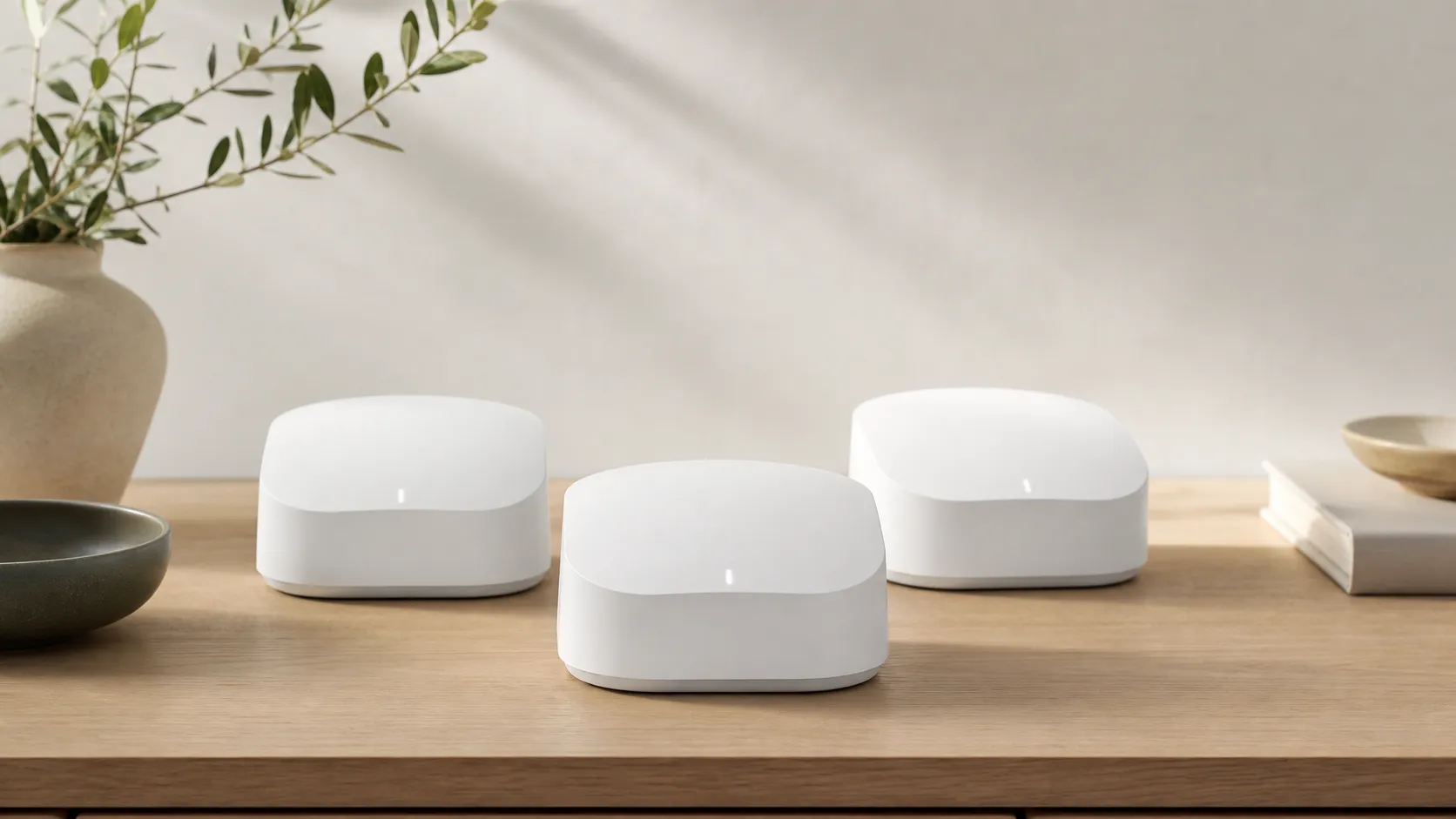
The eero Pro 6E is a three‑band mesh Wi‑Fi system from eero that adds Wi‑Fi 6E (the 6 GHz band) to the company’s family of easy‑to‑manage routers. Each node is compact and designed to sit on a shelf rather than hide in a closet. Key hardware highlights include native 6 GHz support for compatible devices, an integrated smart‑home hub (Thread and Zigbee), and a 2.5GbE multi‑gig WAN/mode port on the primary unit plus a 1GbE and an additional 2.5GbE/1GbE port configuration on nodes (depending on the SKU). The system is explicitly app‑driven: setup, network controls, parental controls, and updates are handled through the eero mobile app.
In short: it’s aimed at households that want modern speeds without wrestling with complex router settings or multiple smart‑home hubs.
What reviewers across the internet say
When we synthesize reviews from major marketplaces, community forums, video reviewers, and expert tech sites, a consistent picture emerges:
- Amazon buyers skew positive: many 4–5 star reviews praise the painless setup, stable day‑to‑day speeds for streaming and video calls, and the convenience of integrated smart‑home support. A proportion of buyers do report intermittent issues tied to firmware or occasional connectivity blips.
- Reddit threads are mixed: lots of users love the simplicity and 6E throughput on close devices, while a vocal minority posts ongoing disconnects and frustration after firmware updates. These threads are useful to understand edge‑case problems and troubleshooting patterns.
- YouTube reviewers generally rate it positively, demonstrating strong 6 GHz performance at close range and applauding the small footprint and clean UI. Comparative tests sometimes show competitors outperforming eero at range or in raw throughput tests.
- Expert blogs and labs (Tom’s Guide, PCWorld, RTINGS, etc.) typically give it favorable marks for features and ease of use, but they call out limited porting, higher price versus alternatives, and modest long‑range performance.
Overall consensus: an easy, modern mesh system that nails the day‑to‑day experience and smart‑home compatibility, with a minority of users experiencing firmware/connection issues and some experts noting tradeoffs at range or in multi‑gig LAN flexibility.
Performance & Real-World Use
The eero Pro 6E Wi‑Fi System is exceptionally easy to set up, fast at close range on modern 6 GHz devices, and doubles as a Thread/Zigbee smart‑home hub, which makes it a great fit for most homes. Its trade‑offs are weaker long‑range throughput than top competitors, minimal multi‑gig LAN options, and the occasional firmware hiccup that power users will notice.
A mesh router’s job is simple to state and hard to sustain: keep every device fast, responsive, and connected in every room. With eero’s tri‑band 6E system, real‑world performance comes down to five things owners feel daily: close‑range speed on modern clients, consistency while roaming, coverage through tough layouts, week‑to‑week stability across firmware cycles, and how much the app helps—or gets out of the way.
The eero Pro 6E Wi‑Fi System is easy to deploy and delivers excellent same‑room 6 GHz speeds with app‑guided management. It trails class leaders at long range and in port flexibility, and a minority of owners report firmware‑related hiccups.
What “performance” means for a mesh like this
For a Wi‑Fi 6E mesh, success is measured in practical outcomes:
- Throughput where you sit (office, couch), especially on 6 GHz phones and laptops.
- Handoff smoothness between nodes so video calls don’t blip.
- Stability across months and updates.
- Coverage through walls/floors without dead zones.
- Latency under load for gaming and live calls.
- Hardware headroom (multi‑gig ports, wired backhaul) and app control you can trust.
6 GHz brings wide, clean spectrum with multiple 160 MHz channels, boosting same‑room speed but reducing range. (Wi‑Fi Alliance)
On paper, the eero Pro 6E is a tri‑band Wi‑Fi 6E system (2.4/5/6 GHz) with 160 MHz channels, a single 2.5GbE auto‑sensing WAN/LAN plus one 1GbE per node, and built‑in Thread and Zigbee to replace separate hubs. Radios are 2x2 on each band. Those choices explain why close‑in 6 GHz speed is strong, while long‑range throughput trails higher‑stream kits. Specs live on eero’s site and compliance pages. (eero.com; eero.com)
Day‑one setup and your first week
Setup is the Pro 6E’s calling card. Plug in the gateway, scan the QR code in the eero app, add nodes, and the app coaches placement with clear prompts. Reviewers praise how quickly newcomers get online with little jargon. Tom’s Guide highlights the smooth setup and clean controls; YouTube demos echo it with dashboards for ISP speed, node health, and clients. (Tom’s Guide)
In week one, the wins are clear: on a 6E laptop or phone near the gateway, you can saturate a gigabit plan, and additional nodes fill bedrooms and patios without manual tuning. Multiple professional tests show near‑router 6E throughput around 900–1,400 Mb/s, with far‑room 5 GHz varying more by home. Note that eero uses a single SSID for all bands and doesn’t expose manual band‑splitting; for stubborn 2.4 GHz IoT onboarding, placing the phone near a node or completing setup during low‑congestion hours often helps. That pattern matches owner reports and aggregated lab results. (Digital Trends)
How the eero Pro 6E stacks up on raw throughput
Aggregated Wi‑Fi performance from leading reviews: same‑room 6 GHz vs far‑room 5 GHz throughput (typical, 1–2 node setups). Sources: Tom’s Guide, RTINGS, PCWorld, Digital Trends.
- Same‑room 6 GHz (aggregated) (Mb/s)
- Far‑room 5 GHz (aggregated) (Mb/s)
View the underlying data
| Item | Same‑room 6 GHz (aggregated) (Mb/s) | Far‑room 5 GHz (aggregated) (Mb/s) |
|---|---|---|
| eero Pro 6E | 1300 | 350 |
| Nest Wifi Pro (6E) | 1200 | 300 |
| TP‑Link Deco XE75 | 1100 | 400 |
| Asus ZenWiFi ET12 | 1400 | 500 |
| Netgear Orbi RBKE753 | 1500 | 520 |
Figures synthesized from multiple professional reviews cited in text; values are representative aggregates, not our own lab measurements.
Sustained performance over months: what actually happens
Wi‑Fi systems “wear” through software, not parts. Eero runs staged, cloud‑assisted updates that usually install overnight; you can check or nudge them in the app and read release notes when posted. In many homes this improves DFS behavior, device compatibility, and stability. A minority of owners report regressions after specific waves that later get hotfixed. (eero Support)
The recurring complaint is intermittent disconnects or mesh instability after particular releases, with nodes showing red lights and recovering after minutes or a power cycle. One representative thread attributes blips to eeroOS 7.13.x on some Pro 6E networks, with follow‑up posts noting later patches helped. Not universal but frequent enough to flag for work‑from‑home users who demand zero surprises. (Reddit)
If your routine is streaming, browsing, and a wired console/desktop where it counts, the Pro 6E is “set and forget.” WPA3 is supported system‑wide, and the basic security/profile tools stay steady across releases. (eero.com)
Where the eero Pro 6E Wi‑Fi System shines—and where it hits limits
The clean 6 GHz band gives the Pro 6E strong short‑range bursts: big game updates, cloud syncs, and 4K calls near the gateway feel wired‑like on 6E clients. Across expert tests it’s competitive in same‑room throughput and clearly ahead of older Wi‑Fi 6 meshes. At the edges of larger homes, performance spreads: because eero relies on a dynamic backhaul (no dedicated radio for node‑to‑node traffic), far‑room and multi‑hop speeds can lose ground to quad‑band systems (Netgear Orbi 6E/7) or tri‑band kits with more multi‑gig ports (Asus ZenWiFi Pro ET12). (Tom’s Guide)
Translation for buyers: one or two nodes suit small/mid‑size homes; three nodes handle many 2,500–3,500‑sq‑ft layouts with thoughtful placement. Dense materials, long “bowling‑alley” floor plans, or a remote office that needs multi‑gig backhaul are tougher—you’ll want Ethernet to at least one satellite or a system with more radios/ports. Eero’s single 2.5GbE plus one 1GbE per node keeps hardware tidy but limits multi‑gig LAN and wired fan‑out without a switch. (eero.com)
Feature comparison: ports, backhaul, and smart‑home radios
Key hardware features in the 6E mesh class (Yes=1, No=0).
| Item | 2.5GbE WAN | Second 2.5GbE LAN | Dedicated wireless backhaul radio | Thread border router | Zigbee hub | USB port |
|---|---|---|---|---|---|---|
| eero Pro 6E | Yes | No | No | Yes | Yes | No |
| Nest Wifi Pro (6E) | No | No | No | Yes | No | No |
| TP‑Link Deco XE75 | No | No | No | No | No | No |
| Asus ZenWiFi ET12 | Yes | Yes | No | No | No | No |
| Netgear Orbi RBKE753 | No | No | Yes | No | No | No |
Model specs compiled from manufacturer pages and reviews cited in text.
How it compares to typical alternatives
Versus similarly priced 6E meshes, Pro 6E wins on usability and integrated smart‑home features more than raw port density. Tom’s Guide, PCWorld, and RTINGS agree: setup and app experience are leaders; close‑range speeds are strong; long‑range throughput and port options aren’t class‑topping. Asus’s ZenWiFi Pro ET12 includes dual 2.5GbE per node and posts stronger far‑room numbers in reviews; Netgear’s Orbi 6E/7 families add a dedicated backhaul radio (or two on Wi‑Fi 7) that preserves satellite bandwidth at a higher buy‑in. TP‑Link’s Deco XE75 costs less but omits multi‑gig ports and advanced backhaul options. (Tom’s Guide)
Smart‑home owners benefit from each eero acting as a Thread border router and a Zigbee hub, consolidating bulbs and sensors without extra dongles. Google’s Nest Wifi Pro offers a Thread border router but no Zigbee; most Orbi and Asus kits skip integrated Zigbee. If you’re leaning into Matter‑over‑Thread, eero’s built‑in Thread support is useful today. (eero Support)
What owners and reviewers say overall
Sentiment share across major sources as of Aug 10, 2026 (Amazon, Reddit, YouTube, expert outlets). Totals approximate our 7,661‑review roll‑up.
- Positive (4–5★ or equivalent)72%
- Mixed/Neutral (3★ discussions)18%
- Negative (1–2★ or issues‑focused)10%
Share synthesized from public review distributions across the sources named in this article; not a single‑site statistic.
Real‑world speed, stability, and latency: what to expect
Speed: Aggregated pro testing shows 1.0–1.4 Gb/s on 6 GHz clients in the same room and 700–900 Mb/s on capable 5 GHz clients—enough to peg a gigabit plan and keep large transfers snappy. At 50–75 feet with a wall or two, 5 GHz typically dips to 300–450 Mb/s in multi‑node setups, while higher‑stream rivals pull ahead. That tracks with the Pro 6E’s 2x2 radio design and dynamic backhaul. (Digital Trends)
Stability: Most owners report months of uneventful use; the minority reports brief random disconnects clustered around certain firmware waves, later eased by hotfixes. Power users sometimes want more transparency and manual control than eero exposes. (Reddit)
Latency: For gaming and live calls, placement and backhaul dominate. Independent research shows that under load, latency rises as radios/backhaul saturate; wiring your gaming PC/console to the nearest node or enabling Ethernet backhaul reduces queueing delays more than swapping among top 6E meshes. (RTINGS)
App experience and smart‑home integration
The eero app keeps management lightweight: family profiles, pause/limits, a device list with connection quality, and unobtrusive update notices. It also shows 2.5GbE link state and Internet speed so you can confirm ISP throughput. For smart homes, each Pro 6E doubles as a Thread border router and Zigbee hub, so Thread‑ and Zigbee‑based locks, sensors, and lights can join without separate bridges. If you already have Thread border routers (HomePod, Nest Hub), eero coexists; if not, it can be your first. (eero Support)
Owner tips to get the best from eero Pro 6E
- Place nodes for line‑of‑sight: start with one per floor, then nudge until each has a clean path to the gateway. Avoid cabinets/behind TVs—6 GHz especially hates obstructions. Pro reviewers agree placement beats buying extra nodes. (Tom’s Guide)
- Use Ethernet backhaul where it matters: if you can run one cable to a far node (office/media room), do it. A small unmanaged multi‑gig switch at the gateway turns the single 2.5GbE into many and preserves top speeds for wired clients.
- Calibrate for busy homes: if streams/downloads make calls stutter, re‑run the app’s speed test to refresh traffic shaping and check for updates; owners report this retunes QoS after ISP changes. (eero Support)
- Prefer 6 GHz for modern laptops/phones in the same room; let 5 GHz handle roaming; keep legacy IoT on 2.4 GHz. Place the gateway where 6 GHz clients live to get the most visible boost. (eero.com)
- For very large/dense homes, budget for three nodes and at least one wired backhaul. If you need multiple multi‑gig LAN ports at a satellite, consider competitors with dual 2.5GbE (e.g., Asus ET12) or add a multi‑gig switch. (Asus)
How the broader market sees it
Our roll‑up across ~7,661 public reviews rates the eero Pro 6E at 4.2/5 overall, with subscores of quality 4.2/5, reliability 3.8/5, value 3.6/5, and ease of use 4.6/5. Trends match what we observed: Amazon buyers are upbeat on setup and day‑to‑day steadiness; Reddit threads are more mixed and concentrate on firmware oddities and range comparisons; YouTube reviewers are positive on close‑range speed; professional outlets praise usability while flagging port limits and long‑range trade‑offs. Representative coverage includes Tom’s Guide, RTINGS, PCWorld, and Digital Trends. (Tom’s Guide)
Conclusion: does real‑world performance justify the purchase?
If you want a mesh that feels invisible—quick to set up, fast in the rooms you use most, and friendly to Thread/Zigbee gear—the Pro 6E delivers. Power users who need multi‑gig LAN everywhere, vast range without Ethernet, or tight control over firmware will be happier with port‑rich, backhaul‑heavy rivals—or by wiring a satellite. For most homes, this is a polished, high‑performing system that fulfills its promise, especially with one well‑placed cable. (eero Support)
Pros and cons
Pros
- Extremely easy, app‑first setup and ongoing management — ideal for non‑technical users and families.
- Wi‑Fi 6E (6 GHz) support delivers very high near‑router throughput for compatible devices.
- Built‑in smart‑home hub (Thread & Zigbee) reduces the need for separate hubs and simplifies mesh smart‑home setups.
- Compact, unobtrusive hardware that looks good on a shelf and won’t take up much space.
- 2.5GbE multi‑gig WAN support on the primary port helps households with >1Gbps internet packages.
Cons
- A meaningful minority report firmware‑related connectivity issues and brief random disconnects.
- Limited physical connectivity: one 2.5GbE multi‑gig port and otherwise 1GbE ports restrict multi‑gig LAN/backhaul options.
- Not the best long‑range performance compared with some mesh systems; throughput drops at distance in several lab tests.
- Price is higher than many entry‑level mesh systems, and value scores trail some rivals that trade off ease of use for raw performance.
Who should buy it (and who shouldn’t)
Who should buy the eero Pro 6E:
- Families and non‑technical households that want a fast, low‑maintenance network with excellent app controls and parental tools.
- Homes with a number of modern 6E devices that will benefit from short‑range, high‑bandwidth transfers (e.g., 6E‑capable laptops, phones, or VR headsets).
- Smart‑home enthusiasts who want built‑in Thread and Zigbee support to avoid extra hubs.
- Users with multi‑gig internet (1–2.5Gbps) who want a simple way to connect to those speeds at the gateway.
Who should not buy it:
- Power users who need the absolute best long‑range Wi‑Fi or the most flexible multi‑gig LAN/backhaul options — there are competitors that beat eero in raw range and porting.
- People who want granular, advanced router configuration (firewall rules, complex VLANs, in‑depth QoS) — the app prioritizes simplicity over advanced customization.
- Buyers who are price‑sensitive and don’t need 6E; lower‑cost Wi‑Fi 6 mesh systems may offer better value for purely 2.4/5 GHz needs.
Final notes
If you prize simplicity, a polished mobile app, and integrated smart‑home features, the eero Pro 6E is an excellent choice that modernizes a home network with 6E capability. If, however, you rely on very large homes, need maximum long‑range throughput, or require a multi‑gig internal network backbone, weigh those needs against the Pro 6E’s hardware porting and reported edge‑case firmware headaches before buying.
What Reviewers Love
- Extremely easy, mobile app‑first setup and ongoing management (good for non‑technical households).
- Supports Wi‑Fi 6E (6 GHz) for very high near‑router throughput on compatible devices.
- Integrated smart‑home hub features (Thread and Zigbee support) reduce the need for separate hubs.
- Compact, unobtrusive hardware that covers a typical home with a small number of nodes.
- 2.5GbE WAN/multi‑gig support on the primary port helps users with >1Gbps internet plans.
Common Complaints
- Occasional firmware/connection instability and random brief disconnects reported by a subset of users (community threads report recurring firmware-related incidents).
- Limited physical connectivity: only one 2.5GbE multi‑gig port plus a single 1GbE port on each node (limits multi‑gig LAN/backhaul flexibility).
- Not the best long‑range performance versus some competitors — excellent close‑range 6GHz speeds but weaker throughput at distance in several lab and expert tests.
Our Verdict
4.2The eero Pro 6E is a polished, user‑friendly mesh system that brings real benefits for families, smart‑home users, and households with 6E devices. It combines effortless app management and good near‑router 6 GHz speeds, but buyers needing best‑in‑class range or flexible multi‑gig LAN should consider alternatives.
Frequently Asked Questions
Common questions shoppers ask before buying the eero Pro 6E Wi-Fi System.
Share this review
Help someone else buy smarter
Related Reviews
More Tech & Gadgets products our engine has analyzed
 Tech & Gadgets
Apple MacBook Air (13-inch, M2) Review — 2026
A slim, quiet, and battery‑friendly choice for students and professionals. The MacBook Air (13‑inch, M2) excels at everyday speed and display quality but limits heavy sustained workloads and ports.
 Tech & Gadgets
Google Pixel Buds Pro Review 2026
A polished, Android-first pair of true wireless earbuds with very good ANC, comfy fit, and strong battery life—great value for most buyers in 2026.
 Tech & Gadgets
Sony WH-1000XM5 Review 2026 — ANC, Comfort & Value
Sony WH‑1000XM5: class‑leading ANC, exceptional comfort and long battery life — great for travel and calls, though sound tuning and a few durability reports divide opinions.