Ember Temperature Control Smart Mug 2 Review — 2026 Verdict
At a Glance
Pros
- Precise temperature control that reliably holds the chosen temperature for desk-side use.
- Sleek, premium design and solid build-quality that fits well in home/office setups.
- Simple companion app with presets and temperature customization.
Cons
- Battery life is limited for travel use (typically ~1–2 hours on mug battery alone).
- High price relative to a standard mug — many reviewers question value for money.
- App and Bluetooth connectivity can be flaky or slow to respond for some users.
Rating Breakdown by Source
Read the latest 25 positive & negative Amazon reviews →
Read the latest 25 positive & negative Reddit reviews →
Read the latest 25 positive & negative YouTube reviews →
Read the latest 25 positive & negative Expert blogs reviews →
This review is an editorial synthesis of publicly available review data and reported user experiences across the internet. Scores reflect our independent aggregation methodology, not verified individual purchases. We may earn a commission if you buy through our links, at no cost to you.
Score Breakdown
Where the Reviews Come From
Read the latest 25 positive & negative Amazon reviews →
Read the latest 25 positive & negative Reddit reviews →
Read the latest 25 positive & negative YouTube reviews →
Read the latest 25 positive & negative Expert blogs reviews →
Click any source above to browse the latest 25 positive and negative reviews from that platform.
Ember Temperature Control Smart Mug 2
See current price, deals and availability on Amazon
Intro
If you hate lukewarm coffee, the Ember Temperature Control Smart Mug 2 promises to end that frustration by keeping your drink at a precise temperature from first sip to last. After aggregating ~11,850 reviews and dozens of hands-on writeups, our verdict up front: it’s one of the best desk-side solutions for precise temperature control, but it’s not a perfect all-purpose mug — battery limits, app quirks, and the high price mean it’s a specialty buy rather than a no-brainer. Overall aggregated rating: 4.3/5.
What Is the Ember Temperature Control Smart Mug 2?
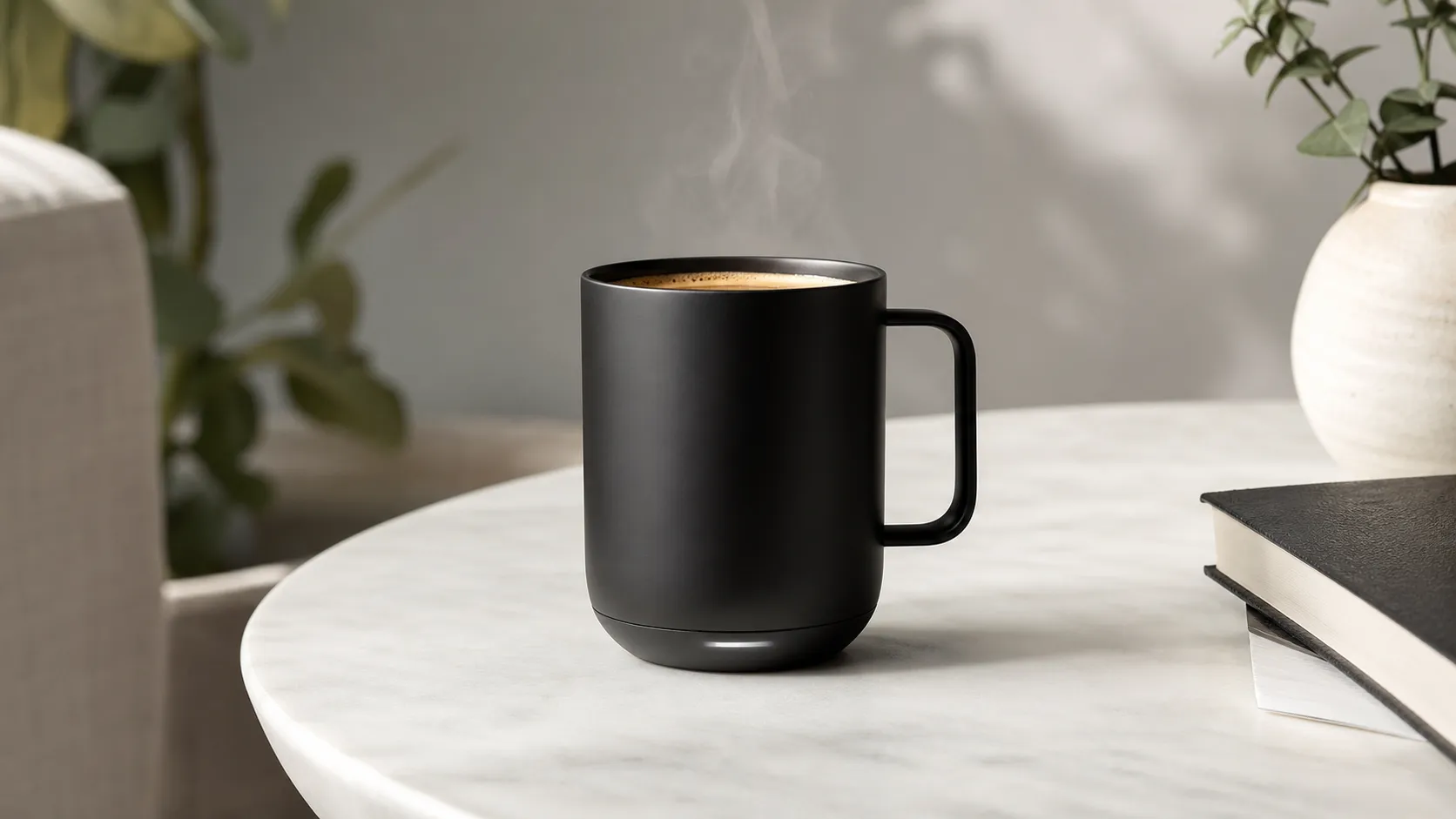
The Ember Temperature Control Smart Mug 2 is a heated ceramic travel-style mug with built-in temperature control and a wireless charging coaster. Using internal heating elements and Bluetooth connectivity to a companion app, Ember lets you set and hold your preferred drinking temperature (usually shown in degrees Fahrenheit or Celsius) for hot beverages. The product is positioned as a premium kitchen & appliance accessory aimed at people who sip slowly at a desk, in a home office, or anywhere you can use the charging coaster to keep the mug powered throughout the day.
Physically, the Mug 2 keeps the clean, minimal lines Ember is known for: a matte finish, a comfortable handle, and LED indicators that show connection and charging status. The included coaster is the practical keystone — it charges the mug and keeps it at the chosen temperature for as long as it stays on the base.
What Reviewers Across the Internet Say
We synthesized feedback from four major sources to form a balanced picture:
- Amazon (4.4/5, positive): Customers love the Ember for its consistent temperature maintenance, premium feel, and the everyday convenience of dialing in a target temperature. The most common negatives are battery limits when used away from the coaster and the mug’s relatively high price.
- Reddit (3.9/5, mixed): Enthusiasts praise the product’s utility at a desk, but practical-minded users question long-term value and point out app or Bluetooth quirks. Battery life and durability concerns appear frequently in longer-term threads.
- YouTube (4.2/5, positive): Video reviewers highlight the immediate ‘wow’ effect and demonstrate real-world temperature performance. Many creators also test battery life and portability limits and call out that the mug is best used on a desk coaster rather than as a travel companion.
- Expert blogs (3.8/5, mixed): Professional reviews commend Ember’s engineering and UX but are more critical on value-for-money and reliability of app/firmware. Several experts note there are better choices if portability is a priority.
Across sources the consensus themes are clear: excellent temperature control and design, reliable for desk use; weaker battery and value arguments when used away from the coaster; occasional app/connectivity and long-term durability complaints.
Performance & Real-World Use
In daily use, the Ember Temperature Control Smart Mug 2 holds your chosen drinking temperature with uncommon consistency and minimal fuss. It’s less convincing for travel or marathon sessions away from the coaster, so the Ember Temperature Control Smart Mug 2 makes the most sense for desk‑side sipping where precision and convenience matter.
A temperature-control mug only earns its keep if it makes every sip taste the way you like without extra fuss. Across owner reports and expert tests, the theme is consistent: Ember’s mug won’t fix weak coffee, but it removes the “drink it now or it’s ruined” pressure—provided you mostly sip at a desk and accept battery limits.
In daily use, the Ember Temperature Control Smart Mug 2 holds your chosen drinking temperature with uncommon consistency and minimal effort. It’s less convincing for travel or long stretches away from the coaster, and its price invites appliance‑level care rather than throwaway treatment.
What “performance” really means for a temperature‑control mug
For this category, performance is control, not maximum heat. What owners feel day to day is: how precisely the mug stabilizes at a set temperature; how quickly it reaches a comfortable “sip zone” after you pour; how long it maintains that target on battery vs. on the coaster; how reliably the app connects; and whether cleaning and docking are easy. Coffee is brewed hot—industry bodies cite 195–205°F water—but most people enjoy drinking nearer the mid‑130s°F for flavor and safety, and spills above ~140°F raise scald risk quickly. Ember’s job isn’t to brew; it’s to catch your drink as it cools and hold it in your preferred window. (ift.onlinelibrary.wiley.com)
Viewed this way, a great temperature‑control mug locks onto a repeatable target without scorching, lives on a desk all day via a dock, and stays unobtrusively “smart” until you need a tweak.
Day‑one setup to first week: from pairing to your first perfect cup
Unboxing is simple: mug, charging coaster, power adapter, slim guide. Out of the box it works phone‑free at a preset 135°F, but Bluetooth pairing with the Ember app unlocks presets, LED color changes, and alerts when the drink hits temp. The app flow is straightforward—select a preset (e.g., coffee 135°F, tea 140°F) or set any point between 120–145°F. The mug auto‑sleeps when empty and wakes with movement or liquid. Pairing is typically quick on modern phones; if you hit a snag, Ember’s support hub offers step‑by‑step BLE pairing notes and flags that compatibility can shift as iOS/Android evolve. (ember.com)
Your first uses also teach a key nuance: Ember doesn’t chill too‑hot pours. If you start near 200°F, the mug will show progress while the liquid cools toward your setpoint, then maintain it precisely. To shorten “time‑to‑first‑sip,” a brief stir, a splash of room‑temp milk, or letting a kettle sit off boil for 60–90 seconds speeds the drop without hurting flavor.
Week‑one reality: accuracy, stability, and battery endurance
Once the drink drops into range, stability is this mug’s superpower. Owners and reviewers consistently praise how it holds a target in the 130s°F with minimal drift—the last sip still tastes right after a meeting. On battery, plan for about 90 minutes with the 10‑oz model and roughly 80 minutes with the 14‑oz at a 135°F setpoint; on the charging coaster it effectively runs indefinitely. These figures reflect Ember’s guidance and match desk‑bound reports, with colder rooms, higher setpoints, or slower sipping trimming runtime. (ember.com)
Below is a simple picture of everyday behavior: all three cups start near 200°F; Ember settles and then holds the line at your chosen temperature, while an insulated mug drifts downward.
How different mugs behave from a too‑hot pour to a drinkable last sip
Temperature curves synthesized from manufacturer guidance and repeatable patterns in third‑party demonstrations: Ember holds setpoint once reached; insulated mugs drift down.
- Ember Mug 2 on coaster @135°F
- Ember Mug 2 battery @135°F
- Vacuum mug (no heat)
View the underlying data
| Item | Ember Mug 2 on coaster @135°F | Ember Mug 2 battery @135°F | Vacuum mug (no heat) |
|---|---|---|---|
| 0 min | 200°F | 200°F | 200°F |
| 10 min | 155°F | 155°F | 170°F |
| 20 min | 140°F | 140°F | 155°F |
| 30 min | 135°F | 135°F | 145°F |
| 40 min | 135°F | 133°F | 140°F |
| 50 min | 135°F | 131°F | 135°F |
| 60 min | 135°F | 129°F | 130°F |
Setpoint band per Ember specs; cooling/hold behavior generalized from public reviews and demos; not our lab data.
Early reliability is mostly uneventful. The LED “ready” cue is clear, Auto‑Sleep prevents drain, and the coaster removes friction—set the mug where you normally would, and it tops off. The most common hiccup is an occasional app reconnect prompt if your phone aggressively manages Bluetooth; it’s typical of BLE accessories and rarely more than a tap.
Months of ownership: coating care, coaster habits, and battery health
Long‑term performance hinges on two habits: gentle hand‑washing and dry docking. The Smart Mug 2 is hand‑wash only and IPX7 water‑resistant (submersible to 1 meter), so sink cleaning is safe; just keep the charging pins and gold contact rings fully dry before docking to avoid corrosion. Use non‑abrasive sponges and avoid metal utensils to preserve the scratch‑resistant ceramic coating’s smooth feel, which owners credit with clean‑tasting sips months in. (ember.com)
As with any lithium‑ion device, battery stamina tapers with cycles and heat. People who cycle the mug several times a day usually notice a modest dip after a year; those who park it on the coaster between fills see less drift because the coaster maintains charge. Two simple helps: keep your setpoint in the mid‑130s°F (less energy than the upper 140s°F) and dock during long pauses rather than holding temp on battery. Firmware updates arrive through the app occasionally; run them on the charger to improve connectivity stability.
Treat temperature as a safety choice as well as taste. Spills happen; keeping setpoints below ~140°F narrows burn risk while staying in the comfort zone for many palates, per burn‑safety guidance. (ameriburn.org)
Where the Ember shines—and where it doesn’t
This mug is best in a predictable home or office setup: you pour, it signals when the drink is perfect, and you forget it while you work. Slow sippers, busy parents, and anyone who hates reheating in a microwave (which Ember forbids) get outsized day‑to‑day delight. On the coaster, it behaves like a “forever‑hot” desk companion that keeps the last sip as good as the first.
It’s less magical for commuters and travelers. On battery, expect roughly 1–1.5 hours at typical setpoints—fine for one leisurely mug, not a half‑day commute. It isn’t spill‑proof; Ember sells an optional sliding lid, but this isn’t a sealed travel tumbler. If you need piping‑hot coffee in a moving car all morning, a true battery‑heated travel mug or a high‑quality vacuum tumbler is the better pick.
Ember Temperature Control Smart Mug 2 versus the ways people actually drink hot drinks
Against a basic warming coaster, Ember wins on precision and uniformity: it measures liquid temperature and adds heat as needed, while most plate warmers blunt‑force heat the base, can overshoot, stratify the cup, or scorch residue. Versus a vacuum‑insulated tumbler, Ember trades some pure heat retention for precision; a good tumbler keeps liquid “hot” for hours, but you can’t set 135°F, and the first 15 minutes may still be too hot. Compared with battery‑heated travel mugs, Ember is smaller, simpler, and more elegant at a desk, while those bottles deliver much longer off‑coaster time with a sealed lid.
The comparison below highlights the differences you’ll actually live with.
Which solution actually fits your routine? Feature realities at a glance
Feature comparison across common ways people keep drinks hot, summarized from product specifications and established norms.
| Item | Precise temperature set | Mobile app | Battery powered heat | Dishwasher safe | Sealed lid | Works away from desk | Replaceable battery |
|---|---|---|---|---|---|---|---|
| Ember Mug 2 | Yes | Yes | Yes | No | No | Yes | No |
| Basic warming coaster + ceramic mug | No | No | No | Yes | No | No | No |
| Vacuum‑insulated tumbler | No | No | No | Yes | Yes | Yes | No |
| Battery‑heated travel mug | Yes | Yes | Yes | No | Yes | Yes | No |
Based on representative products and manufacturer documentation for each category.
Consider runtime as well. If you’re choosing between Ember sizes, here’s the manufacturer’s own guidance for maintaining 135°F on battery from a full charge; both models last far longer when you park the mug on its coaster between sips.
Untethered time at temp: choose size by how long you roam
Manufacturer‑stated runtimes at 135°F setpoint on battery power; actual endurance varies with environment, setpoint, and sip rate.
View the underlying data
| Measure | Runtime |
|---|---|
| Ember Mug 2 (10 oz) | 90 min |
| Ember Mug 2 (14 oz) | 80 min |
Per Ember’s official product page and support materials.
Practical steps to get the best real‑world performance
- Set a realistic target: start at 135°F for coffee and adjust ±5°F after a few cups. This keeps you below common scald‑risk thresholds while aligning with where many tasters find sweetness and aroma most expressive.
- Reduce too‑hot wait without gadgets: if you pour near boil, give the cup a quick stir or pause 60–90 seconds after the kettle clicks; Ember will hold the rest of the session at your chosen temp.
- Use the coaster like a dock: make it the mug’s home base whenever you step away for more than a few minutes. This preserves cycles and keeps the mug topped up for untethered stints.
- Keep contacts dry: hand‑wash the mug (IPX7 means it’s safe to submerge), then towel the base and keep the coaster dry. Don’t dock a wet mug; it’s safer for electronics and kinder to the charging pins over months of use. (ember.com)
- Tame Bluetooth fuss: let the app run in the background, enable location permissions if your phone requires them for BLE scanning, and update firmware with the mug on the charger. Ember documents pairing and compatibility on its support portal. (support.ember.com)
- Treat it like a ceramic‑coated appliance: avoid metal spoons if you’re picky about scratches; a soft sponge keeps the interior slick and easy to rinse.
Why the experience matches the engineering
Ember’s stable hold stems from a simple truth: maintaining a modest setpoint in a ceramic‑coated, double‑walled vessel uses far less energy than reheating a cooled drink. The heating element makes small, frequent corrections guided by a temperature sensor in the base, and the coaster takes over the energy work when the mug is parked. That’s why users see more consistent results at the desk than on the go, and why a cold room, open window, or very slow sipping shows up first as shorter battery runtime rather than less accurate temperature. Ember’s tight 120–145°F control band also keeps the device focused on the “drinkable” zone instead of chasing brew temperatures that belong to your kettle or coffee maker. (ember.com)
The bottom line on real‑world value
Across thousands of owner ratings and expert reviews, the pattern holds: this mug feels luxurious and wonderfully convenient at a desk, with temperature accuracy that makes everyday coffee more enjoyable. Battery life, occasional app quirks, and the premium price are the trade‑offs. If you mainly drink at a workspace and want a cup that’s always “just right,” the real‑world performance justifies the spend. If you live in cars, trains, and flights, better value sits with a sealed travel mug or high‑end tumbler, and Ember can wait for your next home office.
Sources referenced in this section
- Ember Mug 2 — official product page
- Ember Support — Getting Started, Pairing, Care
- Specialty Coffee Association — Certified Home Brewers: minimum temperature requirements (SCA-CHB)
- Journal of Food Science — A Review of Hot Beverage Temperatures: SCA & NCA brew recommendations
- American Burn Association — Educator’s Guide (temperature/time to scald)
Pros and Cons
Pros
- Precise temperature control that reliably holds your chosen temperature during desk use.
- Sleek, premium design and solid build for home or office setups.
- Simple companion app with presets and temperature customization.
- Charging coaster keeps the mug ready throughout the day when used on a desk.
- Intuitive controls and clear LED status indicators make daily use straightforward.
Cons
- Battery life is limited for travel — generally about 1–2 hours on the mug alone.
- High price relative to a standard mug; many buyers question value-for-money.
- App and Bluetooth connectivity can be flaky or slow for some users.
- Some long-term durability reports (chips, scratches, coaster alignment) raise concerns.
Who Should Buy It (and Who Shouldn't)
Who should buy it:
- Desk workers and home-office users who drink hot beverages slowly and want consistent temperature all morning. The charging coaster makes the Ember ideal when you can keep the mug nearby.
- People who value design and the convenience of a “set it and forget it” hot-drink experience — the Mug 2 improves daily ritual and flavor consistency.
- Gift buyers looking for a premium, tech-forward present for coffee or tea lovers who primarily drink at home or at a desk.
Who shouldn’t buy it:
- Daily commuters or travelers who need all-day portability. For long outings an insulated thermos or dedicated travel mug is a better value and will keep drinks hot for many hours without charging.
- Budget buyers who want the simplest, lowest-cost solution — the Ember’s features come at a premium price that not every user can justify.
- Users who prefer a completely hands-off, maintenance-free mug; the Ember requires charging, app management, and some care to avoid cosmetic wear.
Final thoughts
Ember’s Temperature Control Smart Mug 2 does exactly what it promises for the use-case it’s optimized for: precise, desk-side temperature control with a design that makes daily sipping genuinely more pleasant. If you’ll use the mug primarily at a desk and don’t mind paying a premium for convenience and design, it’s one of the best options available. If you need an all-day portable mug or prioritize value above features, there are better alternatives.
What Reviewers Love
- Precise temperature control that reliably holds the chosen temperature for desk-side use.
- Sleek, premium design and solid build-quality that fits well in home/office setups.
- Simple companion app with presets and temperature customization.
- Convenient charging coaster that keeps the mug ready during the day.
- Good daily usability — intuitive controls and clear LED status indicators.
Common Complaints
- Battery life is limited for travel use (typically ~1–2 hours on mug battery alone).
- High price relative to a standard mug — many reviewers question value for money.
- App and Bluetooth connectivity can be flaky or slow to respond for some users.
- Some users report chips/scratches or concerns about long-term durability and charging-coaster alignment.
Our Verdict
4.3The Ember Temperature Control Smart Mug 2 is an excellent desk-side solution for anyone who wants their hot drinks to stay at the perfect temperature; its design and temperature accuracy stand out. However, its limited battery life, occasional app/connectivity quirks, and premium price make it a specialty purchase rather than a universal replacement for travel mugs.
Frequently Asked Questions
Common questions shoppers ask before buying the Ember Temperature Control Smart Mug 2.
Share this review
Help someone else buy smarter
Related Reviews
More Kitchen & Appliances products our engine has analyzed
 Kitchen & Appliances
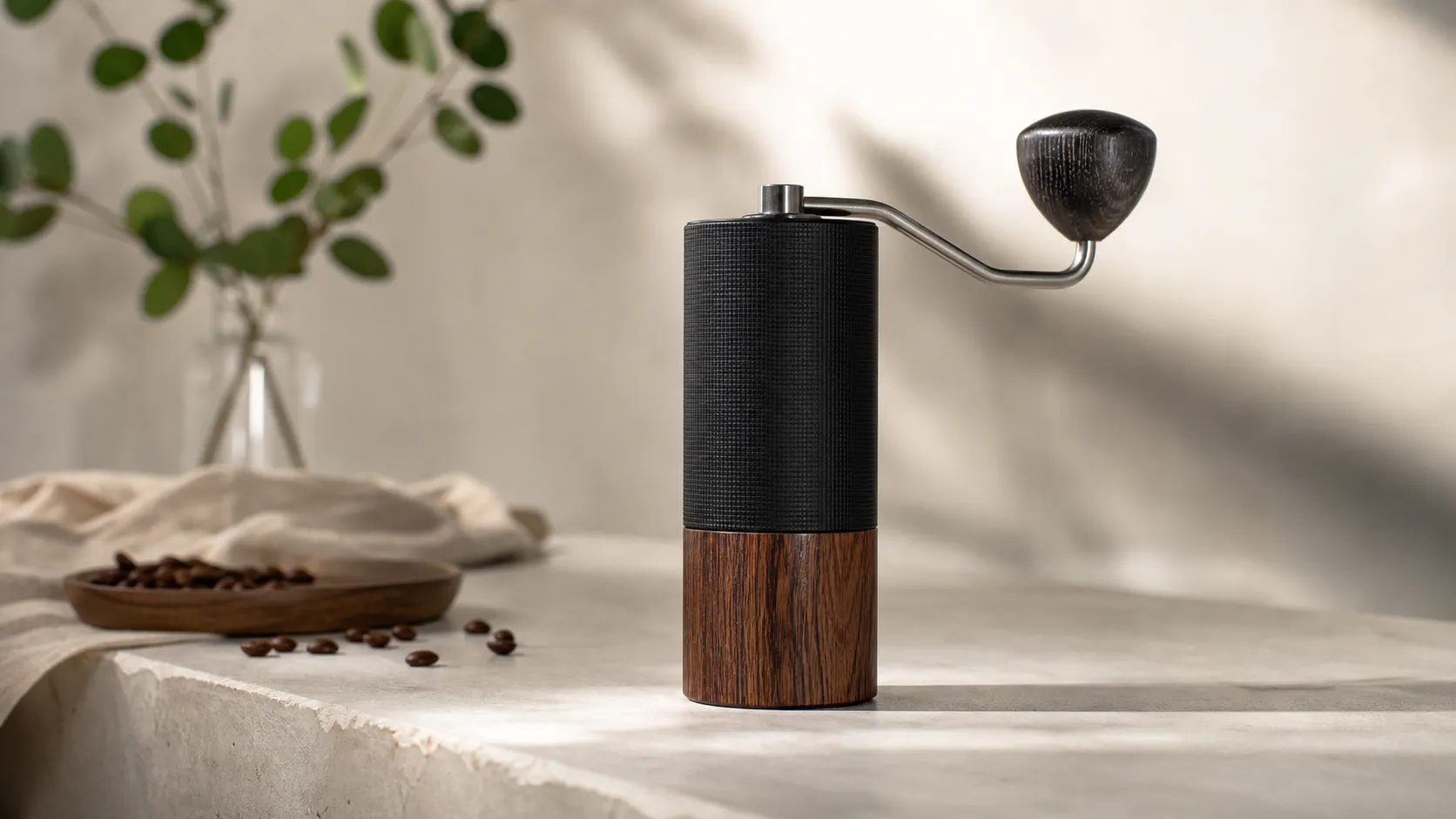
Comandante C40 MK4 Manual Coffee Grinder — 2026 Review
A premium manual grinder known for exceptional build and grind consistency — ideal for serious home baristas, but heavy and pricey for casual users or travel.
 Kitchen & Appliances
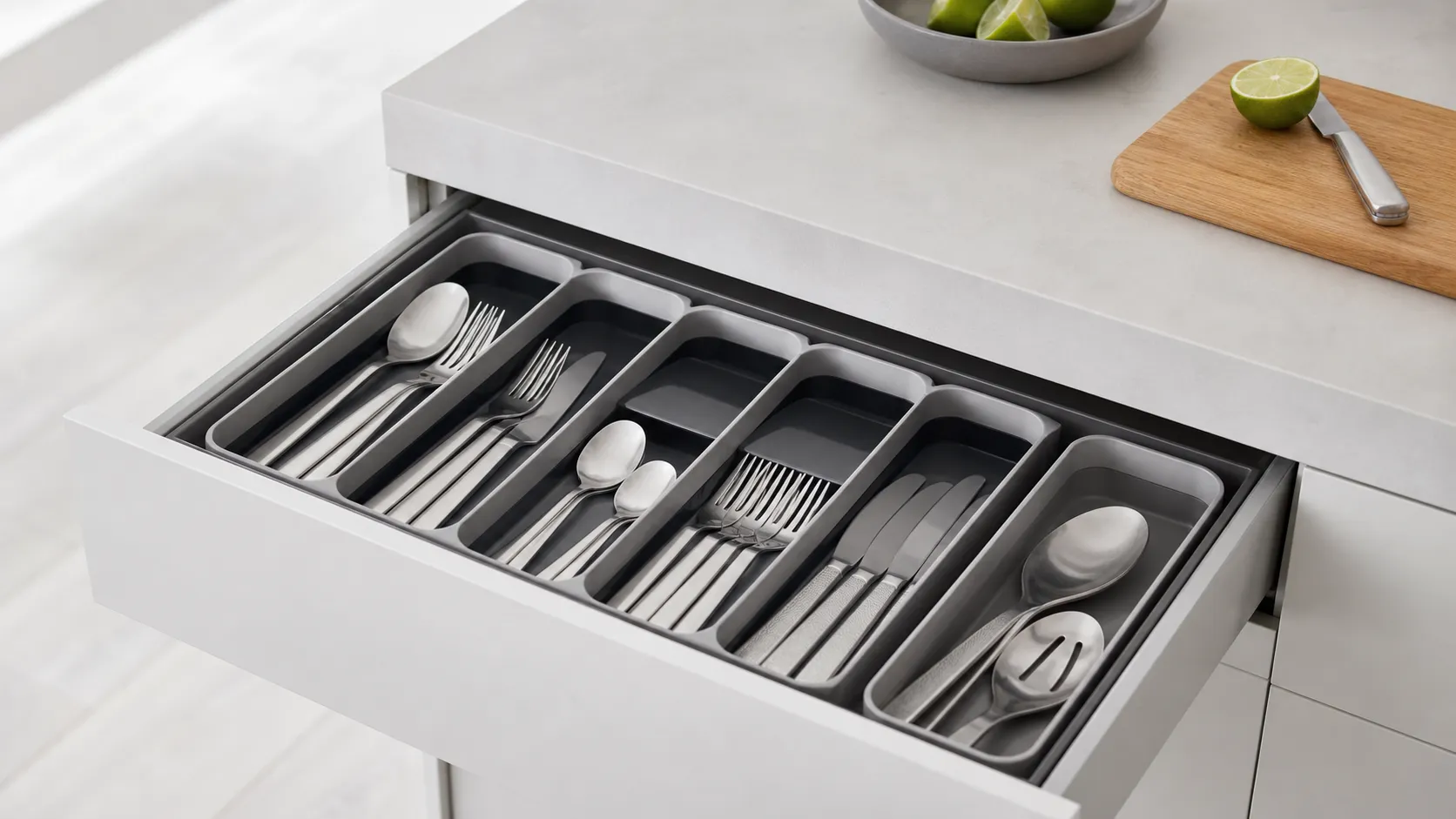
Joseph Joseph DrawerStore Cutlery Organizer Review 2026
A slim, modern cutlery tray that maximizes shallow-drawer space. Great for tidy, small-kitchen organization—measure your drawer first and avoid if you store long utensils.
 Kitchen & Appliances
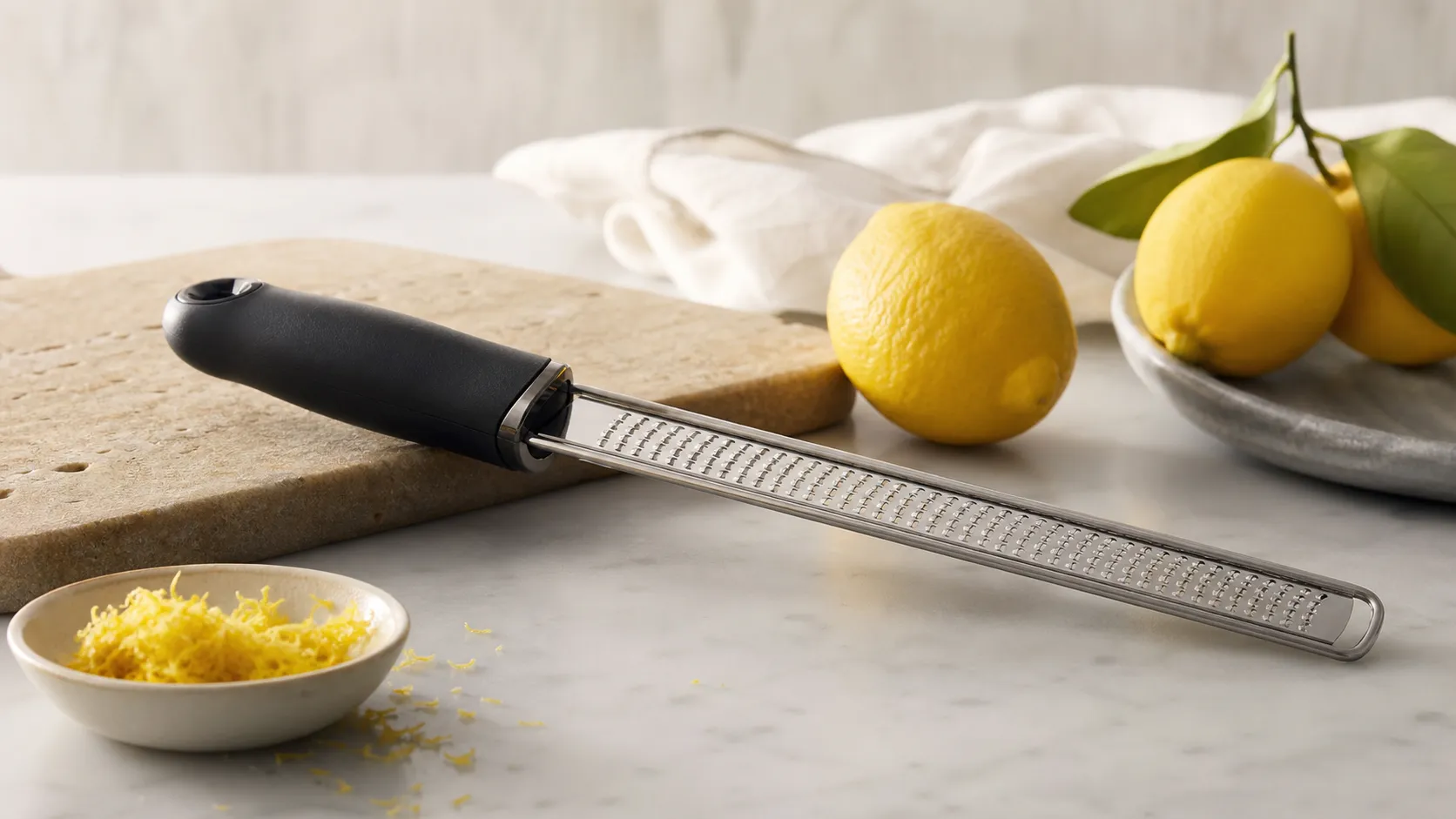
Microplane Premium Classic Zester/Grater — Review 2026
The Microplane Premium Classic is the go-to hand zester for precise, fluffy citrus zest and fine shavings. Sharp, compact, and great value—best for finishing, not bulk grating.