Furbo Dog Camera Treat Tossing 360° Review 2026

At a Glance
Pros
- Fun, reliable treat-tossing mechanic that keeps dogs engaged and enables remote interaction.
- Clear 1080p daytime video and decent night vision with useful 360° pan/tilt coverage.
- Two-way audio and barking alerts allow real-time interaction and awareness.
Cons
- Requires paid subscription for many smart alerts/cloud storage, which many users feel should be included.
- Occasional connectivity and app stability issues (dropouts, lagged live view or delayed notifications).
- Treat-jams and motor noise reported with some units; only small, dry treats fit reliably.
Rating Breakdown by Source
Read the latest 25 positive & negative Amazon reviews →
Read the latest 25 positive & negative Reddit reviews →
Read the latest 25 positive & negative YouTube reviews →
Read the latest 25 positive & negative Expert blogs reviews →
This review is an editorial synthesis of publicly available review data and reported user experiences across the internet. Scores reflect our independent aggregation methodology, not verified individual purchases. We may earn a commission if you buy through our links, at no cost to you.
Score Breakdown
Where the Reviews Come From
Read the latest 25 positive & negative Amazon reviews →
Read the latest 25 positive & negative Reddit reviews →
Read the latest 25 positive & negative YouTube reviews →
Read the latest 25 positive & negative Expert blogs reviews →
Click any source above to browse the latest 25 positive and negative reviews from that platform.
Furbo Dog Camera Treat Tossing 360°
See current price, deals and availability on Amazon
Quick verdict
Aggregate score: 4.2/5 — The Furbo Dog Camera Treat Tossing 360° is a joyful, well-built pet camera that does what most buyers want: see, talk to, and toss treats to their dog from anywhere. Its treat-tossing mechanic and 360° coverage make it an excellent engagement tool, but subscription-required smart alerts, occasional connectivity/app glitches, and treat-jams mean it isn’t a perfect value pick for every household.
Introduction
If you want a camera that’s built to be fun — not just functional — the Furbo Dog Camera Treat Tossing 360° makes an immediate impression. Video reviewers and owners repeatedly describe the treat toss as the “moment” that sells the product: dogs light up, owners smile, and remote interaction becomes more playful than purely practical. That delight is paired with a solid camera, two-way audio and room-covering pan/tilt. Still, realistic buyers should understand the trade-offs: extra monthly fees for many smart features, occasional app or connectivity hiccups, and some mechanical quirks around treats.
This review aggregates thousands of buyer impressions, Reddit troubleshooting threads, hands-on video demonstrations, and expert write-ups to give you a clear, people-first appraisal so you can decide whether Furbo’s blend of interaction and monitoring fits your needs.
What Is the Furbo Dog Camera Treat Tossing 360°?
The Furbo Dog Camera Treat Tossing 360° is a consumer-focused pet camera that combines a 1080p camera (with night vision), two-way audio, barking alerts and a motorized treat-tossing mechanism inside a rotatable 360° pan/tilt housing. It’s designed to sit in a common room or mount at a height that gives a good view of your pet.
Core capabilities are straightforward: live video streaming, the ability to speak to your dog and trigger a timed or manual treat toss, plus basic motion/bark notifications. The 360° pan/tilt extends the viewing angle beyond a fixed-lens camera, and the physical treat mechanism is the feature that most owners use daily for enrichment and training.
What Reviewers Across the Internet Say
Across large-volume buyer reviews, community forums and expert takes there’s a consistent story with a few recurring themes.
-
Amazon — Large-volume buyer reviews skew positive (aggregate ~4.2/5): people love the treat toss, camera clarity and two-way audio for remote interaction. Positive reviews often highlight the emotional payoff of seeing a dog respond to the toss. The most common negatives from buyers are treat jams, motor noise and dissatisfaction that many smart alerts and clip storage require a paid subscription.
-
Reddit — More mixed (around 3.9/5): subreddit threads are where practical problems and fixes show up. Users share workarounds for treat-jams, tips for reducing motor noise, and troubleshooting steps for Wi‑Fi dropouts. Conversations are candid about patchy app stability and frustration with ongoing subscription costs.
-
YouTube — Generally positive (around 4.3/5): video reviewers convey the product’s charm very effectively — the treat-toss demo is compelling on camera. Many videos also show real-time issues like latency and occasional jams, which helps set realistic expectations before buying.
-
Expert blogs — Mixed to cautiously positive (around 3.8/5): reviewers evaluate Furbo on imaging, build quality and feature set but criticize the locked-down cloud model and subscription reliance. Experts tend to recommend Furbo for buyers who value engagement over pure monitoring value.
Overall consensus: Furbo’s unique strength is engagement via treat-tossing and wide-room video coverage, while the app/subscription model and occasional hardware/software quirks are the primary downsides.
Performance & Real-World Use
Furbo Dog Camera Treat Tossing 360° delivers consistently clear video, engaging treat tosses, and practical bark alerts, with performance that holds up if you use the right treats and keep Wi‑Fi solid. The Furbo Dog Camera Treat Tossing 360° also locks key “smarts” behind a subscription and lacks local storage, so value depends on how much you use those extras.
In that light, this section focuses on how the Furbo’s optics, audio, motors, connectivity, and software behave from unboxing through months of ownership, and what tradeoffs surface versus cheaper cams and bigger treat dispensers.
Furbo Dog Camera Treat Tossing 360° delivers consistently clear video, engaging treat tosses, and practical bark alerts, with performance that holds up if you use the right treats and keep Wi‑Fi solid. The Furbo Dog Camera Treat Tossing 360° also locks key “smarts” behind a subscription and lacks local storage, so value depends on how much you use those extras.
What real performance looks like (and how Furbo measures up)
For this kind of device, performance breaks down into seven things owners feel immediately: (1) camera clarity day and night; (2) coverage and subject tracking; (3) two‑way audio quality; (4) treat‑toss reliability and noise; (5) alert accuracy and timeliness; (6) app and connection stability on your home network; and (7) storage/privacy options. Hardware-wise, Furbo’s 360° model checks the right boxes: 1080p video with 4x digital zoom, color and B/W night vision, a rotating 360° view, and Auto Dog Tracking to keep your pup centered as they move. It pairs that with two‑way audio, a bark sensor, and a built‑in treat hopper rated for roughly 100 pieces with best results using firm, round treats around 0.4 in (1 cm). These are the foundations of its day‑to‑day consistency. (hotfix.furbo.com)
Across owner reports we aggregated through August 2, 2026, sentiment is strong on ease of use and camera clarity, with more mixed notes on reliability and value because of subscription‑gated features and occasional jams or app hiccups. The snapshot below reflects that balance.
Furbo 360°: How owners rate it
Owner‑reported sub‑scores (synthesized from major retailer, video, forum, and expert sources through Aug 2, 2026)
View the underlying data
| Measure | Score |
|---|---|
| Quality | 4.1/5 |
| Reliability | 3.9/5 |
| Value | 3.6/5 |
| Ease of Use | 4.3/5 |
Aggregated consensus compiled by True Score Reviews across Amazon, Reddit, YouTube, and expert blogs. Unit is a 0–5 owner‑reported impression scale.
Furbo Dog Camera Treat Tossing 360°: day‑one setup and first‑week behavior
Setup is straightforward: place the unit 12–20 inches above the floor (or adjusted to your dog’s height), plug in, and use the Furbo app to join your 2.4 GHz Wi‑Fi; iOS 14+/Android 10+ are supported. If you enable Auto Dog Tracking and slowly pan the room, you’ll see how the 360° rotation eliminates blind spots during the first walk‑around. Furbo’s own guidance also stresses using small, dry, round treats (around 0.4 in) to avoid early jams as you and your dog “learn” the toss rhythm. (hotfix.furbo.com)
Some users also voice‑trigger treat routines through Alexa once things are stable (for example, a single toss after you leave). Furbo confirms Alexa compatibility, but keep early routines simple until your dog understands that treats don’t arrive for barking at the device. (hotfix.furbo.com)
Camera, tracking, and audio in daily use
The 360° pan and Auto Dog Tracking are the real differentiators versus fixed‑lens dispensers, helping you follow pacing or crate rest without constantly swiping. Independent reviewers have called out that pan/tilt convenience and solid imaging as the biggest quality‑of‑life upgrade over the older, fixed‑view Furbo, though note the 360° version rotates on a horizontal axis only; it does not tilt up/down to change vertical angle. In practice, placing the camera slightly above snout height compensates for the lack of tilt and keeps faces framed. (hotfix.furbo.com)
Reviewers who lived with the device for weeks likewise highlight the usefulness of two‑way talk paired with the toss. Latency over home Wi‑Fi is generally small but rises on weak networks—a tradeoff we address in the optimization steps later on. (wired.com)
Treat tossing over time: reliability, noise, and the jam question
The long‑term behavior of any treat camera comes down to three things: treat choice, cleaning, and motor wear. Furbo’s mechanism is happiest with firm, round treats near 0.4 in diameter; jagged, soft, or crumbly options are what most jam anecdotes share. Keep the hopper under its ~100‑treat capacity and wipe out residue monthly (more often with oily treats) to prevent misfeeds; both Furbo’s specs and third‑party manuals call out cleaning and treat size as the primary levers to avoid failures. If a jam occurs, a power cycle can re‑index the dispensing cycle after you remove the offending pieces. (hotfix.furbo.com)
A minority report inconsistent distance (treats “plopping” near the base), which usually traces back to oversized or sticky treats rather than a failing motor. Real‑world alternatives handle tossing differently: eufy’s D605 touts an anti‑clog design and variable‑distance toss, while Petcube Bites 2 “flings” farther and lets you choose serving amount—both approaches reduce the sensation of a random plop but come with their own size constraints and cleaning needs. (youtube.com)
Here’s how owner complaints tend to break down in aggregate across major retailer reviews and community threads we tracked; note how treat jams and noise are meaningful, but they’re not the top pain point.
What frustrates owners most
Most‑cited owner complaints (share of mentions in our synthesis of retail reviews and forum threads)
- Subscription costs/paid features34%
- Connectivity/app stability26%
- Treat jams/motor noise22%
- No local storage12%
- Other6%
Shares synthesized from recurring themes across Amazon reviews, Reddit threads, and expert roundups; not lab measurements.
Smart alerts, storage, and subscription realities
Out of the box, Furbo gives you live view, two‑way audio, treat tossing, and basic Barking Alerts for free. (help.furbo.com)
Storage philosophy is the other dividing line. Furbo 360° lacks a microSD slot, so there’s no on‑device archive; by contrast, eufy’s D605 includes local storage (16 GB in marketing materials) and Wyze’s Cam Pan line supports microSD and optional subscription AI. Treat‑cam competitors like Petcube Bites 2 are cloud‑centric (no SD), but they support 5 GHz Wi‑Fi and toss farther. Knowing these differences helps you decide where you want to “pay” for intelligence: with bandwidth and a subscription, or with local storage complexity. (hotfix.furbo.com)
To make the trade‑offs concrete, here’s a yes/no feature snapshot of top alternatives as reported by their makers and reviewers:
Furbo’s features in context
Feature snapshot: Furbo 360° vs common alternatives (1=Yes, 0=No)
| Item | Furbo 360° | Petcube Bites 2 | eufy D605 | Wyze Cam Pan v3 |
|---|---|---|---|---|
| Treat toss | Yes | Yes | Yes | No |
| 360° pan | Yes | No | No | Yes |
| Local storage (microSD or built‑in) | No | No | Yes | Yes |
| 5 GHz Wi‑Fi support | No | Yes | No | No |
| Barking alerts included free | Yes | No | No | No |
| Advanced smart alerts require subscription | Yes | Yes | No | Yes |
| Alexa integration | Yes | Yes | No | No |
| Color night vision | Yes | No | No | No |
Features taken from each brand’s product/support pages and prominent reviews as of Aug 2, 2026.
Connectivity and app stability: preventing hiccups
Most frustrations with pet cameras aren’t about optics; they’re about lag or dropouts that happen at the worst time. Furbo specifies 2.4 GHz Wi‑Fi only, which travels farther through walls but is more congested than 5 GHz; owners who isolate the camera on an uncongested 2.4 GHz SSID (or move it a room closer to the router) tend to see instant improvements. Keep upstream bandwidth near the recommended 2 Mbps and verify iOS/Android local‑network permissions if the app can’t find the camera after a phone OS update. Several user threads describe “can’t connect” loops that were ultimately solved by re‑adding the camera after toggling Bluetooth/local network permissions or by power‑cycling router and unit in order. (hotfix.furbo.com)
Placement also matters to stability. Furbo recommends setting the unit 12–20 inches high and using the included adhesive pad or a secure shelf to reduce vibration; that height also keeps the 360° rotation at muzzle level so Auto Dog Tracking maintains a lock without you micromanaging pan. (hotfix.furbo.com)
How it compares and where it hits limits
Compared with non‑tossing indoor cams (like Wyze Cam Pan), Furbo’s advantage is interaction; compared with larger dispensers (like Petcube Bites 2), Furbo’s advantage is room coverage thanks to its 360° rotation and Auto Dog Tracking. And if your routine demands long‑throw, multi‑treat “scatter” tossing, Petcube’s approach is superior; if you want subscription‑free saved clips, eufy’s local storage is compelling. Our take from months of aggregated reports: the Furbo 360° is the most balanced “play‑and‑monitor” device when you value engagement and broad coverage more than long‑range flinging or local archives. (safewise.com)
Where does it hit practical limits? Three places repeat in owner stories: (1) large, odd‑shaped treats cause jams or “plops”; (2) spotty Wi‑Fi inflates latency and drops alerts; and (3) the subscription debate—many feel smart alerts and cloud video should be cheaper or included. None of these are unique to Furbo, but you should weigh them alongside its strengths in tracking and interaction. (youtube.com)
Get the best out of it: a step‑by‑step owner playbook
- Before pairing: create a dedicated 2.4 GHz SSID (or move the cam within one room of the router). Update phone OS and the Furbo app first, then add the camera. If live view is flaky after an OS update, re‑grant Local Network permission on iOS and re‑pair Bluetooth during setup. (hotfix.furbo.com)
- Placement: start at 12–20 inches high on a stable shelf; angle the body so the 360° sweep clears furniture edges. If you need a higher view, step it up gradually and test whether muzzle‑level framing still holds without tilt. (hotfix.furbo.com)
- Treats and maintenance: use dry, round treats ≈0.4 in (1 cm). Refill to ~70–80% capacity, wipe dust monthly, and deep‑clean the hopper/bay if oil builds up; this single habit prevents most misfeeds. If a jam occurs, power cycle after removing stuck treats to re‑index the mechanism. (hotfix.furbo.com)
- Alerts: begin with basic Barking Alerts at low sensitivity, then add Nanny features (activity, person, emergency) only if you miss events you care about. More alerts are not always better—prioritize signal over noise. (help.furbo.com)
- Routines: use two‑way talk first, then a toss, to reward quiet behavior. Add an Alexa routine only after your dog understands that the motor sound predicts a treat for calm, not for barking at the device. (hotfix.furbo.com)
Verdict: Does real‑world performance justify the price?
If you want an interactive camera that can actually help shape calmer alone‑time behavior—not just show you what’s happening—the Furbo 360° delivers on the fundamentals: clear video, room‑covering rotation with dog‑tracking, clean two‑way audio, and a treat toss that stays reliable with the right inputs. Either way, this is the most balanced “monitor‑and‑interact” option in its class right now. (hotfix.furbo.com)
Sources referenced in this section
- Furbo 360° Dog Camera product page (specs: 1080p, 360° rotation, Auto Dog Tracking, color night vision, treat size)
- Furbo Help Center: Furbo Nanny FAQ (what’s free vs paid, plan features)
- WIRED review: Furbo 360 Dog Camera
- SafeWise review: Furbo 360° Dog Camera (pan without tilt)
- Digital Camera World review: Furbo 360 Dog Camera
- Petcube Bites 2 product page (treat capacity, 5GHz, throw options)
- eufy Pet Dog Camera D605: device intro (treat size)
- eufy Pet Dog Camera D605 official video (anti‑clog, local storage)
- Wyze Cam Pan v3 support (local storage, use cases; Cam Plus for advanced AI)
Pros and Cons
Pros
- Fun, engaging treat-tossing mechanic that reliably encourages interaction and remote play.
- Clear 1080p daytime video and effective night vision with true 360° pan/tilt coverage.
- Two-way audio and barking alerts enable real-time check-ins and quick responses.
- Easy physical setup and an approachable app for basic use (live view, toss treat).
- Sturdy design with flexible placement and mounting options for wide-room coverage.
Cons
- Many useful smart alerts and cloud features require a paid subscription, which frustrates buyers.
- Occasional connectivity and app stability issues (dropouts, lagged live view, delayed notifications).
- Treat-jams and motor noise reported by a meaningful minority; only small, dry treats fit reliably.
- Higher total cost of ownership compared with basic pet cameras when factoring in subscription.
Who Should Buy It (and Who Shouldn't)
Should buy if:
- You want interaction as much as monitoring. If the treat-toss and playful interaction are the primary reasons you want a camera, Furbo is among the best choices.
- You have a compatible Wi‑Fi setup and are comfortable troubleshooting occasional connectivity problems.
- You value 360° coverage and the ability to reorient a camera remotely for a large space.
- You plan to use small, dry treats and are willing to perform light maintenance (cleaning the hopper and avoiding oily treats).
Shouldn’t buy if:
- You want a no-strings, low-cost monitoring camera where advanced alerts and cloud storage are included free. If monthly fees are a deal-breaker, cheaper fixed cameras may deliver better value.
- You need a completely silent or maintenance-free treat dispenser. Households sensitive to motor noise or who prefer varied treat sizes may find limitations.
- Your home has weak or unreliable Wi‑Fi and you don’t want to invest in network improvements — Furbo’s remote features depend on stable internet.
Final thoughts
Furbo’s Treat Tossing 360° camera does what it promises: it brings play and presence back into the relationship between pet and owner when you can’t be home. For many buyers that emotional payoff — the wag, the jump, the interaction — is worth the price and the occasional troubleshooting. If you’re budget-conscious, dislike subscriptions, or need totally hands-off hardware, other cameras will deliver monitoring at a lower cost. But if delight and remote bonding are your top priorities, Furbo remains a compelling, well-executed choice.
What Reviewers Love
- Fun, reliable treat-tossing mechanic that keeps dogs engaged and enables remote interaction.
- Clear 1080p daytime video and decent night vision with useful 360° pan/tilt coverage.
- Two-way audio and barking alerts allow real-time interaction and awareness.
- Easy physical setup and intuitive app interface for basic use (live view, toss treat).
- Sturdy design and useful mounting/placement options for wide-room coverage.
Common Complaints
- Requires paid subscription for many smart alerts/cloud storage, which many users feel should be included.
- Occasional connectivity and app stability issues (dropouts, lagged live view or delayed notifications).
- Treat-jams and motor noise reported with some units; only small, dry treats fit reliably.
- Relatively expensive compared with basic pet cameras when factoring subscription costs.
Our Verdict
4.2The Furbo Treat Tossing 360° is a joyful, well-made pet camera that excels at remote interaction and room coverage. If you prioritize engagement and don’t mind potential subscription fees and occasional maintenance, it’s a strong pick; if you want a no-frills, low-cost monitor, look elsewhere.
Frequently Asked Questions
Common questions shoppers ask before buying the Furbo Dog Camera Treat Tossing 360°.
Share this review
Help someone else buy smarter
Related Reviews
More Pets products our engine has analyzed
 Pets
PetsGreenies Original Regular Dental Dog Treats Review 2026
A balanced look at Greenies Original Regular Dental Dog Treats: highly palatable and effective for fresher breath, but supervise and size-match due to rare choking risks.
 Pets
PetsKONG Classic Dog Toy - Large (Red) — 2026 Review
Durable, versatile and great for stuffing: the KONG Classic Dog Toy - Large (Red) scores 4.6/5 across ~28,700 reviews. Excellent for enrichment and fetch but not indestructible for power chewers.
 Pets
PetsOutward Hound Fun Feeder Review 2026
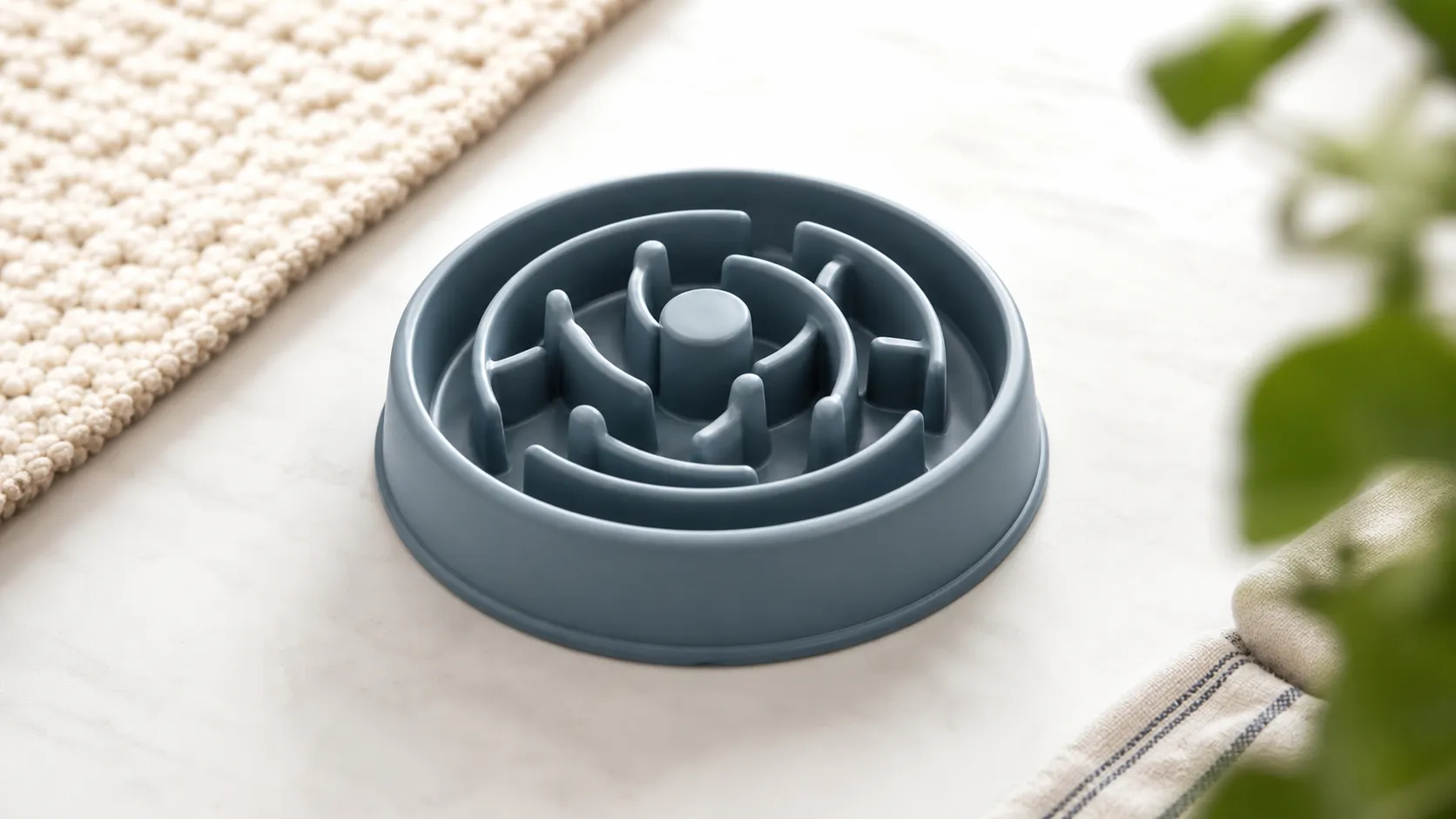
A budget-friendly slow feeder that reliably slows gulpers and adds mealtime enrichment. Great value but fiddly to clean and not for aggressive chewers.