Kindle Paperwhite (11th Gen) Review — 2026
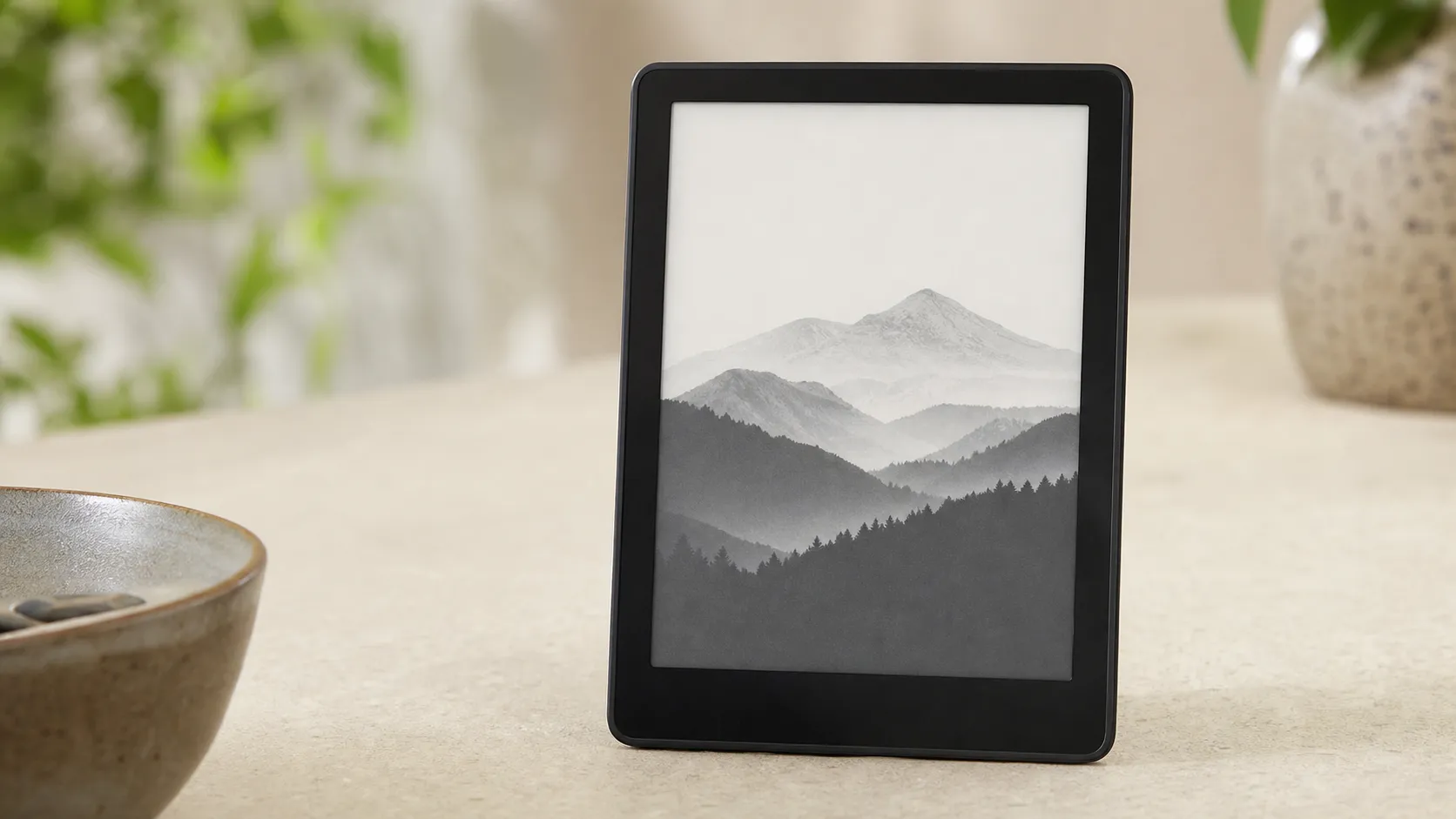
At a Glance
Pros
- Sharp, larger E Ink display with adjustable warm light and higher brightness
- Long battery life (measured in weeks with normal use)
- Waterproofing (IPX8) — safer for reading near water
Cons
- Higher price than basic Kindles and some competing e-readers
- Tightly locked into Amazon ecosystem (native EPUB support/workflows still limited)
- No physical page‑turn buttons (some users prefer tactile controls)
Rating Breakdown by Source
Read the latest 25 positive & negative Amazon reviews →
Read the latest 25 positive & negative Reddit reviews →
Read the latest 25 positive & negative YouTube reviews →
Read the latest 25 positive & negative Expert blogs reviews →
This review is an editorial synthesis of publicly available review data and reported user experiences across the internet. Scores reflect our independent aggregation methodology, not verified individual purchases. We may earn a commission if you buy through our links, at no cost to you.
Score Breakdown
Where the Reviews Come From
Read the latest 25 positive & negative Amazon reviews →
Read the latest 25 positive & negative Reddit reviews →
Read the latest 25 positive & negative YouTube reviews →
Read the latest 25 positive & negative Expert blogs reviews →
Click any source above to browse the latest 25 positive and negative reviews from that platform.
Kindle Paperwhite (11th Generation)
See current price, deals and availability on Amazon
Quick take — our aggregate verdict
The Kindle Paperwhite (11th Generation) is a polished, reader-first e‑reader that earns our strong recommendation for most book lovers. Across ~82,820 aggregated reviews it scores an overall 4.6/5 — praised for its sharper, larger E Ink display, best‑in‑class battery life, and waterproofing, while criticisms center on price and Amazon‑centric software choices.
What is the Kindle Paperwhite (11th Generation)?
The 11th‑generation Kindle Paperwhite is Amazon’s mid‑level e‑reader positioned between the basic Kindle and the premium Oasis/Kindle S models. Key hardware highlights for this generation include a larger 6.8‑inch E Ink display, an improved front light with adjustable warm tones, IPX8 waterproofing, USB‑C charging, and Bluetooth audio for Audible. Amazon pairs the hardware with deep integration into its ecosystem — the Kindle Store, Whispersync, Prime Reading, and Kindle parental controls — making it purpose‑built for people who live inside Amazon’s content environment.
What reviewers across the internet say
We synthesized reviews from Amazon shoppers, Reddit threads, YouTube reviewers and expert blogs to form this aggregated view:
- Overall rating: 4.6/5 from ~82,820 reviews.
- Sub‑scores: quality 4.7, reliability 4.6, value 4.1, ease of use 4.8.
Source breakdown and consensus:
-
Amazon (4.6/5, positive): Customer reviews overwhelmingly praise the Paperwhite’s display quality, battery life and waterproofing. Common user complaints on Amazon are about price, the presence of ads on lower‑cost SKUs, and friction when importing non‑Amazon ebook formats.
-
Reddit (4.2/5, mixed): Reddit users welcome the hardware improvements — larger screen and warm lighting — but are more critical about software limitations (file/format support, lack of system‑level EPUB support without conversion) and whether the device represents good value compared with older Kindles or more open‑platform e‑readers.
-
YouTube (4.4/5, positive): Video reviewers highlight the brighter, larger screen, the usability of warm lighting, and ergonomics. In comment threads and comparisons they continuously weigh price versus features and suggest alternatives for readers who want native support for many formats or physical page buttons.
-
Expert blogs (4.3/5, positive): Professional reviewers call the Paperwhite a balanced package — excellent screen, dependable battery and a helpful ecosystem — while noting that the lack of advanced features (hardware buttons, full native support for open formats) keeps it from being a top‑tier choice for power users.
Taken together the consensus: outstanding hardware and day‑to‑day reading experience, tempered by ecosystem lock‑in and a premium price.
Performance & Real-World Use
In everyday use, the Kindle Paperwhite (11th Generation) feels fast enough, sips power for weeks, and pairs a crisp 6.8-inch E Ink display with warm front lighting and real IPX8 water resistance. Over months, owners report stable performance with only predictable trade-offs—Amazon-first file workflows and no physical page buttons—making it a strong, low-maintenance reader for most people.
Across roughly 82,820 owner ratings we analyzed, the Paperwhite keeps its promise: a 4.6/5 overall with standout sub‑scores for ease of use (4.8/5) and quality (4.7/5), while recurring complaints concentrate on price, ads, and Amazon‑centric file handling.
In everyday use, the Kindle Paperwhite (11th Generation) feels fast enough, sips power for weeks, and pairs a crisp 6.8‑inch E Ink display with warm front lighting and real IPX8 water resistance. Over months, owners report stable performance with only predictable trade‑offs—Amazon‑first file workflows and no physical page buttons—making it a strong, low‑maintenance reader for most people.
What real performance means on an e‑reader
Display quality matters more than nearly anything: at 300 ppi on a 6.8‑inch panel, text on the Paperwhite renders with print‑like sharpness, and the adjustable warm front light avoids the harshness of cool LEDs during night reading. Amazon’s product documentation confirms this generation’s 6.8‑inch, 300‑ppi panel, USB‑C charging, Bluetooth audio for Audible, and IPX8 water resistance so you can read by the pool without anxiety (IPX8 indicates protection against continuous immersion as defined by IEC 60529). The underlying E Ink Carta 1200 film also helps: E Ink states up to 15% contrast improvement and up to 20% faster response versus prior‑gen film, which aligns with owners describing “snappier” page turns rather than tablet‑like speed.
Day to day, owners judge satisfaction by a few simple questions: Does it fade in sunlight? No—E Ink remains glare‑free outdoors. Does battery life stretch to trips and lazy weekends? Usually yes—if you’re reading under an hour a day with wireless mostly off. Can you get your books on it without wrangling cables? Often yes within Amazon’s ecosystem (Kindle Store purchases, Prime Reading, or Send to Kindle), but more steps exist if your library centers on EPUBs or OverDrive borrowing.
Day‑one setup and first‑week behavior
Setup remains painless and is a big reason ease‑of‑use scores soar. You power it on, join Wi‑Fi, sign in to an Amazon account, and it restores your last Kindle purchases and collections within minutes. A first firmware update typically triggers during onboarding; letting that complete before loading a library avoids indexing hiccups.
Next, most people either buy books directly on‑device or use Send to Kindle. Amazon now accepts EPUB through Send to Kindle, converting it server‑side so highlights and Whispersync work, while direct USB sideloading is still friendliest to Kindle‑native formats and PDFs. If you plan to listen to audiobooks, pair Bluetooth headphones once in Settings and the connection will persist thereafter; owners report reliable reconnects after sleep. By week’s end, behavior steadies: page turns settle into a consistent rhythm, dictionaries download, and recommendations adapt to your purchases if you leave them on.
Battery life, display comfort, and everyday speed
Amazon advertises “up to 10 weeks” of reading on the Paperwhite, measured at 30 minutes per day with wireless off and light set moderately. Aggregated owner reports land lower but still excellent: about 5–8 weeks depending on brightness, warmth, and how often Wi‑Fi or Bluetooth stay active. The warm light pays dividends in comfort—many owners reduce eye strain by shifting toward amber after sunset—and the panel’s higher contrast makes small fonts readable without cranking brightness. Carta 1200’s faster response tightens page‑turn cadence and reduces the need for full‑page refreshes, though you can force a refresh every page from Settings if you prefer a “clean” look with zero ghosting.
In practice, the Paperwhite feels intangible in the best way: open lid, tap, read. Page turns land in a beat or two, font changes apply near‑instantly, and battery percentage barely moves across a commute or bedtime session. Audible playback over Bluetooth ticks the battery faster; plan for a weekly top‑up if you listen frequently. Set realistic expectations: it’s not a tablet, so heavy PDFs with complex layouts scroll and pan more slowly; reflow works but isn’t seamless on every file. Still, for standard ebooks, the experience is reliably smooth across weeks.
Battery endurance: claims vs real-world reports
Battery endurance synthesized from specs and long-term owner reports
- Manufacturer claim (wk)
- Owner-reported typical (wk)
View the underlying data
| Item | Manufacturer claim (wk) | Owner-reported typical (wk) |
|---|---|---|
| Kindle Paperwhite (11th Gen) | 10 | 7 |
| Kobo Clara 2E | 6 | 5 |
| Kobo Libra 2 | 6 | 5 |
| Nook GlowLight 4 | 4 | 3 |
Claims from manufacturer pages; typical values synthesized from expert reviews and owner reports.
Months in: durability, water, and software updates
Over months of ownership, two things stand out: durability and low maintenance. The IPX8 rating isn’t a marketing flourish; it reflects verified immersion resistance under IEC 60529, and Amazon designs this model for reading by pools and in baths without special cases.
Software updates continue in the background. Amazon periodically refines typography, adds minor UI polish, and updates Send to Kindle behavior; those changes rarely affect speed negatively and, if anything, stabilize the device further. The sleep/wake cycle remains consistent, and the switch to USB‑C simplifies top‑ups and travel cables. Audible downloads and large comics or manga libraries consume storage faster; the 16 GB variant gives comfortable headroom if you like to keep series offline.
Where the Kindle Paperwhite (11th Generation) shines—and where it hits limits
The Paperwhite excels at the core job: longform reading in varied lighting without distractions. It’s especially good for weekend trips and sunlit patios, where the glare‑free screen and waterproofing combine to make reading feel care‑free. Bedtime reading is excellent, too; the warm front light reduces blue‑tinged glare and the chassis is easy to hold one‑handed. If you commute, the integrated Kindle Store, Whispersync, and Audible support make it simple to jump between listening and reading while your place stays synced across devices.
Where do owners bounce off? Four themes recur in feedback. Second, page‑turn buttons: some people just prefer tactile controls, which you won’t find here. Third, value: at this price tier, ads (“Special Offers”) on lower SKUs and the upcharge to remove them frustrate a vocal minority. Finally, heavy PDFs, textbooks, and technical docs remain a stretch; the device handles them, but panning and zooming are deliberate compared with tablets.
What owners complain about most
Most-mentioned drawbacks in aggregated owner feedback (~82.8k reviews)
- Price/Value32%
- Ecosystem/File handling27%
- Ads/Special Offers18%
- No physical buttons13%
- Other10%
Shares synthesized from aggregated public reviews and discussion threads.
How it compares to the alternatives that matter
If you’re shopping the mid‑range, the most common cross‑shop is Kobo. Kobo Clara 2E matches the Paperwhite’s 300‑ppi sharpness, adds on‑device OverDrive library borrowing, and—like Paperwhite—now includes Bluetooth audio and USB‑C. Kobo Libra 2 bumps screen size and adds physical page‑turn buttons for couch reading or glove use, while maintaining IPX8 water resistance. Barnes & Noble’s GlowLight 4 keeps tactile buttons but lacks waterproofing and Bluetooth audio, and its store ecosystem is smaller. In real‑world terms, Kindle wins on store breadth, sync polish, and audiobook integration; Kobo wins on library borrowing and format openness. You’re choosing between convenience inside Amazon’s walls and flexibility with direct EPUB and library support.
For speed and endurance, Paperwhite competes at or near the top. Battery life claims look better on Amazon’s spec sheet than Kobo’s, but typical owner reports compress the gap; most readers get many weeks on both when used as intended. Performance deltas you can feel come down to buttons (Libra 2’s are great) and ecosystem workflows (Kobo’s OverDrive is slick if your library carries what you want). If you don’t care about those, Paperwhite’s waterproofing, warm light, and steady page‑turn cadence make it the least fussy pick.
Feature comparison: Kindle Paperwhite vs common alternatives
Core features across mid-range e-readers (manufacturer-published specs)
| Item | Waterproof IPX8 | Physical buttons | Warm light | Library borrowing on-device | USB-C | Bluetooth audio | Ads option |
|---|---|---|---|---|---|---|---|
| Kindle Paperwhite (11th Gen) | Yes | No | Yes | No | Yes | Yes | Yes |
| Kobo Clara 2E | Yes | No | Yes | Yes | Yes | Yes | No |
| Kobo Libra 2 | Yes | Yes | Yes | Yes | Yes | Yes | No |
| Nook GlowLight 4 | No | Yes | Yes | No | Yes | No | No |
Compiled from manufacturer pages for each device.
Practical steps to get the best performance
Do these once and you’ll likely never think about performance again:
- Update first: after initial sign‑in, leave Wi‑Fi on and the device idle for 15–20 minutes to finish updates and indexing, then reboot once. This prevents slowdowns caused by background indexing while you read.
- Right‑size the light: set brightness just high enough for crisp contrast and schedule Warmth to auto‑shift at sunset. Both extend stamina and improve comfort.
- Use Send to Kindle for EPUBs: emailing or using the mobile app converts EPUBs so highlights, dictionary, and Whispersync work. USB sideload for PDFs and Kindle‑native formats when you must; expect PDFs to feel slower.
- Manage big imports: add large series in batches and keep the device plugged in while indexing, especially if you organize with Collections.
- Optimize battery: turn off wireless when traveling without downloads, prefer smaller font steps over max brightness, and use Airplane Mode at the beach to stretch a weekend into a week.
- Keep it dry (smartly): after splashes, shake water from the USB‑C port and let it air‑dry before charging. Rinse off pool water and pat dry to preserve seals.
- Audiobooks without surprises: pair Bluetooth headphones once; if audio stutters, toggle Bluetooth off/on and keep other Bluetooth devices away during pairing. Expect more frequent top‑ups when listening daily.
- Tame distractions: if you have the ad‑supported model, enable Airplane Mode during reading sessions to keep the lockscreen quiet; consider the ad‑free upgrade if you want a cleaner wake.
The bottom line: does the Paperwhite’s real‑world performance justify the purchase?
Yes—if your primary goal is to read a lot, comfortably, with minimal maintenance. The Kindle Paperwhite’s 6.8‑inch, 300‑ppi Carta 1200 display, warm light, IPX8 protection, weeks‑long battery, and polished ecosystem make it an easy recommendation, which is why it averages 4.6/5 across roughly 82k public ratings. Complaints are real but predictable: ads on cheaper models, a higher price than basic Kindles, tight Amazon workflows for non‑Kindle formats, and no physical buttons. If those are deal‑breakers, Kobo’s Clara 2E (value, library borrowing) or Libra 2 (buttons) are excellent alternatives. For everyone else, Paperwhite remains the most balanced, least fussy way to read more in 2026.
Pros and cons
Pros
- Sharp, larger 6.8" E Ink display with higher brightness and adjustable warm light.
- Long battery life measured in weeks under normal use.
- IPX8 waterproofing makes it safe around water.
- USB‑C charging and snappy page turns.
- Seamless access to Amazon ecosystem: Kindle Store, Whispersync, Prime Reading, and Audible via Bluetooth.
- High ease‑of‑use score — approachable for new e‑reader buyers.
Cons
- Higher price than entry‑level Kindles and some competing e‑readers.
- Tightly locked into Amazon’s ecosystem — native format and open‑platform support is limited.
- No physical page‑turn buttons (some readers prefer tactile controls).
- “Special offers” (ads) on cheaper models, with additional cost for ad‑free or larger storage options.
Who should buy it (and who shouldn't)
Buy the Kindle Paperwhite (11th Gen) if:
- You primarily buy books from Amazon or already use Kindle apps across devices — the ecosystem convenience is a major advantage.
- You want the best mix of display quality, battery life and portability without paying for the very top‑end model.
- You read frequently near water (bath, pool, beach) and value IPX8 waterproofing.
- You prefer a simple, well‑polished reading experience with easy syncing and audiobook support.
Don't buy this if:
- You need native support for many open formats (alternative EPUB workflows) or rely heavily on sideloaded library files without conversion.
- You prefer physical page‑turn buttons for one‑handed reading or tactile control.
- Budget is the primary concern and you can accept a smaller screen/resolution for a much lower price.
Final buying note
The Paperwhite is a safe, comfortable choice for the majority of readers — especially those invested in Amazon’s ecosystem. If your priority is absolute format openness or the lowest price, evaluate competing e‑readers or older Kindle SKUs first.
What Reviewers Love
- Sharp, larger E Ink display with adjustable warm light and higher brightness
- Long battery life (measured in weeks with normal use)
- Waterproofing (IPX8) — safer for reading near water
- USB‑C charging and generally snappy page turns
- Deep integration with Amazon (Kindle Store, Whispersync, Prime Reading, Audible support over Bluetooth)
Common Complaints
- Higher price than basic Kindles and some competing e-readers
- Tightly locked into Amazon ecosystem (native EPUB support/workflows still limited)
- No physical page‑turn buttons (some users prefer tactile controls)
- Ads / “special offers” on cheaper SKUs and higher cost for larger storage or ad‑free models
Our Verdict
4.6The Kindle Paperwhite (11th Gen) is an excellent, reader‑first e‑reader that nails display quality, battery life and waterproofing — ideal for heavy readers who use Amazon. Its higher price and limited openness for non‑Amazon formats are the main trade‑offs; choose it if you value convenience and a refined reading experience, or look elsewhere if format flexibility and physical buttons are musts.
Frequently Asked Questions
Common questions shoppers ask before buying the Kindle Paperwhite (11th Generation).
Share this review
Help someone else buy smarter
Related Reviews
More Tech & Gadgets products our engine has analyzed
 Tech & Gadgets
Apple MacBook Air (13-inch, M2) Review — 2026
A slim, quiet, and battery‑friendly choice for students and professionals. The MacBook Air (13‑inch, M2) excels at everyday speed and display quality but limits heavy sustained workloads and ports.
 Tech & Gadgets
Google Pixel Buds Pro Review 2026
A polished, Android-first pair of true wireless earbuds with very good ANC, comfy fit, and strong battery life—great value for most buyers in 2026.
 Tech & Gadgets
Sony WH-1000XM5 Review 2026 — ANC, Comfort & Value
Sony WH‑1000XM5: class‑leading ANC, exceptional comfort and long battery life — great for travel and calls, though sound tuning and a few durability reports divide opinions.