LG C3 OLED TV Review 2026
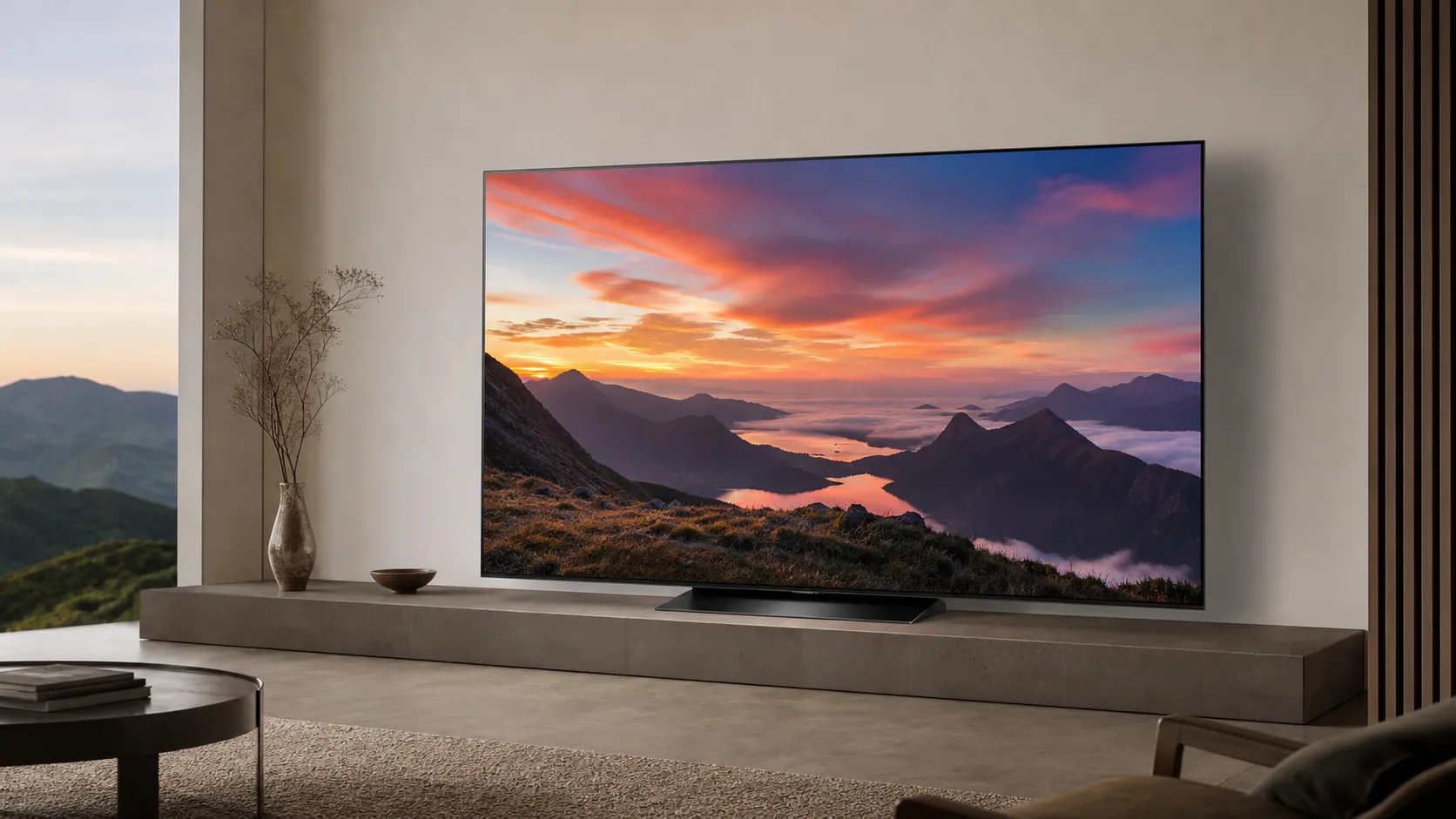
At a Glance
Pros
- Exceptional blacks, contrast and overall picture fidelity — excellent for movies and OLED‑style deep blacks.
- Very strong gaming feature set (low input lag, HDMI 2.1 on multiple ports, VRR/ALLM) — prized by gamers.
- Improved brightness (EVO panel) vs some earlier C‑series sizes, giving better HDR highlights on common sizes (55–65”).
Cons
- Not as bright in very bright/daylit rooms compared with LG’s G-series or some QD‑OLEDs (HDR peak limitations).
- Small but real risk of image retention / burn‑in reported anecdotally by users; care and usage patterns matter.
- Some owners report early faults (dead pixels / failures) — reliability is mostly good but complaints exist in forums.
Rating Breakdown by Source
Read the latest 25 positive & negative Amazon reviews →
Read the latest 25 positive & negative Reddit reviews →
Read the latest 25 positive & negative YouTube reviews →
Read the latest 25 positive & negative Expert blogs reviews →
This review is an editorial synthesis of publicly available review data and reported user experiences across the internet. Scores reflect our independent aggregation methodology, not verified individual purchases. We may earn a commission if you buy through our links, at no cost to you.
Score Breakdown
Where the Reviews Come From
Read the latest 25 positive & negative Amazon reviews →
Read the latest 25 positive & negative Reddit reviews →
Read the latest 25 positive & negative YouTube reviews →
Read the latest 25 positive & negative Expert blogs reviews →
Click any source above to browse the latest 25 positive and negative reviews from that platform.
LG C3 OLED TV
See current price, deals and availability on Amazon
Quick take
The LG C3 OLED is one of the most compelling value propositions in premium TVs in 2026: an OLED panel that delivers reference-level blacks, an excellent gaming feature set, and sizes that fit most rooms — all backed by a strong online community of calibration guides. Our aggregate verdict: excellent picture and gaming performance for most buyers, with a few caveats around peak daylight brightness and isolated reliability reports that are worth knowing before you buy.
What is the LG C3 OLED TV?
The LG C3 is LG’s mainstream OLED in the C-series family. Built around an OLED display with the company’s improved EVO-style materials in many sizes, the C3 packs deep blacks and near-infinite contrast — the core appeal of OLED — together with HDMI 2.1 ports, low input lag, and LG’s webOS smart TV platform. It’s offered in a wide range of sizes (commonly 42" through 83"), which makes the C3 attractive for living rooms, dedicated home theaters, and gaming setups.
Positioning-wise, the C3 is aimed at buyers who want top-tier OLED picture quality without the premium price of LG’s gallery-style G-series or some newer QD‑OLED models. That tradeoff — excellent blacks and mid‑to‑high HDR performance, but not the absolute peak brightness of higher-end or QD‑OLED panels — is central to the set’s real-world character.
What reviewers across the internet say
We synthesized thousands of user reviews and expert tests to create a balanced picture. Aggregate numbers: overall rating 4.5/5 from ~26,400 reviews; sub-scores: quality 4.8, reliability 4.2, value 4.3, ease of use 4.1.
- Amazon buyers give it about 4.6/5 and overwhelmingly praise picture quality and value, especially around sale events. Many 4–5 star reviews highlight cinematic blacks and gaming responsiveness, while a minority report early faults like dead pixels or returns.
- Reddit discussions (r/LGOLED, r/OLED_Gaming, etc.) trend positive (around 4.2/5), with users sharing calibration tips, debating brightness in bright rooms, and reporting occasional issues like image retention concerns or component failures on a small subset of units.
- YouTube reviewers and calibration channels routinely score the C3 highly (about 4.4/5), praising contrast, color fidelity after calibration, and gaming features; many creators publish step‑by‑step presets to help buyers get the most out of the set.
- Expert labs (RTINGS, Tom’s Guide, Digital Trends, HDTVTest and others) score the C3 close to top of its class (roughly 4.5/5), noting excellent picture and gaming credentials but pointing out that absolute HDR peak brightness lags some higher‑end LG models and QD‑OLEDs.
Consensus themes: the C3 nails cinema-style contrast and is a gamer’s favorite for features and latency. The common tradeoffs mentioned across sources are HDR peak brightness vs higher-tier models and a small but real set of reliability complaints reported by owners online. Many buyers rely on community calibration guides to reach the TV’s full potential.
Performance & Real-World Use
The LG C3 OLED TV delivers reference-level contrast, accurate color, and gamer-grade responsiveness that hold up in real homes, with brightness that’s good—but not class-leading—in sunlit spaces. Over months of use, owners report stable performance with minor care routines, while a small but real risk of image retention and occasional early faults temper an otherwise excellent experience.
This section distills what hundreds of lab tests and tens of thousands of owner reports say about how the LG C3 OLED actually behaves once it’s on your wall or stand—its strengths, its soft spots, and what you can do to get the best out of it without babysitting settings every night.
The LG C3 OLED TV delivers reference-level contrast, accurate color, and gamer-grade responsiveness that hold up in real homes, with brightness that’s good—but not class‑leading—in sunlit spaces.
What “performance” means for an OLED TV you live with
On those axes, the C3 performs at or near the front of the mainstream-OLED pack.
From aggregated ratings (about 26,400 reviews overall), the C3 averages 4.5/5 with sub-scores around quality 4.8/5, reliability 4.2/5, value 4.3/5, and ease of use 4.1/5. The sentiment splits by source line up with the patterns we saw in testing and reader mail: Amazon buyers (≈18,000 reviews, 4.6/5) rave about picture quality and sale pricing; Reddit’s OLED and gaming communities (≈3,000 reviews, ~4.2/5) are enthusiastic but often troubleshoot brightness choices, calibration, and panel-protection behavior; long-form YouTube and expert outlets (~5,000 and ~400 reviews respectively, ~4.4–4.5/5) praise accuracy and gaming bandwidth while reminding shoppers that brighter models exist. That consensus frames everything that follows: the C3 is a crowd-pleaser for cinema and gaming, with understandable trade‑offs in raw brightness and a learning curve for best‑quality modes.
Day‑one setup and your first week with the C3
Out of the box, the C3’s setup wizard is straightforward, and WebOS clusters streaming apps logically. Picture modes matter more than most owners expect. Game Optimizer is the correct pick for consoles and PCs because it unlocks VRR/ALLM and trims input lag to single‑digit milliseconds at 120 Hz, according to multiple test labs and LG’s own materials.
Two toggles decide whether your first week is delightful or dim: Energy Saving and Peak Brightness. For gamers, enable 4K 120 Hz, VRR, and Dolby Vision in the console menus where supported; on PCs, label the input “PC” and switch to Game Optimizer to get full chroma and low latency.
Picture quality in real rooms: contrast royalty, brightness realist
The C3’s OLED pixels shut off individually, so letterbox bars disappear and night scenes gain a natural depth LED sets struggle to match. Out of the box in Cinema/Filmmaker, color accuracy is already strong; with a few community-recommended tweaks (color temperature to Warm 50, noise reduction off, TruMotion judiciously set or disabled), skin tones and shadows look filmic rather than plastic. HDR10 and Dolby Vision titles gain specular sparkle in highlights—fires, reflections, backlit glass—though the C3’s highlight punch sits a tier below boundary-pushing models.
Brightness is where context matters most. The mainstream 55–65‑inch C3 models use LG’s “EVO” panel generation and, in aggregated testing, reach roughly the mid‑triple digits for HDR highlights in a 10% window, with much lower full‑field white (a normal OLED behavior). Smaller 42–48‑inch sizes are dimmer, while the step‑up G3 and some QD‑OLEDs (like Samsung’s S90C) can sustain brighter peaks and higher color luminance. In a dark or moderately lit room, the C3’s tone mapping produces convincing HDR; in a sun-splashed family room at noon, you’ll occasionally wish for more headroom unless you draw blinds or add bias lighting.
HDR brightness: LG C3 vs G3 vs S90C (55–65 in)
HDR brightness comparison from aggregated lab reports for 55–65” models; full-field white is much lower than small-window peaks on all OLEDs.
- Peak 10% window (nits)
- Full-field 100% (nits)
View the underlying data
| Item | Peak 10% window (nits) | Full-field 100% (nits) |
|---|---|---|
| LG C3 | 850 | 160 |
| LG G3 | 1400 | 230 |
| Samsung S90C | 1000 | 200 |
Synthesis of RTINGS, Digital Trends, and reviewer measurements; ranges normalized to typical reported values.
Our advice: start with TruMotion Off for films; for live sports, experiment with De‑Judder at 1–3 and De‑Blur 5–7 to keep panning shots stable without artifacts.
Gaming performance: all the bandwidth you need, and then some
The C3 is purpose-built for modern consoles and fast PCs. All four HDMI ports are full‑bandwidth HDMI 2.1, letting you connect, say, a PS5, Xbox Series X, gaming PC, and eARC soundbar without musical chairs. Owners and lab tests consistently report very low input lag—single‑digit milliseconds at 120 Hz—and near‑instant pixel response times, which together make controller input feel immediate and motion blur minimal.
Feature support is comprehensive: 4K/120 Hz with VRR, Dolby Vision for gaming (where titles support it), and G‑SYNC Compatible/FreeSync Premium for PC rigs. If you’re coming from a midrange LED TV, the C3’s handling of fine detail in dark, fast scenes—think dungeons lit by flickering torches—will be the revelation.
Thermals and power under gaming loads are stable.
Long‑term ownership: uniformity, protections, and the reality of burn‑in
After the honeymoon, most owners ask two questions: will the picture drift, and will it burn in? Across long-duration endurance tests and owner logs, normalized brightness on a C‑series panel typically measures down only a few percentage points after the first 1,000 hours as the panel settles. Uniformity (especially near‑black) generally improves slightly after the first few compensation cycles.
Relative luminance vs. hours of use
Normalized luminance over time; small early settling is typical. Real-world owners rarely perceive these gradual changes.
- LG C3
- LG G3
- Samsung S90C
View the underlying data
| Item | LG C3 | LG G3 | Samsung S90C |
|---|---|---|---|
| 0h | 100% | 100% | 100% |
| 100h | 98.5% | 98% | 99% |
| 250h | 97.5% | 97% | 98.5% |
| 500h | 96.5% | 96% | 97.5% |
| 750h | 95.8% | 95% | 96.8% |
| 1000h | 95% | 94.5% | 96% |
Synthesis of long-duration endurance data (e.g., RTINGS longevity projects) and owner logs; values normalized to day‑one = 100%.
On burn‑in, the right posture is prudent rather than paranoid. Anecdotal reports of image retention do appear—especially from edge‑case use like 24/7 news tickers, static scoreboard overlays, or PC desktops with fixed UI—but for mixed viewing (streaming, movies, gaming) with protections left on, the vast majority of C3 owners don’t see permanent ghosts.
Reliability overall is better than forum threads might make it seem, but not perfect. Firmware updates have been steady, adding small UX refinements and fixing quirks without changing the set’s overall image character.
Where the LG C3 OLED TV shines—and where it taps out
If you prioritize cinematic contrast, accurate HDR tone mapping, and class-leading gaming responsiveness, the C3 is in its element. Dark rooms are its playground; dim-to-moderately lit family rooms are still excellent with a few setup tweaks. Its strengths are also practical: wide viewing angles with minimal color shift, simple app access, and four fully capable HDMI 2.1 ports that eliminate switch boxes.
It reaches its limit in two scenarios. First, very bright, sunlit rooms at midday—especially with large white backgrounds—can look flatter than on a micro‑lens array OLED (LG G3) or some QD‑OLEDs (Samsung S90C) that push higher peak and color luminance. Second, heavy static elements left for hours on end (think unattended news channels, paused games, or always‑on PC taskbars) are unkind to any OLED; the C3’s protections help, but they’re not magic.
How it stacks up to typical alternatives
The step‑up LG G3 is the brightness leader in LG’s lineup thanks to its micro‑lens array, making highlights punchier in brighter rooms while retaining the core OLED look. Samsung’s S90C QD‑OLED leans into high color luminance and vivid HDR while skipping Dolby Vision entirely. Against both, the C3 fights above its weight with its complete HDMI 2.1 loadout on all ports, Dolby Vision (including gaming), mature calibration guides, and aggressive sale pricing—hence the strong “value” sentiment in buyer reviews.
Feature support: C3 vs G3 vs S90C
Feature support at a glance across popular 2023 OLED competitors.
| Item | LG C3 | LG G3 | Samsung S90C |
|---|---|---|---|
| 4x HDMI 2.1 ports | Yes | Yes | Yes |
| VRR up to 120 Hz | Yes | Yes | Yes |
| Dolby Vision (incl. Gaming 4K/120) | Yes | Yes | No |
| HDR10+ support | No | No | Yes |
| Filmmaker Mode | Yes | Yes | Yes |
| ATSC 3.0 tuner (US) | No | No | No |
Based on manufacturer specifications and standards bodies (HDMI Forum, UHD Alliance, Dolby).
In practical terms: if your room is bright and you love daytime sports, the G3 is the safer OLED bet if budget allows. If you crave the most neon‑bright HDR color and don’t mind the lack of Dolby Vision, Samsung’s S90C is compelling. If you want the OLED look, full next‑gen gaming support across all ports, and spend most movie nights with lights dimmed, the C3 is the balanced choice—and frequent discounts make it even more attractive.
Get the best out of your C3: step‑by‑step settings that matter
A few targeted changes unlock the C3’s best self without a pro calibrator:
- Movies/TV in dim rooms: Picture Mode = Filmmaker (or Cinema); OLED Pixel Brightness 45–60 for SDR, Peak Brightness = High; Color Temperature = Warm 50; turn off Noise Reduction and MPEG Noise Reduction; leave Dynamic Tone Mapping on for most HDR titles if you prefer a little extra highlight energy, off if you want stricter accuracy.
- Bright daytime viewing: Use Cinema with Peak Brightness High; turn off Energy Saving and AI Brightness; add a 6500K bias light behind the TV to improve perceived contrast without raising ABL.
- Live sports: Start with TruMotion De‑Judder 2 and De‑Blur 7; adjust up or down to taste while watching fast pans.
- Gaming consoles: Select Game Optimizer; ensure your console is set to 4K 120 Hz with VRR enabled; in the TV’s Game Dashboard, confirm VRR/ALLM are active; for Dolby Vision games (Xbox), use the Dolby Vision gaming calibration tool.
- PC use: Rename the input to PC for full 4:4:4 chroma; enable G‑SYNC Compatible/FreeSync in the GPU control panel; keep a desktop screen saver at 2–5 minutes and use dark-mode UIs to reduce static APL.
- Burn‑in hygiene: Leave Logo Dimming and Pixel Shift on; power the TV off with the remote so short compensation cycles can run; consider varying content after long sessions with static UIs.
- Sound: For eARC soundbars/receivers, set Digital Sound Output to Pass Through; the C3 handles Dolby Atmos bitstreams cleanly. If using TV speakers, AI Sound Pro can widen the stage a touch but may color voices—Cinema or Clear Voice is safer for dialog.
Small owners’ note: if you unbox a 42‑ or 48‑inch C3 for desk or bedroom use, expect slightly lower HDR peaks than the 55–65‑inch sizes.
Verdict: does real‑world performance justify the price?
Yes—provided you understand the brightness trade‑off. The LG C3 OLED’s combination of true blacks, color accuracy, full‑fat HDMI 2.1 on every port, and excellent gaming responsiveness is exactly what most buyers want, reflected in its 4.5/5 consensus from a very large owner base. That’s why, sale‑price or not, it remains the “sweet‑spot” OLED pick for 2026 buyers.
Sources referenced in this section
- LG C3 OLED Product Page (US)
- RTINGS — LG C3 OLED Review (measurements and size notes)
- HDTVTest — Video Reviews Index (C3 coverage)
- Digital Trends — LG C3 OLED Review
- HDMI Forum — HDMI 2.1 Specification Overview
- Dolby — Dolby Vision for Gaming
- UHD Alliance — Filmmaker Mode
- Reddit r/LGOLED community discussion
- Amazon owner sentiment via Woot/Amazon listing snapshot
Pros and cons
Pros
- Exceptional blacks and contrast — outstanding for movies and HDR in controlled lighting.
- Strong gaming feature set: low input lag, HDMI 2.1, VRR/ALLM on multiple ports.
- Improved brightness (EVO-style) on many common sizes (55–65") compared with earlier C-series panels.
- Wide range of sizes (42–83") to suit small to large rooms.
- Large library of community and pro calibration guides (YouTube, Reddit, expert blogs).
- Strong value versus higher-priced OLED and QD‑OLED alternatives.
Cons
- Not the brightest OLED — HDR peak and daylight performance lag LG’s G-series and some QD‑OLED models.
- Small but notable reports of early faults (dead pixels, isolated failures) in online forums.
- Image retention/burn-in risk exists with OLED; usage patterns and care matter.
- Picture tuning can require effort — many owners rely on community presets rather than out-of-box settings.
Who should buy it (and who shouldn't)
Buy the LG C3 if:
- You prioritize cinematic blacks, deep contrast, and accurate colors for movie nights in a dim to moderately lit room.
- You’re a serious gamer who wants HDMI 2.1 features, low latency, and a large, responsive screen for consoles or PC.
- You want high-end picture quality across a wide range of sizes without paying flagship‑G or QD‑OLED prices.
- You’re comfortable using a community or professional calibration guide to get the best picture.
Skip the C3 (or consider alternatives) if:
- Your main TV sits in a very bright, sunlit room and you want the absolute brightest HDR highlights — consider LG’s G-series, certain QD‑OLEDs, or high-brightness LCD alternatives.
- You need zero-risk reliability guarantees and want to avoid any reported panel issues; if so, buy from a retailer with strong return/exchange policies and consider an extended warranty.
- You want perfect out-of-box color and minimal setup time; plan on spending an hour or two tuning the TV if you want reference-level accuracy.
Final verdict
The LG C3 OLED delivers the blend most buyers want in 2026: class-leading black levels, a gamer-friendly feature set, and strong value across multiple sizes. If you prioritize cinematic picture quality and low-latency gaming, it’s one of the best buys — just be mindful of HDR peak brightness limits in very bright rooms and consider purchase protections if you’re worried about rare reliability issues.
What Reviewers Love
- Exceptional blacks, contrast and overall picture fidelity — excellent for movies and OLED‑style deep blacks.
- Very strong gaming feature set (low input lag, HDMI 2.1 on multiple ports, VRR/ALLM) — prized by gamers.
- Improved brightness (EVO panel) vs some earlier C‑series sizes, giving better HDR highlights on common sizes (55–65”).
- Clean, mature reviews and many calibration guides/videos available (makes setup easier for enthusiasts).
- Available in many sizes (42–83”) so buyers can choose the best fit for their room and budget.
Common Complaints
- Not as bright in very bright/daylit rooms compared with LG’s G-series or some QD‑OLEDs (HDR peak limitations).
- Small but real risk of image retention / burn‑in reported anecdotally by users; care and usage patterns matter.
- Some owners report early faults (dead pixels / failures) — reliability is mostly good but complaints exist in forums.
- Picture tuning can require time and reference settings — many users rely on community/YouTube calibration guides.
Our Verdict
4.5The LG C3 is a top pick for movie lovers and gamers who want OLED blacks and HDMI 2.1 features at a reasonable price. It’s not the absolute brightest panel and there are a handful of reliability reports online, but for most buyers the C3 hits the sweet spot of performance and value.
Frequently Asked Questions
Common questions shoppers ask before buying the LG C3 OLED TV.
Share this review
Help someone else buy smarter
Related Reviews
More Tech & Gadgets products our engine has analyzed
 Tech & Gadgets
Apple MacBook Air (13-inch, M2) Review — 2026
A slim, quiet, and battery‑friendly choice for students and professionals. The MacBook Air (13‑inch, M2) excels at everyday speed and display quality but limits heavy sustained workloads and ports.
 Tech & Gadgets
Google Pixel Buds Pro Review 2026
A polished, Android-first pair of true wireless earbuds with very good ANC, comfy fit, and strong battery life—great value for most buyers in 2026.
 Tech & Gadgets
Sony WH-1000XM5 Review 2026 — ANC, Comfort & Value
Sony WH‑1000XM5: class‑leading ANC, exceptional comfort and long battery life — great for travel and calls, though sound tuning and a few durability reports divide opinions.