Logitech Brio 4K Pro Webcam Review 2026
At a Glance
Pros
- Outstanding sharpness and detail at 1080p/4K with strong low-light/HDR handling
- Solid build quality and glass optics — feels premium
- Useful enterprise features (Windows Hello support, adjustable FOV, privacy shutter options)
Cons
- Relatively high price compared with mainstream webcams
- 4K is limited (usually 30 fps) and requires USB 3.0 / sufficient host bandwidth
- Autofocus can be aggressive or occasionally hunt in some lighting/framings
Rating Breakdown by Source
Read the latest 25 positive & negative Amazon reviews →
Read the latest 25 positive & negative Reddit reviews →
Read the latest 25 positive & negative YouTube reviews →
Read the latest 25 positive & negative Expert blogs reviews →
This review is an editorial synthesis of publicly available review data and reported user experiences across the internet. Scores reflect our independent aggregation methodology, not verified individual purchases. We may earn a commission if you buy through our links, at no cost to you.
Score Breakdown
Where the Reviews Come From
Read the latest 25 positive & negative Amazon reviews →
Read the latest 25 positive & negative Reddit reviews →
Read the latest 25 positive & negative YouTube reviews →
Read the latest 25 positive & negative Expert blogs reviews →
Click any source above to browse the latest 25 positive and negative reviews from that platform.
Logitech Brio 4K Pro Webcam
See current price, deals and availability on Amazon
Quick take — verdict up front
The Logitech Brio 4K Pro Webcam is the best consumer/enterprise webcam for image quality in its class: sharp 1080p and true 4K capture, strong HDR and low-light handling, plus enterprise-friendly features like Windows Hello and adjustable field of view. It’s a premium, sometimes finicky, buy — excellent when you need top-tier video, but overkill (and pricey) for casual video calls.
What is the Logitech Brio 4K Pro Webcam?
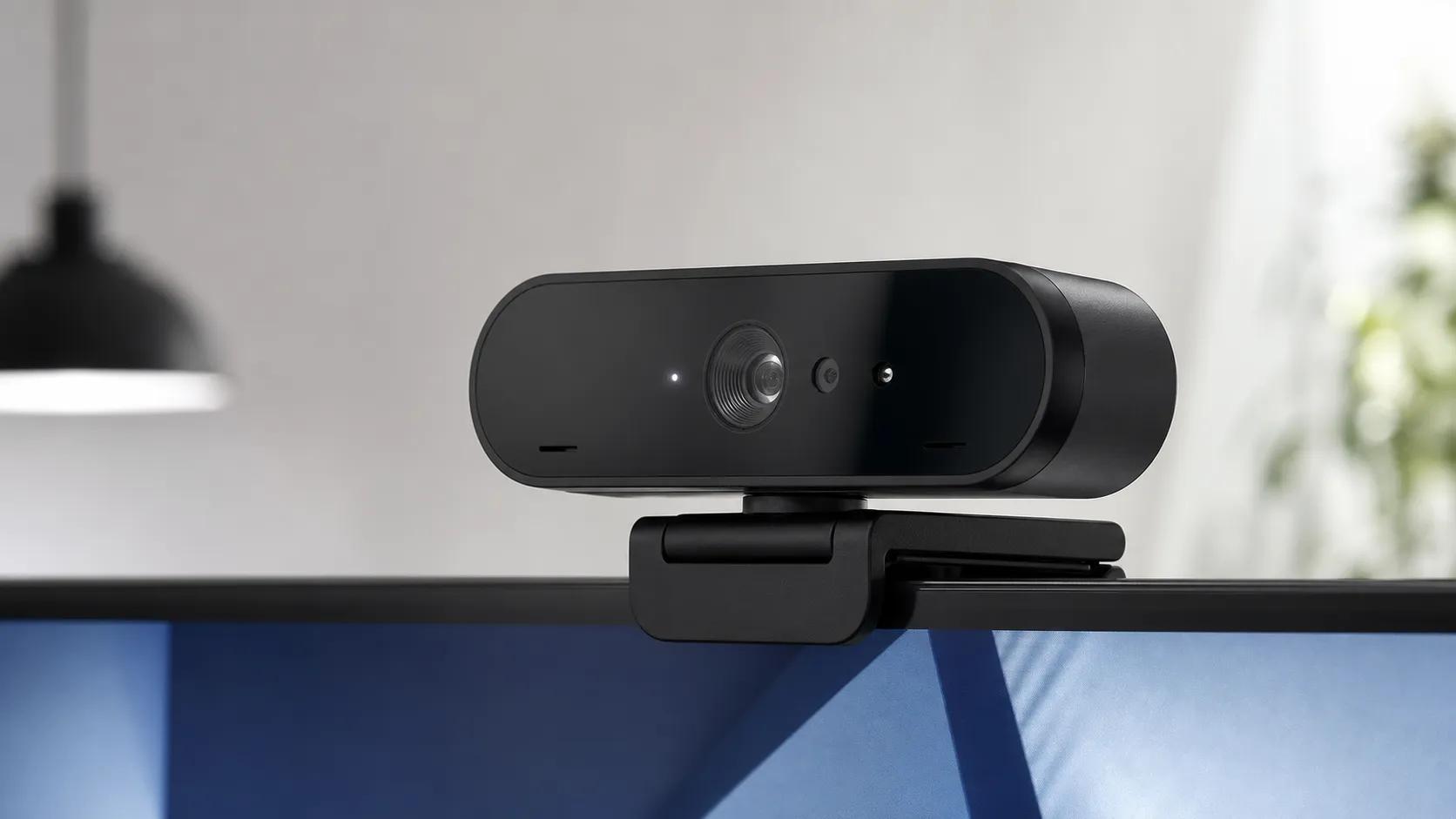
The Brio 4K Pro is Logitech’s high-end USB webcam aimed at professionals, creators, and enterprise users who want camera-grade video from a plug-and-play device. It offers up to 4K resolution capture, HDR support, glass optics, multiple field-of-view presets, built-in microphones, and optional enterprise integrations such as Windows Hello facial recognition. Physically, it’s solidly built with a premium feel and a mounting clip that works with monitors and tripods.
Logitech positions the Brio as a step above mainstream webcams by focusing on image fidelity, dynamic range, and software controls for framing and color — which is why it commands a price well above entry-level models.
What reviewers across the internet say
We synthesized reviews and user feedback from major sources to build a consensus:
- Amazon: Generally very positive (approx. 4.5/5). Buyers frequently praise the Brio’s sharp 4K image, HDR/low-light performance, and premium build. Top criticisms are the price and occasional reports of autofocus or exposure quirks.
- Reddit: Mixed but constructive (around 4/5). Threads often highlight real-world behavior — users love the image quality but report software and firmware quirks, and sometimes need to tweak settings for ideal results.
- YouTube: Positive demos (≈4.2/5). Reviewers showcase its clear 4K and HDR advantages over cheaper webcams, while noting limitations like 4K at 30 fps requiring a proper USB 3.0 setup and occasional autofocus hunting in motion tests.
- Expert blogs: Strong technical praise (≈4.3/5). Experts emphasize the Brio’s image quality, dynamic range, and enterprise features, while calling out the extra cost and the fact that achieving full 4K can be limited by host hardware.
Taken together, the consensus is clear: best-in-class image performance for webcams, with the usual tradeoffs of price and occasional software/compatibility hiccups.
Performance & Real-World Use
The Logitech Brio 4K Pro Webcam delivers reliably sharp, flattering video with flexible framing and Windows Hello support, and it’s easy to fine‑tune for different rooms using Logi Tune. Its limitations—4K at 30 fps, app‑level resolution caps, and occasional autofocus quirks—are real but manageable, making it a strong long‑term pick if you value image quality and control.
A great webcam doesn’t just look good on a spec sheet; it has to keep you looking clear and consistent through bad lighting, busy days, and months of updates. Over years of owner reports and expert coverage, the Logitech Brio has emerged as the default “step‑up” camera for hybrid workers, streamers, and IT teams because it pairs sharp 4K capture with forgiving exposure and enterprise extras like Windows Hello. Our synthesis finds it delivers crisp, stable video with useful controls, while some users encounter occasional autofocus or software quirks. The wider consensus is strong: 4.4/5 overall from roughly 27,940 reviews, with quality at 4.6/5, reliability 4.1/5, ease of use 4.2/5, and value 3.8/5.
The Logitech Brio 4K Pro Webcam delivers consistently sharp video and resilient exposure day to day, with flexible framing and Windows Hello as standouts. Its trade‑offs—4K at 30 fps, app‑level resolution caps, a premium price, and occasional AF/exposure tweaks—are real but manageable with Logi Tune and a proper USB connection.
What real performance means for a webcam in 2026
Performance for a webcam is about faces looking clear in everyday conditions, not just max resolution. The satisfaction drivers are: detail at 1080p (the most common call resolution), behavior in mixed or dim light (dynamic range and noise), focus and exposure stability as you move, motion smoothness (frame rate), microphone clarity, and reliability across OSes and apps. Brio’s published capabilities map to those needs: a 13MP sensor delivering 4K/30, 1080p/60, and 720p/90; adjustable 65°/78°/90° fields of view; dual mics; and IR hardware for Windows Hello. These explain its crisp oversampled 1080p, HDR‑style exposure via RightLight 3, and passwordless logins on supported PCs. Logi Tune adds exposure, white balance, and focus controls plus firmware updates, which is how most owners resolve autofocus or exposure complaints in tough rooms. (Logitech product page and datasheet; UVC is the plug‑and‑play foundation on modern OSes.) (logitech.com, logitech.com, usb.org)
Public review scores by source (aggregated)
Aggregated public ratings for the Brio by source align with our synthesis of long‑term reports.
View the underlying data
| Measure | Rating |
|---|---|
| Amazon | 4.5/5 |
| 4/5 | |
| YouTube | 4.2/5 |
| Expert blogs | 4.3/5 |
True Score Reviews synthesis of ~27,940 public reviews through Aug 2026.
Where Brio feedback comes from
Most public feedback originates on Amazon, with smaller but meaningful volumes from YouTube, Reddit, and expert blogs.
- Amazon80.5%
- YouTube13.6%
- Reddit5%
- Expert blogs0.9%
Share of total review volume by source (~27,940 reviews) reported across major platforms.
Logitech Brio 4K Pro Webcam: day‑one setup and first‑week fit
Setup is straightforward because Brio uses the standard USB Video Class (UVC): Windows, macOS, and ChromeOS see it instantly, and major conferencing apps connect without drivers. If you use Windows Hello, the integrated IR sensor enables facial sign‑in once you enroll in Settings; some organizations enforce Windows 11 Enhanced Sign‑in Security, which can restrict external Hello cameras until IT adjusts policy, so check before rollout. In week one, install Logi Tune to choose your field of view (65° for classic framing, 78° for a whiteboard, 90° to include a sofa), set exposure/white balance, pick auto or manual focus, and accept firmware updates. Mounting is flexible: the clip grips laptops and monitors, a tripod thread supports eye‑level placement, and the in‑box shutter flips down for privacy. A short Tune session prevents most “AF hunting” or “too cool/too warm” comments in mixed lighting. (logitech.com, usb.org)
Image quality, frame rate, and what the specs mean in practice
Even when your meeting app tops out at 1080p, the 13MP sensor oversamples before downscaling, so facial detail and edge clarity look cleaner than on 1080p‑only webcams. Motion smoothness depends on frame rate: Brio supports 4K/30, 1080/60, and 720/90, so hand talkers and physical demos often look best at 1080/60; use 4K/30 for local recording or platforms that accept it. Live‑call ceilings are set by services, not the camera. Zoom reserves Full HD for certain account tiers and settings, and Teams documents 1080p availability for specified scenarios and policies—hence why some owners “don’t see” 4K in meetings. If menus gray out 4K or 1080/60, connect directly to a USB 3.x port and relaunch the app. Use 1080/60 for fluid meetings, switch to 4K for recording and crop‑friendly edits, and let oversampling make 1080p look premium. (logitech.com, support.zoom.com, learn.microsoft.com)
Logitech Brio: supported frame rates by resolution
Frame‑rate ceilings affect motion smoothness; owners often prefer 1080/60 for lively demos and 4K/30 for local archival.
View the underlying data
| Measure | Max frame rate (published) |
|---|---|
| 4K UHD (2160p) | 30 fps |
| Full HD (1080p) | 60 fps |
| HD (720p) | 90 fps |
From Logitech’s official specifications and datasheets.
Exposure, autofocus, and color in the real world
RightLight 3 is the Brio’s quiet advantage. In backlit rooms or with a bright window, it preserves face brightness and reins in highlights, which is what owners mean by “forgiving.” Autofocus issues usually appear in two cases: you’re seated very close so the system toggles between your face and a foreground mic, or the scene is so low‑contrast that AF struggles. Two fixes work: in Logi Tune, switch to manual focus for desk‑bound calls and park it at your sitting distance, or keep AF on and add a small key light (even a 6–10W LED) to boost contrast and reduce hunting. Color skews slightly warm by default; if your space mixes daylight and warm lamps, set a fixed white balance in Tune so skin tone stays consistent. These tweaks explain why most Amazon buyers are satisfied out of the box while Reddit’s tinkerers report best results after a few minutes of dialing in. (logitech.com)
Audio, placement, and desk ergonomics
The dual mics are clear for solo calls within roughly four feet in a quiet room, and they outclass many laptop arrays. You’ll still get better isolation and presence from a headset or a small USB mic, so treat Brio’s mics as solid defaults for quick meetings and travel. Placement and framing matter: put the camera at eye level (tripod if your monitor is low), choose the 65° FOV to keep ceilings and lights out of frame, and avoid pointing the mics at bare, reflective surfaces that bounce noise. The included shutter is a helpful privacy cue for shared spaces. Good ergonomics also help the image system: center your face, add a modest key light, and AF stability improves because the camera has strong edges to track. (logitech.com)
Reliability over months: updates, durability, and OS changes
With no motors or batteries, there’s little to wear. What changes over months is software: OS updates, conferencing‑app codecs, and Logitech firmware. Leave Logi Tune installed with auto‑update enabled to get fixes and incremental image tuning. On Windows 11, Enhanced Sign‑in Security can exclude external Hello cameras; if enrollment fails, ask IT about policy rather than troubleshooting the camera. Physically, the glass lens resists scratches and the hinge remains snug through routine travel. One long‑term gotcha is cabling: use the included cable or a certified USB 3.x equivalent and prefer a direct motherboard port; some monitor hubs still negotiate at USB 2.0, which caps resolution/frame rate and fuels “my 4K option disappeared” threads. These are solvable setup items, not optical degradation. (logitech.com)
Where it shines—and where you’ll find its limits (plus the closest alternatives)
Brio shines when you need flattering video in difficult light, flexible framing for small and large rooms, and high‑resolution local capture for cropping or post‑production. Those strengths align with the aggregated quality sub‑score (4.6/5) and the most frequent owner praise. The limits show up in three places. First, live‑call ceilings: most services top out at 1080p, so 4K’s value is greatest for local recording and platforms that accept it. Second, bandwidth and ports: 4K/30 and 1080/60 expect a true USB 3.x path; avoid daisy‑chained hubs and try a motherboard port if options gray out. Third, autofocus can hunt when you sit close or in very low light; manual focus plus a small LED panel is the reliable fix. Against Logitech’s own roster, Brio is the only mainstream model that pairs 4K with Windows Hello IR. Brio 705 matches 4K/30 and newer RightLight processing but drops Hello; Brio 505 is a strong 1080p/60 value with adjustable FOV and a built‑in shutter. Cost‑sensitive users who never record locally can step down to 505 and put the savings into a key light or mic; creators who crop and grade will prefer Brio’s 4K sensor and 5x digital zoom. Our feature matrix below reflects Logitech’s public documentation. (support.zoom.com, hub.sync.logitech.com)
Feature comparison: Logitech Brio lineup
Feature flags derived from Logitech’s public docs; use to choose the right model for your needs.
| Item | 4K@30 | 1080p@60 | Adjustable FOV | Windows Hello (IR) | Privacy shutter in-box | Tripod thread | Dual mics |
|---|---|---|---|---|---|---|---|
| Brio 4K Pro Webcam | Yes | Yes | Yes | Yes | Yes | Yes | Yes |
| Brio 705 | Yes | Yes | Yes | No | Yes | Yes | No |
| Brio 505 | No | Yes | Yes | No | Yes | No | Yes |
Summarized from Logitech product pages and the Brio support hub.
Practical steps to get the best results
- Use a direct USB‑A 3.x port for 4K/30 or 1080/60; if resolutions are grayed out, move the cable from a monitor hub to a motherboard port and relaunch the app. Logitech’s support notes that USB 2.0 paths cap the camera at 1080p/30. (support.logi.com)
- In Logi Tune, pick 65° FOV for single‑person shots and enable Anti‑Flicker to match your mains frequency (60 Hz in North America) to stop LED banding. (logitech.com)
- For desk‑bound calls, switch to manual focus and set it once; re‑enable AF for product demos or whiteboards and nudge exposure one notch brighter so objects stay visible.
- If Windows Hello enrollment fails on Windows 11, ask IT whether Enhanced Sign‑in Security allows external IR cameras; if not, plan to use your PIN. (support.microsoft.com)
- Don’t chase 4K in typical meetings; most platforms cap live calls at 1080p. Use 1080/60 for motion clarity and 4K/30 for local recording or supported streams. (support.zoom.com, learn.microsoft.com)
Conclusion: does real‑world performance justify the price?
Across thousands of owner reports, the Brio stands out for sharp, clean 1080p calls, exposure that holds up in tricky rooms, and “set it and keep it” stability after a short Tune session. Treat 4K as a creator’s tool for local recording and platforms that accept it; for live meetings, 1080/60 is the sweet spot for smooth motion. The weaknesses—price above mainstream 1080p cams, 4K at only 30 fps, and occasional autofocus or software quirks—are real but manageable with the setup steps above. If you value image quality, flexible framing, and Windows Hello, the Logitech Brio 4K Pro Webcam earns its premium; if you never record locally and are cost‑sensitive, a cheaper 1080p model plus a small LED light may be the better buy. (logitech.com)
Sources referenced in this section
- Logitech BRIO Webcam with 4K Ultra HD Video & HDR (official product page)
- Specification - BRIO 4K Webcam (Logitech Support)
- USB-IF Document Library (USB Video Class 1.5)
- Configure Windows Hello (Microsoft Support)
- Enabling HD video for Zoom Webinars; 1080p availability (Zoom Support)
- Enable 1080p video resolution for Teams events (Microsoft Learn)
- Logitech Brio Product Support hub (model comparison)
Pros and cons
Pros
- Outstanding sharpness and detail at 1080p and 4K.
- Strong HDR and low-light performance compared with typical webcams.
- Premium build and glass optics feel durable and professional.
- Useful enterprise features (Windows Hello, adjustable FOV, privacy options).
- Flexible framing/zoom and accurate color out of the box.
- Plug-and-play for most users with deeper controls available in Logitech apps.
Cons
- Relatively expensive compared to mainstream webcams.
- True 4K commonly limited to 30 fps and requires USB 3.0 / host bandwidth.
- Autofocus can be aggressive and occasionally hunt in motion-heavy scenes.
- Some users report software/driver or minor compatibility quirks across OSes.
Who should buy it (and who shouldn't)
Who should buy the Brio
- Remote professionals and managers who want the best possible camera presence on video calls without building a camera rig. The Brio gives a crisp, polished look that helps convey professionalism.
- Creators and streamers who need 4K-capable capture for product demos, high-detail streams, or recording where webcam-level optics are acceptable.
- Enterprise IT buyers who value Windows Hello support, manageability via Logitech software, and a consistent, premium webcam for employee hardware kits.
Who shouldn’t buy it
- Casual users who only make occasional video calls. A $50–$100 webcam will be perfectly adequate and a much better value.
- People who need perfect autofocus for action-heavy scenes without manual tuning — DSLRs or mirrorless cameras on capture cards still outperform webcams in fast motion.
- Budget-conscious buyers who won’t use 4K or enterprise features: the Brio’s premium is only worth it if you truly need the image quality or specific features.
Final thoughts
If you want the clearest, most natural-looking webcam image you can get without moving to a mirrorless/DSLR setup, the Logitech Brio 4K Pro is the logical choice. It’s a professional-focused product with real strengths in dynamic range, low-light performance, and overall image fidelity. Be prepared to pay a premium and occasionally tweak settings or update firmware to get the best behavior — but for users who need best-in-class webcam video, it’s hard to beat.
What Reviewers Love
- Outstanding sharpness and detail at 1080p/4K with strong low-light/HDR handling
- Solid build quality and glass optics — feels premium
- Useful enterprise features (Windows Hello support, adjustable FOV, privacy shutter options)
- Flexible framing/zoom and good color reproduction out of the box
- Plug-and-play for most users with advanced controls available in Logi Capture/Logi Tune
Common Complaints
- Relatively high price compared with mainstream webcams
- 4K is limited (usually 30 fps) and requires USB 3.0 / sufficient host bandwidth
- Autofocus can be aggressive or occasionally hunt in some lighting/framings
- Occasional software/driver or compatibility quirks across OSes
Our Verdict
4.4The Logitech Brio 4K Pro is the top webcam for image quality, HDR, and low-light performance — ideal for professionals and creators who need crisp 4K-capable video. It’s a premium purchase with occasional autofocus/software quirks, so skip it if you only need basic video calls or a lower-cost option.
Frequently Asked Questions
Common questions shoppers ask before buying the Logitech Brio 4K Pro Webcam.
Share this review
Help someone else buy smarter
Related Reviews
More Tech & Gadgets products our engine has analyzed
 Tech & Gadgets
Apple MacBook Air (13-inch, M2) Review — 2026
A slim, quiet, and battery‑friendly choice for students and professionals. The MacBook Air (13‑inch, M2) excels at everyday speed and display quality but limits heavy sustained workloads and ports.
 Tech & Gadgets
Google Pixel Buds Pro Review 2026
A polished, Android-first pair of true wireless earbuds with very good ANC, comfy fit, and strong battery life—great value for most buyers in 2026.
 Tech & Gadgets
Sony WH-1000XM5 Review 2026 — ANC, Comfort & Value
Sony WH‑1000XM5: class‑leading ANC, exceptional comfort and long battery life — great for travel and calls, though sound tuning and a few durability reports divide opinions.