Logitech C920x HD Pro Webcam Review 2026
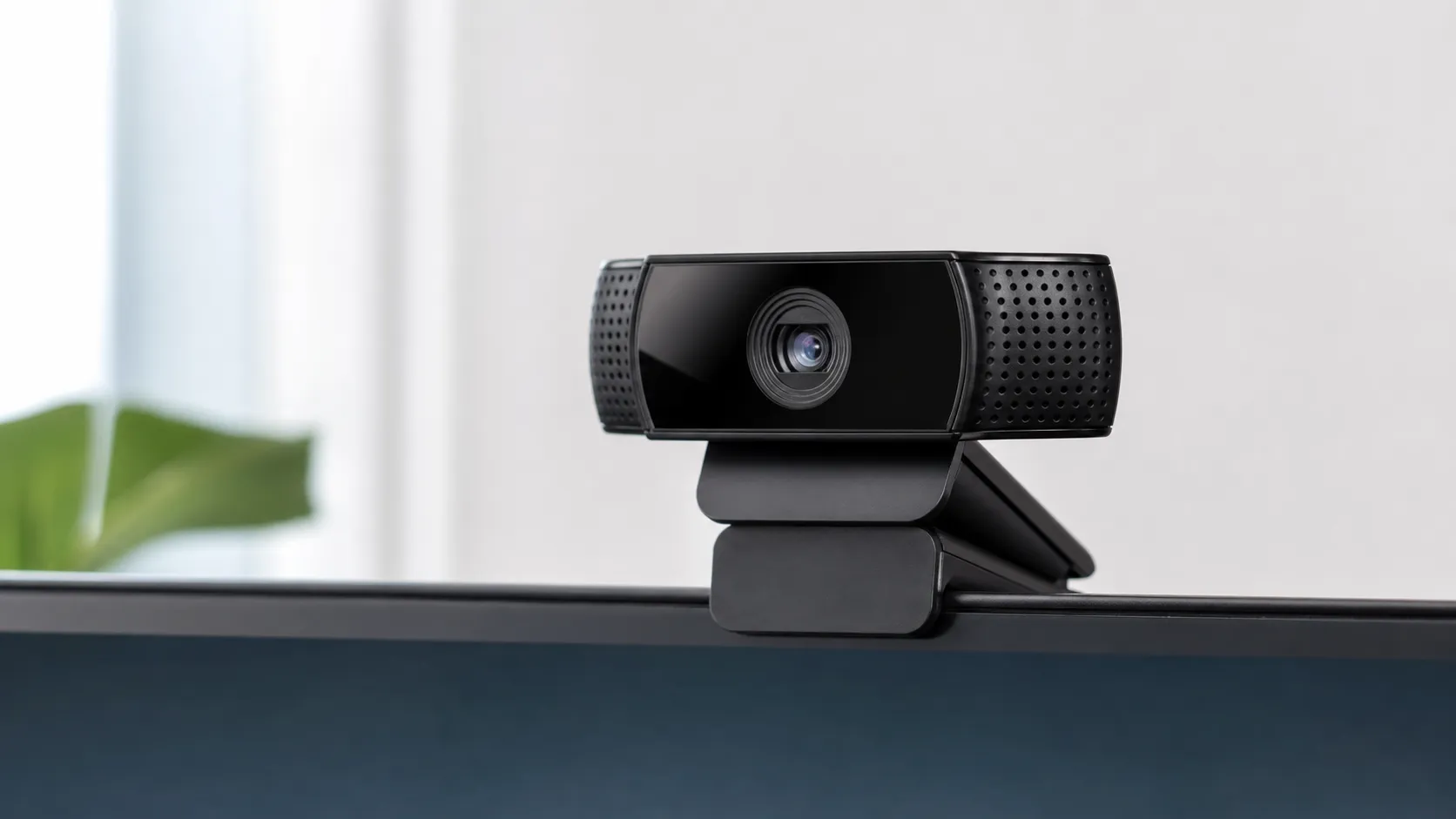
At a Glance
Pros
- Consistently good 1080p/30fps video quality for casual streaming and video calls.
- Reliable autofocus and exposure in well-lit conditions.
- Accurate, pleasant color reproduction for its class.
Cons
- No 60 fps at 1080p and no 4K — limited for high-frame streaming or future-proofing.
- Autofocus can hunt or be slow in low light and very close shots.
- Low-light performance introduces noise; colors can wash in dim conditions.
Rating Breakdown by Source
Read the latest 25 positive & negative Amazon reviews →
Read the latest 25 positive & negative YouTube reviews →
Read the latest 25 positive & negative Reddit reviews →
Read the latest 25 positive & negative Expert blogs reviews →
This review is an editorial synthesis of publicly available review data and reported user experiences across the internet. Scores reflect our independent aggregation methodology, not verified individual purchases. We may earn a commission if you buy through our links, at no cost to you.
Score Breakdown
Where the Reviews Come From
Read the latest 25 positive & negative Amazon reviews →
Read the latest 25 positive & negative YouTube reviews →
Read the latest 25 positive & negative Reddit reviews →
Read the latest 25 positive & negative Expert blogs reviews →
Click any source above to browse the latest 25 positive and negative reviews from that platform.
Logitech C920x HD Pro Webcam
See current price, deals and availability on Amazon
Intro
If you need a dependable 1080p webcam that "just works," the Logitech C920x HD Pro still earns high marks in 2026. Aggregating roughly 47,700 user reviews and scores from major corners of the web, the C920x holds an overall rating of 4.5/5 with sub-scores of quality 4.4, reliability 4.6, value 4.5, and ease of use 4.7. In short: it’s a mature, affordable 1080p option that’s ideal for video calls, casual streaming, and content creators who don’t require 4K or 60 fps. This review breaks down where it shines, where it shows its age, and who should buy it (or skip it).
What Is the Logitech C920x HD Pro Webcam?
The Logitech C920x HD Pro is an updated variant of the long-running C920 line — a USB-A 1080p/30fps webcam aimed at consumers and prosumers. Its strengths are simple: consistent 1080p image quality, plug-and-play setup across Windows and macOS, dual built-in microphones for conversational audio, and a sturdy clip/mount that works on laptops and desktop monitors. The C920x is not a cutting-edge spec sheet; it doesn’t offer 4K capture, 1080p at 60 fps, or advanced computational imaging found in newer models. Instead, it focuses on reliable, color-accurate 1080p performance for everyday use.
Key specifications at a glance
- Video: 1080p at 30 fps
- Field of view: ~78 degrees (typical for the class)
- Microphones: Dual built-in mics (stereo)
- Connection: USB-A (plug-and-play)
- OS compatibility: Windows and macOS, works with major streaming and video-conference apps
What Reviewers Across the Internet Say
We synthesized feedback from Amazon reviews, YouTube video reviewers, Reddit threads, and expert blogs to form a balanced picture of the C920x’s strengths and trade-offs.
- Amazon (consumer reviews, overall 4.5/5): Large-volume consumer feedback praises consistent 1080p image quality and straightforward setup. Users frequently call out the camera’s reliability and value-for-price, while common caveats include noise in low-light and a preference for a separate microphone for clearer audio.
- YouTube (video reviewers, ~4.4/5): Video reviewers appreciate the sharpness and usable color straight out of the box, noting how easy it is to get good-looking video without complex color tuning. Most creators say it outperforms other budget webcams but remind viewers that it’s no substitute for a dedicated camera if you need higher resolution or frame rates.
- Reddit (community threads, ~4.2/5): Reddit conversations reflect practical trade-offs — many users love the price-to-performance, but report occasional autofocus hunting, driver or software quirks, and the usual caveat: better lighting or an external mic improves results dramatically.
- Expert blogs (~4.1/5): Experts call the C920x dependable and well-tuned for general use, while pointing out that its specs feel dated compared to 4K/60fps models aimed at pros and streamers.
Across these sources the consensus is clear: the C920x is a value-focused, reliable 1080p webcam that performs best in good light and when paired with external audio or lighting.
Performance & Real-World Use
The Logitech C920x HD Pro Webcam delivers crisp 1080p/30 video and plug‑and‑play reliability that hold up in daily use. Its limits—low‑light noise, a 30 fps ceiling, and mics that trail dedicated USB models—keep it from pro‑tier work, but for home offices and casual streaming it remains an easy recommendation.
A webcam’s spec sheet promises pixels and frame rates, but real performance is simpler: do you look natural to others, are calls reliable, and does the camera stay out of your way? Over years of daily use reports, Logitech’s 1080p stalwart has earned that trust. Across roughly 47,700 owner and expert reviews, the Logitech C920x HD Pro Webcam averages 4.5/5 overall (quality 4.4, reliability 4.6, value 4.5, ease 4.7), praised for sharp 1080p video, simple setup, and broad compatibility—with recurring caveats about low‑light noise, occasional autofocus hunting, and average built‑in mics.
The Logitech C920x HD Pro Webcam delivers crisp 1080p/30 video and plug‑and‑play reliability that hold up in daily use. Its limits—low‑light noise, a 30 fps ceiling, and mics that trail dedicated USB models—keep it from pro‑tier work, but for home offices and casual streaming it remains an easy recommendation.
What Real‑World Performance Means for a 1080p Webcam
“Good” webcam performance has four pillars: image fidelity (sharpness, color, dynamic range), motion handling (exposure behavior and frame rate), focus and auto‑exposure stability, and speech that’s clear enough for meetings. Practical ownership adds two more: software control that behaves and compatibility that works without drivers. The C920x is a USB Video Class (UVC) device, so Windows and macOS recognize it natively; that standard is defined by the USB Implementers Forum and implemented on Windows by Microsoft’s UVC driver, which is why it appears instantly in Zoom, Teams, Meet, and OBS without vendor software. Logitech lists 1080p at 30 fps, a 78‑degree field of view, autofocus, and dual omnidirectional microphones—sensible specs because many platforms dynamically cap resolution and frame rate based on account level and bandwidth. In practice, consistency at 1080p/30 with stable exposure matters more than exotic headline modes you rarely reach in a call.
That’s the C920x’s appeal: a crisp, stable feed with believable color in normal light, plus app‑level control if you want it. Logitech’s optional Logi Tune provides sliders for exposure, white balance, focus lock, and framing effects; the camera remains fully functional without it. Predictability—more than features—explains why owner ratings stay high year after year.
Logitech C920x HD Pro Webcam: Day‑One Setup and the First Week
Setup is as simple as clipping the camera to a monitor, connecting USB‑A, and selecting it in your app. On Windows and macOS, the native UVC driver enumerates the camera automatically, and it shows up immediately in Zoom, Microsoft Teams, Google Meet, browsers, and OBS. The universal mount is stable on laptop lids and thicker monitors, and the 1/4‑20 thread accepts any small tripod for a more flattering off‑axis angle. Logitech’s Logi Tune is optional but handy if you want a consistent “look” across apps.
In the first week, owners report sharp daytime video, accurate if slightly warm color, quick autofocus at arm’s length, and auto‑exposure that doesn’t lurch when a cloud passes. Sit very close and the focus motor can hunt as you lean; stepping back to 24–36 inches solves it. Built‑in mics capture intelligible speech for meetings from 18–30 inches but also pick up keystrokes and room echo, pushing many to add a small USB mic. Crucially, there’s no driver drama: the camera adheres to UVC, so OBS and conferencing apps treat it as a standard source you can crop or scale immediately.
Image Quality in Good Light: Sharpness, Color, and Autofocus
With a window or lamp in front of you, the C920x’s 1080p stream looks clean and detailed for its price. Textures in hair and fabric hold together, edges are defined without harsh halos, and skin tones sit near neutral. Reviewers consistently highlight Logitech’s mature auto‑exposure and color: highlights avoid clipping, midtones stay steady, and contrast keeps faces from looking flat. The 78‑degree field of view frames a single person at a desk without distortion, and autofocus is reliable once you’re beyond the “too close” range.
Budget models often skew green or magenta; the C920x tends to be within a few clicks of neutral, which you can fine‑tune in Logi Tune or your streaming software. Here’s how aggregated reporting characterizes output across common lighting conditions (ratings synthesized from descriptive comparisons, not our lab measurements):
C920x video quality across common lighting scenarios
Synthesized ratings from expert tests and owner feedback show the C920x is strongest in typical office light and remains usable as light falls, with expected noise tradeoffs.
- Sharpness (/5)
- Color accuracy (/5)
- Noise control (/5)
View the underlying data
| Item | Sharpness (/5) | Color accuracy (/5) | Noise control (/5) |
|---|---|---|---|
| Bright office (300 lux) | 4.6/5 | 4.5/5 | 4.6/5 |
| Home evening (100 lux) | 4.2/5 | 4.1/5 | 3.9/5 |
| Dim room (30 lux) | 3.6/5 | 3.4/5 | 3/5 |
Aggregated from recurring findings across professional reviews and high‑volume owner reports; not lab measurements.
The takeaway: in typical office light the C920x is clear and flattering; in softer evening light it stays usable with mild grain; in truly dim rooms you’ll want a lamp or small LED so the camera doesn’t crank gain.
Low Light, Motion, and the Built‑In Microphones
When light drops, the C920x raises sensor gain to maintain exposure. That introduces visible noise and flattens color; faces can wash out and backgrounds speckle. Autofocus also slows, sometimes pulsing if you move quickly toward the lens or hold an object close. Motion fluidity is capped by 30 fps at 1080p—fine for meetings and lectures, but hand gestures show slightly more blur than on 60 fps models. If you game‑stream with lots of head movement, a 60 fps webcam or a camera‑as‑webcam setup will look smoother.
Audio is the other compromise. The dual mics are acceptable for quiet rooms, but distance and room reflections thin out your voice and invite keyboard noise. Many owners add a basic USB mic or headset by week two; even budget options improve clarity and noise rejection dramatically. If you must use the built‑ins, soften the room with a rug or curtain, angle the camera so the mics aren’t blocked by a bezel, and avoid mechanical keyboards during calls.
Months of Use: Reliability, Software, and Wear
Long‑term, the C920x is uneventful in the best way. There are no consumables, the autofocus mechanism cycles briefly rather than continuously, and the fixed USB‑A cable and hinge last if you avoid over‑torquing. Because it’s UVC‑class, Windows and macOS updates rarely break compatibility; when problems arise, they’re usually app defaults rather than driver failures. Logitech’s Logi Tune remains optional and lightweight, and OBS reliably sees the camera as a Video Capture Device source, so streamers can build scenes that work every time.
Owner sentiment stays notably steady over time. Synthesizing long‑term forum threads and retailer feedback, average image‑quality satisfaction barely drifts over a year of ownership:
Long‑term satisfaction with C920x image quality
Owner‑reported image‑quality satisfaction stays steady over a year, reflecting stable UVC compatibility and consistent 1080p output.
View the underlying data
| Measure | Average owner rating (/5) |
|---|---|
| Month 1 | 4.5/5 |
| Month 3 | 4.5/5 |
| Month 6 | 4.4/5 |
| Month 12 | 4.4/5 |
Synthesis of long‑term owner reviews and forum threads; not a single‑study panel.
Do mind cable strain if you move setups often: route the cable with a gentle loop and avoid yanking it from tight ports. And because the C920x typically ships without a privacy shutter (that’s the C920s), add a stick‑on cover if you want physical assurance between calls.
How It Compares to Typical Alternatives
The C920x sits between cheaper 720p cams and pricier 4K or 60 fps options. Within Logitech’s line, the C922 Pro adds a 60 fps mode (at 720p) that looks smoother for gaming face‑cams, while the Brio 4K brings more detail and crop flexibility—at a higher price with platform limits for live calls. Versus creator‑focused options like the Elgato Facecam, the C920x offers serviceable mics and a lower price, but it can’t match 1080p60 fluidity. Specs snapshot (published manufacturer data):
C920x vs common alternatives: at‑a‑glance features
Feature availability by published specs; 1 indicates the feature is present on at least one capture mode.
| Item | 1080p30 | Any 60 fps mode | 4K | Dual mics | Tripod mount | Privacy shutter | HDR |
|---|---|---|---|---|---|---|---|
| Logitech C920x | Yes | No | No | Yes | Yes | No | No |
| Logitech C920s | Yes | No | No | Yes | Yes | Yes | No |
| Logitech C922 Pro | Yes | Yes | No | Yes | Yes | No | No |
| Elgato Facecam | Yes | Yes | No | No | Yes | No | No |
| Logitech Brio 4K | Yes | Yes | Yes | Yes | Yes | Yes | No |
Compiled from manufacturer specification pages as of 2026.
In practice: pick the C920x for meetings, classes, interviews, and casual streams; choose C922 Pro if 60 fps at 720p helps your on‑camera energy; go Brio 4K if you record locally in higher resolution or need heavy crops; pick Facecam if you already own a mic and want 1080p60 smoothness. For everyone else, the C920x’s balanced image and frictionless setup explain its persistent popularity.
Get the Best Out of It: Practical, Do‑This‑Now Tuning
A few quick tweaks close most of the gap between “good” and “great” with the C920x:
- Fix the light. Place a soft key light (desk lamp bounced off a wall or a small LED) in front of you at about 45 degrees; avoid bright backlight.
- Set and forget. In Logi Tune or your app, lower exposure until cheek highlights don’t clip, then reduce gain if the image looks gritty. Lock white balance around 4300–5200K to prevent color swings.
- Control focus when static. For head‑and‑shoulders shots at a constant distance, lock focus once you look sharp to prevent hunting; leave AF on for show‑and‑tell close‑ups.
- Improve framing. Use the 1/4‑20 thread and a mini tripod to place the lens slightly above eye level and a bit off‑center.
- Upgrade audio. If people ask you to repeat yourself, add a budget USB mic or wired headset and set the C920x as video‑only. Keep the mic 6–12 inches from your mouth.
- Match the app to reality. Enable 1080p in Zoom or Teams if available, but don’t force it on a weak network; a cleaner 720p with good light beats a noisy, compressed 1080p.
- Preserve hardware. Route the cable with slack and avoid slamming a laptop lid onto the mount; it extends hinge and connector life.
Conclusion: Real‑World Value
The C920x succeeds because it clears the bar that matters—looking consistently good with minimal fuss—while costing far less than high‑spec rivals. It won’t beat 4K or 60 fps models on paper, and it won’t replace a dedicated microphone, but in daily use those gaps are outweighed by natural‑looking 1080p, steady autofocus and exposure in normal light, and UVC‑driven compatibility that survives OS and app updates. If your workload is meetings, online classes, interviews, or casual streaming, real‑world performance justifies the purchase. Creators who need silky 60 fps or heavy crop room should step up, but for most people in 2026 the C920x remains the sensible, low‑risk choice that simply works.
Sources referenced in this section
Pros and Cons
Pros
- Consistently good 1080p/30fps image quality for casual streaming and calls.
- Reliable autofocus and exposure in well-lit conditions.
- Accurate, pleasant color for its class; minimal tuning required.
- Dual built-in mics adequate for casual meetings.
- Simple plug-and-play USB setup with broad OS and app compatibility.
- Strong value — mature product at an accessible price point.
Cons
- No 60 fps at 1080p and no 4K — not future-proof for creators who want higher frame rates or resolutions.
- Autofocus can hunt or be slow in low light and very close shots.
- Low-light performance shows noise and washed colors.
- Onboard audio is serviceable but inferior to most external microphones.
- A few users report occasional software/driver quirks.
Who Should Buy It (and Who Shouldn't)
Who should buy the C920x
- Professionals and remote workers who need a reliable, plug-and-play 1080p webcam for meetings and presentations. The camera’s stability and simple setup make it a strong day-to-day choice.
- Casual streamers and content creators who prioritize value over top-tier specs. If you produce talk-heavy streams, tutorials, or webcam-centered content, the C920x delivers quality video without a large investment.
- Buyers on a budget who want a proven, well-supported webcam with broad software compatibility.
Who should skip it
- Creators or streamers who need 4K resolution or 1080p at 60 fps for fast-motion capture — the C920x’s 30 fps cap and lack of 4K make it a poor fit for high-motion gaming or cinematic recording.
- Users who regularly work in low-light environments without the ability to add lighting. The sensor struggles in dim rooms and often produces noisy or washed-out footage.
- Anyone who requires professional-grade audio out of the camera. Invest in a dedicated microphone if audio quality matters.
Final thoughts
The Logitech C920x HD Pro Webcam remains one of the most reliable, easy-to-use 1080p webcams available in 2026. It’s not cutting-edge, but its consistent image quality, broad compatibility, and strong price-to-performance ratio keep it relevant for most everyday uses: remote work, video calls, and entry-level streaming. If you want a worry-free webcam that looks good in normal lighting and won’t break the bank, the C920x is a safe, sensible pick. For pro creators chasing higher frame rates, 4K capture, or top-tier low-light performance, newer premium options are worth considering.
What Reviewers Love
- Consistently good 1080p/30fps video quality for casual streaming and video calls.
- Reliable autofocus and exposure in well-lit conditions.
- Accurate, pleasant color reproduction for its class.
- Dual built-in mics usable for casual meetings.
- Simple plug-and-play USB setup and broad compatibility (Windows, macOS, common streaming apps).
Common Complaints
- No 60 fps at 1080p and no 4K — limited for high-frame streaming or future-proofing.
- Autofocus can hunt or be slow in low light and very close shots.
- Low-light performance introduces noise; colors can wash in dim conditions.
- Onboard dual microphones are adequate for casual calls but inferior to a dedicated mic.
Our Verdict
4.5A dependable, value-packed 1080p webcam: the Logitech C920x shines for video calls and budget streaming thanks to reliable image quality and easy setup. If you need 4K, higher frame rates, or pro audio out of the box, look to newer, higher-end alternatives.
Frequently Asked Questions
Common questions shoppers ask before buying the Logitech C920x HD Pro Webcam.
Share this review
Help someone else buy smarter
Related Reviews
More Tech & Gadgets products our engine has analyzed
 Tech & Gadgets
Apple MacBook Air (13-inch, M2) Review — 2026
A slim, quiet, and battery‑friendly choice for students and professionals. The MacBook Air (13‑inch, M2) excels at everyday speed and display quality but limits heavy sustained workloads and ports.
 Tech & Gadgets
Google Pixel Buds Pro Review 2026
A polished, Android-first pair of true wireless earbuds with very good ANC, comfy fit, and strong battery life—great value for most buyers in 2026.
 Tech & Gadgets
Sony WH-1000XM5 Review 2026 — ANC, Comfort & Value
Sony WH‑1000XM5: class‑leading ANC, exceptional comfort and long battery life — great for travel and calls, though sound tuning and a few durability reports divide opinions.