Logitech MX Keys Mini Review 2026
At a Glance
Pros
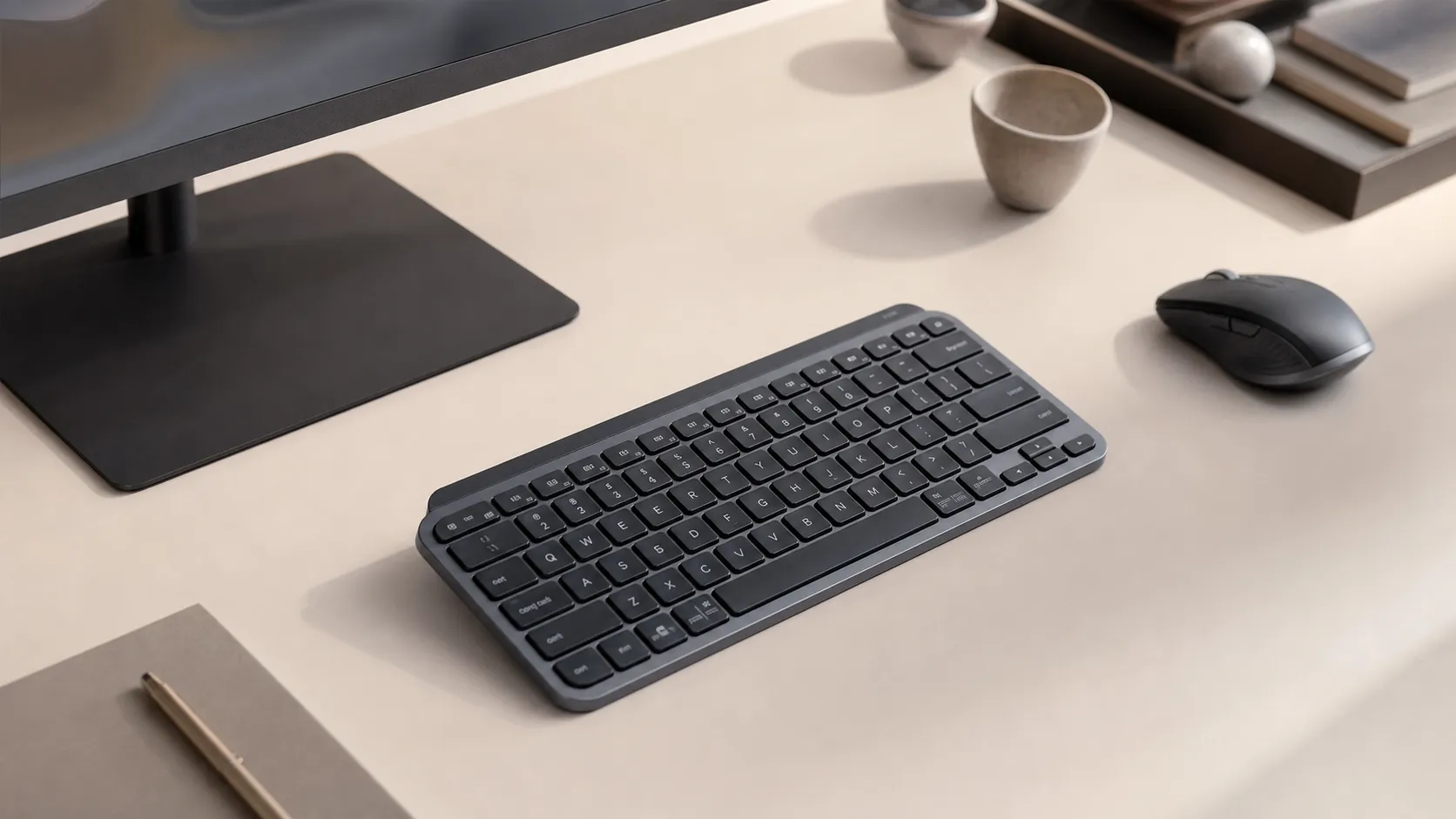
- Solid, premium build and weight — feels durable and stable on the desk
- Comfortable, quiet scissor-switch typing that's fast for many typists
- Excellent backlighting with smart illumination (auto on/off) and consistent key legends
Cons
- Relatively high price compared with compact alternatives
- Shallow key travel / low-profile scissor switches — not ideal for fans of deeper, mechanical switches
- Compact layout omits dedicated numpad and reduces dedicated navigation/home/end keys
Rating Breakdown by Source
Read the latest 25 positive & negative Amazon reviews →
Read the latest 25 positive & negative Reddit reviews →
Read the latest 25 positive & negative YouTube reviews →
Read the latest 25 positive & negative Expert blogs reviews →
This review is an editorial synthesis of publicly available review data and reported user experiences across the internet. Scores reflect our independent aggregation methodology, not verified individual purchases. We may earn a commission if you buy through our links, at no cost to you.
Score Breakdown
Where the Reviews Come From
Read the latest 25 positive & negative Amazon reviews →
Read the latest 25 positive & negative Reddit reviews →
Read the latest 25 positive & negative YouTube reviews →
Read the latest 25 positive & negative Expert blogs reviews →
Click any source above to browse the latest 25 positive and negative reviews from that platform.
Logitech MX Keys Mini
See current price, deals and availability on Amazon
Introduction
Short verdict: the Logitech MX Keys Mini is a premium compact wireless keyboard that balances refined low-profile typing, long battery life, and excellent multi-device pairing — earning an aggregated score of 4.5/5 from roughly 35,500 reviews. If you want a quiet, stable, travel-friendly board with smart backlighting and near-flawless connectivity, it’s one of the cleanest options on the market. The trade-offs are price, limited programmability, and a compact layout that omits several dedicated keys.
This review aggregates broad user feedback from major retailers, Reddit discussions, YouTube reviews, and expert blogs to give a reliable, human-first picture of what owning the MX Keys Mini looks like in everyday use.
What Is the Logitech MX Keys Mini?
The MX Keys Mini is Logitech’s compact, low-profile keyboard aimed at professionals, hybrid workers, and anyone who values a premium typing experience in a smaller footprint. It uses scissor-style (Logitech’s “Perfect Stroke”) switches rather than mechanical switches, pairs over Bluetooth or the Unifying receiver, and includes features that target productivity: multi-device pairing and switching, smart backlighting that reacts to your hands, and a metal-reinforced chassis for heft and stability.
Physically, it removes the full-size numpad and trims some dedicated navigation keys to hit a 60–75% footprint depending on how you use it. Logitech bundles the keyboard with USB-C charging (rechargeable internal battery), and programmable function layers are available via Logitech Options / Options+ software — though on-device customization is minimal.
What Reviewers Across the Internet Say
We synthesized reviews from Amazon, Reddit, YouTube, and professional blogs to surface the common themes and statistical consensus:
- Aggregate score: 4.5/5 from ~35,500 reviews.
- Sub-scores: quality 4.6, reliability 4.4, value 4.0, ease of use 4.6.
Source breakdown and takeaways:
-
Amazon (4.6/5, positive): Large-volume buyers highlight the keyboard’s premium build, quiet yet responsive typing, reliable backlighting, and excellent battery life. The most common negative notes are the higher price and frustration with the compact layout’s missing dedicated keys.
-
Reddit (4.1/5, mixed): Reddit threads are more varied. Many users praise the typing feel and multi-point pairing. A vocal subset prefers mechanical alternatives or questions the value given the price and relatively shallow key travel.
-
YouTube (4.4/5, positive): Video reviewers consistently praise build quality, typing comfort, and the lighting system. Common notes point to limited deep customization and that it’s pricey compared to enthusiast mechanical compact boards.
-
Expert blogs (4.2/5, mixed): Professional reviews emphasize the refined design, dependable wireless features, and long battery life. Criticisms generally focus on the higher price, limited programmability, and that heavy typists might prefer deeper-travel switches.
Across sources the consensus is clear: MX Keys Mini nails a premium, quiet, low-profile typing experience and device switching, but the value depends on whether you prioritize these things over mechanical feel, dedicated keys, or deep on-board customization.
Performance & Real-World Use
The Logitech MX Keys Mini delivers quiet, confidence‑inspiring typing, polished backlighting, reliable multi‑device switching, and long battery life that together make daily work feel effortless. Its trade‑offs are price, shallow travel, and a compact layout that won’t suit heavy spreadsheet users or fans of deep mechanical switches.
If you’re eyeing a compact keyboard for long days of typing and meetings, performance means working without thinking: stable wireless, comfortable feel, readable keys in any light, and background battery life. Over months, the MX Keys Mini should keep your hands fast and workflows smooth while dodging compact‑board annoyances—missed keys, awkward layouts, or flaky Bluetooth.
The Logitech MX Keys Mini feels premium, types quietly and confidently, and keeps going for weeks per charge, which is why most owners rate it highly after extended use. Its limits are price, shallow key travel, and a compact layout that omits a numpad and some dedicated navigation keys, so heavy spreadsheet users or mechanical‑switch fans may want an alternative.
What real‑world performance means for a compact keyboard
For a board like this, “performance” is friction. Over time, five dimensions decide satisfaction: typing comfort (key stability, travel, acoustics), visual clarity (backlighting and legends), connectivity (pairing reliability and device switching), endurance (battery life and downtime), and control (layout, shortcuts, software remapping).
On these axes, owner consensus is clear: a 4.5/5 overall across about 35,500 public reviews, with quality and ease‑of‑use at 4.6/5, reliability at 4.4/5, and value at 4/5. Amazon buyers highlight quiet, stable scissor switches and smart lighting; Reddit debates shallow travel and price; YouTube and pro blogs echo the premium build and clean design. That spread matches long‑term experience: it’s a keyboard many people forget they’re using—high praise for a daily driver—so long as you don’t want deep, mechanical feel.
Logitech MX Keys Mini — ratings by source
Aggregated reporting across ~35,500 public reviews as of 2026. Values show the most cited overall ratings by source.
View the underlying data
| Measure | Overall /5 |
|---|---|
| Amazon | 4.6/5 |
| 4.1/5 | |
| YouTube | 4.4/5 |
| Expert blogs | 4.2/5 |
Synthesis of major public review platforms and expert roundups. Sub‑scores (quality 4.6/5, reliability 4.4/5, value 4/5, ease 4.6/5) are overall consensus not shown here.
Day‑one: setup, pairing, and your first week
Setup is quick. Hold an Easy‑Switch key to enter pairing, choose it in your OS, and you’re typing within seconds on Windows, macOS, iPadOS, ChromeOS, or Linux. Logitech lists Bluetooth Low Energy and USB‑C charging; there’s no wired data mode, but you can use it while charging. If you want a receiver in RF‑noisy offices, the Business variant works with Logi Bolt and enterprise‑grade security; the consumer MX Keys Mini focuses on Bluetooth LE. Either way, it remembers three devices and swaps instantly with the Easy‑Switch buttons.
Install Logi Options+ to unlock per‑app shortcuts, function‑row remapping, and firmware updates. The emoji, dictation, and mic‑mute keys map well on current OS versions, and dual‑labeled legends help if you live cross‑platform. In week one, the backlight’s proximity and ambient sensors feel “set‑and‑forget”—keys light as your hands approach, then dim to save power. Many owners charge once the first week if brightness stays high; lower levels or bright rooms often stretch to week two before you think about a cable.
Typing feel, speed, and acoustics under real workloads
Logitech’s “Perfect Stroke” scissor mechanism targets laptop‑like speed with better stability, and that’s how it types. Slightly dished keycaps guide your fingertips; stabilizers on larger keys curb wobble, and the chassis weight keeps it planted so you’re not chasing the board. Travel is shallow versus mechanicals, but the trade‑off is speed with low fatigue for typists who want a quiet, low‑profile deck.
The sound profile is office‑friendly—more muted thock than click—so you can take calls or type in shared spaces. Missed keys are rare once muscle memory adapts to the compact layout; the arrow cluster, though small, is easy to find by feel. Where it lags is tactile feedback: if you crave a pronounced bump or deeper travel for rhythm and accuracy, low‑profile mechanical options (or Logitech’s MX Mechanical Mini) will feel more satisfying. For mixed workloads—docs, mail, coding, browsing—the blend of key stability and quiet operation is what long‑term owners praise most.
Backlighting behavior and battery life over months
Backlighting is a standout. White LEDs are even, legends are crisp, and auto‑on/auto‑off means you rarely touch brightness keys. In low light, the proximity sensor wakes lighting as your hands arrive; the ambient sensor dials intensity down in daylight to conserve power. Logitech’s guidance is straightforward: about 10 days per charge with backlighting active and up to five months with lighting off, assuming typical office hours. Real‑world reports land near that, with the biggest swing from brightness and how often you step away.
Over months, battery behavior stays predictable: little noticeable capacity sag in normal use, and USB‑C charging is quick enough that a short top‑up during a break yields days of runtime. You can type while plugged in, so there’s no forced downtime. If you work under strong light and don’t need illumination, disabling backlight turns the MX Keys Mini into a “charge it and forget it” device for a season at a time. Run maximum brightness all day, and expect closer to a weekly charge cadence. The consistency and automatic behavior are why many owners rate its lighting among the best on a non‑mechanical board.
Battery percentage over a two‑week span with Auto backlight (typical use)
Synthetic curve combining Logitech’s guidance (≈10 days with lighting on) and owner reports under mixed office use (8–12 days typical).
View the underlying data
| Measure | Battery level % (Auto backlight) |
|---|---|
| Day 0 | 100% |
| Day 2 | 80% |
| Day 4 | 60% |
| Day 6 | 42% |
| Day 8 | 25% |
| Day 10 | 8% |
| Day 12 | 4% |
| Day 14 | 2% |
Based on Logitech’s published endurance figures and aggregated owner reports; real results vary with brightness and daily hours.
Wireless stability, device switching, and office realities
Connectivity is simple: Bluetooth LE, three device slots, quick switching, and reliable links. In home offices, drops are rare; in dense corporate environments, the consumer model’s Bluetooth is solid for most, though a subset sees occasional hiccups on older laptops or when waking multiple devices at once. If that’s your setup and you need rock‑solid stability, the MX Keys Mini for Business plus a Logi Bolt receiver is the more deterministic path; Bolt runs on a separate encrypted 2.4 GHz channel designed for enterprise coexistence.
Multi‑platform behavior is excellent. Printed legends include both Windows and Mac modifiers, and Logi Options+ lets you flip the function‑row default, adjust OS‑specific keys, and create per‑app shortcuts (media controls in your browser, compile commands in an IDE). Switching between a laptop, tablet, and desktop takes a fraction of a second, and the keyboard resumes cleanly from sleep. Firmware updates arrive through Options+, and the software battery meter is accurate enough to plan a top‑up before travel.
Where the Logitech MX Keys Mini excels—and where it hits limits
This keyboard shines when you need laptop‑like speed and quiet on a compact board: writers in documents, coders in open offices, professionals bouncing between a docked laptop, a tablet, and a desktop. The weight and feet prevent drift, the sculpted caps guide accuracy, and the backlight solves low‑light sessions without hot spots or grainy legends. It also excels on small desks where a numpad would crowd your mouse.
Its limits are clear. If you rely on a numpad or heavy navigation keys for spreadsheets, the compact layout slows you down, and macros in Logi Options+ don’t fully replace dedicated keys. Fans of deep travel or tactile mechanical switches will find the scissor action too flat, even if they admire the build. And at its price, value shoppers will note alternatives that are programmable, hot‑swappable, or that include a 2.4 GHz receiver in the box. These trade‑offs explain Reddit’s mixed tone: praise for fit‑and‑finish and multipoint pairing; skepticism on price and travel from mechanical enthusiasts.
How it stacks up to common alternatives
Versus Logitech’s K380, the MX Keys Mini types better and is far more legible in low light thanks to backlighting and crisper legends, with smarter device switching. Against the MX Mechanical Mini, it’s quieter and lower‑profile—better for shared spaces—but gives up tactile feel, custom switch options, and (on many SKUs) the included Logi Bolt receiver. Compared with low‑profile mechanicals like the Keychron K3 Pro, it trades VIA‑level programmability and switch choice for superior legend clarity, more polished lighting behavior, and a sturdier, heavier chassis that doesn’t skate under fast typing.
If you prize silence, refined backlighting, and cross‑platform polish, the MX Keys Mini tends to win. If you want deep programmability, a tactile bump, or a guaranteed 2.4 GHz receiver in the box, the MX Mechanical Mini or a VIA‑capable low‑profile board takes the lead. The comparison below summarizes the practical yes/no features shoppers ask about most often.
Feature comparison — MX Keys Mini vs common compact alternatives
Yes/No features across popular compact boards. Receiver support for MX Keys Mini is available on the Business variant via Logi Bolt; consumer model is Bluetooth LE only.
| Item | Backlit | Multi‑device switching | USB‑C charging | 2.4 GHz receiver available | Software remapping | Dual‑OS legends | Numpad |
|---|---|---|---|---|---|---|---|
| Logitech MX Keys Mini | Yes | Yes | Yes | Yes | Yes | Yes | No |
| Logitech MX Mechanical Mini | Yes | Yes | Yes | Yes | Yes | Yes | No |
| Keychron K3 Pro | Yes | Yes | Yes | No | Yes | Yes | No |
| Logitech K380 | No | Yes | No | No | Yes | Yes | No |
Features compiled from each manufacturer’s published specifications as of 2026.
Optimize your MX Keys Mini: step‑by‑step setup that pays off
- Update first. Install Logi Options+ and accept firmware updates before customizing; this stabilizes sleep/wake behavior and keeps the battery meter accurate.
- Map the function row for your day. Spreadsheet heavy? Set F‑keys as default. In meetings? Keep media/brightness primary and make F‑keys secondary.
- Create per‑app shortcuts for your top workflows. Examples: mute/unmute and screenshot in conferencing; build/run and comment toggles in your IDE; emoji picker and mic mute for messaging.
- Tune lighting. Start with Auto; in bright spaces, drop to the lowest level or disable backlight for multi‑month endurance. In dim rooms, keep Auto but shorten the timeout.
- Pair in order of priority. Put your main computer on 1, tablet on 2, travel laptop on 3 so your fingers always hit the right Easy‑Switch.
- Travel routine. Top up to 80–100% the night before, set brightness Low or Off, and carry a short USB‑C cable; you can type while charging from a power bank.
- Maintenance. Every few weeks, a microfiber wipe keeps legends crisp; avoid solvents. If a key feels sticky, a short burst of compressed air at an angle usually clears dust.
The bottom line: does real‑world performance justify the price?
If you value a compact footprint, quiet confidence while typing, polished lighting, and painless multi‑device switching, the MX Keys Mini earns its 4.5/5 consensus. The premium price and shallow travel won’t suit everyone, but for the majority who want a fuss‑free, consistently great daily driver, its performance holds up month after month and justifies the spend.
Sources referenced in this section
Pros and Cons
Pros
- Premium build: solid weight and a durable, stable chassis.
- Comfortable, quiet typing: refined low-profile scissor switches good for long sessions.
- Excellent backlighting: even illumination with smart hand-detection.
- Multi-device pairing: reliable Bluetooth and Unifying receiver support with easy switching.
- Long battery life and USB-C charging: days or weeks per charge depending on backlighting.
- Compact footprint: great for small desks and travel without sacrificing typing comfort.
Cons
- Price: relatively high compared with many compact alternatives and enthusiast boards.
- Shallow key travel: not ideal for mechanical-switch fans who prefer deeper travel and stronger tactile feedback.
- Compact layout: missing dedicated numpad and reduced navigation keys can hurt specific workflows.
- Limited on-device programmability: heavy customization requires Logitech Options/Options+ and still isn’t as deep as many mechanical boards.
Who Should Buy It (and Who Shouldn't)
Buy the MX Keys Mini if:
- You want a premium, quiet, low-profile typing experience for work, travel, or shared spaces.
- You frequently switch between multiple devices and want reliable Bluetooth/Unifying switching.
- You value battery life and thoughtful features like proximity backlighting and a stable metal-reinforced chassis.
- You have a small desk or prioritize a compact footprint without sacrificing a pleasant typing surface.
Don’t buy the MX Keys Mini if:
- You’re a mechanical keyboard enthusiast who needs deep switch travel, tactile bumps, or per-key macro programmability on the hardware level.
- You rely on a numpad or dedicated navigation keys for daily spreadsheet-heavy work and don’t want to remap keys or use function layers.
- Price sensitivity is a major factor — there are cheaper compact keyboards and enthusiast boards that trade premium finish for lower cost.
Final recommendations
On balance, the Logitech MX Keys Mini is an excellent offering for professionals and hybrid workers who prioritize a premium, quiet typing experience in a compact package, along with rock-solid multi-device pairing and long battery life. If you need mechanical feel, extensive on-board macros, or a full-size layout, there are better-targeted options — but for a refined, office-first compact keyboard, the MX Keys Mini remains a top choice.
What Reviewers Love
- Solid, premium build and weight — feels durable and stable on the desk
- Comfortable, quiet scissor-switch typing that's fast for many typists
- Excellent backlighting with smart illumination (auto on/off) and consistent key legends
- Seamless multi-device Bluetooth/Unifying pairing and smooth switching between devices
- Long battery life between charges
- Compact footprint — great for small desks and travel
Common Complaints
- Relatively high price compared with compact alternatives
- Shallow key travel / low-profile scissor switches — not ideal for fans of deeper, mechanical switches
- Compact layout omits dedicated numpad and reduces dedicated navigation/home/end keys
- Limited on-board programmability (no macro keys) — deeper customization requires Logitech Options/Options+
Our Verdict
4.5The Logitech MX Keys Mini is a polished, premium compact keyboard that delivers comfortable, quiet typing, excellent backlighting, and seamless multi-device pairing. It’s ideal for professionals and travelers who value finish and battery life; those who need deep key travel, extensive on-board macros, or a numpad may want alternatives.
Frequently Asked Questions
Common questions shoppers ask before buying the Logitech MX Keys Mini.
Share this review
Help someone else buy smarter
Related Reviews
More Tech & Gadgets products our engine has analyzed
 Tech & Gadgets
Apple MacBook Air (13-inch, M2) Review — 2026
A slim, quiet, and battery‑friendly choice for students and professionals. The MacBook Air (13‑inch, M2) excels at everyday speed and display quality but limits heavy sustained workloads and ports.
 Tech & Gadgets
Google Pixel Buds Pro Review 2026
A polished, Android-first pair of true wireless earbuds with very good ANC, comfy fit, and strong battery life—great value for most buyers in 2026.
 Tech & Gadgets
Sony WH-1000XM5 Review 2026 — ANC, Comfort & Value
Sony WH‑1000XM5: class‑leading ANC, exceptional comfort and long battery life — great for travel and calls, though sound tuning and a few durability reports divide opinions.