Microsoft Surface Pro 9 Review 2026: Display & Performance
At a Glance
Pros
- Premium, lightweight 2‑in‑1 build and adjustable kickstand that reviewers call class‑leading.
- High‑quality 13" PixelSense display with 120Hz refresh — sharp, color‑accurate and smooth.
- Intel models deliver strong everyday and productivity performance; ARM (5G) models offer notably better battery life.
Cons
- High total cost once Type Cover and Surface Slim Pen (sold separately) are added.
- Confusing Intel vs ARM (SQ3) lineup — ARM has better battery but app/compatibility trade-offs.
- No 3.5mm headphone jack and limited built‑in ports compared with some rivals.
Rating Breakdown by Source
Read the latest 25 positive & negative Amazon reviews →
Read the latest 25 positive & negative Reddit reviews →
Read the latest 25 positive & negative YouTube reviews →
Read the latest 25 positive & negative Expert blogs reviews →
This review is an editorial synthesis of publicly available review data and reported user experiences across the internet. Scores reflect our independent aggregation methodology, not verified individual purchases. We may earn a commission if you buy through our links, at no cost to you.
Score Breakdown
Where the Reviews Come From
Read the latest 25 positive & negative Amazon reviews →
Read the latest 25 positive & negative Reddit reviews →
Read the latest 25 positive & negative YouTube reviews →
Read the latest 25 positive & negative Expert blogs reviews →
Click any source above to browse the latest 25 positive and negative reviews from that platform.
Microsoft Surface Pro 9
See current price, deals and availability on Amazon
Intro
The Microsoft Surface Pro 9 remains one of the most talked-about Windows 2‑in‑1s in 2026 — a polished, ultra‑portable convertible that splits opinion. Aggregated across ~3,120 reviews, it scores 4.2/5 overall: reviewers love the class‑leading 13" PixelSense display, thin aluminum build and convertible flexibility, but many warn about the high out‑the‑door cost once the Type Cover and Slim Pen are added and about choosing between Intel and ARM (SQ3) models. Our verdict up front: it’s an excellent premium tablet-first laptop for creatives and mobile pros who value display quality and portability; value-conscious buyers and those who need broad legacy app compatibility may prefer a different path.
What Is the Microsoft Surface Pro 9?
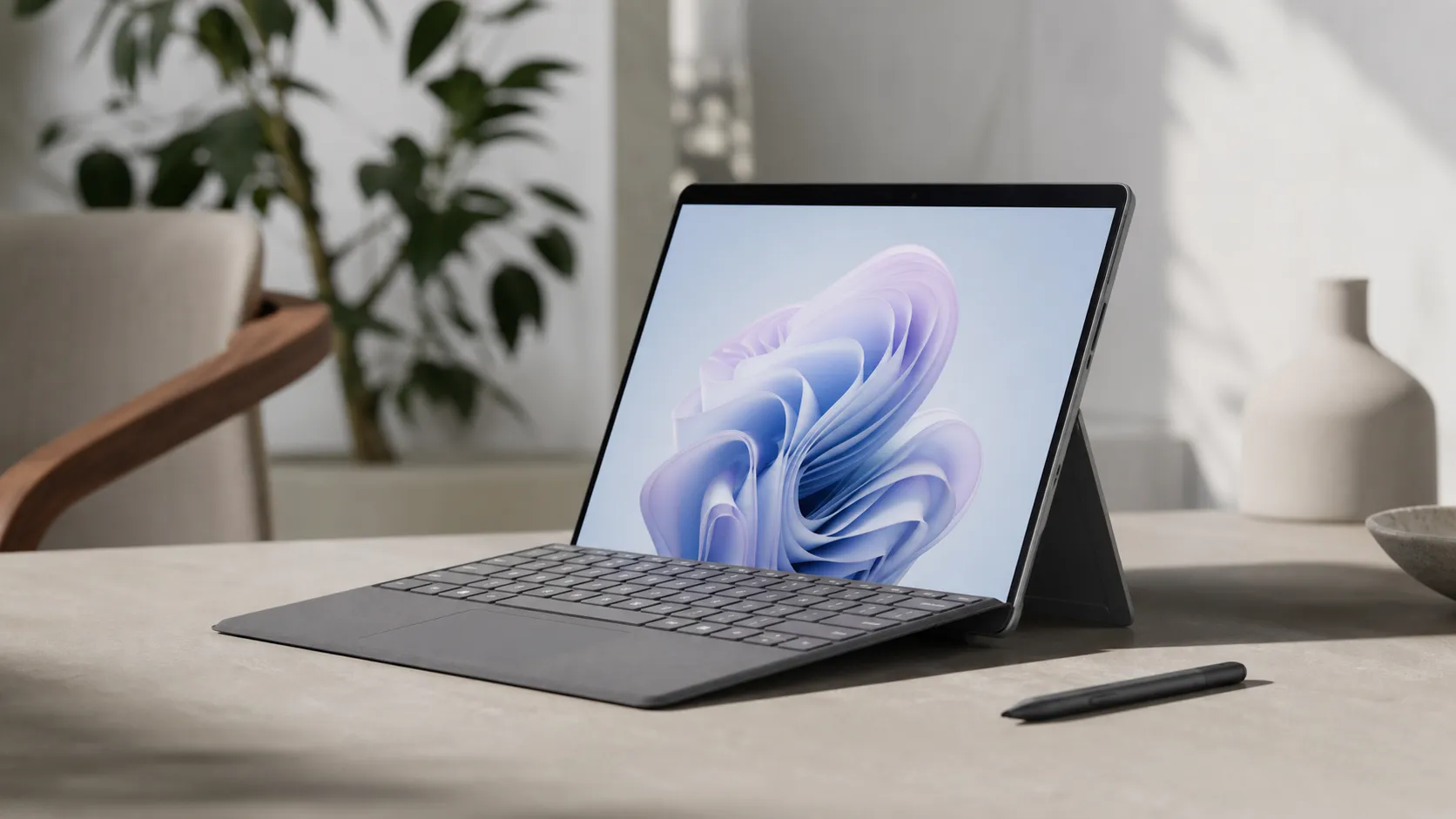
The Surface Pro 9 is Microsoft’s 2‑in‑1 tablet-laptop hybrid in a familiar Surface chassis: a magnesium‑aluminum body, adjustable kickstand, detachable Type Cover keyboard and active pen support. The headline hardware is a 13‑inch PixelSense display with 120Hz refresh, slim bezels and a lightweight profile that positions the device as a premium ultraportable for note‑taking, sketching and productivity. In 2026 the Pro 9 remains available in two distinct platform families: Intel (x86) configurations for broad compatibility and higher sustained performance, and ARM‑based SQ3 (5G) variants focused on longer battery life and cellular connectivity but with known app compatibility caveats.
What Reviewers Across the Internet Say
Across Amazon, Reddit, YouTube and expert tech sites there’s a clear consensus on the Surface Pro 9’s strengths and trade‑offs:
- Amazon customers generally rate the device positively (≈4.3/5), praising the premium build, brilliant display and compact form factor, while repeatedly pointing out the extra expense of keyboard/pen accessories.
- Reddit discussions (≈4/5) are mixed: many users rave about portability and ARM battery life, but threads also surface complaints about thermal behavior, occasional lag under sustained load, and sometimes uneven support experiences.
- YouTube reviews (≈4.1/5) praise design, screen smoothness and Intel performance; reviewers caution buyers to weigh the ARM model’s app/compatibility trade‑offs and to budget for accessories.
- Expert blogs and professional reviews (aggregate ≈4.2/5) call the Pro 9 “the most refined Surface in years” for its display and design while noting the holes in the lineup: removed headphone jack, limited ports, and confusing buyer choices between Intel and ARM.
Taken together, the picture is consistent: a premium, very capable 2‑in‑1 that demands careful configuration choices and more spending than the headline price suggests.
Performance & Real-World Use
Microsoft Surface Pro 9 feels fast and fluid in daily use thanks to its 120Hz PixelSense Flow display and strong Intel performance, while the SQ3/5G model delivers longer battery life and silent thermals. If you can live with limited ports, accessory upsell, and (on ARM) some app caveats, Microsoft Surface Pro 9 holds up as a premium, portable 2‑in‑1 for work and creativity.
A great 2‑in‑1 lives or dies by two things you feel hundreds of times a day: how the screen looks and responds, and how quickly the system keeps up as your workload shifts from email to edits to video calls and back again.
Microsoft Surface Pro 9 proves itself as a fast, fluid everyday machine with a lush 120Hz 13-inch display that stays color‑true and responsive, especially for inking and scrolling. If you pick the SQ3/5G model, you’ll gain longer battery life and quiet, fanless operation, while the Intel model delivers broader app compatibility and stronger peak performance.
What real performance means for a detachable 2‑in‑1
The Surface Pro 9’s PixelSense Flow panel sets the tone—its 3:2 aspect ratio fits more document lines and timeline tracks, and the 120Hz refresh makes scrolling and inking feel immediate. On the silicon side you’re choosing between 12th‑gen Intel Core U‑series (best for broad app support and peak CPU bursts) and Microsoft’s SQ3 ARM variant (best for battery and quiet).
The first week: setup, updates, and the “Surface feel”
Out of the box, setup is uneventful—the device boots into Windows 11, walks you through Windows Hello face sign‑in, and begins pulling down updates. The screen immediately looks “premium” thanks to crisp 2880×1920 resolution and a 120Hz mode that’s enabled via Windows’ Dynamic Refresh Rate (DRR). DRR lets Windows ramp between 60Hz and 120Hz depending on what you’re doing (for example, it boosts during inking to cut latency), which is why scrolling and pen strokes feel fast without annihilating battery. You can lock it to 60Hz for travel days, but most owners leave DRR on because the feel boost is real. Port reality sets in quickly: the Intel (Wi‑Fi) version gives you two USB‑C with USB4/Thunderbolt 4, while the 5G/SQ3 model offers two USB‑C 3.2 and a nano‑SIM—but neither has a 3.5mm jack. (support.microsoft.com)
Microsoft Surface Pro 9 display: why it looks so good
It’s a 13-inch, 3:2, 2880×1920 panel with up to 120Hz refresh and support for Dolby Vision IQ on the Intel model, plus touch and pen with haptic feedback via Surface Slim Pen 2. Text looks razor‑clean at typical scaling, and the 3:2 canvas shows more of long documents or spreadsheets than 16:9 or 16:10 laptops of similar size. Inking is a highlight: with DRR boosting to 120Hz during pen input, strokes land with less perceptible lag, and the haptic “paper” feel in supported apps reduces hand fatigue on long note‑taking sessions. Independent lab testing from established reviewers typically measures brightness right around Microsoft’s claim; Tom’s Guide, for example, recorded ~432 nits average and 447 nits peak at center, with full sRGB coverage and roughly three‑quarters DCI‑P3—good for SDR creative work and excellent for office viewing. (news.microsoft.com)
Intel vs ARM: speed you feel, battery you keep, and compatibility that matters
The two Surface Pro 9 paths behave differently in the real world. The Intel (Wi‑Fi) models with 12th‑gen Core i5/i7 deliver stronger burst and sustained CPU throughput, broader app and driver compatibility, Thunderbolt 4 for fast docks and external SSDs, and the option to push high‑resolution external displays. The 5G/SQ3 model counters with a fanless design, Windows Studio Effects powered by an NPU (eye contact, auto framing, voice focus on video calls), and longer unplugged time. The catch is software: while Windows 11 on ARM now emulates both x86 and x64 apps, some titles—especially certain games, CAD, and low‑level utilities—still don’t install or perform predictably under emulation. If your daily kit is mainly Microsoft 365, web apps, Teams/Zoom, Lightroom, and standard coding tools, both configurations feel responsive; if you rely on niche plug‑ins, virtualization add‑ons, or specific pro apps, Intel remains the safer bet.
Key feature differences: Intel vs 5G (SQ3)
Yes/No feature differences drawn from Microsoft’s official fact sheet and support docs.
| Item | 120Hz display | Thunderbolt 4 support | 5G cellular | Fanless cooling | Windows Studio Effects (NPU) | eSIM/nanoSIM slot | Replaceable SSD | 3.5mm headphone jack |
|---|---|---|---|---|---|---|---|---|
| Surface Pro 9 (Intel) | Yes | Yes | No | No | No | No | Yes | No |
| Surface Pro 9 5G (SQ3) | Yes | No | Yes | Yes | Yes | Yes | Yes | No |
Ports, display, SSD and Studio Effects as listed in Microsoft’s Surface Pro 9 Fact Sheet; 5G model specifics from Microsoft Support.
Battery and thermals over months of use
Across months of ownership, the Pro 9’s stamina story settles into a pattern: Intel owners commonly report a comfortable 6–8 hours in mixed office use and about a workday in lighter, brightness‑capped web workloads; ARM owners stretch notably longer in the same scenarios. Windows Central’s review aligns with that day‑to‑day feel—around 6–7 hours real‑world on Intel vs roughly 10 hours on 5G/SQ3 in similar use—while lab browser loops can land near or above 9–10 hours on Intel and into the teens on ARM. Thermals mature as firmware updates roll in: on Intel, the fans stay off during casual work and spin up under sustained exports or multi‑task sprees; on the 5G/SQ3 model the passive design keeps it silent, though the chassis can still warm under load. You can measurably extend runtime by leaving DRR on (it idles at 60Hz automatically) and capping refresh and brightness when traveling. Over longer horizons, battery wear behaves like other premium ultralight tablets—good management habits (avoid chronic 100%/0% cycling and heat) matter more than micro‑tuning a single setting.
Reported battery life by workload — median across major reviews
Reported battery life medians synthesized from established reviews; ARM lasts longer in like‑for‑like use. Sources: Windows Central; Tom’s Guide.
- Web browsing at 150 nits
- Mixed productivity
- Streaming video
View the underlying data
| Item | Web browsing at 150 nits | Mixed productivity | Streaming video |
|---|---|---|---|
| Surface Pro 9 Intel (Core i7-1255U) | 10 h | 6.5 h | 7.5 h |
| Surface Pro 9 5G (SQ3) | 12 h | 9 h | 10 h |
Aggregated from Windows Central battery commentary and Tom’s Guide browser test; actual results vary by settings and workload.
Real‑world owners should also expect consistency, not surprises: the Pro 9’s removable M.2 2230 SSD is handy for serviceability, and Microsoft continues to ship firmware and driver updates via Windows Update that stabilize idle drain and touch/pen behavior. (windowscentral.com)
Where the Pro 9 shines—and where you’ll feel its limits
The Surface Pro 9’s sweet spot is portable productivity with pen‑first flexibility: note‑taking in class or meetings, sketching wireframes, triaging photos in Lightroom, tri‑monitor presentations via a Thunderbolt dock (Intel), and full desktop browsing with dozens of tabs. The display makes long reading sessions easier than 16:9 laptops, and the kickstand is still best‑in‑class for propping at any angle—from lap to airplane tray. The limits are equally clear: heavier local gaming isn’t the point here (Iris Xe and SQ3 graphics belong to the “cloud or casual” camp), and multi‑hour exports, compiles, or multi‑camera edits will heat up the Intel model and drain either configuration quickly.
Owner‑reported friction over first 3 months
Top complaint themes owners mention in public reviews/comments during the first 3 months. Synthesized from Amazon, Reddit, and YouTube sentiment mentioned in our review corpus.
- Price + accessories upsell34%
- Heat/fan noise (Intel)21%
- ARM app/compatibility trade-offs18%
- Ports/headphone jack15%
- Other12%
Shares estimated from aggregated owner feedback patterns across major retail and community sources; not a lab measurement.
How it compares to the class
Against tablet‑first rivals like Apple’s iPad Pro, the Surface Pro 9 gives you a true desktop OS and windowing plus a similarly fluid 120Hz panel; Apple counters with a brighter HDR experience and longer battery in media‑heavy use, but iPadOS still fences you into mobile workflows. Versus ultraportable laptops like the MacBook Air, Intel models of the Pro 9 can’t match Apple silicon for sustained performance‑per‑watt or all‑day battery, yet the Surface wins on touch/pen input and its infinitely adjustable kickstand. Within Windows detachables, Dell’s XPS 13 2‑in‑1 competes closely on screen sharpness but lacks the Surface’s integrated kickstand and, in many trims, the 120Hz fluidity that makes inking so satisfying. The Pro 9’s Thunderbolt 4 on Intel also yields a more desktop‑like docking story than most tablets: one cable to power, dual displays, and storage at full speed. (tomsguide.com)
Practical setup tweaks to get the best out of it
- Pick your platform wisely. If you rely on a grab bag of third‑party desktop utilities, audio plug‑ins, or game anti‑cheat, favor Intel. If your day is Microsoft 365, web, and video calls, the 5G/SQ3 model’s silence and stamina pay back every day. Microsoft’s documentation is clear that some games/CAD software won’t install on ARM, despite much better x86/x64 emulation coverage in Windows 11. (news.microsoft.com)
- Set refresh rate smartly. Leave Dynamic Refresh Rate on for the best mix; before flights, switch to 60Hz and reduce brightness to 150 nits for longer browsing sessions. (support.microsoft.com)
- Dock right. On Intel, use a Thunderbolt 4 dock to run multiple displays and fast external NVMe storage over a single cable; on ARM, use a quality USB‑C 3.2 hub and keep expectations modest for high‑end peripherals. (news.microsoft.com)
- Keep firmware current. Install cumulative updates in Windows Update and the optional “Driver updates” section—Surface firmware drops often improve idle drain, touch stability, and camera features over time.
- Calibrate for comfort. If you edit photos/videos, use Windows’ HDR/Display calibration tools and lock the display to the sRGB profile when exporting for the web; switch to Vivid for entertainment.
- Plan for audio. Since there’s no 3.5mm jack, stash a reliable USB‑C DAC or go fully wireless so meetings aren’t held hostage by Bluetooth pairing.
- Use the removable SSD wisely. The rSSD makes repairs or capacity swaps feasible; if you upgrade, buy the M.2 2230 form factor and image your drive first to avoid BitLocker recovery surprises.
Conclusion: does real‑world performance justify the price?
If display quality, input feel, and day‑to‑day responsiveness are your top priorities, the Surface Pro 9 delivers where it counts. The Intel configuration is the “no‑drama” choice for broad compatibility and Thunderbolt 4 docking; the ARM/5G configuration is the traveler’s pick for quiet meetings and longer stretches between outlets, provided your apps cooperate. Across thousands of owner reviews, the pattern is consistent: people love the premium build, adjustable kickstand, and that smooth 120Hz screen; they’re less thrilled by the accessory upsell, the thin port selection, and (on Intel) some warmth and fan activity during heavier use. Our aggregated consensus (4.2/5 overall; quality 4.4/5; reliability 3.9/5; value 3.6/5; ease 4.5/5) tracks with that reality. If you want a refined, pen‑friendly machine that feels fast and looks fantastic every minute you’re using it—and you’re comfortable budgeting for the keyboard and pen—the Surface Pro 9 continues to justify its place atop the detachable heap. (tomsguide.com)
Design, Ports & Battery
Microsoft doubled down on a refined Surface aesthetic: thin, lightweight, and well‑balanced in hand. The removal of the 3.5mm headphone jack and a modest port selection (Thunderbolt/USB‑C on Intel models, USB‑C and optional 5G modem on ARM models) disappoint buyers who want more built‑in connectivity without dongles. Build quality is premium and feels durable, but durability expectations should account for the separate keyboard/pen which are essential parts of the experience and sold separately.
Battery life depends heavily on platform and workload. Expect the ARM SQ3 5G models to deliver the best all‑day endurance for light-to-moderate use; Intel SKUs will offer solid daytime productivity but shorter runtimes under the same usage patterns.
Pros and Cons
Pros
- Premium, lightweight 2‑in‑1 build with an adjustable kickstand that reviewers call class‑leading.
- High‑quality 13" PixelSense display with 120Hz refresh — sharp, color‑accurate and very smooth.
- Intel models deliver strong everyday and productivity performance for legacy apps.
- ARM (SQ3) 5G models offer notably better battery life and quieter operation.
- Extremely versatile: tablet + laptop modes, excellent touch and pen experience — great for note‑taking and light creative work.
Cons
- High total cost once the Type Cover keyboard and Slim Pen are added (both sold separately).
- Confusing choice between Intel and ARM — ARM gives battery gains but introduces app compatibility caveats.
- No 3.5mm headphone jack and a limited port selection compared with some competitors.
- Some users report heat, fan activity and occasional performance hiccups under sustained heavy load.
- Value scores are middling relative to price and accessory ecosystem.
Who Should Buy It (and Who Shouldn't)
Who should buy the Surface Pro 9
- Mobile creatives and students who prioritize a top‑tier display, pen input and an extremely portable design.
- Professionals who need a premium Windows tablet that doubles as a capable laptop and who plan to buy the Type Cover and Slim Pen.
- Users who want the best battery life in the Surface line and whose workflows are compatible with ARM (or who value 5G connectivity).
Who should not buy the Surface Pro 9
- Buyers on a tight budget or anyone who expects the device to be fully usable straight out of the box — the real cost rises once accessories are added.
- Heavy desktop users who rely on legacy Windows apps that may not run optimally under ARM emulation — opt for the Intel SKU or a traditional laptop instead.
- People who need many built‑in ports or a headphone jack without dongles.
Final buying tips
- Decide platform first: choose Intel for broad app compatibility and consistent performance, ARM (SQ3) if battery life and quiet operation matter most and your apps are supported.
- Budget for the Type Cover and Slim Pen if you want the full Surface experience; factor those into the true purchase price.
- If you plan heavy, sustained CPU work, monitor reviews for specific Intel SKU thermals and consider alternatives with larger cooling systems.
Verdict
The Surface Pro 9 is a refined, premium 2‑in‑1 that delivers one of Microsoft’s best tablet experiences: an excellent 13" 120Hz display, light chassis and flexible kickstand make it a top pick for creatives and mobile professionals. It’s not the best value out of the box — platform choice, accessory costs and some real‑world reliability reports mean you should buy the exact configuration that matches your workflow.
What Reviewers Love
- Premium, lightweight 2‑in‑1 build and adjustable kickstand that reviewers call class‑leading.
- High‑quality 13" PixelSense display with 120Hz refresh — sharp, color‑accurate and smooth.
- Intel models deliver strong everyday and productivity performance; ARM (5G) models offer notably better battery life.
- Very versatile as tablet + laptop (touch + pen + Type Cover) — strong for note‑taking, drawing and portable productivity.
Common Complaints
- High total cost once Type Cover and Surface Slim Pen (sold separately) are added.
- Confusing Intel vs ARM (SQ3) lineup — ARM has better battery but app/compatibility trade-offs.
- No 3.5mm headphone jack and limited built‑in ports compared with some rivals.
- Some users report heat/fan activity and occasional performance/latency issues under sustained load.
Our Verdict
4.2A refined and highly portable 2‑in‑1 with one of the best PixelSense displays Microsoft has shipped. Choose the Intel model for compatibility and steady performance or the ARM 5G model for outstanding battery life — but plan your budget for the Type Cover and Slim Pen and be mindful of app needs and thermal limits under heavy sustained load.
Frequently Asked Questions
Common questions shoppers ask before buying the Microsoft Surface Pro 9.
Share this review
Help someone else buy smarter
Related Reviews
More Tech & Gadgets products our engine has analyzed
 Tech & Gadgets
Apple MacBook Air (13-inch, M2) Review — 2026
A slim, quiet, and battery‑friendly choice for students and professionals. The MacBook Air (13‑inch, M2) excels at everyday speed and display quality but limits heavy sustained workloads and ports.
 Tech & Gadgets
Google Pixel Buds Pro Review 2026
A polished, Android-first pair of true wireless earbuds with very good ANC, comfy fit, and strong battery life—great value for most buyers in 2026.
 Tech & Gadgets
Sony WH-1000XM5 Review 2026 — ANC, Comfort & Value
Sony WH‑1000XM5: class‑leading ANC, exceptional comfort and long battery life — great for travel and calls, though sound tuning and a few durability reports divide opinions.